
Strategy and goals of automation in e-commerce
The automation strategy in e-commerce should start with mapping the customer funnel and identifying the processes with the highest volume and the greatest losses. Most often this concerns stages such as acquisition (popup/lead), basket, abandoned browsing, purchase and retention, and it is best to map this from the first visit to the 3rd purchase. Automation makes the most sense where a repeatable behavioural pattern appears and you have event data such as view_item, add_to_cart or purchase. Without these events, you will not build sensible triggers, and communication can easily start to rely on assumptions.
Priorities should be matched to the scale of the store: with low traffic and a limited budget, simple e-mail automations pay back fastest (abandoned basket + post-purchase) together with basic segmentation. For stores with <50 orders/month, such an implementation can be quick (1–3 days) and generate measurable revenue, because it addresses the most typical situations. Stores with greater traffic should add SMS/push and onsite personalisation, as the opportunity cost of lost conversions is higher. In practice, a sensible schedule is an MVP in 2–4 weeks (data integration, 3–5 key flows, templates and basic segments), while expansion with recommendations, prediction and omnichannel usually takes another 6–12 weeks.
The goals of automation are best described with a set of KPIs for each scenario, so that you assess the real business impact rather than just the “activity of sends”. It is worth measuring, among other things, attributed revenue (attribution), flow conversion, RPR (revenue per recipient), CTR, unsubscribe rate and spam complaints, and additionally keeping LTV, repeat rate and margin under control. If margin is sensitive, start the abandoned basket without a discount in the 1st message and add a coupon only in the 2nd–3rd step (e.g. after 24–48 h) or only for selected segments. To avoid getting in each other’s way with communication, establish consistency rules (frequency capping, campaign vs flow priorities and exclusions, e.g. after purchase block the abandoned basket for 48 h) and assign responsibility clearly: marketing/e-commerce as the owner, with essential IT support for events, feeds and tracking.
- 01Funnel and process mapFrom visit to 3rd purchase
- 02Key automation stagesAcquisition, basket, retention
- 03Event data and triggersBase it on view_item, purchase
- 04Match it to the store’s scaleSimple e-mails to start
- 05Quick returns and segmentationAbandoned basket, post-purchase
The key is mapping behaviour and rolling out automations where the data shows repeatable patterns with the greatest impact on results.
Choice of communication channels: e-mail, SMS, web push and onsite
The choice of communication channels should result from the urgency of the event and from the stage of the funnel at which you want to influence the customer’s decision. E-mail is the cheapest per contact and works well for educational content and recommendations, which is why it often forms the backbone of most flows. SMS has an advantage in urgent scenarios, such as “product back in stock”, where a quick reaction matters. Web push helps build retention without the cost of an individual message, while onsite (bars, pop-ups, recommendations) closes the sale in the same session and reduces pressure on discounts.
The channels have to work together, so from the outset introduce frequency and exclusion rules so that the customer does not receive several communications in one day. In practice, this means a global limit (frequency capping), prioritising campaigns over flows and mutual exclusion mechanisms, e.g. after purchase a block on the abandoned basket flow for 48 h. Automation tools are helped by features such as a “message center” or smart sending rules, which cut excess sends. Such a channel setup also supports selective use of price incentives and maintaining a consistent customer experience from acquisition to retention.
Choosing a marketing automation tool for online stores
A marketing automation tool for e-commerce is easiest to choose when you match it to event-based work and to the product catalogue, because those are what drive triggers and dynamic content. In practice, what matters are the capabilities for handling recommendations, dynamic blocks and the product feed, not just sending newsletters. For this reason, in e-commerce tools such as Klaviyo (especially with Shopify) and platforms like Bloomreach/Exponea, Insider or Synerise often work better. In B2B projects or with complex CRM processes, a sensible alternative may be HubSpot or Salesforce Marketing Cloud, but you need to take into account the higher cost and greater implementation complexity.
The best tool is one that directly uses your events and catalogue to trigger automatic recommendations and deliver coherent revenue reporting. If you are planning back-in-stock or price-drop messages, make sure the system can work with product and variant data, as well as price and availability updates. If you care about predictable results and control over margin, check whether you can build recommendation rules rather than rely solely on algorithms. When the team lacks resources for integration, ready-made connections with the store platform and a simple, clear configuration model come to the fore.
- Event and trigger handling (e.g. purchase and cart events) and stable customer identification.
- Product catalogue and dynamic content (blocks “products in cart”, “recently viewed”, recommendations).
- Ability to integrate with the store platform and simple attribute mapping (variants, categories, stock level).
- Readiness to integrate with CRM/helpdesk and advertising systems if you want to segment more broadly than by purchases alone.
- 01Fit for events & catalogueDriven by triggers and dynamic content
- 02Recommendations & dynamic contentFeed support, not just newsletters
- 03E-commerce platforms (e.g. Klaviyo)Often a better choice for e-commerce
- 04B2B / CRM alternatives (e.g. HubSpot)Higher cost and implementation complexity
- 05Goal: direct useTriggers automation from events and the catalogue
The best tool directly uses your events and catalogue to trigger effective automation.
Integration with store platforms and data management
Integrating marketing automation with an online store works best when it provides a full set of events, correct product mapping and coherent customer recognition across devices. The minimum set of events for sensible automations includes view_item, add_to_cart, begin_checkout, purchase, search and signup, together with the customer identifier (e-mail/phone) and product ID. In Shopify, native integration is often enough (e.g. Klaviyo), which synchronises customers, orders and the catalogue. In WooCommerce and PrestaShop, you more often need to add webhooks, configure GTM and refine attribute mapping (variants, stock level, categories) so that segments and recommendations work without friction.
The most common technical issue is a “misaligned” customer identity, which is why e-mail/phone should be passed consistently after login and in checkout. If identification relies solely on cookies, the tool may fail to connect browsing with a purchase on another device and the flow will not trigger. In such situations, consistent data passing and mechanisms such as server-side events or Customer Events in Shopify usually help. No less important is the product catalogue, as it powers dynamic content blocks and back-in-stock and price-drop messages (e.g. automatic insertion of images, prices and UTM links).
It is a good idea to extend data management with integrations with CRM and helpdesk tools so that you can segment audiences by support context rather than purchase history alone. Integration with tools such as HubSpot/Pipedrive and Zendesk/Gorgias makes it possible, for example, to pause sales communication to customers with an open “return” ticket and simultaneously launch a sequence that clearly explains the whole process. If you synchronise stock levels per variant in near real time, automations can react to availability while at the same time avoiding promotion of products that cannot currently be bought. Before implementation, verify data quality: the purchase event should always include value, currency, order ID and product list, and end-to-end tests across several scenarios should be matched against GA4 and the store panel.
Automation scenarios: abandoned cart, welcome flow and more
The most useful automation scenarios in an online store are those that respond to repeatable customer behaviour at key moments in the purchase journey. The basic set includes, among others, welcome flow after sign-up, abandoned cart, abandoned browsing, post-purchase communication and reactivation of inactive users. Each of these flows should have a clear trigger and clearly defined exclusion conditions so that messages do not overlap between scenarios. The best results come from designing flows as short sequences in which each message has a specific function (reminder, arguments, and only then a price incentive).
- Welcome flow: 2–3 messages (promise/benefit, bestsellers + social proof, help with choosing), trigger immediately after sign-up and the condition “if they haven’t bought”.
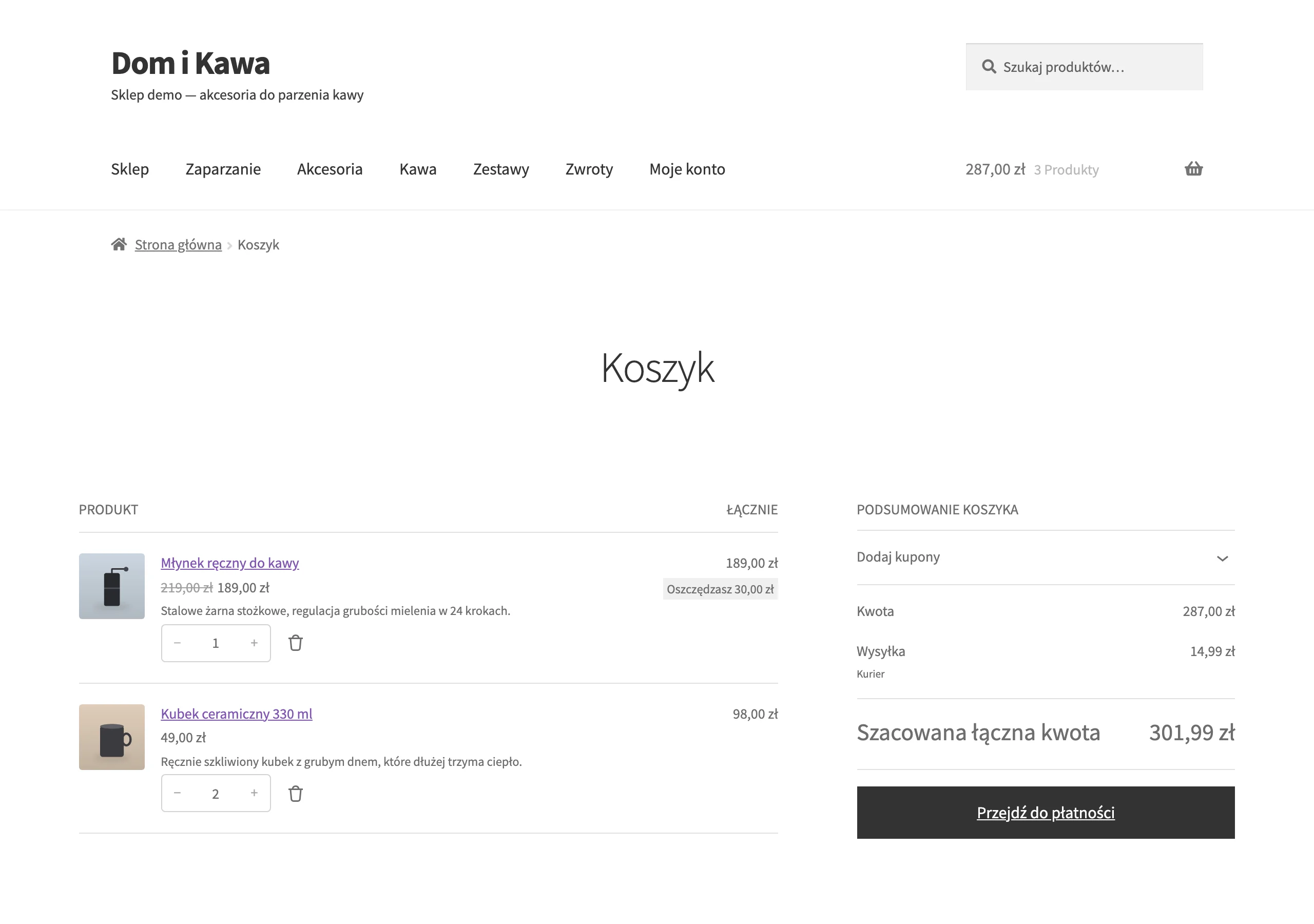
- Abandoned cart: standard 3-step sequence (30–60 min, 12–24 h, 48–72 h) with products from the cart, total cost and a clear CTA; coupon optional only in later steps.
- Abandoned browsing: after 4–8 h a message linking back to the viewed product and 3 alternatives from the same category plus filters (e.g. size, colour), excluding people who added to cart.
- Post-purchase: a sequence supplementing transactional e-mails (instructions, FAQ, cross-sell matched to the purchase, request for a review), e.g. D+3, D+10, D+21.
- Win-back: segments by time since last purchase (e.g. 60/120/180 days), 3 messages every 7 days and, at the end, a 48 h coupon for people with a high AOV.
- Replenishment: trigger based on the consumption cycle (e.g. on the 25th day after purchase) with an option for a subscription or bundle, so you can increase LTV without aggressive promotion.
- Back-in-stock and waitlist: sign-up when out of stock and notification immediately after the status changes to “in stock”, ideally SMS + e-mail for the hottest leads.
- Price-drop: selectively (e.g. seasonal products), with a drop threshold (e.g. ≥10%) and a cooldown (e.g. 30 days), to limit “training” people to wait for a promotion.
Abandoned cart recovers sales when the reminder arrives quickly, is to the point and shows exactly what the customer left behind. In practice, in the first step (30–60 min) a message without a discount is often enough, and only in the next ones (12–24 h and 48–72 h) do you add arguments or an optional coupon. It is also important that the scenario does not trigger for people who have just completed a purchase, and that it does not clash with other automations at the same time. If you send coupons, do it selectively (e.g. only in step 2–3), because automation can increase revenue at the expense of margin.
Post-purchase scenarios and requests for a review work best when they are synchronised with the real time of using the product and also serve a support function, not just a sales one. A post-purchase sequence can first deliver instructions and FAQ, then a request for a review, and finally a cross-sell of compatible accessories, e.g. on a D+3, D+10 and D+21 rhythm. In the review request, set the timing depending on the category: for cosmetics often 14–21 days, for electronics 7–14 days, and for digital services 1–3 days. Then use automatic segmentation: promoters → request for a photo/UGC, dissatisfied customers → redirect to customer support.
- 01Welcome FlowAfter sign-up, builds relationships
- 02Abandoned CartQuick reminder, to the point
- 03Post-purchase CommunicationThank you, request for a review
- 04Reactivation of inactive usersReminder, special offer
Key to effectiveness: a clear trigger, short sequences and avoiding overlapping messages.
Personalisation and customer segmentation in automation
Personalisation and segmentation in automation means that the same scenario triggers different content and incentives depending on the customer’s value and purchase intent. The easiest way to achieve this is through simple segment models that do not require data science, e.g. RFM (recency, frequency, monetary) and interests built on events. This means VIPs can receive communication with less discount pressure, while “sleeping” users get reactivation sequences with a different intensity. The most “safe” starting point is RFM + segmentation by categories/intents, because it is based on transactional and behavioural data available in most e-commerce businesses.
RFM segmentation divides the database by when the customer last bought (R), how often (F) and how much they spend (M), which makes it possible to quickly identify groups such as VIP, promising and sleeping. An example definition of a VIP in RFM is a purchase within 30 days, at least 3 orders and total spend above 1000 zł, and for this group it is worth limiting discounts and strengthening exclusive access to launches. At the same time, build interests based on behaviours such as the most viewed categories, searched keywords or add-to-cart actions, so that the content in the scenarios is better matched. As a result, in the welcome flow, instead of general bestsellers, you can show a guide and top models from the category the customer actually browsed.
You can build product recommendations using algorithms or a set of rules, and the decision usually depends on the scale of the range and the quality of the data. Algorithms (e.g. Bloomreach, Insider, Nosto) usually work better with a large number of events and an extensive catalogue, but they require time to “learn” and solid input data. Rules (e.g. “frequently bought together”, “accessories for the product”) are more predictable and easier to control, especially when you want to keep margin and availability in check. If your goal is profit, not just revenue, take segmentation by margin and returns into account, because discounts in low-margin categories or those with high returns can worsen performance.
Personalisation can cover not only products, but also content and the timing of contact, e.g. through dynamic conditional blocks (if/else) and send-time optimisation. Conditional blocks allow you to insert profile data (name, recently viewed, size, preferred brands) and reduce frustration, e.g. when you show only variants available in size M if the customer bought in M. In educational and win-back flows, test send times (e.g. 8:00 vs 20:00 on weekdays) and evaluate the effect by RPR, not just open rate. You can also launch “self-segmentation” in the preference centre, where the customer chooses interests, frequency and channels (e-mail/SMS), which usually reduces unsubscribe rates thanks to better-matched communication.
Measuring effectiveness and optimising automation campaigns
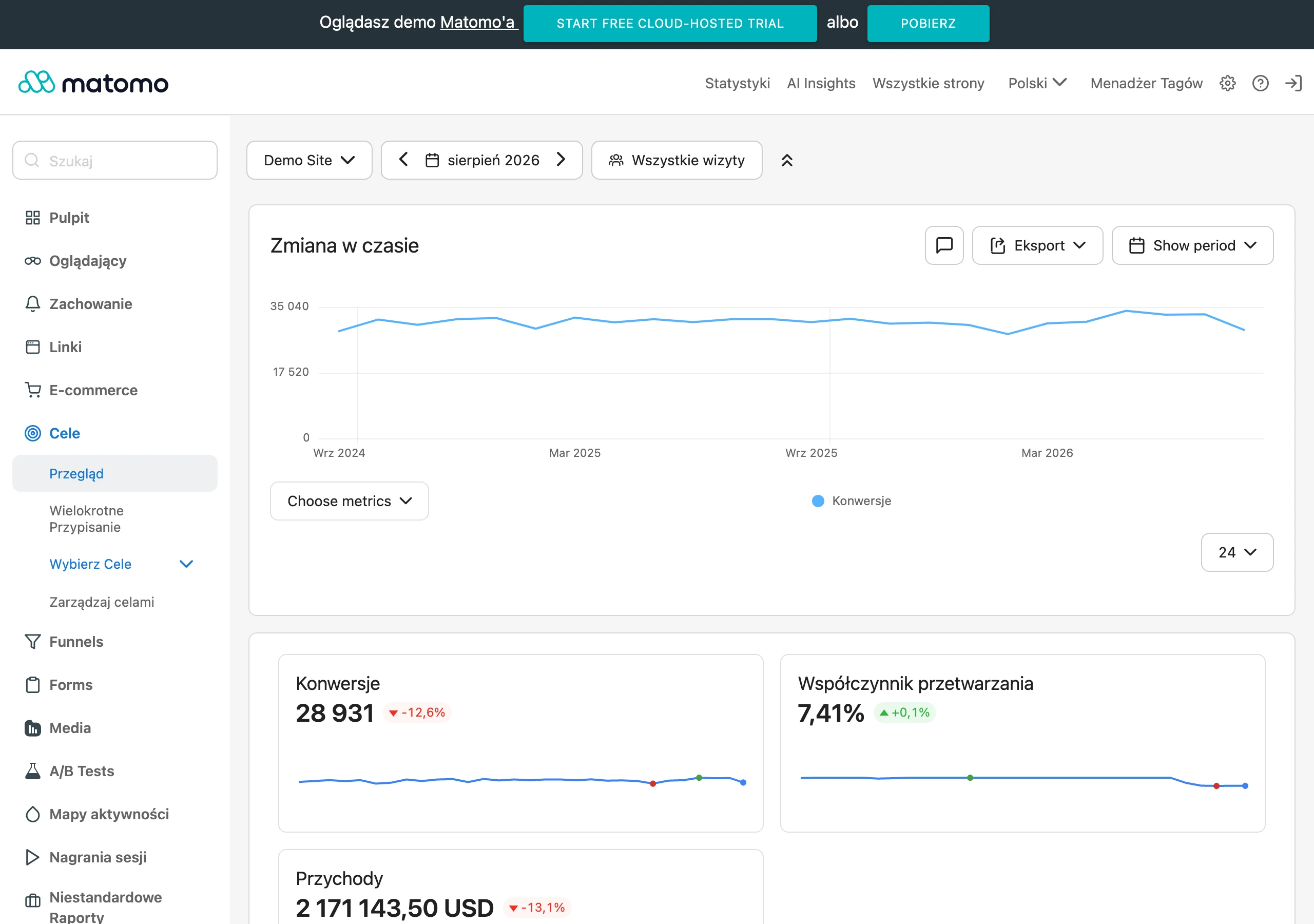
You will assess the effectiveness of automation reliably when you combine revenue attribution with a comparison against data from GA4 and the store backend. Set an attribution window for the flow (e.g. 5 days after click and 1 day after open), because different systems can report results in different ways. For key scenarios, also use a holdout (a control group with no communication) so you can calculate incremental revenue rather than “attributed” revenue. Without an attribution window and a control group, it is easy to overestimate the impact of a flow, because some customers would have bought anyway without the message.
Optimisation moves fastest when you test one element at a time and look at the result in business metrics, not only in “email metrics”. First check send time, number of steps, discount vs no discount, subject, and CTA layout, running one test at a time in a given flow. For example, in an abandoned cart flow you can compare 0% vs -10% in the 3rd message, measuring margin and net revenue rather than relying solely on conversion. This approach reduces the risk that you improve CTR at the expense of profit.
Stable automation results require constant deliverability monitoring, because drops in open rate are more often caused by domain/IP reputation and list quality than by the offer itself. Implement SPF, DKIM and DMARC, and also avoid ramping up volume too abruptly, especially if you have not cleaned up the list for a long time. Regularly isolate inactive contacts (e.g. no opens/clicks for 180 days) and run re-engagement, and if there is no response, gradually suppress those contacts to protect reputation. This way, automations, especially multi-step ones, are less likely to land in spam.
You can reduce tool and automation maintenance costs if you treat the database as an asset rather than a “contact warehouse”. Most systems (e.g. Klaviyo, Mailchimp) bill based on the number of contacts or sends, so use segments in the spirit of a “sunset policy” and regularly remove or archive inactive contacts. For example, after 12 months of inactivity you can move a contact to the archive (no sends), and when they return and subscribe again, you regain them without the ongoing cost. To manage the whole setup, prepare a weekly dashboard: revenue per flow, conversion per step, unsubscribes and spam per flow, share of discounts in revenue, and top segments (VIP, new, inactive).
Legal compliance and consent management in marketing automation
You will ensure legal compliance in automation when you send communication only to people with the appropriate consent and maintain an auditable record of those consents. In Poland, email marketing usually requires consent (Electronic Communications Law/ePrivacy), and profiling and data matching may require separate consent or at least clear information and the right to object. Make sure the unsubscribe process is simple and the information about automated decision-making is clear if you use scoring and personalisation at scale. Store consent for email, SMS, profiling and push channels separately, and record the source and timestamp so you can prove it in the event of an inspection.
It is worth supporting consent management technically so that consent flags are respected in every flow and on every channel. In practice, you implement a preference centre where the customer can change frequency and channels, and the automation tool (e.g. Klaviyo, Braze) takes these settings into account when sending. This approach reduces the risk of sending “to the wrong people” and makes it easier to maintain consistent omnichannel communication. It also organises the database in line with preferences, which usually translates into fewer unsubscribes and complaints.
It is worth implementing double opt-in when quality of the list and reducing deliverability risks matter to you, even if it is not always legally required. This solution works particularly well when leads come from pop-ups and competitions, where typos and the risk of spam traps appear more often. In higher-risk industries (e.g. fashion, electronics), double opt-in can reduce the bounce and complaint rate at the cost of a smaller but “healthier” list. As a result, automations deliver more stable results because they work on real recipients.
You will maintain data security in automation when you narrow access and consciously define which information is actually necessary for marketing. Use roles and permissions (RBAC), enable 2FA and SSO login, and store sensitive data (e.g. address) where it is needed operationally, not in the marketing area. If you use multiple integrations (SMS, push, CDP), verify data processing agreements (DPA) and the location of data processing. This basic security hygiene reduces the risk of misuse and makes it easier to scale automation in line with requirements.
FAQ
Frequently asked questions
How do you start implementing marketing automation in an online store?
First, it is worth mapping the customer funnel and identifying the stages where the store loses the most sales. Only then do you choose the scenarios, channels and KPIs.
Does marketing automation work without customer behavioural data?
Without events such as view_item, add_to_cart or purchase, it is hard to build meaningful triggers. In that case, communication quickly relies on assumptions rather than real behaviour.
Which automation scenarios are worth launching first?
As a foundation, the article points to abandoned cart, post-purchase and simple segmentation, especially with low traffic. Later, you can expand automations with welcome flows, abandoned browsing and reactivation.
When is it better to send an SMS instead of an email in automation?
SMS has the edge in urgent scenarios, for example when a product is back in stock. Email works better for educational content and recommendations, as it is cheaper per contact.
How do you measure the results of marketing automation in e-commerce?
It is worth looking at attributed revenue, flow conversion, RPR, CTR, unsubscribe rate and spam complaints. In addition, you need to monitor LTV, repeat rate and margin.
How do you avoid a situation where a customer receives too many messages?
You need to set frequency capping, campaign priorities relative to flows and exclusion rules between scenarios. For example, after a purchase you can block the abandoned cart flow for 48 hours.