
How to define an ideal customer profile (ICP) in B2B?
The ideal customer profile (ICP) in B2B defines who buys fastest and with the highest margin, helping you acquire fewer random contacts and more leads progressing to SQL. Start by describing the key fit dimensions: industry, company size (e.g. 50–500 employees), geography, and the stack in use (e.g. “uses HubSpot/Salesforce”). Then add buying triggers such as SDR hiring or marketing budget growth, because they often signal genuine readiness for a conversation. The more operational the ICP is (filters + signals), the easier it is to implement in outbound and inbound.
The ICP works much better when it also takes into account that in B2B decisions are rarely made by one person alone. So describe the buying committee: the decision-maker, the user, and the “blocker” (e.g. CFO, Head of Sales, IT), and for each role list 3 pain points and 3 objections (e.g. CFO: ROI and risk, IT: security and integrations). This way, your emails, landing page and conversations do not sound like one universal flyer for everyone. Such preparation shortens the path from first contact to a discussion about specifics.
To make the ICP translate into leads, not just a description in a document, combine it with the message “why should I talk to you?”. In your value proposition, answer concretely in 1–2 sentences, ideally with a number (e.g. “we shorten quoting time by 30% in 60 days”) and avoid vague claims such as “we increase sales”. A good approach is to test 3 versions of the value proposition in cold emails and LinkedIn ads, and then transfer the winning version to the website. Without an ICP, you usually get lots of contacts, but few leads that progress to SQL.
- 01Key dimensionsIndustry, size, geography, stack.
- 02Buying triggersHiring, budget growth, readiness.
- 03Buying committeeDecision-maker, user, blocker.
- 04Operational ICPFilters + signals, outbound & inbound.
Define your ICP through filters, signals and an understanding of the buying committee for faster, high-margin leads.
Effective prospect list building for outbound campaigns
An effective outbound prospect list is built from a combination of ICP filters and intent signals, rather than random “collecting contacts”. You can source decision-maker data from tools such as Apollo.io, ZoomInfo, Cognism and Sales Navigator, as well as from industry databases (e.g. KRS/CEIDG, chamber directories). The best results come from a list built on filters (industry, role, size, geography, stack) and signals such as new funding or open sales hiring. This means outbound reaches companies that are more likely to enter a conversation now, rather than “sometime”.
- Apollo.io, ZoomInfo, Cognism – contact databases for building lists by ICP filters
- Sales Navigator – filtering by role and company- or person-related signals
- Industry databases (e.g. KRS/CEIDG, chamber directories) – supplementing and verifying company data
Data quality directly determines campaign results, so always check a sample of 50–100 records before building a list of 2000+ prospects. This is the stage where issues most often come to light: outdated roles, incorrectly assigned companies or invalid contact details that later reduce sequence performance. Treat the list as a sales asset: the better the selection and verification, the less wasted volume and the better the quality of conversations. Only when the sample passes quality control should you scale the list and the campaign.
SEO strategies for increasing B2B leads
SEO strategies increase the number of B2B leads when you target keywords with purchase intent, rather than just informational traffic. Start with topics such as “alternative to X”, “pricing”, “implementation” or “integration with”, because these queries more often signal readiness for a conversation. For research and prioritisation, use Ahrefs, Semrush or SurferSEO and assess topics in terms of SQL potential, not just visits. Comparison pages and “use cases” often generate less traffic, but a higher demo conversion rate.
B2B SEO works better when the content answers the questions of the whole buying committee, not just one persona. Prepare materials for the CFO (ROI, TCO), for operations (process), for IT (security, integrations) and for the user (workflow), so that objections disappear even before the sales conversation. A separate “Security & Compliance” page with answers to typical vendor questionnaire questions helps here. This structure shortens the sales cycle and improves the quality of inbound enquiries.
Leads from SEO grow when you combine content with a concrete offer at the entry point and a well-crafted landing page. As lead magnets, “specifics” perform better (savings calculator, contract template, implementation checklist, industry report with data) than generic PDFs, because they naturally lead to the next step, such as an audit. On the landing page, state clearly what the user will receive after submitting the form, and keep the number of fields at 3–5 for TOFU, collecting additional fields only at BOFU (progressive profiling in HubSpot). If you have traffic but conversions are low, support decisions with retargeting (LinkedIn, Google Display, Meta) aimed at segments visiting “pricing”, “integrations” or “alternatives” pages, with a set frequency cap.
- 01Purchase intentAlternative, pricing, implementation
- 02Research and prioritisationSQL potential, not just traffic
- 03High-converting pagesComparisons, use cases, demo
- 04Multi-perspective contentThe whole buying committee (CFO, IT)
- 05Proactive objection handlingROI, security, process before the call
The key is precision and addressing decision-makers’ needs to accelerate conversion.
Using automation in the lead generation process
Automation in lead generation works best when you have one CRM as the single source of truth and precisely defined stages, responsibilities and handover rules. HubSpot, Pipedrive or Salesforce should contain the stage, owner, next step and reason for loss, otherwise leads will get “lost” between tools. Set a minimum set of fields and automatic tasks, because without this the process relies on the salesperson’s memory. Only on such a foundation do automations genuinely shorten response times and improve service quality.
The biggest return from automation comes from organising the flow of leads and contact data. Zapier or Make can automatically create a lead in the CRM from a form, assign it to SDR according to rules, send a Slack/email notification and set a follow-up, but this only makes sense with consistent MQL/SQL definitions. In parallel, validate and enrich data with tools such as Clearbit, People Data Labs, Dropcontact or Hunter.io, and verify emails via NeverBounce/ZeroBounce so that incorrect addresses do not drag down the results of your activities. Add attributes such as industry, headcount and technology, because this makes it easier to segment and personalise the next steps.
- Meeting scheduling: Calendly or Chili Piper (routing by industry/region + automatic SMS/email reminders)
- Website conversations: Intercom, Drift or Tidio (messages targeted at people on BOFU pages, e.g. “pricing”)
- Prioritisation: lead scoring combining behaviours (e.g. visit to pricing, case study download) with fit to ICP (role, headcount, industry)
Automation stops working when the data is dirty or reporting drifts between tools. Avoid “shadow CRM” in email tools and make sure activity syncs to the CRM, otherwise you won’t reliably see what is building the pipeline. Set deduplication rules, field formats (e.g. country, industry) and regular record cleaning, and also monitor field mapping between forms, CRM and outbound tools. With well-maintained data, you can start simply with 10–15 scoring rules and an SDR handoff threshold, then calibrate them based on won-s opportunity data.
How to segment and prioritise leads effectively?
Effective lead segmentation and prioritisation comes down to not putting all accounts and contacts into one bucket, but matching the amount of work to potential and intent signals. In practice, set A/B/C segments based on LTV, ICP fit and what the company is “doing now” (e.g. sales hiring, increased marketing budget). Handle segment A (e.g. top accounts) with an ABM approach and more personalisation plus solid research, and automate segment C to a greater extent so SDR does not waste time on low-priority leads. This approach directly answers where it is most worthwhile to call and write.
It is worth basing prioritisation on a simple scoring model that combines ICP fit with behaviour on the website and in content. Combine behavioural signals (e.g. a visit to the “pricing” page, downloading a case study) with company and role data (e.g. headcount, industry, function) to identify leads with the highest chance of moving to SQL. Start pragmatically with 10–15 rules and an SDR handoff threshold, then calibrate the scoring based on won-opportunity data. The most important thing is that scoring is not a “nice model”, but a real SDR work queue rule: who gets attention first and why.
Priorities only work consistently when you have clear rules for response and lead handover between teams. Set an SLA between marketing and sales: MQL/SQL definitions, the minimum lead data set (e.g. role, company, size) and SDR response time, especially for inbound (e.g. <15 minutes for leads from demo/pricing). This means leads do not “hang” without an owner, and feedback on quality is fed back into targeting and content more quickly. That closes the loop on segmentation as a process, rather than merely a set of labels in the CRM.
- 01Reject the one-size-fits-all approachDo not put contacts into one bucket.
- 02Segment A/B/C by potentialMatch segments to value and intent.
- 03Match the amount of work and the approachInvest time in segment A, automate C.
- 04Prioritise with simple scoringCombine fit with behavioural signals.
Key message: Match the amount of work to potential and intent signals, automating low priority.
Best practices for lead nurturing and qualification
The best nurturing and qualification practices start with a clear answer to the question of when a lead is ready for sales. Define MQL (interest + fit), SQL (confirmed need and role) and SAL (sales accepted) and write the criteria down explicitly, e.g. SQL = company of 50+ people + decision-making role + problem X within 6 months. Then choose one qualification framework and train the team to ask questions that reveal the buying process, not just general needs (in complex sales, MEDDICC often works well). Without these definitions, it is easy to chase lead volume instead of quality and revenue.
Nurturing is effective when it moves leads on to the next step, instead of “maintaining contact” without a specific goal. Set up sequences of 4–8 emails in HubSpot or Marketo based on MOFU/BOFU content (e.g. case studies, comparisons, checklists), rather than a generic newsletter. Add conditions: if someone clicks on “pricing”, they go to SDR or receive a consultation offer, which shortens the time from interest to conversation. In inbound, response speed is also key: aim for contact <15 minutes for leads from demo/pricing pages, because after 24h the competition often wins.
Qualification turns into SQL when meetings are well planned and discovery gives a clear answer to whether the problem is real, urgent and worth the money. Before the conversation, send an agenda and 2–3 questions, and do your homework on the sales side (LinkedIn, company website, tech stack in BuiltWith, latest news) so you can get to the point faster. In the discovery itself, probe the process, the cost of inaction and the metrics (e.g. “how many hours a month do you lose on X?” or “what is the value of the pipeline at risk?”), and at the end summarise the hypothesis and the agreed next step, instead of jumping straight into a feature demo. If a lead moves from SDR to AE, introduce a standard hand-off process (CRM note, call recording, confirmed criteria and next step), so the customer does not have to explain everything from scratch.
It is better to treat objections and “not now” as an information gap or a poor timing issue, rather than a final rejection. Prepare materials that reduce risk: an ROI calculator, an implementation plan in weeks, a security FAQ and references, to close the most common barriers (budget, implementation, security). Reactivate older leads with “re-open” campaigns every 60–90 days, using a new case study, market benchmark, new feature or price change. Segment reactivation by reason for loss (budget/timing/competition), because each group needs a different message.
Optimising ABM campaigns and measuring success
ABM optimisation is about making ads, outbound and content work together over time, and judging them through the lens of pipeline impact, not “pretty” reach metrics. Set the sequence of actions: first an awareness campaign to accounts, then SDR outreach to people who visited BOFU pages (e.g. “pricing” or “case”). To signal “account intent”, you can use platforms such as 6sense or Demandbase, but at the start visit and UTM analysis is often enough. This orchestration helps avoid a situation where every channel “does its own thing”, and the account does not get a coherent experience.
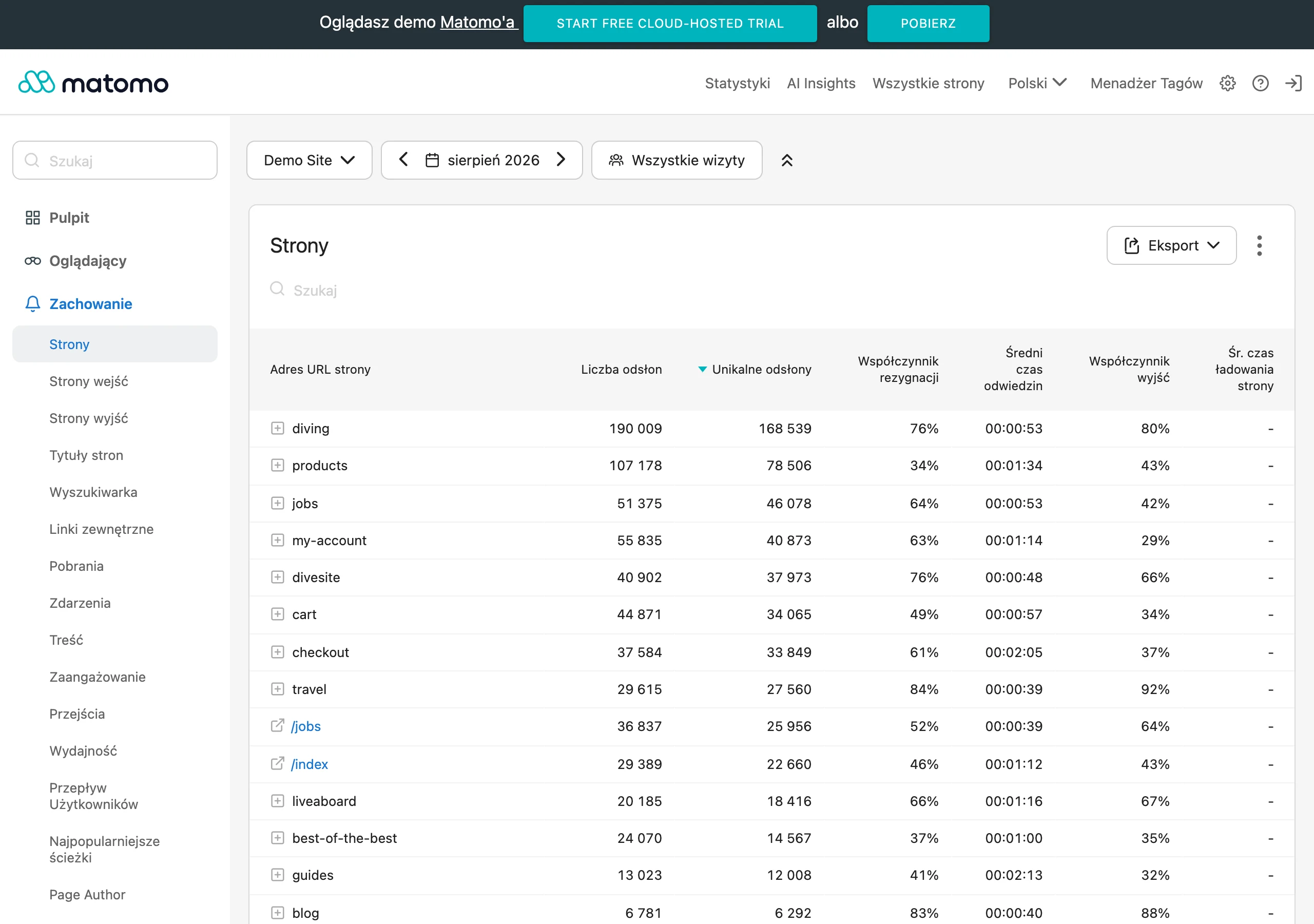
Measure ABM success primarily as account engagement and pipeline/revenue impact from the target list versus the control list, and only then as the number of leads. Monitor engagement signals: the number of people from the account on the site, BOFU visits, responses to outreach and the number of open opportunities. This kind of measurement answers the question of whether the campaign is actually moving accounts towards conversations and decisions, instead of acting like expensive branding. When you can see which accounts are “moving” through the funnel, it is easier to tailor the next touchpoints and SDR priorities.
In paid ABM activity (e.g. LinkedIn Ads), optimise campaigns for SQL quality in the CRM, not cost per click. Why chase cheap traffic if it does not translate into sales opportunities. In practice, formats such as Lead Gen Forms, Conversation Ads (for events) and Document Ads (e.g. for benchmarks) work best, and a sensible starting point is a test budget of 150–300 zł/day for 2–3 campaigns. If you do not close the loop on lead quality measurement in the CRM, ABM can easily turn into expensive activity with no real impact on sales. Only once you confirm that the selected accounts are actually generating opportunities should you scale what is delivering pipeline.
Integrating data and tools for better marketing efficiency
Integrating data and tools increases marketing efficiency when you combine analytics (GA4), CRM and ad platforms into a coherent picture of the journey from user entry to SQL and pipeline. Connect the sources in Looker Studio or Power BI so you can assess channels by CPSQL, pipeline cost and CAC per channel, rather than solely by CPL. This approach directly answers the question “which channel delivers the best leads?” and limits decisions based only on clicks. Only with unified data can you compare SEO, outbound and paid campaigns in one metric language.
Effective integration also requires data hygiene, because incorrect field mapping and duplicates break segmentation and attribution. Set deduplication rules, field format standards (e.g. country, industry) and regular record cleaning, and keep a close eye on synchronisations between forms, CRM and outbound tools. This is especially important when you report on lead quality and funnel stages, because “dirty” data can distort the conclusions. As a result, instead of reinforcing what actually works, it is easy to scale only volume.
Better efficiency grows fastest when you close the data integration loop with a steady sales–marketing feedback cycle. Enforce rejection reasons in the CRM and analyse them every week so you can adjust ad targeting, content and outbound lists. This way you improve fit and messaging, rather than trying to “save the numbers” by simply adding more budget. It is a simple practice that usually delivers a more predictable impact on pipeline than yet another tool in the stack.
FAQ
Frequently asked questions
How do you define an ideal customer profile (ICP) in B2B to generate better leads?
It’s worth basing your ICP on industry, company size, geography, stack and buying triggers such as SDR hiring or an increase in marketing budget. The more operational the profile is, the easier it is to turn it into leads that progress to SQL.
Should an outbound prospect list be built only from ICP filters?
No, the best results come from combining ICP filters with intent signals, e.g. new funding or open hiring processes. Such a list targets companies that are more likely to enter into a conversation right now.
Why is it worth checking a sample of records before scaling a lead list?
Because only a review of 50–100 records reveals problems with outdated roles, incorrectly assigned companies and poor contact data. Without this, it’s easy to burn budget and reduce campaign effectiveness.
Which SEO keywords attract B2B leads that are ready to talk?
It’s best to target high-intent keywords such as “alternative to X”, “pricing”, “implementation” or “integration with”. Such queries are more likely to lead to conversions than informational traffic alone.
When is a lead ready to be handed over to sales?
It’s worth defining MQL, SQL and SAL clearly and setting specific criteria, e.g. SQL is a company with 50+ people, a decision-making role and a real problem within 6 months. Without these definitions, the team can easily chase volume instead of quality.
How do you segment and prioritise leads so that SDRs don’t waste time?
The best approach is to split them into A/B/C segments based on LTV, ICP fit and activity signals, and then vary the level of personalisation and automation. Prioritisation is additionally supported by scoring that combines on-site behaviour with company and role data.