
Rebranding an online store makes sense when the current image, way of communicating or look no longer genuinely support sales and trust-building. More often than not, the issue is not traffic itself, but the results: users land on the site, yet they complete a purchase less often or abandon their basket more frequently. However, a change of identity should not be reduced to “a new logo for aesthetics’ sake”, but to a project based on data (GA4, Google Search Console) and behaviour observations (e.g. Hotjar/Clarity). A well-prepared rebrand brings consistency across all sales channels and helps justify positioning more accurately (e.g. price point, quality, service). In this section, you will find concrete signals that rebranding is worth placing high on the priority list. You will also see when it is an investment in growth, and when it is a response to a real risk (legal or reputational).
When is it worth considering rebranding an online store?
It is worth considering rebranding an online store when business results or customer feedback show that the brand, UX or communication are at odds with what you sell and how you want to be perceived. A classic scenario is a drop in conversion with stable traffic: if in GA4 you see a similar number of users, while CR falls, for example, from 2.1% to 1.2%, the cause often lies in the image layer, UX or a mismatch between the offer and expectations. Rebranding then has the best chance of working when it goes hand in hand with an audit of the purchase journey (e.g. Hotjar/Clarity) and a refinement of value communication. If the problem concerns the purchasing process (basket, checkout, navigation), simply “refreshing the logo” will not stop the drop in sales.
- A drop in conversion with similar traffic (e.g. in GA4), especially when session recordings show friction in the basket or on the product page.
- The brand no longer reflects the current offer or price level (e.g. moving from “budget” to “premium” or vice versa), and customers ask: “Why is it so expensive?” or “Is it definitely genuine?”.
- Entering new categories or expanding into new markets, when you need to organise the brand architecture and check name collisions and domain availability (e.g. .de, .cz) and social profiles.
- Low recognition and being confused with competitors, i.e. weak distinctiveness in surveys, customer service conversations and low branded searches in Google.
- Negative associations after a crisis or a change of ownership, when customers ask: “Is this still the same company?” and “Can I trust it?”.
- Rebranding forced by legal issues (trademark conflict, domain dispute) and the need to assess the risk of similarity and registrability (e.g. EUIPO, UPRP).
- Lack of consistency across multiple channels (website, Allegro, Instagram, newsletter), which weakens the sense of continuity and increases abandonment.
- An outdated design reducing credibility (e.g. “looks like it’s from 8–10 years ago”), which prompts questions about payment security.
- Rapid growth and the need to scale marketing, when at a scale of around 200–500 orders per day a consistent brand starts to genuinely support efficiency.
Rebranding is particularly justified when your brand no longer clearly explains “why it is worth buying here” and, as a result, doubts and questions to customer service increase. In practice, this applies, among other things, to situations where the store has changed its price level or offer, while the visual identity and tone of voice have lagged behind, which can reduce trust and the average basket value. Similarly, when expanding into new markets, it is crucial to check cultural associations, possible name collisions and the availability of domains and social media accounts, because these are elements that directly affect recognisability. If customers confuse you with a competitor, rebranding should build uniqueness (logo, palette, communication language and a clear USP), not just “prettier” graphics.
Rebranding can also be a defensive move when the risk concerns the law, reputation or trust in shopping security. Legal issues (a trademark conflict or a domain dispute) often force a quick name change, which is why it is worth assessing the registrability of the mark and the risk of similarity within product classes before making a decision (e.g. EUIPO, UPRP). After a quality crisis, a media scandal or a change of ownership, a change of appearance alone will not be enough — customers expect transparent communication and real changes (e.g. in returns policy, certifications, deliveries). Finally, if the design is outdated and questions such as “Is it safe to pay here?” arise, modernising the UI as part of the rebrand (e.g. better typography, simpler baskets) can help rebuild credibility without changing the price.
What elements should be included in a rebranding strategy?
A rebranding strategy should clearly define the scope of changes and the business problem it is meant to solve. At the outset, decide whether you need a facelift (a correction of the logo, colours and UI without changing the name or main promise, usually 4–8 weeks), or a full rebrand (positioning, name, communication and category architecture, often 3–6 months). With a full rebrand, also plan SEO activities and legal matters, because changes to the name and structure may affect visibility and collision risk. This way, rebranding does not turn into a project “for aesthetics”, but into an organised change that is meant to deliver results.
The scope of rebranding must include not only the visual layer, but also the shopping experience and communication, if they are what block sales. When the problem is basket abandonment or unclear navigation, the priority becomes UX redesign (filters, product pages, checkout), and only then the graphic “packaging”. At the same time, plan a brand book for e-commerce realities: consistent rules for buttons, images, icons, banners and emails, as well as the foundations of the system (palette, web typography, spacing grid, rules for product photography). First define positioning and 1–2 measurable advantages (USP), and only then match the language, layout and ad creatives to them.
It is also worth resolving decisions about the name and brand architecture in the strategy, because they affect product range scaling and clarity for the customer. A name change makes sense when the current one limits development (e.g. it suggests only one category) or is legally indefensible; before choosing it, check pronunciation, spelling, typos, and the availability of domains and profiles. If you sell your own brand and third-party products at the same time, design a system of distinctions (e.g. a separate name for private label, labels on product pages, dedicated landing pages) so as not to mix up quality and warranty promises. For rebranding to be “business-driven”, set KPIs (e.g. a 0.3–0.8 pp increase in CR, a 10–20% drop in CAC, a 15% increase in branded traffic share and an improvement in ratings/NPS over 3–6 months) and align your pricing and promotion policy to them.
What research and analyses should be carried out before rebranding?
Before a rebrand, you need to carry out an audit of data and user behaviour so you do not destroy what is already working for sales and SEO. In GA4, check which pages generate revenue and where users drop off (product page, basket, checkout), because that will show whether the problem lies in the purchase journey or in the messaging. In Google Search Console, analyse brand and non-brand queries, as well as the pages with the highest number of clicks, so changes to category names and copy do not reduce visibility. Add behaviour maps to understand friction that is not visible in the numbers alone.
Customer research should be based on real questions and concerns that are already reaching support, because that is what most quickly translates into better descriptions and fewer abandonments. Gather recurring themes from emails, chat and calls (e.g. “Is this genuine?”, “How long does a return take?”, “Will the product fit…?”), then supplement them with a short post-purchase survey (e.g. Typeform, Survicate) and 5–10 interviews. The greatest value comes from answers about what the customer is trying to work out just before purchase, not general opinions about “nice design”. In parallel, analyse 3–5 closest alternatives in the category (layout, filters, photos, delivery, payments, guarantees) and decide how you want to differentiate.
Segmentation and usability testing help you design a rebrand around different purchase intents rather than around one “ideal customer”. In e-commerce, you usually have 2–3 segments with different motivations (e.g. gift buyer vs advanced user), so the rebrand should give each of them quick answers (deadlines and packaging vs specifications, comparison tools, compatibility). Next, prepare prototypes of the key screens in Figma (home, category, PDP, basket, checkout) and test them with 5–8 people (e.g. Useberry, Maze), checking whether they can buy the product and find return information within 60–90 seconds. Such tests reduce the risk of rolling out changes that look good but in practice make purchasing harder.
The final step before implementation is to finalise the design standards and validate the concept at a small scale, so the rebrand is cohesive and has hard evidence in the data. Plan a design system with UI components (buttons, fields, errors, promo labels) and a mobile-first approach plus WCAG standards (contrast, font sizes), because accessibility also affects SEO and conversion. Define standards for product photos and videos (background, cropping, min. 1500 px, 1–2 contextual photos, 10–20 s video) and microcopy in key parts of the purchase journey (delivery on PDP, returns in basket, form errors, confirmations). Before you announce the “big launch”, test new creatives or visual variants on a limited group (A/B or campaigns in Meta Ads/Google Ads), comparing CTR and cost per purchase.
How to plan the rollout of a rebrand in a store?
The rollout of a rebrand in a store is best planned as a controlled migration with a clear schedule, tests and a stabilisation phase after launch. Schedule the work outside peak sales periods (often Tuesday–Wednesday at night), so customers do not see “chaos” during the changes. For a medium-sized store, a sensible plan is 2–4 weeks of preparation, 1 weekend for implementation and 2–4 weeks of stabilisation and fixes. The key is to prepare a rollback, so that in the event of a critical issue (payments, checkout) you can quickly return to a working version.
- Set the rollout schedule outside peak periods and plan a stabilisation phase after launch.
- Create a mapping: old URL → new URL and set up 301 redirects without chains, and after launch monitor 404s and indexing in GSC and submit a new sitemap.
- Protect content SEO: do not remove elements that rank for non-brand queries, and verify schema.org (Product, Offer, BreadcrumbList) as well as trust elements (e.g. returns policy, reviews, FAQ on PDP).
- Check performance (LCP/INP/CLS in PageSpeed Insights/Lighthouse) and keep within a performance budget, e.g. LCP < 2.5 s on mobile. Compress images (WebP/AVIF) and limit third-party apps.
- Test integrations and analytics: payments (Przelewy24/PayU/Stripe, BLIK), delivery (InPost/DPD/DHL), invoicing, feed to Google Merchant Center, stock levels, and in GA4 events (view_item, add_to_cart, begin_checkout, purchase) implemented via GTM and verified in DebugView.
In SEO, a rebrand requires particular caution, because the biggest threat is a drop in organic traffic after changes to URLs and site architecture. After launch, review 404 errors, indexing status in Google Search Console and submit an updated sitemap to speed up visibility stabilisation. If you change category names or descriptions, make sure you do not remove content that generates clicks for non-brand keywords. In addition, build trust by adding company information, returns policy, reviews and FAQ to product pages.
If the rebrand involves a domain or platform change, treat it as a separate level of risk and a separate action plan. A domain change requires 301 redirects for the entire site, updating internal linking, replacing URLs in campaigns, using the address change function in GSC and monitoring rankings for 8–12 weeks. When migrating platform (e.g. Shopify, WooCommerce, Magento, SaaS), plan product and customer imports, payment testing, delivery rules, ERP/WMS integrations and tax compliance. Finally, tighten trust signals: properly functioning SSL, clear payment messages in checkout and easy-to-find returns, complaints and GDPR policies.
How to communicate a rebrand to customers effectively?
Communicate the rebrand to customers directly and in advance so they know what is changing and why they can still buy safely. If you are changing the name or domain, notify customers 2–4 weeks in advance so they do not mistake it for phishing. For a refresh, you can say “we’re refreshing the store for convenience”, but always specify the benefit: faster shopping, better filtering, clearer descriptions and simpler returns. That way, the rebrand does not boil down to “a new logo”, but is seen as a real improvement in the experience.
Base email and SMS communication on a short sequence: announcement, launch day and FAQ after implementation, because that is when questions about “what changed” and “does my account still work” most often arise. Make sure transactional automations (order confirmation, dispatch, returns) are updated, because after a rebrand their appearance and links often drift apart, which can trigger a flood of enquiries to customer service. In social media, show “before/after” and concrete improvements (e.g. a new search function, comparison tool), rather than focusing solely on the visual layer. For larger changes, prepare a Q&A and a set of responses for community management, so you can quickly address concerns about security and order continuity.
Communication consistency should also cover offline materials and customer service, because these are what “confirm” the new identity after purchase. Update invoice templates, courier labels, parcel inserts, email footers, customer service scripts and consultants’ signatures so the customer does not get the impression that the parcel comes “from somewhere else”. After launch, monitor mentions and reviews on an ongoing basis (e.g. Brand24, Google), because the number of questions such as “is this a new company” grows, and a quick response limits rumours and misunderstandings. Set a response process within 24 h and consistent signposting to the official announcement, and when changing the name, ask loyal customers for up-to-date reviews to refresh the trust profile.
Plan the transition period like an operational project, because the most common risks are checkout errors, SEO declines and a “misalignment” of the brand across channels. Protect yourself with an end-to-end test list, 404 monitoring, hourly sales reports and checks of advertising tools on the day of implementation, so you can quickly spot regressions. In the first 7–14 days, prepare customer service for a higher volume of questions (“where is my parcel”, “do I need to create an account”, “why does the site look different”). During this time, it is worth adding an information banner, a dedicated FAQ page and short response macros in the helpdesk (e.g. Zendesk, Freshdesk) to maintain service pace and quality.
What risks are associated with rebranding and how can you minimise them?
The biggest rebranding risks are a drop in organic visibility, checkout errors and a “misalignment” of brand promises across channels. In practice, problems appear when landing pages and the shop structure change, while advertising campaigns and the purchasing path are not prepared for it. On the day of implementation, it is also easy to miss faults that the customer will notice immediately, such as non-working payments, delivery issues or unclear basket messages. You minimise the risk by treating rebranding as an operational change with end-to-end testing, not as a “visual” project.
SEO risk most often results from gaps in redirects or removed content that previously generated traffic for non-brand queries. Meanwhile, unprofitable campaigns after launch are usually the result of ads leading to pages after changes that do not match user intent or have altered conversion elements. To quickly catch regressions, ensure 404 error monitoring, hourly sales reports and checks of advertising tools on the day of implementation. This way, you can immediately see whether the problem concerns traffic, acquisition costs or the order fulfilment process itself.
The risk of a loss of trust increases particularly when the customer is not sure whether it is still the same shop and whether payment is secure. In such a situation, trust signals at key touchpoints matter: properly working SSL, clear payment messages in the checkout and easily accessible return, complaints and GDPR policies. It is also worth preparing customer service for the transition period, because in the first 7–14 days the volume of questions about orders and account functionality usually rises. If you are changing the name or domain, you reduce the risk of “suspicions of phishing” by warning customers 2–4 weeks in advance and referring them to the official announcement.
how do you measure the effects of rebranding and optimise results?
You measure the effects of rebranding reliably when you compare results with the period before the changes, taking seasonality into account, ideally year on year and in cohorts of new and returning customers. Such an arrangement shows whether the change is genuinely improving sales and repeat purchase rate, or merely “shifting” results between segments. The most practical approach is to base the analysis on a consistent set of metrics, so you do not assess the project solely on the team’s perceptions. Without a dashboard and comparable data, rebranding easily turns into an aesthetic project rather than a business one.
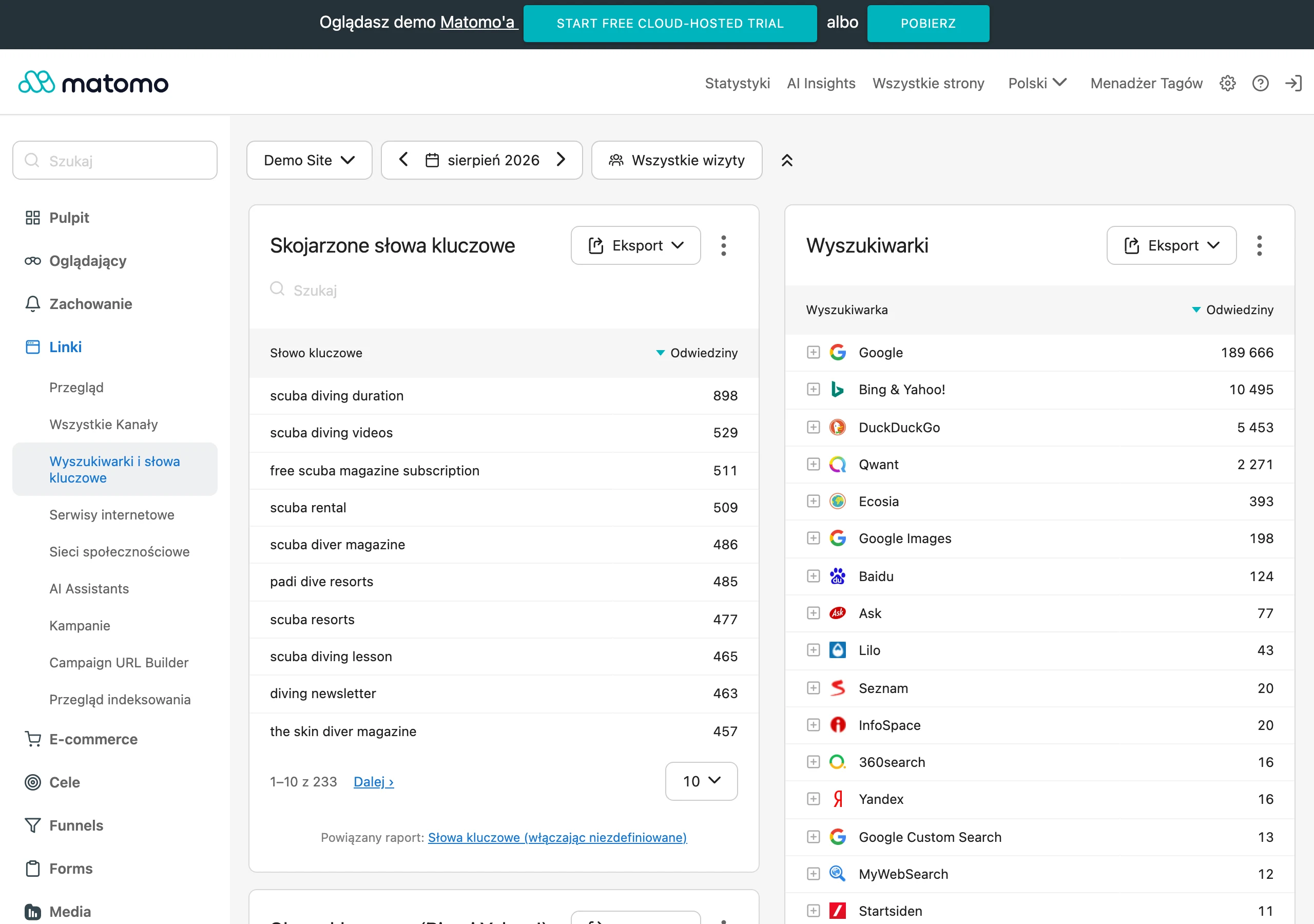
For ongoing control, prepare a dashboard in Looker Studio that collects the key metrics in one place: CR, AOV, revenue, CAC, share of brand traffic, abandoned baskets, LTV and performance metrics. Such a set lets you quickly notice whether the problem concerns, for example, the purchase path (basket/checkout), acquisition cost or the quality of brand traffic. This way, you can react immediately after launch instead of waiting for a “monthly summary”. This is especially important when the rebranding included changes to the site structure and content.
You optimise post-rebranding results through iterations, not by considering the project closed on launch day. Plan 3–6 weeks of improvements and prioritise them by impact on revenue, starting with critical areas such as the checkout and the product page (PDP). Base your decisions on data from session recordings and on-site surveys, not on internal opinions about appearance. This approach helps systematically remove friction (e.g. in filters, content and basket messages) and stabilise results after the changes.
FAQ
Frequently asked questions
How do you know an online store needs rebranding?
A sign is a drop in conversions with stable traffic, a rise in basket abandonment, or a mismatch between the brand and what you actually sell. It is also worth paying attention to low customer trust, being confused with competitors and inconsistent communication.
Is a logo refresh enough when sales are falling?
No, if the problem lies in the basket, checkout, navigation or value communication. In that situation, what is needed is an audit of the buying journey and changes to UX, not just a new visual identity.
When is online store rebranding needed for legal reasons?
When there is a trademark conflict, a domain dispute or a risk of similarity to another brand. In that case, before making changes it is worth checking the registrability of the mark and the availability of domains and social media profiles.
What research should you do before rebranding an online store?
You need to analyse data in GA4 and Google Search Console, as well as user behaviour in tools such as Hotjar or Clarity. Surveys, customer interviews, competitor analysis and usability testing of prototypes are also useful.
How do you plan a rebrand implementation so you do not lose SEO traffic?
You need to map old and new URLs, set up 301 redirects without chains and monitor 404 errors and indexing in Google Search Console. It is also important not to remove content that generates visits from non-brand keywords.
How do you communicate a change of name or store domain to customers?
It is best to inform them in advance, usually 2–4 weeks beforehand, so they do not interpret the change as phishing. The communication should clearly explain what is changing and why shopping remains safe.