

Website redesign is a change that affects more than just appearance. It impacts sales, leads, visibility in Google and data quality — in other words, the things a business actually lives on. A well-executed redesign tidies up the structure, shortens the path to the goal and eases the team’s day-to-day work. A badly executed one can break, within a few days, what the site has built up over years. The biggest mistake is treating a redesign as a graphic design project, when in practice it is a business, technology and operations project at the same time. So first you work out what needs protecting, what needs improving and how we will know it was worth it. Only then does it make sense to draw up the new layout, write the content and plan the implementation.
What are the key objectives and risks when redesigning a website?
The key objective of a redesign is simple: improve the effectiveness of the site without wiping out its existing business value. In practice, that means helping the user find information faster, submit a form more easily, buy a product or contact the company. At the same time, the business still needs to measure results correctly and, after launch, manage content efficiently without desperately hunting for workarounds.
The most important goals usually revolve around four areas: conversion, SEO, analytics and operations. The site should guide the user better through the decision journey, retain organic traffic from existing URLs and avoid losing data about leads, sales or traffic sources. If, after the redesign, the team cannot see forms, phone calls, transactions or campaigns correctly, then even an attractive site has failed from a business perspective. So the question is not “does it look nicer?”, but “are we delivering results?”
There is also the technical objective, often underestimated and then painfully felt. The new site should run faster, be more stable on mobile, be lighter in terms of scripts and simply be easier to maintain. Increasingly, accessibility, component consistency and the ability to edit content without involving a developer for every small change are just as important.
The biggest risk appears when a project changes the domain, URL structure, CMS, content, menu, templates and conversion measurement all at once. Each of these changes on its own is manageable, but together they create a mix of high risk: errors, delays and diagnosis problems after launch. The more layers you change simultaneously, the more important it becomes to inventory the current site and create a hard list of elements that must not be lost.
In practice, the biggest business losses come not from UX itself, but from migration. Important landing pages disappear, redirects are incomplete, forms fail to save leads to the CRM, and analytics starts counting different events than before. On top of that come indexing errors, a heavier site due to extra scripts and the loss of content that previously drove traffic or supported sales. Look at it another way: a redesign can be a facelift, but it can also be open-heart surgery.
First, you set the rules of the game. You need to define success criteria and the limits of change straight away, meaning you need to know which URLs drive the most traffic, which pages convert users into leads, which integrations are critical and which reports management actually reads. A redesign is only safe when it is clear what is meant to be improved, but also what must remain continuously operational from the very first minute after launch.
How do you audit the current site before a redesign?
An audit is not decoration. It involves identifying what works today, what does not work and what absolutely must not be lost when the new version is launched. This is not a quick “look” at the homepage, but a cross-sectional review of data, content, technology, user journeys and dependencies between systems. The question is: should design decisions be based on taste, or on facts.
First you gather the business context. You need to clarify the site’s main objectives, the most important types of conversion, the main traffic sources, seasonality, and the technological and organisational constraints. Without this framework, it is easy to polish visually impressive things and overlook the ones that genuinely improve results. Not “nicer”, but more effective.
The second step is analysis of user behaviour and page performance. In practice, you check which pages attract traffic, which close sales or leads, where users drop off and which paths through the site appear most often. Data only speaks clearly when you combine web analytics, Search Console, forms, CRM and, where relevant, click or scroll maps. One chart can reassure you, but several sources are what reveal the full picture.
The site structure needs to be reviewed separately. This means a complete list of URLs, templates, categories, files, forms, events, menu items, language versions and integrations with external systems. If no inventory of addresses and functions is created before the redesign, it becomes very difficult later to prepare a good redirect map and sensible quality control. There is no magic here, only logistics.
The audit should cover at least these areas:
- pages generating the most traffic, leads or sales,
- information architecture, menu, internal linking and search,
- content with high SEO and sales value,
- forms, micro-conversions and contact scenarios,
- analytics, tag manager, events and integrations with CRM and ads,
- mobile performance, technical errors, indexing and HTTP statuses,
- the content editing process in the CMS, user roles and editorial constraints.
SEO and migration are a separate chapter. You need to identify landing pages with the largest share of traffic, check current titles, descriptions, headings, URLs, canonicals, sitemaps and 404 errors. It is also essential to identify duplicated, outdated or competing content, because a redesign is often a perfect moment for a tidy-up, but a poor one for randomly deleting valuable pages. Instead of making blind cuts, it is better to make a justified selection.
By the final stretch, the audit needs to deliver a clear decision document. Such a deliverable should state, without beating around the bush, the critical issues, the assets to keep, the elements to merge or remove, and the risks tied to implementation. A good audit does not end with a list of observations, but with priorities: what needs fixing, what needs protecting, and what can only be changed after testing.
What steps does the website redesign process include?
Redesign has its own sequence. The website redesign process includes defining business goals, auditing the current site, designing the new structure and user experience, preparing the migration, implementation, testing, and checking the results after launch. At the start, you need to establish which outcomes the site is meant to improve and what must not be broken along the way. This usually concerns leads, sales, SEO visibility, data quality, ease of content editing, and the efficiency of integrations. Without clear acceptance criteria, a redesign quickly turns into a series of subjective opinions about appearance.
Once the goals have been defined, the inventory and prioritisation stage begins. You need to list URLs, page types, forms, modules, files, content, events, integrations and CMS elements, and then estimate their real value. In practice, it comes down to a simple question: which pages generate traffic, which support sales, and which only increase maintenance costs. Only then can you sensibly decide what to keep, what to merge, what to remove and what to rebuild.
The next step is the new information architecture and content strategy. At this stage, you define the menu, category hierarchy, page types, internal linking logic, CTA placement, and the way search and filters work. This is not cosmetic work, but decisions that determine whether the user completes the task quickly and whether Google properly understands the site structure. Changing the look without organising the structure and content rarely improves a site’s effectiveness.
Only on this basis does UX and UI design make sense. Wireframes, prototypes, components, mobile and desktop views, and the behaviour of forms, error messages and navigation are created. What matters is not only how the site looks, but also whether the user understands the next steps, does not get lost on mobile, and can easily submit a form, place an order or find an offer. At this point, accessibility, interface consistency and the reduction of unnecessary distracting elements also need to be taken into account.
At the same time, a functional and technical specification should be created. This is the document that describes modules, user roles, publication workflows, SEO requirements, performance, caching rules, security, integrations, language versions and the data migration approach. The problem is that when this stage is handled too broadly, issues only surface during implementation, that is, when fixing them hurts the most. The biggest delays do not come from coding, but from imprecise decisions made earlier.
Then development begins. And the work that is not visible in the wireframes starts: configuring environments, preparing the migration and tying the whole thing together. Templates and components, the CMS, forms, API integrations, consents, permissions and the mechanisms needed for editorial work and reporting are created. At the same time, redirects, the measurement plan, the list of events, indexing rules and the test checklist need to be sorted out. The problem is that when the CMS, URL structure and the way conversions are measured all change at once, the risk rises sharply and demands tighter project control.
There are no shortcuts before launch. QA tests and business scenarios are needed, otherwise the implementation turns into a blind flight. Links, forms, redirects, conversions, CRM integrations, indexability, content editing, user roles, performance, mobile compatibility and the correctness of analytics data are checked. The publication should follow the launch plan, and afterwards there must be a stabilisation phase: monitoring 404 errors, traffic drops, form issues and discrepancies in data between systems. The question is whether you treat this as a mandatory stage or as a “nice extra” after implementation. Redesign does not end on the implementation day, but only after the operation has stabilised and it has been confirmed that the business is measuring the right results.
How do you ensure SEO and analytics effectiveness during a migration?
SEO and analytics in a migration have one shared requirement: discipline. Effectiveness is ensured by preserving valuable URLs and content, preparing accurate redirects, recreating the measurement logic and checking the data before and after launch. The key is not to treat SEO and analytics as an add-on to implementation, but as part of its structure. If they are added too late, the same problems usually surface: loss of traffic, 404 errors, missing conversions in reports, or broken connections with ads and CRM. And that is not a cliché, but a recurring scenario.
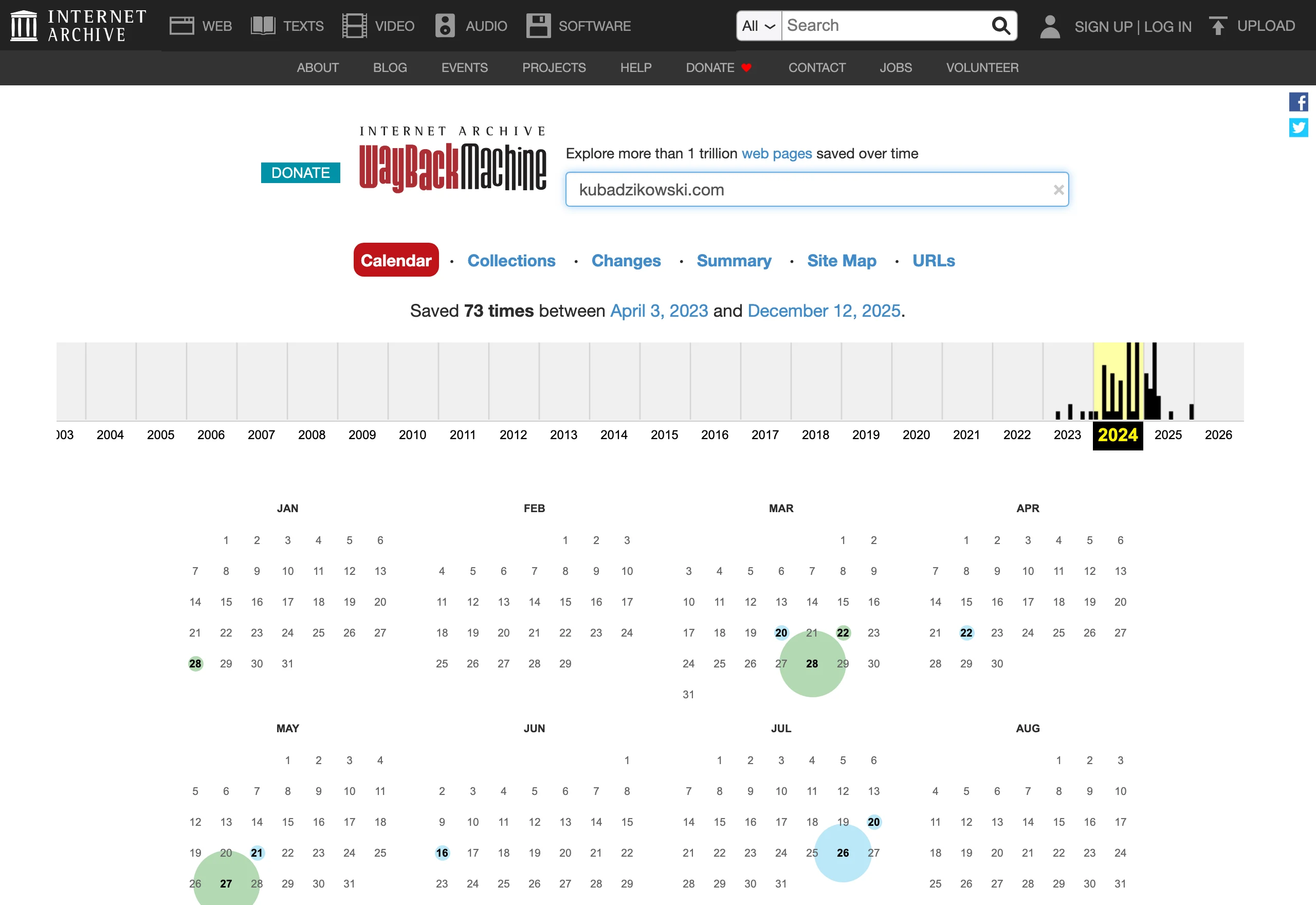
On the SEO side, the foundation is a map of all changed addresses. And right after that: a plan for 301 redirects at the level of specific URLs, not “roughly” at section level of the site. You also need to preserve or deliberately rewrite titles, descriptions, headings, canonicals, structured data where it makes sense, and in multilingual projects also the relationships between language versions. Just as important is recreating internal linking and the intent of landing pages, because these often deliver the biggest share of organic traffic. The facts are these: the biggest SEO losses usually do not come from the new design, but from chaos in addresses, content and indexation signals.
In practice, you need to cleanly separate the test environment from production. Staging should not be indexed, but once production goes live, indexing needs to be unblocked at the right moment, together with the current sitemap and the correct robots configuration. But note: “allowing indexing” is only the beginning. It is worth checking HTTP status codes, 404 pages, pagination, filtering, media, and whether the new templates are generating duplicate content. Errors in these areas often do not stand out, but they quickly affect traffic and crawling.
On the analytics side, everything starts with an inventory of what you are already measuring today. In short. This means conversions, events, naming conventions, integrations with advertising platforms, CRM connections, form parameters and reports that the team actually uses on a daily basis. Then you put together a measurement plan for the new site and verify whether, after migration, the event definitions still mean exactly the same thing as before. If the way leads are counted changes after launch, comparing performance before and after the redesign will be misleading.
Before publishing, you need to run end-to-end conversion scenario tests. No shortcuts. This is not just clicking through a form, but checking whether the event is recorded in the analytics tool, whether the lead actually lands in the CRM, whether the campaign source does not disappear along the way, and whether user consent works as designed. The same applies to connections with advertising systems, email, chat, bookings or payments. In sites with multiple integrations, these are precisely the places that most often cause costly outages, and then the frantic search for the culprit begins.
After launch, you need comparative monitoring, not a one-off tick on a checklist. The problem is that many things only show up in live traffic. In the first days, it makes sense to observe organic traffic on key URLs, the number of 404 errors, indexation, the click-through rate to the most important pages, the correctness of conversion data collection and consistency of data between systems. On top of that comes mobile performance and script load, because the new front-end layer can simply weigh the site down and drag speed down. A good migration is one where deviations can be detected quickly and fixed before they translate into a real loss of leads or sales.
What are the most common pitfalls when redesigning a website?
The most common pitfalls are changing a site without clear goals, without an inventory of the current site and without a migration plan. And that is not a cliché. In practice, problems rarely come from the new design itself, but from the fact that important URLs, content, analytics data, forms or integrations get lost along the way. The most expensive mistake is starting with the visuals instead of business goals, an audit and a list of critical elements. The result is often counterintuitive: the project looks fresh, yet it starts selling worse, generating leads worse or quietly handing over traffic from search.
A common mistake is changing too many things at once: the CMS, URL structure, content, menus, templates and the way conversions are measured. The key point is that the more variables you throw into one bag, the harder it is afterwards to determine what specifically caused the drop in results or the errors after launch. Instead of a big revolution in one go — a sensible separation into layers. Information architecture separately, content separately, technology separately, measurement separately. This approach makes it easier to keep risk under control and to close fixes faster when something does go wrong.
Too often, companies trim or cobble together content “by eye” instead of basing it on data. An old subpage may look mediocre, yet still bring in SEO traffic, answer key user questions and close the sale before the customer even compares offers. If such content disappears without a sensible replacement, the drop in traffic and leads usually only becomes apparent after a few weeks, when bots and users start bouncing off the void. Content is not removed just because it is “old”; first you check its contribution to traffic, conversions, links and user paths.
The second group of pitfalls is technical issues that can upend a migration. Most often this involves a lack of a complete 301 redirect map, mixed-up HTTP status codes, blocked indexation, poorly migrated metadata, broken internal linking and a new menu that does not match how people actually search for information. A missing redirect map for all changed addresses is one of the most common causes of a loss of SEO visibility. The problem becomes especially costly where a large share of traffic lands on articles, category pages, service pages and advertising landing pages.
A separate pitfall is treating analytics and integrations as an add-on bolted on at the end of the project. When events do not work after launch, forms do not save leads in the CRM, ad platforms lose conversion signals or the attribution logic changes, the company stops seeing the real effect of the redesign. And then the question arises: do we have a drop in results, or just measurement blindness? In such a setup, it is hard to distinguish a genuine fall in performance from a simple tracking error. That is why the measurement plan, event naming, data sources and integration tests need to be finalised before publication, not after it.
In practice, being too optimistic about editorial and operational work also causes a lot of damage. A new CMS may be technically better, but if the team cannot edit content efficiently, manage versions, publish drafts and fill in SEO fields, the site starts to block day-to-day work. The same applies to permissions, the media library and reusable components. These are not decorative extras. They are the elements that determine whether the new site will actually be useful after launch.
In the end, the classic organisational problem usually emerges: no decision owners and no acceptance checklist. When SEO, UX, development, content and analytics do not have clearly assigned responsibility, the project quickly descends into chaos, fixes get duplicated, and key items fall out of scope. And without a test environment and QA scenarios, it is easy to let mobile bugs, script overload, accessibility issues or inconsistent form behaviour through. The ending can be ironic, because in a redesign the biggest losses usually come not from one spectacular failure, but from many small oversights at once.
What should be measured and verified after launching the new version of the site?
Once the new version of the site goes live, the real test begins. You need to measure business continuity, data accuracy, SEO health, user behaviour and technical stability, because these will show whether the migration has caused any damage. The first question is not “does the site look good”, but whether sales, lead generation and results reporting are still working. Do not judge the launch by the fact that the site displays; judge it by whether the key journeys work properly and whether the data matches across systems. In practice, that means checking forms, contact clicks, sign-ups, registrations, orders and all touchpoints that actually deliver results.
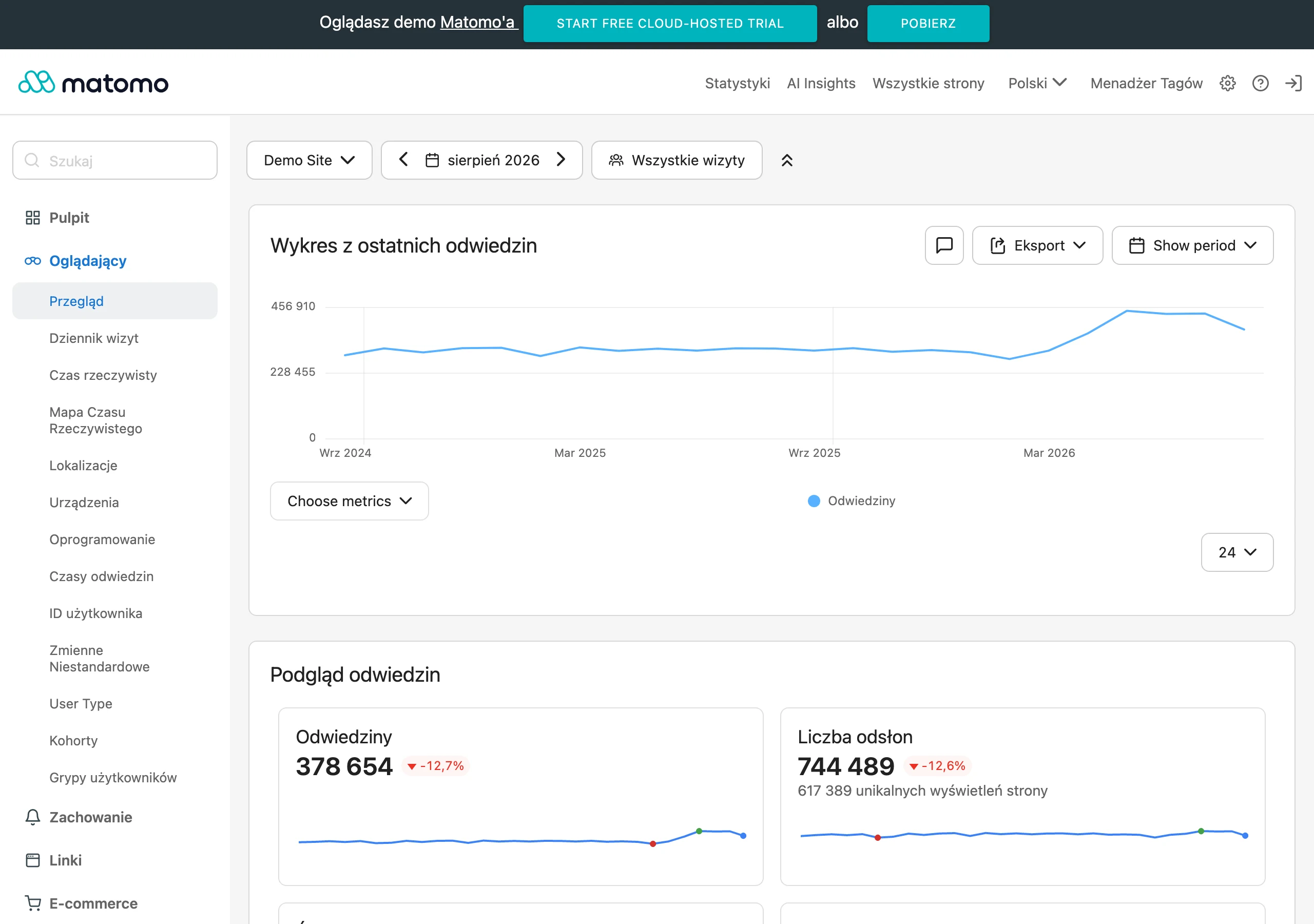
Start with the things that can stop the business in a minute. Test forms on different devices, confirm lead delivery to the CRM or by e-mail, check thank-you pages, conversion events and integrations with advertising systems, because this is where silent failures are easiest to miss. If there are payments, bookings or logins, these scenarios should be monitored from the first hours after publication. A good practice is to compare the number of leads and transactions day by day and week by week, taking seasonality into account, rather than “by eye”.
The second front is analytics. You need to confirm that pageviews, events, conversions, campaign parameters and traffic sources are being collected, and that the naming follows the previous reports or the new agreed conventions, without chaos or duplicates. After launch, compare not only traffic levels, but also data completeness: whether all conversions, events and CRM connections work the same as, or better than, before the migration. The problem is that traffic may look stable, while some forms do not send events or ads lose the conversion signal, so the reports become “silent” in a way that nobody notices immediately.
SEO after launch requires separate checks. And quickly. Issues are not always visible straight away, so you need to review redirects, status codes 200, 301 and 404, sitemap accuracy, robots, canonicals, internal linking and whether the most important landing pages are indexed and accessible to bots. It is worth monitoring not only overall organic traffic, but also visibility and clicks for specific URLs with the greatest business importance. The most important report after launch concerns the landing pages that previously drove traffic and conversions, because that is where the cost of a faulty migration shows up fastest.
The next area is user behaviour on the new site. Check the conversion rate between key steps, form abandonment, internal search usage, filter performance, CTA clicks and differences between mobile and desktop, because these are the places where the experience “breaks”. If, after the redesign, the number of visits grows but the number of journeys to contact or basket drops, the problem usually lies not in the offer, but in the information architecture, content order or an interface that is too heavy. In such situations, it is best to break down specific templates and journeys rather than drawing conclusions from one aggregated metric that smooths everything out.
This only becomes apparent under real traffic. Not in controlled conditions, but with live users, you need to keep an eye on performance and technical stability: mobile load time, script load, JavaScript errors, interface stability, cache behaviour and how the site performs at peak times. Even a properly tested site can start to “drift” once all the tags, chats, marketing tools and integrations are added. Does the site still breathe when it gets busy. If the new version is clearly heavier than the old one, users drop off faster, and paid campaign results usually fall first.
Finally, there are the operational issues, meaning the things that really shape the team’s day-to-day work. The key is to check whether editors can safely edit content, whether versioning works properly, whether SEO fields are available and whether publishing changes does not break the page layout. Add permissions, media management and translations in language versions if the site is multilingual. Only the combination of business results, measurement accuracy, SEO status and ease of use shows whether the launch is truly successful.
FAQ
Frequently asked questions
What are the key goals when redesigning a website?
The most important goals are improving conversion, SEO, analytics and the site’s operational efficiency. The site should guide users more effectively to a form, purchase or contact, while the business still measures results correctly.
Why can a website redesign harm a business?
A poorly executed redesign can disrupt sales, leads, visibility in Google and data quality. The biggest losses usually come from migration, incorrect redirects and the loss of important subpages.
How should you audit the current site before a redesign?
You need to check the data, content, technology, user journeys and dependencies between systems. The audit should show what works, what does not work and what must not be lost during the launch of the new version.
What steps does the website redesign process include?
The process includes setting business goals, an audit, designing the new structure and UX, preparing the migration, implementation, testing and monitoring results after launch. Sequence matters, because skipping any stage increases the risk of errors.
How do you ensure SEO effectiveness during a site migration?
You need to preserve valuable URLs and content and prepare a precise 301 redirect map for specific URLs. It is also important to recreate titles, descriptions, headings, canonicals and internal linking.
When is it worth considering a website redesign complete?
Not on the day of publication, but once performance has stabilised and the business is confirming the right results. Only then can you see whether any 404 errors, traffic drops or issues with forms and data have appeared.