

Automation can save a team time. But it does not happen by itself just because someone has rolled out a new tool. The real effect only kicks in when the system takes over repetitive tasks, cuts the number of mistakes and shortens handovers between people and applications. In most companies, the problem is not a lack of features, but a process assembled over time, with workarounds and manual data re-entry. If automation does not remove a specific piece of manual work, it most often just changes where the chaos is created. It is therefore crucial to understand not only the technology, but above all the workflow, exceptions and data quality. The question is whether you are automating a process, or just adding another layer. In this article, we will go through what automation really is and how to implement it so that the team genuinely works faster.
What is team workflow automation?
Team workflow automation is a set of rules, integrations and flows that take over repetitive tasks previously carried out manually. Most often this means data entry, task creation, sending notifications, status updates, reporting and simple decisions based on clearly defined conditions. It is not about replacing the entire process, but about removing specific friction points.
In practice, these friction points are usually manual copying of information between a CRM, helpdesk, ERP, spreadsheet and messenger. Add to that delays in approvals, repeated entry of the same data and a lack of synchronisation between systems. When automation works properly, the team does fewer administrative steps and less often waits for someone to manually move a case on.
The easiest stages to automate are those with high repeatability and clear rules. This includes lead assignment, customer onboarding, ticket handling, CRM updates, deadline reminders, SLAs, operational reports or data synchronisation between tools. Where input data is predictable and decisions follow simple logic, time savings appear fastest.
Effective automation usually consists of several technology layers. A workflow handles the process logic, API integrations or webhooks transfer data, RPA comes to the rescue where legacy systems do not have APIs, and OCR extracts information from documents. The sheer number of automatic actions means nothing if the team still corrects errors, searches for data and works outside the main system.
You also need to be able to spot the moment when automation is not delivering. If a process is unstable, full of exceptions, based on disorganised data, or different people understand statuses and fields differently, the system will at best entrench the problem. In such a case, you first tidy up the way of working, and only then automate it.
What are the key stages of implementing automation?
The stages of implementing automation are fairly predictable. First you map the process, then you choose sensible automation points, design the logic and exceptions, implement integrations, run tests and finally measure the effect continuously. This order is not decorative, but a safeguard, because many failures start with buying a tool instead of understanding how the team actually works. Start with the process, not the application.
- Process mapping — you outline the real workflow from input to outcome: data sources, systems, decisions, approvals, exceptions and the points where work queues up.
- Time and loss analysis — you separate substantive work from administration: copying data, follow-ups, reporting, corrections and handing tasks over between people.
- Automation qualification — you choose frequent, predictable tasks with clear rules, and leave areas with a high number of exceptions for semi-automation or manual handling.
- Logic design — you define the trigger, conditions, actions, data fields, sequence of steps, validation, limits and the moment when the case is handed over to a human.
- Technology selection — where APIs are available, you rely on integrations and workflow; for legacy systems without APIs, you consider RPA; and for documents, OCR.
- Implementation — you build connections between systems, set up field mapping, routing, automated tasks, messages and exception queues.
- Operational tests — you check missing data, duplicates, incorrect formats, event order, process rollbacks and situations where an operator must take over the case.
- Launch and monitoring — you observe integration errors, downtime, data quality and whether the number of manual steps has really dropped.
The most important moment usually falls between process analysis and logic design. That is when the decision is made as to which steps are really worth automating, and which only seem “easy” because they look neat on a diagram. The question is: where does the rule end and the exception begin? If a task has lots of deviations, poor input data or requires expert judgement, full automation can be not so much difficult as simply expensive to maintain.
The second pitfall is data and permissions. When statuses are inconsistent, records are duplicated and fields use different formats, automation “works” technically, but business-wise it produces errors and frustration. And there is no magic here, just procedures. Good automation must have an exception path designed from the outset: what to do in the event of missing data, a record conflict, an integration error or a timeout.
After implementation, the work does not end. Processes change, forms get new fields, systems are updated and teams start using statuses differently from what was assumed at the outset. The problem is that automation does not like “small changes”, because every little thing can throw rules and validations out of sync. That is why it needs an owner who monitors performance, analyses errors and simplifies the logic where it starts getting in the way rather than helping.
What technologies support process automation?
Process automation is primarily driven by workflow tools, system-to-system integrations, RPA, OCR and data and outcome monitoring. Each of these layers tackles a different problem, so technology should be chosen based on the specific process, not on what happens to be fashionable. The best results usually come from combining several technologies, rather than trying to solve everything with a single system.
- Workflow automation keeps an eye on process logic: what is supposed to happen after a specific event, who receives a task, when the status changes and what conditions must be met.
- API and webhooks are used for fast data exchange between systems. This is the cleanest and most stable way to synchronise CRM, helpdesk, ERP, forms or marketing tools.
- RPA is useful where an older system has no API. A robot clicks and enters data through the interface, but it requires more oversight because it is sensitive to changes in screens and field layouts.
- OCR reads data from documents, for example invoices, contracts or forms. Reading on its own is not enough, so validation and exception rules usually need to be added.
- ETL, connectors and data synchronisation help organise and move data between sources. This makes a difference where several systems use the same records.
- BI dashboards and alerts do not do the work for the team, but they show whether automation is actually reducing time and where the process is getting stuck.
You have a good API and well-structured data fields. Then it is best to build automation around events rather than bolting on more manual steps. A form, a new record, a payment, a document signature or a status change can trigger the next stages without employee involvement. This event-driven architecture is precisely what most often removes delays between departments and tools.
AI features are increasingly being added to automation, but their role should be supportive. AI can classify tickets, extract information from content and create summaries, but it will not replace business rules, access control or the handover path to a person. The question is whether you want support in the background or a “black box” at the centre of the process. In practice, that means AI can speed things up, but it should not be the only basis for operational decisions.
Technology starts to get in the way when the process is unstable, the data is duplicated and the exceptions have not been described. In that case, even a well-configured tool will not fix the chaos, only move errors between systems faster. If the input data is poor, automation rarely saves time in the long run.
What should you do before starting automation?
Before you switch on automation, map out the process with a clear head. Identify the places where time is really being lost, and check whether the data and working rules are organised enough to be safely “passed through” automations. This is where the decision is made: will automation simplify the work or just cover up the mess with another layer of tools. The starting point should be a process you already understand, not a function you want to turn on quickly.
First, go through the whole workflow from input to output. See where the data comes in, who performs manual steps, where approvals appear, how many handovers there are between systems and at what point the case returns to an earlier stage. Only then will you distinguish work that adds value from pure administration. In other words, copying data, chasing people for deadlines and manually updating statuses.
The next stage is to qualify tasks for automation. The best candidates are frequent, predictable activities based on clear rules, not those that require expert judgement every time. The problem is that if the process is full of exceptions, incomplete data or conflicting interpretations between teams, automation will start to choke. Instead, standardise the working logic first.
- describe the data sources and check which fields are mandatory and which are often left blank,
- define the process owner and the automation maintenance owner,
- define decision rules, exceptions, time limits and the point at which the case is handed over to a person,
- check permissions, data security and audit requirements,
- set a baseline: how long the process takes today, how many manual steps it has, how many errors and corrections are created.
Data quality determines the outcome. Duplicate records, different names for the same statuses, inconsistent date formats and the lack of a single source of truth can throw the result off, even if the automation itself technically works correctly. A nice workflow will not save dirty data. In practice, data cleansing before implementation delivers greater time savings than building out logic on dirty data.
Finally, decide how you will measure the result. The number of workflow runs alone tells you nothing if the team is still manually correcting records, searching for information in messengers or waiting for another department to respond. The question is what is really changing in operations. The key indicators are down-to-earth but unforgiving: fewer manual steps, fewer errors, shorter case turnaround time and less work carried out outside the main system.
What are the typical mistakes and limitations in automation?
Typical mistakes and limitations in automation come from companies trying to automate a process that is unstructured, has poor data or too many exceptions all at once. It is usually not the tool that fails. What most often breaks is the workflow logic built over years, without a single owner and without a shared understanding of statuses, the definition of “done” and “in progress”. Then automation does not clean up the chaos, it just starts carrying it out faster. When a process is ambiguous, automation more often entrenches errors than genuinely saves time.
A very common mistake is choosing the tool before analysing the process. First comes the workflow, integrator or RPA, and only then does the thinking start about which steps are actually unnecessary manual work and where bottlenecks arise. The result is predictable. Visible but cheap tasks are automated, while the real time losses still come from waiting for responses, repeated corrections and handing cases between people, sometimes several times over.
The second major limitation is data and integration quality. It sounds technical, but it has practical consequences. When records are duplicated, fields use different formats and systems do not have consistent identifiers, automation starts producing conflicts, incorrect assignments and incomplete updates. The problem is that it all accumulates, especially where part of the work lives in spreadsheets, messengers and emails outside the main system. Effective automation needs predictable input data; otherwise the number of exceptions and manual fixes increases.
Another mistake is skipping exception paths. And this is exactly where automations most often fall over. In practice, missing data, edge cases, integration errors, process rollbacks or decisions that cannot be made by rules alone always appear. The question is: when should the matter be escalated to a human? If there is no clear rule and responsibility threshold, automation stops halfway or floods the team with alerts that quickly turn into a backlog.
System architecture can also be a limitation. This is hard reality, not a “matter of approach”. Where APIs, standard fields and a single source of truth are available, implementation is usually more stable and less prone to small changes. When a system is old, closed or works only through the user interface, you have to use workarounds, for example RPA, which is more sensitive to changes in screens, permissions and the sequence of actions.
Many teams also fall into the trap of over-automation. Because it is tempting to “take it all the way” and be done with it. Not every decision should be automated, especially if it requires context, risk assessment or work with unstructured information. This also applies to AI solutions, which can classify and summarise content well, but still need validation, business rules and a sensible escalation path. What saves the most time is not full automation of everything, but a well-chosen set of simple, frequent and stable steps.
Another common mistake appears after launch. And that usually hurts the most, because that is when “it was supposed to be working already”. Automation is treated like a one-off project, even though processes, forms, data fields and permissions change constantly, sometimes quietly, sometimes overnight. Without monitoring and an owner for maintenance, manual workarounds return after a few months, team trust drops, and the real time saving simply disappears.
How to measure automation effectiveness in practice?
You can see automation effectiveness in the field. What matters is a real reduction in manual work, errors and process lead time, not the number of rules triggered. The information that a workflow executed a thousand actions sounds impressive, but means little if the team is still manually correcting data or waiting for approvals between systems. The key is whether, after implementation, people do less administration and get cases to completion faster. The best metric is the change in the team’s day-to-day work, not the activity of the tool itself.
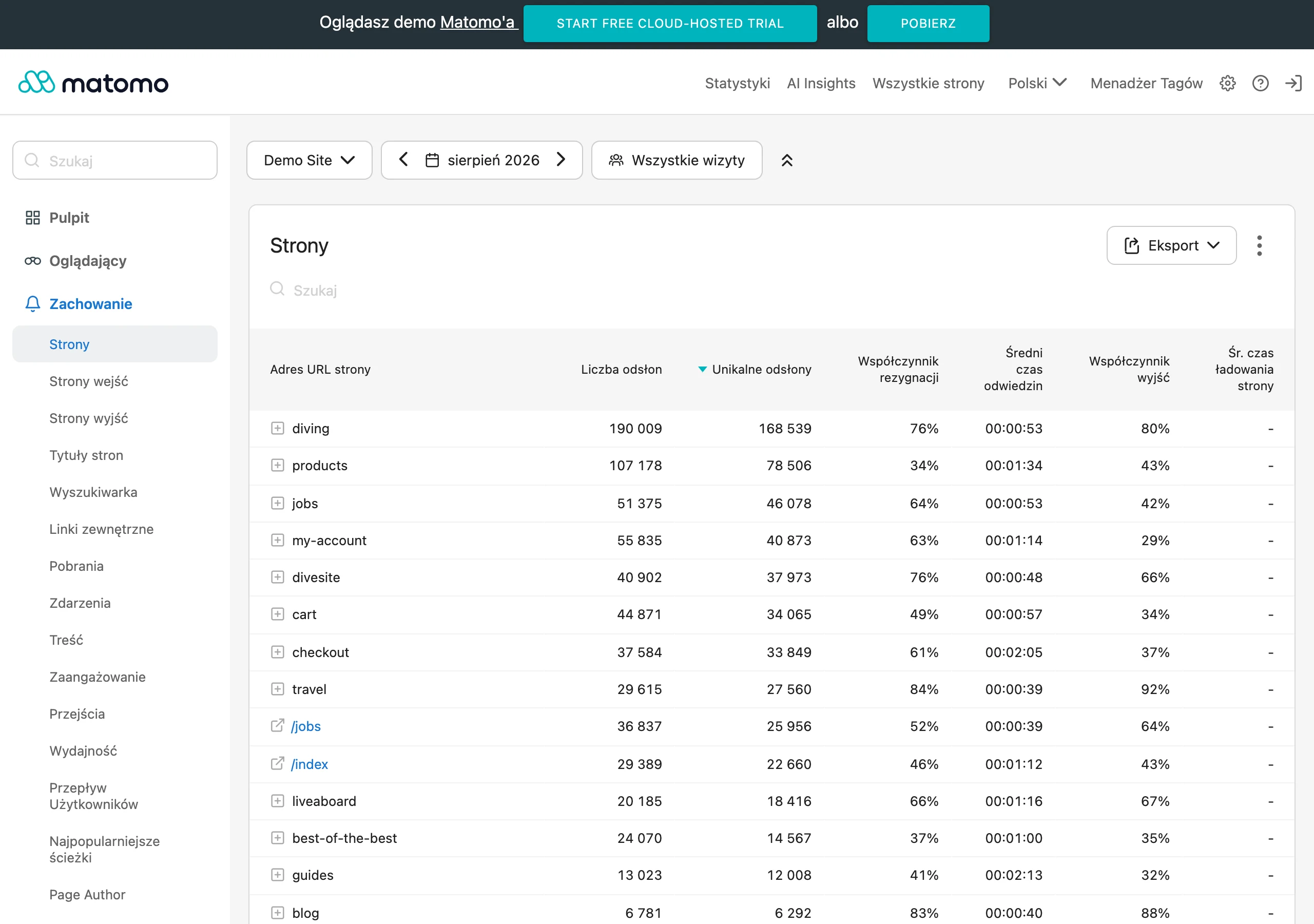
Measurement starts before implementation. You need to record the baseline for one specific process: how long it takes from start to finish, how many manual steps it has, how many times it needs correcting, how many cases return to a previous stage and where delays occur. Without such a reference point, it is easy to confuse the impression that “it is faster” with hard, measurable time savings.
In practice, it is best to stick to a few simple operational metrics. The list should include: handling time per case, number of manual interventions per case, proportion of cases moving through the process without human involvement, number of exceptions, integration errors and duplicates, and waiting time between steps. But there is another trap: work “on the side”. So it makes sense to look also at the number of tasks carried out outside the main system, because that is often where the “invisible” manual work hides.
Good analysis separates active work from waiting. If automation shortened the data entry itself by a few minutes, but cases still sit in an approval queue for hours, the business result will remain poor. The question is what actually sped up: the person’s actions or only a fragment of the step in the system. That is why you should measure separately the time a person spends touching the case and the total process lead time from start to finish.
Speed is not enough. You have to check quality, because that is usually what blows up automation from the inside. If, after implementation, the number of corrections, complaints, escalations and SLA breaches falls, the data clearly shows that the process is running stably. And if the number of exceptions rises or the team bypasses the system via side routes, the time saving becomes paper-only and the process logic needs adjusting.
Measure the effect at the level of the whole flow. Instead of getting excited about one step, check whether it has not pushed the problem further on, for example into a queue in another department. Automating one stage may look great locally, yet damage the end result across the process as a whole. If the final outcome of the process does not improve, local acceleration usually does not deliver a real operational benefit.
Finally, ongoing monitoring after implementation is needed. The dashboard should show not only the number of automatic transitions, but also stoppage points, connection errors, exception handling time and data quality trends. Without that, you are looking at a counter, not the consequences. Only then can you quickly see whether automation is still saving time or starting to produce new manual work.
FAQ
Frequently asked questions
Which processes are best suited to automation in a team?
The best candidates for automation are tasks that are frequent, repetitive and governed by clear rules. These include lead assignment, client onboarding, ticket handling, CRM updates and deadline reminders.
Does automation really save team time?
Yes, but only when it takes over specific manual tasks and shortens handovers between people and systems. Simply installing a tool does not deliver results if the process is still chaotic.
Why does automation sometimes fail to save time?
Because it does not remove real manual work or is implemented on a process full of exceptions and poor data. In that case, instead of savings, it only creates another layer of chaos.
What needs to be done before starting process automation?
First, the process needs to be mapped out, the time-wasting points identified, and the quality of the data and working rules checked. Only then can you safely choose the steps to automate.
Which technologies support process automation?
The article points to workflow automation, API integrations and webhooks, RPA, OCR, and data and performance monitoring. Each of these technologies solves a different type of problem.
When is it better not to automate the whole process?
When the process is unstable, has many exceptions, weak input data or requires expert judgement. In that situation, it is better to organise the way of working first and only then automate it.