
Marketing automation delivers the best results when you start with the right processes, rather than the most complex tools. It is a simple rule. In practice, the point is not to automate everything at once, but to cut out the manual tasks that genuinely slow the team down and blur the results. First, it is worth automating what happens often, has simple logic and can be easily measured. Most often, these will be processes around forms, leads, emails, reporting and simple alerts. It is also crucial what automation stands on, namely data. Even a well-designed process will not work reliably on duplicates, missing fields and inconsistent statuses. In this article, I will show how to choose a sensible starting point and what is better not to do at the beginning.
What is prioritising marketing automation?
Prioritising marketing automation means choosing the processes that are worth automating first, so you can reduce manual work without losing control over quality. You do not do this en masse. You do not automate all of marketing at the same time, because individual activities have different complexity, different risk of error and different data readiness. A sensible start is with processes that have a clear beginning, end and simple decision logic. Instead of fireworks on day one, you get predictability.
The best candidates to begin with are processes based on a specific trigger. This is the spark point for the whole sequence. Such a trigger can be a form submission, newsletter sign-up, content download, lead status change, content publication or a drop in campaign performance. The question is: can you clearly identify what activates the action and what the end result should be. If so, the process is usually suitable for the first wave of implementation and will not pretend along the way that it can “work it out for itself”.
Priority increases when a process has high volume, causes delays or requires manual data transfer between systems. This is where the mess happens. These are the places where errors, duplicates and reporting gaps most often appear, meaning a cost that nobody includes in the budget, yet everyone pays for. The biggest effect usually comes from automating the areas where the team performs the same steps every day according to the same rules. Not because it is “easy”, but because the scale of small losses quickly becomes painful.
A good process for automation must also be measurable. Without a counter, there is no point. In practice, you look at response time, the number of leads handled, data completeness, conversion, error count and reporting timeliness. The data says it clearly: if you cannot assess whether things are better after implementation, automation becomes only a technical change without real business value. And marketing does not need that, because cosmetics do not improve the result.
Not every area is good to start with. Processes that require complex context interpretation, frequent exceptions, legal approval or non-standard decisions are usually implemented later or only partially. And rightly so. Automation should not replace thinking where a decision depends on nuance; it should only relieve the team where the rules are stable. Look at it another way: do you really want to encode into a workflow a discussion that still needs to happen in person.
Which marketing processes should be automated first?
To begin with, automate what happens every day. We are talking about frequent, repetitive processes based on clear rules and easy to count. Most often these are: lead capture, their organisation and qualification, simple email sequences, handling abandoned actions, reporting and performance alerts. In these areas you will see the quickest improvement in response time, data quality and team efficiency.
The first candidate is usually the data flow from form to CRM. This is not a “nice extra”, but the foundation: the process should save the contact data, check the required fields, add the acquisition source, record the marketing consent, detect duplicates and assign the owner of the record. If a lead has no source, owner or status, further automation usually only scales the mess.
The second step is lead routing and qualification. The system, according to agreed rules, should assess the profile and activity of the contact, assign priority and direct them to a salesperson or to an educational sequence. Why does this make a difference. Because manual lead handover too often lengthens response time and takes away the chance of real contact.
Another area is automated email sequences triggered by user behaviour. They work best where there is a clear trigger: a welcome flow after sign-up, a follow-up after downloading material, reactivation of inactive subscribers and reminders after abandoning a form or basket. The best first email scenarios are those that respond to a specific user action, rather than a rigid sending calendar.
It is also worth automating reporting and simple alerts. Instead of manually piecing together data from several channels, it is better to set up a dashboard straight away with basic metrics: traffic, leads, cost, conversion, lead quality and response time. And when the system additionally reports a drop in leads, an increase in cost or a lack of conversion, the team catches problems earlier, before they grow into the size of a “crisis of the month”.
Only after organising data and communication does it make sense to automate content distribution. After publishing a piece of content, the system can launch a newsletter, prepare UTM parameters, add tasks for promotion and feed the campaign calendar. This speeds up the work, but note: it usually gives a smaller effect than tightening up the lead process earlier.
At the start, do not begin with full multichannel personalisation or advanced AI scenarios. These are implementations that are sensitive not to the “idea”, but to data quality, exceptions and inconsistent definitions of funnel stages. The practical order is simple: first data and lead flow, then communication, then reports and alerts, and only later more advanced personalisation.
What factors affect the effectiveness of automation?
The effectiveness of automation is not decided by magic, but by craft. What matters are data quality, simple rules, robust integrations and clearly assigned responsibility for the process, because without that even the best scenario will fall apart at the first hurdle. If the input data is inconsistent, automation will simply replicate the errors faster. Most often, the problem is not the tool, but duplicate contacts, missing fields and different definitions of the same lead status.
The best-performing processes are frequent and repetitive. Those that start from simple triggers: form submission, newsletter signup, CRM status change or cart abandonment. The fewer exceptions and manual decisions along the way, the easier it is to maintain stable automation instead of “rescuing” it every week with manual fixes.
Without measurement, there is no conversation about effectiveness. In practice, you need to be able to check whether automation has reduced response time, improved data completeness, increased the number of leads handled or reduced the number of errors, rather than simply “calming” the inbox. The question is: where is the start, where is the finish line and what is the progress counter. If you cannot clearly indicate the entry point, exit point and metric of effect, the process is usually not a good candidate to start with.
Effectiveness increases when automation is built on first-party data rather than solely on tracking through third-party cookies. Forms, CRM, contact history and behaviour recorded in your own systems are now a more stable foundation than data dependent on browser limitations, and that is not a cliché. But note: marketing consent, acquisition source and the method of identifying the user across channels must be plugged in straight away, otherwise the whole thing will start to drift at reporting level.
Automation works well only when marketing, sales and customer service play by the same rules. That means shared lead definitions, the same statuses, mandatory fields and agreed rules for handing over the contact, instead of local “interpretations” in each team. The lack of a process owner is one of the most common causes of failures, delays and disputes over data.
The result quietly deteriorates after implementation. That is why monitoring matters: alerts about integration errors, data gaps, drops in lead numbers or tagging issues, because otherwise you will only find out about a failure from KPI. AI can speed up creating content, query tagging or report summaries, but it should not operate without approval rules and quality control.
What are the key stages of implementing process automation?
The stages are well known, but often carried out in the wrong order. Audit the current process, choose a simple pilot, design the rules, integrate the systems, test, launch and continuously optimise. In practice, you do not start by building elaborate scenarios, but by understanding exactly where the team loses time and data, and where it loses them irretrievably. Good automation organises the process before speeding it up, not the other way round.
The first stage is to map out the process from the user’s entry point to the business outcome. You need to see where the contact comes from, where the data goes, who changes the status, how many manual steps there are and where delays or exceptions occur. Such a map quickly shows whether the problem is the communication itself, or rather the lack of order between the form, CRM and sales, that classic “everyone is doing something, nobody is closing”.
The second stage is a cold assessment of candidates for automation. For each process, check frequency and repetitiveness, the number of exceptions, the impact on revenue or cost, the quality of input data and the difficulty of integration. The facts are these: the first wave is usually won by lead forms, routing to a salesperson, scoring, welcome flow, simple follow-up sequences, as well as reports and alerts.
The third stage is to design the logic of the target process. First you need to set out the trigger, entry and exit conditions, delays, exclusion rules, mandatory fields, process owner and the source of truth for the data. Then, without glossing over anything, describe the exceptions: duplicates, no consent, an incorrect email address, status conflicts, an unassigned lead or an API error.
The fourth stage is implementation of integrations and tests on a small scale. It is better to start with one path, one form or one sequence and only then check whether the data lands in the correct fields, statuses change correctly and the alerts really work. Tests should cover not only the ideal scenario, but also error situations and missing data.
The final stage is monitoring and iterative improvement. This is where the truth comes out. After launch, measure data completeness, response time, transitions between statuses, conversions, integration errors and the number of manual interventions. Only when the process holds steady day after day does it make sense to add more channels, segments and more advanced personalisation, instead of expanding “on faith”.
What tools support marketing automation?
Marketing automation is supported by a set of tools that together collect data, trigger rules, send communication and show results. The automation platform alone is not enough if forms, CRM and analytics do not exchange consistent data with one another. What matters is not how many functions light up in the menu, but whether the whole process has a clear entry point, a single source of truth and stable integrations. The greatest value is usually delivered by a well-organised simple tool stack, not an elaborate set used only partially.
The foundation is a tool for collecting data: forms, landing page or e-commerce system. Then comes the CRM, where the contact, source, owner and status are recorded. A marketing automation system or an email tool with trigger logic is used to launch sequences and rules. Web analytics and a tag manager, meanwhile, are responsible for recording events, traffic sources and transitions between stages of the funnel.
When a company operates in several systems at once, it needs an integration tool of the iPaaS or no-code automation type. It transfers data between the form, CRM, mailing, ads and dashboard, instead of pretending that it will “link up by itself”. This means there is no need to copy contacts manually, correct statuses or hunt for whether the marketing consent was saved in the right place.
First, separate the roles. The CRM should keep track of contact history and actions, the automation system should execute rules, and the reporting dashboard should show KPIs and alerts in one coherent view. Let the CMS and publishing tools support content distribution, but not pretend to be the place for managing lead status. If one system stores different statuses from another, automation quickly loses credibility.
Start choosing tools with operational questions. The question is: where does the data come in, who changes the status, where is consent recorded, what happens on error and how do you measure the effect, and only then is it worth looking at feature tables and pricing. Today, first-party data and identification based on your own systems are key, because automations based solely on external tracking can be fragile and temperamental. First make sure the form, CRM and reporting work consistently, and only then add more advanced channels.
What are the most common mistakes in marketing automation?
The mistakes repeat like a chorus. Most often it is automating the wrong process, working with poor data and lacking an owner for the whole flow, so the system works technically but does not solve a real business problem. Instead of saving time, it adds exceptions, manual corrections and growing ambiguity between marketing, sales and customer service.
The classic mistake is starting with communication. The team launches sequences before the data flow from the form to the CRM is sorted out, and then wonders why everything somehow drifts out of sync. If a contact has duplicates, no acquisition source or an unclear status, scoring and emails work on false assumptions, that is, from the outset on a false map. Automation does not fix data chaos — it only spreads it faster across the whole system.
The second group of problems is overdoing the scenarios. Who has not seen a tree of conditions, exceptions and branches that grows faster than sales, while nobody documents the rules, version changes or the point at which the sequence should be stopped. The same mechanism is visible when implementing AI features without approval rules, brand safety controls and fact-checking, because then automation starts to work “on faith”. To start, it is better to deploy one simple path that can be tested and explained in two minutes.
Many implementations are also undermined by a lack of alignment with sales. If there is no shared definition of a lead, an SLA for response time, a rule for returning a contact to nurturing and a list of mandatory fields after a call, routing will work differently each time instead of consistently. And then come the exceptions: duplicates, API errors, missing consent, status conflicts or a lead outside the serviced market, that is, things that without clear rules turn the process into a lottery.
At the end there is the mistake that hurts the most. A lack of monitoring after launch means automation lives its own life, although it should have error logs, alerts, rule reviews, communication frequency controls and regular verification of marketing consents. Without that, the problem only comes to light when lead numbers fall, campaign costs rise or users receive completely irrelevant messages, and that is not a cliché. Good automation is not a one-off implementation, but a process kept under constant control.
What should be measured and optimised after implementing automation?
After implementing automation, three things matter. The quality of the data flow, the speed of handling and the real impact of the process on the business result. Send metrics alone, such as opens or clicks, show only a slice of the picture. Because if automation works quickly but records incorrect data or passes leads on without an owner, the problem does not disappear — it simply moves further, deeper into the funnel. First assess whether the process is working properly operationally, and only then whether it improves campaign results.
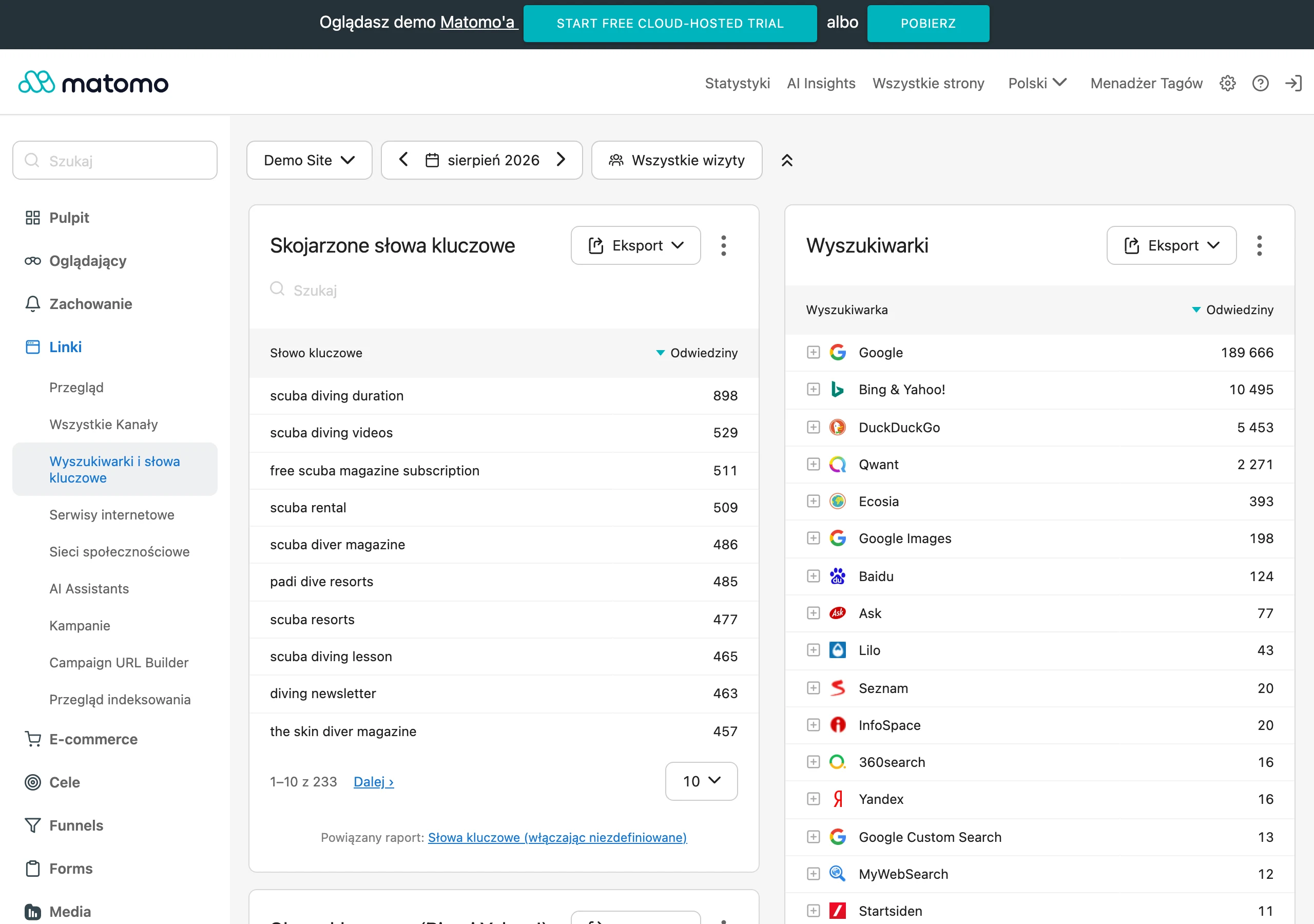
At the start, check whether the input data is complete and consistent. The key elements are: acquisition source, marketing consent, contact identifier, lead status, owner and funnel stage. If these fields are incomplete or “drift” between the form, CRM and automation system, optimising communication becomes guesswork rather than fixing the process. The question is: do you really know what to measure when the foundation is crooked.
- completeness of mandatory fields after record creation,
- the number of duplicate contacts,
- the proportion of leads correctly assigned to the source and owner,
- the time from form submission to CRM entry,
- the sales rep’s response time or the start of the follow-up sequence,
- transitions between statuses and the places where leads “get stuck”,
- the number of integration errors, rejected records and manual interventions,
- conversion at subsequent stages of the process, not just at the end.
Another area is the speed of the automation itself. In practice, what matters is the time from event to response: from form to CRM, from CRM to owner assignment, from assignment to the first contact or first email. This is where leads are most often won or lost, because the attention window does not wait. If automation does not shorten response time, then it usually is not using its greatest potential.
Do not avoid assessing the quality of the process logic itself either. Check what proportion of contacts ends up in the right path, how many records fall into exceptions, how often fallback rules are triggered and where conditions need adjusting. Such figures quickly show whether the problem lies in the communication content or earlier — in scoring, segmentation, field mapping or integration errors. It is not the “campaign” that hurts, but the mechanics underneath.
In communication automations, analyse not only engagement. Look above all at the move to the next stage. Opening a message is a supporting signal, but more important is whether the user replied, booked a call, returned to the site, completed a form or made a purchase. Because what’s the point of rising open rates if the funnel is standing still. Good optimisation is about improving the quality of moves through the funnel, not boosting metrics that do not change the outcome.
After implementation, technical issues surface very quickly, so error monitoring has to run non-stop. You need to keep an eye on API failures, misaligned field sync, broken webhooks, outdated tags, drops in conversions and campaigns running without assigned tracking. Without this control, a team can spend weeks working with flawed data, having no idea that the automation is only working “at half throttle”.
Run optimisation in stages. Do not make a revolution in one weekend, because that will end in chaos rather than improved results. First patch the places where data disappears, then unblock bottlenecks in lead handover, and only at the end tackle scoring, content and segmentation. The best results come from regularly reviewing one control dashboard and changing one rule at a time, so that it is clear what actually improved the result.
Finally, calculate how much manual work has really disappeared. If the team is still manually correcting records, adding sources, changing statuses or triggering sends outside the system, then the automation is incomplete, even if it looks like a dream on the presentation. The problem is that it is not slides, but the number of exceptions and manual interventions, that clearly shows whether a process is ready to scale.
FAQ
Frequently asked questions
Which marketing processes are worth automating first?
To start with, it is best to automate processes that are everyday, repetitive and based on clear rules. Most often these are data flows from the form to the CRM, lead routing and qualification, simple email sequences, and reporting and alerts.
Why is it worth starting automation with simple processes?
Because such processes have a clear beginning and end and are easy to measure. As a result, you can see improvements more quickly in response time, data quality and team efficiency.
What data is needed for marketing automation to work reliably?
You need consistent data with no duplicates, missing fields or inconsistent statuses. Marketing consents, source of acquisition and user identification across channels are also important.
Is it worth automating all marketing at once?
No, because individual activities have different levels of complexity, risk of error and data readiness. It is better to roll out automation in stages, starting with the highest-volume processes and the simplest logic.
When does reporting and alert automation make the most sense?
When, instead of manually pulling together data from several channels, you can immediately build a dashboard with core metrics. Alerts are especially useful when they are meant to detect a drop in leads, an increase in cost or a lack of conversions early on.
Which processes are better left until later in marketing automation?
It is better to leave processes that require complex contextual interpretation, frequent exceptions or legal approval until later. These areas also include advanced multichannel personalisation and AI scenarios without good data and quality control.