
Marketing automation in a small business is not about buying a sophisticated system and launching a few impressive scenarios. What matters is the flow. In practice, it is about making sure a lead does not get lost between the form, inbox, phone and CRM, and that the team responds faster and more predictably. Well-implemented automation organises data, assigns responsibility and makes measurement easier, but badly implemented automation does the opposite: it only speeds up the chaos. The best start is to sort out one process that genuinely affects sales, instead of trying to automate all marketing at once. This is especially important in a small business, where the same people often combine marketing, sales and customer service. So the question is not “how much can be automated”, but what should be set up first, how to connect it sensibly, and what not to overcomplicate at the start.
What benefits does marketing automation bring in a small business?
The biggest benefit appears when automation shortens the time between a lead appearing and the first sensible response. That is the moment of truth. If the form immediately creates a contact in the CRM, assigns an owner and sends a confirmation, the company loses fewer enquiries because nothing “falls through the cracks” along the way. And that is usually what delivers a more noticeable effect than elaborate campaigns or complex scoring.
The second benefit is reducing manual work on data. No more copying contacts from email into a spreadsheet, correcting acquisition sources and manually tracking who is supposed to call back. Automation makes sense when it removes repetitive tasks, not when it simply generates more messages. Instead of “more clicking”, you get fewer mistakes and fewer gaps in the process.
In practice, lead handling also improves. A fast response makes a difference, and context makes an even bigger one. The user receives feedback, the salesperson sees what the person is coming with, and the company can run different communication for someone who submitted a contact form and different communication for someone who downloaded a resource or returned to the site several times. As a result, communication is better matched to intent, rather than to one mass scenario.
Another thing is order in data and responsibilities. Without it, every process only looks good on slides. When every lead has a source, status, owner and activity history, it is easier to assess where the process works and where it gets stuck. In a small business, this can be crucial, because the problem is usually not a lack of leads, but a lack of consistent handling after they have been acquired.
Automation also improves measurement. Not in statements, but in numbers. You can see not only the number of forms, but also how many submissions reached the CRM, how many received a response, how many moved to the next stage and which sources provide genuinely useful enquiries. Without this kind of measurement, a company often optimises campaigns for the number of contacts, not for quality and sales results.
The problem is that the benefits do not come from the tool itself. Technology will not replace order. If lead statuses are unclear, nobody is responsible for follow-up, and forms collect incomplete data, automation will only spread errors through the whole system faster. That is why its real value is not “more technology”, but a better organised process.
How do you plan a sensible start to automation without chaos?
Start with one process. A specific, lead-related one. A sensible start to automation is not about launching ten scenarios at once, but about sorting out one part of the funnel that happens every day and can be measured. Most often, the best starting point is handling a contact form, booking a consultation or downloading a resource. These are simple, frequent and easy-to-measure topics.
First, carry out a quick audit of lead entry points. You need to check where contacts come in from, where the data lands, who receives it, how quickly they respond and at which point the enquiry most often gets lost. The question is: do you really lack a tool, or do you rather have a mismatch between the form, inbox, CRM and responsibility within the team. Even here it usually becomes clear that the problem is not “automation”, but a lack of order.
Then choose one business goal. And one, not five at once. It could be shortening response time, reducing the number of unhandled enquiries, better assigning leads to salespeople, or recovering abandoned submissions. If you cannot name one main goal at the start, the implementation is probably too broad and later it will not be clear what exactly is being assessed.
Before configuration begins, the logic of data and decisions needs to be mapped out. No fireworks, but in a solid way. In practice, that means defining which fields are mandatory, what statuses a lead has, who owns it, how sources are marked and which actions trigger the next steps. The problem is that without this layer, integrations quickly produce duplicates, incorrect tags and reports that contradict each other.
- what the main lead sources are and how they will be named,
- which forms or contact points are covered by the implementation,
- which contact fields are mandatory and what the validation should look like,
- which lead statuses will be used in the CRM,
- who is responsible for the first contact and after how long,
- which events and conversions are to be measured,
- how marketing consent and operational communication will be separated.
Only after this sort of organisation do you choose the minimum set of tools. First the foundation, then the extras. In a small business, a stable form or landing page, CRM, email tool or simple automation platform, web analytics and a tag manager are usually enough. And if the systems do not connect natively, you can add a workflow integrator, but note: only if you know exactly which fields and actions are to be transferred.
On day one, a few automations are enough. Really. These are usually: creating or updating a contact, assigning a lead owner, an immediate submission confirmation, a task or follow-up message, and an alert when nobody has responded within the agreed time. Such a minimal set delivers a real operational improvement, and instead of building a labyrinth, it keeps the system under control.
Measurement is equally important. Without numbers, you are left with only an impression. You need to tag forms, traffic sources, campaigns and conversion events so that later you can combine data from ads, the website and the CRM into one story. Today this is especially important because the effectiveness of measurement increasingly depends not on a “miracle” analytics tool, but on tidy first-party data.
You also must not neglect compliance and deliverability. These are not extras, but the foundation. Forms should clearly separate consents, messages must have the sending domain set up correctly, and access to data should go only to the team that actually needs it. The problem is that without these details even the best-planned automation will falter or start creating operational problems.
Before launch, test the entire journey from start to finish. No shortcuts. Check whether the form records the source, whether the contact lands in the CRM, whether no duplicate is created, whether the right message is sent and whether the conversion is recorded correctly in analytics. It sounds obvious. And yet in small companies most slip-ups do not come from the concept, but from small technical errors after a change to the website, form or integration.
After launch, do not optimise everything at once. That is a straight road to chaos. First you need to see where the real losses are: no lead owner, too slow a response, incorrect sources, a low response rate to the follow-up or poor quality of the input data. And here one thing is key. Good automation is a maintained work system, not a one-off configuration that can be forgotten after implementation.
How to implement marketing automation step by step?
Marketing automation is best started with one specific lead process: from arriving on the website or form, through the company’s response, right through to the outcome in the CRM. One path, not a labyrinth. At the start, check where the leads come from, where they go and at which point they most often “drop out” of the process. In a small business the problem is usually not a lack of features, but a lack of one coherent handling path. The question is: who actually holds that lead. If nobody knows who is responsible for the lead and when they should respond, automation will not help.
A good start is to choose one priority use case. Not five at once. Most often this will be handling a contact form, booking a consultation, downloading a resource or a follow-up to unanswered enquiries. This scope can be tested quickly and, without gymnastics, you can assess whether the system genuinely improves sales and service.
The next step is to organise the data. Without this, reporting turns into guesswork. You need to establish which fields are mandatory, how you distinguish traffic sources, which consents are collected and what statuses a lead has in the process. The data tells it clearly: if everyone calls the same thing by a different name, automations start to drift apart. Without a shared logic for fields, tags and statuses, reports will be misleading and automations will start to behave inconsistently.
Then you build simple action logic. Not a waterfall of rules, just the minimum that works. After submitting a form, the contact should be created or updated in the CRM, given a source, status and owner, and the user should receive confirmation of the enquiry. At the same time, the system can create a task for a salesperson or launch a simple follow-up sequence if the contact does not respond.
At the same time, implement measurement. In practice this means correctly tagging forms, conversion events, campaigns and traffic sources, and checking whether this data reaches analytics and the CRM according to the same logic. Do not count leads alone. The key things are first response time, the share of leads without an owner, data completeness and movement to the next stages.
Before launch you need end-to-end tests. This is about checking the whole process: form submission, data saving, contact assignment, message sending, status change and conversion recording. The question is: does every element of the process work the same in theory and in practice. This is exactly where duplicates, poor field mapping or looping automations most often appear, and after launch they can create costly mess.
After launch, do not expand the system at the first impulse with scoring, dynamic content and multiple paths. First look at where the funnel is really leaking: no response, poor message deliverability, bad segmentation or wrongly assigned sources. But note that expansion only makes sense once the foundations are not wobbling under your feet. The best first implementation is small, measurable and easy to improve, not impressive in a presentation.
What tools are essential for effective automation?
Effective automation requires a simple, coherent set of tools. It should handle lead capture, data storage, communication and measurement, without gymnastics along the way. In a small company, a minimal stack is usually enough, provided the systems are sensibly connected and have a clear division of roles. The facts are these: the greatest value comes not from the number of platforms, but from whether data moves between them without manual re-entry and without silent “gaps” in the reports.
- Form or landing page — collects data, validates fields and can pass on traffic source information.
- CRM — stores the contact, lead status, owner and sales outcome.
- Email marketing tool or automation platform — sends confirmations, follow-ups and simple nurturing sequences.
- Web analytics — measures events, forms and conversions.
- Tag manager — makes it easier to implement and maintain tracking without constant changes to the website code.
- Workflow integrator — connects systems if they do not have native integrations.
The CRM is the central point of the process. It should show the current lead status and the person responsible for the contact at a glance, not just a record in a file. The problem is that if the CRM functions solely as an address book, automation will be superficial and will not show any impact on sales. That is why from the outset you need to define statuses, lead assignment rules and the way cases are closed, because without this the reports will look nice, but be empty.
The form is often more important than people think. The quality of the entire system starts there, and then everything goes “by the book” through the CRM and communication. It should collect only the necessary data, validate fields sensibly and pass on information about the source, campaign and consents. A badly built form can ruin both reporting and the later handling of the lead.
An email or automation tool should, at the outset, do the basics. Not full multichannel orchestration, but simple scenarios that can be tested quickly in practice. Confirmation messages, reminders, basic segmentation and responses to specific user behaviours are enough. If the database is small, clear event-based rules are better than elaborate scoring that looks professional but, in reality, adds little.
Without analytics and a tag manager, you are flying blind. And then it is impossible to assess reliably whether automation is actually working or whether “something is being sent”. You need to know which form generated the lead, which channel the user came from and whether the conversion was recorded correctly. The data makes it clear that measurement today relies more on correct event configuration and first-party data than on cookies alone.
A workflow integrator can be a lifesaver. But it requires discipline, because with messy data it starts creating problems faster than it solves them. If fields are named randomly and errors are not monitored, duplicate records, mismatches between CRM and email, and automated actions triggered several times soon appear. First define the naming convention and field mapping, then connect the systems.
There are also technical areas that matter more than the next “feature”. This mainly concerns compliance with marketing consents, limiting access to data, database hygiene and the correct configuration of the sending domain. Even well-designed scenarios will perform poorly if messages do not get through or the contact list is full of inactive and incorrect addresses. The problem is that these elements are not flashy, but they are what make the difference to deliverability and data quality.
When choosing tools, fit to the process is what counts. Not the list of features, but whether the team will be able to live with it week after week. A small business usually gains more from a simple CRM, a stable form and clear analytics than from an elaborate platform with dozens of options that nobody will use. Good tools are the ones you can maintain after implementation, not just get up and running.
What mistakes should you avoid when automating marketing processes?
Why automate an unstructured process. The system then does not fix the chaos, it only speeds it up and reproduces it at scale. If a lead sometimes goes into the CRM, sometimes to an inbox and sometimes to a spreadsheet, even a good tool will not clear up the mess. First you need to establish lead statuses, process ownership, response rules and the definition of conversion. Only then does it make sense to build scenarios.
The second classic mistake is implementing too many automations at once. Small businesses often launch forms, email sequences, scoring, lead routing and several integrations at the same time before checking whether the basic flow works properly. The effect is predictable: more activity, less control and, in the end, manual firefighting anyway. A safer start is one use case with a clear business objective, for example handling enquiries from the contact form.
Messy data can cause real damage. Inconsistent names for sources, campaigns, forms and statuses make reporting, debugging and handover between marketing and sales more difficult. And when weak integrations are added to that, without field mapping and deduplication rules, duplicates, empty records and incorrect triggers end up in the system in no time.
Another sin is skipping tests and a fallback path. A change to a form, page or integration can break source recording, owner assignment or message delivery, and the business will only realise once some leads have simply disappeared. Every automation should have an end-to-end test and a simple way to handle exceptions manually.
It is also not worth underestimating privacy and deliverability. Unclear consent, overly frequent messages, a lack of domain authentication or poor database hygiene can slash effectiveness even when the process logic is correct. The result is plain, but painful: fewer delivered messages, poorer database quality and increasingly difficult scaling of activities.
The last common mistake is treating reporting as an “after implementation” add-on. Without measurement, you do not know whether automation has shortened response time, improved service quality or merely increased the number of messages sent. If the system does not show where the lead got stuck and what is happening between stages, then it is difficult to optimise it in any meaningful way.
What are the key efficiency metrics for automation?
The key efficiency metrics for automation are the ones that clearly show whether the process is moving a lead from first contact to the next sales stage faster and better. The number of messages sent or email opens alone is not enough, because it does not answer the question of whether the lead was handled on time and by the right person. The most important KPIs should combine data quality, operational efficiency and business results.
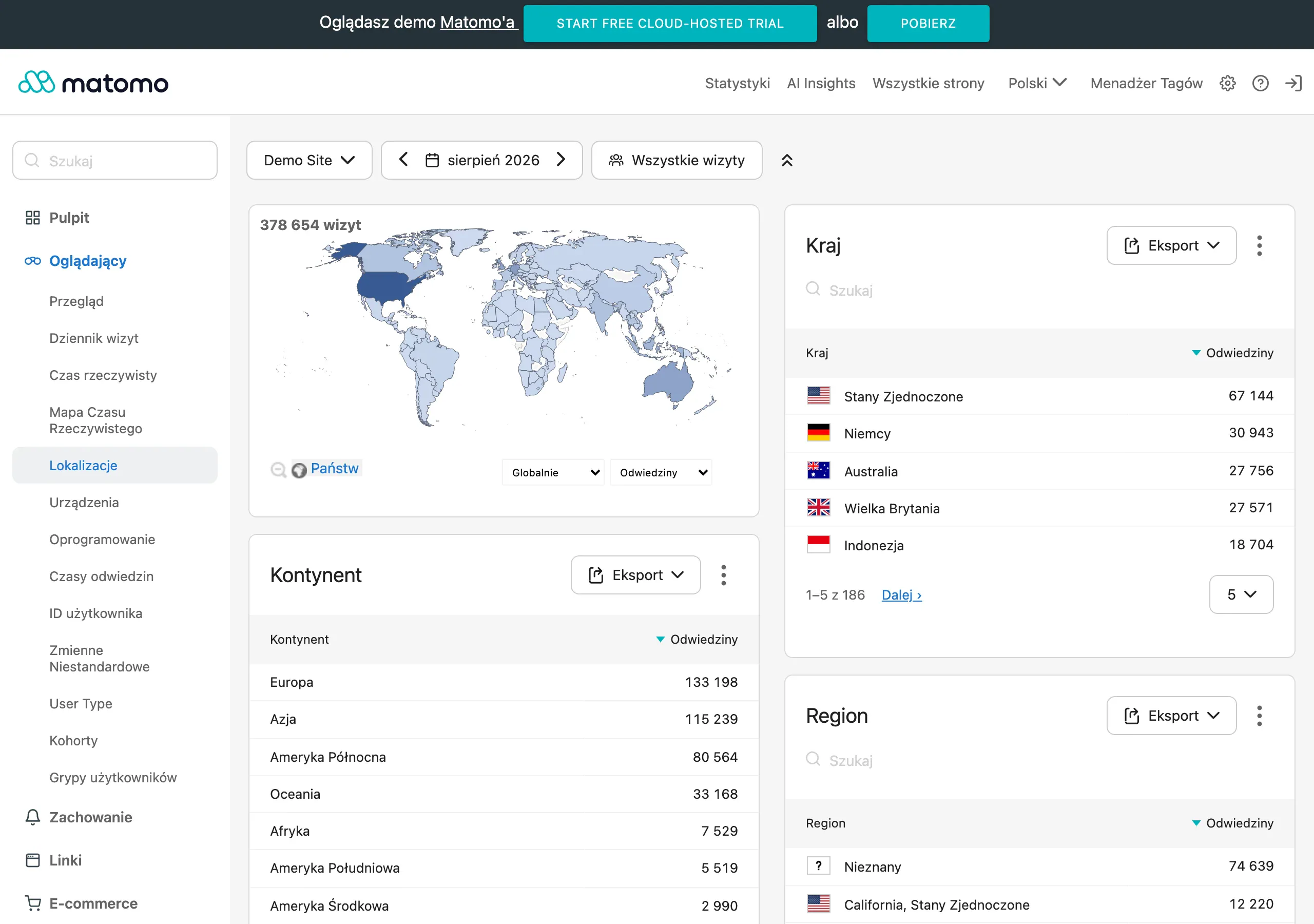
In a small business, it is best to start modestly. A few simple metrics that can be checked regularly and understood without elaborate analytics usually do more work than a flashy but dead dashboard. The point is to see quickly where opportunities are slipping away: at data entry, when passing the lead to a salesperson, in the follow-up or only at the qualification stage. Expansion will come later, once you know what to measure and why.
- Time to first contact — shows how quickly the company responds after a form submission or enquiry.
- Percentage of leads assigned to an owner — reveals whether a lead is left without a responsible person.
- Data completeness in the record — helps assess whether forms and integrations provide the data needed for further handling.
- Number of duplicates and incorrect records — shows the quality of field mapping, validation and deduplication.
- Transitions between funnel stages — measure how many leads move from new to contact, qualification and subsequent stages.
- Percentage of responses to follow-up — says plainly whether message sequences and reminders are actually starting a conversation, rather than just “creating movement” in the inbox.
- Rate of leads lost without response — checks whether automation really reduces leads “dropping out” of the process, rather than just neatly labelling them.
- Conversion to a booked meeting, proposal or sale — this is the ultimate test: whether automation delivers results, rather than merely organising the workflow.
Metrics need to be read together, not in isolation. A high delivery rate of messages still proves nothing if follow-up is not getting responses because the response time is long or leads do not have an assigned owner. And vice versa: an increase in the number of leads sounds good only on the slide deck if quality drops along the way or there are more incomplete records. The question is, what exactly is growing: effectiveness or chaos.
A good measurement should take into account the lead source and the stage of the process. A contact form is assessed differently from a content download, and differently again from an enquiry from a high-intent ad campaign. The most useful dashboard is one that shows not only the final result, but also the point at which the process starts to lose momentum. Because the problem rarely blows up at the finish; more often it builds up quietly, a few steps earlier.
How do you ensure compliance and data quality in automation?
Compliance and data quality come from clear rules: what we collect, how we record it, who has access and who updates contacts at each stage. And in a small company, that is often more important than choosing a more advanced tool. If the form collects different fields from the CRM, consents are stored inconsistently, and traffic sources are not tagged, automation starts to work “as if”. First you need to establish what data is really needed to handle the lead and who is responsible for it.
From a compliance perspective, the key is to separate data for sales contact, marketing communication and handling the current enquiry. Consents cannot be defaulted or hidden in one generic checkbox if they cover different purposes. You also need to keep a trail: where the consent was collected, in which version of the form, and whether it can later be reconstructed in the CRM or mailing system. Without that, all you have is a declaration, not proof.
Data quality starts at the point of entry: in the form, chat, lead ad or integration with another system. Fields should have format validation, a sensible number of required details and consistent names that then flow into the CRM without manual retyping. The fewer manual corrections along the way, the lower the risk of errors, duplicates and broken contact history. Simple, but unforgiving.
Duplicates and data mismatches are reduced through field mapping, deduplication rules and value normalisation. In practice, it is worth deciding in advance whether the master record is identified by email, phone number or both, and what the system should do when the contact already exists. A minor detail. And yet it is what determines whether the database is consistent or merely “kind of works”. You also need to define statuses, sources, tags and the lead owner from the outset, because without that reports and automated actions quickly stop being reliable.
Access to data should be limited to those who actually work on a given stage. That is all. A salesperson does not always need the full campaign history, and the ads person does not need to see the entire sales communication. Good automation is not about everyone seeing everything, but about each person seeing exactly what they need to do their job.
Retention and order in the database matter too. Without them, the CRM starts to resemble a cellar without sorting. Inactive, incorrect or simply unnecessary contacts should not circulate endlessly between the CRM, email marketing and analytics, because they distort reports and reduce communication effectiveness. The data makes it clear that “rubbish in” gives “rubbish out”, and there is no room here for wishful thinking. That is why you need to regularly archive old records, clean technical fields and separate active contacts from those who do not respond or no longer have a valid basis for further communication.
Finally, you need ongoing monitoring, because compliance and data quality are not a one-off click in the settings. The problem is that any change to a form, a new lead source, an integration or a site rebuild can quietly break consent recording, campaign tagging or conversion passing. Who then fixes it. After every change, you need to run a simple end-to-end test: submit the form, check the data record, consent, source, the CRM record and the triggering of the right automation.
FAQ
Frequently asked questions
How do you start marketing automation in a small business without chaos?
The best place to start is with one lead process that can be measured, for example a contact form or consultation booking. First, you need to check where contacts come from, where they go and where they most often get lost.
Does marketing automation in a small business really reduce lead response time?
Yes, if the form creates a contact in the CRM straight away, assigns an owner and sends a confirmation. That way the lead does not fall through the cracks, and the business responds faster and more predictably.
Why can marketing automation speed up chaos instead of helping?
Because if it is implemented badly, it simply spreads errors through the whole system more quickly. If lead statuses are unclear, nobody is responsible for follow-up, and forms collect incomplete data, the problems multiply.
What is worth automating first in a small business?
To start with, it is best to choose form handling, consultation booking, content download or follow-up for unanswered enquiries. These are simple processes that are easy to test and measure.
What tools are needed for effective marketing automation?
A simple setup is enough: a form or landing page, CRM, an email or automation tool, web analytics and a tag manager. If the systems do not connect natively, you can add a workflow integrator, but only with clear mapping of fields and actions.
How do you check whether marketing automation is working properly after implementation?
You need to test the whole journey from form submission to recording the conversion in analytics. It is also worth checking whether duplicates are created, whether the contact reaches the CRM and whether the correct message is sent.