

A website redesign from the perspective of company growth is a project aimed at results. The site should sell better, capture better leads, support SEO and give the team greater control over growth, instead of just looking nicer. In practice, it is not about a new skin, but about removing the barriers that currently block traffic, conversion or efficient marketing and sales work. Such a project usually touches on the offer, content, navigation, forms, CMS, integrations and analytics. The key is that design decisions should stem from data, not taste. The most common mistake is that a company starts with the layout instead of first determining what is really limiting growth and which user actions should increase after implementation. The larger the site, the number of language versions and integrations, the more important the migration plan and quality control before publication become.
What is a website redesign from the perspective of company growth?
It is not a facelift, but a rebuild around goals. A redesign from the perspective of company growth aligns the site with business objectives, rather than with refreshing the visual layer alone. It is meant to increase the number and quality of conversions, improve organic visibility, simplify user journeys and make further website development easier. In practice, it means working in parallel on UX, content, SEO, technology and analytics, because these areas are interconnected.
The question is not “what should the site look like?”, but “what should work better after implementation?”. For one company, the aim will be more quote requests, for another better lead quality, faster launch of landing pages or simply easier content publishing by the team. And that is where the difference between a redesign and repainting the walls begins. A good redesign starts with a measurable goal and critical subpages, not with choosing a graphic style.
The scope of such a project is usually broad. It includes information architecture, navigation, offer pages, forms, trust-building sections, CMS modules and integrations with CRM or marketing automation tools. If the company acquires traffic from SEO and paid campaigns, the redesign also affects URLs, heading structure, internal linking, meta data and event tracking. The problem is that changing a site without a migration plan can lower results, even if the site looks better visually. It is not magic, just the consequence of a poorly managed change.
Speed of work after launch also matters. If every change requires a developer, marketing starts to operate with delays and loses its testing rhythm instead of delivering iterations every week. Growth does not come from one implementation, but from a series of small improvements. The site should be designed not only for today’s needs, but also for quickly creating new content, campaigns and page variants in the coming months.
What are the key stages of the redesign process?
The process has its stages and it is better not to rearrange them. The key steps are diagnosing the current situation, defining the scope, designing the architecture and user journeys, preparing the content, technical implementation, migration and post-launch optimisation. This sequence is not a formality, but a way to limit costly mistakes and putting out fires after publication. When a company skips the first stage, it usually improves the symptoms, not the causes of poor results.
The first stage is discovery and audit. Full stop. It is about reviewing business goals, analytics data, traffic sources, user behaviour, lead quality and the limitations of the current CMS and integrations. This is where issues that were previously lingering “in the corners” come to light: an unclear offer, an overly long form, weak CTAs, no tracking of key actions or slow loading of important subpages. If you do not know where users are currently dropping off and which pages are actually driving sales, you will not design a sensible redesign.
The second stage is deciding on the scope and the new site structure. This is where the hard decisions are made. The team chooses which content stays, which needs to be rewritten, combined or removed, which page types are priorities and which features are business-critical. At the same time, an SEO migration plan should be created, because changes to URLs, headings, content and linking hit visibility directly after launch.
The next stage is information architecture design, user journeys, wireframes and key mock-ups. This is not about “drawing”, it is about making decisions. The layout of offer pages, the placement of trust sections, the order of arguments, the number of steps in the form and the way the user is guided from entry to conversion are all defined here. At the same time, it is worth preparing content design: headings, section structure, benefit-led language, FAQ and calls to action aligned with campaigns and the sales process. The question is whether the content supports the decision, or merely takes up space.
Then comes the UI and development stage, meaning the building of the component system, templates, CMS logic, form integrations, analytics events, language versions and security. This is where “nice” ends and “works” begins. You need to keep an eye not only on the look and feel, but also on performance, the mobile-first approach, accessibility and the correct operation of tracking. In practice, this is exactly where the risk of too many custom modules grows: they may look great in a demo, but later they complicate editing and drive up development costs.
The final stage is migration, quality tests, publication and data-led work after launch. No allowances. You need to check 301 redirects, meta data, canonicals, sitemaps, robots, forms, events, responsiveness and the behaviour of key templates on real devices. Launching a new website does not end the project — only after publication can you see whether users are moving in line with assumptions and what needs to be improved in the first weeks.
What practical requirements must be met during a redesign?
Redesign is not playing around with a new skin. During the work, usability, performance, SEO, analytics, security and deployment stability requirements have to come together, because each of these elements affects the final outcome. If you treat any area superficially, the website may look fresh while generating fewer leads or giving away traffic from Google. That means one thing: the project is not run solely through the prism of wireframes and appearance; instead of “nice”, what matters is “works and delivers results”. A redesign that does not account for measurement, SEO migration and quality of performance after launch usually transfers old problems to the new version of the site.
The first mandatory area is mobile-first and real performance. The site has to fly on a phone, maintain a clear content hierarchy and not make it harder to complete a key action, for example contacting you or submitting a form. In practice, you keep an eye on image weight, the way scripts load, layout stability and interface response time, because these are the details that add up to user comfort and Core Web Vitals results.
The second critical area is SEO and there is no room here for “we’ll do it at the end”. SEO is planned alongside the project, not just before publication, because by then it is already too late for calm decisions. Changes to URL addresses, heading structure, internal linking, meta data, structured data and indexing directly hit the site’s visibility. The question is whether you want to risk a drop just because the migration was tied up at the last minute. If SEO migration is not part of the redesign from the start, traffic drops after implementation become very likely.
The third area is technology and the operational ease of the team’s work. The CMS should make it quick to publish content, build new landing pages, handle language versions and allow several people with different roles to work safely. On top of that come integrations with CRM, newsletter, calendar, marketing automation and consent mechanisms, because without them the site may collect contact, but it will not close the sales process.
The fourth area is form security, proper event tracking and strict quality control before launch. You check not only the form submission itself, but also validation errors, lead source, CTA clicks, consent behaviour, thank-you pages and data transfer to external tools. And this is not a cliché: without it, analytics turns into guesswork, and the team compares numbers that do not share a common denominator. Without proper tracking of micro- and macro-conversions, the company does not know whether the redesign really improved results or only changed the look of the user journey.
The more complex the site, the more important a full inventory becomes before deployment. You need to gather all URLs, page types, downloadable files, forms, scripts, analytics events, SEO tags, language versions and content owners on the company side, because the absence of one piece can bring the whole puzzle down. The problem is that after launch, it is usually not the design that hurts, but what was omitted in the technical and content dependencies. Most problems after launch do not come from design, but from omitted technical and content dependencies.
What design decisions affect redesign success?
A redesign is not won with a button colour. The heaviest factors are decisions about business priorities, information architecture, the scope of changes, technology choice and how you lead the user towards conversion. These determine whether the site will genuinely drive growth or merely tidy up the visual layer. In practice, you need to decide without sentiment what stays, what disappears, what needs rewriting and which subpages really deliver sales or lead generation.
- whether to keep the current URL addresses or change them only where it makes sense,
- which types of subpages are a priority: offer pages, landing pages, forms, case studies, SEO content,
- how to simplify the menu and content grouping so the user reaches the right offer faster,
- whether the form should minimise the path to contact as much as possible, or rather qualify the lead better,
- whether to build the site from reusable modules or from many one-off sections,
- whether to launch everything at once or in stages, starting with the most important conversion paths.
Information architecture and content hierarchy usually decide. This is where you either lead or lose people. Within a few seconds, the user should understand what the company offers, who the service is for, why it is worth trusting and what the next step is. If the offer is unclear or scattered across tabs, even good traffic from campaigns and SEO will lose effectiveness.
The second key is choosing the pages that are truly critical for growth. Not everything at once. In most companies, there is no point starting with the whole site, only with the homepage, the most important offer pages, forms, campaign landing pages and content that drives valuable search traffic. This prioritisation shortens implementation time and allows you to check faster whether the new structure improves results where the stakes are highest.
The system of components and the CMS often decides the outcome too. Modules win because they give you speed. A site built from repeatable, well-designed modules is easier to develop, test and edit without calling a developer for every minor change. The opposite effect comes from an excess of custom sections, because it slows publishing, makes it harder to maintain consistency and increases the cost of further iterations.
The form is not a detail either. It is the gateway. A shorter form usually reduces friction, but it can lower lead quality, while a longer one qualifies the contact better but reduces the number of submissions. The question is: what is more valuable in your sales model. A good decision is not about copying other people’s patterns, but about matching the form to the length of the sales process and the value of the enquiry.
In larger websites, the decision to roll out in stages is often key. Stages reduce risk. First, it is worth launching the templates and paths that account for the largest share of conversions, and only then expanding supporting sections, such as an extensive knowledge base or less important company subpages. This limits operational risk and makes it quicker to spot which elements of the new website are working well and which need adjusting.
How do you plan an SEO migration during a redesign?
SEO migration is planned from day one in a redesign. And that is not just a cliché, because changes to the site structure, content and URL addresses immediately affect visibility in Google. The biggest mistake is treating SEO as a stage “after implementation”. The migration plan should already be on the table when decisions are being made about the new information architecture, types of subpages and the scope of changes to the content. If a redesign changes URLs, headings, linking and page content, then it is also an SEO project.
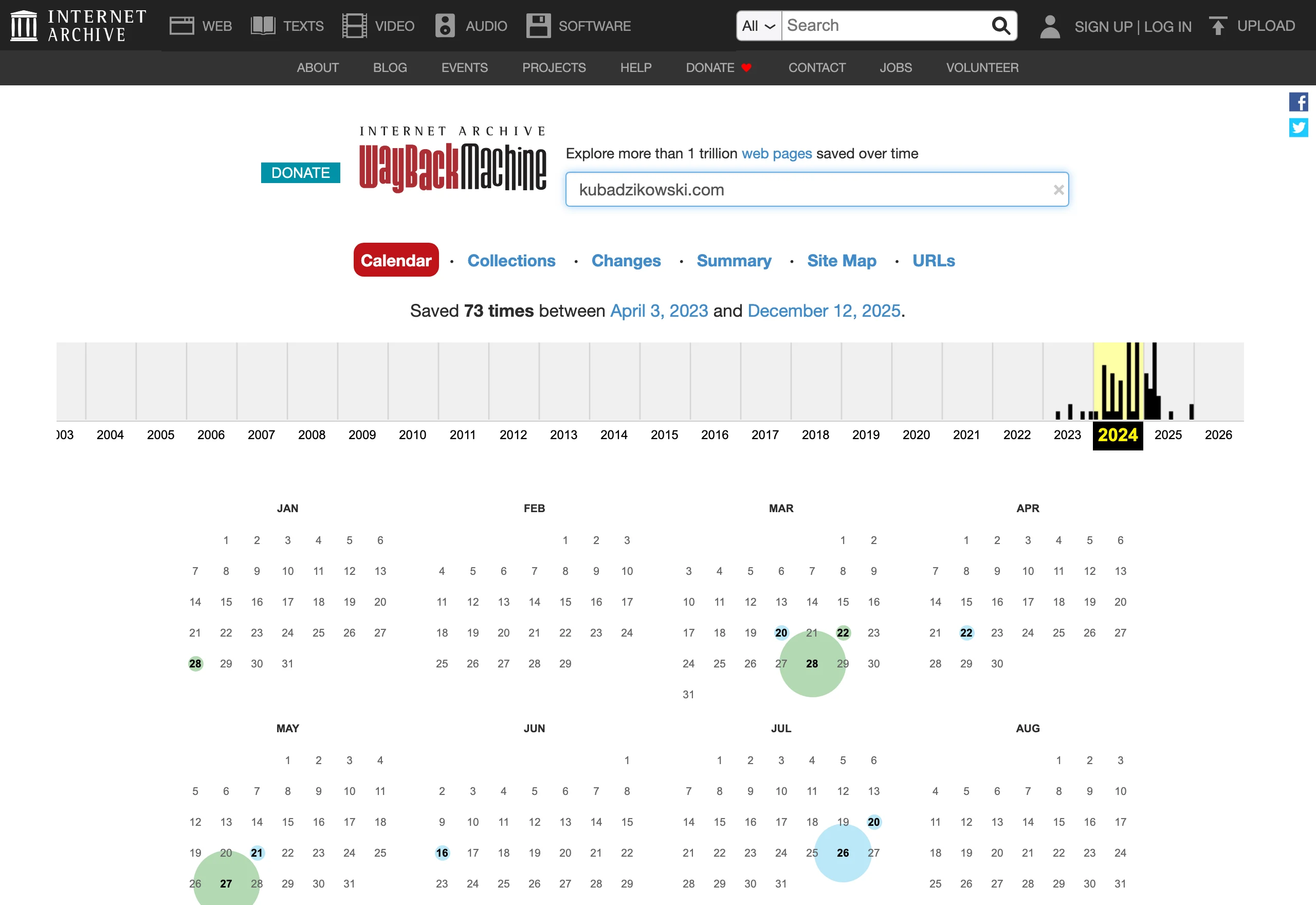
The first step is not glamorous, but it is critical. You create a full inventory of the current site: all URL addresses, organic traffic data, pages with leads, subpages with external links, meta data, headings, downloadable files and content that actually drives traffic or conversions. Without this list, it is easy to cut or weaken pages that “do not look important”, yet in practice pull in Google visits and handle valuable queries.
The second step is a hard decision about what stays, what is consolidated and what is redirected. Not every URL change is a mistake, but every one must make sense and have a concrete 301 redirect map. The safest approach is to keep valuable addresses wherever there is no strong reason to change them. If you merge content, the new page should take over the search intent of the old one, rather than just a similar, broad topic.
Next, we move on to transferring the full SEO logic into the new version of the site. To check are the heading structure, internal linking, breadcrumbs, meta title and description, canonicals, structured data, XML sitemaps and indexing rules. But note, the technical side is one thing and operationality is another. What matters is whether the CMS allows these elements to be edited without involving a developer, because otherwise content development and later fixes will simply be too slow.
Before publishing, you need a test on a staging environment. Then a check of the most important templates, with no leniency: are pages accidentally blocked from indexing, do redirects work properly, are redirect chains, 404 errors and duplicate content being created. SEO migration does not end on launch day, it only begins the monitoring stage. After go-live, observe Search Console, indexing, the rankings of key pages, the linking logic and any drops in traffic at the level of specific URLs, not just the entire domain.
What are the typical mistakes to avoid in the redesign process?
The most common redesign mistakes come from decisions made without a business, analytical and technical diagnosis. The project starts with aesthetics instead of asking what is holding back growth today: a weak offer, overly difficult contact, a slow site, unclear navigation or a lack of consistency with campaigns. The result is often predictable. The new version of the website looks more modern, but it does not deliver results.
The most common sin. Rewriting everything from scratch, without setting priorities. In practice, some subpages really do call for a complete rebuild, but others work and only need tidying up or a sensible expansion. Not every old piece of content is a problem, but every one should be assessed in terms of traffic, conversion and user intent. Mass changes to content and structure, made without such a diagnosis, increase the risk of a drop in visibility and a blurred sales message.
The second trap lies in implementation. Changing URL addresses without a redirect map, no staging environment, incomplete tracking of forms and CTA clicks, incorrect consents, mobile issues or poor performance can wipe out the effect of the whole project. The question is: why spend time and budget if the foundations are then missing. Equally risky is adding a large number of custom sections that look great in the mock-up but make editing harder, slow down development and drive up the cost of further changes.
Organisation on the company side often falls apart too. If there is no single person responsible for priorities, content approval, SEO decisions and the scope of functions, the project simply starts to drift. Delays begin, contradictory comments appear and random compromises weaken the most important conversion paths. A redesign without a decision-maker almost always loses pace and consistency.
The final trap is trivial, but costly. Treating publication as the end of the project. After launch, you need to check how users really use the new offer pages, forms and landing pages, where leads come from and where drops begin. Without analysing data after launch, you cannot tell a good project from one that only looks good. That is why it is safer to roll out the most important templates and paths in stages, and only then develop the supporting sections.
How do you measure the effects of a redesign after launch?
Redesign results after implementation are measured by comparing business outcomes, user behaviour, SEO data and site performance before and after publication. Traffic growth alone is not enough if the number of enquiries, sales or lead quality does not increase. The most important thing is to measure the actions for which the redesign was done in the first place. If the goal was to increase the number of demos, contacts or quote requests, those metrics should be the point of reference, not the “sessions” chart for the sake of the chart itself.
First compare the data against a sensible baseline. Most often, a period of 4-12 weeks before implementation and the same period after implementation works well, taking into account seasonality, changes in campaigns and other marketing activities. It sounds simple, but beware: if the company changed its offer, ad budgets or sales process at the same time, the redesign result must be interpreted carefully, because those factors also influence it.
In business, hard numbers matter. Look at the number of conversions, the conversion rate and, above all, lead quality, because a good change is not only more forms, but also more submissions from the right customers, fewer empty contacts and a smoother lead move to the next sales stage. If the redesign brings in more leads, but the sales team rates them worse, the problem is usually in the message, the form or in traffic qualification.
User behaviour tests assumptions ruthlessly. You need to check whether the new journeys actually deliver results, rather than just looking good in the mock-up. Data on CTA clicks, form submissions, form errors, transitions between key sections, visits to offer pages and drop-offs at critical moments are useful. The problem is that only after implementation do you see how people really use the site, which is why micro-conversion measurement catches problems faster than the final sales result alone.
SEO also needs to be kept under control. But beware: after a migration, operational signals can matter more than “visibility” itself, because they show whether the foundations have not shifted. Monitor indexation, 404 errors, redirects, changes in organic traffic to the most important URLs, the number of visits to offer pages from Google and the effectiveness of those visits in generating conversions. A drop in rankings does not always mean a strategic mistake, but a sudden drop in visits to specific subpages usually points to a problem with the migration, content, internal linking or indexation.
There are also things the user cannot see. And these can undermine results most effectively, because they work in the background and corrupt the data before anyone has a chance to notice. This means the site speed, form stability, event tracking accuracy, mobile version performance, consent compliance and the reliability of CRM or automation integrations. If a form is submitted correctly only for some users, or events are not being recorded in analytics, the company may wrongly conclude that the redesign is ineffective or, instead of a sober assessment, artificially inflate its result.
The first days after launch are crucial. It is worth looking at the data daily at that stage, and then moving to a rhythm of weekly and monthly reviews, because after implementation the backlog of fixes almost always grows and some problems only emerge on real traffic. A good redesign does not end on the publication date, but when the team can confirm from the data that the new site better supports business growth.
In the end, the question is: is this just “noise”, or a lasting effect. In the first weeks, temporary drops or instability may appear, especially after a larger SEO migration or a change in content structure, and that fits the scenario. That is why the redesign assessment should include not only a quick post-launch report, but also an analysis after a few weeks and again after a few months, when the real impact on customer acquisition and the ease of further site development is already visible.
FAQ
Frequently asked questions
What business goals should a company website redesign support?
A redesign should increase the number and quality of conversions, improve organic visibility and make further site development easier. It can also support faster content publishing and better marketing and sales workflows.
What are the key stages of a website redesign from a business growth perspective?
First, you carry out an audit and diagnose the current situation, then define the scope, information architecture and user journeys. Next, you prepare the content, implement the site technically, plan the migration and optimise the site after launch.
Why is an SEO migration plan important during a redesign?
Because changes to URLs, headings, content and linking can immediately reduce visibility in Google. Without a migration plan, traffic drops after launch become very likely.
What should be checked before publishing the new site after a redesign?
You need to check 301 redirects, meta data, canonicals, sitemaps, robots, forms, events and responsiveness. It is also important to test the key templates on real devices.
Which design decisions have the biggest impact on redesign results?
The most important are business priorities, information architecture, the scope of changes, technology and how users are guided towards conversion. Decisions about forms, the component system and phased implementation are also important.
Why are the form and CMS so important in a website redesign?
The form affects friction at the point of contact and lead quality, while the CMS determines publishing speed and how easily the site can grow. If every change requires a developer, marketing works more slowly and loses its testing rhythm.