
First Input Delay (FID) is a key Core Web Vitals metric from Google, measuring a page’s response time to a user’s first actions, such as clicks or scrolling. An optimal FID below 100 ms ensures smooth performance and a better user experience, influencing SEO and conversions. Understanding and improving FID not only builds visitor loyalty, but also increases site visibility in the dynamic online world.
What is First Input Delay (FID)?
First Input Delay (FID) is one of the most important website performance metrics. It defines the time that passes from a user’s first interaction with the site to the moment when the browser is able to handle it. In practice, FID shows how quickly a page responds to actions such as clicking a button, scrolling or selecting an option from the menu.
This parameter is crucial for user experience (UX). A long response time can lead to frustration and make visitors leave the site. Optimising FID directly affects user satisfaction, which in turn translates into a higher conversion rate and better visibility in search results.
FID is one of the three main Core Web Vitals introduced by Google. Their purpose is to assess the quality of websites in terms of usability and performance. The optimal FID value should be below 100 milliseconds. A result above 300 milliseconds may negatively affect the site’s assessment.
Importantly, FID measures real user experiences, not simulated test conditions. This makes it an extremely valuable metric for site owners and SEO specialists. It allows you not only to improve site performance, but also to increase visitor engagement and build loyalty.
- 01Delay timeFrom the first interaction
- 02Page responseClicks, scrolling
- 03UX experienceCrucial for satisfaction
- 04Business benefitsConversion and SEO
- 05Core Web VitalsOne of three
FID measures how quickly a page responds to user interactions – the key to better UX and results.
Definition and significance of FID
First Input Delay (FID) is a metric that measures the time between a user’s first interaction and the moment when the browser is able to respond to it. The result, expressed in milliseconds, is crucial for assessing page performance. The optimal value is less than 100 ms, which ensures smooth operation. However, if the result exceeds 300 ms, it may indicate performance issues that negatively affect user experience.
The importance of FID is huge – it shows how quickly a page responds to visitor actions. Long delays not only frustrate users, but also increase the bounce rate and reduce engagement. That is why optimising this metric is crucial for improving site quality and its position in search results.
It is also worth emphasising that FID is one of the main elements of Google Core Web Vitals, which increases its importance in assessing site usability. Regularly monitoring and improving this metric not only increases user satisfaction, but also has a positive effect on better site visibility in SEO results. Looking after low FID values is an investment in smooth site performance and attracting more visitors.
FID as a website performance metric
First Input Delay (FID) is one of the key metrics affecting site performance. It measures the site’s response time to a user’s first action, such as clicking, scrolling or selecting from a menu, which directly affects the visitor experience. To ensure smooth and fast performance, the FID value should be below 100 milliseconds. If it exceeds 300 milliseconds, it can lead to user frustration and an increased bounce rate.
FID is an important element of Core Web Vitals – a set of metrics introduced by Google to assess the quality of websites. A low value of this metric not only improves rankings in search results, but also affects the effectiveness of SEO. What is more, optimising FID increases user engagement, which can translate into higher conversion rates and building visitor loyalty.
It is worth emphasising that FID measures real user experiences, not simulated test conditions. Thanks to this, it provides practical information about how a site performs in everyday use. Regular monitoring and improving this metric are essential for maintaining high website performance and its competitiveness in search results.
- 01First interactionSite response
- 02High FID >300msFrustration and bounces
- 03Low FID <100msSmoothness and engagement
- 04Higher conversionsCustomer loyalty
- 05Core Web VitalsImpact on ranking
Key takeaway: Fast site response (low FID) is essential for positive user experiences and success in search results.
FID Google and its importance in Core Web Vitals
FID Google is one of the key Core Web Vitals metrics, playing an important role in assessing website performance. This set of metrics, introduced by Google, aims to improve user experience by analysing their real interactions with websites. FID measures the site’s response time to the user’s first action, such as a click or scrolling, which directly affects visitor satisfaction.
Optimising FID is extremely important for SEO, because it affects the site’s position in search results. A value below 100 milliseconds is considered ideal, while a result exceeding 300 milliseconds may negatively affect how Google assesses the site. Low FID helps reduce the bounce rate and increase user engagement, which in turn improves the site’s visibility.
FID is also a key element of UX (User Experience) strategy. A long response time can frustrate users and prompt them to leave the site before completing the desired action. That is why keeping FID low is not only a technical matter, but also a way to build visitor loyalty and increase conversions.
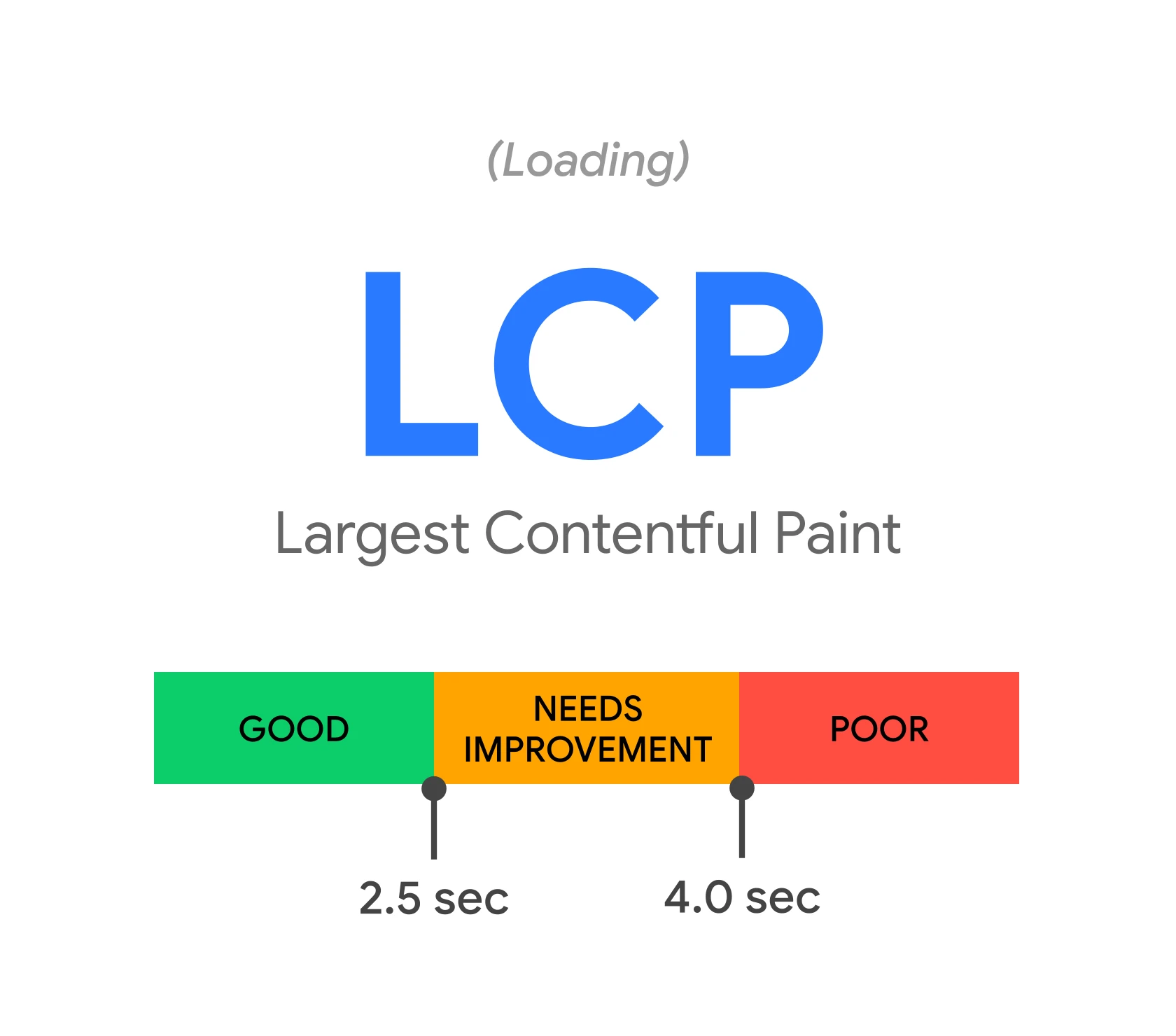
In the context of Core Web Vitals, FID is one of the three main metrics alongside LCP (Largest Contentful Paint) and CLS (Cumulative Layout Shift). Together, these metrics create a comprehensive picture of website performance. Optimising each of them is essential to achieve a high position in search results and provide users with positive experiences.
FID Google is not only a technical parameter, but also a tool that influences a website’s success both in terms of SEO and user satisfaction. Regular monitoring and optimisation of this metric are key to maintaining the site’s competitiveness in a dynamic online environment.
FID as a Core Web Vitals metric
FID (First Input Delay) is one of the three key Core Web Vitals metrics, alongside LCP (Largest Contentful Paint) and CLS (Cumulative Layout Shift). Together, these metrics create a comprehensive picture of site performance, affecting both how Google assesses it and the user experience. FID measures the time a site needs to respond after the user’s first interaction, such as a click or scrolling. It is this parameter that has a direct impact on the satisfaction of people visiting the site.
In the context of Core Web Vitals, FID plays an important role in assessing a site’s responsiveness. To ensure smooth performance, the optimal value of this metric should be below 100 milliseconds. If the result exceeds 300 milliseconds, it may negatively affect the site’s position in Google search results, leading to a drop in its visibility.
A long site response time can frustrate users and increase the bounce rate, which is why optimising FID is key both for SEO and for building visitor loyalty. Regular monitoring of this metric allows you to identify areas that need improvement, which translates into better site performance and higher user satisfaction.
Importantly, FID measures real user interactions, not simulated test conditions. This provides practical insight into how a page performs in everyday use. Improving this metric is not just a technical issue – it is also a way to increase engagement among visitors and improve conversion rates.
- 01Reaction to the first actionThe site’s response speed.
- 02Use dedicated toolsPrecise performance measurements.
- 03Regular monitoring and optimisationQuick identification of issues.
- 04Better experiences and higher rankingsBenefits for users and SEO.
The key is to use specialist tools regularly, which translates into better UX and SEO.
How does FID affect user experience?
First Input Delay (FID) plays a key role in shaping user experiences. This metric measures how quickly a page responds to visitors’ first actions. When FID exceeds 300 milliseconds, users may feel irritated by the delay, which often results in a higher bounce rate – visitors leave the site before completing their intended actions.
By contrast, a low FID (below 100 milliseconds) significantly improves engagement. A fast-responding page makes users feel at ease and more willing to engage with the content. This directly affects higher conversion rates and building long-term loyalty.
FID optimisation is particularly important in the context of Google Core Web Vitals. Long delays can lower a page’s assessment by search engine algorithms, which negatively affects its visibility in search results. That is why aiming for low FID values is not just a technical matter, but also a way to improve SEO and user satisfaction.
In practice, this means designing websites with a view to minimising delays related to JavaScript processing and optimising resource loading. This allows users to enjoy smooth interactions without unnecessary interruptions, which translates into a better experience and more effective site performance.
The impact of high FID on user frustration
A high First Input Delay (FID) has a direct impact on user experience, causing frustration and leading to a higher bounce rate. When a page does not respond immediately to first actions such as clicking or scrolling, users often feel irritated. Studies indicate that delays exceeding 300 milliseconds can increase the likelihood of leaving the page by as much as 32%.
This frustration not only discourages further use of the site, but also lowers visitor engagement. Users expect the page to respond instantly, and longer waiting times often prompt them to give up. As a result, the site loses potential customers or readers, which negatively affects conversions and loyalty.
The problem of high FID is particularly visible on mobile devices, where resources are more limited than on desktop computers. Mobile users are less patient and more likely to abandon pages that do not work quickly enough. That is why optimising this metric is crucial not only for improving user experience, but also for maintaining the site’s competitiveness in Google search results.
Aiming for FID values below 100 milliseconds is an effective way to increase visitor satisfaction and improve SEO results. The faster a page responds to user actions, the greater the chance of engagement and loyalty.
The importance of low FID for user engagement
Low FID (First Input Delay) is extremely important for user engagement, directly affecting their experience on the site. When a website responds instantly to first interactions such as clicks or scrolling, visitors feel more at ease and are more willing to engage with the content. Studies confirm that pages with FID below 100 milliseconds achieve higher conversion rates and build stronger user loyalty.
Page response speed also translates into longer time spent on the site. Visitors are more likely to explore further pages when they do not encounter delays. In the case of online stores, low FID can increase the chances of a purchase, and in the case of blogs – encourage readers to continue with further articles.
What is more, fast and smooth page performance has a positive effect on brand perception. Users associate it with professionalism and care for their needs, which builds trust and encourages them to return in the future.
In SEO terms, low FID plays an important role in improving a site’s visibility in Google search results. Algorithms assessing Core Web Vitals reward pages with high responsiveness, which translates into better rankings. As a result, the site attracts more organic traffic, which further strengthens user engagement.
Optimising FID is not just a technical matter – it is also the key to improving visitor satisfaction and achieving better business results.
What are the causes of high FID?
A high First Input Delay (FID) score often results from several key factors affecting site performance. One of the main culprits is long-running JavaScript tasks, which block the browser’s main thread. When scripts execute too slowly, the browser is unable to respond quickly to user actions, resulting in noticeable delays. This can involve complex calculations, processing large data sets or inefficient loops.
Another common issue is poor resource management, such as CSS, images or fonts. If these are loaded synchronously or without proper prioritisation, they can significantly slow down page rendering and delay the response to the user’s first interactions. In addition, large media files or a lack of resource compression also increase load times, which translates into higher FID values.
A long server response time is also important. When the server takes too long to deliver data to the browser, the user experiences noticeable delays during interaction. This may be caused by server overload, insufficient bandwidth or a lack of database query optimisation.
To diagnose the source of the problem accurately, it is worth using analytical tools such as Lighthouse or Chrome DevTools. They provide detailed reports on site performance and indicate the specific areas that need improvement. This makes it possible to pinpoint the cause of high FID and take the appropriate steps to optimise the website.
Long-running JavaScript tasks
Long-running tasks in JavaScript are one of the main culprits behind a high First Input Delay (FID). This happens because these scripts block the browser’s main thread, preventing it from responding quickly to user actions. When a script runs for too long, even simple actions such as clicking or scrolling can be noticeably delayed.
Examples of such tasks include:
- complex calculations,
- processing large data sets,
- inefficient loops.
To minimise their impact on FID, it is worth breaking them down into smaller chunks or using asynchronous mechanisms. This allows the browser to respond smoothly to user interactions even while scripts are running in the background.
Optimising JavaScript code plays a key role in improving site performance and reducing FID values. Regular performance monitoring using tools such as Lighthouse or Chrome DevTools makes it possible to detect problematic parts of the code and eliminate them on an ongoing basis. As a result, the site becomes faster and more responsive, which translates into a better user experience.
Poor resource loading
Poor management of resources such as images, videos or scripts often results in delays in the site’s response to the user’s first actions. This, in turn, translates into a high First Input Delay (FID) score. When the browser has to process inefficiently loaded elements, the main thread becomes blocked, delaying the response to interactions.
Typical mistakes include:
- synchronous loading of scripts, which stops page rendering,
- large media files without proper compression, significantly increasing download times,
- lack of resource prioritisation, causing key elements to load too late.
To minimise the impact of these problems on FID, it is worth implementing a few practical solutions:
- switch to asynchronous script loading, which allows the browser to continue rendering without blocking,
- use image and video compression with modern formats such as WebP or AVIF,
- introduce resource prioritisation, for example by preloading key elements using .
It is also worth using analytical tools such as Lighthouse or Chrome DevTools. They make it possible to identify problematic resources and implement the necessary optimisations. As a result, the site will become more responsive, and the FID value will fall below the recommended 100 milliseconds.
How to measure First Input Delay?
Measuring First Input Delay (FID) plays a key role in assessing website performance. This metric shows how quickly the site responds to visitors’ first interactions. To obtain precise results, it is worth using the available tools and methods that provide detailed information.
How to measure FID?
- Google tools
- Google PageSpeed Insights – analyses site performance, including FID, and suggests ways to optimise it,
- Lighthouse – available in Chrome DevTools, generates performance reports, showing FID values and areas for improvement,
- Search Console (Core Web Vitals Report) – shows FID data collected from real users, which helps monitor trends and detect issues.
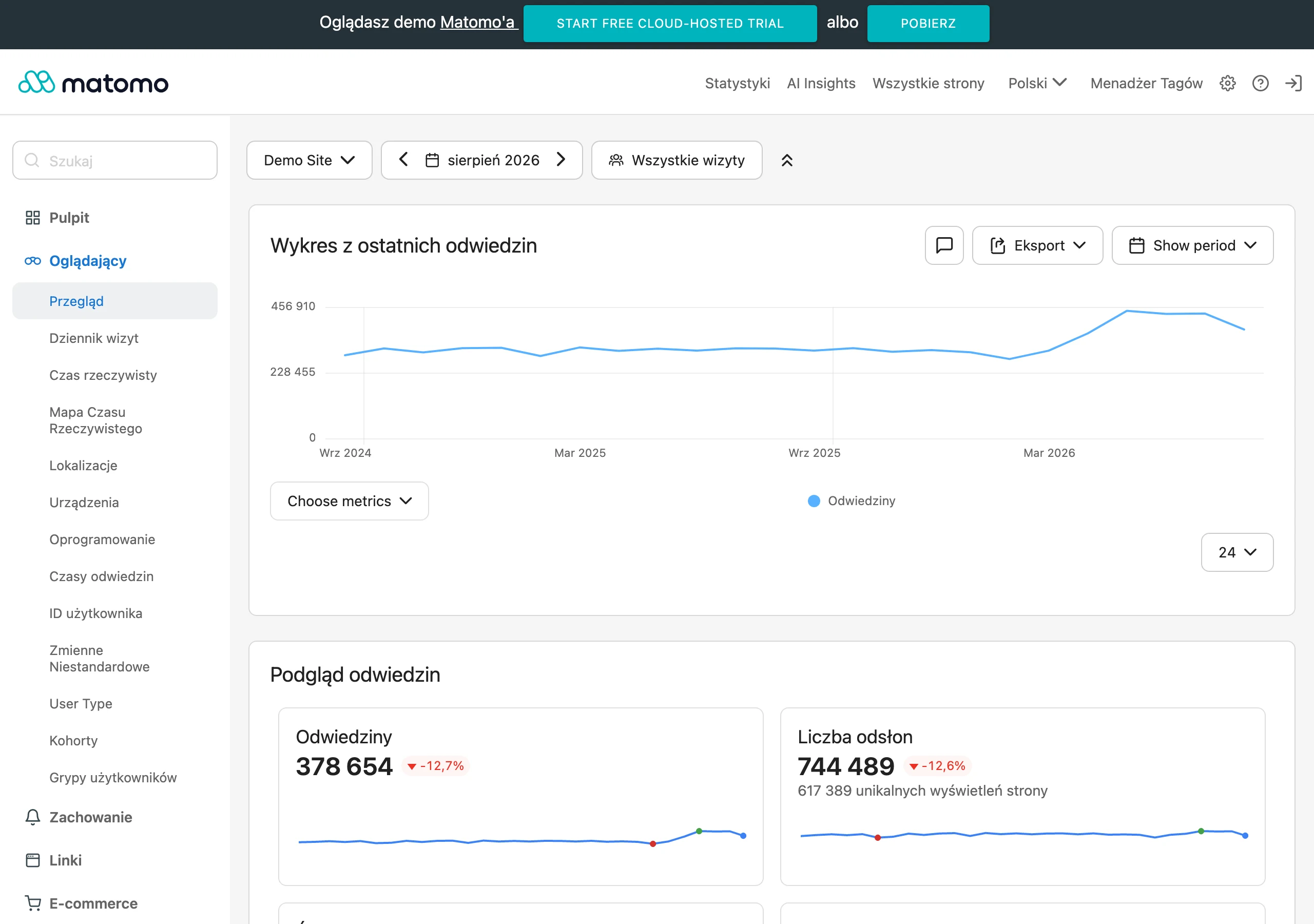
- User data Tools such as Google Analytics or CrUX (Chrome User Experience Report) collect information about user experiences in different conditions and on different devices. This makes it possible to obtain real data on FID.
- Lab tests Tools such as Lighthouse allow you to simulate user interactions in controlled conditions. Although they do not reflect real-life experiences exactly, they are useful in identifying potential issues.
The best tools for monitoring FID
- Lighthouse: Provides detailed performance reports for the site, including FID values and optimisation tips,
- Chrome DevTools: Allows you to analyse site performance in real time and identify tasks blocking the browser’s main thread,
- PageSpeed Insights: Offers a comprehensive performance analysis along with recommendations for improving FID,
- CrUX Dashboard: Provides access to data on real user experiences collected by Google.
Regular monitoring of FID makes it possible to quickly detect issues affecting the site’s response time and take appropriate optimisation steps. It is worth remembering that a low FID not only improves the user experience, but also affects a higher position of the site in Google search results.
Methods of measuring FID
To measure First Input Delay (FID), i.e. the delay before a user’s first input, it is worth using dedicated tools that provide precise information about site responsiveness. One of the most popular solutions is Google Lighthouse, available in Chrome DevTools. This tool not only shows the FID value, but also offers practical advice on improving the site’s performance.
Another useful tool is Chrome User Experience Report (CrUX), which collects data from real users. It allows you to analyse how the site behaves in different conditions and on different devices. CrUX is particularly useful for tracking long-term trends and detecting issues related to FID.
For more advanced users, it is worth paying attention to the Web Vitals API. This solution allows FID measurements to be integrated with your own analytics systems, enabling real-time performance monitoring and quick responses to any drops in efficiency.
Another tool worth noting is Google PageSpeed Insights. It offers a detailed analysis of site performance, including FID values and specific recommendations for optimisation. It is an ideal solution for site owners who want to quickly identify areas requiring improvement.
You also cannot forget about Search Console, which provides the Core Web Vitals report containing data on FID collected from real users. This report makes it possible to track changes in site performance and take the appropriate optimisation steps.
Using these tools systematically not only makes it possible to measure FID, but also helps understand the causes of high values of this metric and implement effective changes. As a result, the site becomes more responsive, which translates into a better user experience and higher visibility in Google search results.
Tools for monitoring FID
To monitor First Input Delay (FID), there are many specialist tools that provide detailed data on site performance. One of the most popular is Google Lighthouse, available in Chrome DevTools. This solution generates reports containing FID values, and also identifies areas requiring improvement, such as long-running JavaScript tasks or inefficient resource loading.
Another useful tool is Google PageSpeed Insights. It analyses site performance in terms of various metrics, including FID, and offers specific recommendations for optimising the site’s responsiveness to user interactions. Importantly, it collects data from real users, which makes it easier to understand issues related to delays.
It is also worth paying attention to the Chrome User Experience Report (CrUX), which gathers information about user experiences in different conditions and on different devices. This makes it possible to track long-term trends and identify factors affecting high FID values.
For more advanced users, the Web Vitals API may be useful. It enables FID measurements to be integrated with your own analytics systems, which allows you to monitor site performance on an ongoing basis and respond quickly to any drops in efficiency.
Another tool worth noting is the Core Web Vitals report in Search Console. It contains data on FID collected from real users, making it possible to track changes in site performance and take the appropriate optimisation steps.
Regular use of these solutions not only allows you to measure FID precisely, but also helps understand the causes of high values of this metric and implement effective changes. As a result, the site becomes more responsive, which translates into a better user experience and higher visibility in Google search results.
How to improve First Input Delay?
To improve First Input Delay (FID), it is worth focusing on optimising site performance, especially in terms of JavaScript code and resource management. Here are a few effective methods that will help achieve better results:
- Better JavaScript code management Long tasks performed by JavaScript are a common cause of high FID. This can be addressed by:
- splitting scripts into smaller chunks so they do not burden the browser’s main thread,
- using the async and defer attributes, which allow scripts to load in the background without disrupting page rendering,
- removing unnecessary code that can slow down the site.
- Asynchronous approach to script loading Synchronously loaded scripts can block rendering, which negatively affects page responsiveness. The solution is:
- switching to asynchronous loading using async or defer,
- implementing techniques such as lazy loading, which delay the loading of less important elements.
- Effective management of resources Poor resource management often leads to an increase in FID. To fix this:
- use to preload key elements such as fonts or images,
- compress media using modern formats, e.g. WebP for images,
- reduce the number of HTTP requests by combining CSS and JavaScript files.
- Reducing long tasks in the main thread Tasks that take too long in the browser’s main thread can delay page responses. To limit this:
- split large tasks into smaller chunks,
- use Web Workers to move demanding calculations off the main thread.
- Regular monitoring and testing Systematically checking the FID value with tools such as Google Lighthouse, PageSpeed Insights or Chrome DevTools makes it possible to identify problematic areas and implement the necessary fixes.
Thanks to these practices, it is possible to significantly reduce the FID value, providing users with faster and more responsive experiences when using the website.
JavaScript code optimisation
JavaScript code optimisation is extremely important for website performance, especially in the context of the First Input Delay (FID) metric. Scripts can affect how quickly a site responds to the user’s first interactions, which is why managing them properly is key to achieving low FID values.
One of the most common challenges is long-running JavaScript tasks that block the browser’s main thread. To address this, it is worth breaking scripts into smaller chunks or using asynchronous mechanisms such as the async and defer attributes. They allow scripts to load in the background without disrupting the rendering process.
Another important step is removing unnecessary code. Unused functions or libraries can needlessly burden the site. Regular code review and optimisation help remove elements that are no longer needed.
For more complex calculations, it is worth considering using Web Workers. With them, demanding tasks can be moved off the browser’s main thread, which significantly increases page responsiveness.
Equally important is effective resource management. Scripts should only be loaded when they are truly needed. Techniques such as lazy loading delay the loading of less critical elements, which translates into faster overall site performance.
It is also worth regularly monitoring performance using tools such as Google Lighthouse or Chrome DevTools. They make it possible to identify problematic parts of the code and implement the necessary fixes. Thanks to these practices, it is possible to significantly reduce the FID value, providing users with a smooth and fast experience when using the site.
Asynchronous loading of scripts
Asynchronous loading of scripts is a technique that significantly speeds up website performance. Thanks to it, JavaScript code can be processed in parallel, without blocking content rendering. This means that the browser responds more quickly to the user’s first actions, which has a direct impact on improving the First Input Delay (FID) metric.
In practice, two main attributes are used: async and defer. The first of these allows the script to be fetched in the background, and execution takes place immediately after that process has finished. The second, however, delays running the script until the entire page has fully loaded.
Examples of use:
- – the script is fetched and executed as soon as the download has finished,
- – the script is executed only after the entire page has loaded.
With this approach, the browser does not have to wait for scripts to finish loading before displaying content. This translates into faster responses to user actions such as clicks or scrolling the page.
This technique is particularly important for sites using large amounts of JavaScript code, such as web applications or dynamic e-commerce platforms. It helps avoid situations where long-running operations block the browser’s main thread, which could lead to high FID values and a poorer user experience.
It is also worth paying attention to optimising the scripts themselves – removing unnecessary code and minimising JavaScript files. These steps additionally reduce the time needed to process them and have a positive effect on the site’s responsiveness.
Asynchronous loading is a key element of website performance optimisation. Its use not only lowers the FID value, but also significantly improves the user experience when using the site.
Prioritising resource loading
Prioritising resource loading plays a key role in optimising website performance, directly affecting the First Input Delay (FID) metric, which measures how quickly a site responds to a user’s first actions. Through efficient management of the order in which elements load, the most important resources become available faster, which significantly improves the visitor experience. The main aim of prioritisation is to ensure that key parts of the page – such as content visible “Above the Fold” – are loaded first. This can be achieved in a number of ways:
- early fetching of critical resources – using the tag allows the browser to load essential CSS, JavaScript or font files more quickly,
- effective image optimisation – using modern formats such as WebP or AVIF, together with appropriate compression, reduces the size of image files and speeds up their display,
- reducing the number of HTTP requests – combining CSS and JavaScript files and using techniques such as lazy loading for less important elements helps minimise the load on the site.
Prioritisation also affects the management of the browser’s main thread. Long-running JavaScript operations or inefficient resource loading can block page rendering, which negatively affects the FID value. That is why it is worth splitting scripts into smaller chunks or using asynchronous mechanisms. In practice, tools such as Google Lighthouse or Chrome DevTools are invaluable for identifying problematic areas and implementing the necessary fixes. Regular performance monitoring makes it possible to keep FID values low, which translates not only into a better user experience, but also into a higher position in Google search results. Prioritising resource loading is not just a technical optimisation – it is also a way to increase visitor engagement and improve conversion rates. Thanks to it, the site becomes more responsive and user-friendly, which is crucial to its success.
FAQ
Frequently asked questions
How does First Input Delay affect user experience on a website?
It measures how quickly the site responds to the first click, scroll or option selection. The lower the FID, the less frustration and the greater the chance of user engagement.
Can a high FID increase the bounce rate?
Yes, long delays in page response often discourage visitors from continuing to use the site. The article also points out that delays above 300 ms may increase the likelihood of leaving the page.
Why is FID important for SEO?
FID is one of Google’s Core Web Vitals, so it affects the assessment of page quality. A low score can improve visibility in search results.
When is an FID score considered good?
An FID below 100 milliseconds is considered optimal. A score above 300 milliseconds can negatively affect the site’s assessment.
What most often causes a high FID?
The most common causes are long-running JavaScript tasks, inefficient resource loading and a long server response time. These issues block the browser from responding quickly to user actions.
What tools help diagnose the causes of a high FID?
The article mentions Lighthouse and Chrome DevTools. These tools provide detailed reports that help identify the source of the problem.