
In the context of SEO, Cloudflare acts primarily as a technical layer between the user, the Google bot and your server. It is not a tool for “earning rankings”, but it can clearly influence how quickly, stably and correctly a site responds. In practice, it touches areas such as DNS, HTTPS, cache, redirects, site availability and bot handling. These are the elements that determine whether Google can fetch the page without obstacles, sees the correct URL version and receives the right HTTP statuses. The mere presence of Cloudflare does nothing if the configuration is wrong or conflicts with how the site works. That is why, in SEO, it is worth assessing not the service itself, but the specific effects of its settings.
What Cloudflare is in practice for SEO
In SEO practice, Cloudflare is an intermediary layer between the browser or bot and the origin server, handling DNS, reverse proxy, CDN, cache, TLS and some security rules. As a result, many HTTP responses do not reach the user directly from the hosting provider, but pass through Cloudflare’s infrastructure. From an SEO perspective, the key point is that this layer can change content delivery speed, the way redirects are handled and the availability of important resources.
For SEO, Cloudflare is not an “SEO tool”, but an infrastructure element affecting crawlability and site stability. It matters where response time, correct HTTPS handling, 200, 301, 302, 404 and 5xx statuses, and access to robots.txt and sitemap.xml are concerned. Cloudflare does not rank a site, but it can genuinely improve or worsen indexing conditions.
It usually helps when the problem is a slow server, high load, a lack of sensible cache for static files, or inconsistent SSL handling. In such situations, it can shorten resource delivery time, offload the origin and reduce the impact of temporary spikes. This can be beneficial for the user and, indirectly, for the technical signals that are important in SEO.
It can also harm, if the rules have been deployed without proper control. Faulty HTML cache can serve an outdated version of the page, bad redirect configuration can create loops, and over-aggressive security measures can block crawlers. If Cloudflare returns a different response than the origin should return, the SEO problem usually starts right here.
In practice, it is therefore worth treating Cloudflare as an execution layer for technical SEO. What matters is not that the service is enabled, but whether key URLs return the right content, the right status and the right headers. When configured well, it can be a major support; when configured badly, it can mask problems or add new ones.
- 01Intermediate LayerConnects the user with the origin server.
- 02Infrastructure HandlingDNS, CDN, cache, TLS, security.
- 03Impact on SEOSpeed, redirects, resource availability.
- 04Infrastructure ElementAffects crawlability and stability.
Cloudflare is infrastructure that optimises crawlability and stability, not rankings.
How Cloudflare works for SEO
In an SEO context, Cloudflare works by taking over DNS handling and part of the HTTP traffic, then deciding whether the response should be served from the edge cache or directly from the origin server. In practice, this changes the request path and the way certificates, redirects, compression and security rules are handled. From an SEO perspective, what matters is not so much the “speed boost” itself, but whether the whole mechanism ends with a correct response for the user and the bot.
The first step is to point the domain to Cloudflare DNS and enable the proxy. From that moment, Cloudflare becomes the public access layer for the site, so its settings affect the way the bot reaches the page. At this stage, it is worth making sure the host and protocol are consistent, because DNS errors or incorrect records can stop indexing faster than a problem in the CMS itself.
The next layer concerns TLS and HTTPS. Cloudflare handles the certificate on its side, but at the same time it has to connect properly to the origin, so the connection mode and certificate compatibility matter. When the settings do not work together, redirect loops, certificate errors, mixed content or unintended switches between HTTP and HTTPS appear, which directly affects technical SEO.
Next come cache and resource delivery. Static files such as images, CSS or JavaScript can be served from the nearest edge node, which usually shortens delivery time. HTML must be handled carefully, because not every subpage should be cached in the same way. The most common mistake is an overly aggressive HTML cache that shows Google or users an outdated or incorrect version of the page.
Along the way, Cloudflare can also impose response rules such as redirects, URL normalisation, cache-control headers, compression, minification and other modifications carried out at the edge. This is exactly where friction between Cloudflare’s logic and the server’s or application’s logic is easiest to create. If both layers try to do the same thing, redirect chains, URL duplication or discrepancies between the canonical and the final address appear.
A separate area is security and traffic filtering. WAF, rate limiting and bot protection mechanisms help with attacks and abuse, but they should have exceptions for legitimate crawlers and resources needed for rendering. If Googlebot gets a challenge, a 403, or cannot fetch CSS, JS, robots.txt or sitemap.xml, the problem concerns indexing, not just security.
In the end, what remains is monitoring and ongoing adjustments. It is worth checking HTTP statuses, 4xx and 5xx errors, cache behaviour, responses for key URLs, and whether the origin can still cope under load. Cloudflare can mask some symptoms of a slow server, but it will not fix the application itself or overly slow HTML generation, so the analysis should cover both the edge and the origin.
Key elements of Cloudflare configuration to improve SEO
In a Cloudflare setup from an SEO perspective, the most important factors are: DNS, HTTPS, redirects, cache, security rules and proper bot access to important resources. These are the elements that determine whether Google sees the correct version of the site, receives the right HTTP status and does not waste time on unnecessary delays. Problems usually do not stem from Cloudflare itself, but from friction between its settings and the logic of the origin server. A good configuration should first guarantee correct responses, and only then speed them up.
To start with, it is worth tidying up the domain and protocol version. The site should run in one canonical version, for example only https and only non-www or only www. When Cloudflare and the origin simultaneously enforce redirects, it is easy to create loops, 301 chains and mismatched canonicals, which makes crawling harder and weakens indexing.
TLS and SSL configuration is equally important. The certificate must be valid both on the user side and on the Cloudflare–origin server segment. A poorly chosen SSL mode can cause redirect loops, certificate errors or mixing HTTP and HTTPS versions. From an SEO point of view, this means unstable access to URLs and problems with page fetching.
Cache is meant to speed up resources, but it should not serve outdated or incorrect content. Static files such as CSS, JS, images and fonts are usually safely cached, whereas HTML requires greater caution and clearly defined exceptions. It is not worth caching login pages, baskets, checkout pages, internal search results or user-dependent content on the edge. Improperly configured HTML cache can serve a bot or user an old or unsuitable version of the page.
Security rules should strengthen site protection, but they must not block indexing. WAF, rate limiting and bot protection must allow legitimate crawlers through to HTML, CSS, JS, images, robots.txt and sitemap.xml without a challenge and without accidental 403 blocks. In practice, after deployment you need to test specific URLs and check whether Googlebot and other important bots receive the same responses as a regular user.
Finally, there is the control of headers and the way the cache is refreshed. The key elements are cache-control, vary, 200 and 301 statuses, as well as a quick purge after changes are published. If you do not have control over when Cloudflare removes old versions, you may delay content updates in Google. This is particularly important on large sites, e-commerce sites and pages that are updated frequently.
- 01Foundations & canonicalisationDomain version, HTTPS protocol
- 02DNS & HTTPSStable redirects, correct status
- 03Bot accessWithout blocking key resources
- 04Response correctnessFirst error-free, then fast
- 05Cache & rulesSpeeding up content, security
A good configuration eliminates conflicts and guarantees correctness before focusing on speeding things up.
The importance of Core Web Vitals and how Cloudflare can help
Core Web Vitals matter for SEO because they reflect the quality actually experienced by the user, and Cloudflare primarily supports the resource delivery layer and reduces network latency. In practice, this means faster file delivery, lower TTFB, more efficient connection setup and better site availability under load. This is infrastructure support, not a substitute for front-end optimisation. Cloudflare can improve technical conditions, but it will not fix heavy HTML, poor JavaScript or weak application rendering.
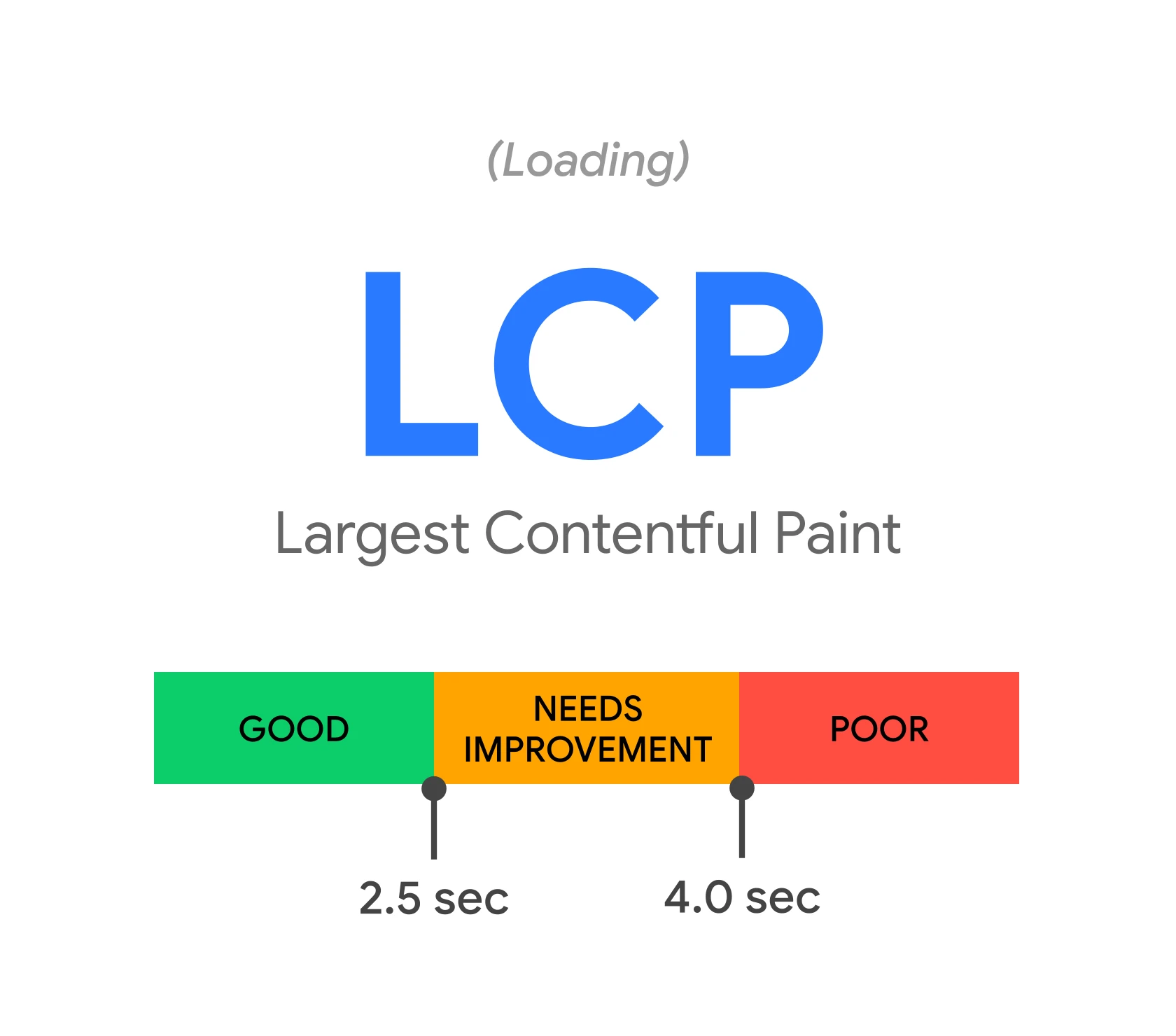
In the case of LCP, it is crucial to deliver the main document and the resources needed to render the visible part of the page quickly. Cloudflare helps here through CDN, edge caching, Brotli compression, HTTP/2 or HTTP/3 and a shorter route to the user. The difference will be most noticeable when static resources are cached correctly and the origin server does not drag out HTML generation.
For INP, Cloudflare’s impact is rather indirect. It can reduce delays when fetching scripts and other files, but it will not solve the problem if interactions are blocked by heavy JavaScript, too many third-party scripts or a poor front-end architecture. When a site spends a long time processing code in the browser, the edge layer alone will not do much here.
For CLS, Cloudflare is usually not the first tool to reach for, because layout shifts most often stem from issues in the interface itself. However, it can help indirectly when it delivers styles, fonts and images faster, which reduces the risk of elements being drawn late. It is worth being careful with automatic transformations, minification and edge scripts, because they can sometimes introduce regressions that worsen layout stability.
The most sensible approach is to separate what Cloudflare can improve from what needs to be fixed in the application. Cloudflare works well for shortening delivery time, stabilising traffic and protecting the server, but the Core Web Vitals result still depends on page weight, the loading order of assets, code quality and the user’s device performance. That is why after deployments it is worth comparing not only lab data, but also the real behaviour of key page types, such as the homepage, categories, products and articles.
Most common issues and mistakes when using Cloudflare
The most common issues when using Cloudflare include incorrect HTML caching, blocking bots, redirect conflicts and poorly configured HTTPS. These errors do not always jump out at users straight away, but they quickly show up in indexing, a drop in crawl frequency or unstable HTTP statuses. The most dangerous situations are those in which Google receives a different response than the user, or receives it inconsistently.
One of the most common mistakes is overly aggressive caching of HTML pages. This hits dynamic services, e-commerce and headless implementations hardest, where part of the content depends on the session, parameters or the current state of the application. When the edge serves an older version of the page, Google may see outdated content, incorrect canonicals or expired products, even though the origin already has the correct data.
The second category of difficulties concerns security rules. WAF, rate limiting and anti-bot mechanisms can cut off not only spam traffic, but also legitimate crawlers, including access to robots.txt, sitemap.xml, JS and CSS files or important category and product paths. If a bot gets a challenge, 403 or timeout, the problem is not on-page SEO, but the access layer.
There can also often be friction between Cloudflare and the origin server in terms of HTTPS logic and redirects. A classic scenario is double enforcement of http to https, separate rules for www and non-www, or an incorrect TLS mode that ends in loops or certificate errors. From an SEO perspective, what matters is one consistent URL version and a short redirect path, ideally without chains.
Automatic optimisations can also be troublesome. Minification, asset rewriting, image transformations or edge modifications can break the front-end, disrupt analytics scripts or change the way the page is rendered. Cloudflare can speed up file delivery, but it should not change the site logic without checking the consequences.
A separate issue is the lack of a cache refresh process after changes are published. When the editorial team, CMS or deployment updates the content, but the edge still serves the old version, Google and users encounter different states of the page at different times. The same applies to changes to meta data, redirects, headers and sitemap files.
- 01Incorrect HTML cacheOutdated dynamic content
- 02Poor HTTPS configurationUnstable server responses
- 03Blocking bots and redirect conflictsProblems with Google indexing
Avoid inconsistencies between the user view and the response for Google, especially when caching.
Practical tips for optimisation with Cloudflare
Practical optimisation with Cloudflare comes down to speeding up and stabilising the site without compromising the correctness of responses for Google and the user. First, it is worth identifying which elements can safely be handled at the edge and which should always come from the origin. In practice, the biggest effect comes from organising the rules, not from the number of enabled features.
Start by dividing addresses and assets according to their function. The homepage, categories, products, articles, pagination, robots.txt and sitemap.xml are treated differently from the basket, checkout, login or internal search. The safest model is caching for static assets and a careful, considered approach to HTML.
- set one canonical version of the host and protocol, and check whether there are any loops or 301 chains,
- make sure that robots.txt and sitemap.xml return the correct 200 status and are accessible without blocks,
- disable challenges and aggressive protection rules for paths and assets needed by crawlers,
- check the Cache-Control and Vary headers, and how the site behaves after content updates,
- test specific URLs in the browser, in a crawler and in HTTP header analysis tools.
In dynamic websites, it is worth clearly separating shared content from content that depends on the user. Categories, articles or some product pages can often be genuinely sped up, whereas the basket, account, segment-dependent prices or search results should bypass edge cache. This reduces the risk of serving the wrong page versions and problems with parameter indexing.
Also control what Cloudflare does with the resources needed for rendering. Google must be able to fetch HTML, JS, CSS, fonts and images without blocks and without unstable responses. If the page looks correct to the user, but the crawler is unable to fetch some files, the assessment of performance and rendering will be unreliable.
After deployment, do not finish work at the point of simply enabling the rules. It is worth tracking 403, 404 and 5xx errors, changes in response times, sitemap availability, drops in crawl activity and mismatches between what edge and origin return. The best results come from constant monitoring and small adjustments, not a one-off configuration left unattended.
How to monitor and fine-tune Cloudflare configuration
Cloudflare configuration is monitored by regularly checking the real responses of URLs, logs, HTTP errors, cache and bot access, and then fine-tuning the rules where edge changes the site’s behaviour. The key question is whether Google and the user receive the same status code, the same content and the same set of resources. In practice, it is not enough to rely solely on the Cloudflare panel, because some problems only appear in Search Console, server logs and tests of specific URLs. Good monitoring starts with a permanent list of critical URLs that you verify after every configuration change.
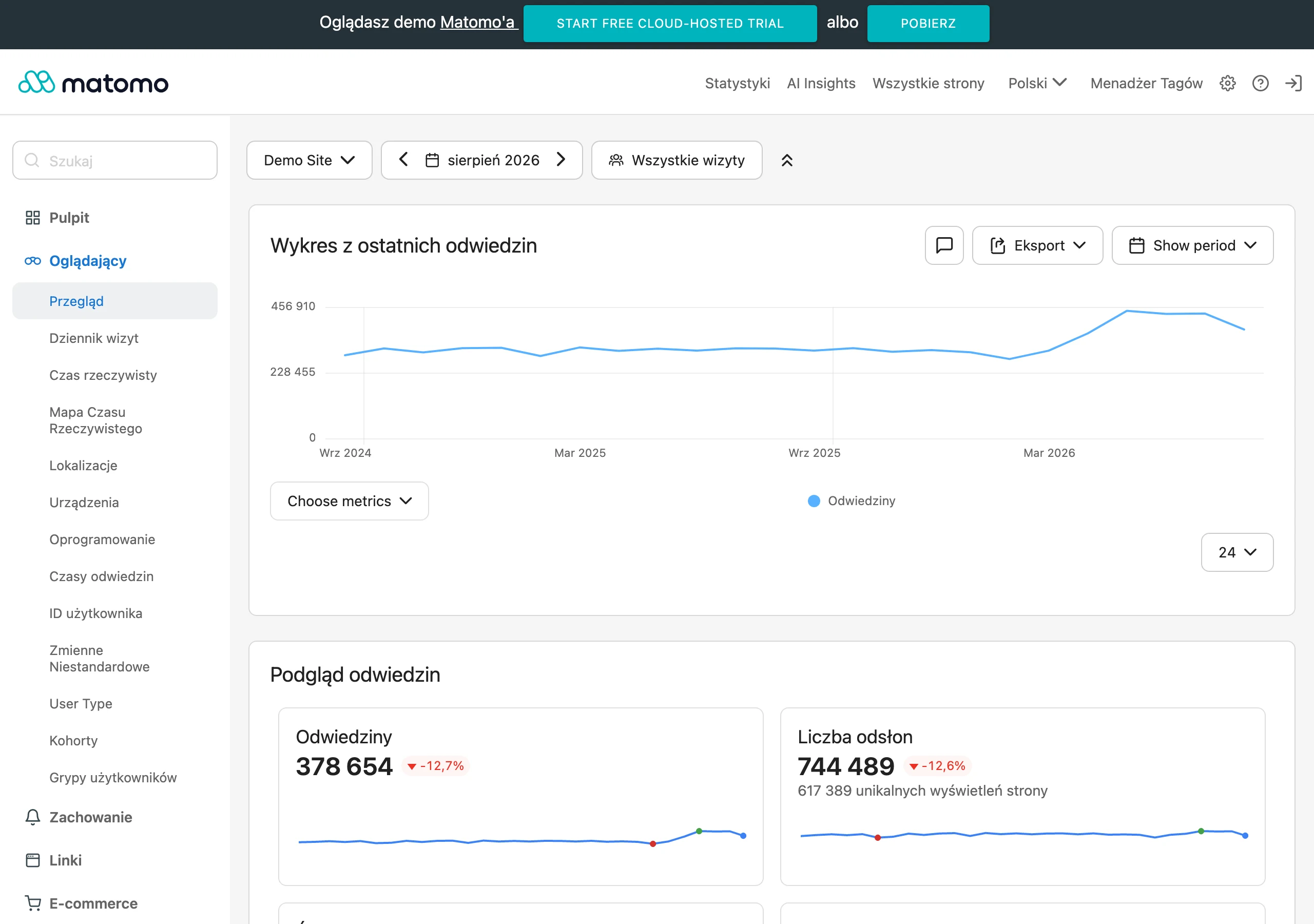
Such a list should include the homepage, key categories, sample products or articles, pagination, robots.txt, sitemap.xml, important CSS and JS resources, and redirect pages. For each URL, check the HTTP status, cache headers, canonical, final URL after redirects and response time. If the site is dynamic, also test behaviour with parameters, without cookies and with different user agents.
The most useful SEO problems are revealed by analysing 403, 429, 5xx errors and sudden changes in crawl frequency. If, after deploying new rules, the number of sitemap fetch errors, soft 404s increases or the number of crawled pages drops, you need to check immediately whether bots have been blocked or the edge response has been changed. An increase in 403 or 429 on robots.txt, sitemap.xml and HTML pages is a warning sign, even if the ordinary user does not see a problem.
It is worth comparing data from Search Console, server logs and Cloudflare itself in parallel, because only their correlation gives the full picture. Search Console shows the impact on indexing and fetching, logs reveal real bot visits, and Cloudflare indicates which rules, challenge or cache may have affected the response. If you have access to origin logs, compare whether bot traffic actually reaches the server or stops earlier at edge.
Separately, it is worth keeping a close eye on cache, because mishaps in this area often look like random SEO problems. Verify whether, after publishing changes, HTML and key resources are refreshed when they should be, and whether the cache-control and vary headers match the site’s logic. If you do not have a clear purge process after deploying content or code, Cloudflare may serve Google old versions of the page despite the correct state on the origin.
The configuration fix should result from a specific symptom, not from general “tightening” of settings. If you see outdated HTML, restrict cache to safe paths, disable sessions, cookies and user-dependent pages. If bots hit a challenge or 403, refine the exceptions in the WAF and security rules for verified crawlers and for paths needed for indexing.
If redirects or HTTPS are the problem, trace the entire chain between the browser, Cloudflare and the origin. Loops most often result from mixing rules across multiple layers or from a mismatch between the SSL/TLS mode and the source server configuration. The most stable solution is one coherent redirect logic and one clearly defined host and protocol variant.
After every change, do a short retest of the same URLs and compare the result with the previous state. Do not assess the deployment solely on improved speed, because stable statuses, resource availability and the lack of mismatches between the user version and the bot version are equally important. A good practice is to roll out changes in stages, because then it is easier to identify which rule actually helped and which one worsened indexing or rendering.
FAQ
Frequently asked questions
How does Cloudflare affect a website’s SEO?
Cloudflare acts as a technical layer between Google’s bot and the server, so it can improve or worsen indexing conditions. The biggest factors are correct HTTP responses, access to resources and stable HTTPS handling.
Can Cloudflare speed up a site’s indexing by Google?
It does not rank a site on its own, but it can make crawling easier if the site runs faster and more stably. This is especially helpful when the problem is a slow server, overload or the lack of sensible cache.
Why can a badly configured Cloudflare hurt SEO?
Incorrect configuration can cause redirect loops, stale HTML cache or blocked crawlers. In that case Google may receive a different response than the user, which makes indexing harder.
When is it worth caching content in Cloudflare, and when is it not?
It is generally safe to cache static files such as CSS, JS, images and fonts. Caution is needed with HTML, and you should not cache, among other things, login, basket, checkout or user-dependent content.
Can Cloudflare block Googlebot and other bots?
Yes, if the security rules are set too aggressively. WAF, rate limiting and bot protection should allow legitimate crawlers through to HTML, CSS, JS, robots.txt and sitemap.xml.
How does Cloudflare affect Core Web Vitals?
It can improve the technical setup through CDN, edge caching, compression and a shorter route to the user. However, it will not fix heavy HTML, poor JavaScript or front-end rendering issues.