
Pogo-sticking occurs when you jump between pages in the search results, mainly because you cannot find what you are looking for. This is of course very frustrating. Google knows this well, so it lowers the positions of pages that cause the pogo-sticking issue. You may not even realise that this problem affects your site, because not all warning signs are obvious.
To prevent this bouncing or jumping and to ensure the user experience required by Google, we explain which issues to look out for and how they can be fixed.
What is the meaning of Pogo-Sticking?
The pogo-sticking phenomenon is a clear signal that users are not satisfied with what they see on the search results page. It shows that the results do not meet their needs, and that can mean several things:
- the page has not been optimised in terms of user experience,
- the results contain irrelevant or inaccurate information,
- the title or meta description is misleading, and the page does not answer the question.
In every case, this bouncing tells Google that it needs to reorganise the results in favour of those that provide a better experience. It is not a direct ranking factor (as confirmed by John Mueller from Google), but it can still worsen your position on the search results page (SERP).
The problems contributing to pogo-sticking include certain important ranking factors. So they need to be eliminated and you need to make sure that searchers find what they need.
- 01Unsatisfied userThe results do not meet needs.
- 02A signal for GoogleA need for better experiences.
- 03Indirect impact on SERPPossible decline in position.
Pogo-sticking indicates user dissatisfaction and can indirectly affect rankings, requiring improvements to the on-page experience.
What causes Pogo-Sticking?
Pogo-sticking can be caused by many factors – here are some of the most common:
Clickbait content
Clickbait content uses exaggerated titles designed to encourage people to open the article, only to disappoint them with low or zero value. An example might be the title “The best way to lose 3 kilograms in a week”, only for the “secret” to turn out to be something like “drink plenty of water”.
Naturally, the user will return to the search results very quickly. Clickbait is one of the main causes of pogo-sticking, so make sure your content does not promise something too much and then fail to deliver it.
- 01Focus on UXTake care of the overall user experience
- 02Put yourself in the user’s shoesMatch your pages to search intent
- 03Make readability a priorityMake the content pleasant on the eye
- 04Avoid large blocks of textBreak the content into easy-to-scan sections
- 05Highlight key informationHelp users find answers quickly
Key takeaways: Improving user experience and optimising content for readability are essential to keep readers on the page and avoid pogo-sticking.
Blocked content or content hidden behind other information
If users have difficulty finding answers to their questions, they are most likely to return to the search results page.
This can happen for several reasons:
- the key information needed is too far down in the content or is overshadowed by irrelevant information,
- you have many distracting elements on the page that block the content (such as ads or pop-ups),
- you have placed content behind a paywall.
Such scenarios are fairly common. Many sites try to attract users by giving the answer to the question in the meta information, only to skip it in the visible/free content. This can do more harm than good and will cause the reader to leave the page.
Poor user experience (UX)
If you know technical SEO, you know how important page speed, ease of navigation and other UX factors are, which have a significant impact on rankings.
Many websites still place more emphasis on aesthetics than usability. They contain various kinds of large visual elements that slow their performance down. No matter how valuable your content is, it will not matter to the searcher if they are irritated by the site’s slow speed.
Most users are not very patient, so you can lose a visitor in just a few seconds and contribute to pogo-sticking.
- 01First impression and relevanceMatch to the query
- 02Valuable and recommended sourceAccurate, up-to-date information
- 03Technical optimisationSpeed, mobile-friendliness, UX
Focus on content quality and user experience to improve your position in the SERP and keep readers on the page.
Casual browsing
You cannot control all the factors that cause pogo-sticking. Sometimes a user is simply browsing the web to see what is new and is not looking for anything specific.
Sometimes users may deliberately jump between search results to compare different sources. This is fairly common with product descriptions and reviews.
These actions may not be your fault, however search engines still prioritise pages with the highest likelihood of meeting users’ needs and answering their questions.
This means that you need to do everything in your power to make users interested in your content.
How can you prevent pogo-sticking?
Pogo-sticking is easy to avoid if you put yourself in the searcher’s shoes and tailor your pages to them. Here are a few tips:
Improving user experience (UX)
After publishing the user experience update in February 2022, Google explained that overall UX plays an important role in rankings on search engine results pages (SERP).
It is not just about creating good content. You need to make sure that the user can use it without any problems. Fortunately, there are several quick actions that can improve user satisfaction:
- making sure the page loads quickly – many users leave a page if it does not load within five seconds. Do not place large images and files on the page that slow its speed down. You can use Google Analytics to assess and improve the overall page load time,
- keeping ads and pop-ups to a minimum – there is nothing wrong with placing ads on a blog or other pages, as long as you do not overdo it and they do not disrupt the ability to view the content. Think carefully about ad placement to make sure they do not negatively affect UX,
- optimising your site for mobile devices — this is an important ranking factor, so make sure your site loads quickly and is easy to navigate on small screens. In this case you have less time compared with desktop devices, because Google data shows that 53% of users leave a mobile page if it takes longer than 3 seconds to load.
Use clear formatting and visual elements
Large blocks of text immediately put readers off because they are difficult to scan.
Your users do not want to spend a long time looking for information. You need to highlight the key elements and make your content pleasant on the eye. To do this, break up your text with the following elements:
- headings,
- bullet lists,
- lists,
- images.
You also need to choose your fonts and colour schemes wisely.
You do not have to stick to black and white, but always use contrasting colours that make the text easy to read.
The same applies to call-to-action buttons and other visual elements, which are particularly important on landing pages, in infographics and on other pages that go beyond plain text.
Provide comprehensive, up-to-date content
When describing a topic/search term, you should offer all the relevant information in one place. This way the user will find everything they need and will not go back to the search results.
To do this, cover your topic in all the necessary aspects and make sure it is updated regularly.
Even if your article is evergreen content, there will probably be some information that may need occasional refreshing (e.g. statistics or context). Keep your content up to date and valuable, and users will stick with it.
Use internal links
Internal linking of your content has two main benefits – it supports your SEO optimisation and directs users around your site so that they spend more time on it.
You can create topic clusters around long-form content that lead to shorter pieces related to specific details.
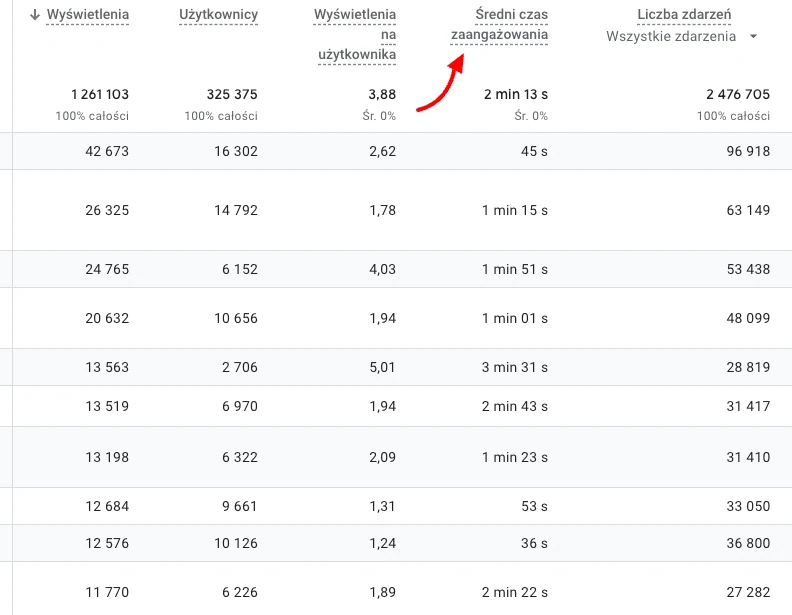
This is another tactic where Google Analytics will be a useful solution. It can show popular user paths on your site and help you understand user behaviour and use links correctly.
Match the content to user intent
Why is someone visiting your site? Do they want to buy something, compare different options, or perhaps get some general information on a given topic?
The answer to this question is important in order to address user intent and give them what they came for. There are four types of search intent, usually indicated by the keywords used:
- informational – the user is looking for information (“smaki Starbucks latte”),
- navigational – the user wants to visit a specific page (“rejestracja Starbucks”),
- commercial – the user is comparing different options (“Starbucks czy Lavazza”),
- transactional – the user wants to make a purchase (“zamówienie on-line w Starbucks”).
Make sure the content matches search intent. In this way you will reduce pogo-sticking for that page.
Demonstrate experience (Experience), expertise (Expertise), authoritativeness (Authoritativeness) and trustworthiness (Trustworthiness) – E-E-A-T
The E-E-A-T concept is an important part of Google’s quality rater guidelines. Your content should exhibit the above factors to make sure the user receives accurate, reliable information.
This does not mean that you must be a certified expert in your niche to avoid pogo-sticking. It is about checking content for facts and using reputable sources when creating it. However, if you do have any credentials, show them and share your real experience to demonstrate to users and search engines that you know what you are talking about.
Include frequently asked questions (FAQ) sections
Even if your main content answers the user’s question, it does not hurt to add an FAQ section at the end. It will summarise the key points.
This is a way to briefly address all readers’ dilemmas and stop them from searching for answers elsewhere.
Note that the FAQ section does not reduce the importance of answering the main questions earlier in the article. Always provide the necessary answers as quickly as possible and expand on them later.
Reduce organic bounce rate
Bounce rate and pogo-sticking often go hand in hand. If you have a slow page or do not capture the reader’s attention straight away, they will probably leave immediately. That is why you need to identify pages with a high bounce rate and fix them.
If you are not sure how to do this, below you will find a few effective ideas:
- create interesting titles and introductions,
- use eye-catching visual elements in the top part of the page (the part of the page the user sees before scrolling),
- optimise page load time.
According to Surferseo, the average organic bounce rate is 55.6%, so try to keep it lower than that figure. The benchmark may differ depending on the industry, but the general rule is that the lower the rate, the better.
Pogo-sticking and bounce rate
People often confuse pogo-sticking and bounce rate because in both cases the user leaves the page quickly. However, there is a significant difference that you need to know if you want to optimise your website properly.
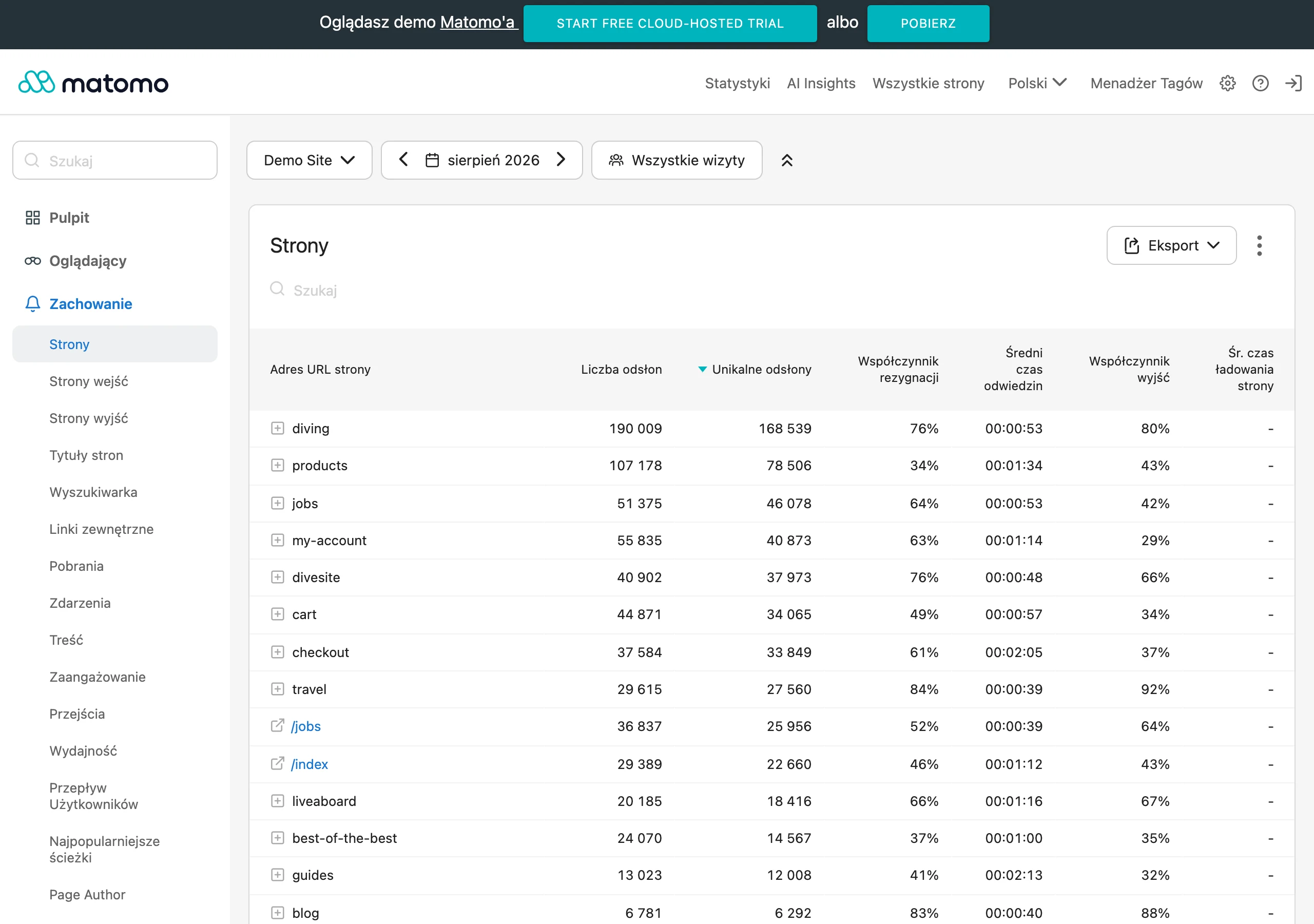
Bounce rate means landing on a page from any source and leaving it without taking any action (e.g. clicking a link or visiting another page).
Pogo-sticking, on the other hand, refers only to cases where the user visits a page from search results and then quickly leaves it.
Both of these user behaviours can negatively affect your position in the SERP, so analyse your site thoroughly and fix the errors causing such behaviour.
Summary
Pogo-sticking is proof that first impressions matter. Although it is not a direct ranking factor, it can significantly affect your position in the SERP because it directly reflects the relevance of your page to the query and the overall user experience.
To establish yourself as a valuable and recommended source of accurate and up-to-date information, you can reduce the pogo-sticking phenomenon and make sure that users stay on your website. Don’t forget to focus on technical aspects too, such as page speed, ad placement and mobile optimisation. Take care of the issues outlined above, and pogo-sticking will stop being a problem.
FAQ
Frequently asked questions
What significance does pogo-sticking have in SEO?
It is a signal that users are not satisfied with the result and are not finding what they were looking for on the page. It is not a direct ranking factor, but it can worsen SERP position.
Is pogo-sticking the same as bounce rate?
No, they are two different phenomena. Pogo-sticking refers to entering from the search results page and quickly returning to the SERP, while bounce rate means leaving the page without taking an action.
Why do users pogo-stick on a page?
Most often because the content is clickbait, hides the answer, has poor UX, or does not match the search intent. It may also be due to casual browsing or comparing sources.
How can you improve a page to reduce pogo-sticking?
You need to ensure fast loading, limit ads and pop-ups, and adapt the page for mobile devices. Clear formatting, up-to-date content and internal linking are also important.
Can clickbait cause pogo-sticking?
Yes, it is one of the main causes. If the title promises more than the content delivers, the user quickly returns to the search results.
When does content best protect against pogo-sticking?
When it answers the user’s need right away and matches search intent. Comprehensive, up-to-date information and an FAQ section at the end of the article also help.