

Changing the URL structure is one of those jobs that looks harmless on paper. In practice, it touches SEO, analytics, internal linking and the basic functioning of the site — in other words, everything that can hurt after implementation. Do it well and users and search engines will move from the old addresses to the new ones almost silently. Do it badly and you lose traffic, conversion data gets skewed, and some of the value of links pointing to the site evaporates. Changing addresses on its own usually does not improve visibility, and if done badly it can clearly make it worse. That is why, before you click anything in the admin panel, you need to establish which URLs are key, how to move them and what, apart from redirects, must be updated. In this section we focus on what such a change really is and where the biggest risk lies.
What changing the URL structure involves
Changing the URL structure means moving the site from the old scheme to a new one without losing page availability, traffic or data. It is not a single tweak in the CMS, but a full address migration that has to be handled both technically and commercially. In practice, it comes down to reviewing the current URLs, designing new patterns and laying out a sensible transition path between the two.
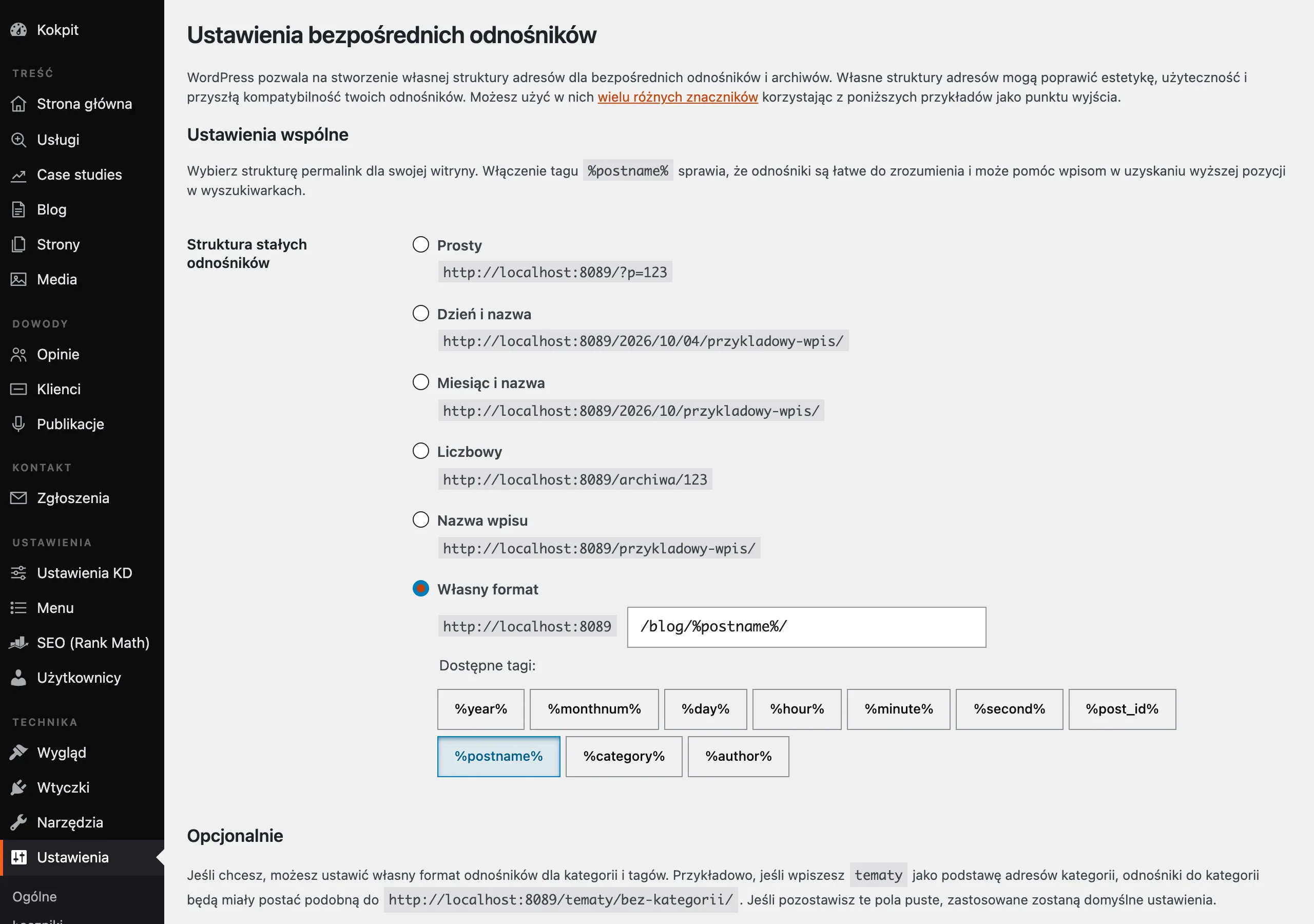
The main goal is not to “pretty up” the addresses, but to preserve indexation, link equity, user paths and proper tracking. The question is: which addresses actually work towards results. That is why you first check which URLs exist at all, which are indexed, which generate traffic and which deliver conversions. Without that knowledge, it is easy to touch an element that looks like cosmetic work but in reality holds a large part of the results in place.
The scope of such work usually does not end with landing pages. It also involves URL templates, parameters, pagination, language versions, canonicals, redirects, the XML sitemap, internal linking, and sometimes also files, media and custom sections generated by the CMS. The more complex the site, the faster changing URLs stops being an “SEO task” and becomes a project covering routing, frontend, backend and analytics.
At the planning stage, several decisions are made that determine your peace of mind later on. You decide whether you are changing all addresses or only selected sections, whether it can be handled with bulk rules, whether 1:1 mapping will be needed, and whether part of the old architecture should remain. In practice, the final output is not a new list of nice-looking URLs, but an inventory of addresses, a redirect map, a list of risks and implementation requirements for development. Instead of polishing “nice links” — you build an operational plan.
Current context and the risks of changing URLs
Today, search engines treat changing URLs as a migration, that is, something that needs to be processed and assessed again from scratch. This means Google has to see the new addresses, understand the old redirects, read the canonical signals and make sense of the new internal linking. The data is clear: the mere implementation of a new URL pattern does not automatically improve rankings. And if the signals are mixed up, the effect can be the opposite, with no leniency whatsoever.
The biggest risk usually does not come from the new URL format itself, but from the mistakes around it. It is the small things that can derail a migration. The most common failures are badly set redirects, missing mapping of key addresses, loss of pages with organic traffic, broken internal links and conflicts between redirects and canonicals. On top of that come mistakes in the sitemap and omitted addresses that are not visible in the main navigation, but still drive traffic or have external links.
The more complex the environment, the higher the stakes. In sites built on CMSs, headless setups, SSR frameworks or SPAs, as well as in multilingual projects, you need to inspect routing, slug generation, automatic redirects, hreflang, breadcrumbs, menus, filters and template components. One error in the address-generation logic does not stay “local” — it can spread across hundreds or thousands of subpages and create wholesale chaos.
One data source is not enough to make a decision. What matters is only the combination: a crawl of the site, data from Google Search Console, the analytics system, an export from the CMS, the XML sitemap and server logs. Only then does the full picture emerge. You can see which addresses actually exist, which ones users visit, which ones are crawled by bots and which ones matter commercially — and those are three different lists that only make sense once combined.
A separate risk is earlier migrations and old rules that nobody remembers anymore. It sounds harmless, but it can hurt. If the site has a history of manual redirects, custom server-side settings or logic at CDN level, you first need to reconstruct how the current routing really works. Without this, it is easy to build loops, 3xx chains and duplicates that are then difficult to spot quickly after launch.
How to carry out a URL migration in practice
A URL migration is done in stages. Otherwise you are asking for chaos. You start with a full inventory of addresses, then design the new structure and map redirects, and in the end you are left with testing and post-launch monitoring. First, you need to collect all existing addresses from the crawl, sitemap, CMS, Google Search Console, analytics system and server logs. Only after combining these sources can you see which URLs are active, which have historically attracted traffic and which matter commercially. 1:1 mapping for pages with traffic, links and conversions is standard practice, not an add-on.
The next step is prioritisation and dependency analysis. Without it, it is easy to sink time into “nice” addresses that add nothing. For every important URL, it is worth checking organic traffic, campaign visits, conversions, external links, indexation status and template type. At the same time, you need to review canonical, hreflang, pagination, breadcrumbs, menu, filters, PDF files, media and landing pages — because these elements are more often what break a migration than the redirects themselves.
The new structure design should be written up as a clear specification, not a loose concept. This is a document, not an inspiration. You need to define the rules for building slugs, directory depth, lowercase and uppercase letters, trailing slash, handling Polish characters, parameters and exceptions. The new structure does not improve results by itself; its main job is not to worsen indexation, linking and user paths.
At the implementation stage, you prepare a redirect map and decide where the rules should run: on the server, in the application or on the CDN. This is the point where it is easy to take shortcuts. Bulk rules only make sense when the outcome is unambiguous and does not end in a wrong match. Do not redirect old URLs en masse to the home page or to a parent category if you have a more precise equivalent.
Before publishing, staging needs to be tested as if it were already production. The details matter: HTTP statuses, whether redirects lead where they should, no 3xx chains, and also canonical, robots, noindex, sitemap, forms and analytics events. In CMS-based, headless, SSR or SPA sites, you also need to control routing, slug generation and the behaviour of components that automatically assemble addresses. The question is simple: after deployment, will anything start “producing” new URLs differently than it did yesterday.
After publication, the work does not end. It simply switches to monitoring and fixes. You need to observe 404s, 5xxs, coverage, crawl, server logs, response time, organic traffic and campaign performance. Without a rollback plan, quick access to logs and daily checks of the most important addresses during the first few days, the migration remains incomplete.
What to check before changing the URL structure
Before changing the URL structure, first check whether the change is needed at all and what could break along the way. The “prettier” appearance of addresses alone rarely outweighs the risk. The justification is usually real problems: information architecture, category scaling, duplication, internationalisation or routing limitations. Let’s look at it differently: instead of improving the appearance, it is better to fix the mechanism that generates those URLs.
- Check which addresses generate organic traffic, conversions, leads and campaign visits, because these require the most precise mapping and testing.
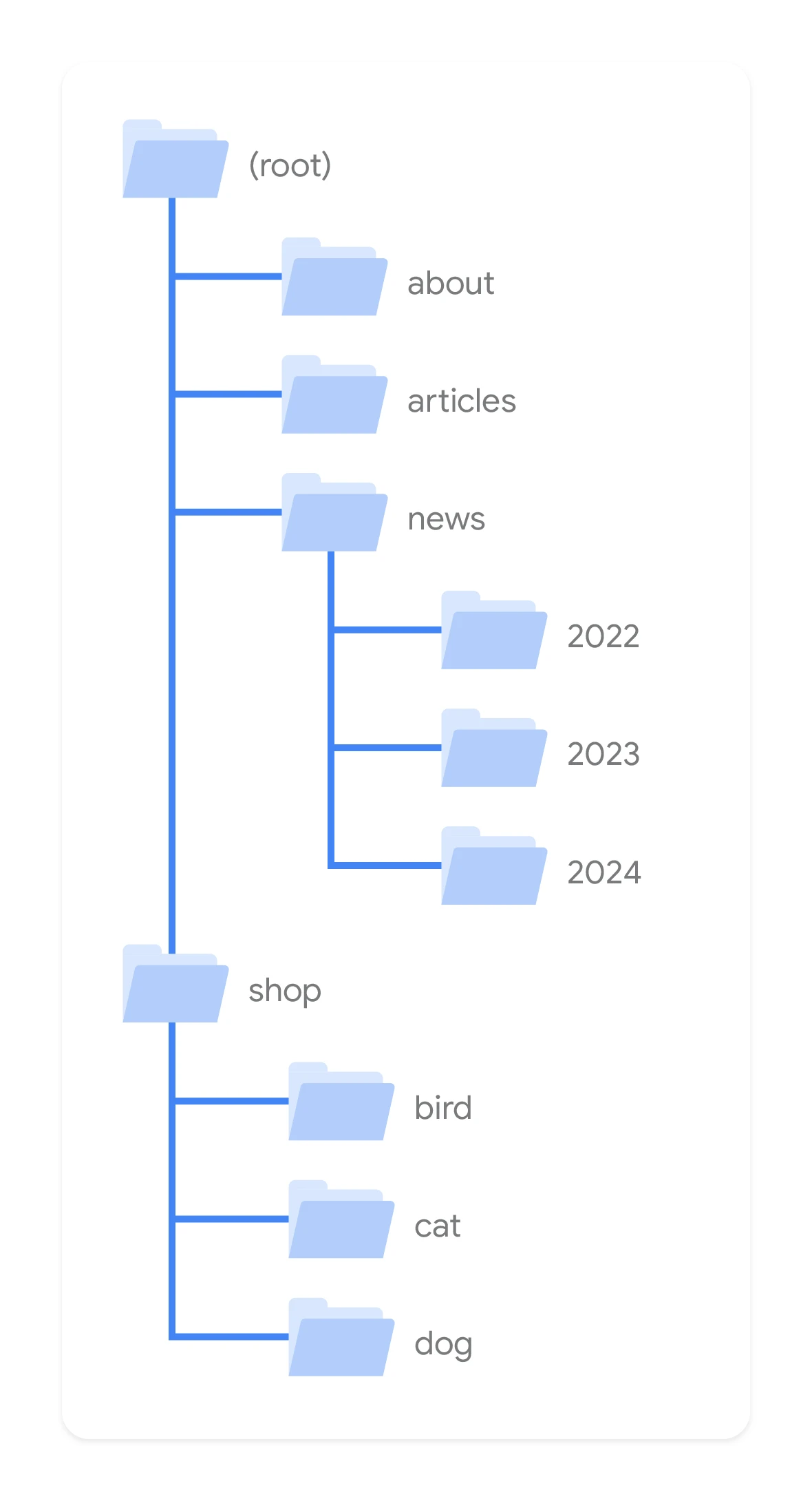
- Establish where URLs come from in the site: from manually created pages, listings, products, tags, filters, internal search, author pages, media, files and language versions.
- Verify the current redirect logic, especially if the site has already been through previous migrations or has custom rules on the server and CDN.
- Check canonical, hreflang, sitemap, breadcrumbs, menu and internal linking, because after the change all these signals should point to the new addresses.
- Review URL parameters, pagination, slash/non-slash, HTTP->HTTPS and www/non-www, so you do not create loops, 3xx chains and duplicates.
- Assess the impact on analytics and marketing: UTMs, goals, events, pixels, remarketing lists, CRM, forms, email automations and addresses used in ads.
- Confirm the technical conditions: access to the CMS, server or CDN, a staging environment, the ability to export data and a decision-maker on the business and development side.
- Prepare a contingency plan, i.e. a backup of the rules, an archive of the old URL map and a procedure for a quick manual fix after deployment.
Most often, addresses outside the main navigation fall through the cracks. This includes pages with filters, internal search results, old landing pages, files, language versions and historical URLs that still attract links or visits from Google. And it is precisely these “forgotten” parts of the site that first create 404s, then cut off the long tail, and finally cause chaos in reports.
Separately, you need to check whether the new addresses will break analytics and attribution. If an ad landing page changes URL without updating the campaign, form or rules in the CRM, the problem will not show up straight away. It will only appear in the data and sales, that is, when it gets expensive. Internal links, canonical, hreflang and sitemap should, after deployment, lead directly to the new addresses, not to old URLs via redirects.
In the end, one practical question remains: is the scale of the change proportionate to the benefit. Sometimes it is wiser to move only selected sections rather than overturn the whole site at once. Not everything at once, but where it makes sense. The larger the scale of the migration, the more important it is to use data from several sources at once: crawl, GSC, analytics, CMS, sitemap and server logs.
The impact of changing URLs on SEO, analytics and UX
Changing URLs affects Google visibility, the accuracy of analytics data and the ease of moving around the site at the same time. For SEO, this is not cosmetic. It is a migration that the search engine has to process from scratch. In practice, this means reassessing redirects, canonical signals, internal linking and the relationship between old and new addresses. Changing the address structure alone does not automatically improve rankings.
The biggest SEO impact comes not from what the new addresses look like, but from the quality of the transition between the old and new state. If important subpages receive correct 301 redirects, keep thematic equivalents and are boosted by updated internal linking, the risk of drops genuinely decreases. If, on the other hand, redirects to parent categories, the homepage or 404 errors appear, you lose part of the signals that were previously working for visibility. In short: do not blur the intent. An address with traffic, links or conversions should ideally have its own 1:1 equivalent.
In analytics, the problem is not only the change of a page path, but the break in measurement continuity. After a migration, goals based on URL, GTM rules, remarketing lists, landing page reports, channel filters and CRM integrations can all break. This also applies to paid campaigns, when old addresses are sitting in ads, feeds, email automations or shortened links. Before implementation, you need to check everything that uses a URL as a condition, entry point or identifier.
In UX, a URL change only matters once it affects navigation logic, path clarity and the predictability of how the site works. The user does not judge the technical layer. What they do feel immediately are the effects of mistakes: broken tabs, lost filters, empty results, outdated breadcrumbs or landing on a less relevant page than they expected. A good implementation looks trivial. The user simply does not notice the migration, because old entry points still lead exactly where they should. If after a URL change users have to “search again”, the problem concerns not only UX, but also SEO and conversions.
On top of that, there are technical differences between types of websites. In CMSs, online stores, headless implementations, SSR or SPA, changing addresses can trigger a domino effect in routing, slug generation, pagination, language versions, hreflangs and listing components. And here is the catch. Assessing the impact cannot end at the pages themselves, because templates, modules and automatically generated sections that produce addresses outside the main navigation are just as important.
The most common mistakes to avoid when changing URLs
The classic mistakes when changing URLs are a lack of a full address inventory, bad redirects and ignoring elements dependent on the old structure. Problems usually start when the team looks only at the current menu and sitemap, while sweeping under the carpet addresses from logs, campaigns, filters, media, old posts and historical redirects. Then comes the launch and 404s appear out of nowhere, long tail traffic disappears, and the drops look “unexpected” only at first glance. If you do not know which URLs really exist and have been used, you cannot plan a migration safely.
The second common sin is over-simplified bulk rules instead of sensible mapping. Redirecting an entire group of old addresses to the homepage or one category may be convenient to implement, but weak from an SEO and user point of view. Chains of 3xx, loops, mixing 301 with 302 and leaving old HTTP/HTTPS, www/non-www or slash/non-slash rules untidied also cause problems. A good migration shortens the path for the user and the bot, rather than adding more hops along the way.
The next group of mistakes concerns internal signals. After deployment, old canonicals, outdated hreflangs, old links in menus, breadcrumbs and “related” modules often remain, while the XML sitemap still reports outdated addresses. The effect is predictable: the search engine receives conflicting messages, because the redirect says one thing, the canonical another, and the internal linking a third. This not only slows down migration processing, but also makes it harder to return to stability.
Many problems come from simple oversight. From analytics and marketing. After a URL change, forms, conversion rules, advertising landing pages, pixels, remarketing lists and reports based on page paths can suddenly stop working, and that hurts more than the address change itself. On top of that, product feeds, links in emails, shortened URLs and external partner assets are often never updated. A migration only ends when not only the pages work, but also measurement, campaigns and integrations.
The last classic mistake is launching without proper testing and without a fallback plan. On staging, you need to inspect HTTP status codes, redirects, indexability, robots, noindex, rendering, mobile versions and analytics events, and after deployment immediately monitor GSC, logs, 404/5xx errors and the behaviour of key pages. The question is: what will you do if something goes wrong on Friday afternoon. If there is no rollback, no copy of the rules and no fast fix path, even a minor fault can hang around for too long and generate real losses. The biggest losses do not come from the URL change itself, but from a lack of control over what happens in the first days after publication.
Testing and monitoring plan after changing URLs
The testing and monitoring plan after changing URLs should provide hard proof that the new addresses work technically, and that old traffic and SEO signals are passing to the new subpages without losses. And this is not a cliché. Tests should cover two moments: before publication on staging and immediately after deployment on production, when the site gets real traffic, real errors and real data. Simply activating redirects is not enough, because problems most often only emerge during a real crawl, user visits and reading analytics data. The most important thing is to compare the old URL list with the actual behaviour of the new addresses, not just to check a few example pages manually.
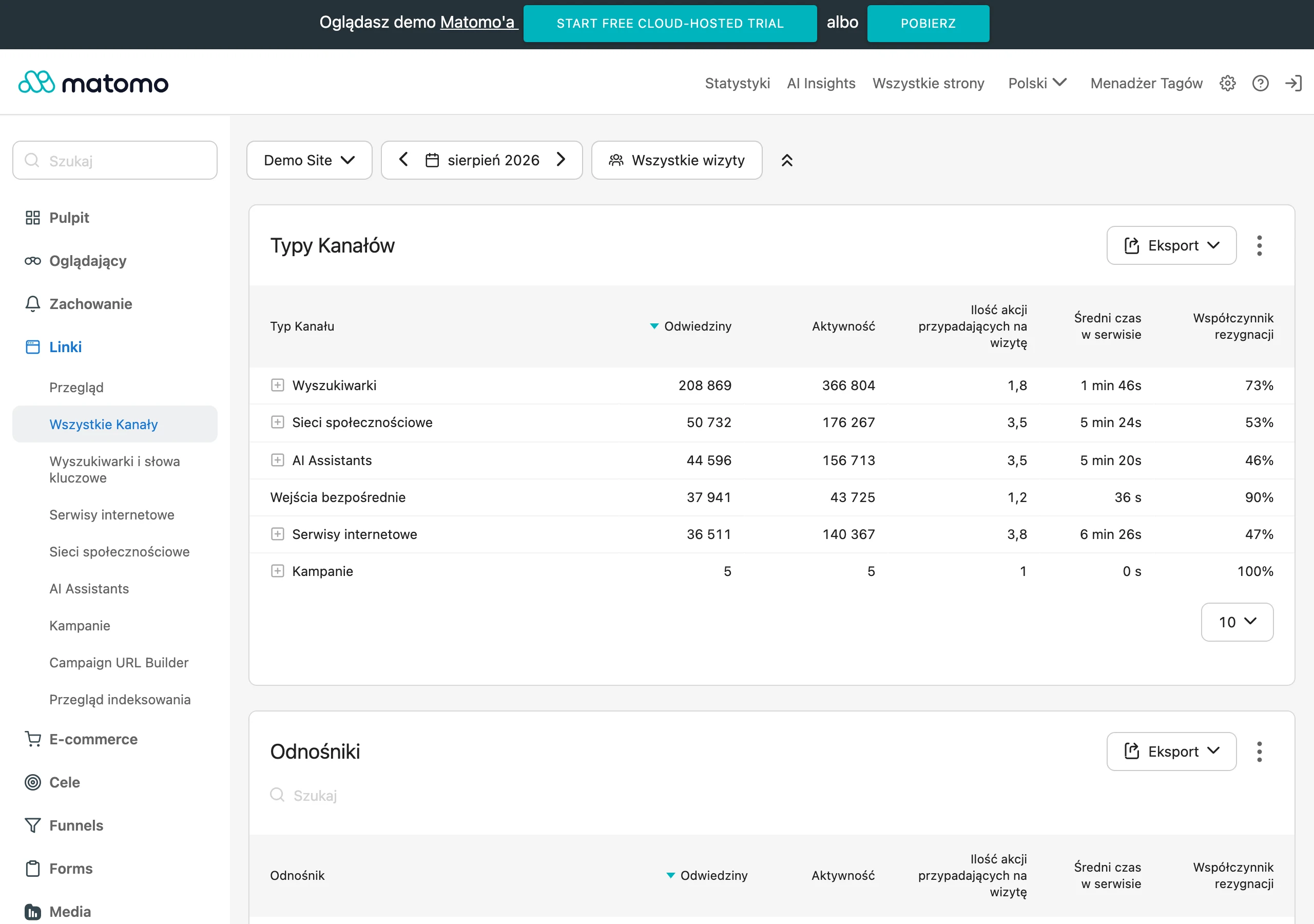
On the staging environment, you need to check whether every important old URL leads to the correct new equivalent and whether no 3xx chains or loops are being created. Then comes checking the details: HTTP statuses, canonical, hreflang, robots, noindex, sitemap, and internal linking in the menu, breadcrumbs and content modules. If the site uses filters, parameters, language versions or generates URLs dynamically, the test must also cover those sections, because that is precisely where the most non-obvious errors can hide.
- Before publication: crawl the test environment, validate redirects, check the canonical and hreflang tags, verify forms, the internal search, basket, log-in and analytics events.
- On launch day: manually check the most important URLs with traffic, test entrances from search results, paid campaigns and shortened links, confirm that the XML sitemap and robots.txt file are working.
- After publication: full production crawl, analysis of 404 and 5xx, verification of indexing in Google Search Console, server log checks and comparison of traffic on key landing pages.
Once the changes have been deployed, the real test begins. First monitor the pages of the highest business value, i.e. those that bring organic traffic, conversions, strong external links, visits from ads and key branded or commercial keywords. If these URLs lose availability, have incorrect redirects or stop collecting data, the issue must be fixed immediately, even if the rest of the site appears to be “working”.
Monitoring cannot be based on a single metric. It is crucial to combine several data sources, because each one reveals a different type of problem: a crawl exposes technical errors and orphaned URLs, Google Search Console shows indexing issues and canonical signals, analytics catches drops in visits and conversions, and server logs show outright which old URLs are still being visited by bots and users. The question is: what do you see when you look only at the traffic graph. If you look only at traffic, you will notice redirect errors or a conflict between canonical and the new structure too late.
In practice, it is best to set a simple checking rhythm. In the first few days after launch, check 404/5xx errors, redirect responses, traffic on key pages, the correctness of goals and events, and the status of the most important URLs in GSC every day. This is not a minor detail, but early warning. Later you can move to weekly monitoring, but note — only if no new anomalies appear and the crawl does not show escalating problems.
A good plan is not just observation, but also response. It is great to have a dashboard; it is worse not to have an owner. That is why you should decide in advance who fixes the redirect rules, who updates internal links, who checks analytics and who makes the call on rollback if the launch starts causing real damage. Without an owner for monitoring, even a properly prepared migration can lose traffic for several days simply because nobody reacted in time.
Finally, compare the post-migration state with the list of assumptions. Let us look at it differently: you are not interested in “does it work”, but “does it work the way it was supposed to”. So check whether all critical old URLs have destination equivalents, whether the new URLs are linked internally directly, whether the sitemap contains only current URLs and whether any old rules or tags from the previous structure have been left behind (sometimes they do, and then come back like a boomerang). The aim of monitoring is not just to confirm that the site works, but to quickly close off all the places where the old and new URL systems are still mixed together.
FAQ
Frequently asked questions
How do you check which URLs are most important before a migration?
First, you need to gather data from the crawl, Google Search Console, analytics, CMS, XML sitemap and server logs. Only such a comparison shows which URLs generate traffic, conversions and business value.
Does changing the URL structure on its own improve Google visibility?
No, changing URLs on its own does not automatically improve rankings. If the transition between the old and new setup is done badly, visibility can even get worse.
Why do you need to prepare a 1:1 redirect map when changing URLs?
Because URLs with traffic, links and conversions should lead to exact equivalents, not to the homepage or a parent category. Such mapping helps preserve SEO signals and reduces the risk of losing link equity.
When do you need to check canonical, hreflang and the XML sitemap?
Before and after deployment, because after the structure changes all of these signals should point to the new URLs. If old values remain, conflicts, duplicates and indexing errors can appear.
What most often breaks after changing the URL structure?
Most often the problem is incorrectly set redirects, incomplete mapping, broken internal linking and conflicts between redirects and canonicals. URLs outside the main navigation also often drop out, such as filters, old landing pages or language versions.
How do you test a URL migration before publishing?
On staging, you need to check HTTP status codes, redirect behaviour, the absence of 3xx chains, canonical, robots, noindex, the sitemap and analytics events. In CMS, headless, SSR or SPA setups, you also need to check routing and slug generation.