

301 redirect is the foundation of an effective SEO strategy, enabling the permanent transfer of link value and page visibility between URL addresses. Key during domain migration, changes to URL structure or the removal of 404 errors, this tool ensures smooth user traffic and optimised indexing by search engines. Find out how to implement a 301 redirect correctly and why its use is essential for maintaining a website’s position in search results.
What is a 301 redirect?
A 301 redirect is the permanent transfer of a website from one URL to another. This HTTP status code informs both browsers and search engines that the page has been moved permanently. In the context of SEO, this is extremely important because it allows you to preserve link value (the so-called link equity) and rankings from the old address to the new one. As a result, you avoid a drop in organic traffic and maintain page visibility in search results.
Often referred to as “Permanent Redirect” or “Moved Permanently”, a 301 redirect differs from a temporary 302 redirect. Its use signals that the change of address is final, which makes it particularly useful when:
- migrating to a new domain,
- modifying the URL structure,
- moving content.
To implement a 301 redirect, the server or content management system (CMS) must be configured correctly. Proper use of this solution also affects the so-called crawl budget, i.e. the number of pages scanned by search engine robots in a given time. This helps us avoid wasting crawler resources on outdated URL addresses. This simple action can significantly increase the efficiency with which search engines index the site.
- 01Permanent transferChange of URL, HTTP status code
- 02Informs systemsNotifies browsers and search engines
- 03Preserves link valueProtects "link equity" from the old address
- 04Maintains rankings and trafficAvoids a drop in visibility in results
Key for SEO: A 301 redirect is a permanent migration that preserves a site’s visibility and value in search results.
Definition and significance of a 301 redirect
A 301 redirect is an HTTP status code signalling the permanent move of a page from one URL to another. It is an extremely important tool in SEO optimisation because it allows you to preserve link value (the so-called link equity) and rankings from the old location to the new one. This helps avoid 404 errors, which can negatively affect user experience and lower a site’s position in search results.
Unlike a temporary 302 redirect, a 301 redirect indicates a permanent change of address. It is particularly useful when migrating to a new domain, modifying the URL structure or moving content. Correct use of this mechanism also affects the crawl budget, i.e. the number of pages scanned by search engine robots, which increases the efficiency of indexing the entire website.
In the context of SEO, a 301 redirect plays a key role in maintaining page visibility and preventing the loss of organic traffic. It acts as a mechanism that transfers page authority from the old address to the new one, which is particularly important when changing the site structure or migrating it to another domain.
How does a 301 redirect work?
A 301 redirect works by sending the HTTP 301 status code to the browser or search engine, signalling that the page has been permanently moved to a new URL. When a user or bot tries to access the old link, the server automatically directs them to the new location. The whole process happens instantly, without the visitor having to take any additional action.
In the context of SEO, a 301 redirect transfers the so-called link equity (link value) and rankings from the old address to the new one. As a result, the site maintains its visibility in search results, and the risk of 404 errors appearing is significantly reduced. Search engine robots interpret this type of redirect as a clear signal that the old address has been replaced by a new one permanently, which affects indexing efficiency.
This tool is particularly useful during migration to a new domain, changes to URL structures or moving content. Unlike a temporary 302 redirect, a 301 redirect guarantees the permanent transfer of SEO value and site authority. It is therefore a key element in the work of website optimisation specialists.
- 01Migration to a new domainTransferring users and SEO.
- 02Changes to the URL structureModifying access paths.
- 03Avoiding 404 errorsEnsuring a smooth transition.
Summary: 301 is a permanent redirect, crucial for maintaining traffic and rankings in Google.
Why is it worth using a 301 redirect?
A 301 redirect is one of the most important elements in website optimisation, bringing numerous benefits for both the visibility and functionality of a site. Its main purpose is to prevent 404 errors, which can negatively affect user experience and lower a site’s position in search results. By automatically moving visitors to a new URL, the risk of encountering a non-existent page is completely eliminated.
One of the key advantages of a 301 redirect is preserving so-called link juice and PageRank. It transfers the authority of the old address to the new one, which helps maintain or even strengthen the site’s position in search results. This is especially important during a migration to a new domain or when making changes to the URL structure.
In an SEO context, a 301 redirect also plays an important role in effective indexing by search engine bots. It helps avoid wasting crawl budget, that is, the resources allocated to scanning a site by bots. As a result, the site is more visible, and the index updates faster.
What is more, a 301 redirect helps avoid the problem of duplicate content, which is hugely important for a website’s quality. All these factors make its use essential for any site owner who wants to take care of its SEO and provide users with the best possible experience.
Preventing 404 errors
A 301 redirect is a powerful tool that helps avoid frustrating 404 errors. When a page is moved or removed and its old URL is not properly redirected, users may encounter the message “404 – Page not found”. This not only ruins their experience, but also increases the bounce rate and may negatively affect the site’s position in search results.
Thanks to a 301 redirect, users are automatically directed to the new URL, which eliminates the risk of errors. It is particularly useful during:
- migration to a new domain,
- changes to the link structure,
- content relocation.
This practice ensures a smooth transition between pages, improving user experience and maintaining traffic on the site.
From an SEO perspective, 404 errors can lead to a loss of link value and ranking drops. A 301 redirect allows you to preserve the authority of the old URL by transferring it to the new one. This means the site retains its visibility in search results. What is more, indexing robots do not waste time scanning non-existent pages – instead, they focus on current content, which optimises the use of the so-called crawl budget.
Implementing a 301 redirect is a key step in maintaining the consistency of the site structure and ensuring users have seamless access to the information they are looking for. This simple solution can significantly improve indexing efficiency and boost the site’s SEO in search results.
- 01Link equity transferTransfers page value
- 02Value protectionPrevents loss of authority
- 03Indexation optimisationImproves bot efficiency
The key to maintaining visibility and efficient indexing when changing addresses.
Recovering links and PageRank
A 301 redirect is a key element in SEO strategy, especially when it comes to preserving link value (the so-called link juice) and PageRank. When a page is moved or removed and its old URL is not properly redirected, the accumulated value from links leading to that site is lost. With a 301 redirect, this value is transferred to the new address, which helps maintain the site’s authority and its position in search results.
This mechanism passes link equity (link value) from the old address to the new one, which is particularly important during a migration to another domain or changes to the URL structure. Without using a 301 redirect, links leading to the old page lose their power, which can lead to a drop in the site’s visibility in Google.
In addition, a 301 redirect affects PageRank, the Google algorithm that evaluates page quality. Thanks to it, PageRank value is transferred from the old address to the new one, which helps maintain or even improve the site’s position in search results. That is why it is an essential tool for every SEO specialist looking after indexing efficiency and site visibility.
It is also worth emphasising that the correct implementation of this type of redirect minimises the risk of losing organic traffic and ensures a smooth transition between pages for both users and search engine crawlers. As a result, the site retains its SEO value even after the URL changes.
Impact on SEO and visibility in search engines
301 redirect is a key element in an SEO strategy that affects site visibility in search engine results. Its main function is to transfer link value and rankings from the old URL to the new one, which helps maintain the site’s position and preserve organic traffic.
In the context of search engine optimisation, a 301 redirect passes on so-called link equity (link value) and PageRank, which means that the authority of the site remains intact even after the address changes. This is particularly important during a migration to a new domain or a reorganisation of the URL structure. Failing to implement such a redirect may result in losing the value accumulated from external links and, consequently, a drop in visibility in Google.
Another advantage of a 301 redirect is its impact on the efficiency of indexing by search engine crawlers. Thanks to it, bots do not waste time scanning outdated addresses, which optimises the use of the so-called crawl budget. This in turn speeds up index updates and improves the site’s position in search results.
It is also worth noting that a 301 redirect helps avoid the problem of duplicate content, which can negatively affect SEO. All links leading to the old address are automatically redirected to the new one, eliminating the risk of 404 errors and ensuring a smooth experience for users.
That is why the correct use of a 301 redirect is key to maintaining high site visibility and preserving its SEO value during changes to the site structure or migration to a new domain.
When should you use a 301 redirect?
A 301 redirect is an extremely useful tool in many situations that affect a site’s structure, its accessibility and its position in search results. One of the most common uses is migration to a new domain. When you change your website address, the redirect automatically transfers both users and search engine crawlers to the new location. This allows you to preserve link value (the so-called link equity) and maintain the site’s current ranking position.
Another important scenario is changes to the URL structure. If you decide to modify the paths to subpages or introduce new address formats, a 301 redirect prevents 404 errors from appearing. It ensures a smooth transition for both visitors and indexing bots, which is crucial when optimising the site structure for SEO.
This redirect is also an indispensable solution when removing or moving content. When a page is deleted or its content is moved to another URL, the redirect sends traffic to the new location. This helps you avoid 404 errors while preserving SEO value and ensuring users can access the information they are looking for.
It is also worth mentioning the situation involving implementing an SSL certificate, that is, moving from HTTP to HTTPS. A 301 redirect from HTTP to HTTPS guarantees secure connections while protecting link value and the site’s ranking position.
Another interesting case is consolidating subpages. If you have several similar pages and want to combine them into one, a 301 redirect directs traffic from the old addresses to the new one. This helps avoid duplicate content and improves the efficiency of indexing by search engine crawlers.
A 301 redirect is an essential tool when migrating a domain, changing the URL structure, removing content or moving to HTTPS. Its correct implementation has a huge impact both on user experience and on the SEO effectiveness of the entire site.
Migration to a new domain
Migration to a new domain is a key stage in which a 301 redirect plays an extremely important role. When you change your site address, this mechanism automatically transfers both visitors and search engine bots to the new location. This allows you to preserve link value (the so-called link equity) and maintain your current position in search results.
By using a 301 redirect, you ensure that all links leading to the old domain are directed to the new URLs. This effectively prevents 404 errors, which could negatively affect user experience and lower the site’s ranking. What is more, the redirect transfers the authority of the old domain to the new one, which is essential for maintaining the site’s visibility online.
Proper use of a 301 redirect is also important for the efficiency of indexing by search engine crawlers. Thanks to it, bots do not waste time scanning outdated addresses, which optimises the use of the so-called crawl budget. This in turn speeds up index updates and positively affects the site’s ranking.
Skipping the 301 redirect during migration can result in the loss of organic traffic and a drop in site visibility. That is why proper implementation of this solution is key to preserving SEO value and ensuring a smooth transition between old and new URLs.
Changes to the URL structure
301 redirect is an extremely important tool when making changes to URL structure. When you change page paths or link formats, it ensures a smooth transition for both visitors and search engine bots. This helps you avoid 404 errors, which can negatively affect user experience and lower the page’s position in search results.
When introducing new URLs, a 301 redirect passes link value (so-called link equity) and rankings from old locations to new ones. This is crucial for maintaining the site’s authority and its visibility in Google. Without the proper redirect, links leading to old addresses lose their power, which can result in a drop in organic traffic.
What’s more, a 301 redirect optimises the use of crawl budget, meaning the resources allocated to crawling the site by bots. Thanks to it, robots do not waste time indexing outdated addresses, which speeds up index updates and improves the efficiency of crawling the entire website.
It is also worth remembering that the correct use of a 301 redirect eliminates the risk of duplicate content, which can negatively affect the page’s SEO. All links leading to old addresses are automatically directed to new locations, ensuring a consistent site structure and improving the user experience.
A 301 redirect is an essential tool when making changes to URL structure. Its correct use has a huge impact both on user experience and on the SEO performance of the entire website.
Removing or moving content
A 301 redirect is one of the most important tools in website management. When we delete or move content to a new URL, it automatically redirects both visitors and search engine bots to the right place. This helps us avoid problematic 404 errors, which can negatively affect user experience and lower the page’s position in search results.
When we decide to remove content, a 301 redirect helps preserve link value (so-called link equity) and transfer rankings from the old address to the new one. This is especially important if the page had valuable external backlinks or a high position in SERPs. Without such a redirect, these benefits could be lost, resulting in a drop in the site’s visibility.
When moving content to a new URL, a 301 redirect ensures a smooth transition for both users and indexing bots. This means the page retains its SEO value, and the risk of 404 errors is significantly reduced.
The proper use of this type of redirect also affects the efficiency of indexing by search engine bots. Thanks to it, robots do not waste time crawling outdated addresses, which optimises the use of the so-called crawl budget. This in turn speeds up index updates and can contribute to improving the page’s position in search results.
A 301 redirect is a key element when removing or moving content. Its correct use is of huge importance both for user experience and for the SEO performance of the entire website.
How to implement a 301 redirect?
A 301 redirect can be implemented in several ways, depending on the technology used on the site. One of the most commonly used solutions is editing the .htaccess file on the server. All you need to do is add the appropriate code, e.g. Redirect 301 /old-address /new-address, to automatically redirect both users and search engine bots to the new location.
If you use a content management system (CMS), such as WordPress or Joomla, the process becomes even simpler. Most modern platforms offer built-in tools or dedicated plugins for managing redirects. Just enter the old and new URLs, and the system will take care of the rest.
For those with more technical experience, there are options based on programming languages such as PHP or JavaScript. In PHP, you can use the header function, e.g. header(“Location: https://nowy-adres.pl”, true, 301);, to perform a redirect with status code 301. In JavaScript, you can use the window.location.replace or window.location.href methods. However, it is worth remembering that redirects implemented on the client side may be less beneficial for SEO than those performed on the server side.
Regardless of the chosen method, the key is to configure the redirect correctly. This will help you avoid technical errors and ensure a smooth transition for both visitors and search engine bots. Regularly checking redirects using tools such as Google Search Console allows you to quickly spot any issues and resolve them.
Redirect in the .htaccess file
To configure a 301 redirect in the .htaccess file, just open it and add the relevant code snippet. For example, if you want to move traffic from the old URL to the new one, use the following syntax:
“` Redirect 301 /stary-adres/ https://www.domena.pl/nowy-adres/ “`
This way, both users and bots trying to visit /stary-adres/ will be automatically redirected to https://www.domena.pl/nowy-adres/. It is important to maintain the correct syntax and precisely define the source and destination paths.
After making the changes, save the file and test the redirect. Just enter the old address in the browser and check whether it redirects to the new one. This quick check will help you make sure everything works as expected.
The .htaccess file is usually located in the website’s main folder. If it is not there, you can create it as a plain text file and place it in the appropriate location on the server. However, remember to edit it carefully – an incorrect configuration can lead to problems with the site’s availability.
Redirect in a CMS
In content management systems (CMS), such as WordPress, 301 redirects can be easily configured using dedicated plugins. Solutions such as Redirection or Yoast SEO make it possible to manage redirects without having to interfere with server files. All you need to do is install the right plugin, enter the old and new URLs, and the system will handle the rest automatically.
These tools also offer additional features that make site optimisation easier. For example, you can monitor 404 errors or generate reports on redirect activity. This makes it easy to identify problematic links and fix them quickly. This is especially valuable for people without advanced technical skills who want to take effective care of their site structure.
Other CMS platforms, such as Joomla or Drupal, also provide similar tools or modules that extend functionality. Regardless of the method chosen, the key is to regularly check that redirects are working correctly. It is worth using tools such as Google Search Console for this purpose, to maintain full control over your site’s status.
PHP and JavaScript redirects
Redirects in PHP and JavaScript are effective tools that allow you to move users and search engine bots to new URLs. In PHP, they are implemented using HTTP headers, with the header function. For example, to redirect a user to a new page with status code 301, simply use the following syntax:
“`php header(“Location: https://nowy-adres.pl”, true, 301); exit(); “`
This technique is particularly valuable in situations where the redirect must be carried out on the server side. This ensures that search engine robots receive the correct status code, which helps preserve the SEO value of the old address.
By contrast, in JavaScript a redirect can be achieved via the window.location.href property or the window.location.replace method. For example:
“`javascript window.location.href = “https://nowy-adres.pl”; “`
However, it should be remembered that such solutions work on the client side, which may be less favourable for SEO than server-side methods. Search engine robots may not recognise these redirects as permanent (301), which can result in the loss of link value.
Regardless of the method chosen, it is crucial to configure the redirect correctly. This will help you avoid technical errors and ensure a smooth transition for both users and crawling bots. Regularly checking redirect performance with tools such as Google Search Console allows you to quickly detect any issues and fix them.
301 redirect and SEO optimisation
A 301 redirect is a key element of an SEO strategy, affecting crawling efficiency and maintaining the site’s visibility in search results. Its main task is to transfer the so-called link juice, i.e. the value accumulated by links, from one URL to another. This means that when you change a page’s location, its authority is preserved, preventing drops in organic traffic.
One of the biggest advantages of a 301 redirect is protecting link value. When a URL changes, all existing links are automatically directed to the new location. This means you do not lose the accumulated power of external links, which has a direct impact on the site’s ranking position.
Another important factor is optimising the crawl budget, i.e. the resources search engine bots allocate to crawling a website. A 301 redirect eliminates the need to index outdated URLs, which allows the available resources to be used more effectively and speeds up index updates.
In addition, a 301 redirect helps avoid problems related to duplicate content, which can lower a site’s position in search results. All links leading to the old address are directed to the new one, minimising the risk of 404 errors and ensuring a consistent site structure.
In the case of a migration to a new domain or changes in the URL structure, a 301 redirect becomes essential. It allows you to preserve the value of PageRank and the site’s authority, which is crucial for its visibility online.
Proper use of this tool affects not only crawling efficiency and the preservation of link value, but also the improvement of user experience. For any website owner focused on SEO, a 301 redirect is an absolute foundation for success.
Impact on crawl budget
301 redirects have a direct impact on the crawl budget, i.e. the resources search engine bots allocate to browsing a site. When bots encounter such redirects, they treat them as a permanent replacement of the old URL with the new one. This means they do not waste time indexing outdated content, which allows the available crawl budget to be used more effectively.
For large websites with numerous subpages, effective management of the crawl budget is crucial. 301 redirects eliminate the need to crawl non-existent or moved URLs, allowing bots to focus on current and valuable content. This, in turn, speeds up the indexing process and improves the site’s visibility in search results.
However, it is worth remembering that too many redirects or their incorrect implementation can lead to wasting crawl budget. That is why it is so important to regularly check the structure of the site and remove unnecessary redirects. Only in this way can you ensure that search engine bots work efficiently and index the site’s content optimally.
Avoiding content duplication
A 301 redirect plays a key role in avoiding content duplication, which is hugely important for SEO. When the same content appears under different URLs, search engines may treat it as duplication, which negatively affects the site’s SEO. Thanks to a 301 redirect, you can consolidate multiple addresses leading to one piece of content, directing all traffic to the main URL.
This solution not only saves indexing bots time, as they do not have to crawl duplicated pages, but also optimises the use of the so-called crawl budget. This is particularly important for large sites with an extensive subpage structure.
Moreover, a 301 redirect eliminates the risk of conflicts between different versions of the same content. For example, when a page is available both with “www” and without this prefix, the redirect standardises the URL, preventing duplication issues.
It is worth emphasising that a correctly implemented 301 redirect not only protects against content duplication, but also passes link equity from the old address to the new one. As a result, the site maintains its position in search results and avoids drops in organic traffic.
To ensure consistency and efficient indexing, it is worth regularly monitoring the site structure and removing unnecessary redirects. This simple action can have a significant impact on site performance in the long term.
Standardising the URL
A 301 redirect is one of the most important tools in SEO optimisation, allowing you to organise URLs. When a site has different versions of the same link (e.g. with “www” and without, HTTP and HTTPS), a 301 redirect merges them into one canonical form. This solution avoids the problem of content duplication, which can harm the site’s SEO.
Additionally, standardising URLs prevents the splitting of so-called link equity, i.e. the value assigned to backlinks. Search engines treat each version of a page as a separate address, which can lead to a drop in its visibility. A 301 redirect transfers all the value to the main URL, which helps maintain or even improve its position in search results.
Another benefit is improved indexing efficiency by search engine bots. By eliminating unnecessary redirects and duplicates, you optimise the use of crawl budget, i.e. the resources allocated to bots crawling the site. This not only speeds up the indexing process, but also increases the chances of better site visibility.
The impact on user experience should also not be forgotten. Standardising URLs ensures that visitors always land on the correct page, avoiding 404 errors or outdated content. This simple action is hugely important for the effectiveness of an SEO strategy and ensures the consistency of the entire site structure.
Tools for monitoring 301 redirects
To monitor 301 redirects, it is worth using specialist tools that not only analyse their effectiveness, but also help detect potential errors. One of the most popular solutions is Google Search Console. This free tool allows you to track the status of redirects, identify 404 errors and check whether Google bots are correctly indexing new URLs. Additionally, it provides valuable data on organic traffic and supports the optimisation of site structure.
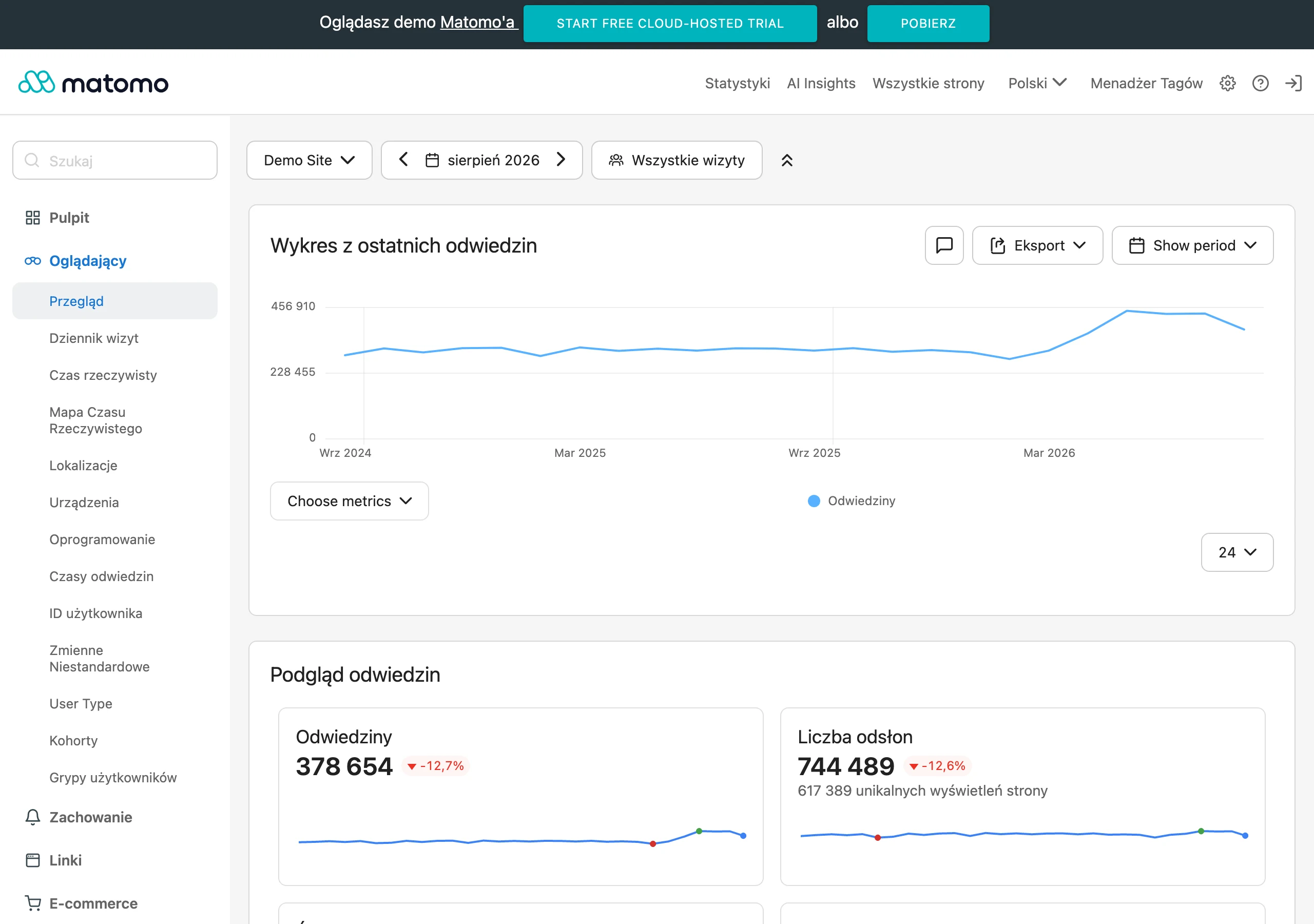
Another tool worth mentioning is Screaming Frog. It crawls the entire website, detecting redirect-related issues such as redirect chains or technical errors. What is more, it allows data export for further analysis, which is particularly useful for large and complex websites.
If you are looking for a more advanced solution, it is worth paying attention to Sitebulb. This tool offers detailed reports on site structure, technical errors and indexing efficiency. Thanks to its intuitive interface and the ability to integrate with other SEO tools, Sitebulb makes it easier to optimise a site comprehensively for search engines.
Using these solutions systematically makes it possible to quickly spot redirect-related issues – from incorrect status codes to content duplication. This helps ensure the site runs smoothly and maintain its high visibility in search results.
Google Search Console
Google Search Console is an extremely helpful tool that makes it possible to monitor 301 redirects and identify errors related to their implementation. It allows you to verify whether redirects are working properly and whether technical issues are appearing, such as 404 errors or excessively long redirect chains.
What’s more, the tool provides valuable insights into organic traffic, which makes it possible to assess the impact of redirects on a site’s visibility in search results. Google Search Console also offers detailed reports on the indexing process, which are key to effective SEO optimisation and managing the site structure.
In short, this versatile solution helps not only control the technical aspects of a site, but also better understand its ranking in Google.
Screaming Frog
Screaming Frog SEO Spider is an extremely effective tool for the technical analysis of websites, particularly useful for monitoring 301 redirects. It allows you to quickly detect issues such as overly long redirect chains or errors in their configuration. The tool crawls the entire site, highlighting both correct and incorrect redirects, which makes it possible to fix them quickly.
One of the most important functions is the ability to export data. This allows SEO specialists to carry out a detailed analysis of the site structure and make the necessary changes. Screaming Frog also helps verify whether 301 redirects are correctly configured to preserve link equity and avoid 404 errors.
The free version allows you to crawl up to 500 URLs, which works well for smaller sites. For larger projects, a paid option with unlimited crawl capacity is available. What’s more, the tool integrates with popular SEO platforms such as Google Analytics and Google Search Console, which makes comprehensive site optimisation much easier.
Screaming Frog proves indispensable during a migration to a new domain or when making changes to the URL structure. It allows you to quickly identify potential issues related to redirects and ensures a smooth transition for both users and crawlers. As a result, the site maintains its visibility in search results and avoids drops in organic traffic.
This tool is a must-have for every SEO specialist who wants to ensure efficient indexing and the technical health of their site.
Sitebulb
Sitebulb is an advanced SEO audit tool that comprehensively monitors 301 redirects and analyses their impact on a site’s visibility in search engines. Thanks to its intuitive interface and detailed reports, you can quickly detect issues such as redirect chains or technical errors. What’s more, the tool integrates with SEO platforms such as Google Search Console, which significantly simplifies site structure optimisation.
One of Sitebulb’s key features is analysis of the efficiency of indexing by search engine crawlers. This allows you to check whether 301 redirects are configured correctly and whether they do not place excessive strain on the crawl budget. In addition, the tool provides precise data on link equity transferred from old URLs to new ones – which is of great importance for maintaining a strong position in search results.
This is the ideal solution for SEO specialists who want to ensure the technical health of their site and avoid redirect-related errors. Using Sitebulb regularly guarantees smooth site performance and maintaining visibility in Google without unnecessary complications.
The most common problems related to 301 redirects
301 redirects are an extremely important tool in website optimisation, but their incorrect use can cause quite a few problems. One of the more common issues is the so-called redirect chain, which arises when one redirect leads to another, and that in turn to the next. This situation not only lengthens page load time, but also negatively affects user experience. In addition, search engine crawlers may have difficulty interpreting such chains, which results in worse site indexing.
Another challenge is errors in redirect configuration. Incorrect settings can lead to serious technical problems, such as infinite redirect loops or incorrect HTTP status codes. For example, if a 301 redirect is configured to the same URL, it may prevent access to the page. Similarly, using incorrect codes (e.g. 302 instead of 301) creates confusion for both users and search engine algorithms.
Another common mistake is failing to test redirects. After changes to the URL structure or migration to a new domain, it is crucial to carefully check the correctness of all redirects. Failing to test can result in 404 errors or loss of link equity, which directly affects the site’s ranking.
It is also worth paying attention to excessive redirects. Every additional link in this process places a burden on the server and lengthens the site’s load time. This, in turn, increases delays in delivering content to the user, which can lead to a higher bounce rate and lower overall site performance.
To avoid these problems, it is worth regularly monitoring the site structure using tools such as Google Search Console or Screaming Frog. Thanks to them, you can quickly detect and fix issues related to redirects, ensuring smooth performance of the site for both visitors and crawling bots.
Redirect chains
A redirect chain is a situation in which one 301 redirect leads to another, and the next to yet another. Such a structure can negatively affect site performance, extending loading time and worsening the user experience. In addition, search engine bots may have difficulty interpreting such chains, which results in less efficient site indexing.
This problem often appears during migration to a new domain or when making changes to the URL structure. Each additional link in a redirect chain loads the server and increases delays in delivering content, which can lead to a higher bounce rate and a drop in the site’s visibility in search results.
To avoid long redirect chains, it is worth aiming for a direct redirect from the old URL to the destination one. Regular monitoring of the site structure is key – tools such as Google Search Console or Screaming Frog help quickly detect and shorten unnecessary links.
Proper management of 301 redirects is of huge importance for crawl efficiency and site performance. Eliminating redundant links not only improves the user experience, but also the site’s SEO performance in search results. These are simple steps that can bring major benefits.
Errors in redirect implementation
Errors in configuring 301 redirects can lead to serious technical complications, negatively affecting both the site’s functionality and its position in search results. One of the most common mistakes is an incorrect HTTP status code setup. For a 301 redirect to work correctly, it must include the appropriate code (301), which informs that the page has been permanently moved. Using, for example, code 302 (temporary redirect) can create chaos for both visitors and crawling bots, resulting in a loss of link equity (link equity) and a drop in ranking positions.
Another common problem is creating overly complex redirect chains. When one redirect leads to another, and that to the next, page loading time increases, which worsens the user experience. In addition, search engine bots may have difficulty interpreting such structures, which affects indexing efficiency.
Another challenge is failing to test redirects after implementation. Untested changes can result in 404 errors or endless loops, preventing access to the site. Regular monitoring of the site structure with tools such as Google Search Console or Screaming Frog allows you to quickly detect and fix this type of error.
It is also worth avoiding redundant redirects, which unnecessarily load the server and extend the site’s loading time. Each additional link in the process increases delays, which can lead to a higher bounce rate and reduced site performance.
The key to avoiding these problems is configuring redirects correctly and checking their performance regularly. This ensures smooth operation for both users and crawling bots, which is of great importance for SEO effectiveness and the site’s visibility in search results.
FAQ
Frequently asked questions
How does a 301 redirect work in practice on a website?
The server sends an HTTP 301 code and automatically sends the user and search engine bots from the old address to the new one. The process happens immediately, with no additional action required from the visitor.
Does a 301 redirect transfer link value and PageRank to the new address?
Yes, a 301 redirect transfers link equity and PageRank from the old URL to the new one. This makes it easier to maintain the site’s position in search results.
Why is it worth using a 301 redirect instead of leaving the old address unchanged?
It prevents 404 errors, which worsen user experience and can lower the site’s position. It also helps avoid losing organic traffic and link value.
When is the best time to implement a 301 redirect on a website?
It is most often used when migrating to a new domain, changing the URL structure, moving or removing content, and switching from HTTP to HTTPS. It is also useful when consolidating subpages.
How does a 301 redirect affect indexing by search engines?
It makes search engine bots’ work easier because they do not need to crawl outdated addresses. As a result, crawl budget is used more efficiently and the index updates faster.
Can a 301 redirect help avoid duplicate content?
Yes, because it directs traffic from old addresses to one correct new URL. This reduces the risk of duplicates and supports better site organisation.