
Remarketing recovers lost customers when it is based on a precise diagnosis and correct data, rather than “chasing everyone” with the same ad. First, you need to establish who you consider lost in your model (e.g. an abandoned basket or no purchase for a set period of time), and only then build segments and messages. Just as important is mapping where users drop out of the sales journey, because different objections appear on the product page and different ones at checkout. Without solid tracking (GA4, tags, pixels, product feed), audience lists and dynamic ads will be incomplete or incorrect. In this section, we go through the foundation: how to define loss, split intent in the funnel, and prepare the technical setup for effective recovery.
Diagnosis of lost customers and mapping the sales funnel
Diagnosing lost customers means clearly defining “lost” and identifying where in the sales funnel the most people drop out. In practice, loss may mean an abandoned basket, no purchase for 60–180 days, a 50% drop in purchase frequency, or no response to an offer in B2B. This allows you to build separate remarketing segments and avoid directing budget to people who would return anyway without a nudge. The more precisely you define loss and intent, the lower the risk of “burning” budget on irrelevant impressions.
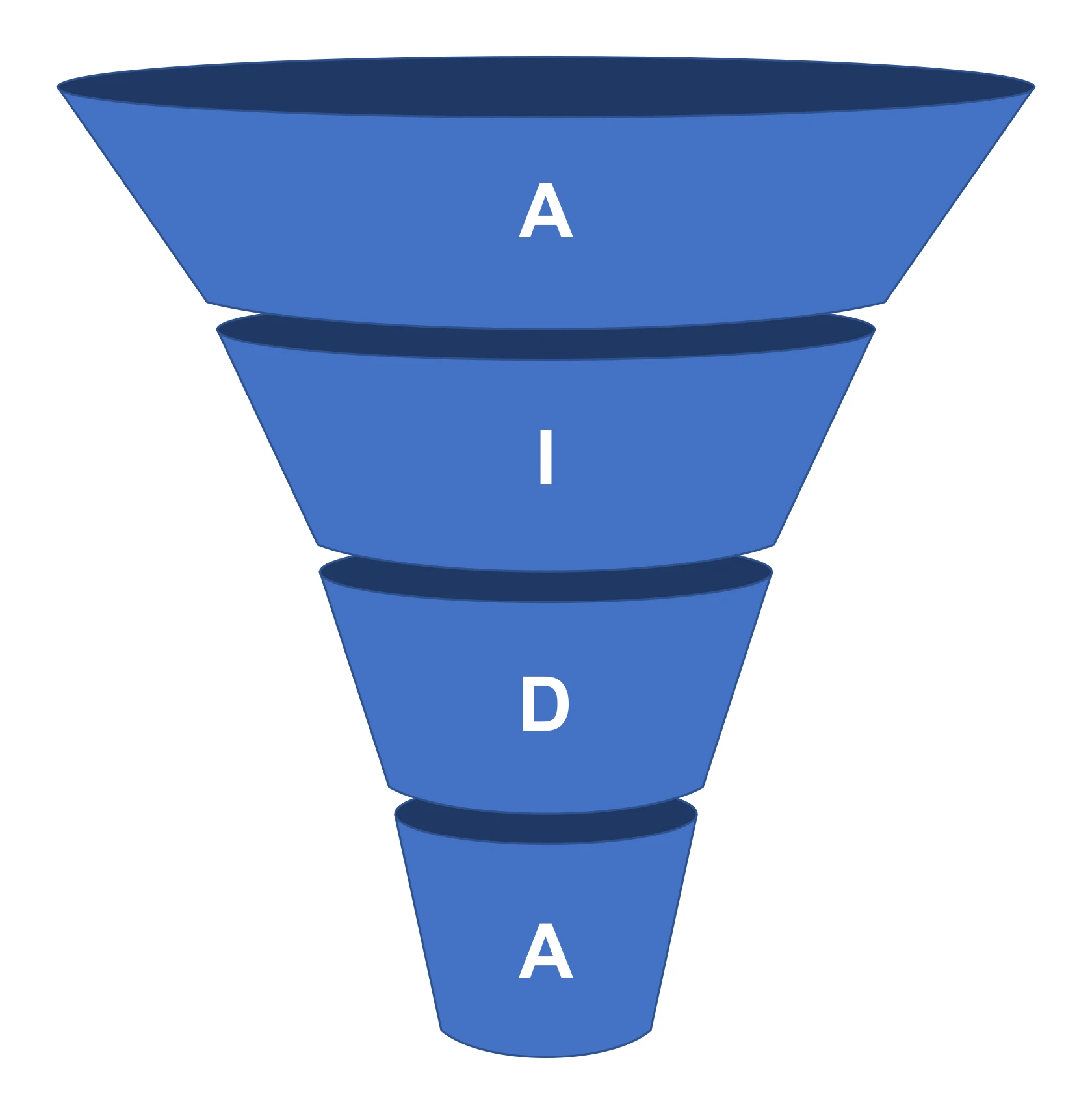
Start mapping the funnel with path and funnel reports in GA4 to see whether the problem lies on the product page, in the basket, at checkout or in registration. If the biggest drop-off is at checkout, remarketing should address trust and payment methods, rather than repeating the product message itself. Also distinguish intent: someone who spent 30 seconds on a category page behaves differently from a user who started checkout. This kind of segmentation helps match content to the real stage of decision-making.
- view_content: 7-day window (light intent, reminder layer)
- add_to_cart: 14-day window (higher intent, product nudge and reduction of hesitation)
- begin_checkout: 14-day window (highest intent, reducing friction and objections at payment/delivery)
- purchase: 30–180-day exclusion (budget protection and communication consistency)
Remarketing works better when it addresses a specific purchase barrier, rather than merely “reminding” people without context. You can gather reasons for abandonment through a post-abandonment survey, chat analysis (e.g. Intercom, LiveChat) and a review of the most common questions in emails, because that is usually where issues such as no size, long delivery times or unclear returns come to the surface. At the same time, check traffic quality: if 60–80% of visits come from low-quality campaigns, remarketing will naturally be weaker, and it is often better to sort out acquisition sources first. Also set the attribution window and audience window in line with the decision-making cycle (e.g. 1–7 days for impulse purchases, 14–30 for more expensive products, 30–180 for B2B), because overly broad windows reduce ROAS and push up CPM.
Data, tracking and the technical foundation of remarketing
The technical foundation of remarketing is correctly configured events, stable tagging and consistent identifiers, which allow you to build reliable audience lists. In GA4, configure standard e-commerce events: view_item, add_to_cart, begin_checkout, purchase, as well as the parameters item_id, item_category, value and currency, because without them you will not launch proper dynamic product remarketing. In Google Tag Manager, keep things tidy (separate environments, versioning, publishing rules) to avoid double counting and incorrect triggers across all pages. If events and item_id are not consistent between GA4 and the feed, ads can show different products than they should.
For Meta, make sure you not only have the browser pixel, but also Conversions API (CAPI) on the server side, because blockers and restrictions can “cut off” data and break the matching of events to users. You can implement CAPI, among other ways, via Meta CAPI Gateway, GTM Server-Side or Shopify integrations, which usually stabilises attribution in remarketing on Facebook and Instagram. In Google Ads, consider Enhanced Conversions to improve conversion attribution based on hashed data (e.g. e-mail) — provided you have the appropriate consents. Consent Mode v2, in turn, helps model conversions when cookies are refused, which is important for lists and optimisation.
Dynamic remarketing in e-commerce also requires a product feed in Google Merchant Center and/or a Meta product catalogue with the following attributes: id, title, price, availability, link, image_link. If you work with customer lists (Customer Match in Google and Custom Audiences in Meta), data quality is critical: e-mails, phone numbers, first/last names, country and postcode should be normalised and up to date, because formatting errors (e.g. +48) reduce match rates. Always apply exclusions (buyers within the attribution window, people in the returns or complaints process), and at larger scale combine sources (CRM/CDP and e-commerce platforms) so you do not duplicate communication thanks to fields such as stage, last_contact_date and opt-out. Carry out a data quality audit every 30 days (Tag Assistant, GA4 DebugView, comparison of revenue with the shop system), because in remarketing small errors quickly escalate at segment and bid level.
Audience segmentation and recovery scenario logic
Effective audience segmentation in remarketing comes down to matching the recovery scenario to the stage at which the user dropped off the journey. In an abandoned basket, split people with add_to_cart but no begin_checkout from those who started checkout, because their objections are different. For checkout, friction reduction will often work better (e.g. a reminder about BLIK, PayPo or fast delivery), whereas for the basket a product-led nudge and social proof will be more effective. Also set list priorities (begin_checkout > add_to_cart > view_content), so the user does not receive conflicting messages.
- Abandoned basket: communicate the specific detail that closes the decision (product + clear CTA) and reinforces purchase confidence.
- Abandoned checkout: emphasise elements that reduce risk and friction in payment/delivery, rather than repeating the product description.
- Browse abandonment: show alternatives and variant comparisons when the user viewed several products or spent 2+ minutes on key pages, but did not add anything to the basket.
- Win-back (reactivation): build separate inactivity windows (e.g. 60/90/180 days) and messages based on purchase history, especially for replenishment after the expected usage period.
“Browse abandonment” segmentation works best when it helps the user choose the right variant, rather than just reminding them about the brand. In practice, create groups for people who viewed 2–3 products or spent 2+ minutes on key pages but did not add to basket, and then direct them to comparison content. At the same time, separate new and returning users: new users usually need trust signals (reviews, guarantees, 30-day returns, payment certifications), while returning users need a quick path to repurchase. This way, the message reflects the real stage of the relationship with the brand, instead of being “one remarketing campaign for everyone”.
In recovery scenarios, it is also worth segmenting by basket value and margin, because incentives should differ for AOV below 150 zł and above 500 zł. For smaller baskets, free delivery will often work better, while for larger ones premium add-ons will be more effective; the question of “whether to always give a discount” is better solved through bundling and basket thresholds when margin is low. Also split audiences by device and context, because a basket can be abandoned on mobile and completed on desktop, so test a cross-device approach via logged-in lists and Customer Match. It is also worth taking geographic logistics differences into account: in regions with longer delivery times, show realistic delivery dates and collection-point options (e.g. InPost, Orlen Paczka), while in large cities promote same-day delivery if you offer it.
Remarketing channels and matching tactics to intent
The choice of remarketing channels should stem from the user’s intent and from whether you need to “close” them, or rather first resolve their doubts. Google Ads Remarketing in the Display Network (GDN) is well suited to closing decisions in a short 1–14 day window, especially when you use product-led creatives, a clear CTA and control frequency. YouTube, on the other hand, tends to be more useful where the user needs to understand differences between models, installation or results, rather than just see the price. The simplest rule is this: the channel should answer the user’s question at that stage (choice and trust vs quick purchase completion).
In video remarketing on YouTube, sequences that guide the user step by step towards a decision work well. You can start with 15 seconds to remind and set context, and then close with a 6-second bumper, targeting the campaign at people with begin_checkout or a long time on site. This structure helps when the obstacle is not the offer itself, but a lack of confidence in the style of “will it work” or “what does it look like in practice”. As a result, video becomes a tool for defusing objections, rather than another banner repeating the message.
Meta Ads (Facebook/Instagram) with dynamic product ads (Dynamic Product Ads) respond directly to the needs of a user who viewed or added a product to basket, because they show exactly those same items together with price and availability. Effectiveness usually increases when you add an overlay with a benefit, e.g. free delivery from 199 zł or 30-day returns, provided those terms apply in your offer. TikTok Ads remarketing is often best for short decision cycles and visual products, where you can show the result in 5–15 seconds, and in practice it is worth using Spark Ads with UGC, because audiences more often ask “what does it look like in use”. These channels support both a return to the product and a reduction in uncertainty thanks to “real-life” materials.
Email remarketing recovers baskets at low cost if you have consent and good deliverability, and the standard is 2–3 messages within 1–72 hours covering delivery, returns and size. SMS and web/app push work when time matters (e.g. stock running out or the last day of a promotion), but it is easy to overdo the frequency, so they require careful control. In search, RLSA allows you to raise bids when a former visitor returns and searches again, and in Performance Max it is worth setting audience signals and the feed, while keeping an eye on exclusions and search term and placement reports. If you sell on a marketplace or comparison engine, recovery may be possible within their ecosystem, but you usually have limited control over user data, so this channel makes particular sense where the customer is mainly comparing price and availability; in B2B, by contrast, LinkedIn and programmatic networks are more likely to send people to a case study and ROI calculator than straight to a demo.
Creatives, copy and offer: how to respond to objections
Creatives, copy and the offer in remarketing should directly respond to the specific objection that caused the user to abandon the purchase. When someone has already chosen a product, dynamic creatives will often work better because they show the exact model viewed and its current availability, whereas for a trust barrier or variant-choice barrier, static creatives with a clear explanation may be more effective. In practice, this means choosing the format not “for the channel”, but for the problem: lack of certainty, lack of fit, or fear of risk. The best remarketing creative does not remind — it resolves the reason for abandonment.
You do not have to answer the objection “price and no promotion” with an automatic discount, because alternative incentives and clear terms are often more effective. Instead of reducing the price, test thresholds such as free delivery from 199 zł, a bonus when buying a bundle, 0% instalments or PayPo, as well as a time-limited offer with clear rules. This structure helps close the decision without damaging margin, because the user is usually asking whether this is a “good time” to buy. If you are running tests, start by comparing the offer itself before you begin changing creative formats.
The best way to address trust objections is to expose security and risk-reduction elements directly in the remarketing message. In ad and email copy, show payment methods (e.g. Przelewy24, PayU), reviews (e.g. Opineo, Trustpilot), a 30-day returns policy and real product photos, because with an abandoned checkout the problem is often fear, not the product. If the barrier is fit and choosing the right variant, direct users to choice guides and comparisons, and in creatives use carousels with variants, short measurement videos and a link to chat with an expert. If the user does not know “which variant to choose”, remarketing should lead them to a comparison and help them make a decision, not just bring back the same product.
Respond to objections about delivery time and availability with specifics: a real SLA (e.g. dispatch within 24h, delivery in 1–2 days) and stock status in the ad or landing page. When a product is out of stock, instead of leading users into a dead end, offer an alternative or a notification sign-up for when it is back in stock. Also direct traffic to remarketing landing pages that continue the user’s journey (complete payment, recently viewed list, category with filters), instead of sending them to the homepage. Additionally, reinforce recovery with UGC and social proof (video reviews, photos), because this kind of content often reduces uncertainty more effectively than perfect packshots.
Frequency, budget and controlling ad fatigue
Frequency and budget in remarketing need to be controlled so that ads close the decision without tiring the user or burning through budget. Set frequency caps and delivery windows, e.g. 2–3 impressions a day per user for GDN and 1–2 a day for Meta, because overly loose limits quickly lead to irritation. If a user says outright that they “see the ad everywhere”, that is usually a sign that the caps are too high or the remarketing window is too long. Frequency capping is a tool for protecting budget and brand image, not an “optional extra” to tick off.
Budget campaigns according to intent, because the fastest return comes from focusing on the stages with the highest purchase readiness. Direct most of the budget to begin_checkout and add_to_cart, and treat view_content as a cheaper reminder layer, so you do not fund clicks from people who are just “having a look”. In Google Ads, tCPA or tROAS often work well in remarketing, but only once you have a sensible number of conversions (e.g. 30–50 in 30 days). At a smaller scale, Maximise Conversions with budget control and manual exclusion of weak placements may be better.
You will reduce ad fatigue if, instead of repeating one creative, you use a sequence of messages and plan material rotation. Build a story: first a product reminder, then a trust signal, and finally an offer, so you answer the user’s successive questions (what was it, can I trust it, is it worth buying now). In Meta, a sign of fatigue is rising CPM and falling CTR after 5–10 days, so prepare 3–5 creative variants per segment and rotate them every 1–2 weeks. Fatigue control works best when it is a process (sequence + rotation), not a one-off graphic change.
Overlaps between channels and a lack of post-conversion exclusions are the simplest route to burning budget and reducing effectiveness. The same user may receive an email, SMS and Meta ads at the same time, so use contact prioritisation, e.g. email first, then ads, and SMS only when the basket value is high or the time window is about to expire. Exclude purchasers for at least 7–30 days, and for rarely bought products even 90–180 days, otherwise you pay for pointless impressions after purchase. In addition, assess performance through the lens of margin, not just revenue: if recovery happens mainly on discounted items, ROAS may look good while profit looks weak, so it is worth reporting in BI (e.g. Looker Studio, Power BI) broken down by category margin and adjusting intensity seasonally (e.g. in Black Week shorten windows and increase intensity, while keeping an eye on caps).
Measuring effectiveness and attribution of recovery
You only measure remarketing effectiveness properly when you compare attribution and verify whether campaigns genuinely increase sales, rather than merely “picking up” the last click. In GA4, compare the data-driven model with last-click, because remarketing often closes a journey that content or search built earlier. If you analyse only last-click, you can overstate remarketing’s contribution and scale the budget incorrectly. In practice, report results from the perspective of “net recovery”, not just share of conversions.
You are most likely to check incrementality through a holdout test, i.e. excluding part of the audience from remarketing (e.g. 10–20%) and comparing conversions with the exposed group. In addition, set KPIs at segment level (abandoned basket, checkout, win-back 90 days), because each scenario has a different dynamic and a different user base. Combine data from GA4, ad platforms and email in Looker Studio to see contact sequences and answer whether email triggers the return and ads merely close the deal, or the other way round. Draw conclusions from segment and journey comparisons, not from the “average” for the entire account.
Assess the impact of discounts using unique coupons per channel or segment (e.g. separate ones for basket and win-back) and by measuring their use and margin, because a high coupon take-up rate may mean you are overpaying for recovery. Also verify data consistency on the tools’ side: compare conversions from the pixel, CAPI and the shop system, and when the discrepancy exceeds around 20–30%, look for a problem in consent, duplicate events or missing event_id identifiers. At the same time, analyse GDN and YouTube placements and exclude weak spots that generate cheap traffic without purchases. Monitor “time to purchase” after entering remarketing (e.g. a median of 1–3 days for basket and 7–21 days for win-back), because a longer time can be a sign that the message is not addressing the objection or the window has been set incorrectly.
Privacy, consent and safe practices
Safe remarketing starts with proper consent collection and GDPR compliance, because activities based on cookies and advertising identifiers require a proper legal basis. The clearest way to manage consent is via a CMP (e.g. Cookiebot, OneTrust), and in Google you should use Consent Mode v2 to restrict or model data depending on consent status. Consent Mode v2 is not a workaround, but a way to achieve more stable reporting and optimisation as cookie refusals increase. If the question is “can remarketing be done without consent”, the practical answer is that you lose some functionality and the risk of breaches increases.
Use customer lists (Customer Match/Custom Audiences) only with an appropriate legal basis and an information obligation, even if the data is hashed (e.g. SHA-256). In email and SMS, make sure unsubscribing is easy and that there is a preference centre, and once a user opts out, they should be automatically excluded from automation; otherwise, the risk of complaints increases and deliverability drops. Also remember platform policies (Meta and Google): industries and sensitive attributes (e.g. health, finance, personal characteristics) have restrictions, and ad rejections often result from implying health status or using prohibited wording. In your content, avoid a “1:1 tracking” tone (e.g. overly literal messages), because it undermines trust and increases user resistance.
You will reduce risk when you apply data minimisation and sensible retention, meaning you only store what is necessary for the purpose and do not keep win-back lists for years if the buying cycle lasts months. Take care of the security of integrations and access in GTM, GA4, Google Ads and Meta Business Manager by using 2FA and user roles, because a leaked advertising account means both budget losses and reputational risk. If your services may reach minors, apply extra caution: exclusions, age settings and avoiding personalisation based on potentially sensitive signals. Transparent communication and orderly consent management allow you to run remarketing that recovers customers without escalating concern and without breaching platform standards.
FAQ
Frequently asked questions
How do you define a lost customer in remarketing?
In the article, a lost customer can mean, among other things, an abandoned basket, no purchase for 60–180 days, a 50% drop in purchase frequency, or no response to an offer in B2B. With such a definition, you can build separate segments and avoid wasting budget.
How do you map the sales funnel for remarketing?
Start with path and funnel reports in GA4 to check where users drop off: on the product page, in the basket, at checkout or during registration. Different messages work for a product issue, and different ones for friction at the payment stage.
Will remarketing be effective without GA4 and proper tagging?
No, because without solid tracking, audience lists and dynamic ads will be incomplete or incorrect. You need, among other things, correctly configured events, consistent item_id and a product feed.
How should you segment audiences in remarketing by decision stage?
The article sets out the priority: begin_checkout, then add_to_cart, and finally view_content. Someone who has started checkout usually needs reduced friction at payment, while someone who has only viewed the product needs more of a reminder and support in making a choice.
When is it better to show a discount, and when another incentive in remarketing?
You do not always need to offer a discount, because free delivery, a bundle bonus, 0% instalments or PayPo are often more effective. With low margins, it is better to consider bundling and basket thresholds than automatic reductions.
Which remarketing channels should you choose to win back customers?
Google Ads is good for closing decisions in a short window, YouTube helps address doubts, Meta Ads work well with dynamic product ads, and email recovers baskets at a low cost. SMS and push are useful when time matters, for example when a promotion is about to end or stock is running low.