

User feedback is a practical source of knowledge about where a product, service or communication is genuinely doing its job, and where it starts to lose momentum. It is not limited to surveys, but covers the whole process of collecting and using signals from different touchpoints with the brand. Opinions can come in through forms, conversations with support, reviews and cancellations, but they can also result directly from user behaviour on the website or in the app. The greatest value comes from feedback embedded in a specific moment of the user journey, because then it is easier to identify the source of the problem and make the right decision. In practice, what matters is not so much the number of responses as their context, consistency and link to a business goal. A well-designed feedback process makes it possible to improve UX, content, support and conversion more quickly, instead of stumbling around in the dark and guessing what is putting customers off.
What is user feedback and why is it important?
User feedback is information about their experiences, difficulties, expectations and the motives behind decisions at different stages of contact with a product, service or brand. It can be explicit, when the user assesses or describes something themselves, or implicit, when conclusions are drawn from their behaviour, drop-offs, support tickets or cancellations. This is important because it shows not only what is happening, but also why it is happening.
In practice, feedback makes it easier to spot barriers that are not visible in the numbers alone. In analytics, you may notice a drop in form completion, but only user opinions can reveal that the obstacle is an unclear question, a lack of trust or a broken step on mobile. It is the combination of quantitative and qualitative data that gives a fuller picture of the situation.
The importance of feedback grows when it can be linked to a specific moment in the user journey. Different questions are worth asking after onboarding, different ones after purchase, different ones after contacting support, and yet others at the point of cancellation. That way, the team does not get vague comments like “something was wrong”, but signals tied to a specific screen, process or decision.
Not every opinion should immediately lead to a change. A single comment can be valuable, but only the repeatability of the problem and its impact on conversion, retention or support costs show whether it is a priority. The most common mistake is reacting to the loudest voices instead of the most important patterns.
What are the best methods for collecting user feedback?
The best methods for collecting feedback are those that fit a specific moment in the user journey and address a real business problem. There is no one universal method, because a short survey after an action serves a different purpose than a customer interview, analysis of support tickets or research into cancellation reasons. The choice of tool should depend on whether you want to quickly capture a signal, understand the cause, or assess the scale of the problem.
In everyday work, the best approach is to combine several sources of information. Short surveys and ratings provide a quick quantitative signal, open-ended questions reveal the user’s language and motivations, and behavioural data checks whether the declarations are reflected in action. A post-transaction survey on its own is usually not enough unless you compare it with user behaviour and contact history.
- Short event-based surveys — they work well for assessing a specific stage, for example purchase, onboarding or feature use.
- Open-ended questions in a form — they make it easier to understand the reason behind a rating and help you pick up the language users use.
- Interviews and usability tests — the best choice when you need to go deeper into problems, decisions and ambiguities.
- Support tickets, complaints, returns and cancellations — they show real operational friction and recurring sources of frustration.
- Behaviour analysis in the product — reveals drop-off points, errors, unfinished steps and gaps between intent and execution.
- Reviews and comments — useful provided that you organise them by topic, segment and stage of the journey.
The way you phrase the question also matters. The best-performing questions are short, grounded in context and asked immediately after an important event, for example “what made it difficult to complete the order?” rather than “how do you rate our website?”. The more specific the question and the moment it is asked, the greater the chance of a useful answer.
It is also worth keeping an eye on the frequency and quality of feedback collection. Too-long forms, overly vague questions or asking for feedback at a random moment reduce the value of the data. A good method is one that can later be linked to a user segment, traffic source, funnel stage and business outcome, because only then does feedback become a decision-making tool rather than a collection of loose comments.
How do you analyse and organise feedback data?
Feedback data is analysed by assigning each opinion to its context, topic and stage of the user journey. The answer itself is rarely enough if you do not know what it referred to: onboarding, purchase, feature use, support contact or cancellation. First, organise the data by the moment when it was created, because that is usually the quickest way to show the source of the problem.
In practice, it is worth tagging opinions according to at least several dimensions: type of issue, user segment, traffic source and impact on the business goal. Comments from new users are read differently from signals coming from paying customers who cancel after a few months. This kind of division makes it possible to distinguish a local issue from a signal that genuinely hits conversion or retention.
Organising feedback works best when you bring qualitative and quantitative data together in one place. Descriptive responses provide context, show the cause and the way the user speaks, while ratings, drop-offs, support tickets and in-product behaviour make it possible to assess scale. If users are signalling that something is unclear, check straight away whether the number of drop-offs, errors or support contacts is rising at the same point.
Analysis is about spotting patterns, not following individual, loud opinions. What matters is repeatability, the severity of the problem and whether the difficulty blocks a key action, for example account creation, payment or feature activation. A single comment can be a useful hint, but it should not on its own determine a change without checking the scale.
At the end, a simple system of priorities and a steady review rhythm come in handy. In practice, a shared table or backlog usually works best, where each group of opinions has a problem description, segment, frequency and proposed action. Without that kind of structure, feedback gets stuck in tools and never reaches product, content, support or sales.
What decisions should you make based on user feedback?
Feedback helps you decide what to improve, what to simplify, what to clarify and what to leave alone. The aim is not to respond to every comment, but to choose actions that remove real barriers and translate into results. In practice, this usually ends up with changes to the interface, messaging, forms, onboarding, FAQ or the support process.
To begin with, it is worth separating critical problems from development suggestions. If a user cannot complete a purchase, activate an account or understand a system error, that signal takes higher priority than an idea for a new feature. You gain most by removing obstacles from the existing journey rather than adding more elements.
It is best to support the decision to implement something with a few simple criteria at the same time:
- how often the problem recurs,
- how large its impact is on conversion, retention or support workload,
- which segments it affects,
- whether the problem stems from an error, lack of information or poor process design,
- what the cost and time of implementing the change are.
Not every response means the product needs rebuilding. Some issues can be resolved faster with better copy, a shorter form, clearer FAQ, a change in step order or refined support replies. This matters because many barriers do not result from a lack of features, but from user uncertainty at a key moment.
After implementation, you need to check whether the decision actually worked. The simplest way is to compare whether the number of queries on a given topic has fallen, whether fewer people are abandoning the process and whether the completion rate for an important action has increased. Feedback only makes sense when it leads to change, and that change is later verified with data.
It is a good idea to close the information loop within the company. The product team, marketing, customer support and sales should be clear which problems keep coming back, what has been improved and what result it brought. This means feedback stops being a collection of loose opinions and becomes a constant source of operational decisions.
How do you implement changes based on collected opinions?
The best way to implement changes arising from opinions is to turn recurring problems into concrete tasks with an assigned owner, priority and success metric. At the start, it is worth separating critical signals from development suggestions, because they require a different mode of action. A bug blocking a purchase, login or the use of a key feature should go onto a fast repair path. Development ideas are better assessed more calmly, in the context of product strategy and their real impact on performance.

The best starting point is a backlog based not on quotes alone, but on clearly defined problems. Instead of an entry saying “users complain about the form”, it is better to describe it like this: “at the registration stage, users do not understand why they are asked for a phone number, which increases abandonment”. A good opinion to implement describes not only what happened, but also where, to whom and with what effect. Only then does the team know exactly what needs improving.
You should set change priorities according to four criteria: the frequency of the problem, its severity, its impact on the business goal and the cost of implementation. This helps you avoid being swayed by isolated, loudest reports. If a problem appears rarely, but affects paying customers or makes it impossible to complete an order, it usually deserves a high priority. If the opinion relates to convenience rather than a blocker, you can schedule it for later.
Implementation should end with measuring the effect, not just “making the change”. After every fix, check whether the number of queries, abandonments or negative comments has fallen in the same point in the journey. Depending on the problem, the metric might be form completion, the number of contacts to support, task completion time or the abandonment rate. Without this, it is difficult to distinguish genuine improvement from actions that only look like it.
In practice, many improvements do not require a large product project. Often, changing the error message copy, simplifying the order of steps, adding an explanation next to a form field, improving the FAQ or refining onboarding is enough. Feedback is most useful when it leads to small, precise changes at a specific touchpoint. Such fixes are implemented faster, and their effect is easier to assess.
It is also worth closing the information loop within the organisation. Support, product, marketing and sales should know which problem was identified, what was changed and whether it actually helped. This means future decisions are more consistent, and feedback does not remain just a collection of loose opinions. Without an owner for the process, opinions quickly turn into an archive rather than a source of decisions.
How do you avoid typical mistakes in feedback management?
Typical mistakes in managing feedback can be avoided by keeping an eye on context, cutting out information noise and linking opinions to specific business decisions. Most often, a team gathers plenty of data, but cannot identify which of them really matter. The number of responses alone does not yet lead to sound conclusions. What matters is whether you know who the opinion concerns, at what stage it appeared and which problem it describes in practice.
A very common mistake is reacting to the loudest voices instead of recurring patterns. A single harsh review or a suggestion from an important client may be valuable, but it should not automatically set priorities. First check whether the problem comes back in other sources: support tickets, drop-offs, surveys and user behaviour. Only then can you see whether it is a one-off case or a real barrier.
The second mistake is asking overly broad questions. A request along the lines of “what do you think about our product?” usually ends with answers from which it is hard to extract anything useful. It is better to ask about a specific experience after a specific event, for example after a purchase, after using a feature or after contacting support. Such feedback has greater operational value, because you immediately know what it concerns.
The problem can also be analysing all opinions as a single whole. A new user, a trial customer, a long-term subscriber and someone who cancels may be talking about the same element, but for completely different reasons. Segmenting feedback often changes the conclusion more than the number of responses itself. This is especially important when making decisions about changes to the offer, the sales funnel and retention.
- Do not collect feedback without a plan for who will review it and how often.
- Do not mix critical bugs with loose development suggestions.
- Do not assess the problem solely by the emotional tone of the statement.
- Do not ignore support tickets, cancellations and reasons for leaving.
- Do not implement changes if you do not know how you will measure their effect.
A separate mistake is having no limits on gathering opinions. If you ask too often, at the wrong moment, or send overly long forms, the quality of responses clearly drops. The user replies superficially or simply ignores the request. In practice, it is better to gather fewer responses, but ones strongly grounded in context, than to generate a lot of noise.
Finally, it is worth remembering that feedback does not replace analytics or user behaviour analytics. Opinions show what the user states and how they name the problem, but they do not always precisely explain their behaviour. That is why it is best to combine them with data on conversion, retention, errors and journeys in the product. Only combining what the user says with what they actually do provides a basis for accurate changes.
What should you measure after implementing changes resulting from feedback?
After implementing changes, it is worth checking whether the problem reported by users has really eased and whether the result has improved at the stage of the journey that the modification concerned. The most telling are the metrics directly linked to the difficulty being fixed, rather than an overall improvement in “satisfaction”. If you are improving a form, monitor completions, errors and drop-offs. If you are modifying onboarding, track activation, time to complete the first key action and the number of questions sent to support.
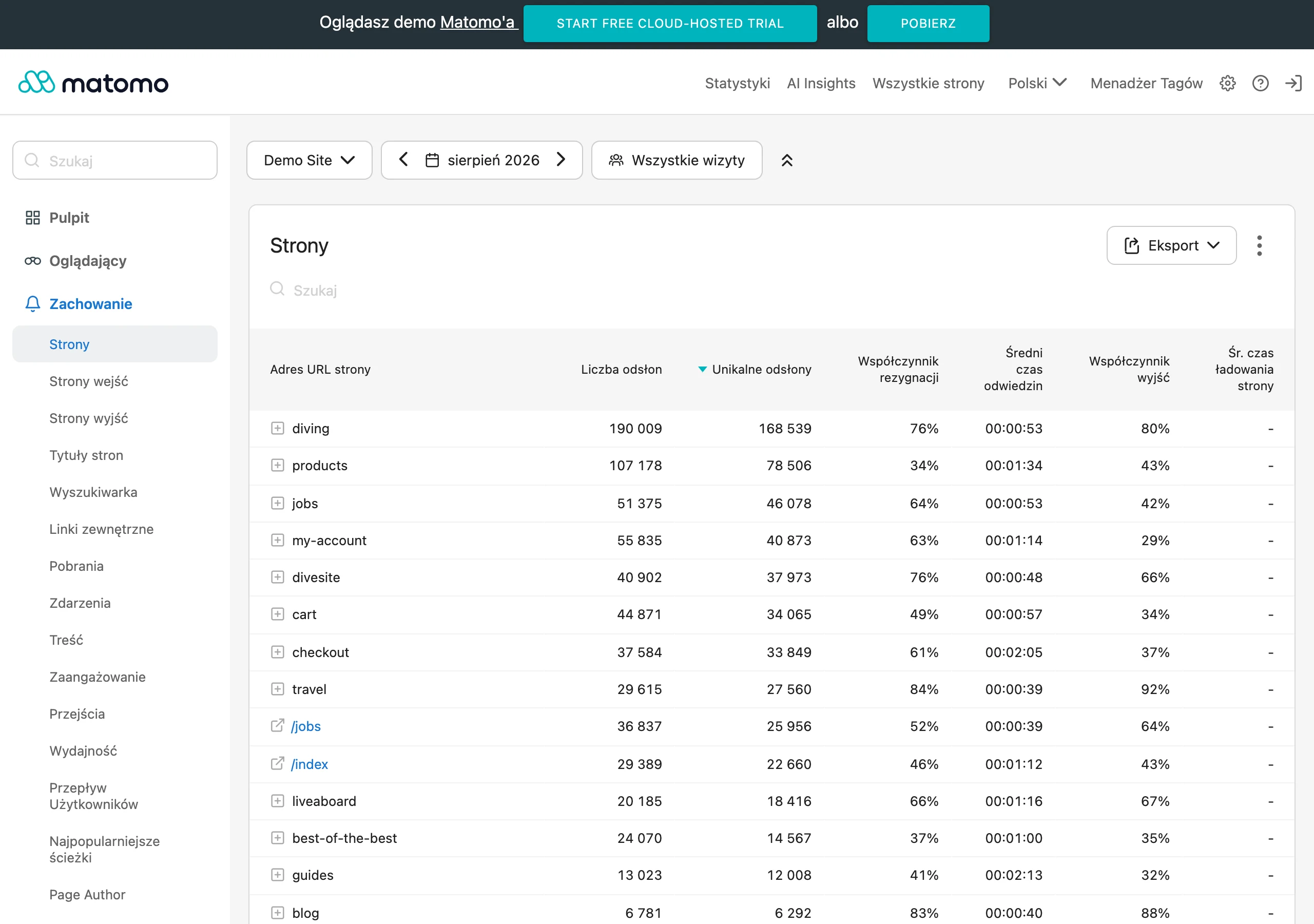
The best measurement starts with linking each change to one main metric and 2-3 supporting metrics. The main metric shows whether the problem has really been reduced. The supporting ones help identify any side effects, for example a faster process at the cost of a higher number of errors or returns.
In practice, it usually pays to compare the “before” and “after” state within the same user segment. Analyse new and returning users separately, paying and trial users, paid traffic and brand traffic, mobile and desktop. A change may deliver good results in one segment and worsen performance in another, which is why the average for all users can be misleading.
In addition to quantitative metrics, you also need to verify the quality of signals after implementation. If the number of tickets falls, but the same topic keeps recurring in open responses, the change may have only partially masked the difficulty. That is why it is worth tracking the content of support tickets, reasons for cancellation, comments in surveys and reviews, because they show whether the source of the problem has been removed, rather than merely statistically suppressed.
For many changes, a good control set is: the number of drop-offs at a given step, task completion rate, number of errors, number of contacts to support about the same issue, task completion time and the recurrence of the problem. For changes in communication, it makes sense to additionally measure opens, clicks and replies, but only as supporting metrics. What matters most is whether the user achieves the outcome more efficiently, not whether they click the message more often.
You also need to choose the right measurement window. Some effects are visible after just a few days, such as a drop in errors or tickets, while others only emerge after weeks, such as retention, renewals or the number of cancellations. Assessing too quickly can lead to the mistaken conclusion that the change is not working, even though users have not yet completed the entire process.
Finally, it is worth answering three questions: is the problem occurring less often, is the user achieving the goal more easily, and does the business gain a measurable benefit from it. If “yes” only applies to one of them, the change may need refining. Feedback is only closed when, after implementation, you can show not only what changed, but also which problem has actually disappeared or weakened.
FAQ
Frequently asked questions
What is the best way to collect user feedback at a specific point in the journey?
The best approach is to collect it just after an important event, such as a purchase, onboarding or contact with support. Then the answers are more specific and easier to connect with the problem.
Is a post-transaction survey alone enough to understand the user’s problem?
No, a survey alone is usually not enough. It needs to be combined with user behaviour and contact history to see the full picture.
How should opinions be analysed to identify the most important issues?
It is worth assigning every piece of feedback to the context, topic and stage of the user journey. Tagging by problem type, segment, traffic source and impact on the business goal also helps.
Which feedback signals should get the highest priority?
The highest priority should go to issues that block purchase, login, account activation or the use of a key feature. Also important are recurring topics and those that affect conversion, retention or support costs.
When is it worth implementing changes based on user opinions?
When the problem repeats and has a real impact on the business result or on the user experience at a key point in the journey. After implementation, you still need to check whether the number of tickets, drop-offs or negative comments has fallen.
Why is it not worth reacting to the loudest individual opinions?
Because a single comment does not always mean a real problem on the scale of the whole process. It is better to check whether the same topic comes up again in other sources, such as support, drop-offs, surveys and user behaviour.