
It comes down to one thing: joining the data into a whole. Connecting data from forms, the phone and site analytics means that every user contact can be linked to the source, on-site behaviour and its further fate in the CRM, without guesswork along the way. Then you are not looking separately at submitted forms, clicks on the number and the GA4 report, but at one coherent picture of the lead. That makes a difference especially where some people fill in a form, others call, and sales only comes back to the topic later. Counting forms alone is not enough if you do not know which campaign the lead came from, whether it was answered by sales and whether it had any business value. The problem is that such an implementation affects not only analytics, but also the CRM, telephony, consent and simply the quality of the data flow. Well-linked sources make it easier to assess marketing channels more objectively and to spot faster where information is quietly getting lost.
What is the connection of data from forms, the phone and site analytics in practice?
It is the construction of a single data flow. In this setup, the website form, the telephone call, analytics events and the CRM describe the same contact or a set of contacts that can be sensibly linked together. The key is that, for each lead, you can check which channel it came from, which page the user was on, exactly what they did and what happened to them later in sales. Such a model ends up as one lead record or several records linked by a shared identifier and event time, rather than loose fragments of data.
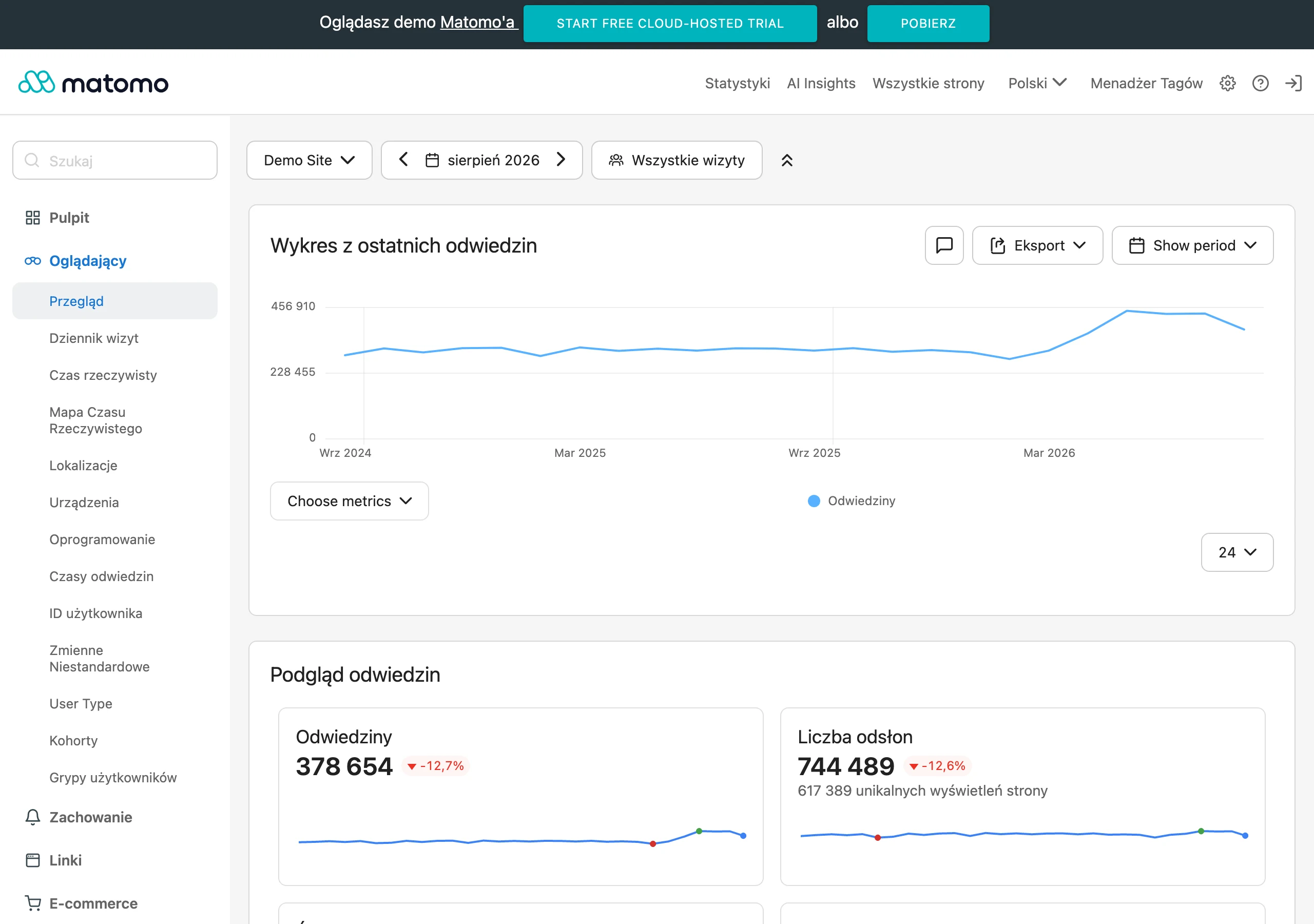
Where the data comes from. Most often from forms on the site, external forms, clicks on the phone number, calls from call tracking, GA4 events and statuses from the CRM. A form on its own or a click on the number on its own is not enough, because they still tell you nothing about the quality of the contact or the business outcome, and that is what this is all about. A click on a phone number is not the same as an actual call, and a submitted form is not the same as a correct and handled lead.
For this to be linkable at all, you need hard technical identifiers. Most often these are client_id or session_id from analytics, UTM campaign parameters, the lead identifier in the CRM, the phone number assigned through dynamic number insertion and a timestamp. And this is where practice begins: if these elements are not recorded consistently, the report may look nice, but it will not answer the simplest question. Which campaigns really bring in valuable contacts.
In terms of tools, Google Tag Manager, GA4, the CRM, a call tracking system and integrations via webhooks or API are most often linked together. Sometimes an intermediate layer or a data warehouse is added when there are more systems or when offline leads need to be reported back to advertising platforms. The biggest value does not come from collecting data alone, but from the ability to trace the entire journey: site visit, contact, qualification, sale. Instead of another table, you get a chain of causes and effects, and that is already material for decisions, not decoration.
What are the key steps in implementing a data integration?
First the order, then the charts. The key steps are an audit of contact points, data mapping, tracking implementation, CRM integration and quality control after launch. Such a project does not start with a dashboard, but with a hard check: where the leads come in from, where they are stored and at which point they lose the source or status. And one more thing before anyone fires up the tags. At this stage, it is crucial to establish the privacy rules, consent and the scope of data that may be sent to analytics.
- An audit of all forms, phone numbers, domains, subdomains, analytics tools, CRM and lead handover methods.
- Mapping fields and identifiers: source, medium, campaign, landing page, referrer, client_id, lead identifier, contact type, consent, status.
- Design of events to measure, for example: form start, validation error, form submission, tel click, call answered, call duration, lead created, lead qualified.
- Implementation of tags and dataLayer on the site, and recording session and campaign identifiers without sending sensitive data.
- Implementation of telephony and call tracking, including dynamic number insertion and passing call metadata.
- Integration of the form and telephony with the CRM via API or webhooks, so that the lead arrives together with marketing data.
- Linking records by identifiers and event time, and preparing quality and offline status reporting.
The first practical stage is the audit. And that is not a cliché, because without it it is exceptionally easy to miss part of the contact sources. The problem is that touchpoints can hide in places nobody remembers any more: forms embedded in an iframe, different phone numbers on separate subpages, separate subdomains without a shared identifier and a CRM that saves the lead but loses the campaign source. And then the number theatre begins. If you do not establish one definition of a lead and one set of required fields, marketing and sales will report different numbers.
The second important stage is the data and event design. This is not about “more data”, but about the right data: which fields are operational, which are marketing fields, and which should remain only in the CRM for privacy reasons. The question is what actually makes sense to measure and what only clutters the reports. In modern measurement, it is not only the conversions themselves that matter, but also the context, for example form start, validation errors, an answered call or call duration.
Then the technical side comes in. The next stage is integration and record matching, in other words the moment where theory meets data mess. The form should pass analytical metadata to the CRM, and call tracking or the telephone switchboard should return call data with the tracking number and status. But beware, this does not always “lock together” neatly. If everything cannot be matched perfectly, partial matching rules are built based on time, source, tracking number and session, and such cases need to be marked separately in reports.
In the end, validation and closing the data loop are what matter. You need to check, without illusions, whether forms save the source, whether calls are assigned to campaigns, whether the CRM does not “lose” identifiers, and whether consents block only disallowed tags rather than the entire operational measurement. First get a consistent identifier and a correct data flow in order, and only then build advanced dashboards and campaign optimisations.
What are the current challenges and standards in data analytics?
The challenges and standards in data analytics today revolve around one thing. Measuring contact more accurately, tying it to the CRM and doing it within consent rules and the technical limitations of browsers. Simply counting the event “form submission” stopped explaining anything. You need to know whether the form was started at all, whether there were errors, whether the lead was valid and what happened to it later in the process. The key shift is that marketing effectiveness is increasingly measured by lead quality and the sales outcome, not by the mere fact of contact.
Event-based analytics, not just pageview-based analytics, is becoming the standard. In practice, the form and the phone should have separate measurement stages: click, start, success, error, call answered, call duration, CRM status. These are details. But without them you only see how many contacts came in, instead of understanding where the user drops off and which sources are really generating sales opportunities.
Privacy can turn the whole project upside down here. Consents determine what data may be collected and where it can be sent, and analytical tools should not receive personal data, while the CRM usually stores far more of it than GA4 or advertising platforms. If this division is not set up from the start, chaos quickly sets in: some data is blocked, some ends up in the wrong place, and reports stop reflecting reality.
The next shift is a stronger emphasis on first-party data and server-side implementations, because browser-side measurement alone can be simply patchy. Browser restrictions, ad blockers and different form embedding environments reduce the quality of session and campaign data. No, not every project needs heavy infrastructure straight away. But beware, in many cases it makes sense to plan the architecture so that you can move to a more stable data collection model, rather than patching gaps in reports later.
In telephony, the same mistake repeats like a refrain. A click on a number is confused with a real call, even though a click means at most an attempt to make contact and says nothing about whether the conversation actually happened, how long it lasted or whether someone answered it. To assess the quality of the telephone channel, you need data from call tracking or the switchboard, not just the click event on the website.
Reporting requirements for paid and organic campaigns are growing. And that is not a cliché. Channels must be evaluated in one model, with identical definitions of lead, qualification and final outcome, otherwise you are comparing numbers, not results. The problem is that without linking analytics with CRM and offline data, optimisation relies on indirect signals. These signals often reward sources that deliver lots of contacts, but little value.
What strategic decisions are key when implementing the system?
This is not about cosmetic reporting. It is about decisions. The key choices revolve around the data model, integration architecture, measurement priority and the rules for matching records between the website, telephony and CRM, because they determine whether the system only “looks good” or actually supports marketing and sales. The first step is simple in theory and hard in practice: establish what a lead, a valid lead, a qualified lead and a sale mean in the company. If marketing and sales use these terms differently, no integration will produce consistent conclusions.
The second decision is the lead data model. Without it, everything else will be improvisation. It is worth clearly separating business fields from technical ones: contact details, sales status, source, medium, campaign, landing page, client_id, lead identifier, timestamp. It is also crucial to take legal constraints into account from the very beginning, that is, which information may go into analytics and which must remain exclusively in the CRM.
The third decision concerns the data flow architecture. It is the backbone of the implementation. Integration can go directly from the website to the CRM or via an intermediary layer that stores logs, validates data and sends it onwards. A direct connection is often simpler at the start, but an intermediary layer usually gives greater control over errors, duplication and sending information to several systems at once. The more forms, domains, telephony sources and offline statuses there are, the more it pays to think about architecture, not just individual integrations.
The fourth decision is choosing the measurement priority. The question is: what do you really want to count. In some projects, full campaign attribution is the most important thing, in others lead quality, and in yet others reporting offline sales to advertising platforms. This choice sets the scope of the implementation, because different events, fields and matching rules are needed when you want to optimise cost per lead, and different ones when you want to optimise cost per sale.
It is also very important to decide what records will be matched on. The best approach is a consistent technical identifier carried from the website visit into the CRM, except that practice quickly tests ideals. Often the data also has to be matched by event time, tracking number, campaign or landing page. First you need to ensure stable identifiers and source recording in the CRM, because without that even an advanced dashboard will only show approximations.
The last strategic decision concerns post-implementation quality control. This is not a stage that gets “ticked off” once the tags go live, because the system keeps running and demands regular form testing, comparisons between CRM, analytics and telephony, and checks on where records are actually disappearing. The fact is that the biggest data losses come at the interfaces. And it is precisely there, with external forms, iframes, subdomains, faulty webhooks and incomplete capture of campaign identifiers, that a silent disaster is easiest to trigger.
What mistakes are most often made during data integration?
The most common mistakes are incorrect record matching, a poor measurement model and a lack of post-implementation quality control. It sounds technical, but in practice it is straightforward: forms, connections and analytics data operate side by side, except that they cannot be reliably stitched together into a single lead. And if there is no certainty, the report may be even “rich”, but it will not answer the question that matters most today: which source is actually delivering valuable contacts. The most dangerous mistake is the lack of a consistent identifier or the failure to pass it consistently between the website, CRM and telephony.
A very common problem is treating a click on a phone number as a completed call. The thing is, a click tells you only that the user tried to call from the website. It does not tell you whether the call was connected, answered and lasted long enough to have sales value. Assessing telephony requires data from call tracking or the switchboard, not just the click event. Simple, and still often confused.
The second major mistake is losing campaign data when a lead is passed to the CRM. If the form captures the contact but does not record the source, medium, campaign, landing page or session identifier, marketing loses the ability to genuinely assess channel quality. The lead reaches sales, but later cannot be reliably attributed to advertising activities, so the whole optimisation effort turns into guesswork. The contact source needs to be saved in the CRM at the moment the lead is created, not reconstructed later.
Another mistake is sending personal data to analytics tools. Most often this happens “incidentally” through form fields, email addresses, phone numbers and message content. Analytics data should contain technical metadata and statuses, while personal data should remain in the systems intended for it, usually the CRM. The problem is that this is important not only legally, but also operationally, because it organises the data architecture and reduces chaos in integrations.
Implementations are also often undermined by inconsistent lead definitions. Marketing counts every form submission, sales recognises only a valid contact, and customer service rejects duplicates and enquiries outside the offer, so everyone is running their own scoreboard. If these definitions are not set at the outset, the reports will diverge immediately, and each side will have “its own truth”. The question is why measure anything at all if no one knows what is being measured. You need to mark separately a raw lead, a valid lead, a qualified lead, a rejected lead and a sales lead.
- no dynamic replacement of all phone numbers on the site,
- forms in iframes or on external tools without a webhook and without passing identifiers,
- separate domains and subdomains without consistent session tracking,
- post-form redirects that cut off source data,
- no error logs for APIs and webhooks.
In the end, the testing stage and subsequent monitoring often fail. The form looks as if it is working, but it does not save the client_id, calls are fed into call tracking without a source, and the CRM cuts off part of the fields during import. Without regularly comparing the number of records between the website, telephony and CRM, such faults can drag on for months. After implementation you need to test the full journey: entry from a campaign, form submission or call, saving in the CRM and offline status return.
What should be measured and how, to ensure effective reporting of results?
Do not measure only the contact. Measure the whole journey: from the visit to the website through to the lead status and the result in the CRM, because only then does the report show which channels are delivering valuable sales opportunities and which are merely inflating the number of enquiries. A form submitted or a phone number clicked on its own is not enough when budget decisions are at stake. Effective reporting is based on events, technical identifiers and business statuses coming from the CRM.
In forms, measure at minimum: start, validation errors and successful submission. That gives a clear split. Instead of guessing whether the campaign is to blame, you can see the difference between a usability problem and traffic quality. If many people start but drop off on errors, the issue does not have to be the ad message. And if the form is submitted often but the leads end up rejected in the CRM, it is usually not the technology that is failing, but the message match or targeting.
In telephony, separate a click on the number, call start, answered call and call duration. Only that set tells you anything about the value of the contact. With call tracking, record the tracking number, session source and call time, because this lets you filter out short, accidental conversations from sales contacts. If the company uses a switchboard or VoIP, this data should return to a shared report via API or webhook, instead of remaining on a separate island.
Attach a set of technical and marketing parameters to each lead. Most often these are: source, medium, campaign, landing page, referrer, client_id or session_id, ad click identifier, form type, timestamp and consent status. These fields do not replace commercial data, but they bring together traffic, contact and sales result into one whole. The problem is that if any of them is missing at the point the lead is created, later attribution usually becomes incomplete or simply guessed. If any of these fields is missing when the lead is created, later attribution usually becomes incomplete or guessed.
- entry events: session, source, landing page, campaign,
- contact events: form start, form error, form submission, phone click, call start, answered call, call duration,
- CRM events: lead created, lead valid, duplicate lead, lead rejected, qualified lead, sale,
- quality metrics: share of valid leads, share of sales leads, response time, share of answered calls,
- data completeness metrics: number of leads without a source, calls without an assigned channel, records without a final status.
Reporting should separate two levels. The first is an operational report, which shows data gaps, integration errors and the consistency of record counts between systems without sugar-coating. The second is a decision-making report, where cost, number of leads, their quality and the business result by channel, campaign, landing page or contact type already matter. Mixing these layers ends the same way: diagnosis stalls, because it is no longer clear whether marketing is underperforming or whether the data flow itself is breaking down somewhere along the way.
The biggest impact comes from closing the loop through offline statuses in CRM. Then advertising platforms and analytics do not “learn” from all contacts, but from qualified leads or from sales. This is especially important where some enquiries are accidental, duplicated or simply outside the offer. If the report does not distinguish a valid lead from a sales lead, the advertising budget can easily shift towards cheap but low-quality contacts. And that is not theory, just the mechanics of optimisation.
In the end, what remains is iron discipline, that is regular checking of data consistency between systems. The number of forms submitted on the site does not have to match the number of leads created in CRM, but every difference should have a concrete reason. The same applies to phone calls and source attribution. Effective reporting is not just a dashboard, but also cyclical control of whether the data is still flowing the way it was designed to, rather than the way it “happened to” after the next change in the systems.
FAQ
Frequently asked questions
How do you connect data from forms, phone and site analytics into one system?
You need to build a single data flow in which the website form, the phone call, analytics events and the CRM describe the same contact. The connection is based on technical identifiers, event timing and consistent data capture.
Is simply counting submitted forms enough to assess leads?
No, because it shows neither the lead source nor what happened to it later in sales. The article emphasises that contact quality and the business outcome also matter.
What technical data is needed to tie contact sources together?
These are most often client_id or session_id, UTM parameters, the lead identifier in the CRM, a phone number assigned by dynamic number insertion, and a timestamp. Without them, it is hard to reliably connect the form, the phone call and the analytics.
What should be checked first before implementing a data integration?
First you need to audit all touchpoints, forms, phone numbers, domains, analytics tools and the CRM. Only then do you map the fields, identifiers and event design.
Why is a click on a phone number not the same as a call?
A click only means an attempt to make contact from the website. Only call tracking or PBX data shows whether the conversation actually took place and how long it lasted.
What mistakes most often break data integration from forms and phone calls?
The most common issues are the lack of a consistent identifier, losing campaign data in the CRM, and incorrectly treating a click as a real call. Quality control after implementation is often missing too.