
What is Amazon and how does the shopping platform work?
Amazon is a global e-commerce platform that combines the role of a retail store and a marketplace in one service. This means that on the same website you can buy products sold by Amazon and offers from external companies. On the product page, you can verify whether the item is “Sold by Amazon” or comes from an external seller (e.g. “Sold by XYZ, Fulfilled by Amazon”). This distinction matters in practice, because it affects, among other things, delivery speed, the returns process and who you actually enter into the purchase contract with.
Amazon operates across many domains (e.g. amazon.pl, amazon.de, amazon.co.uk, amazon.com), and the same product may have different prices and delivery terms depending on the country. From Poland, you can usually buy on, for example, amazon.de, but shipping costs, VAT and availability can differ between regions. One Amazon account enables shopping across different regional versions, but not all subscriptions (e.g. Prime) have to transfer between countries. For clarity, it is worth checking in the settings which “marketplace” you are logged into and where addresses and payment methods have been saved.
Amazon’s search engine matches results, among other things, to keywords, click history and the popularity of offers, which is why two different accounts may see a different layout of results. If you are after a specific model, the safest approach is often to enter the full name and use filters, and sometimes also the Part Number/Model. Prices can change even several times a day, so when deciding whether to “buy now or wait”, tools such as Keepa or CamelCamelCamel are useful, as they show price history and price-drop alerts. Amazon also personalises recommendations based on search history and viewed products, and in the settings you can remove items from browsing history and limit ad personalisation.
- 01Store + marketplaceA global e-commerce platform in one service.
- 02Seller verificationAmazon vs external seller (e.g. 'Sold by XYZ’).
- 03Impact on logisticsDelivery speed and returns process depend on the seller.
- 04Regional differencesPrices, terms and availability vary across countries.
Everything on one platform, but it is important to check the seller and location.
Shopping step by step on Amazon: from search to checkout
Shopping on Amazon usually starts with searching for a product and narrowing down the list of results using filters so you can efficiently pick out the best offer. The most useful ones include brand, price range, rating (e.g. 4★ and above), Prime and “Availability”. When you care about a specific fulfilment method, check the seller and delivery information (e.g. “Ships from Amazon” or country of dispatch). It is worth remembering that the same product is often available from multiple sellers, and Amazon by default highlights the so-called Buy Box, usually as a combination of an attractive price and reliable service.
- Search for the product and use filters (brand, price, rating, Prime, availability) to narrow down the results list.
- On the product page, check the variant (e.g. size/colour), the “About this item” section, dimensions, compatibility and box contents.
- Verify who is selling and who is shipping (“Sold by Amazon” or an external seller, e.g. “Fulfilled by Amazon”).
- Select the offer within the product (when there are several sellers) and decide whether price or shorter delivery time matters more.
- Add to basket (“Add to Cart”) to combine products into one order, or use “Buy Now” to shorten the process.
- At checkout, choose the address, apply the “Coupon” or enter a code in the “Promo code” field and confirm the purchase.
The product page is best treated like a checklist, because that is where differences between variants and individual offers become visible the fastest. Pay attention to photos, the brand and model number, and when doubts arise, compare the parameters with the manufacturer’s official specification. If the priority is fast and predictable delivery, the “Fulfilled by Amazon (FBA)” offer will often be the better choice, even if it is slightly more expensive. Also remember that Amazon may split an order into several parcels because of different warehouses, availability dates or different sellers.
At checkout, it helps to save several addresses in the address book (e.g. home, work, collection point) and select them when placing an order. In many regions you can mark an order as a gift and add a message, and price documents are then restricted. Promotions may work as a clickable “Coupon” on the product page or as a code entered in the basket (the “Promo code” field), with conditions that may depend on the seller and the minimum basket value (e.g. a -10% coupon only from 99 zł). If you plan regular purchases, “Subscribe & Save” lets you set up recurring deliveries (e.g. every 4 weeks) and obtain discounts, often 5–15% depending on the number of subscriptions, and in the account dashboard you can pause, change or cancel the schedule.
Delivery, Amazon Prime and parcel tracking: how does it work?
On Amazon, delivery is organised so that an estimated delivery date is visible already on the product page, rather than only at the checkout stage. Depending on the product and the delivery location, Amazon offers different shipping speeds, including standard, expedited and sometimes next-day delivery. In practice, delivery times can also vary between regional versions of the site, because the warehouse and the dispatch country do not always remain the same. For international purchases, one order is sometimes split into several parcels sent from different fulfilment centres, which affects the number of deliveries and how they are spread over time.
Amazon Prime is a subscription that combines shopping benefits (often cheaper or free delivery) with digital services, although the exact scope depends on the country. Prime does not automatically cover every offer, because it depends on whether a given item is Prime-eligible and on the shipping model used. If you want the most predictable delivery, check whether the offer is Prime-eligible and whether it is fulfilled as “Fulfilled by Amazon”, because then Amazon takes care of the logistics. It is also worth bearing in mind that subscriptions do not always carry over between regions, so it is best to check the settings within the marketplace you use.
Parcel tracking is available in “Your Orders”, where statuses such as “Shipped”, “Out for delivery” and “Delivered” appear, along with the tracking number. If the status does not change for a long time, the reason is often a batch update of scans by the carrier, and with international shipments there can be gaps in information refreshes of 24–72 hours. Delivery may be handled by Amazon Logistics, DHL, DPD, UPS or local operators, depending on the country and product, and in many regions pickup points as well as Amazon Locker/Hub are also available. If a parcel shows status “Delivered” but cannot be found, check where it was left and any delivery photo (if available), then use order support, where Amazon often offers a replacement shipment or a refund after verification.
- 01Date on the product pageBefore you add it to the basket.
- 02Different delivery speedsStandard, expedited, next-day.
- 03International ordersSeveral parcels possible.
- 04Amazon Prime benefitsDelivery and digital services.
Key information about the delivery process, shipping options and the benefits of the Prime programme.
Payments, security and buyer protection on Amazon
On Amazon, the most common payment methods are a debit or credit card (Visa, Mastercard) or funds from an Amazon Gift Card, although the available options vary by country. If you are considering BLIK or PayPal, in many Amazon versions these are not standard solutions and you usually have to rely on card payment or gift cards. Gift cards are also useful when you do not want to enter card details with every purchase or when you want better control over spending. However, it is worth remembering that gift cards are usually tied to a specific marketplace and cannot be transferred between regions.
When shopping in another currency, your bank may charge a conversion fee, and the exchange rate used may be less favourable than the market average. If the option appears to pay in PLN through the seller’s conversion (DCC), it is often cheaper to pay in the transaction currency and let your bank handle the conversion. In addition, card payments may trigger 3D Secure (for example, confirmation in your banking app), which reduces the risk of fraud. When transactions are declined, it is usually worth checking the card’s online limits, consent for foreign payments and the correctness of the billing address.
Shopping safety on Amazon is largely based on account protection, so it is a good idea to enable Two-Step Verification and use a unique password. Suspicious text messages about extra charges for a parcel or messages with time pressure (“your account will be blocked”) may be phishing, so instead of opening links it is safer to go to the website or app manually and check “Your Account” → “Messages”. When buying from third-party sellers, an additional layer of protection is provided by Amazon A-to-z Guarantee, which helps, among other things, when goods do not arrive or are significantly not as described, and decisions are often based on tracking and correspondence. To avoid unwanted charges, regularly check “Memberships & Subscriptions” (for example Prime or paid channels in Prime Video), and you can set privacy and personalisation options in the account settings.
Sellers, reviews, offer quality and shopping risks
How successful a purchase on Amazon will be largely depends on who is selling the product and how it is shipped. “Sold by Amazon” usually means more predictable service, smoother returns and a lower risk of problems in popular categories. With third-party sellers, it is worth looking at the seller profile and checking the number of reviews as well as the return and warranty terms. If the offer is similar in price, differences in service can matter more than saving a few zlotys.
The fulfilment method (FBA vs FBM) often determines what you can expect from delivery and post-purchase support. FBA (Fulfilled by Amazon) means that Amazon handles storage and shipping, even if the seller is a third party, which usually improves delivery times and packing quality. FBM (Fulfilled by Merchant) means shipping directly from the seller — it can be cheaper, but contact and complaints may take longer. If you care about predictable delivery standards and service, choosing an offer fulfilled via FBA often reduces the risk of “surprises”.
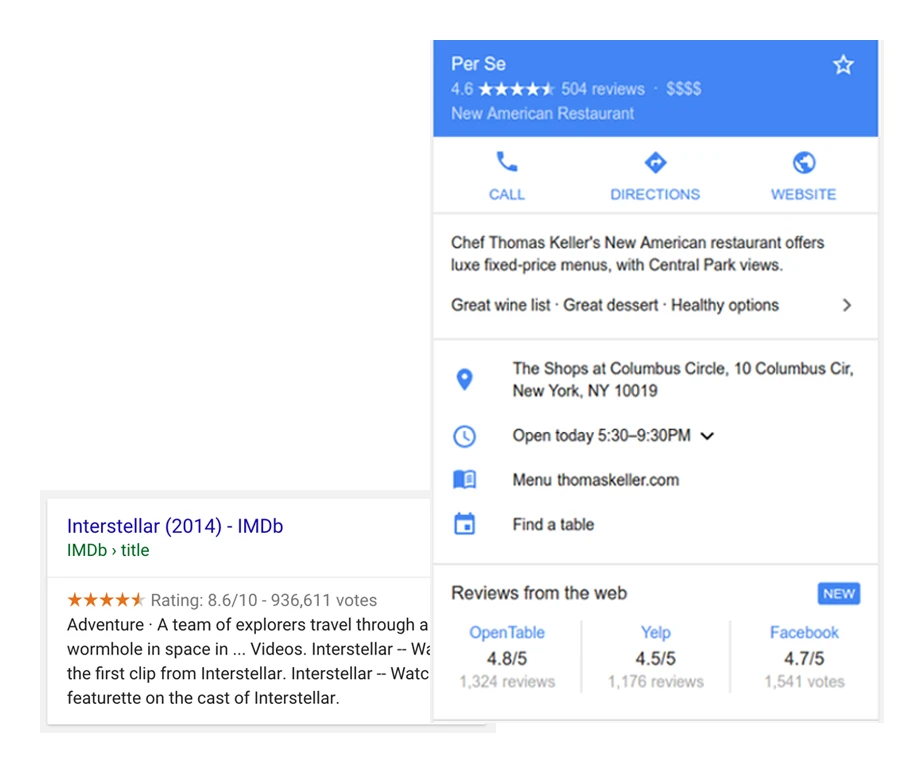
Reviews on Amazon can be genuinely helpful, as long as you approach them critically rather than relying solely on the average rating. In practice, the distribution of stars and the most recent reviews matter, because quality can vary between batches. If something looks suspicious, check the “Verified Purchase” label and make sure the comments are not about a different variant (e.g. a different colour or capacity) within the same product listing. In addition, the Q&A section helps clarify practical issues, but the answers often come from customers, so key specifications are best confirmed in the manufacturer’s specification.
Shopping risk rises with “bargain” offers and in categories prone to counterfeits, so it pays to know how to spot warning signs. “Amazon’s Choice” can be the result of a combination of availability, rating and a low return rate for a specific search term, while “Best Seller” indicates high sales in a category, but does not replace checking the specifications. For “Used”, the condition description remains key (e.g. Like New, Very Good, Acceptable), while “Amazon Renewed” means equipment refurbished under specific conditions, which can make sense if you accept possible signs of use. When doubts arise about authenticity (e.g. with cosmetics, supplements or electronic accessories), compare the serial number and packaging, check the manufacturer’s list of authorised sellers, and handle arrangements with the seller via Amazon’s messaging system.
- 01Sold by AmazonPredictable service, smooth returns.
- 02Third-party sellersVaried service and warranty quality.
- 03Check the profileRatings, return terms, reviews.
- 04FBA vs FBM shippingFBA: Faster delivery via Amazon.
The key to a successful purchase is an informed choice of seller and shipping method, not just the lowest price.
Returns, complaints and consumer rights: what is worth knowing?
Returns on Amazon usually work on a simple basis, with a return window of around 30 days from delivery being standard in many categories. There are exceptions, however — for example digital content, codes/top-ups and some hygiene products may not be covered by the standard rules once opened. In practice, you do not always have to give a reason for the return, but choosing one often streamlines the process and speeds up label generation. Before buying a “sensitive” product (e.g. hygiene products), check the return rules for that category, because the condition of the packaging may matter.
The easiest way to arrange a return is from “Your Orders”, by selecting the order and the “Return or Replace items” option. You then choose the return method and how to send it back, and Amazon usually generates a label and instructions, with the return parcel traceable like a standard package. A replacement (“Replace”) is sometimes available, but in practice this often ends up as “return and buy again”, especially with offers from third-party sellers. If you want to keep the promotional price, take screenshots and contact support — not always, but sometimes support is possible in such situations.
- Check the return window and category rules in “Your Orders” (especially for digital and hygiene products).
- Start “Return or Replace items” and choose the return method and how to send it back.
- Monitor the return status and look out for the “Refund issued” message if you are waiting for payment.
- In the event of transport damage, take photos of the packaging with the label, the fillers and the product damage itself.
- If the matter concerns a third-party seller and you cannot contact them, consider making a claim under A-to-z (if the situation requires it).
The refund depends on the payment method and the point at which the returned parcel is received, so the payout time can vary. On a card, money usually comes back after a few working days from the return being received; to a balance or gift card it often happens faster, while the bank may take 2–7 days to post the refund. If the parcel is returned to sender (e.g. because it was not collected or the address was incorrect), the refund amount may be reduced by shipping costs, depending on the terms of the offer. In the event of transport damage, photo documentation clearly makes it easier for the claim to be accepted, and sometimes Amazon asks for the product to be sent back, while at other times, after verification, it refunds the money without a return (depending on the category and value).
Consumer rights and the claims process in the EU depend on where and from whom you buy, so it is worth keeping the proof of purchase and all correspondence. In practice, the key factors are the laws of the country of sale and the seller’s terms, so in disputes a full set of documents and a record of the arrangements made matter. If you cannot resolve the matter through Amazon’s processes or directly with the seller, a bank chargeback for card transactions remains the “last resort” option. Before you initiate it, the bank may expect proof that you tried to resolve the dispute through the standard route (refund or claim).
Amazon’s ecosystem: services, devices and additional features
Amazon’s ecosystem includes digital services, apps and devices that expand the shopping platform into reading, listening, watching, smart home and data storage. In practice, alongside ordering products, you can use, among others, Kindle and Kindle Store, Prime Video, Amazon Music, Audible (in selected countries), as well as Echo devices with Alexa or Fire TV Stick. The range of functions and content availability vary depending on the account region and the version of the service. If you use several marketplaces (e.g. amazon.pl and amazon.de), always check the region settings, as they affect the content catalogue and the performance of selected services.
Kindle is an e-book reader and content ecosystem where you buy books in Kindle Store and synchronise them across devices. An e-book bought on Amazon can also work on a phone via the Kindle app, although title availability depends on the account region. If you run into restrictions when buying digital content, the cause is often the country set in the Kindle profile and the payment methods assigned to the region. As a result, the same title may be available in one country but not in another.
Prime Video in many regions is part of Prime, however the catalogue can differ significantly between countries, and some titles are additionally paid for (TVOD) or available only via channels, depending on the market. If a given film is still paid for despite Prime, it usually means that Prime does not automatically provide access to the entire library. Amazon Music comes in free and paid versions, and the offer (Music Prime/Unlimited) depends on the country, so within Prime you may have a limited catalogue or a different playback mode. Audible (in selected countries) provides audiobooks in a subscription and purchase model, often with a free trial period, although the rules after cancellation depend on the terms of the specific service.
Alexa is a voice assistant available on Echo devices, useful among other things for creating shopping lists, setting timers and controlling smart home devices (e.g. Philips Hue, TP-Link Kasa, Tado). Language support and local services are more limited than in English or German, which is why many people use Alexa in EN/DE. Fire TV Stick lets you launch streaming apps on your TV and is often chosen as an alternative to more expensive set-top boxes. Technically, Fire TV usually works in Poland, but app and catalogue availability depends on the account region and the VOD services you use.
AWS (Amazon Web Services) is Amazon’s cloud computing platform, not directly related to shopping, but representing an important part of the company’s business as online infrastructure for business (e.g. hosting, databases, AI). Amazon Photos enables photo backup, and in some regions Prime provides additional benefits relating to storage or features, although the details are best checked in the settings and the offer for the given country. Wish lists (Wish List) make it easier to track prices and plan gifts, and the link can be shared with family without revealing full address details (depending on settings). If privacy matters to you, it is worth checking sharing settings and login security, as access to data is linked to account security.
FAQ
Frequently asked questions
How does Amazon work as a shopping platform and marketplace?
Amazon combines a retail store and a marketplace in one service, so alongside Amazon’s own offers there are also third-party sellers’ offers. On the product page you can check who is selling the item and who is responsible for shipping.
Is an offer “Sold by Amazon” different from “Fulfilled by Amazon”?
Yes, because “Sold by Amazon” means the sale is made by Amazon itself, while “Fulfilled by Amazon” refers to a third-party seller whose shipping is handled by Amazon. This affects, among other things, delivery, returns and the predictability of service.
How can you check on Amazon who ships the product and which marketplace it is from?
The best approach is to look at the product page and the seller and delivery information, where labels such as “Sold by” and “Ships from Amazon” are visible. It is also worth checking whether you are buying in the correct regional version, for example amazon.pl or amazon.de.
Why can prices and delivery on Amazon differ between countries?
Because Amazon operates in many regional versions, and prices, availability and delivery terms depend on the country and warehouse. Shipping costs, VAT and the country of dispatch also matter.
What is the best way to search for a product on Amazon to find the right offer?
It helps to enter the full product name and use filters such as brand, price, rating, Prime or availability. For specific models, it is also worth checking the part number or model number.
How do delivery, Prime and shipment tracking work on Amazon?
The estimated delivery date is visible on the product page, and in “Your Orders” you can track the shipment status. Prime offers shopping benefits, but it does not automatically cover every offer or work identically in every country.