
How do AI chatbots affect conversion in e-commerce?
AI sales chatbots affect conversion when they shorten the journey from question to relevant product recommendation and purchase completion. You will verify this most reliably by measuring a separate conversion rate for sessions with the chatbot (e.g. “chat_assisted_purchase”) and comparing it with traffic without the chatbot in the same channel and on the same products. In many e-commerce stores, a sensible starting target is a +5–15% relative increase in CR within the segment of users who entered the conversation, while maintaining a similar margin. In practice, this means that an increase in the number of conversations alone is not the goal; the goal is a higher CR under comparable conditions.
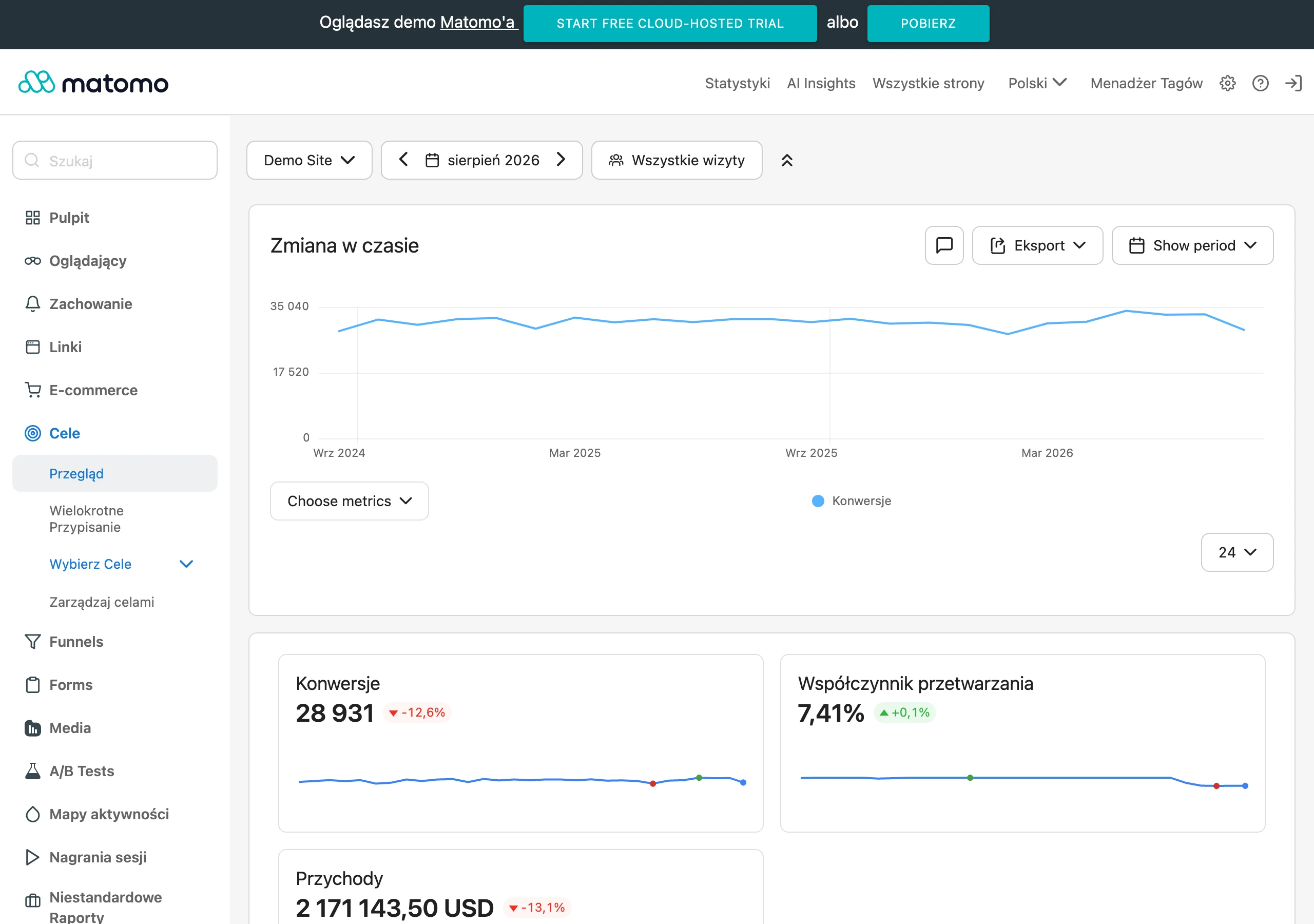
Conversion is also supported by “indirect” metrics that show whether the chatbot is genuinely helping with the choice: clicks to the PDP from the conversation, CTR on recommended products, and “Add to cart” after clicking. The reduction of basket abandonment also matters, because the chatbot often “rescues” the checkout by quickly clarifying delivery costs, fulfilment time, return policy or size availability. From a UX perspective, time to value counts: users expect the first sensible response within 1–3 seconds and a route to a recommendation within 2–4 messages, so it is worth measuring the median time to the first recommendation and to generating a basket/checkout link. To avoid over-attributing sales to the chatbot, events (e.g. “chat_interaction”) and a conservative 24–72h window from the conversation are helpful in attribution, or attribution only when the basket was generated by the chatbot.
- 01Shortened purchase journeyFast recommendation and completion.
- 02Measuring impactCompare CR: with chatbot vs. without.
- 03Real CR growthGoal: +5–15% in the chatbot segment.
- 04Indirect metricsCTR on recommendations and clicks to PDP.
The key is not the number of conversations, but conversion growth under comparable conditions.
Strategies for increasing average basket value using chatbots
Chatbots can increase average basket value (AOV), provided they use controlled cross-sell and upsell based on margin and availability. The best results come from rules embedded in the purchase context, e.g. “for trekking boots, add impregnation spray + spare laces” with a discount limit, rather than randomly chosen accessories. Upsell makes sense when the price difference is clearly justified by the benefit (e.g. better battery life, longer warranty, higher material standard), and the chatbot can show a comparison of options and ask about the customer’s priorities. This approach makes it possible to increase the basket without the impression of pushy selling, because the customer can see what they are paying extra for.
When increasing AOV, you also need to keep an eye on profitability, because aggressive upsell on low-margin add-ons can be worse than a smaller basket with a higher margin. That is why the chatbot KPI should include AOV and gross margin, not just basket value. Good recommendations also take availability and the estimated delivery date (ETA) into account, because customers often choose the product that “will arrive tomorrow”, even if it is slightly worse. In practice, it is worth limiting the number of suggestions (1–3 add-ons) and justifying each one in terms of usefulness: “So that it works straight after delivery, it is worth adding X.”
Reducing basket abandonment through chatbot interactions
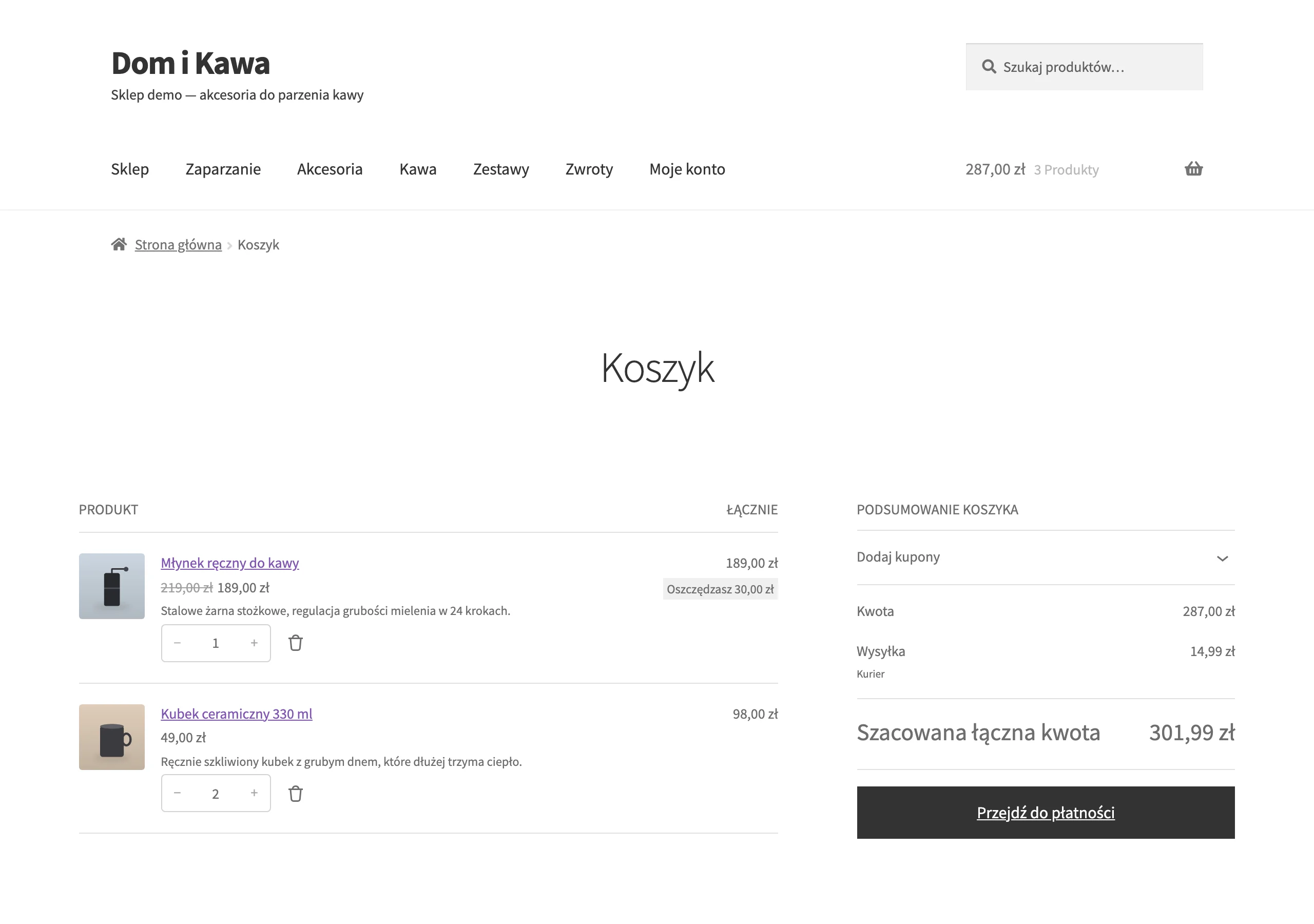
The chatbot reduces cart abandonment when it removes the last obstacles in checkout faster than the user has time to leave the page. Usually, this means clarifying delivery costs, fulfilment time, return rules and variant availability (e.g. size), without sending the customer to the FAQ. It is worth designing interactions here as micro-help (e.g. explaining a problem with the delivery method), rather than as an extended sales dialogue. This scenario increases the chance that the customer completes payment instead of “putting it off until later”.
The easiest way to assess effectiveness is by measuring the drop in abandonment in sessions with interaction and the number of “saved carts” after the chatbot intervenes in checkout. As a KPI, you can assume, for example, a drop in abandonment in sessions with the chatbot (e.g. from 70% to 62%) and the number of carts that end in completion after the conversation. If you also generate a cart or checkout link, monitor the time taken to reach that point, because it has a direct impact on closing the transaction. It is also worth tagging the reasons for the blocker (delivery, payment, size), so that you can improve the process and content later.
- 01Quick diagnosisRemoves the last obstacles in checkout.
- 02Micro-helpA short interaction without sending users to the FAQ.
- 03Completing paymentIncreases the chance of completion.
- 04Drop in abandonmentMeasured in sessions with interaction.
A chatbot as a lightning-fast assistant in checkout genuinely increases conversion and the number of saved carts.
Designing conversations and UX for sales chatbots
Effective sales chatbot UX comes down to leading the customer from purchase intent to a concrete “success point”, such as choosing a product, going to the product detail page (PDP) or adding to cart. It is a good idea to start planning dialogues by mapping intents from the shop search, chat, email and call centre (e.g. “which size should I choose”, “does it fit X”, “when will it be delivered”), and then turn them into scenarios. For each intent, it is worth defining a clear end to the conversation so that the chatbot does not circle around generalities. This also streamlines event analytics and makes it possible to compare which paths genuinely support sales.
A sales conversation performs best when the chatbot asks short qualifying questions and gives answers in a format that shortens the path to a decision. In practice, 3–5 qualifying questions (budget, use case, parameters, preferences) are often enough to increase the relevance of recommendations and reduce returns. On the interface side, a hybrid variant usually works best: quick replies (e.g. selecting a variant) and product cards with price, availability, delivery information and a “Add to cart” CTA. It can also help to compare 2–3 products by highlighting differences (e.g. battery, weight, warranty), because this shortens decision time without overloading the content.
- Map purchase intents and define a “success point” for them (e.g. choosing 1 of 3 products, going to PDP, adding to cart).
- Use short qualifying questions instead of a monologue to match recommendations more closely to the customer’s needs.
- Combine chat with UI elements: quick replies and product cards with key data and a CTA.
- When data is missing, communicate uncertainty and suggest the next step (clarification, official specification or escalation to a consultant).
- For critical questions (delivery, returns, payments), use microcopy with links to the terms and policies to close the purchase faster.
The chatbot should sound consistent with the brand and be able to safely “hand over” the conversation to a human when the risk of losing the sale increases. To do this, you define the “voice & tone” and a list of forbidden phrases (e.g. no “lowest price” promises), and then check on real conversations whether the language undermines trust. Escalation rules can take into account, among other things, a high cart value (e.g. >1500 zł), a B2B customer, 2× failure to understand the intent, or a request to negotiate or invoice with an unusual NIP, while the handover should include full context. For objections such as “it’s too expensive” or “I found it cheaper”, a response library based on value usually works better (e.g. differences in warranty, delivery time, return policy, service availability, product authenticity) and discount limits with conditions, so as not to eat into margin.
Integrating chatbots with e-commerce platforms and ERP systems
Integrations with the e-commerce platform and ERP are needed so that the sales chatbot works with up-to-date prices, variants, promotions and stock levels, rather than just descriptions. In practice, this means connecting to the product catalogue, variants (e.g. size/colour), promotional prices and availability via the platform API (e.g. Shopify Admin API, WooCommerce REST API or Magento GraphQL). Without such a connection, the chatbot may give an out-of-date price or incorrect availability, which directly worsens the shopping experience. This layer is best treated as the foundation for recommendations and cart generation.
Integration with PIM/ERP is crucial when product data is dispersed, because it allows the chatbot to be fed from one “single source of truth” for attributes and from ERP for stock levels and delivery times. Attribute mapping (e.g. compatibility, material, certifications) is best kept in PIM, and the chatbot should read standardised fields so it does not mix product versions. A typical setup is Akeneo as the PIM + Baselinker for marketplace synchronisation, with the chatbot using the same consistent attributes. The more the catalogue is based on variants and critical parameters, the more integrations reduce the risk of incorrect answers and bad recommendations.
The integration layer should also cover operations and security if the chatbot is to perform store actions. In a function-calling approach, specific operations are defined (e.g. “search_products”, “get_stock”, “create_cart”, “get_order_status”), and then restricted with a list of allowed actions and logging. For payments, the chatbot can create a prefill basket and generate a checkout link, and in some implementations also a payment link (e.g. Stripe Payment Link) for simple cases, but it should not collect full card details or sensitive data in chat. For consistent measurement of the impact of integrations on the purchase journey, it is also worth sending events to analytics (GA4, Mixpanel, Amplitude), such as clicking a recommendation, adding to basket from chat or completing a purchase.
- 01Data foundationProduct catalogue, variants
- 02API connectionSynchronisation (Shopify, Magento)
- 03Up-to-date informationPrices, promotions, stock levels
- 04Intelligent salesRecommendations, basket generation
Integration with PIM/ERP creates a single source of truth, giving the chatbot up-to-date data for a better shopping experience and effective recommendations.
Personalisation and product recommendations in AI chatbots
Personalisation and recommendations in AI chatbots work best when they stem from the customer’s real need, rather than from product names alone. Does the user always know the right terms to give the parameters straight away. That is why the chatbot should start with the use case (e.g. “a gift for an 8-year-old” or “a router for a 70 m² flat”), and only then move on to the parameters. This approach reduces friction in the conversation and leads more quickly to accurate suggestions. As a result, the recommendation is understandable, because it comes from context rather than a “random” list of products.
Personalisation is particularly valuable for returning customers, because you can connect the conversation with purchase and behavioural history to suggest accessories compatible with the previous choice and send recurring reminders. The condition remains customer identification (login, email, cookie) and consistent privacy rules. It is a good idea to state clearly that the recommendations are based on history. Segmentation (new vs returning vs VIP) makes it possible to steer the dialogue differently. VIP customers often expect an immediate response and may be given the option to contact an advisor or use express checkout straight away, while a new user — “top 3” suggestions with a short explanation of the differences and return conditions. The safest form of selling is personalisation that is understandable to the customer and based on compatibility, availability and the actual context of the conversation.
Cross-sell and upsell should result from usability, compatibility and the “value ladder”, rather than from maximising price alone. It works well to suggest 1–3 add-ons that naturally increase the value of the purchase (e.g. for a camera: an SD card + a case), and upsell only when the difference is clearly justified (e.g. a better battery, extra years of warranty, a higher material standard) and the customer signals the relevant need. In promotions and coupons, policy is key: maximum discount per intent (e.g. 5%), minimum basket value, brand exclusions and decision logging, so you do not burn margin unnecessarily. An alternative is, for example, free delivery above a certain amount instead of a price reduction. Real-time recommendations should take availability and ETA into account, because customers often choose the product that “will arrive tomorrow”, even if it is slightly worse.
Protection against “bad personalisation” consists in avoiding an overly personal tone and giving the user control over context. Instead of revealing the source of the data (“I know you were browsing…”), it is better to use neutral phrasing (“I can also show models similar to the ones you viewed”), and also add the option to reset the context and switch off personalisation. If the chatbot serves multiple markets, it should recognise language and currency and avoid mixing PLN and EUR. It is also worth remembering accessibility: keyboard support, clear button labels, the ability to increase the font size and a “compact mode” option (less text, more lists) support users with different needs.
Data security and GDPR compliance in the context of chatbots
GDPR compliance in sales chatbots comes down to data minimisation, respecting consent and tight control over access to the systems the chatbot uses. Collect only the information needed to achieve the purpose of the conversation (e.g. order number + email for verification), and process marketing data only after the user has given explicit consent. Set a retention policy, e.g. anonymisation of transcripts after 90 days or pseudonymisation, and ensure the exercise of user rights (access, deletion, objection). If the conversation is to be linked to a customer account, use SSO or secure session tokens, and in the marketing context record whether the customer consented to being contacted after the conversation (e.g. in a Consent Mode model).
Integration security requires that the chatbot does not become a “back door” to store tools and order data. Store API keys in secret managers (AWS Secrets Manager, Azure Key Vault), and gate access to tool actions by roles (RBAC) and the principle of least privilege. For order operations, add extra verification (e.g. a token from email/SMS), rather than relying solely on the chat. At the same time, protect yourself against prompt injection and data leakage: treat external content as untrusted, separate it from system instructions, and filter RAG outputs, annotating them with sources.
Auditability is crucial when there is a dispute over what the chatbot promised or what information it passed on to the customer. Log the prompt version, model version, documents/sources used, tool calls and their output, and the final response so that the conversation flow can be reconstructed. This approach also helps reduce hallucinations: verify whether critical data (e.g. price and availability) comes from the API, and when the confidence level is low, trigger a safe “fallback” (clarification or escalation). This makes it easier to determine whether an error resulted from the data (e.g. an attribute in the PIM), tool configuration, or the knowledge sources.
Deployment and optimisation of chatbots: best practices
The best sales chatbot implementations start with a PoC for one measurable use case, and only later move into production with full monitoring and defined processes. The PoC should include integration with at least the catalogue and availability, because without that it is hard to assess the impact on sales reliably. In the production environment, further layers are added: event analytics, security policies, escalation procedures and a knowledge update mechanism. If the chatbot is to “sell”, its effectiveness is usually limited not by the model, but by the quality of product data and properly integrated systems.
Optimisation only makes sense when it is based on data from tests and conversations, not just opinions. Run A/B tests (part of the traffic with the chatbot, part without) and compare results in segments (e.g. new/returning, mobile/desktop, acquisition channel), also checking dialogue variants and the display timing. Use anonymous transcripts to draw conclusions from interactions: identify intents, gaps in answers, escalation situations and the causes of low CSAT, then refine prompts, sources in RAG and tool rules before you even consider fine-tuning. From an organisational perspective, co-ownership works best: e-commerce/sales looks after KPIs and scenarios, customer support takes on processes and escalations, and IT/data is responsible for integrations and security, with a weekly rhythm of conversation reviews and a monthly backlog of improvements.
- Make sure you have up-to-date prices and stock levels, as well as clear return policies, before you launch the chatbot in production.
- Introduce safe escalation, logging and monitoring so that you can control quality and reproduce the chatbot’s decisions.
- Check the key intents (delivery, payment, size, compatibility) and run “red team” tests for hallucinations, fraud attempts and prompt injection.
Maintaining a chatbot means being ready for seasonality and systematically updating data and documents. For traffic peaks (e.g. Black Friday, Christmas), prepare separate scenarios covering promotion terms, availability, restrictions and delivery times, and also apply autoscaling and caching for the most common questions so response time does not increase with 10× traffic. Organise the update pipeline: daily import of the catalogue and prices, immediate stock updates, and versioning of terms and conditions/FAQs with the effective date, and after changes run regression tests on a set of the most common questions. When calculating profitability, take TCO into account: chat platform licences (e.g. Intercom, Zendesk), LLM costs (tokens), the vector database, integrations (implementation and maintenance), and the team’s time spent analysing conversations, because in practice integrations and data quality are often the biggest cost.
FAQ
Frequently asked questions
How do AI sales chatbots affect conversion in e-commerce?
They do so when they quickly guide the user from question to the right recommendation and purchase completion. It is worth measuring effectiveness with a separate conversion rate for chatbot sessions and comparing it with traffic without the chatbot.
Can a chatbot in an online store increase average order value?
Yes, if it uses controlled cross-sell and upsell based on margin, availability and buying context. It is best to offer 1–3 useful add-ons and explain why they are worth choosing.
Why should a sales chatbot ask short qualifying questions?
Because 3–5 qualifying questions help better match the recommendation to the customer’s needs and reduce the risk of returns. A short, structured conversation leads more quickly to the purchase decision.
When does a chatbot help reduce cart abandonment?
When it removes the final blockers in checkout, such as delivery costs, fulfilment time, returns or variant availability. Then, instead of sending users to the FAQ, it provides quick micro-support and makes it easier to complete payment.
What integrations are needed for a chatbot to have up-to-date product data?
It needs connections to the e-commerce platform and ERP, and with distributed data also to PIM. This ensures the chatbot uses up-to-date prices, variants, stock levels and delivery times.
What should the UX of a sales chatbot include to sell more effectively?
It should lead to a concrete success point, for example selecting a product, moving to the PDP or adding to the cart. Quick replies, product cards with key data and clear CTA all help.