

High traffic from a campaign is not yet proof that the campaign is working. Most often the problem is prosaic: the ads attract people who click, but do nothing of value. The budget disappears. The reports look decent, and yet sales or lead quality are still flat. The key is not how many people visited the site, but whether the right people came with the right intent. The question is whether this traffic makes business sense. To check that, you need to connect ad data with on-site behaviour and with the actual result, not just with what “looks nice” in the dashboard. In practice, it is about quickly spotting segments that generate nothing but cost and cloud the picture of campaign performance.
What is detecting bad traffic?
Detecting bad traffic means verifying whether a campaign attracts users who genuinely fit its goal. In short: whether the people coming in are the ones you want, rather than those who only inflate the counters. If the goal is a sale, a lead or contact, traffic should end in actions showing readiness to buy or at least genuine interest in the offer. A click alone means little when the user disappears after a second or lands on a page that has nothing to do with their need.
In practice, it is not only about a low conversion count, but about a mismatch between the ad, the user’s intent and the landing page. A campaign may have a high CTR, a low cost per click and plenty of sessions, and yet still deliver informational, accidental or simply irrelevant traffic. And that is not a cliché. Bad traffic often looks good in the ad dashboard, but poor in business data.
Assessing traffic quality requires looking beyond a single metric. The key is to compare traffic sources with on-site behaviour: visits to important sections, CTA clicks, forms, calls and whether the lead was later accepted in the CRM. The data makes one thing clear: CTR and CPC are only signals, not a verdict. You do not assess traffic quality by CTR or CPC, but by whether the user carries out actions aligned with the campaign goal.
Today, such diagnosis can be more difficult because some data is limited by consent, conversion modelling and reduced user visibility in analytics tools. The problem is that the less you can see, the easier it is to confuse noise with performance. That is why first-party data, micro-events, observing on-site behaviour and lead status on the sales side matter more. The better connected the data from ads, analytics and CRM are, the easier it is to distinguish valuable traffic from traffic that has merely inflated the statistics.
What are the most common causes of bad traffic?
The most common causes of bad traffic are mismatched targeting, incorrect keywords, overly broad campaign settings and inconsistency between the ad and the landing page. That sounds technical, but the effects are very down to earth: you pay for visits that have no chance of turning into results. In search campaigns, the problem often starts with queries with informational intent when the campaign goal is sales or lead generation. In display and social campaigns, a common cause is too broad an audience or placement in places that generate accidental clicks.
Most often, the issue starts with automation left to run “wild”. Broad match, smart bidding strategies and expanded targeting can deliver more visits, but they also let in audiences with weak intent. The problem is that without regular analysis of the search terms report, placements, devices and locations, it is easy to miss where low-quality traffic is actually coming from.
The second classic issue is a disconnect between the ad promise and the landing page. A click may be “correct”, but if the user does not immediately see the service, price, location or offer they expected after arriving, they will leave without hesitation. If the ad promises something different from what the landing page shows after the click, even a correct click turns into bad traffic.
There are also placements that simply spoil the picture. Particularly in apps, partner networks and on mobile devices, you come across low-quality inventory where clicks are cheap, but intent is almost zero. Such traffic often ends in short sessions, few interactions and a high share of new users who do not return. And that does not necessarily mean the whole campaign is rubbish, but it usually points to a segment to exclude or split out.
Do not skip measurement either, because it can cause quite a mess. Missing UTMs, incorrectly set up events, duplicate conversions, an incorrect offline data import or an inconsistent lead definition can create a completely false picture of traffic quality. Measurement errors can masquerade as a traffic quality problem, when in fact the issue lies in the data. The key is therefore that before changing targeting, you should first check whether analytics is measuring exactly what translates into business results.
How do you assess traffic quality in advertising campaigns?
Traffic quality is verified simply. Not by the number of visits, but by whether users carry out actions aligned with the business goal. If a campaign is meant to sell, what counts are purchases, add-to-carts, visits to the offer and completed transactions, not a nice-looking chart in the report. If it is meant to generate leads, more important than the number of forms is the quality of the contacts, meaning whether the data is correct, relevant and accepted by sales. Good traffic is traffic that moves the user closer to a business result, not just traffic that improves the stats in the ad dashboard.
Start by matching traffic sources against user intent. In search campaigns, check whether the queries are transactional, comparison-based or merely informational, because each type carries a different value. In display, social and performance campaigns, assess whether the targeting reaches audiences who can realistically buy or send an enquiry, rather than those who click out of pure curiosity.
Then look at what happens after the click. Look at landing page views, engaged sessions, transitions to key sections, CTA clicks, form abandonment, add-to-carts and returns to the site. The question is whether the user does anything meaningful, or just “skims” through the page. CTR and a low cost per click still tell you nothing about traffic quality if the user does nothing valuable on the site.
Quality is not assessed “as a whole”. Segment it ruthlessly. Compare campaigns, ad groups, keywords, creatives, devices, locations, ad schedules, placements and landing pages separately. Bad traffic rarely floods the whole campaign at once; more often it sits quietly in one segment and drags the overall result down.
Without connecting ads to analytics and CRM, you are flying blind. The platform may report conversions, but only CRM will show whether these were valuable leads, spam, enquiries outside the offer, or contacts from an area the company does not even serve. If the ad platform declares success, and sales rejects most of the leads, the problem is usually traffic quality or the conversion definition itself. And the question is not “are there conversions”, but “what kind of conversions are they”.
There are also measurement limitations. And they can really mess with your head. No UTM, poorly configured events, conversion duplication, no import of offline conversions, or an inconsistent lead definition can completely turn the diagnosis on its head. Before you decide the traffic is bad, make sure you are measuring the right events and comparing the same definitions across all tools, not “similar” ones.
In practice, focus first and foremost on mobile and places where accidental clicks are easy. Mobile traffic, apps, partner networks and display placements more often deliver accidental clicks, very short sessions and visits with no further interaction. When you see high traffic volume with weak engagement, start with these segments rather than instinctively cutting budget across the whole campaign.
What steps should you take to detect bad traffic type?
You will spot bad traffic type not through intuition, but through structured analysis. Go step by step: campaign goal, measurement, traffic sources, on-site behaviour and, finally, the quality of the outcome that really matters. The key is not to start with cost or click volume, but with the user you define as the right one. Only then do you know which data is a signal of quality and which is just noise. Put it another way: without a definition of a “good user”, even the best report becomes decoration.
- Establish which conversion is truly valuable and what the right user looks like, not “some lead”.
- Check measurement accuracy in GA4, GTM, pixels, UTMs, call tracking and conversion import, including whether anything is duplicating.
- Break the data down into segments: campaign, ad group, keyword, creative, device, location, time of day, landing page and placement, then look for the weakest link.
- Analyse entry intent, especially in the search terms report and in broad match, because that is where “traffic for traffic’s sake” is easiest to find.
- Assess behaviour after the click: landing page entry, scrolling, CTA clicks, transitions to the offer, form abandonment and cart abandonment, in other words what really says something about interest.
- Connect the data with CRM and check which segments deliver accepted leads, and which only technical conversions with no business value.
- Identify patterns of low quality and make a decision: exclusion, narrowing, campaign separation or a landing page change, not “small tweaks” that make no difference.
- After implementing changes, compare traffic quality and result quality, not just an increase or decrease in click volume.
The first step is critical. Without a definition of quality, it is easy to squeeze a “result” out of a campaign that is just a number in a report, not a real business outcome. For one company, what matters is a phone call from a customer in a specific region; for another, a basket above a set amount; and for yet another, a form submission from an organisation in a selected sector. The question is: what is a conversion for you, really. If you count every form submission as a conversion, the campaign may learn to deliver leads that are completely useless as well.
The second step is verifying measurement. Technical errors surprisingly often disguise themselves as a “traffic problem”, and then the diagnosis goes off in the wrong direction. If events are duplicated, the form triggers a conversion despite a validation error, or offline sales import is missing, the report will show a false picture of performance. And that is not a detail, but the foundation. In practice, go through several real user journeys, from clicking the ad all the way to the final outcome, and see whether everything joins up into one continuous flow.
In search campaigns, the search terms report tells you a lot. It shows at a glance whether the ad is gathering generic, informational, accidental or simply irrelevant queries. It is not about “traffic”, but about intent. Regularly adding negative keywords is one of the fastest ways to cut off bad traffic.
In campaigns based on reach and automation, placements, devices and audiences need to be checked separately. Broad targeting, partner networks, apps and uncontrolled placements can increase volume, but they will not deliver quality. The fact is that the algorithm likes shortcuts. If after broadening targeting the number of clicks rises, but leads or sales remain flat, it is usually a sign that the system has found easy but low-value traffic.
The next step is analysing the landing page. Even a correct click will turn into bad traffic if the ad promises a specific service, price or location, but the landing page does not confirm it immediately. Instead of continuity, you get friction. The user lands on the page, does not see what they expected, and leaves, even though the problem was not the delivery itself, but the lack of consistency after the click.
At the end, you need to close the loop with sales data. Assess not only cost per lead, but also the share of valid leads, rejected leads, sales-qualified leads and the average order value from a given source. Without this, you are fighting a shadow. Only by connecting the campaign with CRM can you tell cheap traffic from traffic that actually makes money.
After implementing changes, do not judge them too quickly. And do not focus solely on the drop in traffic, because that is often the price of getting things in order. Good optimisation can cut the number of clicks, but it increases audience fit and result quality. What matters is what remains at the end of the funnel, not what flashes in the top-line tables. In practice, the campaign that wins is not the one with the biggest volume, but the one that leaves behind more of the right actions and less costly noise.
What measurement errors can affect traffic diagnosis?
The most common things affecting traffic diagnosis are mundane: errors in tagging, conversion definitions and data joining between ad systems, analytics and CRM. Measurement can “drift out of sync” and then it is just as easy to judge traffic as excellent as it is as terrible, except for completely the wrong reason. In practice, the campaign itself is often not to blame, but the fact that the report tells a different story from what happens after the click. First, check whether the data is reliable, and only then assess traffic quality.
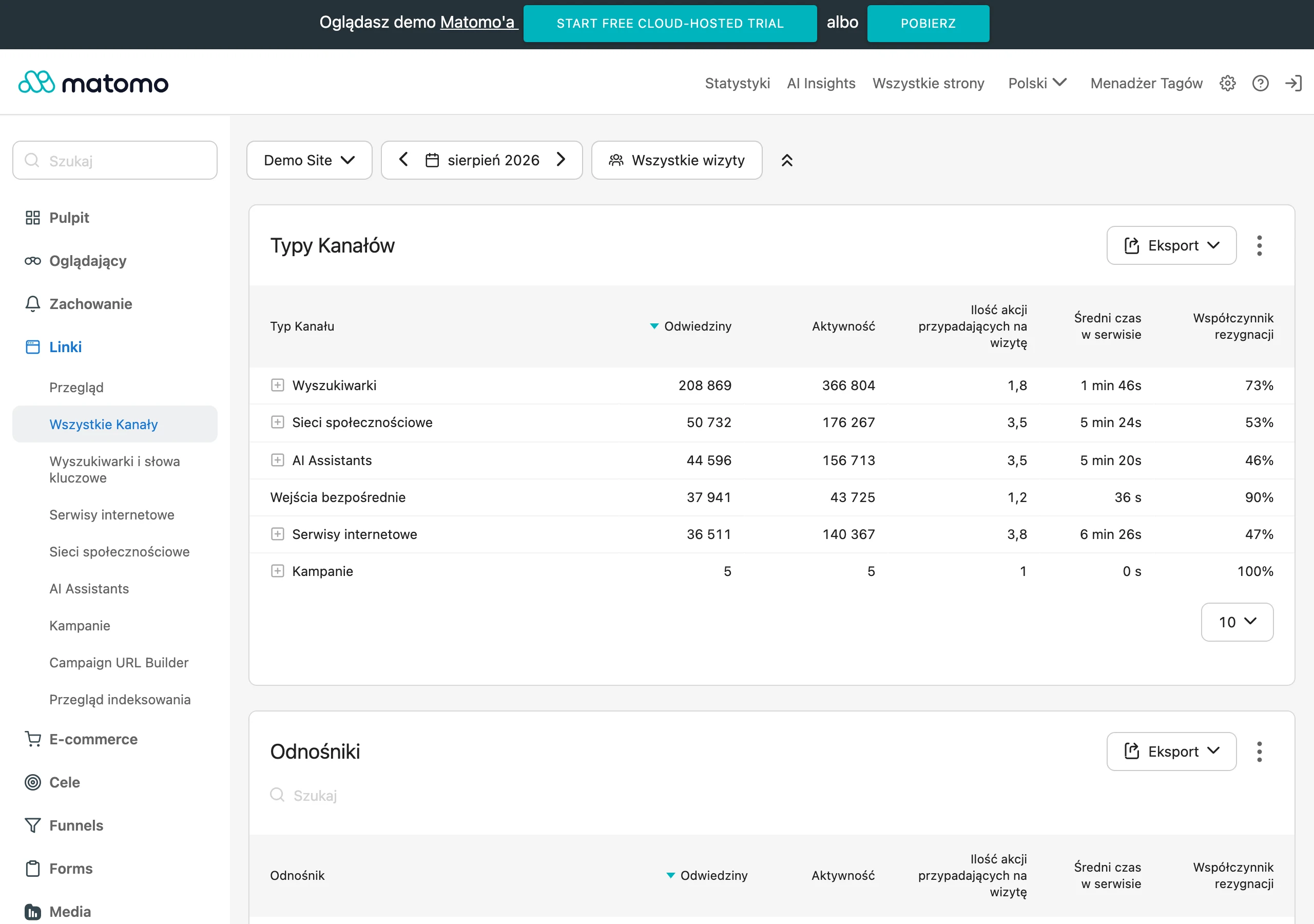
A common mistake. Poorly configured events in GA4 and Google Tag Manager can completely throw off the analysis. A form may count a conversion as soon as the thank-you page loads, even though the user did not submit anything, or one submission may be counted several times. A wrongly configured advertising pixel can similarly “help” by attributing conversions to a campaign even though no valuable contact or sale actually took place.
Gaps in traffic source tagging also have a major impact. When UTM parameters are incomplete, inconsistent or overwritten by redirects, traffic ends up in the wrong channels and segments. And then the number theatre begins. The campaign looks weak, even though part of its effect “falls into” direct, organic or another campaign’s traffic. If the entry source is wrong, the whole subsequent analysis of intent and quality becomes of little use.
Another problem is the lack of data on quality from the sales side. A form on its own proves nothing. It does not say whether the lead was valid, whether it matched the offer, or whether it had any chance of closing as a sale at all. Without importing offline conversions or at least lead statuses in the CRM, the advertising system is optimised for technical form submissions rather than real business value.
An inconsistent conversion definition can also be misleading. Marketing treats every enquiry as a lead, while the sales team rejects half of the contacts as spam, the wrong region or the wrong service category. On top of that come consent limitations, conversion modelling, cookie blocking and attribution differences between platforms, which widen the data gap. The question is: whom do you trust then. If the ad platform shows conversions but the CRM shows no valuable contacts, that is a warning sign for the measurement or the traffic quality.
What operational actions will improve traffic quality?
Traffic quality improves operationally, not through declarations. Narrowing delivery, separating user intent, refining ad messages and basing optimisation on real lead or sales quality data do the heaviest lifting here. The most effective actions are usually simple, but they require discipline in segment analysis and consistency in cutting what “gets clicks nicely” but does not deliver. The aim is to cut off clicks that have no chance of moving to the next stage. Do not optimise a campaign for cheap clicks or a high CTR if the goal is sales or a quality lead.
The first step is simple: define what you call a quality conversion. Measure form submission, valid lead, accepted lead, phone call, add to basket and final sale separately, because only then can you see the difference between “traffic” and a real result. This immediately reveals which campaigns only pump up activity and which ones actually deliver users aligned with the business goal.
In search campaigns, you need to make a habit of checking the search terms report, match types and exclusion lists. That is usually where you can clearly see whether the campaign is attracting informational, accidental or simply irrelevant traffic. You sell a service, and the ads pick up queries such as “what is”, “how does it work” or “free”. The traffic can be cheap then, but what is the point if it is of little use. The search terms report is one of the quickest places to detect and trim bad traffic.
Break the analysis down by devices, locations, serving times, placements, creatives and landing pages. This matters. Bad traffic almost never spreads evenly across the whole campaign, so looking for the problem in the “average” is often a waste of time. Often the issue sits in one segment, for example in mobile apps, in locations outside the service area or in hours that generate lots of accidental contacts. When the data confirms it, those segments need to be restricted or simply switched off.
Consistency between the ad and the landing page also helps a great deal. And that is not a cliché. If an ad promises a specific service, price, location or delivery date, the user should see that immediately after landing on the site, not after clicking through half the menu. Otherwise, even a well-targeted click turns into a poor session, because the audience does not get confirmation that they have arrived at the right address. You can ruin good traffic with a mismatched landing page faster than with poor targeting.
If the campaign has a lead generation goal, it is time to tidy up the form and contact handling. The question is: is this lead even real. Qualifying fields, phone number or email validation, spam protection and passing lead status from the CRM to the advertising system all help. Then the algorithm gets a better signal, and the team can more quickly separate valuable enquiries from accidental ones.
At the end, the dullest but also the most important thing remains: ongoing validation after changes. After every adjustment, compare not only clicks and cost, but also visits to key sections, form quality, the share of accepted leads and sales results. A drop in traffic after optimisation does not have to be a problem if, alongside it, some of the visits that were previously only draining the budget also disappear.
What tools are key for analysing and optimising traffic?
The tools that matter are the ones that can connect the click source with the real user quality after landing on the site and with the business outcome. The ad platform alone will not deliver, because it mainly shows delivery, clicks and “attributed” conversions. For a proper diagnosis, you need to bring together data from web analytics, the ad system, CRM and behavioural observation tools. The most important thing is not where the traffic came from, but whether that traffic does exactly what the campaign expects on the site.
- GA4 — for analysing sessions, events, user paths, traffic segments, engagement and journeys to key sections.
- Google Tag Manager — for checking whether tracking is working properly and whether events, forms, clicks and conversions are measured without errors.
- Ad platforms — Google Ads, Meta Ads and others are used to analyse campaigns, ad groups, keywords, creatives, placements, devices, locations and delivery schedules.
- CRM or sales system — for assessing which leads are accepted, which are spam, outside the offer or do not result in sales.
- Hotjar or Microsoft Clarity — for checking how users actually move around the site, where they stop, what they skip and where they drop off.
- Search Console — for verifying search intent and comparing whether the campaign language matches what users are actually looking for.
- Looker Studio or reporting spreadsheets — for combining data from several sources and comparing traffic quality between segments.
- Server logs and call tracking — useful when you need to detect unusual traffic, spam, bots or discrepancies between forms and calls.
GA4 is often the starting point. And rightly so, because it shows what happens after the click, not just “whether someone came in”. In practice, it is better to look not only at the conversion rate, but also at landing page views, engaged sessions, CTA clicks, journeys to the offer, form abandonment and differences between devices. The question is: does the user even have a reason to go any further. If a campaign generates a lot of visits, but people do not reach the key sections of the site, the problem is usually intent mismatch or simply a bad landing page.
Google Tag Manager and implementation checks are critical. Without reliable measurement, the next conclusions are built on sand, not data. You need to regularly check whether forms are counted once, whether UTM parameters are passed through, whether events are firing too early and whether conversion imports are working in line with the lead definition. And here is the catch: tagging errors can pretend to be “poor traffic quality”. Very often “bad traffic” turns out to be simply the result of poor measurement, not a real campaign problem.
The ad platform is the first filter. Without it, it is hard to pinpoint the segment that is damaging traffic quality. That is exactly where you can see whether the problem concerns specific queries, broad match, particular audiences, apps, placements, locations or time of day. In search campaigns, the search terms report is crucial, because within minutes it exposes informational, accidental and simply non-commercial traffic. The question is whether that traffic has any right to be in your campaign at all.
CRM closes the loop. And only it tells you whether the conversion had value. The platform may report a lead, but the sales team may reject it as not fitting the offer, outside the service area or lacking real purchase intent. If you do not connect campaigns with CRM, it is easy to optimise budget for forms that look good in the report but add nothing to sales.
Heatmap and session recording tools are invaluable when the numbers stay silent. Metrics alone will show a drop, but they will not say why. Only recordings and heatmaps let you see whether the user does not understand the offer, cannot see the button, lands on an unreadable form or leaves the site right after loading. It is a simple way to tell bad traffic from a situation where the traffic is right but the site is blocking conversion. And then the problem is not the ad, but the on-site experience.
The best results come not from a single tool, but from connecting them into a simple analytical process. First you verify measurement, then you check the source and traffic segment, then you analyse on-site behaviour, and finally you confirm quality in CRM. Only this setup allows you to distinguish expensive but valuable traffic from traffic that is cheap, noisy and commercially useless.
FAQ
Frequently asked questions
How do you check whether a campaign generates bad traffic?
You need to compare the sources of visits with on-site behaviour and the real business outcome. If users click but do not complete valuable actions, the traffic is off target.
Does a high CTR mean that campaign traffic is high quality?
No, CTR and CPC are only signals, not a quality assessment. Quality is determined by whether the user does something aligned with the campaign goal.
Why can an ad bring in people who do nothing on the site?
Most often the reason is a mismatch between the ad, the user’s intent and the landing page. The problem can also be overly broad campaign settings, wrong keywords or accidental clicks from certain placements.
Which segments most often generate bad traffic in campaigns?
The problem is often visible in mobile traffic, apps, partner networks and uncontrolled placements. Bad traffic can also sit in a single keyword, ad group, location or creative.
What is worth checking before you conclude that traffic quality is the problem?
First you need to verify measurement: UTMs, events, conversion duplication and offline data imports. Technical errors can imitate a traffic problem, when in fact the issue lies in the data.
How do you assess whether campaign traffic is commercially valuable?
Check whether users complete actions aligned with the goal, for example visiting the offer, clicking the CTA, adding to basket or submitting qualified leads. In lead generation campaigns, sales acceptance of contacts in the CRM is also important.