
Strategy and goals for a fanpage: how to set priorities and success metrics
You can set a fanpage’s priorities most easily when you start by choosing one dominant communications objective and assign specific KPI to it. A fanpage can sell (lead/sales), build reach, support customer service or recruit — and each of these directions requires different content and a different “call to action”. Without a goal and metrics, it is easy to fall into publishing random posts that build neither results nor trust. At the outset, define where you want traffic to go: to a shop, landing page, Messenger, an event or a FB group, because this affects the structure of posts.
Success metrics should be simple, measurable and linked to user intent, not just to the number of reactions. For sales and leads, sensible metrics are, for example, link CTR >1.5% and cost per lead (CPL) <20 zł, and for customer service — response time in messages <2 h. To avoid “mixing” communication, plan content according to the stages of the user journey: discovery (education), consideration (comparisons), decision (offer), loyalty (after-sales care). If you have several audience groups, split the series (e.g. beginners/advanced or B2C/B2B), so that everyone can more quickly think: “this is for me”.
- Choose the fanpage objective: sales/lead, reach, customer service or recruitment.
- Assign KPI to the objective: e.g. link CTR >1.5%, CPL <20 zł, response time in DM <2 h.
- Define where you are leading the audience: landing page, shop, Messenger, event or group.
- Match content to the journey stage: education → comparisons → offer → care.
Strategic consistency is also supported by a well-defined persona and clear communication guidelines. Write with a specific person in mind: their age, problems, language and the reason they use Facebook (entertainment, quick advice, opinions), because this determines the length and format of the message. Decide whether you address people as “you” or as “sir/madam”, which words you avoid (e.g. industry jargon) and how you respond to criticism, so that posts and comments sound like they come from one brand. It is also worth reviewing 5–10 competitors: which formats attract reactions, which topics recur regularly and where there is a gap you can fill with “how to choose” advice or case studies with numbers.
- 01Choose one goalThe dominant communications direction.
- 02Assign metrics (KPI)Simple, measurable, linked.
- 03Define where you are leading peopleShop, landing page, Messenger, group.
- 04Adapt content and CTAConsistency with the goal and intent.
The key is to set one goal and metrics, so as to avoid publishing random content and build measurable success.
Creating valuable content: how to write to attract and hold attention
Valuable content on a fanpage is content that speaks directly to the audience’s questions and gives specifics instead of circling around generalities. The best-performing pillars are based on real needs: education that solves problems (e.g. “how much does it cost?”, “how long does it take?”, “what are the risks?”), FAQ and objections picked up from comments, as well as “A vs B” comparisons when the user wants to choose something rather than just “read about it”. If you work in services, it is also worth showing behind-the-scenes and the process step by step, because people want to understand “what will I get” and “why does it take that long”. To shorten the path to decision, publish reviews and social proof (e.g. screenshots of reviews with permission, quotes, photos of results) as well as case studies with numbers and context.
Posts that people actually read start with a strong first sentence and lead the audience along a simple path: problem → where it comes from → what to do today. Those first 1–2 lines decide whether someone clicks “See more”, which is why it’s good to start with the problem, a number or a promise, e.g. “If your ads cost >30 zł per lead, check these 4 settings”. Facebook text should be easy to scan quickly: short paragraphs, lists and bold used sparingly, and with more difficult topics a preview of the length also helps (“5 points, no waffle”). Most importantly: instead of features, communicate the benefit — the audience is constantly asking themselves “what’s in it for me?”.
It is easier to hold attention when every post has a CTA matched to the stage and clearly shows the next step. For educational content, a request for a comment or a message works well (e.g. “Write ‘LIST’, and I’ll send the PDF”), and for decision-making — a click, a booking or contact in DM, if the quote depends on the details. Avoid “engagement traps” such as forcing reactions without value, because that lowers the quality of the discussion. It is better to ask a situational question (e.g. “What is the biggest blocker: price, time or lack of knowledge?”). If you want regularity without burnout, plan themed series (e.g. tip, case, offer of the week), because the audience knows what to expect and it is easier for you to keep up the publishing rhythm.
Post formats: which types of publication engage most
The formats that engage best are those that let the audience quickly “get” a specific value and respond just as easily. In practice, Reels and short-form video often win out (15–45 s), because they answer the need to “show me this quickly” and usually get higher reach than text alone. To make things clearer, add subtitles (e.g. in CapCut or Canva) and get straight to the point in the first 2 seconds, e.g. “3 squat mistakes that cause knee pain”. When the topic is more complex, carousels and albums work better, because the user can scroll through the content at their own pace.
Carousels perform best when you organise knowledge into successive steps (“1/7… 7/7”) and add short headings plus one example per slide, e.g. “7 elements of a tenancy agreement”. In posts with a link, add a concise summary of what awaits after the click and who the material is for, instead of relying on clickbait. If you want people to click and keep reading, promise a concrete outcome (“PDF checklist after sign-up – takes 30 s”), rather than a “mystery”. For quickly gathering opinions and reactions, polls and single-choice questions work well, because “clicking” is simpler than writing a long comment.
Strong engagement is also driven by “live” and “behind the scenes” formats, because they create a sense of contact and authenticity. Live/Q&A works particularly well when you collect questions in advance, announce the topic and time window (e.g. 20:00–20:30), and after the broadcast add time stamps in the comments such as “00:05 pricing, 05:40 deadlines…”. Event coverage and short reports show the process (deliveries, training, assembly), not just the final result, which helps the audience see “how it looks in practice”. It is also worth using UGC (user-generated content) and clearly defining the rules of the campaign, e.g. selecting a few photos each month and a 50 zł voucher — of course with permission to publish.
- 01Reels & short videoQuick value, add subtitles, key 2s.
- 02Carousels & albumsComplex topics, own pace.
- 03Structure in a carouselOrganise knowledge, 1 slide = 1 step.
- 04Posts with a linkConcise summary of the content.
The formats that offer the audience quick, concrete value engage best.
Engaging the community: effective methods of interacting with your audience
Effective community engagement is based on context-driven questions and leading the conversation so that the audience knows exactly how to respond. Instead of a general “what do you think?”, a situational question with clear boundaries works better, e.g. “What is harder: getting started or keeping the habit for 30 days?”. In the comments, ask follow-up questions and add short tips, because discussion is a natural continuation of the post, not an add-on. When the topic touches on personal data or pricing, move the conversation to DM, and leave only the minimum public information: the scope and the next step.
Handling comments and messages works best when it is fast and well organised, because users expect a reaction in hours, not days. Set up an automatic welcome message and a library of quick replies in Meta Business Suite (e.g. “pricing”, “booking”, “shipping”) to shorten the path to the point. If someone asks about price or lead time, a factual answer and a clear “next step” can achieve more than another post. Treat every comment as market research: note recurring questions on a topic list and turn them into separate publications, e.g. about delivery times and what extends them.
Engagement without a “cheap giveaway” is best built through community actions that deliver real value, such as a 7-day challenge, a mini-audit or a consultation for a comment containing something specific. Collaborations and tags (e.g. of local partners or experts) make sense when they reinforce the topic and genuinely help the audience, rather than being done purely “for reach”. To maintain a good atmosphere, it is worth publishing community guidelines (e.g. in a pinned post): no hate speech, advertising or sensitive data, which clearly makes moderation easier. When criticism appears, reply factually and calmly, ask for details and propose a solution, and deal with hate and spam according to the agreed procedure (warning → removal → ban).
Analytics and optimisation: what to measure to improve fanpage performance
You will improve fanpage performance fastest when you start measuring not only reach, but also quality metrics that show the real usefulness of the content. Reach tells you how many people saw the post, but it does not answer whether the content was valuable. That is why, beyond reactions, you should track comments, shares, saves, link clicks and average video watch time. These signals help you distinguish between “a post that was shown” and “a post that convinced”.
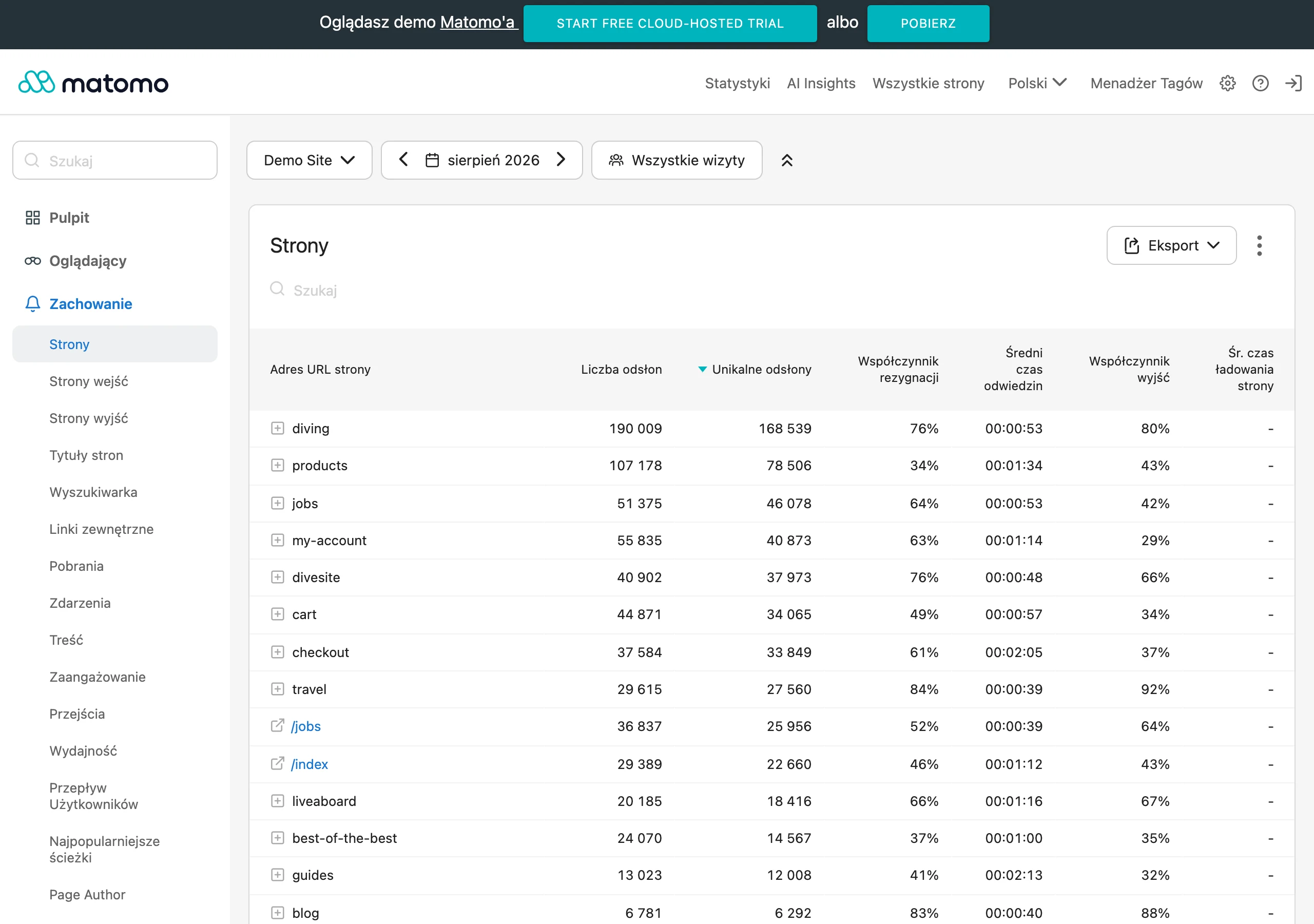
- Quality metrics: comments, shares, saves, link clicks, average video watch time.
- Reach reaction rate: compare the share of reactions in reach (e.g. 2% vs 0.4%), instead of looking only at the raw number of reactions.
- Video retention: if viewers drop off after 3 seconds, shorten the intro and lead with the concrete point (“see the result”), then move on to the “how”.
- Conversions from links: add UTM parameters (e.g. utm_source=facebook&utm_medium=post&utm_campaign=faq_marzec) and verify the results in Google Analytics 4.
Base optimisation on a steady workflow in Meta Business Suite, because then it is easier to spot what works and why. Set a simple routine: a quick review every week (around 15 minutes), and conclusions plus plan adjustments every month (60–90 minutes). Test one variable at a time in A/B tests: hook, thumbnail, video length, CTA or format (e.g. video vs graphic) — this way you know what actually improved the result. Once a month, also audit your best posts: note the topic, format, length, hook and CTA, then repurpose the “weak” publications instead of deleting them (e.g. changing text into video or making it more specific for a particular group).
- 01Measure quality metricsComments, shares, saves, clicks.
- 02Set a steady workflow rhythmWeekly review, monthly conclusions.
- 03Test one variable in A/B testsHook, thumbnail, CTA, format.
Key takeaway: Regular engagement measurement and systematic testing are the foundation of lasting performance improvement.
Distribution and ads: how to promote content without burning through your budget
Promote content only when it is already getting strong organic signals (comments, shares, saves), because ads should scale what is already working. If a post is poorly received, the budget will only show faster that the topic or format is off. In practice, the simplest approach is to choose a few of the best organic posts and use them as ad creatives, rather than starting from “cold” materials. This approach makes it easier to answer the question “what should I advertise?” when you do not have a large content production setup.
You will not burn through your budget if you match the ad objective to the user’s intent and set sensible testing thresholds. Choose an objective aligned with what the audience is supposed to do: traffic (clicks), messages (DM), lead generation (form) or sales (conversions). For creative tests, allocate small amounts, e.g. 20–50 zł per day for 3–5 days per ad set, and only scale once the cost per result remains stable (e.g. CPL within a range for several days). Direct remarketing to people who watched 25–95% of the video, engaged with the content or visited the website; then the ad can meaningfully answer the question “what next?” (e.g. packages or a 15-minute consultation).
Effective advertising also requires consistency after the click and compliance with Meta’s rules, because otherwise you lose potential even with good targeting. If you promise “pricing and dates”, the landing page should show this straight away, because headline-to-offer alignment usually lifts conversions more than minor cosmetic tweaks. When the offer is expensive, it is better to promote a “small step” first (e.g. a consultation, sample, free measurement, ebook, webinar) to lower the entry barrier. Avoid high-risk wording from a policy perspective (e.g. implying sensitive traits such as “do you have depression?”), and in lead-generation activities make sure you have the promotion terms and privacy policy in place. Also strengthen the effect through cross-distribution: publish related content on the fan page, in the group, in the newsletter and on Instagram (if you run it), and link between channels to shorten the path to the next step.
Crisis management and safety: how to deal with negative opinions
You will handle negative opinions most easily and calmly if you reply politely, thank the person, ask for details and propose a specific solution, without getting into an argument. In practice, the following pattern works well: request clarification + move verification into private messages, e.g. by asking for the order number and stating when you will get back to them. This response style protects your image, because it shows that you treat the matter seriously and act on data, not emotions. At the same time, keep the public reply to a minimum: what the issue concerns and what the next step is, so others can see that you are responding.
You will reduce hate and trolls if you separate criticism (which can be fixed) from abuse and spam (which require moderation). Set out a simple procedure: warning, comment removal, blocking; this way you do not improvise under pressure and you protect the community from toxic debate. A clear set of rules also helps (e.g. no hate speech, adverts or sensitive data), as it makes it easier to explain why you are taking action. This structures the conversation and shortens the time spent “putting out fires”.
You will handle an operational crisis (e.g. a delay or a breakdown) more efficiently if you quickly publish a short update: what happened, who is affected, what the deadlines are and how to get in touch. Users expect specifics, so it is better to provide times, dates and the next step than to limit yourself to general apologies without substance. In posts and comments, do not collect sensitive data publicly (e.g. address, phone number or test results) — in such matters, direct people to DM or a form. It is also worth keeping a close eye on transparency around collaborations and sponsored content, and avoiding promises that cannot be backed up (such as “100% effectiveness”), as this reduces the risk of escalation and reports.
Tools and workflow: how to streamline content creation and publication
You will organise content creation and publishing fastest if you base the whole process on consistent tools for planning, producing and archiving materials. Meta Business Suite allows you to schedule posts and reply to messages at the same time, which reduces clutter and constant switching between apps. For the calendar and control of work stages, Notion or Trello with simple columns (from “Ideas” to “Results”) will come in handy, so you can immediately see what is actually blocking production. This makes it easier to keep the publication queue moving and avoid working only “at the last minute”.
You will achieve visual consistency and faster assembly of materials when you work with templates and simple editing tools. In Canva, you can prepare repeatable layouts (e.g. 1080×1080 and 1080×1350) while keeping colours, fonts and layout consistent, and CapCut streamlines quick cuts, captions and the 9:16 format for short-form video. Adding captions makes practical sense, because many people watch content without sound, and then clarity of the message matters. Keep materials in a repository (e.g. Google Drive/Dropbox) and use file names such as date_topic_format, so you do not waste time searching for shots.
The workflow becomes lighter if you prepare a “bank” of hooks and CTA in advance, as well as a pre-publication checklist. A list of 30 hooks and 20 CTA reduces the risk of going round in circles with the same phrasings and shortens the start of post creation. Before you click “publish”, check: whether the first 2 lines are clear, whether the next step comes across clearly, whether the graphic is readable on a phone and whether the link works. AI can support the process (hook variations, shortening copy, questions for Q&A), but the content should remain aligned with the facts and brand language that you provide.
FAQ
Frequently asked questions
How do you set a fanpage goal and what should the posts lead to?
First choose one main communication goal: sales, leads, reach, customer support or recruitment. Then decide whether you want to direct the audience to a store, landing page, Messenger, an event or a Facebook group.
What content is best to publish on a fanpage so that it meets audience needs?
The best-performing content is based on real audience questions, such as educational content, FAQs, objections, comparisons, process behind the scenes, opinions and case studies. It’s worth being specific and showing the benefit rather than just the features.
How do you write Facebook posts so that people want to click “See more”?
The most important part is the first 1–2 lines, which should start with a problem, a number or a promise. The text needs to be scannable: short paragraphs, lists, moderate bolding and a clear next step.
Which post formats on a fanpage engage most?
Reels and short videos most often engage well, because they quickly show value and usually have greater reach than text alone. For more complex topics, carousels, albums, live streams, polls and single-choice questions work better.
How can you increase community engagement on a fanpage without cheap competitions?
Ask situational questions, follow up in the comments and move sensitive issues to private messages. Community actions also work well, such as a 7-day challenge, a mini-audit or a consultation for a specific comment.
What should you measure on a fanpage to know whether the content really works?
Beyond reach, it’s worth tracking comments, shares, saves, link clicks and average video watch time. For link results, UTM tags and verification in Google Analytics 4 also help.