
Microsoft Ads, previously operating under the name Bing Ads, can be a very sensible customer acquisition channel, provided that from the outset you set it up for business results rather than for sheer traffic volume. This tool is based primarily on search intent, so it works best where the user is already looking for a product, service, or a way to solve a specific problem. In practice, the winner here is not the person who simply pushes the bid higher, but the one who consistently combines the keyword, ad message, landing page and conversion tracking. The most important rule is simple: first accurate measurement, then traffic launch, and only later budget optimisation. The most common causes of unnecessary costs are a lack of conversion data, overly broad matches, and a campaign structure that is too loosely organised. In this guide, we will go through the topic so that you know what to set up at the start, what to check regularly, and where it is easiest to “burn through” the budget.
What is Microsoft Ads and how does it work in practice?
Microsoft Ads is an advertising system in which you show ads to people entering specific queries into the search engine, and billing is mainly based on a pay-per-click model. In short, it is intent-based advertising: the user needs something and is actively looking for it, and your ad should respond as precisely as possible to that need. This is a significant difference compared with campaigns focused on reach, where the audience may still be at the awareness stage and not always ready to take action.
The mechanism is based on a few basic building blocks: you create campaigns, within them you create ad groups, add keywords, set bids, budgets, locations, schedules and conversion goals. When a user enters a query, the platform assesses whether your settings match that search and whether the ad qualifies for the auction. The outcome is then determined not only by the click price, but also by the relevance of the message and the landing page’s fit with the search intent.
Cost and results are affected by much more than the CPC bid itself. If the keywords are too broad, the ad promises something different from what is actually on the landing page, or the campaign is targeted at irrelevant locations, the traffic will be expensive but will not translate into conversions. Most often, the budget is burned not by a high bid, but by allowing poor-quality traffic into the campaign.
In practice, an effective Microsoft Ads campaign has a compact, well-organised structure. A single ad group should cover queries that are close thematically, and the ad and landing page must respond to a specific intent rather than broadly describing the entire industry. This makes it easier to see what is driving results, identify irrelevant search terms more quickly, and keep costs under tighter control.
It is also worth remembering that the number of clicks alone says very little about efficiency. If you are not tracking forms, phone calls, purchases or other real actions, you do not know which campaigns are generating revenue and which are merely inflating traffic. In Microsoft Ads, sensible decisions only begin once you can see conversions correctly.
- 01Search engine advertisingAds for queries
- 02Pay-per-click billingYou pay for the result (CPC)
- 03Intent-based advertisingAn actively searching user
- 04Basic campaign building blocksCampaigns, groups, keywords
Respond to users’ active needs, not just build reach.
Current Microsoft Ads operating context
The current context for working with Microsoft Ads is that the old Bing Ads now operates under the Microsoft Advertising brand, and activities need to be carried out in the current interface, according to the latest rules and formats. The historical name still comes up in conversation, but in practice what matters are the current account settings, the available campaign types and the applicable advertising policies. This is particularly important when setting things up, importing campaigns and dealing with ad approval issues.
The basis of measurement in Microsoft Ads is the UET tag, or Universal Event Tracking. It is responsible for conversion tracking, building remarketing lists and part of the automation mechanisms. Without a properly implemented UET, your reports will mainly show cost and clicks, and that is not enough to assess the profitability of a campaign in any meaningful way.
The platform offers automated bidding strategies, but their effectiveness depends directly on the quality of the data. When conversions are tracked incorrectly, duplicated, or too few in number, the algorithm may optimise for the wrong signal and push budget into areas that do not deliver results. That is why automation only starts working to your advantage when measurement is stable and the structure is sensibly designed.
From an operational point of view, you also need to take care of billing, user access and compliance with the platform’s policies. Sometimes additional business verification or account data completion may be required. If the ad or landing page breaches the rules, the campaign may not launch at all or may run with restrictions, regardless of how well it has been prepared.
It is worth bearing in mind that modern measurement is not perfect. Results depend on user consent, browser settings and the quality of the analytics implementation, so some conversions may remain undercounted. That is why the key is not a seemingly “perfect” level of accuracy, but a consistent measurement model that allows you to compare campaigns and make repeatable decisions.
How to set up and launch a campaign step by step?
The best way to start a Microsoft Ads campaign is with a business goal, conversion tracking and the basic account settings, because only on that foundation can you build valuable traffic.
Before you add your first keywords, decide what the campaign outcome should be: a purchase, a form submission, a phone call or another action with real value. This matters because bids, campaign structure and the way performance is assessed all depend on it. If you do not define a conversion clearly, the system will optimise for clicks, not the business outcome.
The next step is the technical preparation of the account. Set the correct time zone, currency, billing details and user access, because these elements can be awkward to change later. Implement the UET tag straight away and verify whether conversions are being recorded correctly after the right action on the site.
- Set up the account, billing and user permissions.
- Implement UET and configure conversion goals aligned with the real business objective.
- Build the campaign around one offer, one location or a clearly defined intent segment.
- Gather keywords starting from what the user types before making a purchase or sending an enquiry.
- Add a negative keyword list from the outset, especially for informational queries and accidental visits.
- Break the campaign into small, coherent ad groups where the phrases are closely related thematically.
- Prepare ads tailored to a specific query and direct them to the right landing page.
- Set a conservative daily budget, locations, schedule and a bidding strategy matched to the amount of data available.
- After launch, check ad status, the first queries, clicks and whether conversions are being counted correctly.
Keyword research should be based on intent, not just keyword popularity. Queries such as “buy”, “price”, “offer” work differently from “what is” or “how does it work”. At the start, it is better to choose a smaller set of phrases with clear buying intent than a broad list that will quickly spread the budget too thin.
The campaign structure should be as tight as possible. If you collect many distant topics in one ad group, it will be difficult to match the ad and landing page to the query in a sensible way. In practice, it is better to build groups around similar phrases that can be handled with one message and one URL.
In ads, consistency between the phrase, ad copy and landing page is key. After clicking, the user should land exactly on what they were looking for, not on a generic homepage with many paths. Such alignment not only improves the conversion rate, but also affects the cost of traffic and makes further optimisation easier.
At the start stage, do not leave the campaign unattended for several days. First make sure the ads have been approved, targeting is working as intended, and the right queries are triggering delivery. The search terms report after launch is one of the most important places for checking traffic quality.
If you have little conversion data, start with simpler bid and budget control rather than handing everything over to automation straight away. Automated strategies can work well, but they need a stable conversion quality signal. When data is sparse or measured badly, the system may simply spend the budget faster on the wrong traffic.
- 01Define the goal and conversionReal business value
- 02Account settingsTime zone, currency, details
- 03Technical implementationUET tag and verification
A solid technical foundation and defined goals are key to campaign effectiveness and optimisation towards the business outcome, not just clicks.
Strategies that help avoid burning through budget
In Microsoft Ads, budget usually does not disappear because of the bid itself, but because of too broad a campaign scope, weak measurement and a lack of control over which queries the money is actually going to.
The safest approach at the start is a narrow campaign with one offer, one location or one intent segment. This structure will show more quickly whether the problem lies in the keywords, the ad, the site or the product itself. When you start too broadly, you collect a lot of data, but the conclusions can be far from clear.
Do not assess a campaign solely by CTR or the number of clicks. If the traffic does not translate into leads, sales or other valuable actions, it is hard to talk about a good result. Instead, primarily analyse cost per conversion, conversion rate, lead quality and whether sales are actually being attributed to the right campaigns.
The biggest losses usually come from keyword match types and weak exclusions. Broad match types can catch interesting opportunities, but without regular review of the search terms report they can just as easily let through non-commercial, overly generic or completely irrelevant queries. For that reason, exclusions should be treated as a permanent part of optimisation, not a one-off configuration.
It is also worth regularly checking where traffic looks good only at first glance. It happens that part of a campaign “burns through” budget at specific hours, on particular devices, in selected locations or on individual days of the week, even though in overall terms everything looks fine. Segmenting results by device, time and location often reveals areas of waste that are not visible in the aggregated campaign report.
Automation can be helpful, but it should not take full control too early. When a campaign has few conversions or the goals are configured incorrectly, automated bids do not receive a reliable signal to learn from. In such a situation, it is better to first stabilise the structure, clean up the traffic and only then test more advanced bidding strategies.
The landing page also has a strong impact on costs. Even if the ad matches intent, but the landing page loads slowly, does not clearly communicate the offer or forces the user to work out the next step for themselves, part of the budget disappears as soon as the click is made. A good campaign will not save a poor landing page.
In practice, the best results come from calm, cyclical optimisation. Make changes one at a time and give the campaign time to collect data, instead of changing bids, ads, match types and budget every day at once. This makes it easier to tell what is actually improving performance and what is only temporarily shifting the statistics.
Regularly tidying up the account also protects the budget. Pause poor-performing ads, remove duplicates, refresh extensions and make sure conversion goals still match what you actually want to acquire. In many accounts, the problem is not a lack of optimisation, but the fact that the system is collecting data towards goals that are outdated or poorly defined.
Key aspects of optimisation and conversion measurement
Optimisation in Microsoft Ads starts with accurate conversion tracking and assessing which queries, segments and ads actually deliver business results. When tracking is set up incorrectly, every subsequent decision about bids, budget or campaign structure carries considerable risk. For that reason, the first priority is to confirm that the UET tag is working across all key stages of the user journey. The most dangerous mistake is campaign optimisation based on clicks or apparent conversions that have no real value.
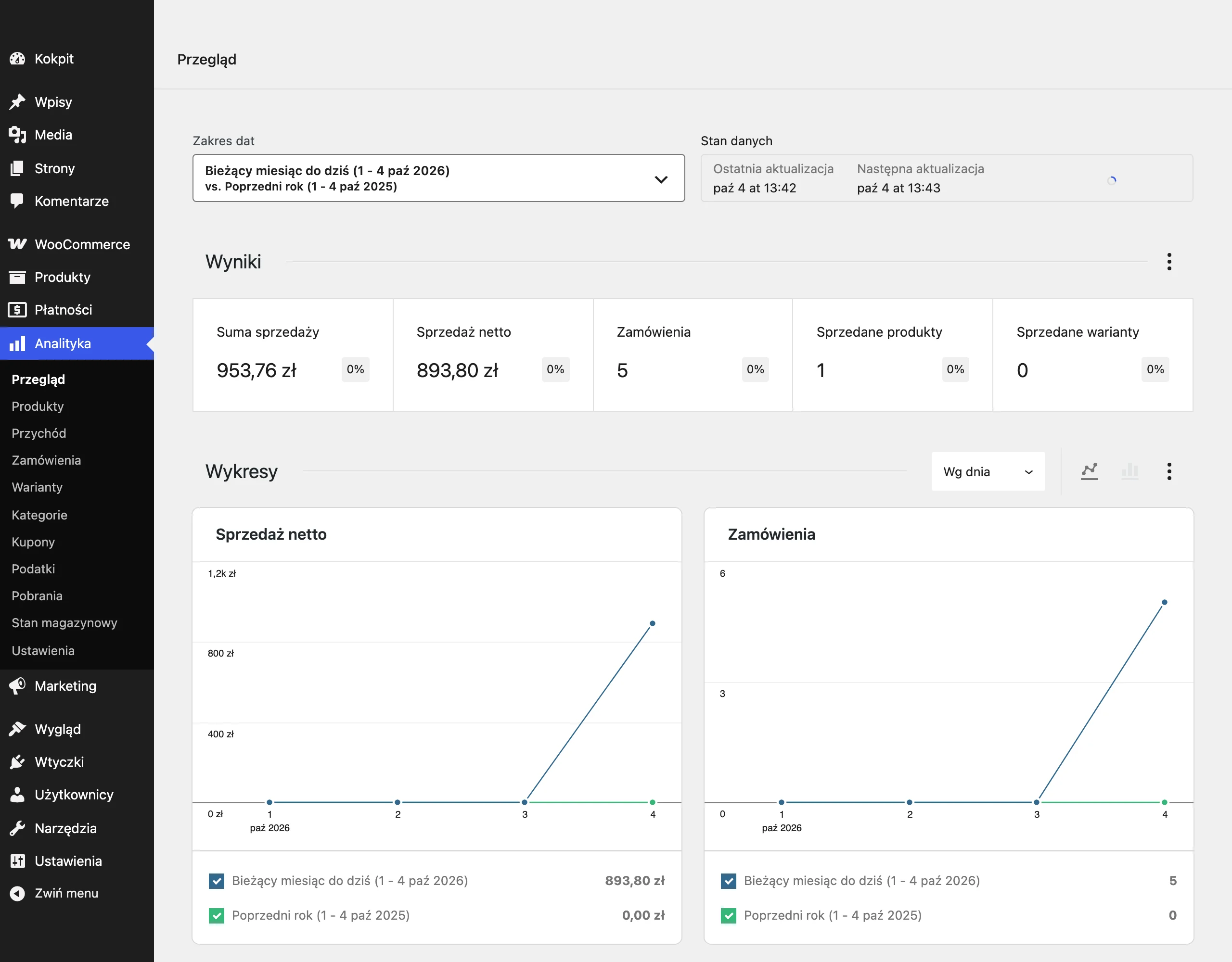
In practice, it is a good idea to separate primary conversions from secondary ones. Primary conversions are those that directly translate into a sale or lead, for example a purchase, form submission or a phone call of the right quality. Secondary conversions, such as visiting the contact page or simply spending time on the site, can be useful from an analytical point of view, but they should not drive bids to the same extent as the hard business result.
Consistency of attribution and analytics is also very important. Some conversions may not be recorded because of consent settings, browser settings or implementation errors, so it is worth sticking to one consistent way of reading the data. The point is not to make measurement perfect, but to make it stable and comparable over time.
Most money is usually recovered not by adjusting the bid, but by analysing the search terms report. That is where you can see in black and white whether the ads are appearing for queries aligned with purchase intent, or instead for random, informational or overly broad traffic. Regularly adding negatives and narrowing match types is one of the most effective ways to optimise cost per conversion.
It is worth breaking results down by segment, because the average for the whole campaign can effectively mask the problem. It is a good idea to analyse devices, locations, hours, days of the week and network partners separately, if they are active. If a given segment generates clicks without conversions or low-quality leads, it should be reduced faster than increasing the budget across the whole campaign.
The bidding strategy should result from the volume and quality of data. With a small number of conversions, it is better first to stabilise traffic, structure and keywords, and only then give more control to automation. Automated bidding can work well, but only when the system receives a sufficient number of correctly attributed conversions.
You also cannot treat the campaign separately from the landing page. If the ad promises a specific offer, but the landing page is slow, unclear or does not answer the user’s query, the acquisition cost will rise even with a well-set account. In practice, improving the form, page speed or message consistency often has a bigger effect than another cosmetic change in the ad.
Optimisation should be carried out calmly and based on data, not on daily impulses. Changing the budget, bids, match types and ads all at once makes it harder later to assess what really helped and what hurt. Usually, a better effect comes from working on one lever at a time and comparing results only after collecting a sensible number of clicks and conversions.
- 01Accurate conversion measurementThe foundation of effective optimisation
- 02Assessing business valueAvoid optimising for empty clicks
- 03Segmentation of conversion goalsSeparate primary goals from supporting ones
Key: Confirm the UET tag is working, focus on real business value and separate sales from supporting actions to avoid mistakes in budget decisions.
Typical mistakes and risks associated with Microsoft Ads
The most common mistakes in Microsoft Ads are a poorly chosen campaign objective, a lack of reliable conversion data and overly broad targeting. In practice, these three elements are most often responsible for budget waste, not the actual level of CPC. A campaign may have well-written ads and still attract expensive, low-value traffic. The source of the problem is usually earlier, at the stage of assumptions and settings.
A common mistake is launching campaigns on overly broad keywords. Such phrases generate more impressions, but they often attract people at the research stage rather than at the point of purchase decision. If the offer is specific, it is more sensible to start with a narrower intent and only then expand reach based on the data.
The second risk is leaving overly broad match types without regularly checking the search terms report. The system can then serve the ad against queries only loosely related to the offer, which quickly drives up cost without improving results. Broad match in itself is not a mistake, but without exclusions and oversight it becomes an expensive experiment.
Many problems also result from blindly importing settings from Google Ads. You can transfer the campaigns themselves, but that does not mean identical budgets, match types, extensions and operating logic will be equally effective in a different ecosystem. After importing, it is worth checking the structure, conversion goals, schedule, locations and whether anything is overwriting the consciously adopted working model.
Another risk is moving to full automation too early. When a campaign has little data or measures the wrong conversions, automated strategies can increase spend in the wrong direction. Automation speeds up good processes, but it can just as effectively scale mistakes if the input data is weak.
A mistake also appears when a campaign is assessed mainly by CTR, average position or the number of clicks. These metrics are useful, but on their own they do not say whether traffic translates into sales or valuable leads. Far more important are cost per conversion, conversion rate, query quality and the real value of the customer acquired.
Financial risk also increases when locations, schedules and devices are not controlled. An ad can perform well in one city and poorly in another, similarly during working hours and late in the evening. If the account is not segmented and regularly cleaned up, the budget usually leaks away through small losses scattered across many places.
Finally, it is worth keeping in mind technical risks and compliance issues. Rejected ads, billing problems, errors on the landing page, a broken form or a poorly configured UET can stop a campaign or distort its results. That is why, beyond optimisation, you should regularly verify that the account is working properly operationally, not just whether “something is being clicked” in the dashboard.
How to monitor and analyse campaign results?
Campaign results in Microsoft Ads are best monitored by comparing cost with quality and the number of conversions, broken down by specific traffic segments. Cost per click says little if you do not know which queries, locations and devices are actually delivering results. That is why the basis of analysis is, in parallel: cost, number of conversions, cost per conversion, conversion rate and conversion value, if you measure it. The most important thing is to check where the business result comes from, not just whether the campaign generates traffic.
At campaign level, first look at whether the budget is going into areas that bring the right outcome. If one campaign gets lots of clicks and has a high CTR, but does not deliver leads or sales, there is no point treating it as successful. CTR is a supporting metric, not an end in itself. In practice, it is better to have fewer clicks with better intent than lots of cheap but random traffic.
At ad group and keyword level, check which elements actually match user intent. The search terms report can be key, because it shows the real queries entered by users, not just the words you added to the account. That is where the sources of waste are most often revealed: informational, too broad, non-commercial or simply irrelevant queries. If you do not regularly clean the search terms report, the budget usually starts to leak into imprecise traffic.
It is also worth analysing in segments, not just in aggregate across the whole account. Check performance separately for devices, locations, hours, days of the week and partner network, because weak efficiency is often hidden precisely in these cuts. It happens that a campaign looks good overall, but a large part of the budget disappears on mobile, specific cities or hours with poor-quality leads. Only such a breakdown allows you to make sensible decisions about bid adjustments, scheduling and targeting.
The frequency of analysis is also important. Every day it is worth making sure the campaigns are serving, there are no sudden cost spikes, traffic drops or conversion problems. Once or twice a week, review the search terms report, segments and ad performance. On a monthly basis, assess the broader trend: whether cost per acquisition remains stable, whether the share of inefficient traffic is growing and whether the account structure still reflects what the data shows.
When interpreting results, do not rush to conclusions. A single day can be random, especially with a small number of conversions, seasonality or a longer decision-making cycle. Sound analysis is based on an appropriate volume of data and comparing like-for-like periods, not on impulsive reactions to every drop or rise. If you change bids, creatives and match types at the same time, it is later hard to determine what actually moved the result.
To make analysis translate into better decisions, turn every observation into a concrete action. If you see lots of clicks without conversions from specific queries, add exclusions or narrow the match types. If one location has a clearly better cost per conversion, raise its priority in the budget split. If an ad gets impressions but the site is struggling with conversion rate, the source of the problem may not lie in the campaign but in the landing page, the form or a mismatched ad promise.
The most useful monitoring is the kind that combines data from the Microsoft Ads dashboard with the real quality of leads or sales. If you have that option, compare ad conversions with data from CRM, e-commerce or your sales system. This helps you spot more quickly the difference between a campaign that delivers cheap forms and a campaign that actually acquires customers. It is this level of analysis that protects the budget from seemingly good results that do not translate into business.
FAQ
Frequently asked questions
How do you start a Microsoft Ads campaign so that you do not optimise only for clicks?
First you need to define the business goal and implement conversion tracking properly, ideally via the UET tag. Only then is it worth launching traffic and evaluating the campaign in terms of real actions, such as a purchase, form submission or phone call.
Does Microsoft Ads work better when the user is already looking for a product or service?
Yes, because the system is based on search intent and best reaches people who are actively looking for a solution. That is why it works particularly well for queries close to a purchase or contact decision.
Why is it easiest to burn through budget in Microsoft Ads?
Most often because of a lack of conversion data, overly broad keyword match types and an overly loose campaign structure. Costs also rise when the ad and the landing page do not respond to the same intent.
What settings should you check at the start in Microsoft Ads?
Time zone, currency, billing details and user access are important, because changing them later can be problematic. You also need to implement UET straight away and check whether conversions are being recorded correctly.
When is it worth using automated bidding strategies in Microsoft Ads?
Only once conversion tracking is stable and reliable. If there is little data or it is measured badly, automation may optimise for the wrong signal and spend budget faster.
What is best to check after launching a campaign to quickly spot errors?
After launch, it is worth monitoring ad status, the first queries, clicks and whether conversions are being counted correctly. The search terms report is also very important, because it shows which real phrases are driving traffic.