
Data Layer is one of those solutions that tidy up analytics more effectively than adding another tag or another report. In short, it is about the site or app passing data about the user and their actions in a predictable, technically robust way. This means GTM and GA4 receive not only a signal that a click has taken place, but also information about exactly what was done, in what circumstances, and with what business significance. A well-prepared data layer usually determines whether measurement is useful or merely appears to work. This is especially important for e-commerce, forms, logins, filters and dynamic pages. The more complex the website, the more value there is in a properly designed Data Layer.
What Data Layer is in practice
Data Layer is a structured data layer available in the browser, most often as window.dataLayer, from which GTM reads events and parameters. It does not report data itself or replace GA4. It acts as an intermediary between the website, app, CMS or store and analytics tools.
In practice, this means that instead of drawing conclusions from the page code, you pass ready-made information in a defined structure. You can push an event together with parameters such as a product ID, basket value, page type, login status or form name. This gives you greater control over what actually reaches GTM and GA4.
Data Layer works particularly well where data is not permanently visible in HTML or changes dynamically after the page loads. This applies, for example, to online stores, SPAs, product configurators and complex forms. In such scenarios, tracking based solely on clicks or CSS selectors often stops working after frontend changes.
The key benefit is simple: less dependence on button classes, DOM structure and visual changes. If the frontend changes the appearance of a button but still pushes the same event to Data Layer, measurement continues to work. A well-designed data layer organises event names, parameters and firing conditions, making the implementation easier to maintain.
- 01Data intermediaryA structure available in the browser.
- 02Ready-made informationInstead of analysing the page code.
- 03Greater controlPrecise data for GTM.
- 04Dynamic dataFor variable elements.
Data Layer is a structured intermediary layer that provides control over passing data to analytics tools.
Current implementation context in GA4 and GTM
In GA4 and GTM, Data Layer is now used primarily to feed the event model, i.e. events and their parameters. This is an important change compared with the older approach, where people often thought in terms of categories, actions and labels. In GA4, you need to define clearly which event should be sent and which parameters should describe it.
In practice, this means mapping business data to GA4 events, especially in e-commerce. For actions such as product views, add to basket, checkout start or purchase, you need to pass the right fields and consistent identifiers. If names, values or data structure change between stages of the purchase journey, reports become unreliable.
Data Layer is even more important on SPA-type sites and in web applications, where moving to another view does not always result in a page reload. Without additional logic, GA4 may not correctly record new screens, products or subsequent stages of the process. In such implementations, it is crucial that the event is pushed at the moment the state actually changes, not merely after a click.
Data quality is also affected by compliance with privacy settings and consent mode. Some tags or parameters may remain blocked until the user gives consent, so the implementation should take this into account from the outset. Problems often do not stem from GTM itself, but from the fact that marketing, analytics and development interpret the same event differently.
That is why a solid implementation now requires a shared specification: what is measured, when the event should appear, and which fields are mandatory. You also need to control duplications after a page refresh, component re-render or return to a previous step. Even a technically correct event offers little value if it fires at the wrong moment or without the full set of parameters.
How the Data Layer implementation process works
The Data Layer implementation process comes down to designing, passing and testing data in such a way that GTM can read it and GA4 can correctly record it as events and parameters. Everything starts not in GTM, but with defining what actually needs to be measured and why. Otherwise, a set of random events is quickly created that is difficult to analyse and even harder to maintain after site changes. First you define the measurement plan, and only then the technical implementation method.
In practice, the first step is analysing business goals and user behaviour. For one website, submitted forms and phone calls will be key; for another, basket stages, login or use of the search engine. This is what determines the list of events that should go into Data Layer and then into GA4.
The second step is checking where this data can be obtained from. Some information is available on the frontend, some in the backend, and some appears only after an API response. This is an important stage because data extracted solely from HTML is often less stable than data passed directly from the app or store system.
- Analysis of measurement goals: what matters to the business and which user actions should be tracked.
- Data source audit: where the needed information is located and at what point it becomes available.
- Specification preparation: event and parameter names, value types, firing moment and occurrence conditions.
- Implementation by development: pushing objects to window.dataLayer at the right moments.
- Configuration in GTM: Data Layer Variable variables, triggers for custom events and GA4 tags.
- Mapping to GA4: assigning events and parameters to the GA4 event model.
- Validation and monitoring: tests, debugging, detecting duplicates and quality control after publication.
The most important document throughout the entire implementation remains the specification. It is what determines whether we send add_to_cart or a custom variant, which fields are required and at what moment the event should be pushed. Without consistent naming of events and parameters, Data Layer quickly turns into a hard-to-manage set of exceptions.
On the development side, the website or app pushes objects with information into the Data Layer. In e-commerce these are most often events such as view_item, add_to_cart, begin_checkout or purchase, together with parameters such as product_id, value, currency and items. For leads and forms, other data sets appear, for example form_name, form_step, error_type or login_status.
In GTM, these data do not do any work on their own yet. First, you need to define variables that read specific fields from the Data Layer, and then build triggers that react to the right events. Finally, the GA4 tag sends the data to the relevant event, together with parameters that make sense from the point of view of reporting and analysis.
Mapping to GA4 matters in practice, because it directly affects the quality of reports and the later interpretation of data. If you are implementing e-commerce, it is sensible to stick to the recommended GA4 events instead of creating your own equivalents of the same actions. This makes it easier to report on purchases, the basket and products, and reduces the risk that some of the data will turn out to be invisible or incomparable.
Tests should verify not only whether the event has “fired”, but also whether it fired once, at the right moment and with a complete set of information. On dynamic pages and SPAs, this point can be crucial, because the view can change without a page reload, and a component may render several times. The event should be sent at the moment of the actual action or data load, not just after the click itself.
After publication of the implementation, the topic is not closed. It is worth monitoring DebugView, real-time reports and data consistency on an ongoing basis after changes to the service. In practice, many problems only come to light after a new frontend is deployed, the checkout is changed, the CMS is updated or a form is rebuilt.
- 01Defining goalsSet business goals
- 02Measurement planList of events and data
- 03Data Layer designStructure for GTM
- 04Implementation and testsImplementation, verification in GA4
The key is to start with analysis of the goals, not with technical implementation in GTM.
What to do to make Data Layer implementation work correctly
To make Data Layer implementation work correctly, you need to ensure the specification, the correct timing of data sending, consistent naming and regular tests. GTM itself will not correct flawed measurement logic or fill in missing data on the application side. The biggest difficulties usually do not result from the tool, but from the fact that different people interpret the same event differently. The most common cause of errors is not GTM, but an inconsistent specification and a lack of validation after implementation.
Start by defining the minimum data set for each event. For a purchase, the information that the transaction took place is not enough. You also need fields that allow you to account for it and link it to the product, revenue and user journey.
The same applies to other actions. When you track a form submission, the event name alone is usually not enough. You usually also need context, for example the form type, step, validation errors or the section of the site the user used.
- Plan measurement before configuring GTM.
- Establish one shared naming convention for events and parameters across the entire website.
- Define the minimum set of information required for each event.
- Separate persistent data from one-off events.
- Send events only after actual confirmation of the action or after the data has loaded.
- Control duplication after reload, variant change, rerender and during form validation.
- Take consent and privacy requirements into account before activating tags.
Consistent naming only seems like a small detail. If you use add_to_cart once, and cartAdd or addToCart another time, reporting will start to diverge and the configuration in GTM will become unnecessarily complex. One action should have one name and one logically organised set of parameters.
It pays to separate persistent data from one-off data. Information about the page type, user status or language version can be available continuously, whereas a purchase or form submission should appear only at the moment the action is performed. This keeps the data tidy and reduces the risk of accidentally reusing outdated values.
In e-commerce, data consistency across the entire purchase journey is crucial. The same product should have the same identifier on the product list, product page, in the basket and at purchase. For the purchase event, correct transaction_id, value, currency and items are key, because without them sales data quickly loses credibility.
Event duplication is one of the most common issues in practical implementations. It appears when the order confirmation page is refreshed, a product variant is changed, a component is re-rendered, or the same trigger is attached multiple times. If you do not catch it during testing, reports may overstate purchases, leads or add-to-carts.
On dynamic pages, you need to get the sequence right. The data should appear first, and only then the event that GTM is meant to read. If the event fires too early, GA4 will receive empty or incomplete parameters, and the problem will not always be immediately visible in the interface.
Do not overlook user consent and privacy rules. Some tags or data should wait for the proper consent, and some parameters may need to be restricted or anonymised. A good implementation takes this into account at the specification stage, not only after publication.
Finally, it is worth having a simple change-control process. Any rebuild of a form, checkout, filter menu or login area can break tracking, even when everything looks fine visually. In practice, the best setup is a test environment, an implementation checklist and a short DebugView test after every major modification.
Typical mistakes and how to avoid them
The same problems most often appear in Data Layer: no specification, inconsistent naming, the wrong timing of event dispatch and data duplication. They can be avoided if clear implementation rules and regular testing are in place from the start. When marketing names an event differently from the developer, and GTM is still “waiting” for the third version of the name, measurement quickly goes off track. Usually the problem is not with GA4 or GTM itself, but with the fact that everyone understands the event differently. One shared specification for events and parameters is the simplest way to reduce errors from the outset.
A very common mistake is sending an event before the data is actually available. This is most often seen on dynamic pages: clicking a button fires the event, but the product, price or variant have not finished loading yet. As a result, add_to_cart lands in GA4 without the correct product_id, value or items. The event should be pushed after the action has been confirmed and after the relevant data has loaded, not solely after the user interface interaction.
The second major problem is duplicates. They appear after refreshing a thank-you page, when a component is re-rendered in an SPA, or when the same event is sent both from page code and from a GTM click. This is especially risky with purchase, because it inflates revenue and transaction counts. That is why it is a good idea to keep an eye on a unique transaction_id, verify trigger-firing logic and ensure that one event has one sending source.
Data quality also often suffers when key values are taken from HTML instead of a more reliable source. The text visible on the page may be in a different format from the business data, may contain extra spaces, currency symbols or abbreviated product names. That is a straightforward route to errors in value, quantity or currency. If the same information is available in the application, backend or API response, it is better to feed Data Layer with it than to “read” it from the page view.
In practice, you also need to watch out for empty parameters and incorrect value types. GA4 assumes that numbers remain numbers, not text pretending to be numbers, and transaction fields should be complete and logically consistent. If value differs from the sum of items, e-commerce reports are hard to treat as reliable. A good rule is to define the minimum required field set for each event and not send the event when those fields are missing.
A separate area of errors concerns privacy and consent management. It happens that Data Layer passes user data before the consent mechanism allows the relevant tags to fire or before prohibited fields have been filtered out. This is not always immediately obvious in reports, but from an implementation perspective it can be a real problem. The data layer should take the consent status into account and clearly separate technical data, analytical data and data that must not be sent without an appropriate legal basis.
- 01Lack of specificationInconsistent data definitions
- 02Inconsistent namingDifferent event names
- 03Wrong timingSending before data
Clear rules and a shared specification prevent errors in Data Layer.
How to measure and optimise Data Layer performance
Data Layer performance is assessed by checking event accuracy, parameter completeness, dispatch order and consistency of information between the site, GTM and GA4. It is not only about whether an event is “visible” in the preview, but also whether it carries the correct values and appears exactly when it should. A good implementation is predictable. This means that for the same user action you receive the same data set every time.
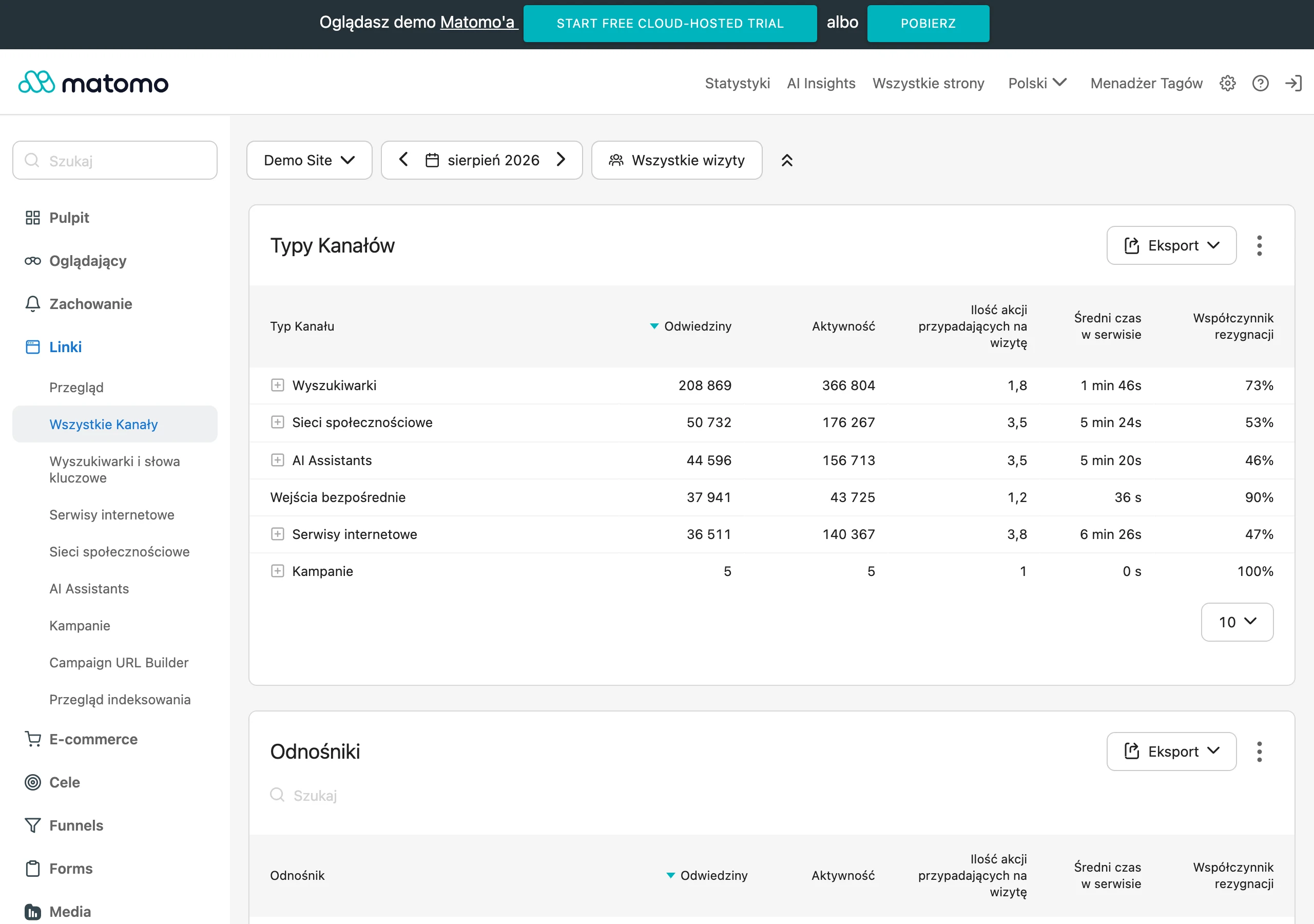
The basic control layer consists of tests in GTM Preview and GA4 DebugView. In GTM, you verify whether the correct event reaches the dataLayer and whether the variables read the correct values. In DebugView, you confirm that GA4 has received that event under the correct name and with the appropriate parameters. If everything looks correct in GTM, but not in GA4, the source of the problem is most often found in the tag mapping or in the format of the fields being passed.
In day-to-day work, it is worth continuously monitoring several elements, not just during the initial implementation. The key ones are: the number of events in relation to real traffic, the share of events with empty parameters, revenue consistency with the shop system, the uniqueness of transaction_id and the presence of a complete items array where it is required. For forms, it is good to monitor the relationship between start, error and submission. For login or search, the correct sequence of events and their presence in the right views are important.
Optimisation usually starts with tidying up and simplifying things. If three similar events are used for one action, it makes more sense to reduce them to one standard and refine the parameters than to maintain several versions of the same logic. The same applies to naming. The fewer exceptions in the Data Layer, the smoother the debugging, the lower the risk of errors and the easier it is to expand measurement.
On SPA sites and in complex frontends, it is worth periodically checking whether events are not accidentally tied to a specific interface layout. After a component or rendering path change, tracking may still work technically, but send events at the wrong moment or without some of the information. That is why after any major frontend change it is worth going through the most important user scenarios: landing on the product page, changing a variant, adding to cart, checkout, purchase, form and login.
If the implementation concerns e-commerce, optimisation should also take into account the business consistency of the data. The same product identifiers, prices, discounts and currencies should consistently appear in view_item, add_to_cart, begin_checkout and purchase. When a different identifier appears at subsequent stages or the logic for calculating value changes, funnel analysis loses credibility. The best test of Data Layer quality is not the event’s appearance itself, but whether the data can later be sensibly combined and compared across stages of the user journey.
Finally, monitoring after publication is crucial. An implementation may work correctly today, and tomorrow stop after a change to the template, payment module, app version or form logic. That is why it is good to return to critical events regularly and treat the Data Layer as a product element that requires maintenance, not a one-off configuration.
FAQ
Frequently asked questions
How does Data Layer work in GTM and GA4?
Data Layer passes ready-made events and parameters to GTM in a structured format. GTM reads this data and then sends it to GA4 as events.
Why is Data Layer important for dynamic websites and SPAs?
On such sites, views and data often change without reloading, so tracking based only on clicks can be unreliable. Data Layer makes it possible to send an event at the moment of the actual state change or data load.
What should be included in Data Layer for e-commerce?
In e-commerce, events such as view_item, add_to_cart, begin_checkout and purchase are most often sent. These are supplemented with parameters such as product_id, value, currency and items.
What does the Data Layer implementation process look like step by step?
First, measurement goals are defined and data sources are analysed, then a specification of event names, parameters and conditions is prepared. Next, development pushes data to window.dataLayer, GTM reads it, and the whole setup must be tested and monitored after publication.
What are the most common mistakes when implementing Data Layer?
The most common problems are lack of specification, inconsistent naming, incorrect sending timing and duplicate events. Errors also appear when data is pulled from HTML instead of a more reliable source.
Does Data Layer replace GA4 or GTM?
No, Data Layer does not report data on its own and does not replace GA4. It acts as an intermediary between the website or app and analytics tools such as GTM and GA4.