
Creating text using generative AI: tools and techniques
You will prepare text with generative AI most effectively when you choose the model for the goal and impose a clear response format. For working with content, LLMs such as GPT‑4.1, Claude 3.5 or Gemini 1.5 are most often used, because they are geared towards writing, analysis and working with longer context. When tool stability and greater control over security matter, commercial solutions are usually chosen. If, however, you want to work locally, without sending data, a sensible option is open-source models (e.g. Llama, Mistral) run on your own hardware. In both approaches, the result will be only as good as the prompt and the constraints you set within it.
How to build a prompt so the text is predictable
You will get a predictable result when you define the role, goal, context and format in the prompt. A role such as “you are an SEO editor” organises the writing style, while the goal (“write a product description”) narrows the topic. Context clarifies the audience and tone, while the format enforces the structure (e.g. H2/H3 or a bullet list). If “fluff” appears, it usually means there are no hard constraints — add a character limit, a bullet list and a ban on vague statements.
- Role: e.g. SEO editor / advertising copywriter / language editor
- Goal: what should be created (description, article, headline variants, script)
- Context: target audience, tone, publication channel, constraints
- Format: e.g. H2/H3, FAQ, JSON, bullet list, length limit
Style consistency in a series and longer materials
You will maintain consistency across a series of texts when you use few-shot and a mini style guide added to each brief. Few-shot involves pasting in 2–3 examples and asking for the reproduction of specific features (sentence length, level of formality, way of using headings). Longer materials are worth preparing in stages: first the outline, then the chapters, and finally the edit of the whole piece and the standardisation of terminology. If the model “loses” assumptions, a “working memory” at the start helps (bullet points with facts) and an updated summary after each chapter (5–10 sentences).
Quality control: facts, hallucinations and safe data
You will reduce the risk of confabulation when you ask the model to mark the places it is not certain about and to prepare a list of claims to check. In practice, control questions such as “provide sources” and “indicate passages requiring verification” work well, because they encourage more cautious conclusions. For medical or legal content, it is sensible to use RAG (e.g. via LangChain or LlamaIndex) or to impose a hard requirement to cite only from the documents provided. In company work, keep data in mind too: in most situations do not paste client data into the chat, but use anonymisation and information minimisation.
- 01Model selectionLLM models for writing and analysis.
- 02Commercial stabilityGreater control and security.
- 03Open-source solutionsProcessing data locally.
- 04Precision in the promptDefine the role, goal, context and format.
Effectiveness depends on precise tool selection and a clear prompt.
How to prompt models effectively to generate graphics
You will guide image-generation models to better results most easily when you describe not only “what” should appear in the image, but also the composition, light, style and constraints. The best prompts include elements such as: subject, shot (e.g. close-up, 85mm, shallow depth of field), lighting (e.g. softbox on the left, golden hour) and style (e.g. vector illustration, flat colours). If the result is chaotic, the framework is usually missing: background, number of objects, colour palette and format (e.g. 1024×1024 or 16:9). The more precisely you set the boundaries (what should not be there and what the frame parameters should be), the fewer iterations you will waste “undoing” random variants.
Choosing the engine: Midjourney, DALL·E, Stable Diffusion, FLUX
The engine is chosen according to the goal, because “out of the box” aesthetics and speed are not the same as control and repeatability. Midjourney often delivers very attractive results without lengthy tuning, and DALL·E can be convenient for simple illustrations and variation. Stable Diffusion and FLUX win on the breadth of control (e.g. LoRA, ControlNet, inpainting), which makes it easier to refine details and maintain series consistency. If you are thinking about branding, SD/FLUX with your own LoRA and fixed seeds helps maintain a consistent style across many graphics.
Diffusion parameters and iterations without randomness
The key parameters are steps, CFG, seed and image size, because they directly affect the level of detail, “obedience” to the prompt and repeatability. Steps (e.g. 20–40) increases detail at the expense of time, CFG (e.g. 4–9) sets how closely the output follows the instruction, and seed lets you reproduce a similar result. If you want to iterate without random quality jumps, keep the seed at a fixed level and change only one parameter at a time (e.g. CFG +1). Higher resolution and XL models more often “want” more VRAM, so for local work a sensible starting point for Stable Diffusion is a GPU with 8–12 GB VRAM, and for higher resolutions 12–24 GB VRAM may be needed.
ControlNet, inpainting and fixes that actually save the image
When you need greater control over the scene layout, reach for ControlNet, because it lets you impose the composition based on a sketch, pose (OpenPose), edges (Canny), depth (Depth) or segmentation. If you want to recreate the same scene in a different style, keep the control map identical and change only the style prompt or the model. For correcting small elements, inpainting is useful (e.g. hands, eyes, text on a label), and for expanding the frame, outpainting (e.g. from 1:1 to 16:9). To avoid the “patch” being visible, use a mask with a soft transition and ensure consistent lighting and grain across the whole image.
Text in the image and preparing files for use
Readable text in an image can be problematic, so most often it is better to generate a clean layout and add the copy in Figma, Photoshop or Illustrator. If, despite everything, you want to get letters directly in AI, tools such as Ideogram or features in Midjourney/DALL·E often perform better, but you should still expect manual typographic correction. For print or larger formats, use upscaling (Topaz Gigapixel, ESRGAN, Real‑ESRGAN), and only then sharpening, to reduce artificial outlines. An example workflow looks like this: 1024×1024 → upscale ×4 to 4096×4096 → gentle denoising → PNG/TIFF export.
Strategies for generating video and animation using AI
The most effective approach to generating video with AI is to choose the text‑to‑video or image‑to‑video mode according to the goal and the level of control you need. Text‑to‑video works well for quick concepts, whereas image‑to‑video usually delivers a more predictable scene because you start from a reference frame. If you care about a consistent character, a practical solution is first to generate a series of character images, choose one reference shot and only then animate it. In tools such as Runway Gen‑3, Pika or Luma, differences in results often stem from their strengths (e.g. ad shots, short social clips, dynamic camera movements).
It is worth setting video parameters at the start, because later they determine the edit and shot consistency: format (9:16, 16:9, 1:1), FPS (most often 24/25/30) and target resolution (1080p is standard for social media). When the image “wobbles” or loses stability, limiting camera movement and generating shorter clips (e.g. 4–6 s), which you then stitch together in the edit, often helps. Describe camera movement precisely (“slow dolly in”, “pan left”, “static tripod”, “handheld subtle shake”), rather than using the generic “cinematic”. To avoid introducing chaos, stick to one movement instruction per clip and add constraints such as “no fast zoom, no scene change”.
Consistency of the character between shots is most easily achieved thanks to fixed references (image‑to‑video), similar lighting and a consistent outfit and colour palette. For a series of frames, a “reference pack” (front/3/4/profile) and colour matching in DaVinci Resolve help. Smoothness is improved through interpolation (e.g. RIFE, Flowframes) and temporal denoise tools, while accounting for the risk of artefacts on hands and edges. Audio is best assembled from the end: voiceover (e.g. ElevenLabs or Play.ht) and music (stock libraries, e.g. Artlist, Epidemic Sound, or generators such as Suno for sketches — depending on the licence), and only then should you match shot lengths and the rhythm of cuts. You prepare subtitles via transcription (Whisper, Descript, Premiere Speech to Text), correction and SRT export, and export for social media is most often done as H.264/H.265 with a bitrate of 15–30 Mbps for 1080p and AAC audio at 320 kbps (for archiving, ProRes or DNxHR is better).
- 01Mode: Text vs. ImageQuick concepts or precise control.
- 02Consistent characterFirst character reference, then animation.
- 03Tool strengthsAds, social media, camera movement.
- 04Parameters at the startFormats and style for editing consistency.
Key approach: match the mode to the goal, use references for consistency and set parameters at the beginning.
Automating the content production process: from brief to publication
Automating the production of content with AI works best when it is based on a fixed process: from the brief, through the shot plan and assets, right up to versioning and publication. The brief should immediately specify the goal (sales/education), audience, channel (e.g. TikTok/YouTube/landing page), legal constraints and style, while a moodboard (Pinterest/Figma) and 5–10 shot references help reduce the number of iterations. Afterwards, the script, storyboard (even in the form of simple AI frames) and shot list with duration and camera movement are created, so the material can be edited into a coherent whole. If the project “falls apart”, very often the shot list is missing — without it, you generate clips that do not come together into a logical film.
- Brief + moodboard + references (goal, audience, channel, constraints)
- Script → storyboard → shot list (duration and camera movement)
- Generating assets in layers (backgrounds, objects, icons, textures) and assembling them in Photoshop/Figma
- Render → edit/colour → export using platform presets (different ratios, versions with/without subtitles)
- Measurement (thumbnail CTR, retention, conversion, lead cost) and iteration based on data
Scaling is made easier by working “in layers” (backgrounds, objects, icons, textures separately), and then assembling everything in graphics tools, instead of trying to achieve everything in one generation. You will maintain consistent branding when you define the palette (e.g. 3 colours + 2 accents in HEX), fonts (e.g. Inter, Manrope) and style characteristics (grain, contrast, type of illustration), and then consistently add them to prompts and presets (e.g. LUT, subtitle templates). In ComfyUI, you can build a workflow for batch processing that creates series of variants and saves metadata, which can be practical, for example, when creating thumbnails in bulk. You can keep order in the files thanks to a fixed directory structure (/01_brief, /02_script, /03_assets, /04_renders, /05_edit) and naming with date and version (e.g. 2026-02-03_v07), which makes it easier to go back to earlier settings and prompts.
Security and ethics in using generative AI
Safe and ethical use of generative AI comes down to consciously limiting legal risks, protecting privacy and following the tools’ rules. Individual systems have different content filters (e.g. restrictions regarding public figures’ faces, violence or nudity), so the same prompt may work differently in different applications. When the model refuses to carry out an instruction, it most often results from content policy or concern about infringement of rights, so it is worth rewording the request in a more neutral and “production” way (e.g. describing aesthetic features instead of naming a specific living artist). This approach usually shortens the number of iterations and reduces the risk of blocks on the tool’s side.
Data protection and confidentiality start with a simple rule: you do not paste full personal data or documents (e.g. contracts) into a chat without a legal basis and appropriate arrangements with the provider. If you have to work on sensitive materials, use anonymisation and choose enterprise solutions with retention control, or run models locally, e.g. on the company server. In many organisations, uploading roadmaps, source code or financial data to public models is prohibited due to the risk of leaks or use in training (depending on the settings). In practice, security is not “one checkbox”, but a process: data minimisation, access control and a conscious choice of tool matched to the sensitivity of the material.
Ethical publishing requires not misleading the audience and carefully managing reputational risk and similarity to brands. Using someone’s likeness in advertising or public materials may require consent and risk claims, which is why a deepfake without consent is risky, and it is safer to create fictional characters or work with actors with signed consent. AI can also accidentally generate signs similar to existing brands, so it is worth adding a ban on logos in prompts, and manually checking the final materials. In commercial projects, an audit trail is also useful (models, prompts, dates, reference sources, licences and consents), because it makes it easier to defend decisions in the event of disputes or complaints.
- 01Content limits and filtersDifferent systems Different rules
- 02Neutral phrasingFocus on aesthetics Not on a person
- 03Data protectionNo confidential information
Conscious and responsible use minimises risks and makes work easier.
API integrations and task automation in digital marketing
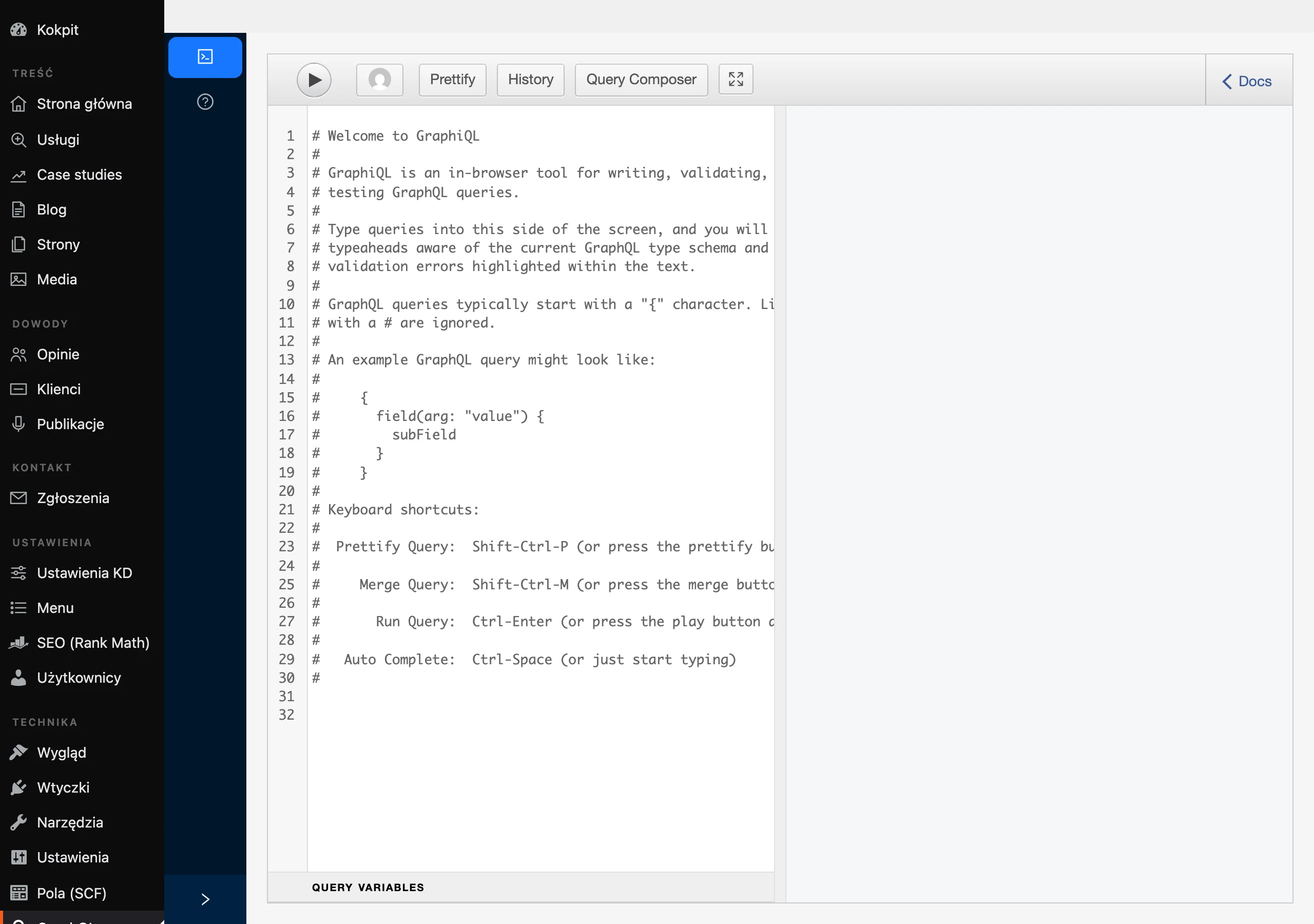
API integrations make it possible to automate the production of marketing content (e.g. product descriptions, summaries), provided that you impose a fixed format and validation of the results. In practice, providers’ APIs (e.g. OpenAI, Anthropic, Google) are used, and tasks are orchestrated via queues (Celery/Redis) or no-code tools (Make/Zapier). To avoid accidental response formats, a predefined schema is used (e.g. JSON Schema) and the result is checked before saving to the database or publishing. This streamlines deployments in e-commerce and CMS, because the content passes through quality rules instead of going straight onto the page from the model.
RAG is a practical method of generating content and answers based on company documents rather than the model “guessing”. The solution involves finding relevant fragments from your sources (e.g. PDF, Confluence) and passing them to the model so it can answer based on context rather than its own assumptions. LangChain and LlamaIndex are often used to build such systems, while the vector search layer is implemented via Pinecone, Weaviate or Qdrant. In digital marketing, this approach helps, among other things, maintain consistent messaging and prepare materials faster, especially when the sources are scattered.
Quality and consistency are strengthened by agents and the “generator → critic → improvement” setup, in which the critic works from a checklist and is not allowed to add new facts. Because models and applications do not stand still, it pays to build prompt regression tests (e.g. a set of 50 prompts) and compare metrics for format compliance and the number of factual errors, and in graphics also artefacts and consistency. At scale, costs are most often reduced by response caching, shortening the context (summaries instead of full logs) and two-step work: a cheap draft → refinement only of selected versions. When integrating with a CMS (e.g. Shopify, WooCommerce, WordPress), create suggestions, but publish only after approval or after passing validation rules, so as not to risk inconsistencies or an “SEO catastrophe”.
At larger scale, processes and roles also matter, because most slip-ups appear at the intersection of content, law and publishing. In practice, responsibility split works well: the prompt designer prepares variants, the editor/fact-checker checks factual accuracy and style, the graphic designer/editor handles the final look, and the person responsible for rights and consents closes the risks. If the team is small, one person can take over these tasks, but as volume grows, separating the roles increases the stability and predictability of the results. Such a setup also makes it easier to keep standards when several channels and campaigns are running in parallel.
Cost optimisation and efficiency in content generation
The costs of content generation are easiest to optimise when you align the tools’ billing model with the work stages and limit “expensive” generation to the finalisation phase. Text models are usually billed per token (input/output), while image and video tools are more often billed per credits or minutes, with video tending to be the most expensive because it generates many frames. If you are planning a campaign budget, it is sensible to calculate it “from the end”: target number of shots × cost of one clip (e.g. 5–10 s). In practice, preparing the script is the cheapest, graphics are an indirect cost, and video is usually the largest budget item.
Efficiency at scale increases when you limit the context length and do not render everything in the highest quality straight away. You can reduce costs by shortening the context (e.g. using summaries instead of full logs), using response caching and working in two steps: draft (cheap) → refinement only of selected versions. With many queries, a scheme also works well in which you first classify issues with a cheaper model and only trigger the more expensive one for difficult cases. If stable costs matter to you, limit the number of “final” variants and move iterations to the drafting stage.
Managing copyright and licences in generative AI
You can organise copyright and licences in generative AI most safely when you treat the tool’s terms and conditions as the primary source of usage rules and document them in the project. The rules depend on the provider: some tools offer a broad commercial licence, others restrict use in certain industries or require a higher-tier plan. To the question “is this mine?”, the practical answer is: often you have the right to use it, but that does not always mean full copyright protection as with a human-made work. In commercial projects, do not automatically assume “full ownership” — check the licence terms for the specific tool and plan.
Legal risks increase especially when image rights, similarity to brands or a style associated with a specific creator are involved. If you use a person’s likeness, in advertising you often need consent (model release), even if the image was based on references. AI can also accidentally generate signs similar to existing brands, so it is worth adding a ban on logos in prompts and manually checking the final materials. If you want “a style like a famous artist”, it is safer to describe aesthetic features (e.g. watercolour, pastel colours, soft edges) than to give a surname.
The most practical safeguard in the event of a dispute remains consistent documentation of the process and sources. In commercial projects, an audit trail is useful: models, prompts, dates, reference sources, asset licences and image consents, because it allows you to quickly demonstrate where the elements came from and what the usage rules were. Such an approach also makes it easier to assess whether a given material meets platform requirements and the organisation’s internal standards. If there is no data on the licence or scope of use, the wisest course is to hold back publication until the rules in the tool’s terms and conditions have been clarified.
FAQ
Frequently asked questions
How do you write a prompt so generative AI text is predictable?
The prompt should clearly define the role, goal, context and response format. Constraints such as a character limit, bullet points and a ban on vague wording also help.
Is it better to use commercial models or open-source for creating text?
Commercial solutions are usually chosen when tool stability and greater control over security matter. Open-source models make sense when you want to work locally and not send data.
Why are generated texts sometimes too general and “woolly”?
This usually happens when the prompt does not include hard constraints. Clarifying the format, length limit and expected structure helps.
How do you maintain a consistent style across a series of AI-generated texts?
Few-shot prompting helps, i.e. providing 2–3 examples and a mini style guide in each assignment. Longer materials are also worth creating in stages: outline, sections, then full edit.
How can you reduce the risk of factual errors in AI-generated content?
It is worth asking the model to indicate uncertain points and provide a list of claims to verify. For medical and legal content, it is better to use RAG or limit yourself to quoting from supplied documents.
How can you improve the quality of AI-generated graphics without many revisions?
You need to describe not only the subject, but also the composition, lighting, style, background, number of objects and image format. The more precisely you set the frame boundaries and parameters, the fewer chaotic variations you will get.