
The most common reasons Google removes reviews
Google most often removes negative reviews when they breach content policies, rather than when they are simply critical. This includes spam and fake content, threats, hate speech, disclosure of personal data or advertising content. The most effective reports are those that point to a specific type of breach and refer to a specific fragment of the review. If a post does not break the rules, Google will usually not remove it, regardless of the number of reports.
Spam and “review bombing” is one of the most typical reasons why Google may remove a series of negative ratings. A warning sign is repetitive content published across multiple profiles, mass posting of reviews in a short space of time, and accounts that suddenly leave many 1-star ratings. If you see a series of 1★ reviews from new accounts within 1–2 days, that is a classic attack pattern and it is worth reporting each review separately as spam. It can also help to spot duplicates, i.e. identical text pasted repeatedly or edited in series.
Google may also remove reviews when they contain threats, incitement to violence, racist content or vulgar abuse. The best results come from a report in which you quote the offending fragment verbatim (e.g. the threat), because it is easier for a moderator to classify the post. The same applies to extortion and blackmail, when the review sets a condition such as “give us 200 zł or I’ll leave 1 star” or contains an explicit commercial offer. Such elements are usually clear in moderation assessment, provided you point them out directly.
Disclosure of personal data (e.g. an employee’s phone number, PESEL, home address or number plates) is a common basis for removing a review. In the report, it is better to describe what data was disclosed and why it is not needed to assess the service, rather than limiting yourself to saying “the review is harmful”. A separate category covers breaches relating to images and video materials, which may infringe copyright or privacy (e.g. showing people without consent). In such cases, reporting the specific material (photo/video) is often more effective than reporting the entire review.
Removal can also cover “off-topic” reviews, i.e. those that do not relate to a real experience at the location in question. A typical example is a product review instead of feedback about a visit to a venue, or a political or ideological comment unrelated to the service. It can also help to show that the author could not have used the offer (e.g. they describe “delivery”, even though the company does not offer delivery). Google also prohibits reviews arising from a conflict of interest, for example those posted by competitors or by employees of the company itself (artificially inflating ratings), so it is worth gathering clues about links and recurring patterns.
- 01Spam and fake contentMass, repetitive reviews
- 02Breaches of content policiesThreats, hate, personal data
- 03Advertising contentPromotional materials
- 04Effective reportsPoint to a specific breach
Key takeaway: Google removes reviews for breaching the rules, not for criticism. Reports should be precise.
Diagnosing a negative review before reporting it
Diagnosing a negative review before reporting it comes down to quickly checking whether the review breaches Google’s rules and whether you have materials that will make the report credible. To begin with, establish exactly where the post is located: whether it is a review on a listing in Maps/Google Business Profile, or for example in Google Play or YouTube, because the reporting routes differ depending on the service. For local businesses, managing reviews in Google Business Profile is key, rather than through a “Google account” in the general sense. Only then is it worth assessing the content for breaches and the justification for escalation.
First, verify the reviewer and the background to the case by looking at the profile name, activity history and whether the review includes specifics (date, service, employee). If the post is extremely generic (“worst company”) and contains no details, the risk of spam or inauthenticity increases. Next, check whether it can be linked to a transaction in internal sources: POS/cash register, CRM, bookings (e.g. Booksy, Calendly), email and phone enquiries. If you cannot find any trace of the customer, prepare a short note such as “no order under surname X on dates Y–Z”, which may later strengthen an appeal.
Securing evidence before reporting (screenshots and links) protects you if the author edits the content after moderation begins. Take a screenshot showing the full text, date and account name, and also copy the review link (from Google Maps) and the company profile link so you can document the case in the next steps. At the same time, check whether the review is already being filtered by Google: compare the view in the owner dashboard with the view in incognito mode and on another device. This is a simple check that helps you avoid taking action against a post that some users will not see anyway.
Also assess whether you are dealing with a mass attack, i.e. “review bombing”. If a dozen negative ratings with no text or with an identical structure appear within a short time, treat it as a pattern worth describing in a collective report to GBP support (with dates, number of accounts and repeated phrases), while also reporting the individual reviews. Finally, check how such a post affects the average rating. With a large number of reviews the drop may be marginal, whereas with a small number it may be noticeable, which makes it easier to set priorities for action. Sometimes a factual, calm response and an attempt to close the case is a better solution than escalation, especially when the risk of conflict is high.
- Check whether the review relates to the Google Maps/Google Business Profile listing or another Google service.
- Verify the reviewer and the details: date, service, employee and the account’s recent activity.
- Match the review to a transaction in POS/CRM/bookings/email/phone and prepare a note if there is no trace.
- Assess policy breaches: personal data, threats/hate, spam, conflict of interest, off-topic, advertising.
- Secure evidence (screenshots, links) and check in incognito whether the post is not already being filtered.
The reporting and appeals process in Google
The process of removing a negative Google review starts with marking it as inappropriate using the correct route (Google Maps or the Google Business Profile dashboard) and indicating the specific category of breach. In the case of a single post, the quickest way is via Google Maps using the “Report as inappropriate” option, which usually works well for obvious content issues. Alternatively, you can report reviews directly in the GBP dashboard (business.google.com), where it is easier to monitor responses, reports and action history, especially for multiple locations. The effectiveness of a report increases when you provide a precise quote showing the breach and include links and evidence, rather than a general “this isn’t true”.
- Report an individual review in Google Maps: open the review → “Report as inappropriate” → choose the breach category.
- In the Google Business Profile dashboard, go to “Reviews” and use the report/escalation option for the specific review.
- Check the status in the report/appeals viewing tool (e.g. “in progress”, “rejected”).
- If there is no decision after 3–7 working days, try again via another route (dashboard + GBP support form).
- After a rejection, submit an appeal and add new information (quote, screenshot, proof of no transaction, duplicate link).
An appeal after a rejection makes sense primarily when you present new facts, because without additional information Google will usually stand by its previous decision. If the case concerns photos or videos (e.g. privacy or rights breaches), it is often wiser to report the specific material attached to the review rather than the entire review, because removing the attachment alone can be faster and immediately limit the damage. For mass attacks, prepare a list of links to the 10–30 most obvious posts and report them individually in parallel, and send support a description of the repeated pattern (dates, number of accounts, duplicated phrases). In simple cases a decision often comes within 1–7 days, whereas in disputes over authenticity it may take 2–3 weeks.
It has to be accepted realistically that Google usually does not remove reviews if they are “just negative” and do not breach the rules, even when they strongly affect the profile’s rating. Nor is there any legal way to “turn off reviews” in Google or mass-delete all unfavourable reviews solely because they drag down the average. In practice, offers such as “we’ll remove every review within 24 hours” are not an official Google feature and most often indicate risky abuse. That is why it is safer to base action on properly submitted breach reports and well-documented appeals.
- 01Start the reportVia Maps or the GBP dashboard.
- 02Identify the breachChoose the specific category.
- 03Provide evidencePrecise quote, links.
- 04AppealWhen you have new facts.
The key to effectiveness: precision, evidence and the right route.
Strategies for responding to negative reviews
The strategy for responding to a negative review comes down to a quick, factual and cautious message that limits reputational damage when removing the post remains uncertain. It is worth replying within 24–48 hours, because no response can be interpreted as a lack of position and may discourage other people from getting in touch. If the problem stems from a genuine company mistake, the following structure works well: apology, specifics, fix and a clear contact channel. When the review cannot be linked to any transaction, it is better to politely ask for the date of the visit or order number and move the explanation to email or phone.
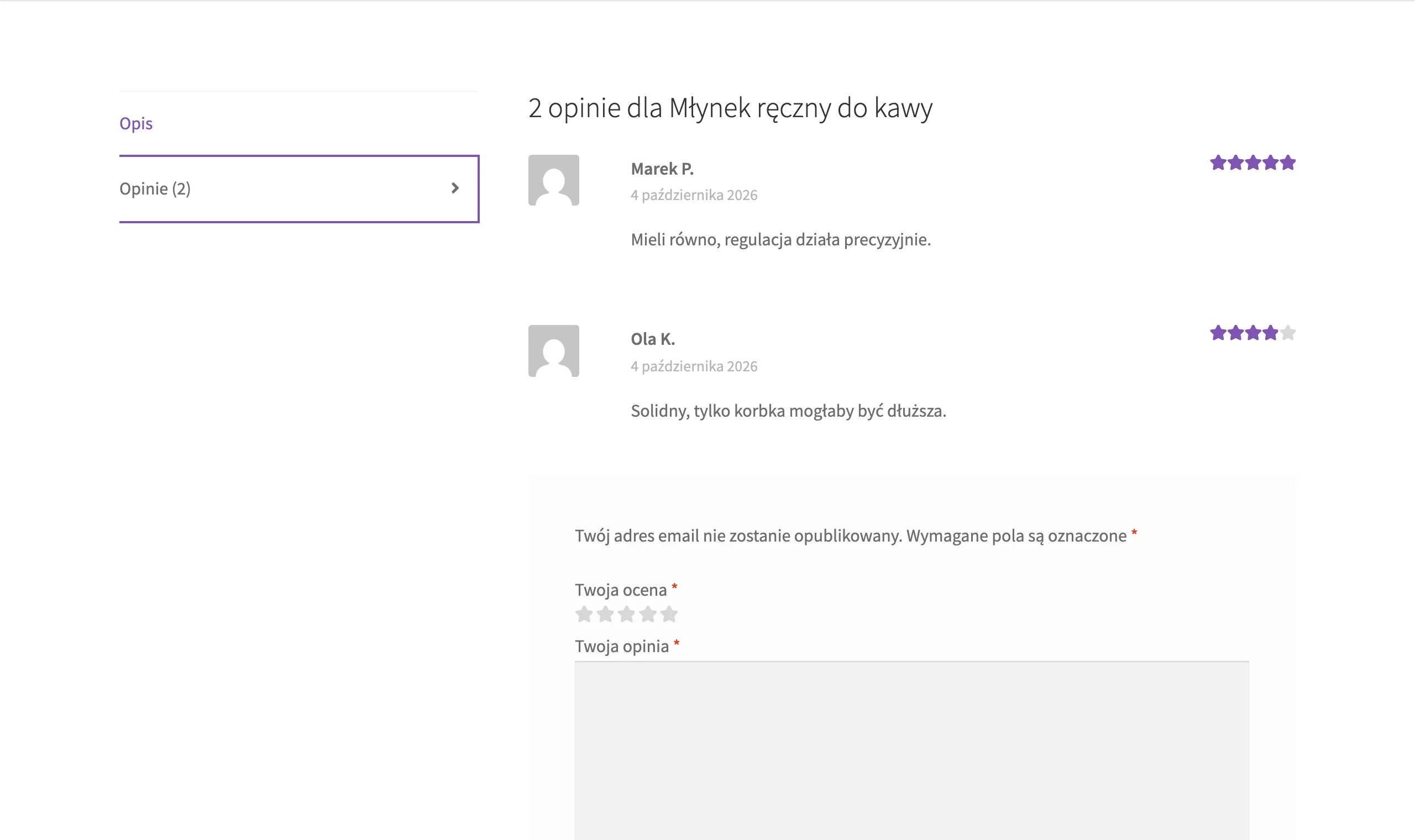
When replying, do not disclose personal data or details of the dispute, because publishing such information (e.g. an order number or CCTV footage) may breach GDPR and Google’s rules. Instead of pouring oil on the fire, keep a polite tone and stick to the facts, avoiding comments on the author, because aggressive retorts often trigger further comments. If the issue can be resolved, propose a specific step and deadline (e.g. a replacement or correction of the service), because closing the matter is often as valuable as removing the review itself. Ask for the review to be updated only after the issue has been resolved and preferably in private contact, rather than publicly in the form of a demand to “remove the post”.
The most practical long-term approach is to treat negative reviews as a signal to improve the process and build an internal quality procedure. A simple log of causes works well (date, topic, decision), because after a larger number of posts it is easy to spot which issues most often end with 1★. Responses can additionally strengthen local SEO, if they naturally refer to the real service and location, whereas there is no point cramming keywords in artificially. With consistent, factual responses, users can see that the company is able to solve problems, even if the review is not removed.
Legal and formal action in the event of a legal infringement
Legal and formal steps are worth considering when a Google review not only damages reputation, but also breaks the law or infringes personal rights. If a post accuses the company of a criminal offence or serious misconduct (e.g. “they steal”, “they scam on invoices”) without basis, personal rights protection (Articles 23–24 of the Civil Code) or defamation (Article 212 of the Criminal Code) is usually at stake. At the same time, securing evidence is crucial, because online content may be changed or disappear during the dispute. In more complex cases, a notarial protocol of the site inspection is considered as stronger evidence.
The formal route is particularly justified when the review discloses personal data and breaches privacy. If, for example, an employee’s phone number or other data are published, you can base your actions on GDPR and demand deletion of the data and restriction of processing. Effectiveness increases when you precisely indicate what information has been disclosed and why, in your view, there is no legal basis for its publication. In practice, this is often faster than arguing about whether the comment is “true”.
If you know the author (e.g. from earlier correspondence), a sensible step is a pre-action letter demanding removal or correction of the review. In the letter, it is worth specifying a deadline (e.g. 3–7 days) and referring to specific passages of the post and verifiable facts (dates, documents), because vague threats rarely produce results. In cases of legal infringements, you can also submit formal reports to Google through the relevant legal forms, rather than only via a report in Maps. Such a report should clearly describe the basis (e.g. disclosure of data) and include evidence, rather than amounting to a demand for removal “because it harms the company”.
Civil proceedings are primarily justified when you have solid evidence of unlawfulness or falsity and when the post genuinely affects how the business operates. In a civil claim, the requests most commonly include removal of the effects of the infringement (e.g. an apology), an injunction against further infringements, and any compensation. However, it should be remembered that the law generally allows sharp but factual consumer criticism, which is why subjective opinions such as “rude service” or “expensive” are difficult to challenge effectively. If there are signs of organised black PR or fake reviews commissioned by a competitor, it is sensible to seek legal advice on unfair competition and, in parallel, gather comparative material (accounts, dates, matching content).
- 01Secure evidenceTake screenshots, save dates
- 02Identify the infringementDefamation, infringement of rights, GDPR
- 03Take formal actionLetter, claim, notarial protocol
- 04Protect privacyDemand deletion of personal data
The key is to respond quickly and document infringements in order to protect reputation and rights effectively.
Building resilience to negative reviews and improving reputation
Building resilience to negative reviews is based on continually collecting authentic feedback and organising processes so that individual 1★ ratings do not obscure the company’s overall picture. In practice, the best approach is an SMS/e-mail request for a review sent 1–3 hours after the visit, with a direct link to leave a Google review. With larger numbers of customers, these sends can be automated with tools such as Thryv, Podium or CRM systems, whereas in a small business a simple SMS template and a shortened link to the profile are usually enough. It is important to ask all customers for feedback in a consistent and regular way.
It is worth simplifying the request for a review as much as possible, using Google Business Profile’s official solutions. Use the “Ask for reviews” link in GBP and the QR code placed at the counter, on the receipt or in the email footer so the customer can quickly go to the form. Do not offer discounts for reviews, as this is risky from a policy perspective; instead, ask all customers for a rating in the same way. This consistency strengthens the profile’s credibility and reduces the impact of isolated negative reviews.
Reputation resilience also grows when you manage “high-risk” situations and complaints sensibly. In practice, you can first collect private feedback from the customer after a complaint has been raised, and only once the matter has been resolved ask for a public review, which keeps the order right: first service, then rating. A clear complaints procedure with a single escalation point (e.g. a dedicated email address) and a 24h response time also helps, because many 1★ ratings stem from a lack of response rather than the mistake itself. This means some disputes can be resolved outside Google Maps.
Maintaining a stable reputation also requires constant monitoring and clear team working standards. Turn on notifications in the Google Business Profile app and consider monitoring tools such as Brand24 or SentiOne to catch new reviews on the day they are published. It is also worth training the person responding to reviews in safety rules (no personal data or visit details) and preparing a short guide with ready-made response templates. With multiple locations, a consistent standard works well: a designated responsible role, a weekly report and central oversight, plus a GBP profile audit (categories, service descriptions, opening hours, attributes and photos) and regular photo additions, e.g. 5–10 per month, so the profile can “absorb” isolated negatives.
A safe reputation strategy also means avoiding “blackhat” services that promise quick review removal using risky methods. Such actions can end with the profile being blocked or access to Google Business Profile being lost. Instead, stick to legal violation reports, factual replies and systematic review generation. This approach is operationally predictable and reduces the risk of a secondary crisis.
Positive review acquisition system after a service
A positive review acquisition system after a service works most effectively when you ask for a rating shortly after the visit ends, in a repeatable way and covering all customers. In practice, an SMS or email sent 1–3 hours after the service, with a direct link to leave a Google review, usually works best. If you operate at a larger scale, sending can be supported by tools such as Thryv, Podium or a CRM system, but in a small business a polished message template and a shortened link to the profile are usually enough. The key is for the process to be simple from an operational point of view and sustainable every day.
The highest conversion comes from shortening the customer’s path to the Google Business Profile review form as much as possible. Use the official “Ask for reviews” link in GBP and a QR code placed, for example, on the counter, receipt or email footer so the customer can leave a rating without searching for the listing. Do not offer discounts or benefits in exchange for a review and instead consistently ask all customers for feedback, as this is safer from a policy perspective. Additionally, in “high-risk” cases (e.g. after a complaint), first collect private feedback and ask for a public rating only after the issue has been resolved, so the review reflects the outcome of the matter.
Review monitoring and rapid response to crises
Review monitoring and rapid crisis response are about finding out about a new review on the day it is published and immediately activating the right course of action. The easiest way to start is by turning on notifications in the Google Business Profile app, and then supplementing this with monitoring in tools such as Brand24 or SentiOne if you need a broader view of the situation. This gives you time to assess whether the post appears to violate the rules (e.g. spam, threats, personal data) or instead requires a substantive reply and clarification. The faster you gather context and materials, the easier it is to make a decision without acting “on emotion”.
In a crisis, it is crucial to organise the first 15–30 minutes of work: identify the pattern, secure the content and choose the escalation channel. Before making any reports or posting a response, save screenshots and links to the reviews, because the content may be edited after the actions have started. If you see a sudden surge of similar 1★ ratings in a short period, treat it as a possible attack and prepare a description of the pattern (dates, number of accounts, repeated wording) for GBP support, while also reviewing individual posts. A good operational practice is also to keep a simple log of topics and decisions, so after a series of incidents you have a clear picture of which causes keep recurring and where it is worth refining the service process.
FAQ
Frequently asked questions
How do you check whether a negative Google review can be removed?
First, you need to assess whether the post breaches Google’s rules, rather than simply being critical. It is also worth checking whether the review can be linked to a real transaction and securing evidence.
Does Google remove every unfavourable review about a business?
No, Google removes above all reviews that breach content policies, such as spam, threats or disclosure of personal data. A negative rating alone is usually not enough for removal.
Which Google reviews are removed most often?
Reviews containing spam, false content, threats, hate speech, profanity, advertising or personal data are removed most often. Google may also remove off-topic posts and reviews involving a conflict of interest.
Why is it worth reporting spam or review bombing in Google separately?
Because mass, repetitive 1-star ratings from new accounts may indicate an attack and increase the chances of a Google response. In such cases, it is best to report each review separately and describe the pattern collectively.
How do you report a review for removal in Google Maps or Google Business Profile?
In Google Maps, you can open the review and choose “Report as inappropriate”, and in the Google Business Profile panel you report it from the reviews section. Effectiveness increases if you provide a specific quote of the breach and attach evidence.
When is it worth submitting an appeal after a review report is rejected?
An appeal makes sense mainly when you have new information, for example a screenshot, proof of no transaction or a link to a duplicate. Without new facts, Google will usually uphold the earlier decision.