
Assortment strategy: how to match the offer to different customer segments
An assortment strategy matched to customer segments starts with segmentation and selecting 2–4 personas based on data about who buys, why and how often. To build personas, use sources such as GA4, surveys and sales calls, and then adapt your language, bundling and free delivery thresholds to them. For “budget-conscious” customers, highlight comparisons and price per unit, while for “premium” customers emphasise warranty, materials and service. The biggest effect comes from consistency: persona → messaging → how the offer is bundled → delivery terms.
The assortment is worth arranging so that the customer can find the right product as quickly as possible, which is why you should group products first by use case (problem→solution), and only then by technical parameters. Instead of one general “Accessories” category, categories such as “For the office”, “For travel” or “As a gift”, supplemented with filters, work better. This approach shortens the path to the purchase decision because the customer moves through the store according to their goal, not the database structure. At the same time, it makes planning cross-sell and sets easier, because needs are “collected” in one place.
At the start, the offer should be broad enough, but without giving the impression of randomness, so it is better to have 30–80 well-described SKUs with sensible availability than hundreds of items without quality materials. If you operate in a dropshipping model, the priority remains control of delivery quality and realistic lead times, because otherwise returns and chargebacks can eat into margin. As you organise the catalogue, implement logical sets: “starter” ones (product + essential accessories) and “upgrades” (a premium version or larger pack) with clearly shown savings in PLN and %. Such bundling increases AOV because it saves the customer time and reduces the risk of buying an incomplete solution.
- 01Segmentation and personas2-4 personas based on data (who, why, how often)
- 02Matching the offerLanguage, bundling, free delivery (e.g. for budget-conscious vs. premium)
- 03Consistency of the pathPersona → messaging → bundling → delivery
- 04Grouping by use caseProblem → Solution (before parameters)
- 05Avoiding generic categoriesPrecise naming (instead of “Accessories”)
The key to effectiveness is deep segmentation and creating a consistent, solution-oriented customer journey for each persona.
Optimising category pages for better conversion
Category pages are optimised for conversion mainly because that is where the “stay/leave” decision is most often made. It is worth adding 1–2 advice paragraphs and a “Frequently asked questions” section so that the user can quickly narrow down the choice without clicking through dozens of product cards. Equally important are clear filters that address typical needs (e.g. price, size, compatibility, use case). If you sell technical products, show a shortened parameter table already on the product list to reduce the number of clicks.
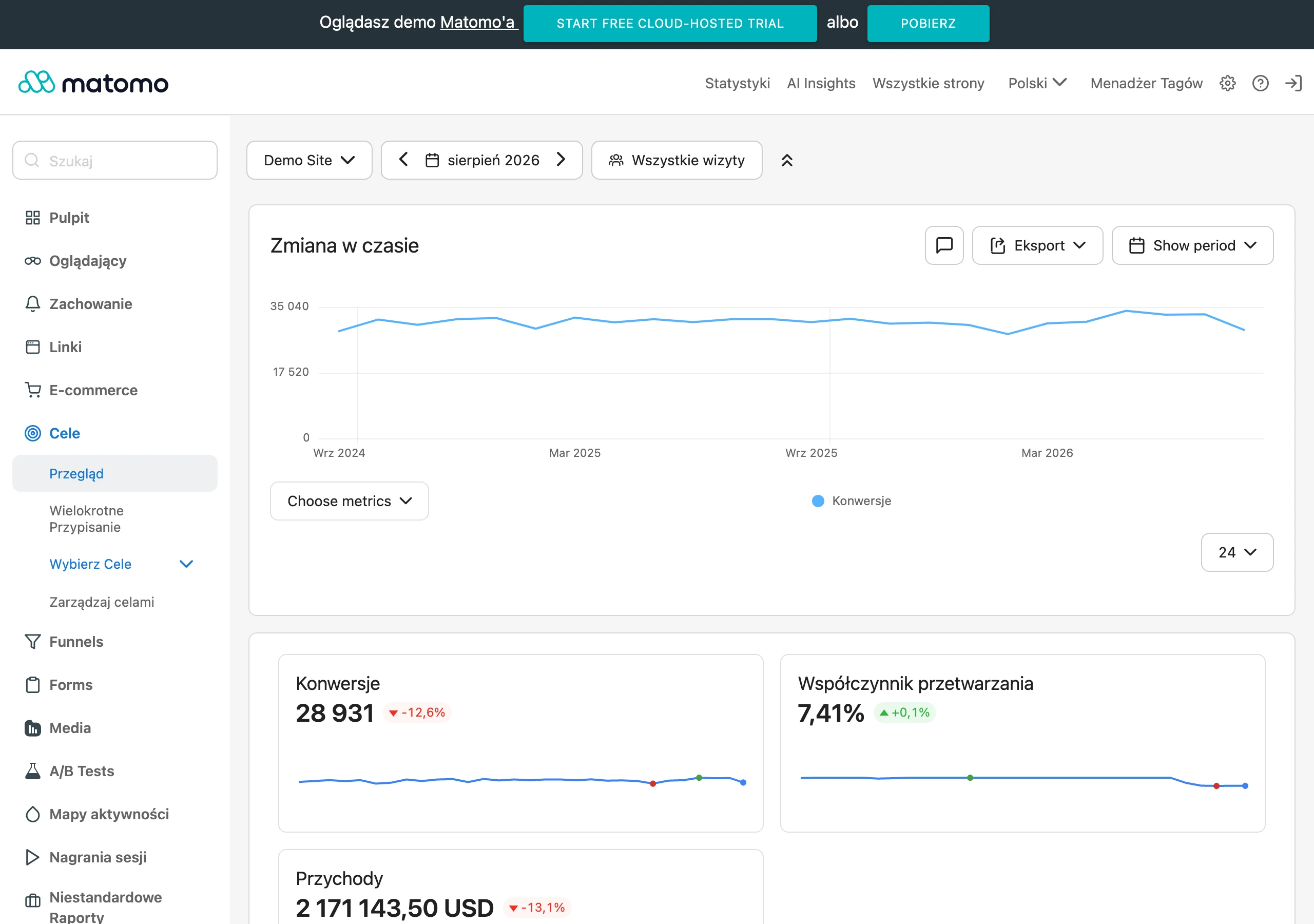
Filters and sorting should work quickly and be “human-readable”, which is why it is worth bringing the most commonly used ones to the front and hiding niche parameters under “More filters”. In many industries, sorting by “Top rated” and “Most popular” can lift conversion more than “Cheapest”, because it strengthens the decision with evidence and other customers’ choices. The category page should also stick to logical product grouping by use case, so that filters refine the need rather than “clean up” chaos in the catalogue. A well-designed category shortens the time to choice and reduces the number of abandonments.
- Add 1–2 advice paragraphs that answer common buying questions in the given category.
- Include a “Frequently asked questions” section and make sure it is easy to find, without having to dig through the terms and conditions.
- Implement filters: price, size, compatibility, use case; hide niche parameters under “More filters”.
- Set sorting that genuinely supports the decision (often “Top rated” and “Most popular”).
- For technical products, show shortened parameters on the list to reduce the number of clicks.
Building trust through UX and social proof
Trust in e-commerce grows fastest when UX shows customers concrete proof and clear buying rules. Rather than vague statements, place reviews next to the product and in the basket (e.g. Trustpilot, Opineo) and showcase authentic customer photos, as this shortens the distance to a decision. Describe return and warranty terms in simple language, step by step, including who covers the shipping cost. The biggest difference is made by “proof at the point of decision”: the product page and basket should handle objections before the user moves on to checkout.
Credibility is also strengthened by a predictable buying journey, where the user sees costs, timing and rules from the outset. In the basket, show delivery costs as early as possible and communicate the returns option to reduce concerns such as “how much extra will I pay?” and “what if it doesn’t fit?”. If you offer specific conditions (e.g. “30 days to return”), clarify how it works in practice instead of pointing to the terms and conditions in the footer. In addition, make sure your company details are visible and verifiable (tax ID, full details, address and a real contact method), because for many people this is an important safety signal.
Trust also grows when the customer feels in control and doesn’t get “lost” on mobile. Make sure buttons are at least 44 px, prices remain readable, and variant selection and availability are clear, together with the expected delivery date for each variant. If a product is temporarily out of stock, it is better to implement back-in-stock notifications than leave the user without a way to act (e.g. automated emails/SMS via Klaviyo or Omnisend). Such micro-steps reduce abandonment without having to lower the price.
- 01Social proofReviews and authentic photos
- 02Clear rulesSimple return and warranty terms
- 03Proof at the point of decisionHandle objections in the basket
- 04Predictable journeyVisible costs and timings
The key to trust: transparency and reducing concerns at every step.
Site performance and speed as key success factors
Site performance and speed are crucial because they directly affect whether the customer completes the purchase without frustration and errors. In practice, it is worth aiming for Core Web Vitals: LCP < 2.5 s, INP < 200 ms, CLS < 0.1 and as low a TTFB as possible thanks to cache. For diagnosis and monitoring, use tools such as Google PageSpeed Insights, Lighthouse and WebPageTest, and you can base the CDN + cache layer on Cloudflare. These metrics make it easier to set priorities, that is, they show what really speeds up the key pages (category, product, basket, checkout).
The fastest performance gains usually come from organising media and scripts. Compress images to WebP/AVIF, use lazy-load and keep sensible resolutions (e.g. 1200–1600 px for the main image and 300–600 px for thumbnails) so you do not particularly burden mobile traffic. Tools such as TinyPNG, ImageOptim and Cloudinary are useful here for automating transformations. If the site has “heavy” marketing elements, limit them in the initial render, because they can block key purchase steps.
Deployment stability is just as important as speed, because post-update errors can reduce conversion instantly. Maintain a staging environment, roll out changes in batches and monitor errors (Sentry) and uptime (UptimeRobot, Pingdom), especially after adding a new payment module or making changes to checkout. During larger traffic spikes (Black Week, major campaigns), test load, move static assets to the CDN and consider queues for tasks that should not block order completion (e.g. PDF generation, email sends). This keeps the shop predictable even when traffic and order volumes spike.
Effective use of Google Shopping and Performance Max campaigns
Google Shopping and Performance Max can be used effectively when you refine the quality of the product feed in Google Merchant Center. The feed determines how well products match queries, so make sure to complete, among other things, GTIN, brand and attributes such as colour and size. Also make sure operational information is included: stock status, delivery time and return policy, as these matter for data completeness in Merchant Center. The most common “brake” on results is not the budget, but incomplete or inconsistent feed data.
- In Merchant Center, complete: GTIN, brand, attributes (e.g. colour, size) and product condition.
- Enrich the feed with delivery time and returns policy so it better reflects the real buying conditions.
- Make sure product attributes and value dictionaries are consistent, which will reduce errors and disapprovals in price comparison sites.
- Use tools such as Feedonomics, DataFeedWatch or BaseLinker/Apilo integrations to generate and maintain feeds on an ongoing basis.
Campaign effectiveness grows when the feed is based on a structured product data architecture and does not contain duplicate values (e.g. “black”, “Black”, “#000”). Consistent attributes also speed up Merchant Center implementation and reduce the risk of mismatches in product ads. If you sell across multiple channels, generating feeds through BaseLinker or Apilo makes it easier to keep prices and stock levels aligned without manual work. As a result, Shopping and Performance Max campaigns can perform more stably because the system receives a fuller context for the offer.
- 01Refine the product feedComplete the GTIN, brand and attributes.
- 02Complete operational dataStock, delivery and returns policy.
- 03Tidy up the structureConsistent attributes, no duplicates.
- 04Increase effectivenessComplete data means better results.
The key to success is a complete and consistent product feed in Google Merchant Center, which removes performance “brakes” and speeds up implementation.
Automation of CRM processes for better customer retention
Automation of CRM processes improves customer retention when it is based on purchase events and behaviour segmentation, rather than permanent discounts. After purchase, plan an email sequence: a confirmation with instructions for use, a reminder about accessories after 7–14 days, and a request for a review after delivery. For consumable products, set up automatic “time to replenish” reminders after 21/30/60 days (depending on the category). Such communication reduces returns and increases the chance of repeat purchase without lowering margin.
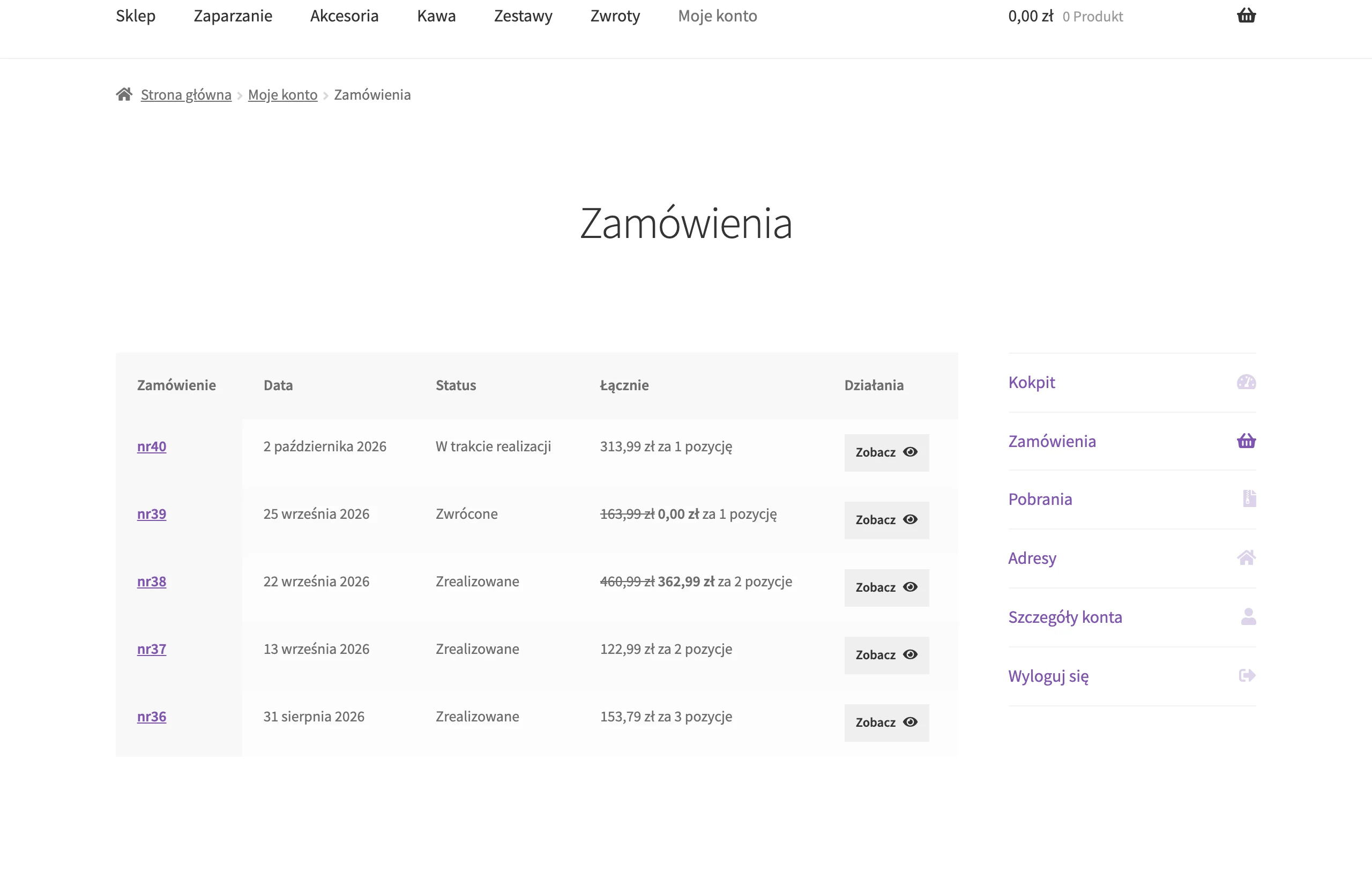
An abandoned cart is an area where automations usually translate into revenue the fastest, provided they are timely and specific. Use this sequence: an email after 1 hour (link to the cart), after 24 hours (social proof and FAQ), and after 72 hours (an optional benefit, e.g. free delivery), with dynamic cart content and product recommendations. You can implement such scenarios in Klaviyo or Omnisend, adapting the content to the decision stage. It is also important to exclude people after purchase so that you do not worsen the experience with “backwards” communication.
Retention is strengthened by matching the offer to customer value, so segment the database using the RFM method (Recency, Frequency, Monetary) into groups: new, active, VIP, dormant and lost. For VIPs you can communicate early access or limited editions, and to dormant customers send a “what is blocking your return?” survey instead of an automatic discount. At the same time, collect reviews and UGC in a systematic way, e.g. 3–7 days after delivery, with an option to add a photo and review integration (Trustpilot/Opineo), because this supports subsequent purchase decisions. Base personalisation on data (browsing and purchase history) and “frequently bought together” recommendations, using for example Nosto or Shopify’s built-in mechanisms with apps.
Logistics and delivery: optimising the order fulfilment process
Optimising order fulfilment means making sure the customer immediately knows how they will receive the parcel, when it will arrive and what to do in the event of a problem. Match delivery methods to market expectations. In Poland, the standard is InPost Parcel Locker, courier delivery (DPD/DHL/GLS) and collection from a point, and not offering Parcel Lockers in many categories can reduce conversion. Show the available methods already on the product page rather than only at checkout, as this reduces uncertainty before the item is added to the basket. Fulfilment time must match reality and be communicated automatically based on stock levels and carrier data, because unfulfilled promises generate returns and negative reviews.
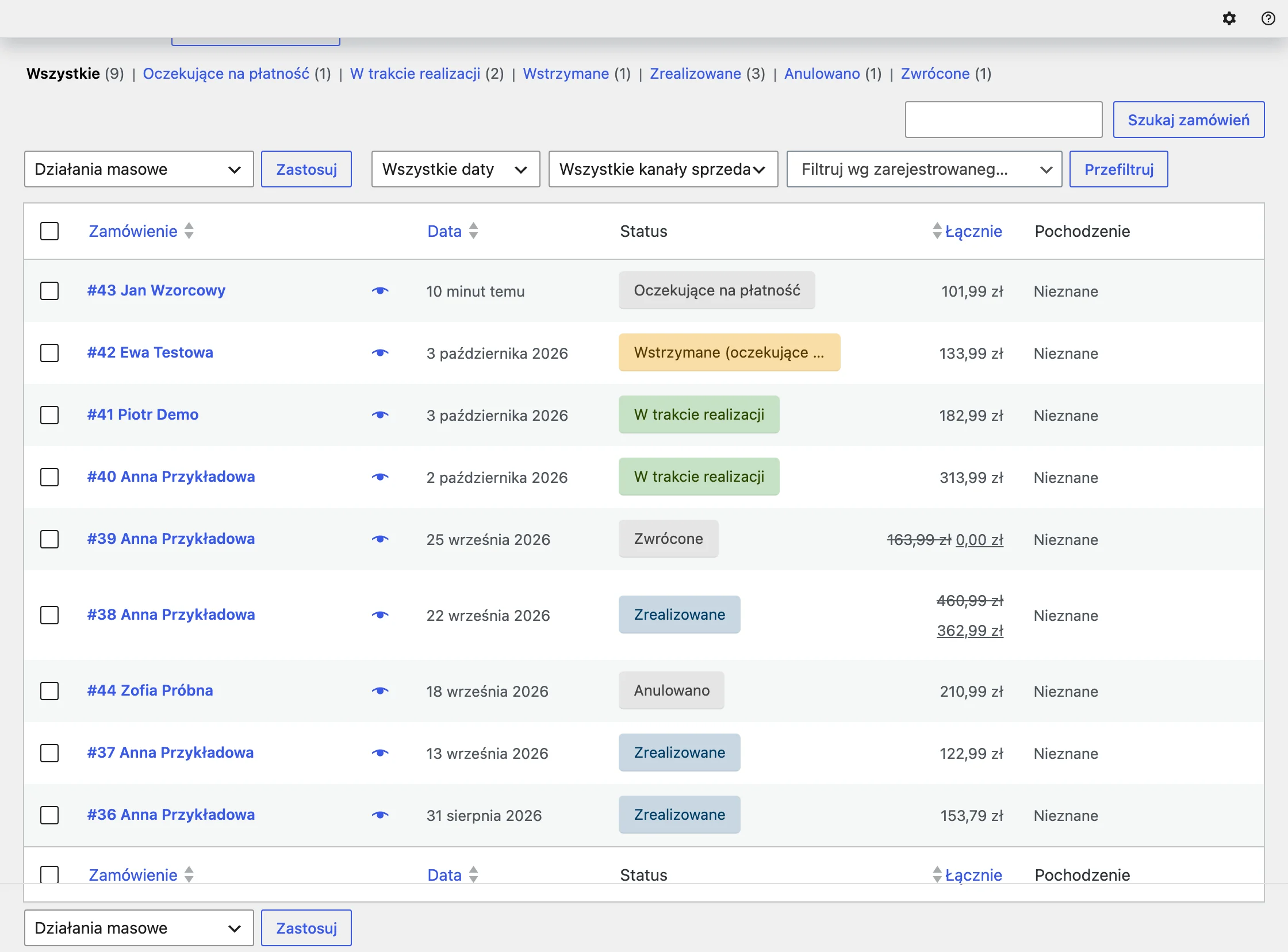
The shipping process will be stable if you define a cut-off time (e.g. 14:00) and separate the statuses “in stock” and “shipping in 7–10 days” for made-to-order products. Also make sure packaging and unboxing are standardised. This is about fillers, protection and labels, and for delicate products it is worth measuring the damage rate by carrier. Simple additions, such as instructions, a warranty card or a QR code to a guide, can reduce the number of enquiries to customer service after delivery. Such elements encourage repeat purchases, especially in gift and premium categories.
Returns and exchanges are best “demystified” through an efficient process that is quick, controlled and clearly communicated after purchase. Provide a simple form, a return label or returns at a point (e.g. InPost Quick Returns) and notify the customer by email about the status of the return. If there is a sizing issue, direct the customer to an exchange with stock reservation and an additional payment/price difference rather than a full refund. In post-purchase communication, send tracking immediately after dispatch, remind customers to collect parcels from the parcel locker and give advance notice of delays (e.g. via BaseLinker and automatic email/SMS notifications or tools such as AfterShip). As scale grows, organise minimum stock levels per SKU based on average sales and lead time (e.g. stock for 14–30 days) and consider third-party fulfilment when volume (e.g. 500–2000 parcels/month) and the need for same-day dispatch start to exceed the team’s capacity.
Analytics management and A/B testing for continuous optimisation
Continuous optimisation can only be carried out if analytics answers the question of what exactly will increase sales and where the shopping funnel is “leaking”. Configure GA4 with e-commerce (view_item, add_to_cart, begin_checkout, purchase) and compare funnel results across devices and traffic sources, while keeping tags organised through Google Tag Manager with versioning for changes. It is also worth remembering that attribution alone can distort the picture. That is why you should combine costs (Google Ads/Meta) with revenue and margin to see “profit per channel” (e.g. in Looker Studio or a BI tool). If you sell across multiple channels (e.g. store + Allegro), merging the data is essential, because otherwise budget decisions will be based on an incomplete picture.
Base UX tests and diagnostics on evidence from real user behaviour, not on the team’s opinions. Heatmaps and session recordings (Hotjar, Microsoft Clarity) will show where users click, how they scroll and what they stop at in checkout, which often leads to the source of the problem faster than adding more ad budget. A/B tests make sense when they test hypotheses about the biggest levers (checkout, basket, product page, delivery and returns communication) and measure the impact on conversion and AOV. Start with the areas that weigh most heavily on the purchasing decision, and only then tackle secondary elements, so you do not “burn” time on changes that have no effect.
You can keep the optimisation system under control more easily thanks to clearly defined KPIs, cyclical reporting and data quality control. The minimum KPI set includes CR, AOV, CAC, LTV/CLV, gross margin, return rate, fulfilment time and NPS/CSAT, together with alert thresholds (e.g. a 15% drop in CR week on week) and a response procedure. Report concisely: a weekly dashboard (sales, channels, conversion, returns) and a monthly one (profitability, cohorts, LTV), and in cohort analysis verify what percentage of customers return after 30/60/90 days and how this differs between channels. Regularly audit implementation quality (e.g. duplicate transactions, currency errors, duplicated events) and compare GA4 sales with the store system, because differences > 3–5% require explanation. Keep action priorities in a backlog (Jira/Trello/Asana) assessed in terms of impact, cost and risk.
FAQ
Frequently asked questions
How should you match your assortment strategy to different customer segments in e-commerce?
Start with segmentation and choosing 2–4 personas based on data about who buys, why and how often. Then tailor your language, bundling and free-delivery thresholds to them.
Why is it worth grouping products by use case in an online store rather than only by technical parameters?
Because the customer finds a product that matches their goal faster, rather than the structure of the database. This kind of grouping shortens the path to decision-making and makes it easier to plan cross-sell and bundles.
What elements should be included on a category page to increase conversion?
It is worth adding 1–2 advisory paragraphs, a “Frequently asked questions” section and clear filters that address typical needs. For technical products, a shortened parameter table already on the product listing also helps.
Do reviews and clear return policies really help build trust in e-commerce?
Yes, if they are shown at the point of decision, that is, on the product page and in the basket. Simple return and warranty policies, visible company details and authentic customer photos also help.
How can you speed up an online store without rebuilding the entire site?
The biggest gains usually come from tidying up images and scripts, for example compression to WebP/AVIF, lazy-load and sensible resolutions. It is also worth monitoring Core Web Vitals and using cache and CDN.
What needs to be added to the product feed to make Google Shopping work better?
Complete data is important, such as GTIN, brand, colour, size, product condition, delivery time and return policy. Consistent attributes reduce errors, disapprovals and mismatches in product ads.