
Basic profile configuration in Google Business Profile
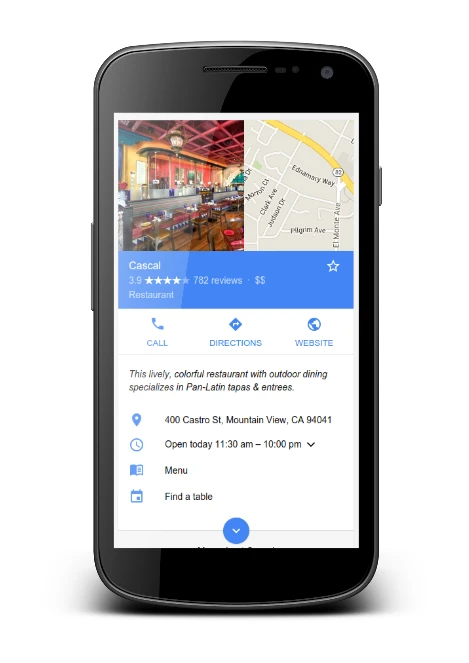
Basic profile configuration in Google Business Profile includes claiming or creating the profile, completing verification and filling in the company details in line with the actual situation. If the profile already exists, it is better to request access than to create another one, because duplicates often dilute visibility and reviews. In multi-person companies, it is worth setting roles (owner, manager) and enabling 2FA on the Google account to reduce the risk of unauthorised changes. Verification can take place by postcard, phone, email or video (depending on the industry).
The company name in the profile must match the name used in the real world (signage, invoices, website), without adding keywords. Additions such as “Plumber 24h Warsaw” increase the risk of reports and filters, and Google often removes such modifications or blocks edits. If you have a brand and a local branch, keep one consistent name format (e.g. “Company X” instead of “Company X – Mokotów branch”). Just as important is the correct presence model: a location with on-site service should have a full address and opening hours, whereas a service-area business (SAB) should hide the address and set real service areas (districts/cities), rather than entering an entire voivodeship “just in case”.
- Fill in standard opening hours and add special holiday hours in advance to avoid “closed” reports.
- Provide a direct phone number for the location (not for the head office, if it is different) and a URL to the correct location or service page.
- Add UTM parameters to the link (e.g. with utm_source/utm_medium/utm_campaign) so that in GA4 you can distinguish traffic from the profile from other sources.
- If you use call tracking, set the tracking number as primary and the NAP number as additional (Secondary), so that data consistency across the web is maintained.
- Choose one main category aligned with the core service (e.g. “Dentist”), and then 3–8 additional categories only if you genuinely offer them.
- Fill in the attributes and amenities you actually provide (e.g. card payment, Wi‑Fi, wheelchair access), and then review them regularly.
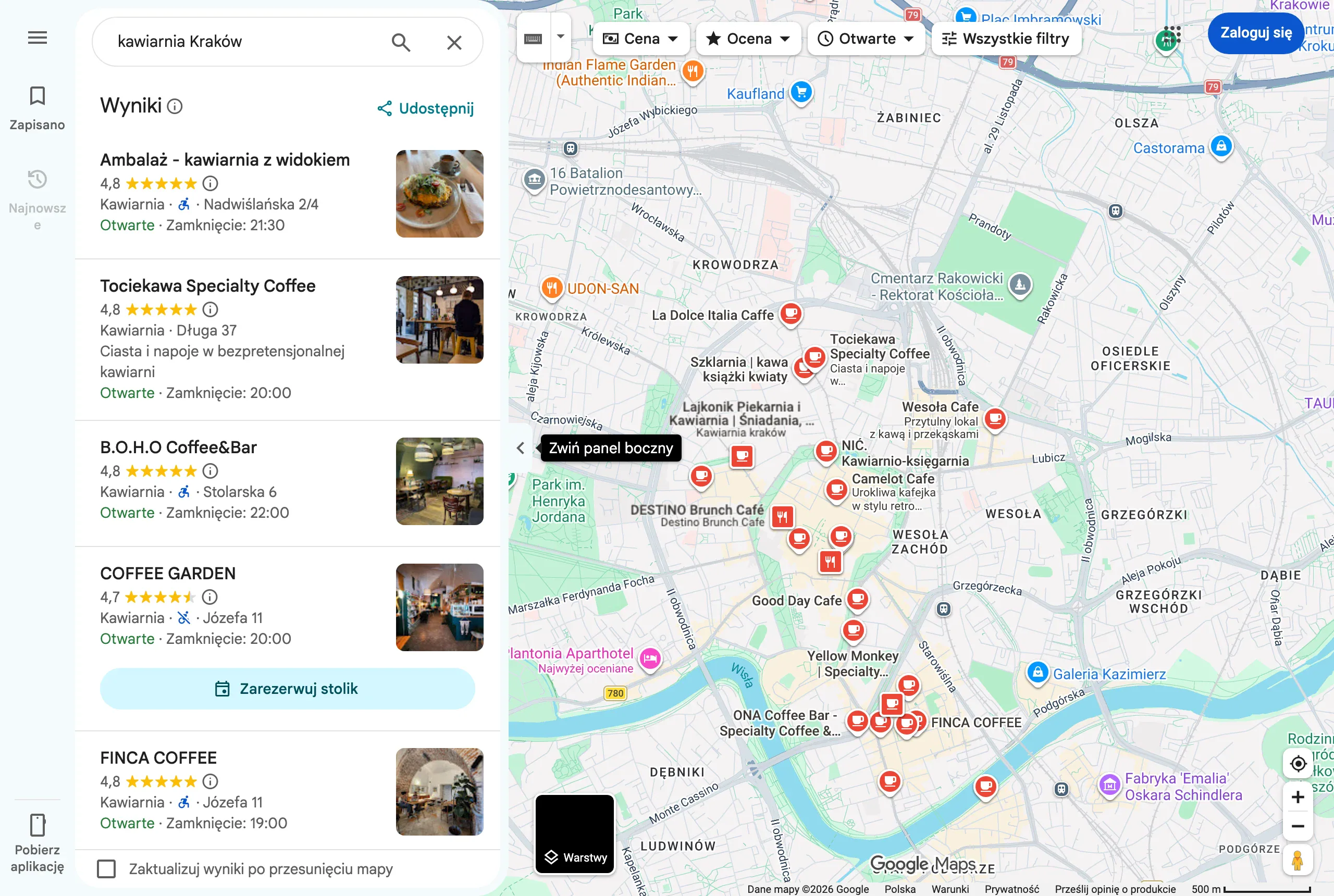
From the perspective of visibility in Google Maps, categories, consistent contact details and a clear profile structure are particularly important. Choose the main category for your key service, and analyse the competition with tools such as GMB Everywhere or PlePer Category Finder. Also set the opening date and complete the “About” section by answering common questions specifically (bookings, payments, parking), rather than resorting to generalities and claims like “the best”. If you suspect duplicates, search for the name, phone number and address in Google and Maps, and if necessary ask for a merge or duplicate marking, remembering to secure photos and posts.
- 01Creation or takeoverAvoid duplicates, take over access.
- 02Verification and rolesSet managers, enable 2FA.
- 03Completing detailsReal name, no keywords.
The key is consistency, security and avoiding duplicates for better visibility.
Optimising the content of a company profile
Optimising the content of a company profile involves describing the offer in the profile in such a way that it matches user intent and leads to action (call, directions, booking). The company description should clearly explain: what you do, who you serve, where you operate and what sets you apart in practice, e.g. service radius, lead times or how appointments are arranged. Include 1–2 locations and 2–3 key services, but avoid a list of keywords separated by commas, as this reduces credibility. If you want to show something specific, you can mention brands or typical jobs (e.g. split air conditioning installation in a given city and travel within a defined radius), provided you genuinely offer that.
The “Services” section should reflect the real phrases customers use (e.g. “air conditioning inspection”, “air conditioning cleaning”), rather than one general “service”. Each service should have a short description and, if possible, a price or price range, which reduces empty enquiries and improves lead quality. Keep it consistent with the offer on the website so that when the user clicks, they do not land on a different service than the one they saw in the profile. In industries where it makes sense, also consider “Products” (e.g. for companies with a clear price list) with categories, photos, descriptions without excessive superlatives and links to the relevant subpages, which makes measurement in GA4 easier.
If you offer bookings, set the link directly to the calendar (e.g. Booksy, Calendly, ZnanyLekarz), instead of sending users to the homepage, because traffic from Maps is often mobile and does not tolerate unnecessary steps. In hospitality, adding the menu as a link and/or in the “Menu” section makes it easier for customers to make a decision without leaving the website, provided prices and availability are kept up to date. It is also worth treating Q&A as a preventive measure: add your own questions and reliable answers (8–12) from the business account, because this section is often filled in by outside users. Support local keywords safely by matching services, categories and post content, rather than by stuffing keywords into the name, and make sure NAP data and opening hours are identical in the profile and on the website (e.g. in the footer and on the contact page).
Photos and videos as quality signals
Photos and videos in Google Business Profile increase the profile’s credibility and help users decide more quickly whether to get in touch or visit. The profile photo should clearly identify the business (logo for a brand or a clear photo of the premises), while the cover image works best when it shows what the customer will see on site: the entrance, reception or display. In seasonal businesses, it is worth refreshing the cover 2–4 times a year so the message remains current. This increases recognition in Maps and makes it easier to manage the first impression without going to the website.
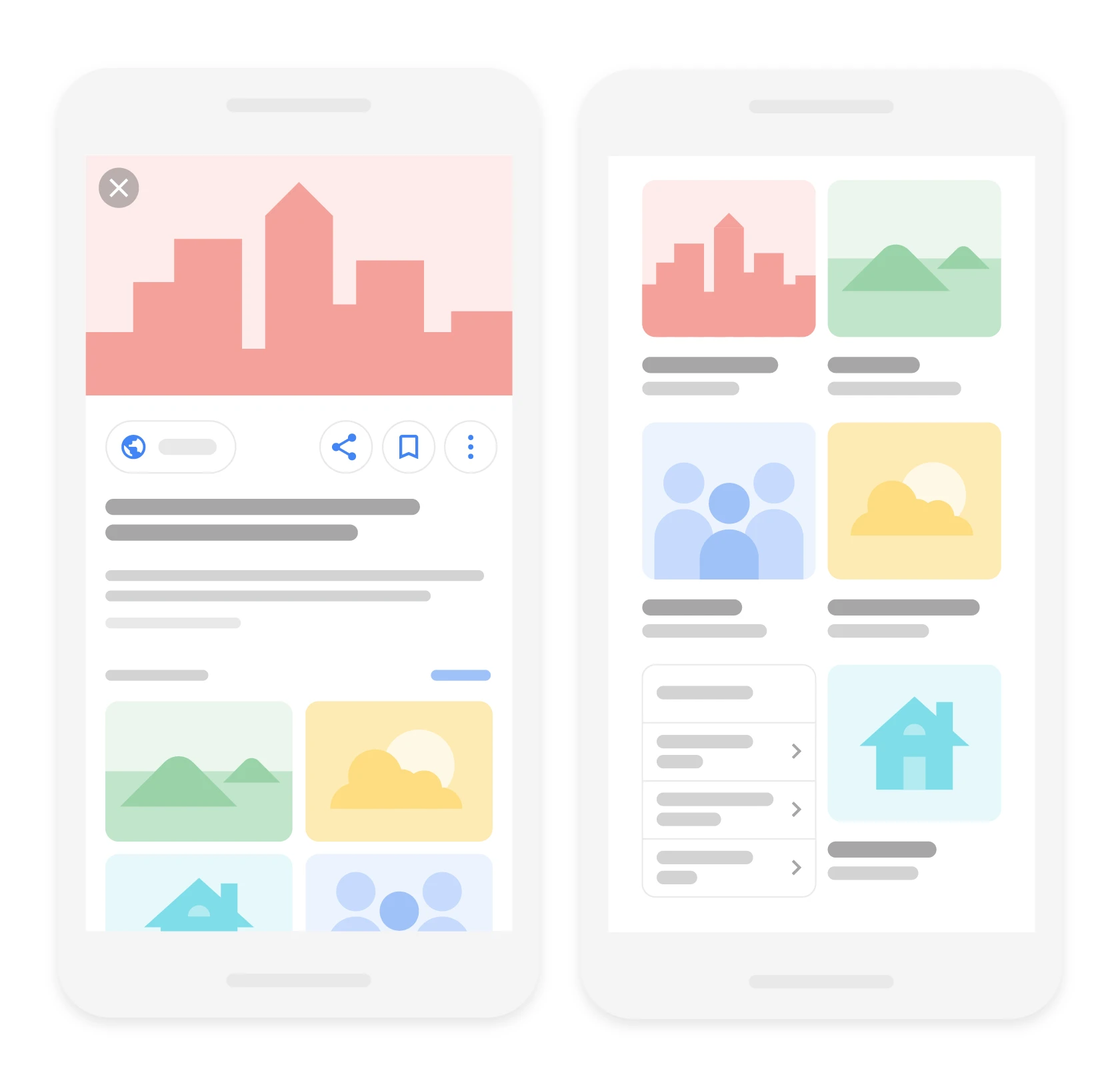
The simplest quality standard is a full set of 10–20 genuine photos of the premises (outside, sign, entrance, reception or service area, parking and landmarks), because this directly answers the customer’s question “is it easy to find?”. Such materials reduce the number of abandoned visits and lower the risk of negative reviews such as “I couldn’t find it”. In addition, it is worth showing the team at work, because users often assess competence before they even call. Avoid stock photos, as they can be reported as misleading, and in sensitive sectors make sure you have image consents and do not show customer data.
Video works best in short formats that reduce uncertainty about “what it looks like on site”: add 3–5 videos of 10–30 seconds showing the entrance, the service process or the “before and after” effect (if sector rules allow it). Publishing regularly matters more than a one-off “flood” of material, so in practice it is better to add 5–10 photos per week for 4–6 weeks, and then maintain 2–4 per week. Technically, make sure the image is sharp and well lit. As a working standard, a width of at least 1200 px and high-quality JPG files, without heavy filters, works well. Geotags in EXIF usually do not have key ranking significance, and if you also publish the same materials on the website, compression and metadata can be handled with tools such as TinyPNG or Squoosh so as not to slow down the site.
Photos from customers can be more credible and more likely to attract clicks than company-produced materials, so it is worth encouraging people to add them in a review. A short, neutral request works well, such as: “If you can, add 1 photo of the result – it helps others choose the right service”. When off-topic content appears (spam, competitors), report it in the dashboard and via “Report a violation”. This basic moderation helps keep the profile “clean” and clear for the next users.
- 01Credibility and trustIncrease authenticity and confidence
- 02Visual identificationClear logo and photo of the premises
- 03Customer experienceShow the entrance, reception, display
- 04Seasonal freshnessRefresh the cover 2–4 times a year
Professional visual materials speed up the decision to get in touch and visit, building a lasting first impression in Google Maps.
Strategy for acquiring and managing reviews
An effective review strategy in Google Business Profile is based on regularly collecting reviews from real customers and responding quickly and substantively to every rating. It is best to ask for a review when the customer is satisfied, within 24 hours of the service being delivered, because that is usually when the response rate is highest. In practice, a short review link (GBP → “Ask for reviews”) sent by SMS or email after the job is completed works well. This gives you a steady flow of fresh content that users actually read before choosing a business.
Natural pace is more important than “bursts” — for a medium-sized service business, 5–15 reviews a month usually looks credible, and too rapid a rise (e.g. dozens of reviews in 1–2 days) may trigger filters or raise suspicion. There is no single “enough” number, but in practice a profile with 50–200 fresh reviews from the last 12 months often competes more strongly than a profile with a large number of old reviews from years ago. Users do not always choose the highest average rating, but rather the listing that feels current and properly maintained. If the rating drops, the solution is not fake reviews, but improving service and consistently collecting reviews from satisfied customers.
- Respond to 100% of reviews (especially negative ones) within 24–72 hours, adding specific detail: thanks, a reference to the service and an invitation to get in touch.
- For negative reviews, first check whether the review is about your business; if it is hate or a mistake, ask for details and report the policy breach.
- Gather evidence for reports (e.g. no customer in the system, monitoring, correspondence), because Google removes only some reviews, e.g. vulgar content, spam or conflicts of interest.
- Do not offer a discount or a gift “for 5 stars” and do not launch mass reviews from employees or family, because that breaks the rules and can end with the profile being restricted.
Keywords in review text help match the listing to queries, but you must not push ready-made wording onto customers. Instead, in a request for a review you can ask a simple question, e.g. “What mattered most to you: the timing, the price or the quality?”, and customers often mention the service themselves. Even if a negative review cannot be removed, a calm response with a suggested solution limits reputational damage and improves conversion for the next users. This approach strengthens the profile’s credibility without resorting to risky practices.
Local SEO signals beyond the listing
Local SEO signals beyond the listing are primarily consistent business details across the web, a strong location page and credible mentions and links from the local area. Google compares information from the profile with data on your website, in directories and from other sources, so inconsistencies can weaken visibility in Maps. This most often concerns NAP (Name, Address, Phone) and opening hours, which should be identical also in terms of formatting. An audit of inconsistencies can be done manually (e.g. by searching for the phone number in quotation marks) or with tools such as BrightLocal and Whitespark.
The biggest “lever” beyond GBP is a dedicated subpage for each location with full NAP, opening hours, entrance photos, directions description and a link to the Google profile. Such a subpage should include a unique description of the services for that branch (without copying content between cities) and an FAQ section, because it answers questions that genuinely affect conversions. In addition, it is worth implementing Schema.org structured data (JSON-LD) of the LocalBusiness/Organization type, marking up, among other things, name, address, geo, telephone and openingHoursSpecification. You can check the implementation in Rich Results Test and in Google Search Console (if the enhancement reports are available).
Local links and mentions work best when they come from credible sources connected to your city or community. Usually the most valuable are city portals, chambers of commerce, local media, business partners and sponsored events, because they strengthen the company’s “local context”. Rather than mass-adding the business to low-quality directories, it is wiser to build a smaller number of quality mentions that actually deliver traffic and trust. In Poland, directories such as Panorama Firm, pkt.pl, Targeo (maps), ALEO, Fixly, ZnanyLekarz, Booksy or Oferteo are often chosen in practice — provided you maintain an identical NAP and a consistent description.
Strictly “practical” elements on the website also support local effectiveness, because they influence user decisions and behaviour. Embedding a Google Map on the contact page is not a magic ranking factor, but it can increase the number of “Directions” clicks and make it easier to get there, provided the details remain consistent. If you operate as a SAB (service-area business) with a hidden address, do not embed a map with an address that you do not show in the profile. When you see spam in the results (e.g. keyword stuffing in the name or fake addresses), you can respond in line with the rules via “Suggest an edit” in Maps or the Business Redressal Complaint Form, preparing documentation (screenshots, photos of the sign, data from CEIDG/KRS).
- 01Consistent NAP dataIdentical details across the web.
- 02Strong location pageA dedicated subpage with NAP.
- 03Local mentions and linksCredible sources from the local area.
The key to better visibility: consistency, the website and local links.
Measuring results and testing marketing activities
Measuring the effects of optimising a Business Profile comes down to observing not only the number of views, but above all user behaviour that genuinely translates into leads. In GBP (Insights), monitor views in Search and Maps, the queries leading to the profile, and actions such as calls, directions and website clicks. If views rise but actions stay flat, the cause is most often the offer, photos or reviews, rather than the “reach” itself. Compare data month by month and year by year, because seasonality in local services can heavily distort the picture.
The easiest way to “prove” sales from a Business Profile is through UTM tags and conversion analysis in GA4 for the link in the profile and links in posts. This makes it possible to distinguish traffic from Google Business Profile from other sources and check whether the profile generates, for example, form submissions or clicks on the phone number. In GA4, it is worth configuring conversion events (e.g. generate_lead) and looking at paths, because traffic from Maps is often short and behaves differently from visits from classic SEO. At the same time, verify local queries in Google Search Console (city/district) and whether indexing issues or mobile performance are not limiting conversions despite good profile stats.
Monitoring positions in Maps only makes sense when you take into account result volatility depending on the user’s location. Instead of relying on the “I’m #1” approach, use a local grid in tools such as LocalFalcon, BrightLocal Grid or LocalViking to see visibility within, for example, a 1–5 km radius of the business. This picture answers where the profile wins and where it loses out due to competition and distance. It is also a good basis for deciding whether boosting links and mentions “from the area” will bring a better return, or whether refining the profile’s match to intent will be more effective.
Tests in local SEO are best carried out in stages, changing one thing at a time and evaluating the effects over 2–4 weeks. In practice, you can safely test elements such as the cover image, service descriptions, posting frequency, entrance photos or the booking link, and then compare CTR and the number of actions (“Directions”, “Call”). If you measure calls, implement call tracking (e.g. CallPage, Thulium, Ringostat) in a way that does not break consistency: the tracking number as the primary number in GBP, and the NAP number as an additional one, plus analysis of not only volume but also call quality. When drops appear, start with a short diagnosis: check category changes, edits from the community, duplicates, suspensions and disappearing reviews before moving on to larger, uncoordinated modifications.
Rules and safety in managing a Business Profile
Rules and safety in managing a Business Profile come down to making sure the profile reflects reality and does not cross into actions that Google considers manipulation. The most common problems stem from adding keywords to the name, using virtual offices as the address, creating fake locations and running profiles without real customer service. Such violations usually end in a filter (a drop/disappearance of views) or a profile suspension. It is safer to have fewer elements, but perfectly polished and compliant with the rules, than to “optimise” aggressively for the algorithm.
A suspended Business Profile is most often restored by tidying up the data and gathering documents that confirm the existence of the business and the right to the location in question. Useful evidence for an appeal includes, among other things, a CEIDG/KRS entry, utility bills, photos of the sign and interior, industry licences and proof of address. The appeal is submitted in the dashboard, and during the process it is better not to make many edits at once, as this can prolong verification. After the profile is restored, introduce changes in stages and maintain full NAP consistency across the web so that data does not “come back” from other sources.
Profile safety also means keeping control over community edits and over what Google pulls from Maps, websites and directories. Users can suggest changes to opening hours, address or categories, and some of these are accepted automatically, so it is worth regularly checking the “Updates” section and having an internal weekly review routine. If someone deliberately damages the data, gather evidence and escalate the issue through reports and the GBP help forum. Remember that Google can suggest changes based on other sources, so first tidy up the “sources of truth” (the website and directories), and only then stabilise the profile.
Action plan for new Google Business Profiles
The action plan for new Google Business Profiles is best run on a 30/60/90-day rhythm, because it helps build profile completeness and a repeatable process without nervous, chaotic moves. In the first 30 days, the goal is full profile setup, adding 30–50 photos and publishing 4–8 posts so that the profile looks active from the outset. At the same time, fill in services/products and improve the NAP on the website and in 10 key directories. Such a start both increases match to queries and clearly improves the user’s “first impression” in Maps.
Over a 60-day horizon, the key is to launch a review acquisition system at a rate of 5–15 per month and strengthen visibility beyond the Business Profile itself. At the same time, add 2 local pieces of content to the website that answer questions from customers in the area, and secure 3–5 local links or mentions from trustworthy sources. At this stage it is also worth implementing grid ranking monitoring and adjusting categories if the data shows poor coverage in important areas. This way, decisions are based on measurement rather than the feeling that “it works/doesn’t work for me”.
After 90 days, the priority is to stabilise activities and fine-tune the elements that genuinely lift conversions when the profile appears regularly in results. Keep a steady rhythm of posting, photos and reviews, and supplement the location page with FAQ and schema structured data to strengthen message consistency. At this point, it is also worth building a practical competitive advantage, for example through more efficient online booking management or clear communication of fast availability, because “profile optimisation” has its limits. This cycle makes it possible to move from a one-off “setting up the profile” to a solution that consistently delivers leads.
FAQ
Frequently asked questions
How do you correctly set up a company profile in Google Business Profile?
You need to claim or create the profile, complete verification and fill in the details in line with the facts. It is also worth setting user roles, enabling 2FA and keeping the information consistent with other sources.
Can you add keywords to the company name on Google?
No, the name in the profile should match the name used in the real world, for example on signage, invoices and the website. Adding phrases increases the risk of reports, filters and editing blocks.
Why is NAP consistency important for local SEO?
Google compares the name, address and phone number with the profile, website and directories, so discrepancies weaken visibility in Maps. The details should also be identical in terms of formatting, including opening hours.
Which categories should you choose for a Google profile to help it rank better?
First you need to choose one main category that matches your core service, and then add only the additional ones you actually offer. Category choice has a major impact on query matching and visibility in Maps.
How do you describe services and your offer in the profile to attract customers?
The description should clearly state what you do, who you do it for, where you operate and what sets your business apart in practice. In the services section, it is worth using the phrases customers search for, and adding short descriptions and prices or ranges if possible.
How do you collect reviews for Google Business Profile without breaking the rules?
The best approach is to ask for a review within 24 hours of completing the service and send a short link by SMS or email. You must not offer rewards for 5 stars or run mass reviews from employees or family.