
Visibility in Google Maps usually drops not because of a “lack of SEO”, but because of basic shortcomings in the Google Business Profile and inconsistent business data across the internet. In this article I show how to organise the most important areas that genuinely affect ranking and whether the user will click your listing at all. First, you will deal with the elements without which your influence on position is limited and you will not get the full picture of performance. Then you will move on to the consistency of name, address and phone number, because that is the basis of the algorithm’s trust and of connecting business information from different sources. I describe everything practically, step by step, without guesswork and without “magic tricks”. It is worth going on and checking what can be improved straight away.
verification and profile ownership: the key to better visibility
A verified Google Business Profile is a prerequisite for having a real impact on visibility and access to full data in “Insights”. Without verification, the room for manoeuvre in terms of ranking remains limited, and assessing the effects of your actions is simply less comprehensive. You can complete verification in the Google Business Profile dashboard at business.google.com. Only after verification can you sensibly assess what works and what needs adjusting, because you see fuller data on the profile’s performance.
Profile ownership and account security are part of the “hygiene” that protects access and continuity of action. Make sure the owner account has 2FA enabled, as this reduces the risk of losing access to the profile. Also make sure the owner uses the correct domain email (e.g. kontakt@twojadomena.pl), which makes it easier to keep the profile management tidy. These issues do not replace content optimisation, but they strengthen the foundation on which you base all further improvements.
- 01Verify the profileFull data and better visibility.
- 02Secure ownershipUse the correct domain email.
- 03Enable 2FA and optimiseA sensible assessment of actions after verification.
A verified and secured profile means security and access to full statistics for an effective assessment of actions.
the importance of consistent NAP for Google’s algorithms
A consistent NAP (name, address, phone number) builds the algorithm’s trust and makes it easier for Google to connect information about your business from different places across the web. Even minor differences in how it is written, such as “st.” vs “street”, matter because they create an inconsistent data picture. When the NAP is out of sync, Google has a harder time matching citations and may “trust” the profile less. Set one format for the name and address, and then use it identically everywhere.
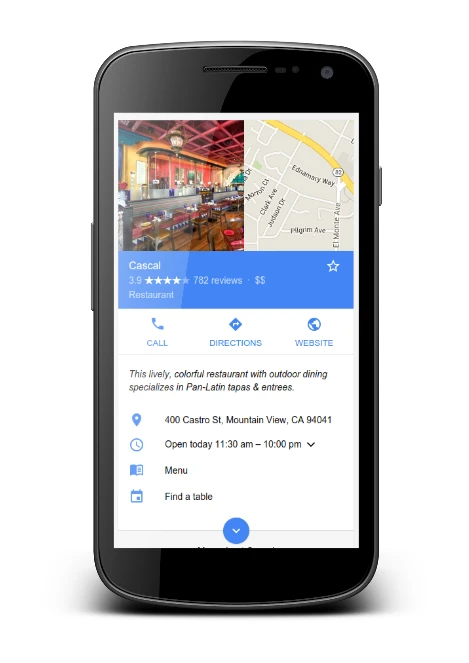
The most convenient approach is to adopt one specific format for writing it (e.g. “Warszawska 10, 00-001 Warszawa”) and stick to it consistently. The same NAP should appear on the website, in directories, and in PDF and quote footers, because that is where discrepancies most often appear. This way, business data remains clear both for users and for systems comparing business information across the internet. If several versions have been in use before, start by standardising the format in the most important places rather than adding further variants.
optimising opening hours and categories in Google Business Profile
At this stage, visibility in Maps is driven most strongly by current opening hours and by a well-chosen primary category and additional categories. Out-of-date hours increase the risk of negative reviews such as “closed when open” and can reduce CTR from Maps, even with a good position. Set standard opening hours, and schedule “special hours” for holidays and long weekends at least 2–3 weeks in advance. If a user visits the profile and sees incorrect hours, you lose the click and the trust before contact is made.
The primary category is one of the strongest query-match signals, so it should reflect the service that genuinely brings in the most revenue. Choose it as precisely as possible (for example, the difference between “dentist” and “dental clinic” can change the match to keywords), and then add 2–5 additional categories that match the actual offer. Avoid “fillers” unrelated to the business, because instead of helping they can reduce the profile’s relevance. The safest rule: categories should describe what you actually sell and deliver, not what you want to appear for.
- 01Opening hoursUp to date and precise
- 02Special hoursPlan ahead
- 03Primary categoryStrongest signal
Precise data and the right category build trust and improve visibility.
How to manage reviews and online reputation
Effective review management is based on the steady, even acquisition of reviews and quick, substantive responses to comments. In many sectors, it is often the pace of new reviews rather than the average itself that determines the difference between TOP3 and lower rankings, so it is worth approaching this as a process. Set a realistic target: 4–12 reviews a month for local services and 15–40 for hospitality/retail, spread evenly (without a “spike”, e.g. 50 in one day). Also remember that an average of 5.0 with 8 reviews can be less convincing than 4.7 with 250, because users trust volume.
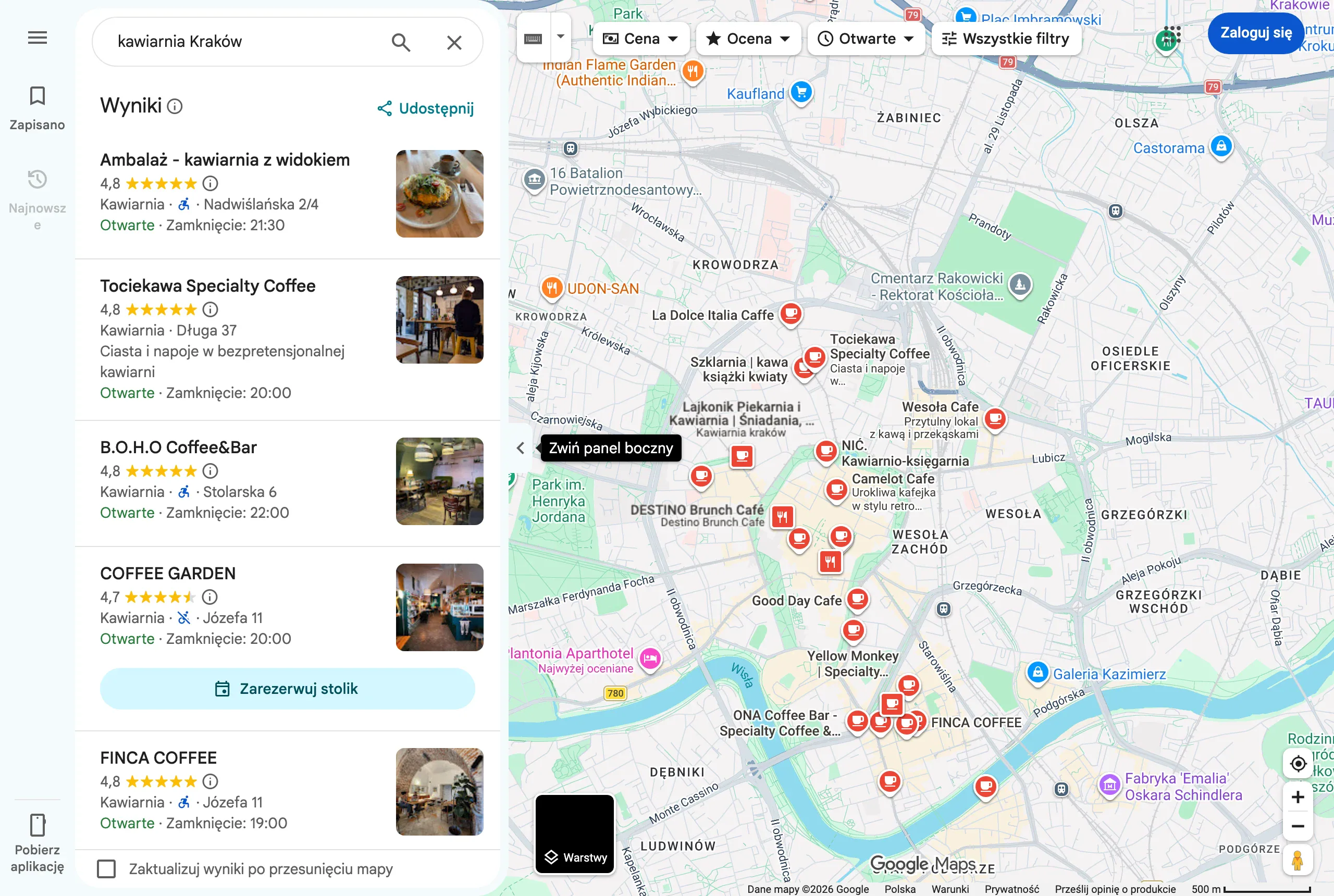
Collect reviews in line with Google’s guidelines, meaning no discounts for leaving a review and no selecting only satisfied customers. What works best is asking straight after the service is delivered, plus an SMS/email with a review link (which you can shorten in the GBP dashboard) and a simple prompt: “Write which service you used”. If you want services and locations to appear in reviews, do not impose phrases, but ask naturally: “Describe what we repaired / which treatment we carried out and in which location”. This increases the chances of valuable content in reviews without the risk of artificiality and reports.
Respond to reviews as quickly as possible and in a consistent way, because profile activity limits the risk of escalation and builds trust among people following the discussion in the comments. Aim for a response time of 24–72 hours, and for negative reviews rely on facts (dates, job number), offer offline contact and do not disclose sensitive data. If a fake review appears, gather supporting evidence (e.g. no record in the CRM, no order number) and report it in Google Maps as a violation, while at the same time adding a short public reply: “We cannot find such a visit — please contact us with the order number”. This tidies up the matter on Google’s side and at the same time strengthens credibility in the eyes of potential customers.
Reputation is also supported by a consistent picture of ratings across multiple places, even if this does not translate 1:1 into map rankings. Reviews on Facebook, ZnanyLekarz, Booksy or Allegro can improve CTR, because users are more likely to click the business profile when they see a similar level of ratings in different sources. To avoid drowning in day-to-day handling, assign one process owner (1 person), prepare response templates and introduce a weekly review: new reviews, trends and corrective actions. That way, negative comments do not “sit there” for weeks, and review acquisition stops working by chance.
The role of local citations and links in improving rankings
Local NAP citations and links to the website strengthen visibility in Maps, because Google compares information about the business across the web and on that basis builds trust in the profile. When the name, address or phone number “drift apart” between sources, the algorithm has a harder time matching the data, which weakens local signals. That is why it is a good idea to start by completing and updating entries in key directories and cleaning up old records after an address change or rebrand. At the same time, keep a consistent format for the brand name and city in publications, because mentions (even without a link) increase recognition and support brand queries.
- Panorama Firm, pkt.pl, ALEO and Oferteo (if you use it) as a base for consistent NAP citations
- BrightLocal or Whitespark for citation audits, spotting discrepancies and duplicates, and prioritising fixes in large directories
- Sources of local links: local media (e.g. sponsorships), B2B partner websites, chambers of commerce, event sponsorship (link from the “Partners” subpage), case studies from suppliers
The biggest gain comes from consistency: one phone number assigned to one profile and the same data in every source that Google can compare. A 800 number is often perceived as less local, which can lower trust and make NAP matching harder, especially if you run multiple branches. Usually it is safer to keep one local number for a given profile, and to implement call tracking carefully, for example a tracking number only on the website, not in GBP. Duplicate profiles and duplicate citations split reviews and can generate incorrect directions, so it is worth searching Maps for the name + address and requesting that listings be merged. Treat consistent NAP and removing duplicates as “tidying up the foundation”, without which links and content work less effectively.
If you publish an offer on OLX, Fixly or marketplaces, fill in the exact address or service area and use the same name, because algorithms connect signals via NAP and the name. In regulated industries, an additional advantage can come from industry citations, for example in directories such as ZnanyLekarz or Okręgowa Izba Lekarska, provided the practice details match the Google Business Profile. In practice, the point is for Google and users to see one consistent picture of the business, no matter where they find it. This builds credibility, and the profile gains stronger “support” beyond the GBP dashboard itself.
- 01NAP data consistencyConsistent name, address and phone number
- 02Updating directoriesCleaning up and completing listings
- 03Building trustStrong signals for Google Maps
Consistency across all sources strengthens visibility.
strategic use of content and multimedia in the profile
Well-planned content and multimedia in the Google Business Profile increase relevance for local queries and the number of user actions (clicks, calls, directions). The company description should immediately explain “what you do and where”, without stuffing keywords. It is worth planning it for 600–750 characters: specialisation + city/districts + differentiator, and then adding 1–2 service examples at the end. Also strengthen long-tail alignment through the “Services” and “Products” sections, because they help you appear for more specific keywords. If you want to support the “near me” intent, use real locations in service descriptions (districts, landmarks) and examples of typical problems customers come with.
Photos and video increase the profile’s credibility, because Google rewards regular multimedia activity, and users often assess the offer “at a glance” too. Add 5–10 photos per month (minimum 1200×900 px) and show, among other things, the exterior (to make finding you easier), interior, team and “before/after” work results. It is also worth adding 2–5 short videos (15–30 seconds) that show the process, for example what the first consultation looks like or a review in a few steps. Set a clear logo and a cover image showing the real front of the premises or a key service, because random graphics reduce CTR in Maps.
A mini catalogue in the “Products” section lets you present your offer directly in the profile, and for services it can work as a clear presentation of packages, including bundled ones. Add an image, price, concise description and a link to the correct subpage for each product, because this usually increases the number of website visits and usability signals. Pay attention to a common mistake in content: spam in the profile name (adding phrases such as “cheap”, “24h”, the city), which is sometimes corrected by users or can lead to suspension if it does not match the signage and documents. Instead, move the targeting into the description, services, products and regularly published updates in the profile.
Q&A in the profile works like a quick layer of “pre-sales support” and helps avoid giving competitors space in the questions section. Add 10–15 questions yourself from your account and provide specific answers (e.g. about parking, payments, opening times), then check for new entries every week. It is a simple way to remove decision-making barriers before a click to the website or a phone call. At the same time, make sure the messages are consistent with the real offer and the content on the website, because users quickly spot discrepancies in promises and information.
analysis and measuring the effectiveness of Google Maps activities
Assess the effectiveness of Google Maps activities primarily through user behaviour, rather than position alone. In practice, calls, directions, website clicks and bookings matter, because they show whether visibility translates into contact. Set monthly goals for these metrics (e.g. growth in “Directions” and the number of reviews) and compare year-on-year results, because seasonality can distort conclusions. Position is volatile, whereas user actions most fully reflect the profile’s real business value.
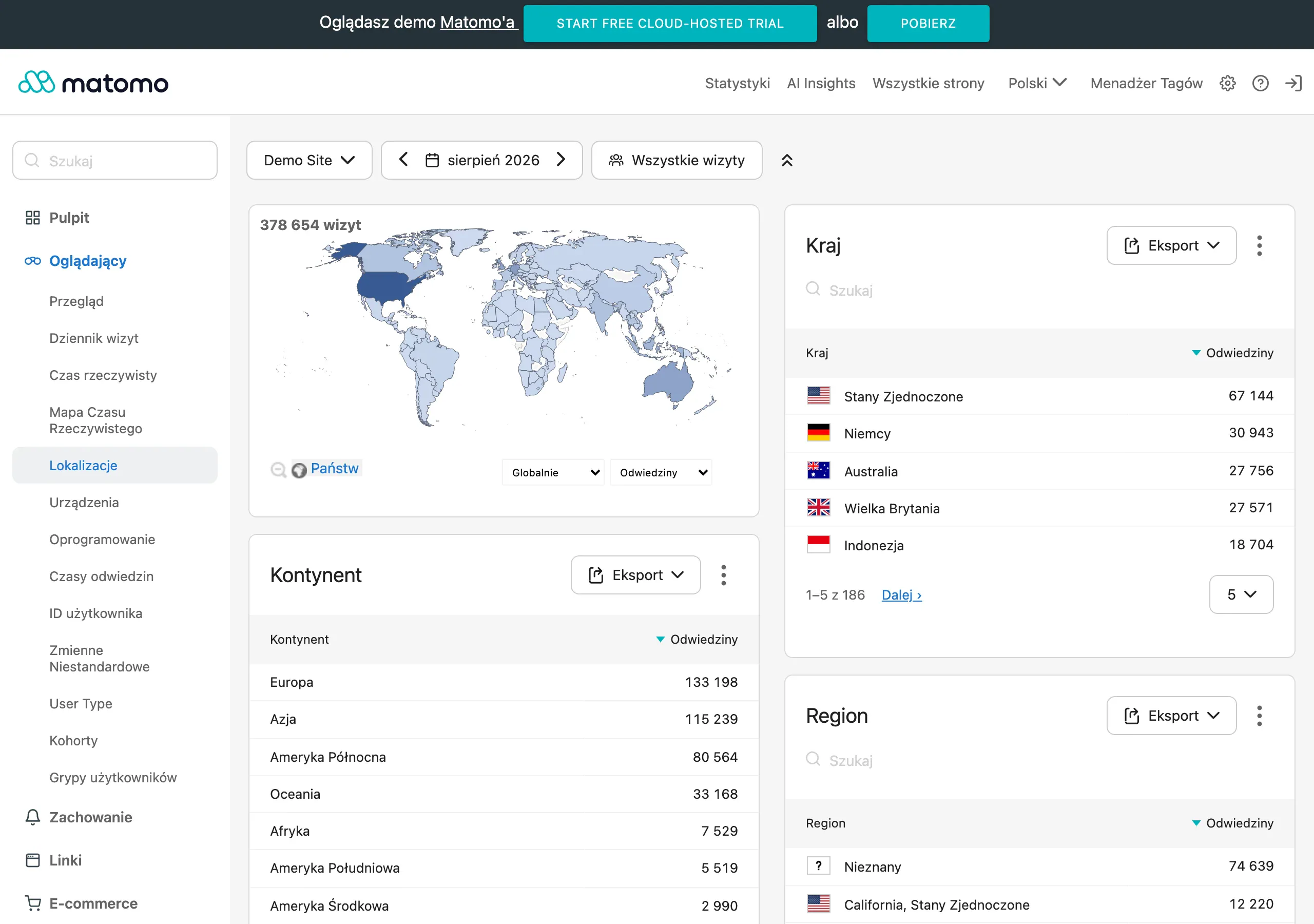
Reliable measurement starts with tagging the profile link with UTM parameters so you can separate traffic from Maps from organic results. Then in GA4, configure conversion events such as phone clicks, form submissions or bookings, because without this it is easy to “optimise” visibility that does not generate revenue. If most leads come by phone, implement call tracking carefully: the safe option is to use a tracking number only on the website, while keeping the permanent NAP number in GBP. Without UTM and events in GA4, it is impossible to assess whether improving the profile really increases the number of enquiries.
Use Google Search Console to monitor local queries, because it will show whether keywords such as “service + city” and CTR from organic results are growing. Monitor location subpages and check whether keyword cannibalisation is occurring (two subpages for the same city), because this makes analysis harder and may weaken results. At the same time, once a month review GBP “Insights”: the keywords people use to find the profile, and the actions (directions, phone, website). On this basis, match the services and products in the profile and the content on the website to real queries, instead of relying on assumptions about intent.
The safest review cadence is a profile audit every 30 days and a quick review of competitors in the Local Pack. During the audit, verify categories, opening hours, services, new photos, Q&A, posts, reviews and any change suggestions from users, so that you do not allow “silent degradation” of the profile. As part of the competitor analysis, prepare a TOP5 list for the 5 most important keywords and compare, among other things, the number of reviews, average rating, categories, number of photos, links to the website and post activity, and then translate the findings into a concrete action plan. If you want to check the impact of changes, introduce them one at a time, e.g. 4 weeks of intensive posting versus 4 weeks without, record the dates and scope of changes in a spreadsheet, and compare the results with “Directions/Phone” and the number of reviews.
FAQ
Frequently asked questions
How can I improve visibility in Google Maps fastest on the business profile side?
First, verify your Google Business Profile, fill in consistent NAP details and set the correct opening hours and proper categories. Without these basics, you have limited influence over ranking and measuring the effects of your actions.
Does consistent NAP really affect position in Google Maps?
Yes, because a consistent name, address and phone number build algorithmic trust and make it easier to connect business data from different sources. Even small differences in formatting can weaken local signals.
Why are up-to-date opening hours important for visibility in Google Maps?
Outdated hours can put users off and reduce CTR from maps, even if the position is good. They can also lead to negative reviews saying the business was “closed despite being open”.
When is it worth starting to collect reviews in the Google Business Profile?
Ideally straight after the service has been delivered, asking the customer for a short, natural review. More important than a one-off “spike” is a steady and even flow of reviews.
How should you respond to negative Google reviews without harming the profile?
Respond quickly, directly and based on facts, e.g. the date or order number. Offer offline contact and do not disclose sensitive data.
What do local citations and links contribute to improving a business’s visibility in Maps?
They strengthen the profile’s credibility, because Google compares business data in many places across the web. The most important thing is to keep the data identical and remove duplicate listings.