

When running an international business, it is necessary to make sure the website has different language versions. This also involves ensuring special SEO optimisation for such a website.
What is the Hreflang attribute?
Hreflang is an HTML attribute that informs search engines of the language and target region of a website. It enables search engines to serve the most appropriate version of a page based on the searcher’s country and language.
Hreflang is an important international concept. It helps ensure that the right audience sees the correct website. For example, instead of having the same page for users in Spain and Mexico, you can have alternative pages optimised for language, currency and other country-specific features.
- 01HTML attributeInforms about language and region.
- 02Result matchingThe correct version of the page.
- 03Audience relevanceThe correct landing page.
Hreflang ensures that users in different countries see content optimised for them.
What does the Hreflang tag look like?
Hreflang has a consistent and simple structure. It usually looks like the one below:
<link rel=”alternate” href=”url_of_page” hreflang=”lang_code” />
The syntax looks as follows in turn (computer language):
- link rel=“alternate” indicates that the link in this tag is an alternative version of the page,
- href=“url_of_page” is the place where the alternative page can be found,
- hreflang=“lang_code” means the alternative language version.
It is worth remembering that the hreflang tag is a signal, not a directive. Google and Yandex use hreflang attributes, while Baidu and Bing do not. They rely on the HTML content-language attribute.
What is rel=”alternate” hreflang=”x”?
The Hreflang attribute, introduced by Google in December 2011, allows search engines to see what the relationships are between websites in different languages. It is useful when content has been created for local audiences. The hreflang attribute sends search engines a signal indicating that a user asking a question in language “x” will want to see that result, rather than a page with similar content in language “y”.
For example, when creating a Spanish language version of an English-language homepage, it should be marked as “Spanish” using hreflang=”es”. This way, users with an IP address recognised by the search engine as coming from a country where Spanish is spoken will be given access to this page in Spanish, not English. This can reduce bounce rate and increase conversions by making sure audiences land on the version of the page that is most relevant to them.
- 01Connects language versionsRelationships between pages
- 02Matches resultsContent for local audiences
- 03Locates the userCorrect page language
It helps deliver the right language version based on location or preference.
Indicating different language variants
Hreflang can also be used to show that you have content targeted at different variants of one language. In such a case, you can target your pages more specifically by extending the hreflang attribute with annotations indicating the region for which the content is localised, e.g. for Spain it will be hreflang=”es-es”, and for Mexico hreflang=”es-mx”.
This is particularly useful when targeting users geographically and controlling for delivery, seasonality, currency or culture.
Hreflang is a signal, not a directive. This means that other SEO factors can override the hreflang attribute and rank a different version of the page higher. To provide search engines with the clearest possible signals about which pages are intended for users speaking a particular language, you should follow other best practices of international SEO.
It is worth remembering that Google and Yandex currently use the hreflang attribute. Bing, on the other hand, uses language meta tags instead.
How to create the Hreflang tag?
To create the hreflang tag, you first need to find the required language and country codes. Then everything needs to be filled in.
Hreflang supports two-letter ISO 639-1 language codes and ISO 3166-1 country and region codes. A country or region code is not always needed, but it can be useful.
Let’s assume that an English blog has been translated into Spanish and Portuguese. The article’s hreflang attribute should look as follows:
<link rel=”alternate” href=”https://example.com” hreflang=”en” />
<link rel=”alternate” href=”https://example.com/es/” hreflang=”es” />
<link rel=”alternate” href=”https://example.com/pt/” hreflang=”pt” />
The hreflang attribute on every page should include a reference to all alternative pages.
Google, in its guidelines, recommends using self-referencing hreflang attributes.
If the attributes do not refer to all relevant alternative pages, search engines may ignore or misinterpret the hreflang tags.
This means that the reference links in the code snippet for the above example of an article in English should appear on the Spanish and Portuguese pages.
What, then, should you do when targeting an additional country where Portuguese is also used (e.g. Brazil)? You may want to do this when selling products, for example, and accepting payment in different currencies.
In this case, you also need to add the country code.
The code “pt” is the two-letter code for Portugal, while “br” means Brazil.
Portuguese in Portugal:
<link rel=”alternate” href=”https://example.com/pt/” hreflang=”pt-pt” />
Portuguese in Brazil:
<link rel=”alternate” href=”https://example.com/br/” hreflang=”pt-br” />
The syntax is slightly different here. It is hreflang=“language-country” instead of hreflang=“language.” You just need to remember that.
It is also important to set default tags. They point users back to a page when no other translated version is suitable.
X-default tags are not mandatory, but they are recommended.
To implement the x-default tag, you need to add the annotation and set the “href” attribute for the URL where users should land if your site is not available in their language.
This looks like this:
<link rel=”alternate” href=”https://example.com” hreflang=”en-us” />
<link rel=”alternate” href=”https://example.com/es/” hreflang=”es-es” />
<link rel=”alternate” href=”https://example.com/pt/” hreflang=”pt-pt” />
<link rel=”alternate” href=”https://example.com/pt/” hreflang=”pt-br” />
<link rel=”alternate” href=”https://example.com” hreflang=”x-default” />
- 01Find the language & country codesISO 639-1 & ISO 3166-1
- 02Identify the language versionsFor each blog translation
- 03Complete the hreflang tagsEach page links to all versions
- 04Implement the tags on every pageReference to its own and other versions
Key takeaway: The hreflang attribute on every page must include a reference to all language versions (and itself).
Where does the Hreflang tag go?
There are three ways to implement hreflang attributes:
- in the top part of the page in HTML,
- in the HTTP header (this applies to files that do not support HTML, such as PDF),
- in the XML sitemap.
In the HTTP header
HTTP headers are excellent for implementing hreflang attributes for non-HTML page content.
PDF files are one example.
HTTP header codes pass data between the server and the client. Such a code contains information about the request date, referrer, preferred language, etc.
This method can also be used for HTML content. However, it may be heavy in terms of server requests. Therefore, it is better to use this method only if it is absolutely necessary.
The HTTP header format looks like this:
link: <url 1>; rel=”alternate”; hreflang=”language code 1″,
<url 2>; rel=”alternate”; hreflang=”language code 2″, …
Here is an explanation of the syntax:
- <url x> is the URL of an alternative page associated with the region assigned to the hreflang attribute. This element must include the < and > marks,
- language code x is the language code (or region) targeted by that page.
You need to specify a set of <url>, rel=”alternate,” and hreflang values for each version of the page, including the main page. These sets should be separated by commas.
An example might be a PDF document written in three versions – English, Spanish and Portuguese.
In that case, the HTTP header should look as follows (for each file):
link: <https://example.com/doc.pdf>; rel=”alternate”; hreflang=”en”,
<https://example.com/es/doc.pdf>; rel=”alternate”; hreflang=”es”,
<https://example.com/pt/doc.pdf>; rel=”alternate”; hreflang=”pt”
In the XML sitemap
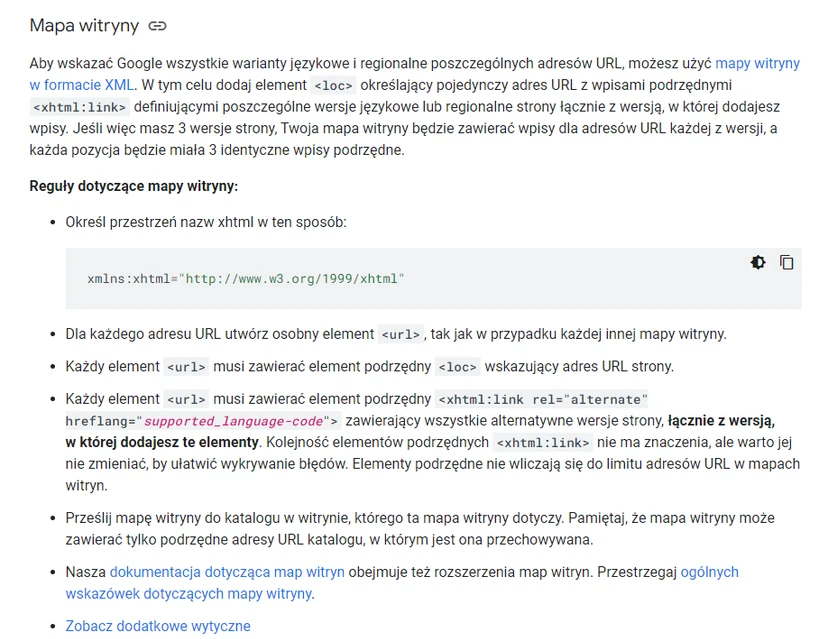
The third method of implementing hreflang is to use the XML sitemap.
An XML sitemap is a file that provides search engines with information about the pages that make up a given website.
It is therefore an excellent way to inform Google about all the language and regional variants of each URL.
This solution has one major advantage. An XML sitemap allows you to make any changes to all hreflang attributes in one place.
With the HTML and HTTP header methods, you need to update multiple files every time a blog post or document is translated into another language. This can create confusion.
First, you need to add the <loc> element to each URL together with <xhtml:link> entries for every language and regional version of the page, including the main page.
This means that if you have three versions of a page, your sitemap will have three entries (one for each URL). Each of these entries will have three identical lists.
Taking our initial example of a blog in English, Spanish and Portuguese once again, the sitemap section for the blog post will look as follows:
FAQ
Frequently asked questions
How does the hreflang attribute work on language versions of a website?
Hreflang informs search engines about the language and target region of a page, allowing them to show the most appropriate version to the user. This helps direct audiences to content matched to their language and country.
Do you need to use hreflang on every alternate version of a page?
Yes, every page should contain references to all other versions. Google also recommends using self-referencing hreflang attributes.
What codes are needed to create an hreflang tag?
Hreflang uses two-letter ISO 639-1 language codes and ISO 3166-1 country and region codes. A country code is not always necessary, but it can be useful.
When should you add a country code to hreflang?
It is worth adding a country code when the same language is used in different regions and the content needs to be targeted more precisely. Examples include Portuguese variants for Portugal and Brazil.
Where can you implement the hreflang tag on a website?
Hreflang can be implemented in HTML, in the HTTP header or in the XML sitemap. The HTTP header is especially useful for files other than HTML, such as PDF.
Is it worth setting the x-default tag in hreflang?
The x-default tag is not mandatory, but it is recommended. It points to the page users should land on when none of the translated versions match.