

Google Keyword Planner is one of the core tools for checking what users are searching for in Google and how such queries can be translated into ads or content planning. It provides keyword suggestions, indicative volumes, seasonality information, and forecasts for clicks and costs. In practice, however, the point is not only to spot popular phrases, but to filter out those that genuinely support business goals from incidental and overly broad queries. The biggest difference in result quality comes from correctly setting the market, language and search intent before analysing the keyword list. This tool can be very helpful, but the data it presents should be treated with caution, because it is designed primarily for ads, not directly for SEO. In this guide, we’ll show how to use the planner so that the results support specific decisions.
What is Google Keyword Planner and how it works in practice
Google Keyword Planner is a module in Google Ads designed for discovering new keywords and analysing existing phrases for advertising and initial SEO research. The tool presents query suggestions, average monthly search volume, seasonality, the level of ad competition and traffic forecasts. This makes it possible to quickly assess whether a given phrase has demand and whether it fits the offer.
In practice, the planner works in two main modes. The first involves searching for new keywords based on entered terms, categories or a website address. The second involves analysing a ready-made list of phrases, where the tool shows approximate volumes and forecasts for clicks, impressions and costs after adding the keywords to the plan.
The key thing is that data from the planner only becomes useful once you narrow the market and define the aim of the analysis more precisely. The same phrase may look completely different at the scale of an entire country than in the context of a single city. If you do not set the correct location, language and date range, you will get figures that are technically correct but of little value for decision-making.
The planner also makes it easier to filter out phrases that, at first glance, look promising but in practice do not deliver value. Some keywords are too broad, others generate costly traffic, and still others attract users at the wrong stage of the decision-making process. High volume does not yet mean a good keyword for a campaign or a good topic for a landing page.
It is also worth understanding the tool’s limitations properly. The competition level in the planner refers to ad auctions, not the difficulty of achieving organic rankings. Similarly, forecasts are a scenario based on the bid, budget, match type and historical data, not a guarantee of results.
- 01Phrase discoveryFind new keywords
- 02Metric analysisSearches, competition, trends
- 03Two working modesSearch vs list analysis
- 04Traffic forecastingEstimation of clicks, costs
A key tool for initial SEO and advertising research, allowing you to assess demand for phrases.
How to configure the market and match types in Google Keyword Planner
It is worth refining the market and match type settings in Google Keyword Planner so that the numbers reflect the real conditions in which you plan a campaign or keyword analysis. This is the starting point, because even a relevant keyword list can mislead if you choose the wrong country, language or an overly broad network reach. In practice, this configuration affects volumes, projected costs and estimated traffic.
Before you start analysing, first set the location, language, search network and date range. For a local business, it is better to check specific cities or areas separately rather than averaging data for the whole country. If you operate in several languages, analyse each one separately, because translations and search habits can differ significantly.
- Location — choose the country, region, city or service radius that matches the actual reach of the offer.
- Language — set the users’ query language, not limiting yourself solely to the language of the website.
- Search network — most often, it is sensible to start with Google Search alone, so as not to mix in data from other properties.
- Date range — when assessing demand stability, analyse a longer period, and choose a shorter one when you are interested in seasonality or a recent trend change.
When you move on to forecasts, the keyword match type becomes crucial. It determines how broadly the system can interpret your phrases and what level of traffic you can expect. The broader the match, the greater the potential reach, but also the higher the risk of entering queries less closely related to the offer.
In practice, it is better to check several match types rather than relying on a single setting. Exact match shows a more controlled picture of a specific keyword, while broader options can be helpful in picking up additional demand and new query directions. The same word in different match types can result in completely different click and cost forecasts.
At the setup stage, it is easy to make mistakes. The most common one is mixing markets, for example analysing keywords for the whole of Poland for an offer that works only in Kraków. The second common mistake is ignoring intent and treating all queries as equal, even though some are informational, some local, and some clearly purchase-driven.
A good approach is to prepare several separate analyses instead of one combined one. Set out locations separately, languages separately, and keyword groups with different intent separately. Only then can you see which words make real sense for the campaign, and which merely inflate the list and dilute the budget.
Strategies for choosing working modes and filtering results
The choice of working mode and filters should stem from a specific goal: looking for new topics or assessing a ready-made keyword list. If you are only building a pool of keywords, choose the mode for discovering new keywords. If you already have a list and want to estimate the campaign potential, use the volume and forecasts option.
The discovery mode is useful when you know the product or service, but are not yet sure what users call it. You enter a few seed keywords or the website address and check what variations the tool suggests. The best results come from starting with narrow, specific terms based on the real offer, not very broad descriptions of the entire industry.
The forecasts mode works better at a later stage, when you need to decide on budget, bids and priorities. This is not about looking for inspiration, but about assessing options for selected words. In practice, it is a good moment to compare several keyword sets separately rather than putting everything into one plan.
Filtering results only makes sense when it removes noise, not when it artificially polishes the picture of the market. First, discard obviously irrelevant keywords: those related to another service, free materials, jobs, repairs or education, if they are not the aim of the campaign. Only then narrow by search volume, ad competition or the presence of specific words.
Do not filter too aggressively at the start, because it is easy to drop valuable long-tail keywords that have lower volume but better business relevance. A common mistake is setting the minimum search volume too high. As a result, you are left mainly with broad, expensive and less useful terms for the campaign or content.
A good practice is to analyse different query types separately rather than mixing everything in one view. Service keywords work differently, local keywords work differently again, and informational questions work differently still. When you group similar keywords already at the filtering stage, it is easier later to assign them to one landing page, ad group or content cluster.
It is also worth being cautious with the competition filter. In the planner, it describes the intensity of ad auctions, not the difficulty of appearing in organic results. It is a valuable cost-related clue, but on its own it should not decide whether a keyword is rejected.
- 01Define the strategic goalGoal: choose the mode. Looking for topics or assessing a ready-made keyword list.
- 02Keyword discovery modeDiscover new ones. Enter seed keywords or an address, find variations.
- 03Volume and forecasts optionPotential forecasts. Estimate budget, bids and campaign priorities.
"The key is to match the mode to the stage and goal of your SEO strategy, starting with narrow terms."
Analysing intent and seasonality in keyword planning
Intent analysis and seasonality in keyword planning comes down to checking why a user enters a given keyword and when demand for it actually rises. Search volume alone does not show whether someone wants to buy, compare offers, find a local service or simply gain knowledge. That is why every keyword group is worth interpreting through the lens of the user’s goal.
The simplest breakdown of intent includes informational, transactional and local keywords. Informational keywords are more likely to suit guides, FAQ sections and supporting content. Transactional and local keywords usually work better on landing pages, service pages and sales campaigns.
High volume does not translate into real business value if the intent behind the query does not match what you present on the page. A keyword may look good in a table, but if the user expects a definition and lands on a sales page, the results will be poor. The reverse is also true: a niche query with a clear purchase intent can be more valuable than a popular, generic term.
Intent is best assessed not only from the keywords themselves, but also from the set of related suggestions in the planner. When terms such as price, offer, near me, order or a specific service model appear alongside a phrase, the likelihood increases that the traffic is closer to a decision. If wording such as what is it, how does it work, examples or definition predominates, this usually indicates the informational stage.
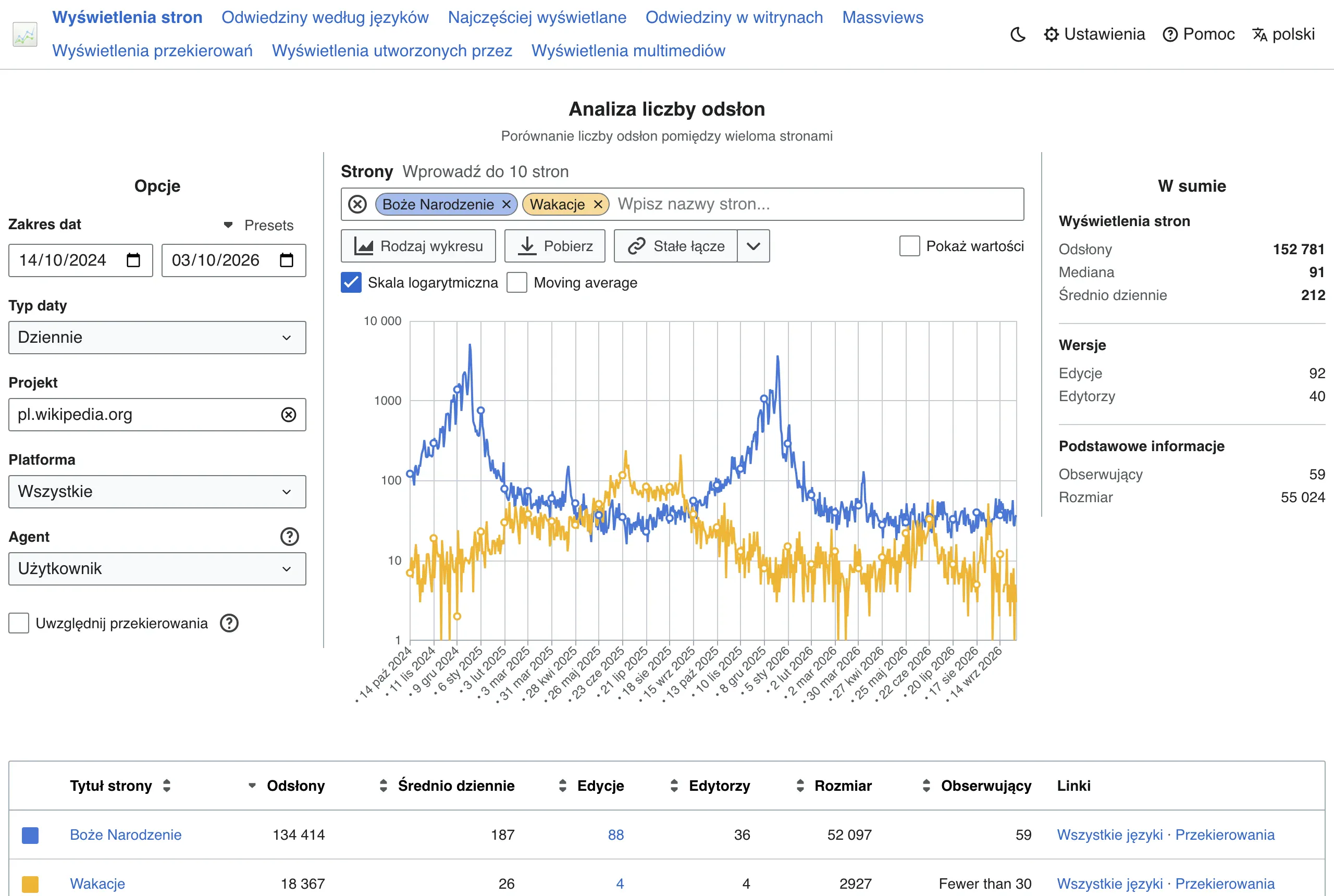
Seasonality shows whether interest in a phrase remains at a similar level or depends on the month, an event or the buying cycle. In practice, it is not only about spotting a spike, but about assessing whether it is worth launching the campaign earlier, increasing the budget in selected weeks or publishing content in advance. The best time to enter the topic often comes before the peak in interest, not during it.
When analysing seasonality, it is easy to draw the wrong conclusions if you rely on a short date range or a market that is too broad. The same phrase can have a different demand distribution nationwide and a different one in a specific city. When you operate locally or in several languages, compare the data separately, because the averaged picture can be misleading and can obscure important differences.
The most practical approach is to combine both perspectives in one working sheet. For each group of phrases, note the intent, funnel stage, potential landing page and period of increased demand. This is a simple way to separate terms for quick implementation from those that are better left for later or used only seasonally.
How to group phrases and add them to the campaign plan
It is worth grouping phrases under one intent, one offer and one landing page, and then adding them to the plan to check their combined potential and cost. The simplest rule is this: if several queries should direct the user to the same place and answer the same need, they should usually go into one group. A good phrase group should lead to one landing page and match one intent. This makes later forecast analysis easier and helps keep the campaign organised.
In practice, first split the phrases into business categories, and only then organise the language variants. Keep transactional queries separate, local ones separate, and informational phrases separate too if they are meant to support content or the top of the funnel. Do not mix terms such as “price”, “reviews”, “how to choose” and “order” in one group, because each of them signals a different level of user readiness.
When grouping, focus on meaning rather than only word similarity. Close synonyms can usually be merged if the user expects the same answer and sees similar content in the search results. Do not force a split of variants that are equivalent in meaning when the intent remains the same. Separate them only when the offer, location or service model changes, or when a separate page is needed.
Adding phrases to the plan only makes sense after the list has been cleaned up to some extent. Select the terms that are relevant to the business, add them to the plan and set the match type, because click, impression and cost forecasts depend on it. Then compare several variants: tighter matching for greater control and broader matching to test scale. The campaign plan is there to compare scenarios, not to reinforce assumptions made in advance.
When the list is extensive, it is worth assigning a priority to each group straight away. One may be ready to launch a campaign, another suitable for monitoring, and another should go into exclusions or the content plan. Such a split helps keep the budget under control and makes later implementation decisions easier.
- 01Split into categoriesBusiness first, then language.
- 02One intent, one pageThe same need, the same place.
- 03Separate query typesTransactional, local and informational separately.
- 04Analyse total potentialCheck cost and forecasts.
Grouping phrases by intent and landing page makes analysis easier and keeps the campaign organised.
The most common mistakes and pitfalls when using Google Keyword Planner
Among the most common mistakes are mixing markets, assessing phrases solely by volume, and treating planner data as the final answer rather than a starting point. The tool supports decisions well, but it does not replace an assessment of the offer, intent or landing page quality. Most mistakes stem from analysis without properly narrowing down the location, language and purpose of the phrase. In that case, even correct figures can lead you astray.
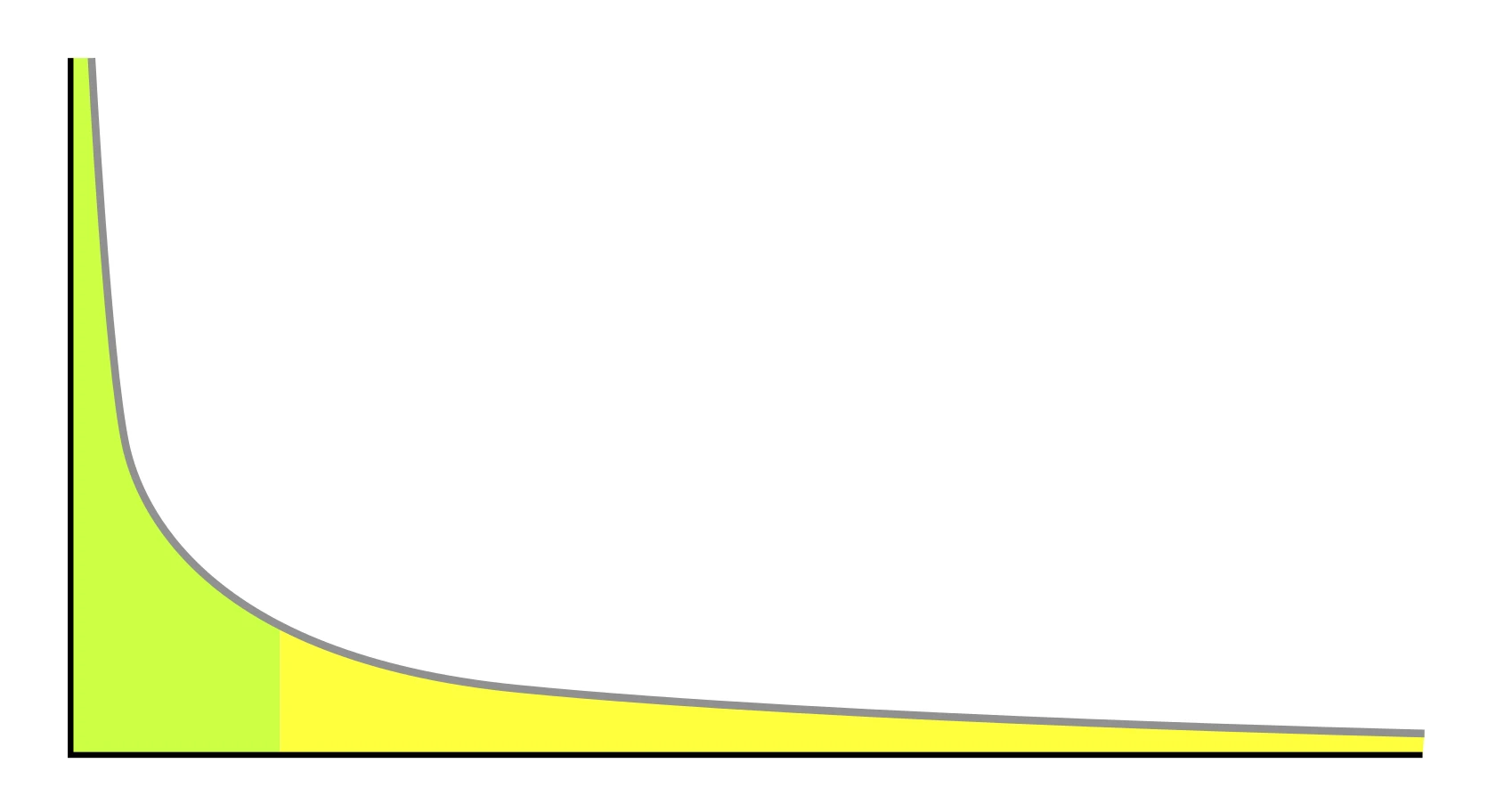
A typical pitfall is choosing phrases with high demand that are too broad or do not carry sales value. A high search volume on its own does not mean that the user is looking exactly for what you actually offer. If a phrase attracts people at the information-gathering stage, while the campaign is meant to sell, the cost of traffic can rise without a proportional effect.
Another mistake is confusing advertising metrics with SEO assessment. The competition level in the planner describes the intensity of ad auctions, not how hard it will be to rank highly in organic results. Competition in the planner does not tell you how hard it will be to gain traffic from SEO. For SEO, you also need to assess the quality of the search results, the type of content on the results page and the strength of the current domains.
Users also often overestimate forecasts. They depend on the bid, match type, market history and plan settings, so they show a scenario, not a promise of results. When you change the match type or budget, the numbers can look completely different, even though the list of keywords remains unchanged.
Another trap is hasty rejection or acceptance of keywords based on a single metric. A query with lower volume can outperform a more popular one if it better reflects intent, costs less and ultimately delivers a higher conversion rate. It is better to prioritise a slightly smaller but more relevant keyword than a large and random one. In practice, decisions should be based on a set of factors: demand, intent, cost and fit with the offer.
Finally, there is also the issue of a lack of order in the analysis itself. Without your own labels, it is easy to mix up keywords for campaigns, exclusions and informational content. That is why, after exporting, it is worth adding a simple status in the spreadsheet: to test, to reject, for SEO, for local campaigns or for a separate page.
How to monitor and update the keyword strategy
The keyword strategy is best monitored by regularly comparing data from Google Keyword Planner with the actual results of campaigns, content and changes in the offer. The planner itself sets the direction, but it will not answer whether a given keyword really delivers valuable traffic. That is why the review should cover not only volume and forecasts, but also intent, entry cost and the quality of traffic after the click. The most practical rule is simple: when the market, budget, offer or season changes, the keyword list also needs updating.
In practice, it is worth setting a fixed work rhythm. For active ad campaigns, a monthly review can make sense, while for content planning a quarterly cycle is often enough. If you operate locally, sell seasonally or test new services, the checks should be more frequent, because demand and profitability can change from month to month.
In Google Keyword Planner itself, it is worth observing above all changes in average search volume, seasonality, ad competition and forecasts for different bids and match types. The point is not to react to every small spike, but to spot trends that persist for longer. High volume is not a signal to raise priority if the keyword fits the offer poorly or attracts expensive, low-value traffic.
- growth or decline in demand for key topics,
- new query variants that were not on the list before,
- changes in cost per click and the projected budget,
- the appearance of keywords with better purchase or local intent,
- signals that some keywords should be added to exclusions rather than expanded.
Updating the strategy should not rely solely on the planner. A good practice is to combine its data with the report of actual search terms in Google Ads, conversion results and data from Google Search Console, if the keywords are also meant to support SEO. This makes it possible to see the difference between a query that looks good in the tool and one that actually performs in the campaign or attracts the right type of user.
With every review, it is best to stick to three decisions: keep, lower priority or remove. You keep keywords that are commercially relevant and cost-predictable. You lower the priority of those that carry informational value but do not support the current goal. You remove or exclude those that attract irrelevant queries, are too broad or end up generating traffic that does not pay off.
The most order comes from working in a spreadsheet with your own columns: intent, funnel stage, location, priority, landing page and implementation status. Such a sheet lets you quickly assess which keywords are only a concept, which are already performing in the campaign and which require a new landing page or added content. With subsequent updates, you do not start from scratch, but compare versions and make decisions based on previous findings.
It is also a good idea to split updates by market. Analyse locations separately, languages separately and offer segments separately, because putting everything into one table blurs the conclusions. This is a common problem: the strategy looks good globally, but when broken down by cities, languages or services, it turns out that only part of the keywords makes business sense.
Finally, check whether changing the list of keywords will also require changes to landing pages, campaign structure or the content plan. Adjusting the keywords alone rarely solves the problem if the user lands on a page that misses their intent. A good keyword strategy is only up to date when ads, exclusions and landing pages are up to date as well.
FAQ
Frequently asked questions
How to use Google Keyword Planner so the results are useful for SEO and ads?
First set the right market, language, search network and date range, then analyse phrases in terms of user intent. Only such narrowing makes the volumes and forecasts decision-useful.
Does Google Keyword Planner show keyword difficulty in Google?
No, the competition level in the planner refers to the ad auction, not to the difficulty of winning organic positions. For SEO, you also need to assess the search results and the strength of competing domains.
Why do you need to set location and language separately in Google Keyword Planner?
Because the same phrase may look different across an entire country than in one city. With several languages, it is also worth analysing them separately, because translations and search habits differ between markets.
When is it better to use the new keywords discovery mode, and when forecasts?
The discovery mode works well when you are looking for new topics and do not yet know how users name the offer. Forecasts are better at a later stage, when you want to assess the budget, bids and potential of selected phrases.
How do you analyse seasonality in Google Keyword Planner?
You need to check whether interest in a phrase rises in specific months, events or the buying cycle. It is best to look at a longer period and take location into account, because short-term data can be misleading.
How should you group phrases in Google Keyword Planner before adding them to the plan?
It is best to combine words that have one intent, one offer and one landing page. It is not worth mixing transactional, informational and local queries in one group, because they have different user readiness.