
A lead does not end when a form is submitted; it starts from the moment a response is needed. In many companies, the biggest loss does not result from too few enquiries, but from delayed first contact. A lead from SEO usually reaches the company when the user is already actively looking for a solution and comparing providers. If the first contact does not happen within a short decision window, some leads disappear despite good traffic and correctly functioning forms. That is why you need to connect the landing page, automation, CRM and clear response rules into one process.
Why is a fast response to SEO leads crucial?
A fast response is crucial because an SEO lead has high intent and quickly loses value after submitting an enquiry. Such a user is not browsing the market randomly, but looking for an answer to a specific problem. They often submit several forms in a short time and only remember the details for a limited decision window. If contact comes later, the competition may already have had a conversation or booked a meeting.
The biggest drop in the chance of a conversation usually happens in the first few hours, and often within 5-30 minutes. During this time, the customer still has the context, motivation and readiness to take the next step. Later, first contact requires more effort because you need to recreate attention that you did not have to win before. This is the mechanism of lead value loss, not just a problem of a slow team.
In practice, a slow response reduces not only the number of conversations, but also the quality of the entire funnel. You can generate leads from SEO effectively, and at the same time lose them operationally through no owner, incorrect routing or no SLA. Response time must be treated as a conversion element, not just a service issue. This becomes even more important with traffic from AI Search, which may bring fewer clicks but better-matched queries.
How do you automate the first contact with a lead?
The first contact is automated by launching an immediate sequence after the form is submitted. Its task is not only to confirm receipt, but also to maintain engagement and collect a minimum amount of context. A well-configured automation works around the clock and does not depend on who is currently at the inbox. This is especially important outside working hours and at weekends, when leads are still coming in.
The process starts on the landing page and the form. The form should have a clear CTA, as few fields as possible and information about the expected response time. Every additional field increases friction, so it is worth collecting only the data needed for the first qualification and routing. At the same time, you need to ensure data validation and spam protection, because bad input breaks the downstream automation.
In practice, the basic flow should include:
- an immediate email or SMS with confirmation and a clear next step,
- creating a record in the CRM with a full timestamp and lead source,
- automatic assignment of an owner or queue based on scoring, service, location or enquiry content,
- a task, alert and escalation rule if the lead is not handled within the agreed SLA.
After the automatic start, the lead must go to the right person with full context, not to a shared inbox. The CRM should enforce statuses, an owner, reminders and a fallback when nobody reacts within the SLA time. AI can help here by classifying intent, summarising the enquiry and answering simple questions, but it should not replace the salesperson without clear rules. If the lead is not ready for a conversation, the first contact should trigger nurturing rather than leaving the case without further action.
What impact does the decision window have on lead value?
The decision window directly determines how quickly a lead loses value after submitting an enquiry. For the first 5-30 minutes, the user usually remembers the context and is more willing to start a conversation. After that, the risk increases that they have already compared offers or chosen another contact. In practice, an identical lead has a different value after 10 minutes and a different one after a few hours.
For SEO leads, this effect is particularly strong because intent may be high, but attention is short. A quick response makes it easier to move to qualification, a conversation or booking a slot. A late response more often means trying to recover interest that has already faded. Speed does not replace the quality of the conversation, but it often decides whether the conversation happens at all.
The impact of the decision window has to be measured in data, not judged intuitively. First, log the time of form submission, first contact and first real conversation. Then you can compare Contact Rate, Booked Meeting Rate and the share of leads lost at different response times. Such measurement shows how many enquiries disappear because of delay, not because of poor traffic quality.
What are the best practices in lead qualification and routing?
Best practices mean that the lead immediately goes to the right person according to clear rules. Routing cannot rely on manual inbox checking or the team’s assumptions. The system should assign an owner based on simple criteria. Usually, source, service type, location, enquiry content and basic scoring are enough.
Good qualification starts in the form itself, but not by adding more and more fields. The form is meant to collect only the data needed for the first decision and the next step. A form that is too long increases friction and reduces the number of submissions. The best form collects the minimum information needed for fast and accurate routing.
After the lead is saved, the CRM should automatically assign a status, an owner and an action deadline in line with the SLA. If the salesperson does not respond, the system must trigger a reminder, escalation or fallback to a queue. This eliminates black holes, meaning leads without an owner or without a next step. Human handoff works well only when the salesperson receives full context, not just the contact details.
In practice, the following rules work best:
- prioritising leads with high intent and higher scoring,
- separate SLAs for different services, locations or sources,
- a clear definition of a successful contact and the moment when a lead is considered unreachable,
- regular test leads checking routing, alerts and escalation paths.
AI can improve routing if it classifies intent, summarises enquiries and answers simple questions. However, it should not make all decisions independently without clearly defined rules. For more complex services, it is better to hand the case over to a human sooner. Automation is meant to shorten the path to a conversation, not add another stage that slows the process down.
What operational mistakes lead to lost leads?
Lost leads are most often caused by mistakes in owner assignment, response time and process control. A lead reaches the company, but nobody is responsible for taking a specific action within a defined time. Then even a proper form and good traffic do not translate into conversations. The most costly are process failures that the team does not see day to day.
A typical problem is a shared inbox such as biuro@ as the main system for handling enquiries. Such an inbox does not enforce SLA, does not assign statuses and easily hides leads with no next step. The same happens when there is no fallback if the assigned sales rep is busy or unavailable. If a lead has no owner and no deadline for action, the process is effectively already losing it.
Most often the process is broken by specific, repetitive mistakes:
- incorrect routing to the wrong person or queue,
- no escalation after SLA is breached,
- no monitoring of statuses and reminders in CRM,
- treating all leads the same, with no prioritisation.
It is also a mistake to treat an automatic e-mail as a handled lead. Such a message may sustain attention, but it does not replace real contact or qualification. A separate issue is the lack of clear information about response time on the website and in the autoresponder. When the customer does not know what to expect, they look for another company more quickly.
Losses also grow when a company measures only the number of forms and ignores the quality of service after submission. In that model, the team sees lead growth, but not the drop in contact and meetings. This leads to false conclusions about the quality of the channel or campaign. Often the problem is not traffic, but operational leakage in the process.
How do you measure the effectiveness of the lead handling process?
Process effectiveness is measured through response time, actual contact and the lead moving to the next stages. The number of enquiries acquired on its own does not show whether first contact works. You need to combine data from the form, CRM, phone and chat into a single lead profile. Only then can you see where the lead was handled and where it got stuck.
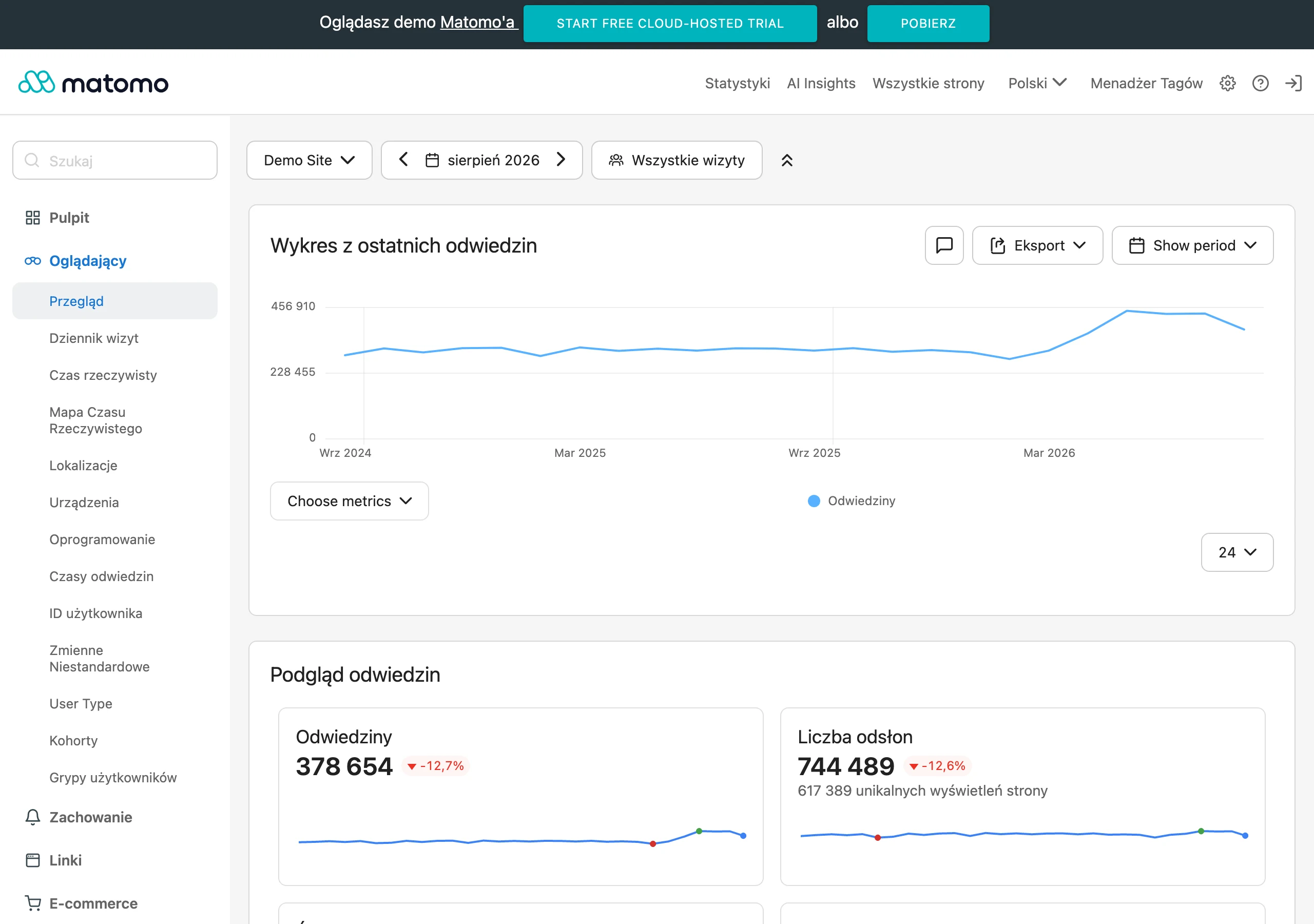
The basis of measurement is timestamps for key events. You should log the moment the form is submitted, the first contact, the first call and any status change. This makes it possible to calculate how many leads fit within SLA and how delay affects the rest of the funnel. Without complete timestamps, you cannot reliably calculate the loss resulting from a slow response.
In practice, it is worth monitoring a few metrics continuously:
- Time to First Response,
- % of leads handled within SLA,
- Contact Rate,
- MQL-to-SQL Conversion Rate,
- Booked Meeting Rate,
- the share of lost leads broken down by reason.
These KPIs need to be read together, not separately. A low TTFR with a poor Contact Rate may mean automation is working quickly, but is not leading to a conversation. A high share of leads within SLA with a low MQL-to-SQL may indicate poor routing or weak qualification. By contrast, a high lost rate due to no contact usually points to an operational problem, not a marketing one.
The analysis is worth breaking down by working hours, out-of-hours periods and weekends. This quickly shows whether automation really closes the gaps outside sales hours. You also need to segment results by campaign, landing page, type of service and enquiry intent. Otherwise, data from different sources gets mixed together and hides the real causes of loss.
Good measurement also requires regular process verification. Test leads help check routing, alerts and escalation paths. It is also worth testing different forms of first contact, for example SMS versus e-mail or automation versus manual action. Only this kind of measurement shows which decisions really shorten the path to a conversation.
What trade-offs should be considered when automating lead contact?
The trade-offs mainly concern response speed, the level of personalisation and how many decisions to leave to automation. The fastest process is not always the best if it sends a generic response and routes the lead to the wrong person. Effective automation should shorten time to contact, but it must not damage qualification, routing or handover to sales. That is why it is designed for a specific type of enquiry, rather than as one scheme for everyone.
The second important trade-off concerns the form and the quality of the input data. A smaller number of fields usually reduces friction and increases the number of submissions, but makes it harder to assess intent and priority. An overly long form provides better context, but some users give up before submitting. In practice, you need to collect only the data needed for sensible first contact and correct routing.
The third area is the boundary between automation, AI and a human. An automatic e-mail, SMS or chatbot is good for confirming receipt, collecting context and answering simple questions, but should not always take the lead independently. For high-scoring leads, it is better to pass the case to a sales rep quickly or enable a call and slot booking. For less ready leads, a nurturing sequence may be more sensible than engaging sales immediately.
A separate decision is required on when to show the calendar for booking meetings. Making it available immediately shortens the path to a conversation, but may increase the number of poorly matched meetings. Showing the calendar only after initial qualification improves the quality of conversations, but extends the journey and raises the risk of losing some leads. This choice is worth evaluating through Booked Meeting Rate, Contact Rate and lead quality accepted by sales.
Automation also involves a cost and operational trade-off. More rules, scoring and integrations usually give you better control over the SLA, but they increase process complexity and the number of points of failure. An overly simple system is cheaper, but it more often creates black holes, incorrect routing and a missing owner for the lead. That is why it is better to build the process in stages and regularly check whether each automation genuinely improves contact, rather than just looking good on a diagram.
FAQ
Frequently asked questions
How quickly do you need to respond to an SEO lead to avoid losing the chance for a conversation?
The biggest drop in the chance of contact usually happens in the first few hours, and often within 5-30 minutes. During this time, the customer still remembers the context and is ready for the next step.
Is an automatic e-mail after the form enough as the first contact with a lead?
No, because such an e-mail can only keep attention and confirm receipt. It does not replace real contact or lead qualification.
What elements should a first contact automation process include?
It should include an immediate e-mail or SMS, creating a record in the CRM, automatic owner assignment, and a task and escalation after SLA is exceeded. It is also important to pass the salesperson the full context of the lead.
Why does a shared biuro@ inbox cause leads to be lost?
Because it does not monitor SLA, does not assign statuses, and can easily hide leads without a next step. As a result, enquiries may be left without an owner or deadline for action.
What data is worth collecting in the form to route leads properly?
Enough data for the first decision and the next step, for example source, service type, location and enquiry content. A form that is too long increases friction and reduces the number of submissions.
How do you measure how many leads are lost through a response that is too slow?
You need to log the form submission time, the first contact and the first conversation, and then compare them with SLA. Useful metrics also include Time to First Response, Contact Rate, Booked Meeting Rate and the percentage of lost leads.