
What is a featured snippet and how does it affect SEO?
A featured snippet (position zero) is a highlighted answer fragment displayed above the organic results, usually with a link to the source page. Google shows it when it considers that a given page answers the query intent the fastest and most accurately, often without the need to visit the website. Snippets most often appear for informational queries such as “how”, “what is”, “how much”, “why”, “when”, as well as for long tail questions. In practice, the content that wins is the one that gives a simple, unambiguous answer and is clearly structured (H2/H3, a short lead, a matching paragraph or list format).
Position zero does not always mean more traffic, because some queries are “zero-click” in nature and the answer can be read in full directly in the SERP, which can be a reason for a drop in CTR. Even so, it is worth pursuing, especially where the snippet genuinely encourages a click, for example with procedures, tools, calculations, comparisons or when it strengthens brand authority. It is worth remembering that the snippet does not have to come only from the top position; a result from the TOP2–TOP10 range often gets picked if it answers the question better or has a more suitable answer format. When a large number of ads or other modules dominate the results (e.g. Maps, Shopping), the snippet may not appear at all despite good content.
A featured snippet differs from the Knowledge Panel in that it pulls the answer from a specific page and links to it, whereas the knowledge panel usually relies on data from the knowledge graph (e.g. Wikipedia, Wikidata) and does not have to drive traffic to your website. To assess the impact of a snippet on SEO, in Google Search Console analyse impressions, CTR and average position for question queries, and then compare changes before and after a content update. It is also worth checking the result manually (e.g. in incognito mode and on mobile), because the SERP layout can vary. If the snippet disappears, the cause is often source rotation on Google’s side, depending on freshness, answer quality, intent match and A/B tests.
- 01Position zeroHighlighted answer fragment in the SERP.
- 02Quick answerAccurate and fastest delivery of information.
- 03Types of queriesInformational questions: how, what, when…
- 04Content qualitySimple, readable, organised structure.
- 05Zero-click effectAnswer in full in Google, without clicking.
Key for visibility, not always for traffic, it responds to user intent.
What types of featured snippets can you win?
A featured snippet most often takes the form of a paragraph, list or table, and the choice is determined by the type of answer Google expects for a given query. A paragraph snippet can be a definition or an answer in 1–3 sentences (often 40–60 words) and works best for “what is?” and “why?” questions. Numbered lists usually win for “how…” instructions, while bullet points suit features, requirements and checklists. The most effective approach is to match the format to the dominant intent in the TOP10, rather than creating the answer “on your own”.
- Paragraph snippet (paragraph) – a short, specific answer or definition in 1–3 sentences, ideal for “what is X?” and “why X?” queries.
- Numbered list snippet – a step-by-step layout for “how…” queries, most often working best in a 5–8 step structure.
- Bulleted list snippet – bullet points for features, requirements and checklists; consistency of the points and not mixing different categories matters.
- Table snippet – for comparisons, pricing, parameters and summaries; usually performs best as a simple, text-based HTML table with clear column headings.
- Snippet for numerical questions (“how much”, “when”, “how long”) – wins when you provide a specific value together with conditions (e.g. temperature, weight, method).
- Definition and glossary snippet – the model is: term in the heading + definition + short usage context, which supports long tail.
- Comparison and ranking snippet – Google can pull in a list, but the chances increase when you provide clear criteria and a short methodology before the list.
- Snippet from an FAQ section – short, self-contained answers to naturally phrased questions; FAQ schema is not required for the snippet, but it helps with understanding the structure.
The best way to choose the snippet type is to base it on SERP analysis: check whether Google expects a definition, instruction, list or comparison by looking at the TOP10 and the formats that are already “winning out”. For a paragraph, aim for brevity (around 40–60 words), for lists stick to 5–8 points, and in tables make sure the structure is simple and comparable (for example, a few columns and key data at the top). For numerical queries, users usually want the conditions clarified, so leaving out parameters may mean Google chooses a competitor with a more precise answer. If you create FAQ sections, remember that the answer should be short and “self-sufficient” so that it can be extracted as a snippet.
Why is it worth fighting for position zero?
It is worth fighting for position zero when the featured snippet genuinely supports your goals: it improves visibility, strengthens authority and can send the user to more useful content on the site. It works best for queries where the answer in the SERP does not exhaust the topic, for example when the user needs a process, a tool, a calculation or a comparison. In such situations, the snippet acts as a teaser and can encourage a click rather than take it away. The most sense comes from targeting snippets where, after landing on the page, the user gets a concrete “what next” (steps, selection criteria, list of mistakes), not just a single definition.
Position zero does not always translate into growth in traffic, because some queries are zero-click in nature and the user ends up with the answer in the results. That is why, before investing time, it is worth checking whether a given keyword has real CTR potential after winning the snippet and whether it aligns with the offer and the user’s intent. In practice, a scoring approach helps: (1) potential CTR, (2) business fit, (3) ease of winning against the competition. This way you avoid a scenario where impressions grow, but the value from traffic does not.
Fighting for a snippet can also be a “quick lift” if you are already on the first page, because the source of the snippet can come from TOP2–TOP10. Instead of rebuilding the whole article, often it is enough to refine the answer section itself: better alignment of the format with the SERP and greater clarity. An additional advantage can be covering related questions (for example from People Also Ask) within one well-structured page, which increases visibility for long tail. As a result, you gain not only a chance at position zero, but also broader exposure across many variants of the same problem.
- 01Increase visibility & authorityBetter exposure for your brand
- 02Build a path to valueA snippet as an effective introduction
- 03Offer concrete ‘what next’Steps, tools, lists, procedures
Target snippets that work like a teaser encouraging a click, rather than just an answer in the SERP.
How does Google choose the source for a featured snippet?
Google chooses the source for a featured snippet when it finds a page with the most direct and unambiguous answer possible, along with stable credibility of the domain and the specific URL on that topic. What matters is the match with the intent and the format Google “expects” for the query (for example, a paragraph, list or table), which can be read from TOP10 analysis. In practice, the winning content is the one where the answer appears straight away under the heading and does not require wading through a long introduction. If other modules dominate the SERP (for example ads or elements such as Maps/Shopping), the snippet may not appear at all, even with a well-prepared page.
The format and layout of the page make it easier for Google to extract the right fragment, which is why clear H2/H3 sections, a short answer at the beginning and a transparent composition matched to the user’s query work well. For problems along the lines of “why X doesn’t work”, the pattern often performs well: diagnosis + list of causes + quick fix, because it is easy to process and “defends itself”. Google also takes thematic context into account, so coherent content clusters and internal linking to supporting materials can strengthen topical authority. If your answer is vague or combines several intents in one section, Google is more likely to favour the competition with a simpler, cleaner fragment.
The source of the snippet can change because Google rotates results depending on content freshness, answer quality, intent match and A/B tests in the SERP. When a snippet disappears, a common reason is that the competition has added a better format (e.g. a table) or your page has dropped out of the TOP10. That is why it is important to maintain visibility on the first page and regularly refine the fragment that has a chance of being extracted. In practice, it is more often not the “length of the article” but the precision and form of the answer itself that decide who wins the zero position.
How to create content optimised for featured snippets?
Write content for featured snippets so that Google can immediately “extract” a complete answer without having to wade through a long introduction. Start by matching the format to the intent visible in the TOP10. Sometimes it will be a definition, at other times instructions, a checklist or a comparison. Then organise the page into clear H2/H3 sections that answer users’ questions instead of telling a story “from the general to the specific”. Most often, the page that wins is the one that gives a clear answer straight after the heading and only then develops it further.
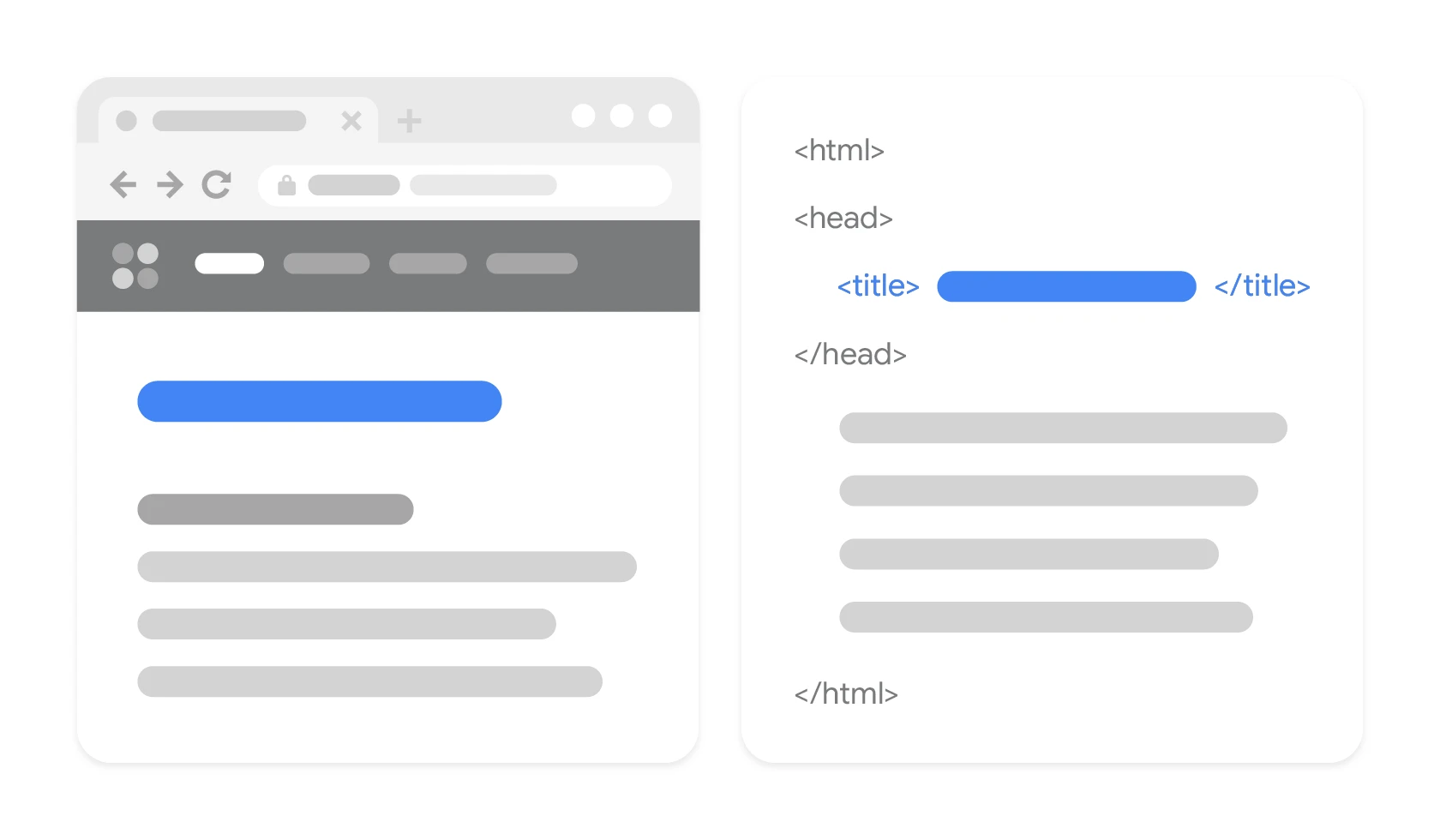
How to design a fragment “to be extracted” by Google?
You can plan the fragment “to be extracted” by phrasing the first 1–2 sentences so that they are understandable and complete without extra context. Avoid complex sentences and digressions, because in the snippet box Google often truncates the content and it is easy to lose the meaning. If you are creating definitions, stick to the “X is …” structure and clarify what it is used for and in what context it is used. For numerical queries, provide a specific value together with the conditions, because an answer without parameters is incomplete and is more likely to lose out to a more precisely specified one.
How to use People Also Ask without creating multiple articles?
Questions from People Also Ask are best used when you add them as separate H3s under the main topic and answer them briefly but “self-sufficiently”. This layout makes it easier to capture visibility for many long-tail variants without setting up dozens of separate subpages. Each answer should sound natural and close the topic within that section, rather than sending the reader elsewhere. If you are planning broader topic coverage, build the page as a cluster: one pillar page and organised subsections for related questions.
How to look after the HTML and page context so the snippet is more stable?
It is usually easier to win the snippet when the key answer is visible in the HTML, rather than hidden in heavy JavaScript or an accordion that requires a click. If you are aiming for a list or table format, make sure the HTML structure is clean and text-based, because screenshots in graphics or PDF are less useful for parsing. Also strengthen the thematic context with internal linking to supporting content (e.g. definitions and guides), because Google assesses whether the answer is part of a coherent knowledge area. In addition, clear navigation and a table of contents with anchors make it easier to identify the sections answering questions and can increase visits to specific long-tail subsections.
- 01Odpowiedź na startBez długiego wstępu
- 02Dopasuj formatAnalizuj TOP10
- 03Czytelna strukturaSekcje H2/H3
- 04Zwięzłe "wycięcie"Proste, kompletne zdania
In short: a clear answer right away, in a format matched to the search results.
How to monitor and maintain a featured snippet once you have won it?
Monitor and maintain the featured snippet by constantly measuring performance in GSC, quickly spotting changes in the SERP and updating the content on a regular basis. Simply having the snippet does not guarantee stability, because the source can rotate with answer freshness, intent match and Google tests. In practice, check not only the average position, but also impressions, CTR and conversions from queries that have a snippet. Maintaining the zero position is a process: observation → small content tests → reindexing → review of freshness.
How do you check whether you have a snippet and whether it actually helps?
You’re most likely to verify a snippet by combining data from Google Search Console with a manual check of the results (e.g. in incognito mode and on mobile devices). In GSC, segment question-based queries (“how”, “what is”, “how many”) and compare periods before and after changes to the content, because the report itself does not show the snippet directly. Look for repeatable signals: spikes in impressions, changes in CTR and shifts in average position, and then confirm them in the SERP. If you care about spotting changes faster, tracking SERP features in tools (Semrush, Ahrefs, Sistrix) lets you see when a snippet has been taken over or lost.
How do you test changes safely so you do not lose the effect?
The safest approach is to make small tweaks to the answer section rather than rebuilding the whole article. In practice, this can mean changing the length of the definition, replacing a bullet list with a step-by-step instruction, or adding a second presentation variant if the competition is winning with a different layout. Give Google time to evaluate and compare results after 2–4 weeks, because reindexing and reinterpreting the content are needed. After rolling out an update, use the “Check URL” function in GSC and request indexing, especially when you are aiming for freshness.
What should you do when a snippet disappears or a competitor takes it over?
If a snippet disappears, start by checking whether you are still in the TOP10, whether the competitor has changed the way they present the answer, and whether new modules have appeared in the SERP that have pushed the snippet down. If the issue is format, it is better to rework the section so it is easier to parse (e.g. add a different way of presenting the data) than to rewrite everything from scratch. If the topic is seasonal or quickly becomes outdated, plan a periodic content review (e.g. every 90 days) and update figures and dates, because freshness can decide the outcome. If you suspect technical issues, also make sure Google can regularly crawl the URL, because even the best answer will not win if it is rarely refreshed in the index.
The most common mistakes when optimising for position zero
The most common mistakes when optimising for position zero come from Google not finding a short, unambiguous answer on the page that is ready to be “cut out” into a snippet. A frequent obstacle is hiding key information in heavy JavaScript or in an accordion that requires interaction, which means Google may only extract a fragment. Another trap is overlong introductions and generic statements that push the definition or specific value further down. If the user does not get the concrete answer in the first sentences of the section, you usually lose to a competitor who answers directly.
Position zero can also be blocked by mixing several intents in one section (e.g. definition + sales + instructions), because the answer becomes ambiguous and difficult to quote. In numeric queries, a common mistake is failing to clarify the conditions (range, units, tool version), which usually ends with a page that gives a more precise answer being chosen instead. The risk is also increased by incorrect units and inconsistent number formatting, because Google is more likely to pick sources that are organised and consistent. Additionally, topic cannibalisation between URLs (several subpages answering the same question) can weaken visibility and make it harder to keep the snippet.
Other common mistakes include stuffing FAQ/HowTo structured data with excessive force without real substantive value, which is often ignored or restricted in the results. You also need to consider the risk of CTR decline for zero-click queries, when the snippet “deals with it” already in the SERP. To limit this effect, design the answer so that, beyond the definition itself, it suggests “what next” on the page (e.g. selection criteria or a list of mistakes to avoid). In practice, headings and answers that are neutral, factual and precise tend to win more often than clickbait or “it depends” formulas without specifics.
How do you analyse competitors and use content gap for a snippet?
Start your competitor and content gap analysis for a snippet by establishing who currently owns the featured snippet and what exact fragment Google is actually citing. The easiest way to do this is with tools such as Semrush/Ahrefs (SERP features functions) and by manually checking the SERP, and then comparing the answer layout with your section. The key stage is reverse engineering: copy the snippet from the results and find its equivalent on the competitor’s page to check the length, wording and format used. Then assess whether most of the TOP10 follows a similar “template” (e.g. definition → list → FAQ), because that indicates the structure Google expects.
- Identify the snippet owner and analyse the cited fragment carefully (format and brevity often matter more than article length).
- Compare the TOP10 structure to match the answer format to the dominant intent (definition, instructions, comparison).
- Spot the content gap in PAA and “Similar searches” and add missing, short answers directly on the page.
- Check the freshness of data on competitors’ pages and, if possible, provide newer values with a date and source.
- When the content is similar, assess the authority of a specific URL (link profile) and strengthen it with internal linking.
Content gap most often delivers a quick effect when you add missing answers to questions on the side that are not present “directly” either on your site or on a competitor’s. If a competitor is winning through format, consider changing the way the information is presented: sometimes a different answer layout gives a better result (e.g. instead of a plain paragraph — an alternative, more parsable format), because Google tests different ways of presenting information. It is worth remembering that multimedia can make understanding easier, but a snippet usually extracts text, so do not place the key answer only in video material. Ultimately, the page that wins is the one that combines alignment with the SERP intent, a clear answer fragment and broader coverage of the questions around the topic.
FAQ
Frequently asked questions
How does Google choose a source for a featured snippet and position zero?
Google chooses the page with the most direct answer and suitable format, such as a paragraph, list or table. A clear structure, an unambiguous answer and the credibility of a specific URL also matter.
Does a featured snippet always increase traffic to a site?
No, because some queries end without a click and the user gets the answer already in the search results. A snippet can, however, help where it encourages a visit for more details, a procedure or a comparison.
What featured snippet formats most often appear in Google?
The most common are paragraphs, numbered lists, bulleted lists and tables. The choice of format depends on what kind of answer Google expects for a given query.
Why create content for featured snippets if there are sometimes no clicks?
Because position zero improves visibility and can strengthen brand authority. It is most worthwhile when the snippet is only an introduction to more useful content on the page.
How should you create content so that Google can pull a featured snippet from it?
It is best to start with a short, unambiguous answer under a heading and match the format to the intent in the TOP10. A clear H2/H3 structure and avoiding long introductions and complex sentences also help.
What should you do if a featured snippet disappears or a competitor takes it over?
First check whether you are still in the TOP10 and whether the answer format in the SERP has changed. If the layout is the problem, refine the answer section itself, because Google often chooses a simpler and more unambiguous passage.