
Zero-click searches are situations where the user gets an answer directly in Google and does not need to visit any website. For SEO, this means that ranking alone is increasingly not enough, because the user’s need may be satisfied before the click. So not only the number of visits changes, but also the way the effectiveness of organic activities is assessed. In practice, you need to measure not only traffic, but also whether the brand and content occupy a clearly visible place in search results elements. This is particularly important for informational content, local queries and simple factual questions. In this article, I’ll explain exactly what lies behind zero-click searches and for which queries the phenomenon appears most often.
What are zero-click searches and why are they important for SEO?
Zero-click searches are queries where the user gets the answer in the search results themselves and does not go through to the website. This most often happens when Google displays a featured snippet, direct answer, map, knowledge panel, People Also Ask or another module with ready-made information. For the user, it is simply convenient. For the site owner, however, it means that part of informational demand ends already at the SERP stage.
For SEO, this matters because a drop in clicks does not have to go hand in hand with a drop in visibility. A site can record plenty of impressions and a high ranking, yet still have a low CTR because answer modules take up space on the results screen. The biggest mistake is assessing SEO effectiveness solely by the number of visits from Google. In many cases it is worth looking more broadly: at brand exposure, presence in SERP modules and the domain’s share of answers visible without a click.
The phenomenon hits hardest with content that can be reduced to one sentence, a number, a definition or a short instruction. If someone enters opening hours, an exchange rate, a definition of a term or a company address, Google can often provide it itself. As a result, even a well-optimised page will not get traffic if its content adds nothing beyond the basic answer. In practice, the winners are content pieces that, beyond a short answer, also offer context, comparison, expansion or the next step.
The importance of zero-click searches is also growing because Google is expanding search results more and more. Today, the game is not only about the classic “blue links”, but also about placement in answer modules and enhanced formats. This changes the way content is planned, structured data is optimised and results are analysed. Being in position 1 no longer guarantees the user’s attention if there are elements above the result that solve their problem straight away.
What types of queries most often lead to zero-click searches?
Zero-click searches are most often triggered by informational, local, navigational and short factual questions. These are phrases where the user expects a quick, unambiguous answer rather than reading a whole article or comparing several sources. The simpler the intent, the greater the likelihood that Google will satisfy it directly in the search results.
Among informational queries, definitions, concise explanations, basic instructions and FAQ sections are the most susceptible. When the question is “what is”, “how much is”, “when”, “how to check” or “what is it called”, the search engine often provides a ready-made answer in a snippet or in the related questions section. For this reason, encyclopaedic, dictionary-style and advice-based sites often record high impressions with a relatively lower CTR.
The second major category is local and navigational queries. A user looking for an address, phone number, route, opening hours, reviews or a specific brand often bases their decision on a map, business listing and knowledge panel. In such cases, clicking through to the website is often unnecessary, because the user can call immediately, get directions or simply show up at the physical location. For local businesses, a lack of clicks does not always mean a loss if the end result is a phone call, a visit or another real action.
Zero-click also appears with simple transactional and product queries, although usually to a limited extent. Google can display prices, availability, reviews, photos or basic specifications without the user going to the site. This does not replace the whole buying journey, but it can take over its first step. That is why for such phrases it is worth making sure that the product page or category offers something more than what fits into the search result itself.
The key is to look at queries through the lens of intent, not just volume and rankings. The same phrase may generate clicks in one industry and almost none in another if the SERP layout is different. For this reason, the best approach is to analyse the most important keywords manually and check whether the user sees classic results first or ready-made answers from Google. Whether a given phrase “makes SEO sense” today depends not only on ranking, but also on how much screen space the answer modules take up.
Which SERP elements take over visibility in zero-click searches?
The visibility in zero-click searches is taken over by those Google modules that provide the answer without the need to go through to the website. These are usually elements occupying the top part of the screen, which means that even an organic result in first position can be less visible than it used to be. In practice, the challenge is not only the drop in clicks, but also the fact that Google fulfils part of the user’s intent before they reach the site.
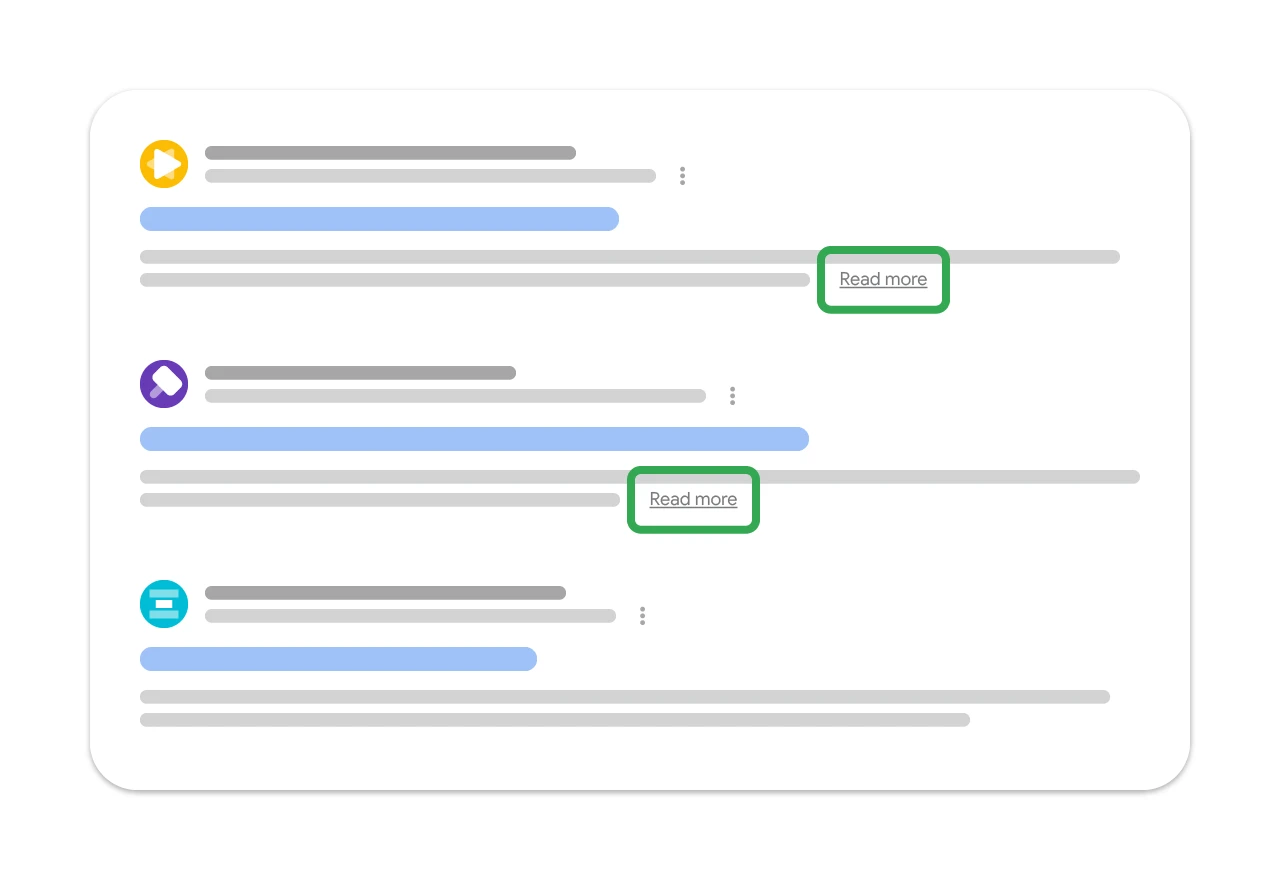
These are usually modules with answers to simple questions, local results and expanded sections. Their impact depends on the type of query, the device and how much space they take up above the classic results. On mobile, the effect can be stronger because Google’s elements fill the screen faster.
- Featured snippet – a short answer extracted from a page and shown above the organic results.
- Direct answer – a direct factual answer, e.g. a definition, date, conversion or simple result.
- People Also Ask – expandable questions that capture further stages of the search journey without leaving Google.
- Local Pack and maps – local results with address, opening hours, reviews and directions.
- Knowledge Panel – a knowledge panel about a company, person, place or brand.
- Rich results – rich results with additional information, e.g. FAQ, products, reviews or events.
- Answers generated by AI systems – appear for some queries and shorten the route to information even further.
For a site owner, the key point is that each of these elements changes the real “value” of a ranking. A keyword can generate lots of impressions while having a low CTR at the same time, because the user has already got the definition, address, opening hours or a set of follow-up questions. That is why ranking alone does not show the full picture — you need to check what actually occupies the screen for a specific query.
This is most obvious with encyclopaedic content, FAQ, simple guides and local queries. When someone is looking for a phone number, indicative pricing, a location or a short definition, Google can often satisfy the need without a click. In this setup, the goal of SEO is not always to drive a visit to the website, but to capture as much of the visible space in the results as possible.
How do zero-click searches affect SEO strategies in practice?
Zero-click searches affect SEO strategy in that optimisation does not end with position and click-through. More and more often, it is also about capturing user intent already at the search results level. This reshapes content planning, prioritises optimisation tasks and changes the way results are measured. If you measure SEO solely by organic traffic, it is easy to overlook keywords where the brand is visible but Google itself takes the click.
The first practical step is to group keywords by intent. Informational, local, navigational and transactional queries work differently, so there is no point putting them all into one analysis. For some topics, it pays to fight for the snippet or the local module, while for others it is better to develop deeper content that cannot be reduced to two sentences.
The second step is an audit of the actual SERP, rather than just the ranking shown in the tool. It is worth checking manually whether a map, knowledge panel, People Also Ask, rich result or direct answer appears above the organic result. A keyword in position 2 or 3 can have greater traffic potential than a keyword in position 1 if the first one is not obscured by Google’s modules.
The third area concerns the content itself. A layered approach works well: first a short, specific answer that Google can easily read, and then immediately an expanded section with comparison, context, examples or an element supporting the purchase decision. This gives the page a chance to appear in the answer module while still delivering value that the user will not get without clicking through.
Technical readability of information also matters. Structured data, consistent entity naming, correct business details, authors, up-to-date content and a clear heading hierarchy make it easier for the search engine to extract the right fragment. This does not guarantee visibility in expanded SERP elements, but it clearly increases the chance that Google will interpret the content correctly.
It is also worth measuring results differently. Beyond clicks, it is good to monitor impressions, CTR, presence in SERP modules, brand traffic and the behaviour of keywords that ultimately convert later. The most common mistake is optimising all queries in the same way, even though some are meant to build brand exposure and others to deliver visits and sales in practice.
What steps should you take to optimise content for zero-click searches?
To optimise content for zero-click searches, you first need to establish which queries Google already handles without a visit to the site and what role your website is meant to play there. Not every keyword requires the same approach. You work differently with a simple definitional question, differently with a local keyword, and differently again with a query that comes before a purchase. First segment keywords by intent, because only then can you see where you are fighting for a click and where for visibility alone.
The next stage is a manual audit of search results for key keywords. You need to check whether a featured snippet, map, People Also Ask, knowledge panel or another module appears above the organic results and takes attention on the screen. Ranking position alone is not enough if the user is getting the answer before they click. It is worth carrying out this review separately for mobile and desktop, because the layout of results can differ noticeably.
The content should be structured in layers. Start with a short, unambiguous answer that Google can easily understand and potentially show in the SERP. Below that, expand on the topic so the user has a concrete reason to visit the page: an example, comparison, context, limitations, a step-by-step guide or practical decision-making tips. If the entire value can be rewritten into one sentence, it is hard to expect stable traffic from such a keyword.
The format of the content also matters. Clear headings, short paragraphs, definitions at the start of sections and concrete answers to clearly asked questions help the search engine grasp the meaning of the page. This is not about writing “for the bot”, but about organising the content so that the user and Google can immediately see what is the answer and what is its expansion. Sections written in simple language, without fluff and without cramming several threads into one paragraph, usually work best.
It is worth implementing structured data where they genuinely describe the page content. Schema for an organisation, local business, article, product or instruction helps the search engine correctly recognise entities and attributes. It is not a guarantee of an enhanced result, but it increases clarity and organises the information. Schema will not replace content quality, but it supports pages that already communicate clearly and consistently.
For local queries, you need to perfect not only the website, but also the business profile and data consistency. The name, address, phone number, opening hours, categories, location and reviews should match everywhere Google reads them. In many industries, the decision is made already at the map or profile stage, without entering the website. That is why the goal is not always a click, but contact, route directions or a phone call.
It is also worth limiting the creation of thin subpages that answer only simple questions. If a topic can be covered in two sentences, it is often better to include it in a larger piece of content that provides broader context and gives a greater chance of a visit. Do not optimise all keywords in the same way — some topics are meant to build presence in the SERP, while others should drive visits and conversion.
How do you measure the effectiveness of actions in the context of zero-click searches?
Effectiveness of actions in the context of zero-click searches should be assessed more broadly than through the prism of organic traffic alone. It is not only clicks that count, but also impressions, CTR, presence in answer modules and the impact on further user behaviour. If a given keyword naturally has a high zero-click share, a low CTR does not have to indicate a problem. First you need to decide whether that intent should end with a visit to the site at all.
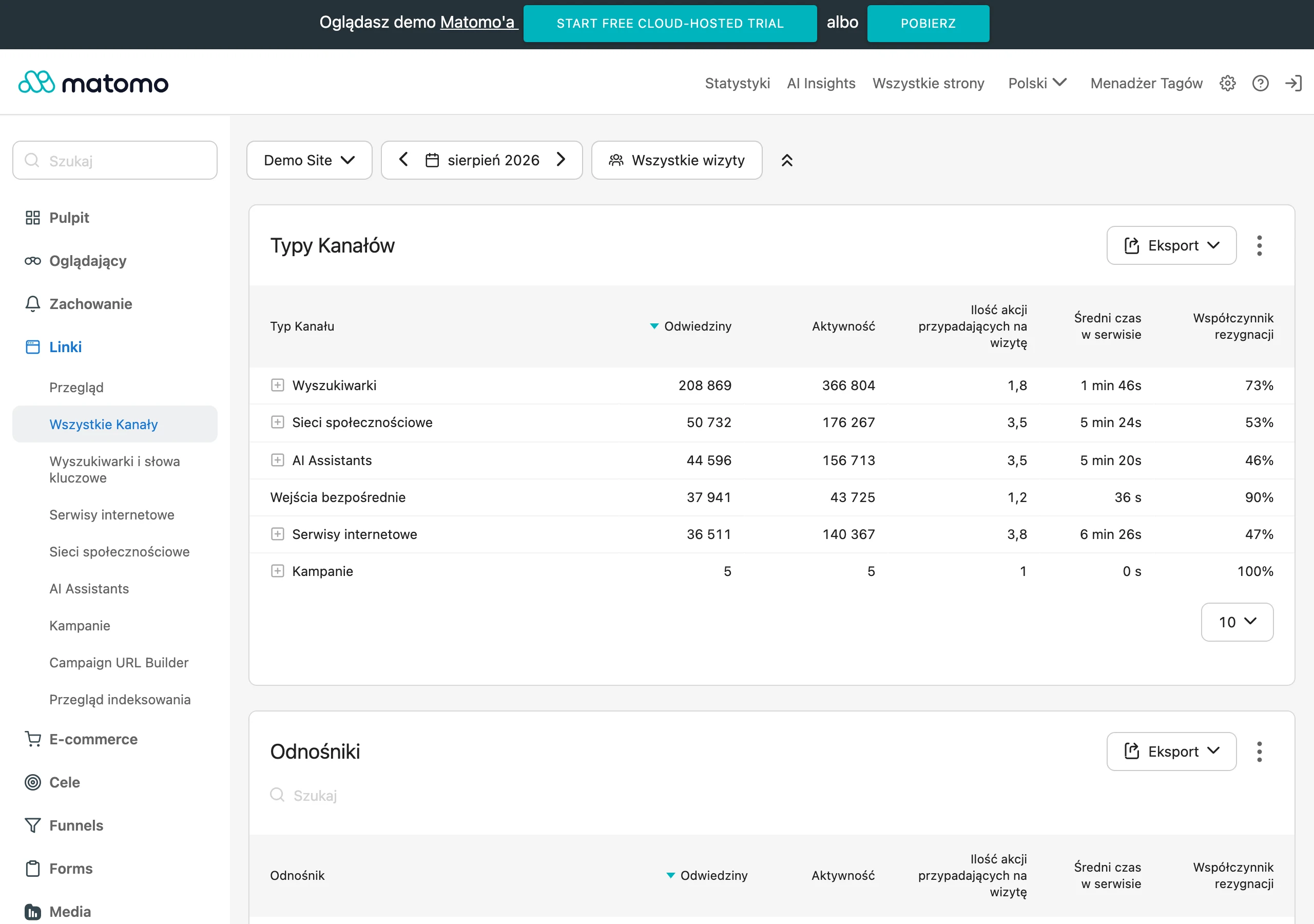
The starting point is data analysis in Google Search Console at query and page level. Look for keywords with a high number of impressions, a good position and, at the same time, a weak CTR. This pattern often means that the result is visible, but clicks are taken by a Google module or the user gets enough of an answer without going further. This is an important clue for separating keywords into those that should build exposure and those that should genuinely drive traffic.
Search Console on its own does not provide the full picture. It is worth regularly, manually checking what the SERP for key queries actually looks like and how much space is taken by modules placed above the organic results. Position 1 can have a completely different weight when a map, snippet and a block of additional questions appear above it. In zero-click, real visibility on the screen is sometimes more important than the nominal position in the report.
A good practice is to measure results separately for different types of keywords. For informational queries, exposure, presence in visible modules and increased interest in the brand matter. In the case of transactional keywords, the focus shifts to visits, engagement, visits to offers and conversions. For local queries, you also need to take into account actions performed without visiting the site, such as a phone call, route directions or interaction with the business profile.
In practice, it is also a good idea to track changes in branded traffic and in queries containing the brand name. Presence in Google’s answers often does not translate into a click straight away, but it can boost recognition and prompt the user to search again by brand later on. A simple “position = visit” model will not capture that. That is why analysis should also cover the entire user journey, not just the first contact with the result.
The key is interpreting the data correctly. A low CTR does not always mean failure, and a high number of impressions without clicks does not have to be a loss if the goal was SERP visibility or local contact. The problem starts when keywords with high intent to visit and buy have good exposure, but do not bring visits or further actions. SEO effectiveness in the zero-click era is assessed by how well the result matches the business goal, not by one universal metric.
How to avoid common mistakes in optimising for zero-click searches?
You can avoid common mistakes by matching the strategy to the search intent and the real layout of the results, instead of mechanically “pumping up” positions. The most common mistake is treating all keywords the same, as if every one of them had to lead to a visit to the site. In practice, some queries are meant to secure quick contact, some work on visibility, and only some actually deliver traffic and conversions. If you do not separate these, it is easy to mistake good results for weak ones, or vice versa.
The second mistake is evaluating SEO solely through clicks and CTR. In the zero-click model, a high number of impressions with a low CTR does not always indicate failure, because the user may already have seen the brand, phone number, location or a short answer. Look at position, impressions, presence in SERP modules and the impact on later brand queries at the same time, because only that set shows the real effect.
A common pitfall is creating content that answers only a simple question and, after the visit to the site, offers nothing beyond that. In such a situation Google can “pull” the entire value of the answer into snippets, PAA or other modules, and the user sees no reason to click. Good content for zero-click should have two layers: a short answer that can be picked up in the SERP and an expansion that cannot be reduced to one sentence.
Another mistake is the uncritical implementation of structured data without matching it to the content and type of page. Schema helps the search engine understand the content, but it will not replace the quality of the information, and poorly chosen markup can only create confusion. Implement only the structured data that actually describes the page content, and keep an eye on the consistency of names, opening hours, prices, authors and other attributes that may be pulled into the results.
Another trap is relying exclusively on ranking tools for analysis. Positions alone do not tell you whether above the organic result there is a map, answer module, PAA, knowledge panel or an AI element pushing classic results far down. A manual review of the SERP for the most important keywords is essential, because only then can you see whether the user has any chance of coming across your site without scrolling.
In local queries, a common mistake is focusing all attention on the site and ignoring the business profile. For many users, the decision is made already at the level of maps, reviews, opening hours and the call button, without entering the website. If the business operates locally, the business profile, NAP details, categories and reviews need to be treated as part of SEO, not as a separate topic.
It is also worth avoiding attempts to “hide” the answer just to force a click. Such content usually loses to better structured pages that answer the question clearly and build trust. It is wiser to give the user a concrete starting point for the answer, and then lead them to a comparison, instruction, calculation, review or decision that the search result itself will not complete.
FAQ
Frequently asked questions
How do zero-click searches affect traffic from Google?
They can reduce the number of clicks, even if a page has a high position and plenty of impressions. This happens when the user gets the answer already in the search results.
Is a high ranking in Google enough in the era of zero-click searches?
Not always, because above the traditional results there are often modules that satisfy the user’s need earlier. That is why ranking alone does not show the full effectiveness of SEO.
Which queries most often end without a click?
These are most often informational, local, navigational and short factual queries. Definitions, opening hours, addresses, courses and simple instructions are particularly susceptible.
Which SERP elements take attention in zero-click searches?
These are most often the featured snippet, direct answer, People Also Ask, Local Pack, Knowledge Panel, rich results and answers generated by AI systems. They can take up space above the organic results.
How should content be optimised for zero-click searches?
First, you need to group keywords by intent and check the actual SERP layout. Then it is worth creating layered content: a short answer at the top, and below that expansion, context and additional value.
How do you measure SEO effectiveness with a large share of zero-click searches?
You need to look not only at clicks, but also at impressions, CTR, presence in SERP modules and further user behaviour. A low CTR does not have to be a problem if a given keyword naturally ends with an answer in Google.