

Broken links are a technical issue that quickly affects the user experience, causes traffic drops and can create indexing problems. In practice, this does not apply only to pages returning 404, but also to faulty redirects, loops, deleted files, images and links to blocked or temporarily unavailable resources. This type of error can appear in content, menus, footers, navigation, template modules or outbound links. The key is not simply spotting the issue, but establishing its cause, scale and real impact on the user and SEO. Only then can you choose the right fix: replacing the link, setting up a redirect, restoring the page or removing the link. In this guide, we will focus on how to identify problems, prioritise them and avoid “fixing” them in a way that makes the situation worse.
What are broken links and why are they a problem?
Broken links are links leading to URL addresses or resources that do not open correctly or return the wrong server response. They are most often associated with a 404 error, but in practice 410, 403, 500, redirect loops, long 3xx chains, faulty anchors and relative addresses that ultimately lead nowhere are also involved. The problem may concern not only pages, but also images, PDF files, scripts or dynamically loaded elements.
From the user’s perspective, this means an interruption in the task flow. Someone clicks a menu item, product, post or button and instead of the expected content sees a blank page or an error message. Broken links in menus, navigation, product cards and campaign landing pages are particularly damaging, as they affect areas of the greatest business importance.
In SEO, the problem is not only the error code itself, but also its surrounding context. When internal links lead to unavailable URLs, the crawler wastes budget on unnecessary visits, and important pages may be discovered less often and linked less strongly within the site structure. If incorrect addresses appear in the sitemap, template or in multiple sections, the scale of the problem can grow quickly.
It is also worth distinguishing a real error from an apparent one. A crawler may report the problem differently from a browser, and server logs can show yet another picture, especially with JavaScript, CDN, access blocks or a non-standard HTTP response configuration. A 404 error alone is not enough; you need to establish where the link comes from, which resource it points to and whether it affects a single place or the whole template.
- 01Broken connectionURL errors (e.g. 404, 500)
- 02Interrupted pathThe user encounters an error
- 03Loss of trustNegative user experience
Broken links interrupt the user journey and negatively affect their experience on the site.
The most common causes of broken links
Broken links most often appear after changes to the site structure, content or technical configuration. They are often a consequence of a domain migration, URL restructuring, product removal, category changes or manual content editing without updating older links. In practice, the problem usually comes to light where the deployment of changes has outpaced link checks.
- domain migration or a change in URL structure without a full redirect plan,
- deleting a page, product, post or file without fixing the places that still link to it,
- incorrect 301 rules, 302s, redirect loops and chains of several redirects set one after another,
- manual link insertion in the CMS with a typo, an incorrect relative address or an outdated anchor,
- changes in the menu, breadcrumbs, footer or template that spread one faulty link across hundreds of subpages,
- links generated by JavaScript, filters, URL parameters, language versions and modules that a simple crawl does not cover.
Automated fix decisions are often another source of the problem. A typical example is redirecting all deleted URLs to the homepage or to a category that is too broad, even though the user was looking for specific content. Not every deleted URL should receive a 301 redirect — if there is no sensible equivalent, removing the link or using a controlled 410 status may be better.
In larger sites, the technical layer makes the situation even more complex. A link may look correct in the source code, but after rendering it leads somewhere else, works incorrectly only in one language version or returns a different status after passing through a CDN or cache layer. A simple site scan often does not detect links generated by JavaScript, filters, parameters, files and language versions.
It is worth analysing not only the target address, but also the point from which the error originates. If the faulty link is in a global component, such as the menu or footer, the same problem will be visible across a large part of the site. If the same faulty link appears in the template, one fix in a single piece of content will not solve the problem globally.
How to carry out a link audit in practice
A link audit in practice comes down to collecting all URL addresses from several sources, checking the server response and pinpointing exactly where the error appears. A site crawl alone is not enough, because some errors only appear in logs, in Google Search Console or when manually following the user path. The most common mistake is working from just one list of 404s without checking the link source and the scale of the problem.
First, you need to define the scope of the audit. On a small site, a full crawl and checks of the most important sections are usually enough. On a larger site, it is also worth including language versions, pagination, filters, PDF files, images, links generated by JavaScript and template elements such as the menu, footer and breadcrumbs.
It is a good idea to combine audit data from several places, because each of them shows a different slice of the problem. The crawler will catch relationships between pages, Search Console will show errors seen by Google, analytics will point to pages with real traffic, and server logs will confirm what was actually being requested by users and bots.
- crawl of the whole site and important manually indicated sections,
- XML sitemaps and canonical URLs,
- Google Search Console, especially reports of pages with errors and exclusions,
- analytics covering traffic on entry pages and transactional pages,
- server logs showing real requests and HTTP statuses.
During verification, do not limit yourself only to the 404 error. You need to distinguish pages that were deliberately deleted from those that “disappeared” because of an incorrect redirect, a 3xx loop, a 500 response, a faulty relative URL or a link to a blocked resource. The fact that the browser displays an error does not always mean the same thing as the server response visible in the logs.
After compiling the list of errors, you need to sort them by impact. In the first place, fix internal links from the menu, category pages, product pages, landing pages and content that generates traffic. Only later should you move on to individual cases in older posts or less important outbound links.
It is also worth establishing each time whether the problem is local or stems from the template. If the same faulty link appears in the navigation or in a CMS component, correcting one page will not solve the issue. One defect in a template can generate hundreds or thousands of faulty links.
- 01Scope of the auditDefine the scale and elements.
- 02Data collectionSeveral data sources.
- 03Response analysisCheck the server status.
- 04Error locationIdentify the exact place.
- 05Correction and conclusionsFix the errors, draw conclusions.
The key is a full picture from many sources, not just a list of 404s.
Stages of the broken link repair process
The broken link repair process includes inventorying, error classification, choosing a repair method, implementation and validation. Each stage is important, because an inaccurate technical decision often moves the problem elsewhere rather than eliminating it. The most damage is caused by automatically redirecting everything to the homepage or leaving long redirect chains in place.
- URL inventory — you collect URLs from the crawl, sitemaps, analytics, Search Console, logs and business-critical sections.
- Detection and verification — you check the HTTP status, where the link appears, the type of target resource, behaviour after rendering and whether the problem concerns the final version or only one URL variant.
- Error classification — you separate internal links, outbound links, technical resources, template errors and cases resulting from redirects or server configuration.
- Repair decision — you choose between changing the URL, updating the link to a new address, implementing a 301, restoring the page, removing the link or leaving a correct 410.
- Implementation — you make changes in the CMS, content, templates, server rules, product system or framework configuration.
- Validation and monitoring — you crawl the site again, verify final statuses, the absence of loops and chains, and then monitor whether the problem returns after subsequent publications or assortment changes.
The key step is choosing the right repair method. If there is a current equivalent of a removed page, it makes sense to implement a 301 to the address most closely related topically. If no such equivalent exists, it is better to remove the link or leave a controlled deleted status, rather than sending the user to a random place.
It is worth starting the implementation of changes from the source of the problem, not its effects. If the broken address results from a template module, product import or link generator in the CMS, the fix should be made there. Fixing the symptom without fixing the source usually ends with the same error quickly returning.
After implementation, the result should be verified technically, not only “by eye”. The link should lead to the final URL without unnecessary jumps, be consistent with the canonical and work in the production environment. A good standard is also to go through the key paths again, such as the menu, filtering, product page, basket and forms.
Finally, there is monitoring, because broken links can return after content changes, migrations and range clean-ups. It is worth maintaining a permanent report of new errors and a list of areas particularly prone to regression. Regular checks are much cheaper than fixing a major failure after several months of the problem building up.
Repair strategies for different types of errors
Repair strategies for different types of errors are based on matching the method to the cause, not to the 404 message itself. In practice, the first step is to determine whether the problem concerns an internal link, an outbound link, a technical resource, a redirect or a server response. This diagnosis determines whether you need to fix the link, implement a redirect, restore the page, or leave the removal as controlled. The most common mistake is fixing the destination URL without removing the source of the problem.
If an internal link leads to a non-existent page, you most often need to update it to the correct URL or implement a 301 to the nearest equivalent. This is particularly important in menus, breadcrumbs, listings, product cards and in-content links, because in these places the error affects both the user and the bots at the same time. When the same incorrect URL appears in many locations, it is better to check the template or component instead of manually fixing individual subpages.
In the case of removed pages, the decision depends on whether there is a sensible replacement. If the new equivalent genuinely matches the same intent, a 301 will be the right solution. If the content or product has been withdrawn without a replacement, it is better to remove links leading to that page or leave the correct 410 status. It is not worth redirecting everything to the home page, because that usually worsens usability and blurs the signal about what has actually been removed.
Outbound links are fixed a little differently from internal ones, because you do not control the destination site. First, it is worth establishing whether the external page has changed address, restricted access or been permanently removed. If there is a current URL, you replace the link. When the source no longer exists or raises quality concerns, it is wiser to remove the link rather than leave a dead or misleading redirect.
Technical resource errors, such as images, PDF files, CSS or JS, require checking the paths and where they are called from. Quite often the problem is not the file itself, but a moved directory, an incorrect relative path, a typo or an old link hard-coded in the template. In such situations, restoring the file is sometimes faster than setting up redirects, but it is worth assessing whether the resource still makes sense and whether it should be replaced with a newer version.
For redirects, the aim is to take the user and the bot to the final URL in as few steps as possible. If there is a 301 chain or a redirect loop, the fix usually comes down to shortening the path and refining the rules on the server, CMS or CDN side. The final link should go straight to the final address, not to another redirect. This is particularly important after migrations, when changing category structures and when tidying up products.
Status codes 403 and 500 must be approached differently from classic 404s, because they usually indicate a problem with access or infrastructure. With 403, you check block rules, the firewall, directory protection, user-agent limits and CDN configuration. With 500, you need to look for the cause in the application, server, plugins, response time or backend-side errors. In such cases, fixing the link alone is not enough, because the URL may be correct while the resource still remains unavailable.
A separate category consists of faulty anchors and JavaScript-generated links. An anchor may lead to an existing page, but to a non-existent element, meaning the user lands somewhere other than they should. Links created by scripts need to be verified after rendering, because in a simple HTML audit they may look correct or may not be visible at all. If a site relies heavily on JS, validating only the “raw” page code gives an incomplete picture.
- 01Cause diagnosisDetermine the source of the problem
- 02Method selectionMatch it to the cause
- 03Implement the fixFix the link or 301
- 04Fix at the sourceRemove the root cause
Effective repair requires removing the cause of the problem, not just its symptom.
What tools to use for monitoring and validation
For monitoring and validating broken links, it is best to use several tools in parallel, because each shows a different slice of the problem. A crawler will show the scale and locations of links, Google Search Console will indicate issues visible to Google, and server logs will confirm what users and bots are actually triggering. Only by combining these sources can you distinguish a one-off issue from a systemic problem.
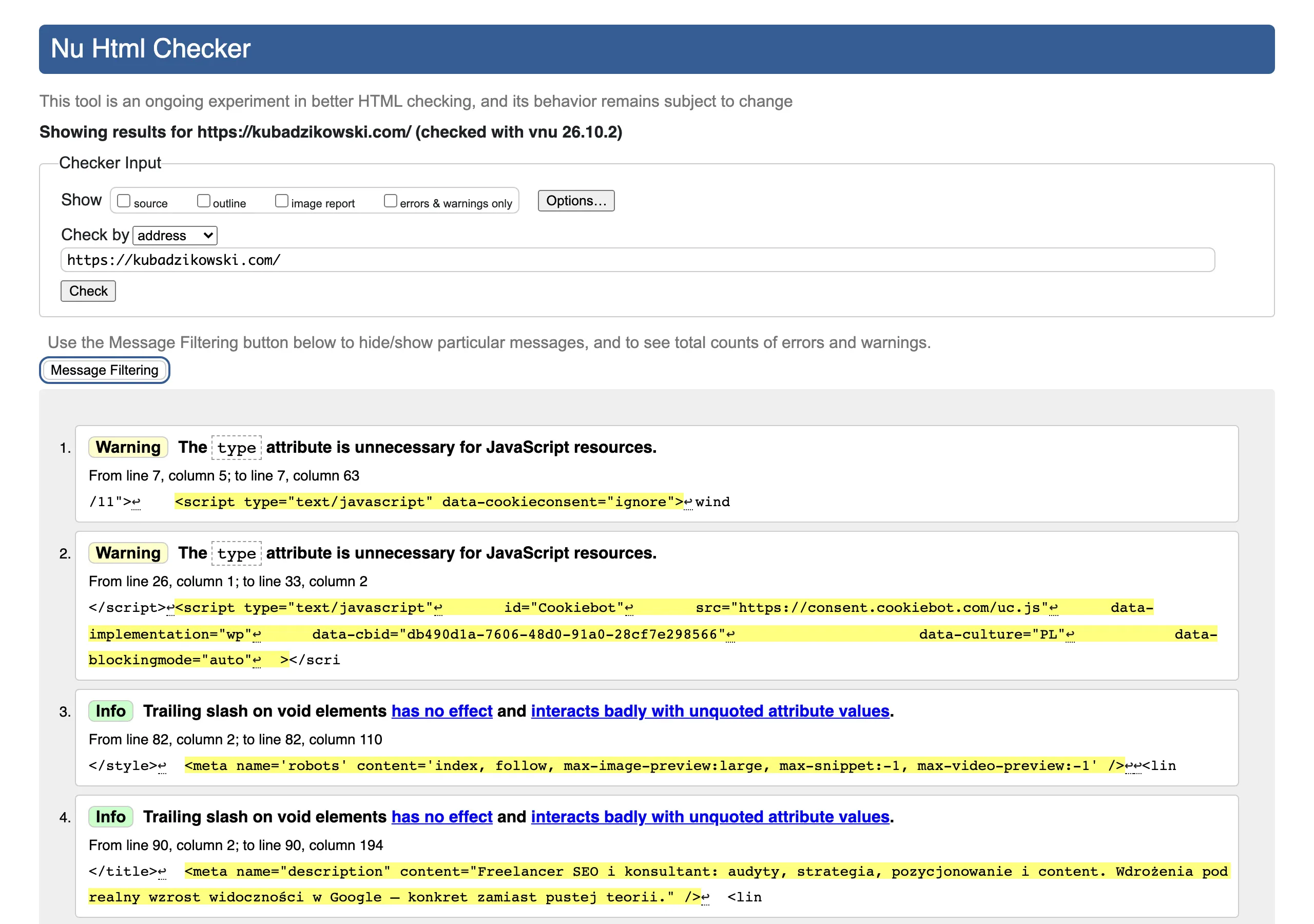
For a full site crawl, desktop or cloud crawlers such as Screaming Frog or Sitebulb are the most convenient options. They allow you to analyse HTTP status codes, redirect chains, source pages, outbound links, images, files and elements embedded in templates. On larger sites, it also matters whether the tool can render JavaScript, because without that some links may remain undetected.
Google Search Console helps confirm which issues are actually visible in indexing and which URLs Google is reaching. It is a valuable source of information about pages returning 404, sitemap issues and URLs that are still being discovered despite the removal of internal links. It is worth remembering, however, that Search Console does not replace a full audit, because it will not show all the places from which the faulty link originates.
Analytics and server logs make it easier to set repair priorities. In analytics, you can verify whether the broken URL appears in conversion paths, on campaign landing pages, or in areas generating high traffic. Logs will show whether the faulty URL is being visited regularly, by whom and how often. This makes it easier to distinguish a dead archive entry from an error that interrupts an important user journey every day.
Technical tools are useful for checking individual cases: DevTools in the browser, commands such as curl and HTTP header testers. With their help you can quickly check the final status, redirect sequence, blocks, cache headers and differences between the desktop and mobile versions. This is particularly important when the crawler reports one thing and the user sees something else in the browser.
After implementing changes, it is worth running a fresh crawl of the same sections and comparing the results with the first audit. Then you verify whether the 404s have disappeared, whether any new 3xx have appeared, whether the links lead to the destination URLs and whether the fixes have not broken other templates. It is also a good habit to check on production, because a change that works on staging does not always behave identically after deployment.
Monitoring should be cyclical, not one-off. Most new broken links appear after publications, category changes, product removals, migrations and manual content edits. For this reason, it is worth setting up periodic scans, alerts for selected sections and a fixed list of critical URLs to check after every major change. The best validation is one that does not end with a single report, but catches regression before the problem grows.
Typical errors and limitations in managing broken links
Typical errors and limitations in managing broken links are, above all, treating the symptoms without identifying the source, poor prioritisation and misinterpreting the server response. In practice, many teams focus solely on the list of 404s, overlooking the place from which the link is actually generated. This results in an apparent fix, because the problem disappears for one URL and then appears on other subpages or language versions. The most important thing is to determine whether the problem arose in the content, template, redirect, server configuration or CMS logic.
A common mistake is treating all broken links the same. Not every case requires a 301 redirect, let alone sending traffic to the homepage. If a page has been removed intentionally and there is no sensible equivalent, it is more sensible to remove the link or leave the correct removal status in place. By contrast, 500, 403 or redirect loop errors are not “content” issues, but technical ones, so they should be assigned to a different owner on the implementation side.
The second major limitation comes from data quality. A crawler can detect an error invisible in the browser because the page renders the link only after JavaScript, or vice versa, the browser will show a problem that a simple crawl will not catch. Added to this are firewall blocks, rate limiting, incorrect CDN responses and temporary outages, which can distort the picture. That is why a single tool is rarely enough; you need to compare the crawl, Search Console, logs and the behaviour of the live site in production.
In large websites, scale and complexity remain a limitation. The same link can appear at the same time in the menu, product module, sitemap, footer and several language versions, so a manual fix in one place usually does not close the issue. In addition, some URLs are generated dynamically through filters, parameters, pagination or framework components, which means not all errors are immediately visible in a standard audit. The more templates, integrations and data sources there are, the more important classification by impact on traffic, sales and indexing becomes.
On the organisational side, the problem is also sometimes a lack of access to the right layer of the system. The SEO team can see the error, but does not have access to the server, redirect rules, CDN configuration or the link generator in the CMS. As a result, the fix drags on or ends with a workaround that does not eliminate the cause. If the source of the link cannot be changed, it is worth at least documenting the problem owner, the scope of impact and the safest temporary option.
The last common mistake is failing to validate after deployment. Simply adding a redirect or correcting the link in the content still does not guarantee that the user will land immediately on the destination URL, without a 3xx chain, conflict with the canonical or regression in another module. It is worth verifying the changes with a fresh crawl and manually going through the key paths, especially the menu, categories, products and campaign landing pages. Fixing broken links only ends when the source error disappears, the final URL works correctly and the problem does not reappear with the next publication or migration.
FAQ
Frequently asked questions
How can you recognise broken links on a website?
These are links that do not open properly or return the wrong server response. In addition to 404, these can also be 410, 403, 500, redirect loops, long 3xx chains or incorrect anchors.
Why do broken links harm SEO and users?
They break the user’s path to action and worsen the experience on the site. In SEO, they can also waste crawl budget and weaken the discovery and connection of important subpages.
How do you carry out a broken links audit in practice?
You need to collect URLs from a crawl, the sitemap, Google Search Console, server logs and analytics, and then check the server responses and the location of the error. A site crawl alone is not enough, because some issues only emerge in logs or after rendering.
What most often causes broken links to appear?
They are most often the result of migrations, URL structure changes, content removal without updating links, or redirect errors. The problem is also created by typos, incorrect relative addresses, templates and JavaScript-generated links.
How do you fix a broken internal link on a site?
First you need to establish whether the error comes from a single subpage, or from a template or module. Then the link is updated to the correct address, a 301 is implemented to the closest equivalent, or the link is removed if there is no sensible replacement.
When is it better to set a 301 redirect, and when to remove a link?
A 301 makes sense when there is a current address matching the same intent and content. If there is no equivalent, it is better to remove the link or leave the correct 410 status, rather than sending users to the homepage.