

The search engine in an online store only makes sense when it genuinely shortens the path to the right product or a specific answer. Full stop. Its effectiveness is not measured by the look of the search field or by whether the shop “generally” sells more. The facts are these: you need to look at what users type in, what they get in the results and what they do next. The most important question is: after entering a keyword, does the customer reach the right place without unnecessary steps and frustration. In practice, this means analysing query logs, post-search behaviour, product data quality and ranking relevance. Only when you put these elements together do you see whether the problem lies in the engine, the product catalogue, the configuration or the UX.
What is the assessment of a store search engine’s effectiveness
Assessing a store search engine’s effectiveness means checking whether the user, after entering a query, quickly reaches the right product, category or helpful content. The result matters. So it is not just about whether the system returned any results at all, because a list of “anything” can be just as useless as an empty page. What matters is whether the result matches the intent and whether it leads to the next step, such as a click, filtering, adding to basket or purchase.
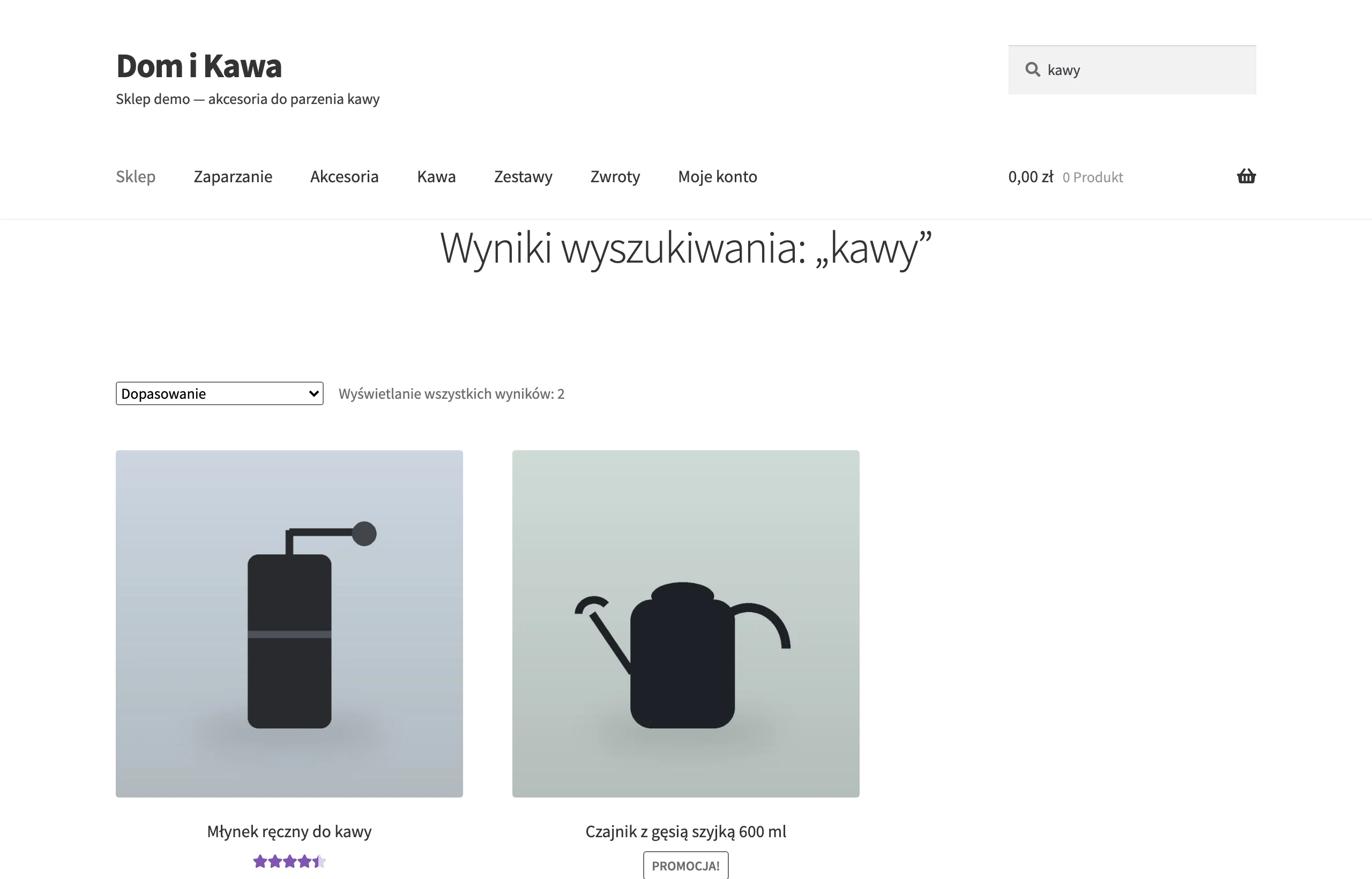
In practice, you assess the whole search engine chain, not just the matching algorithm itself. The problem is that the final result is also influenced by autosuggest, typo and inflection handling, product attribute mapping, ranking, stock availability and the way the list is presented. This matters because even a good engine will not help if a product has a poor name, is missing attributes or unavailable items are shown too high up. Instead of blindly tweaking the “algorithm”, it is better to check whether it is the data and merchandising that are tripping things up.
A good search engine should understand different query types. And this is not a cliché. Users enter product names, brands, features, sizes, colours, manufacturer codes, variants and sometimes informational questions such as delivery, returns or complaints. A good assessment therefore has to separate intents, because otherwise shopping queries get mixed up with informational ones and it becomes difficult to draw sensible conclusions. The question is whether your reports even distinguish “I want to buy” from “I want to know”.
Reliable assessment requires data, not hunches. Without numbers, you just go round in circles. You need search event tracking, access to query logs, product and attribute data, stock information and the ability to compare the situation before and after changes. But note: in the current reality, mobile traffic is a separate topic, because shorter queries, more frequent typos and the greater role of autosuggest can significantly shift the picture of effectiveness. Not X, but Y. Not the “average” across all traffic, but a breakdown by device context and behaviour.
How the assessment process works in practice
The effectiveness assessment process starts with collecting data on what the user types, what they see and what they do after searching. First, instrumentation. First, you need to implement event tracking such as search usage, clicking a suggestion, clicking a result, applying filters, moving to the next results page, adding to basket, purchase and exit after searching. Without this instrumentation, it is impossible to distinguish a relevance problem from a problem with result presentation or with the offer itself. Only then can you sensibly say whether the culprit is ranking, UX, missing product data or simply an ассортимент that does not match demand.
The next step is to divide queries into sensible groups. Simple, but without this you are groping in the dark. Analyse brand queries, categories, attributes, product codes, long tail, typo queries and informational questions separately. This split is necessary because a query for a specific model is assessed completely differently from a general phrase such as “buty do biegania” (running shoes) or a question about returns.
Then you examine the product catalogue and the search index itself under a microscope. This is where you see whether the names are complete, attributes are filled in correctly, variants are actually visible, synonyms are defined and the data in the shop is consistent with what really lands in the index. And this is exactly where expectations usually burst. The problem is that the search engine will not match something that is not in the data or that has been described half-heartedly.
Then it is time for a manual assessment of result relevance for key queries. Without this, you are stuck. You check whether the top results match the user’s intent, whether the ranking is not pushing unavailable products upwards and whether filtering really narrows the choice rather than merely pretending to help. At this stage, it quickly becomes clear whether the issue is matching, ranking, missing attributes or simply faulty business logic.
At the same time, you need to look at what users do after entering a keyword. Clicks on results, query refinements, use of suggestions, abandonments, time to first click and the path from query to basket and purchase all matter. Results on their own can lie, because a list may look correct yet still fail to lead to a purchasing decision.
Once you have gathered the observations, it is time to assign problems to causes rather than to a “general impression”. If queries do not find products, the reason is often missing synonyms, poor typo handling or an incomplete index. If results exist but the order is poor, the source of the problem usually lies in ranking, stock levels, product promotion rules or the fact that the search engine does not read query intent.
At the end, you implement fixes and measure their effect on the same set of queries. Changes can relate to product data, synonym dictionaries, language rules, autosuggest, ranking, routing informational queries to the right pages or the layout of results. The key is to compare the state before and after deployment, and if the technology allows it, also an A/B test or a controlled version comparison. Otherwise you are left with an opinion, not a result.
The importance of product data quality for search engine effectiveness
The quality of product data directly determines whether the search engine finds the right product and shows it high in the results. This is not a matter of “nice descriptions”, but of hard usability. If names, attributes and variants are incomplete or inconsistent, even a good engine has nothing sensible to match the query against. That is why relevance problems so often start not in the algorithm, but in the catalogue. First check the product data, then assess the ranking and search logic.
In practice, the basics matter. Product titles, brands, categories, filterable attributes, manufacturer codes, units of measure, compatibility information and variant descriptions do all the work here, because the index and result ranking are based on them. Users usually type what they know from the packaging, a comparison site or their own language, and not always the textbook name from the store system. The problem is that if these elements are not recorded predictably and completely in the index, the search engine will not recognise the intent or will return a result set that is too broad.
It is especially difficult with variants and technical attributes. If size, colour, capacity or model live only in the description, instead of structured fields, a customer who enters a specific feature may not get the right results or be able to narrow them with a filter. The question is: why do we have filters if they have nothing to work with. Data must not only be present, but also stored in fields that the search engine and filters actually use.
Assessment of effectiveness is also affected by consistency of data between the store, PIM, feeds and the search engine index. A product may appear in the catalogue, but if it has not been indexed correctly or has out-of-date stock levels, the result becomes simply misleading. The same applies to missing synonyms, language variants or poor category mapping. A high ranking for an unavailable product, or the absence of an available product, is only apparently a search engine error — often the source is the index or the data status.
A good test of data quality is a manual check of several dozen important queries. And an answer to three questions: can the product be found, does it appear high up, and can it be easily filtered. If the answer is “no”, you need to get to the specific cause: what is missing from the data — an alternative name, an attribute, a code, a category assignment or variant information. Such a diagnosis translates into concrete tasks for the e-commerce team, instead of the convenient claim that “the search engine works poorly”.
How to segment queries for better results analysis
Segmenting queries is simply dividing them into groups with a similar intent, so that not everything is measured in one line. A query with a brand name behaves differently, a product code behaves differently, and a question about delivery or returns behaves differently again. Without this, it is easy to get a false sense of calm, because good results for one type of query can mask problems in another. The key is to measure effectiveness at the level of a specific query type, not just globally for the entire search engine.
In practice, it is worth separating at least a few basic segments:
- brand queries,
- category queries,
- queries about features and attributes,
- product or manufacturer codes,
- long-tail phrases,
- queries with typos,
- informational queries, for example about delivery, returns or order status.
Each of these segments needs to be assessed differently. With product codes, the game is about almost 100% precision and instant delivery of the right product page. With category queries, what matters is a sensible list of results and filters that can actually be used, while with informational queries — a redirect to the right support content, not to random products.
Segmentation should also take into account device context and phrase length. On mobile, users more often type short phrases, make typos and click suggestions, so it is worth splitting these queries into a separate stream. If you do not separate mobile traffic from desktop traffic, you may miss issues with autosuggestions, ranking and the visibility of results on a small screen.
For analysis, it is best to connect the query segment with what happens after the search. For each group, check the share of zero results, clicks on a result, query refinement, use of filters, add to basket, purchase and exit after searching. This set quickly exposes where the problem lies: in matching, in the presentation of the list, in irrelevant suggestions, or sometimes simply in a poorly organised category structure.
Finally, priorities come into play. First tackle queries with the highest volume, the highest sales value, frequent zero results or those that are strategic for the offer. This ensures the team does not grind through marginal cases, but improves the scenarios that really close sales and raise the user experience.
The most common mistakes in assessing search and how to avoid them
The most common mistake is assessing the search engine solely through the store’s overall conversion rate. Such a result is like a cocktail without a label: it mixes the impact of price, promotions, seasonality, campaign traffic and the quality of the entire checkout. The search engine needs to be assessed at the level of specific queries and post-search behaviour, not just at the level of final sales.
The second mistake is putting all phrases into one bag. A query about a brand, a manufacturer code, a product feature and a question about returns represent different intents, so they should not pass through the same metric. When you do not separate them, it is easy to conclude that the result is “good”, because some simple phrases happen to work flawlessly.
Very often the blame is placed on ranking, even though the source of the problem sits in the product data. Incomplete names, missing attributes, poorly described variants or missing product codes mean that the engine simply has nothing to match against. Before you change the algorithm, check the catalogue, the index and the consistency of data between systems.
In practice, many analyses ignore mobile traffic, and that can distort the picture of how the search engine works. On phones, users type shorter phrases, make typos more often and click autosuggestions more often. If you do not split this out separately, you may not notice that the problem is not the results themselves, but the suggestions or the layout of the list on a small screen.
Another sin is ignoring stock levels and business rules. In theory, the search engine may match a product correctly, but if it pushes unavailable items to the top, the result simply does not hold up from a business point of view. Assess relevance together with availability, variant visibility and the logic of result ordering.
Many teams “polish” only the most popular keywords, and then wonder why the long tail and seasonal queries are slipping away. The problem is that this is exactly where zero results, irrelevant matches and products hidden so deeply that they are practically invisible most often show up. So the key is to keep priorities in check on a fixed list: highest volume, highest sales value, frequent zero results, important brands and keywords that require filtering.
It is also dangerous to stare only at the numbers without manually reviewing the results. A high CTR does not always mean relevance, because a user may click several positions in a row while hunting for the right product. Combine logs, events and manual review of results for real queries, because only then do you see the true source of the problem.
Which metrics are worth measuring to assess search effectiveness
Search effectiveness cannot be defended with one chart alone. It is best assessed with a set of metrics that shows whether the user found the right result quickly and without a series of attempts. One metric is almost never enough, because each one touches a different stage of the journey. That is why you should split measurement into match quality, post-search behaviour and the real impact on sales.
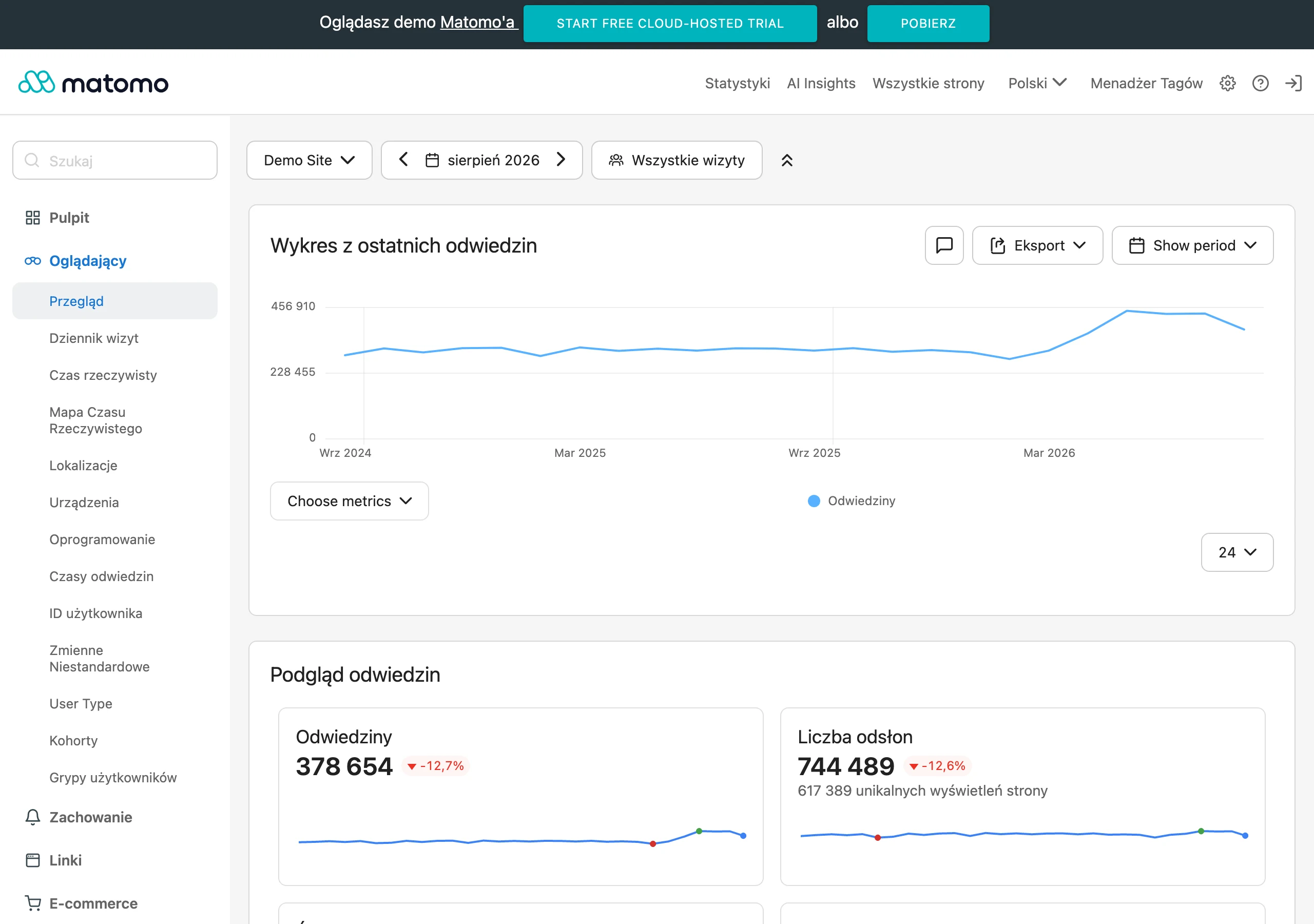
The basic signal is the share of zero-result queries. It tells you how often the search engine finds nothing for the entered keyword, but this reading must be treated with caution. The cause may be a missing product, poor handling of typos, a missing synonym, unindexed data or incorrect intent recognition. The data speak clearly: without diagnosing the source of the “zero”, it is easy to fix the wrong thing.
Also very important is the click-through rate on a result after searching and the time to first click. If the user does not click anything or only clicks after a longer while, this usually signals weak relevance, poor suggestions or an unreadable results list. Post-search CTR only makes sense when you analyse it by query type.
Another group consists of keyword refinement metrics: repeat search, query change, use of filters after searching and moving on to further results pages. These show well whether the first attempt was helpful enough. And if there are many reformulations, it often means that the search engine “knows” the words, but loses the sense of order. It is not that it does not understand, but that it weights the results badly.
At the business level, you measure add to cart after search, purchase after search and exit after search. These metrics show whether the search engine helps complete the user’s task, but without the context of category, price and availability they are easy to misread. A good signal is not only a purchase, but also a short and smooth journey from query to basket.
The effectiveness of autosuggestions must be counted separately. It is best to check how often suggestions are actually used, which ones users choose and whether the click leads to a product, category or support content that matches the intent. Because if suggestions “take over” a large share of the interaction, simply assessing the full results starts to diverge from the overall picture.
Nor should you underestimate the search response time. Even perfectly relevant results lose their value when they appear with a delay, especially on mobile devices. Response delay affects not only convenience, but also the number of suggestions used, reformulations and post-search abandonment.
The most insight comes from a dashboard that breaks these metrics down by query level, segment and device. Then you can immediately see whether the problem concerns brand keywords, product codes, informational queries, mobile, or only a slice of the catalogue. And only such a diagnosis allows you to move from impressions to decisions: improve data, synonym matching, ranking, suggestions or the results layout itself.
How to optimise search results in an online store
Optimising search results means removing the causes of mismatches and shortening the path from query to click, basket and purchase. This is foundational work. In practice, you do not start with “magic settings” of the engine, but by determining where the problem lies: in the data, matching, ranking, intent or the interface. Most often, the biggest effect comes from improving the product catalogue and index, and only then from tuning the ranking itself. If a product does not have sensible names, attributes and links to categories, the search engine has nothing to build relevant results from.
The order of work is simple. And it gives the fastest route to real improvement.
- first make sure product data is complete: names, attributes, variants, codes, units, compatibility, brand;
- then expand matching: synonyms, language inflections, typo tolerance, shorthand forms and common mistakes;
- then fine-tune the ranking so that the most relevant and available results are shown first;
- separately configure the handling of informational queries, which should not end with product listings alone;
- finally refine autosuggestions and the results layout, especially on mobile.
When users type “iphone 15 128”, “usb-c cable 2m” or a manufacturer code, the search engine must understand not only the product name, but also features, variants and different ways of writing it. So instead of relying on the algorithm’s “smarts”, you need to map synonyms, abbreviations, numbers, units of measurement and typical typos to the same entities in the catalogue. Good matching is not about returning more results, but about making sure the first results are right for the specific intent.
Ranking only makes sense once matching works properly. Its job is simple: to order the results, not to patch data gaps or mask index errors. In practice, ranking should weigh relevance to the query, product availability, price sensibility, click or sales signals, and business priorities, but business rules should not push poorly matched or unavailable products to the top of the results.
The key work starts with intent. Not every query should end in a product list, because phrases about delivery, returns, complaints or order status call for routing to support content or the help centre. The question is: is the user looking for a product, or an answer? Similarly, very broad queries are often better handled by a category page than by an individual product page, while queries for a specific model or SKU code should lead by the shortest possible route to the right product page.
Autosuggest and the results view can make all the difference. Especially on mobile. Short phrases, typos and a small screen mean that the user often chooses one of the first suggestions and never reaches the full results list. That is why suggestions should surface relevant products, categories and brands, not random popular phrases. But be careful: the interface can sabotage search too, so it is worth trimming elements that make quick comparison harder, such as overly aggressive banners or filters that cannot be read sensibly.
Changes are justified not by declaration, but by measurement. Test every improvement against the same list of priority queries and the same traffic segments, otherwise you are comparing apples and pears. Look not only at conversion, but also at result clicks, query refinement, zero-results share, add-to-basket after search, and response time. If after a change the number of clicks rises, but users return to the results more often or abandon the session, the optimisation has most likely improved the attractiveness of the list, but not its relevance. And that is not a cliché. That is why improvements are best rolled out in stages and their impact compared before and after the change.
FAQ
Frequently asked questions
how do you assess the effectiveness of search in an online store?
You need to check whether, after entering a phrase, the user reaches the right product, category or help content without unnecessary steps. Query logs, post-search behaviour and product data quality are also important.
is the number of results enough to assess an online store search engine?
No, because a list of “anything at all” can be just as useless as no results. What matters is whether the results match the user’s intent and lead to the next step.
why is product data quality so important for search?
Because the index and result ranking are based on names, attributes, variants and codes. If the data is incomplete or inconsistent, the search engine has nothing solid to match the query against.
how should queries be segmented to analyse search properly?
It is best to separate brand phrases, categories, attributes, product codes, long-tail queries, misspellings and informational queries. Each of these types should be assessed separately, because they have different intent and different expectations of the results.
does mobile traffic need to be analysed separately when assessing search?
Yes, because on mobile there are more short phrases, misspellings and autosuggest clicks. Without separate analysis, you can miss problems with suggestions, ranking and visibility on a small screen.
which metrics are worth measuring when assessing search effectiveness?
It is worth looking at the share of no-result queries, clicks on results, query refinements, filter usage, add to basket and purchase. Store conversion alone is not enough, because it does not show exactly where the problem lies.