

In an online store, a 404 error does not have to end the visit or the sale. A user lands on it after clicking an old link, an ad, a search result or an outdated product URL. If they see a dead end, they will most often leave without looking any further. A well-designed 404 page should recover the session, not just inform about the problem. That is why you need to combine the correct HTTP status, sensible redirect decisions and elements that quickly lead the user on.
404 as a session recovery tool
A 404 in a store should work like a session recovery tool, meaning it should stop the user and direct them to a sensible alternative. This matters because such a user often already had a specific purchase intent and landed on a product, category or advisory content. The error message alone solves nothing. If the next step is not obvious, the store loses traffic, basket and the chance of conversion.
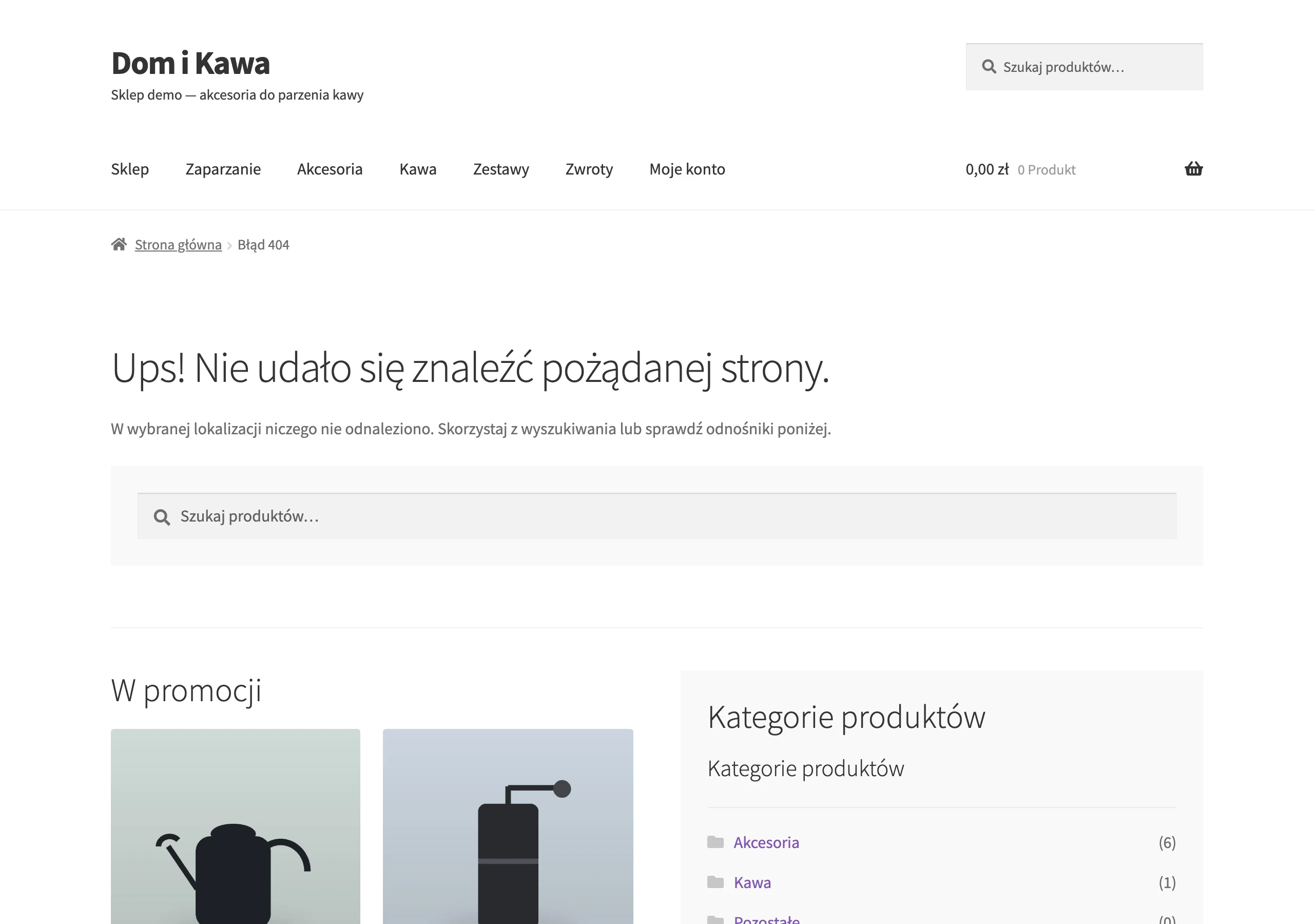
The best 404 page immediately shows how to get back on the right track. It should primarily include:
- a short, clear message that the page is missing,
- a visible product or content search bar,
- links to main categories, bestsellers or promotions,
- an option to contact someone for users looking for a specific product,
- the user’s basket session preserved.
The layout and recommendations should result from the URL the user entered. After a removed product, show similar products or a newer model, and after a non-existent category, its closest equivalents. This way, 404 stops being the end of the visit and becomes a traffic recovery point. Humour can help, but it must not obscure the search bar and links.
HTTP statuses: 404 vs 410 vs Soft 404
The error page must return the correct HTTP status, because search engines use it to interpret the page properly. Use code 404 when the URL does not exist, but this does not automatically mean the resource has been permanently removed. Choose code 410 when the resource has been removed permanently and there is no sensible replacement for it. Do not return 200 OK for a page with an error message, because that creates a soft 404.
In practice, you first decide whether a given URL has a direct 1:1 equivalent. If it does, a 301 redirect to a relevant page, for example a newer version of the product, is the right choice. If not, a 404 or 410 is better, depending on whether the removal is permanent. Mass redirects to the homepage or a random category only make it harder to recover the user.
Correct statuses also matter for indexing and crawl budget. When a robot lands on a non-existent URL with a 200 code, it receives a contradictory signal and may incorrectly assess the site structure. By contrast, numerous 404s in internal linking or the sitemap waste crawl resources that should be going to important store pages. Isolated 404s from external links are normal, but systemic errors require a quick fix.
Logic for handling a non-existent URL
The logic for handling a non-existent URL is about deciding whether there is a relevant 1:1 replacement or whether you need to return 404 or 410. This decision is made on the basis of the page type and the user’s intent, not technical convenience. A discontinued product is handled differently, a category after a structural change differently, and an old advisory article differently. A 301 redirect only makes sense when, after entering, the user lands exactly where they logically should.
For a product, the best candidate for a 301 is a newer model or the same product at a new URL. If there is no replacement, a 404 or 410 page with suggestions of similar products is better. For categories and advisory content, you need to assess whether the new URL matches the same topic or product group. Redirecting to the homepage or a broad category usually worsens orientation and does not solve the original need.
It is worth basing this logic on the sources of the errors, because they determine the scale of the problem and the way to fix it. Fix errors after a migration, in internal linking or in the sitemap at the source rather than masking them with redirects. URLs from expired campaigns, typos or filters require a separate rule, because not every case has a sensible equivalent.
Designing UX focused on recovery
Designing UX focused on recovery means showing the user an immediate way forward. The screen should immediately show: a short message, a search bar, links to the main categories, bestsellers and promotions, and a recommendations module. Each of these elements shortens the path back to the offer and reduces the risk of exit. The most important element of a 404 page in a store is a visible search bar, because it allows you to quickly reconstruct the original purchase intent.
Recommendations should not be random, but matched to the lost URL. After a removed product, show similar products, alternative variants or a newer version. After a non-existent category, direct users to subcategories or the closest product group. After a removed article, guide users to related content.
The 404 template must also preserve the basket session and work quickly, because the user is often already close to making a decision. A cluttered layout, heavy graphics and an overly creative message distract from the goal. Branding can help, but only when it does not obscure navigation, search and contact. If someone is looking for a specific product, the option to contact you is sometimes the last step before abandoning the visit.
404 template components
404 template components are a set of elements designed to quickly bring the user back to the right part of the store. Place a clear heading at the top saying that the page does not exist, along with a brief explanation without technical jargon. A search bar should be placed immediately below it, because it is the fastest way to recover intent. Only then should you show navigation and recommendations.
The rest of the template should lead users down different paths, depending on their needs. Links to the main categories, bestsellers, promotions and contact pages work well, because they cover the most common scenarios after an address has been lost. Recommendation modules can be static or dynamic, but they must be based on the context of the missing URL. For a product, show similar products; for a category, subcategories; and for an article, related topics.
The 404 template should be lightweight and technically clean. Do not place structured data on it referring to a non-existent product, category or breadcrumb trail. The page itself can be localised by language, but expanding the hreflang setup for such addresses is not a priority. What matters is fast rendering, a clear hierarchy and the absence of elements that confuse crawlers or the user.
Typical sources of 404 errors
Typical sources of 404 errors are discontinued products, address changes and linking errors. In online stores, they most often appear after tidying up the catalogue, a platform migration or a restructuring of the category architecture. Older addresses from marketing campaigns, links with typos and incorrectly handled filter URLs are also common. Each of these sources requires a different fix, so detecting a 404 is not enough on its own.
The most urgent are errors generated within the site, because they harm users and indexing at the same time. If 404s appear in the menu, product lists, content, breadcrumbs or sitemap, you need to remove the faulty link or replace the address at the source. Such cases waste crawl budget and slow down crawlers reaching important pages of the store. Single visits from outdated external links are natural and usually do not pose a systemic problem.
To distinguish isolated cases from costly errors, analyse the source of the visit and the scale of traffic. Data from Google Search Console, crawlers, server logs and analytics will show which addresses are actually generating losses. On that basis, it is easier to set the order of actions: first fix internal linking, then 301 redirects for important equivalents, and finally improve the 404 template itself. This order reduces traffic loss without masking the problem.
Key performance indicators (KPI)
The key performance indicators of a 404 page show whether the store is winning the user back or losing them after they land on a non-existent address. The most important one is the exit rate from such pages, because it reveals the scale of abandonment without further interaction. Equally important is the recovery rate, i.e. the share of sessions that move on to a product, category or search results. If a 404 has lots of visits but a low recovery rate, the problem is not the error itself, but the way the user is guided onwards.
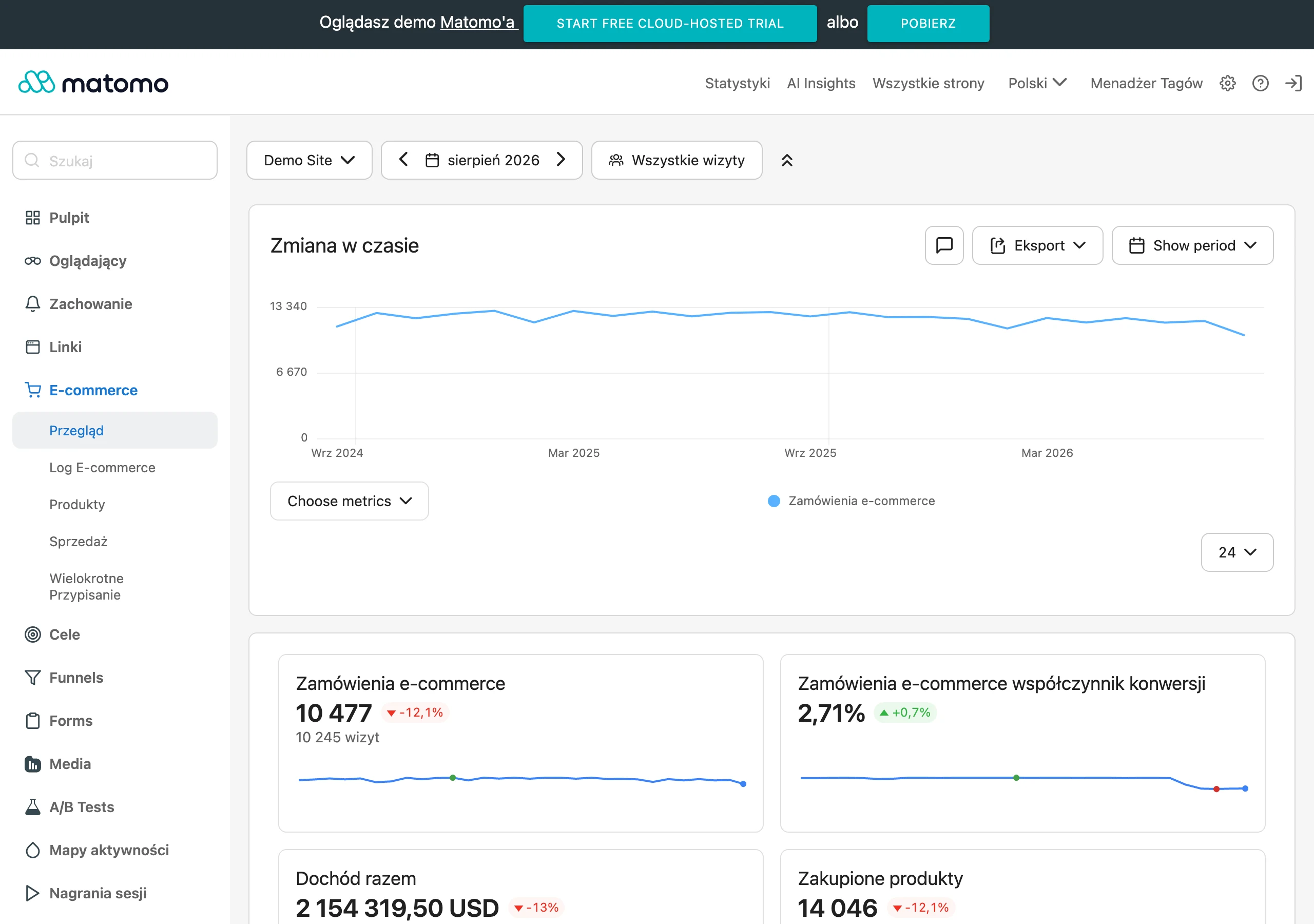
In practice, you need to measure which elements of the template users actually use. Using the search on a 404 page will show whether it is clearly visible and whether it helps them return to their intent. Clicks on recommendations, categories, bestsellers and promotions will reveal which modules are actually taking over traffic. This data makes it possible to remove unnecessary elements and strengthen the paths that most often rescue a session.
The most business-focused metric is revenue assisted by sessions passing through a 404 page, because it shows the real impact of fixes on sales. It is worth breaking this measure down by the type of lost URL and the source of the visit, because users behave differently after a product, a category and an article. This makes it easier to set priorities: first the addresses with high traffic and high exits, then those that block valuable sessions. The number of 404 errors alone says too little if you do not know which ones are actually costing the store lost clicks and transactions.
FAQ
Frequently asked questions
How should a good 404 page in an online store look?
It should immediately inform the user that the page is missing and give them a simple way to continue. The most important elements are a search function, links to categories, bestsellers or promotions, and recommendations matched to the lost URL.
Is it worth showing a product search on a 404 page?
Yes, because it is the fastest way to recover the original purchase intent. The article indicates that search is the most important element of a 404 template.
When is it better to use a 301 redirect instead of a 404 page?
When there is a relevant 1:1 replacement, for example a newer version of a product at a new URL. If no such equivalent exists, a 404 or 410 is better.
What does the 410 status mean and when should it be used?
410 is used when a resource has been permanently removed and there is no sensible replacement for it. The article distinguishes it from 404, which means a page is missing but does not imply permanent removal.
Why should you not return 200 OK on an error page?
Because it creates a soft 404 and gives search engines a conflicting signal. Such a page may be misinterpreted by robots and harm indexing and crawl budget.
Which elements should be matched to the lost URL?
Recommendations should depend on the address the user entered. For a product, show similar products or a newer model; for a category, the closest equivalents; and for an article, related content by topic.