
In the case of websites and search engine optimisation, the term pagination is used. It refers to content that is not displayed in full on a page. Pagination involves splitting content across more than one URL. It works by the reader moving between previous and next URLs. Quite often, this leads to duplicate content issues. These most commonly affect directories and online stores, where the subsequent pages are similar to the first and do not offer much additional value.
What is pagination in SEO?
Pagination is a web design technique that involves dividing long content into multiple subpages to make navigation and browsing easier for the user.
The most common uses of pagination on websites include paginating category pages in online stores, creating a list of content on new websites or blogs, or splitting threads on internet forums.
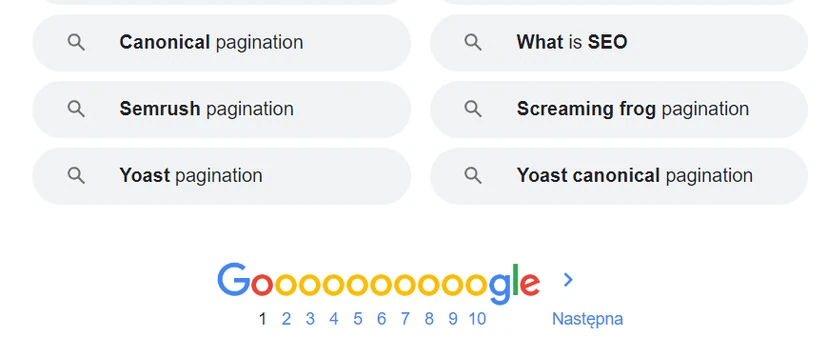
Google’s search results page (SERP) has also gone through pagination to make information easier to scan (however, very few people browse beyond the first page of results and usually stop at the first). Splitting it into separate subpages gives users a clear page hierarchy and suggests the end of their search.
However, pagination is not the only method used by webmasters to organise long content. Instead, many choose to use Infinite scroll (infinite scroll).
- 01Content splittingMakes navigation easier.
- 02Online storesCategory pages.
- 03Blogs and forumsList of articles.
- 04Search resultsClear hierarchy.
A key technique for usability and site structure.
Pagination vs infinite scroll
Infinite scrolling, or infinite scroll, is the opposite of pagination.
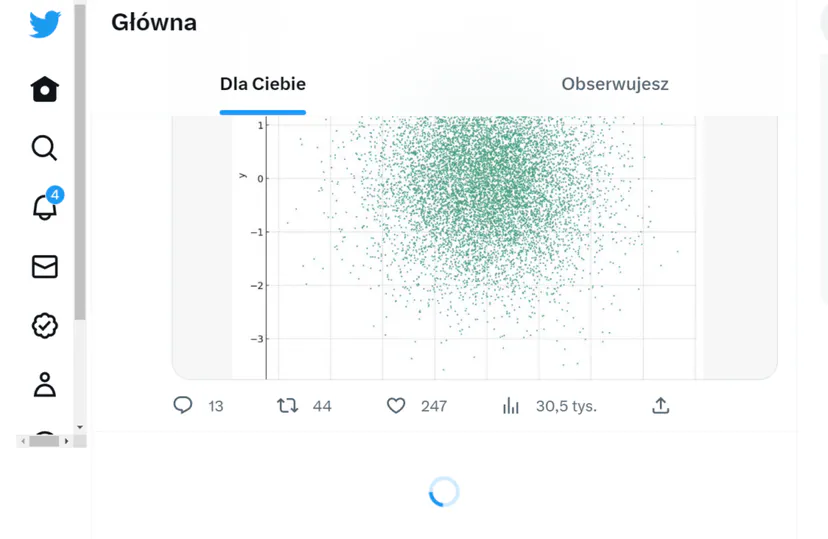
Instead of dividing long sections of content into multiple subpages, all the content is on one page, which uses further scrolling until the user has viewed all the content.
Sometimes subpages containing infinite scroll are split into sections using a “read more” button. When it is clicked, the next batch of content loads (but the whole thing is still on one page). Both of these options are classified as infinite scroll and are treated as such by search engines.
Many websites have implemented infinite scroll because it looks appealing and provides a more pleasant browsing experience. In addition, this solution works well and improves the experience for mobile users.
Unfortunately, despite the fact that this option may be good for users, it is not ideal from an SEO perspective.
First and foremost, Googlebot is unable to emulate scrolling. This bot also cannot click the “read more” button. As a result, search engines are not able to effectively analyse and index all of the content on a page containing infinite scroll without any help.
Similarly, search engine bots do not use the entire crawl budget to get to know the entire infinite scroll-based page. Instead, they only look at a snippet of it. Such a snippet may contain more than what is visible on the screen, but it is not the full content.
By relying on infinite scroll, you lose a huge opportunity to have the full content indexed.
In the case of pagination, you do not experience such problems. Search engine bots treat each subpage that has gone through pagination as a separate entity. They are analysed just like any other content.
How does Google work in the case of pagination?
To understand this, it is worth looking at how Google initially handled the “rel=prev” and “rel=next” elements.
Google officially announced support for these two elements in 2011. This provided a way for the bot to understand the relationships between pages that had been paginated.
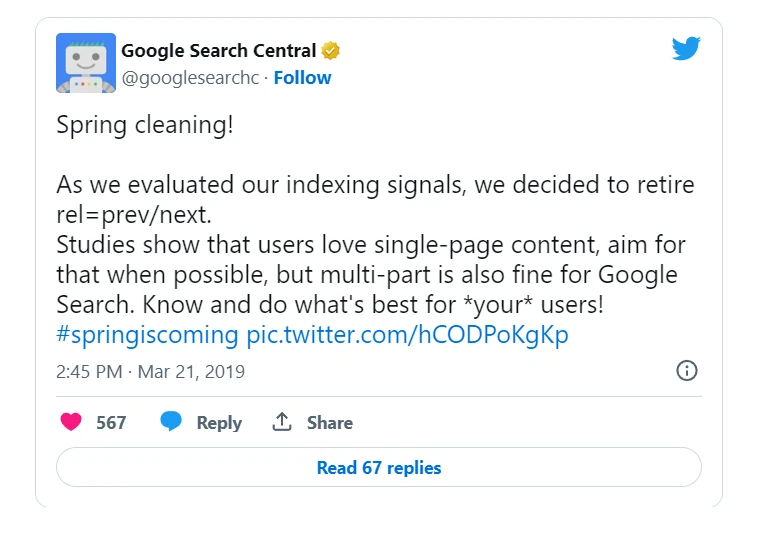
Including these tags in the code of a subpage used to help Google understand which subpages formed part of a pagination series and which subpages should be included in search results. That was the case in the past. However, it has now been announced that support for these two elements as indexing signals has been discontinued.
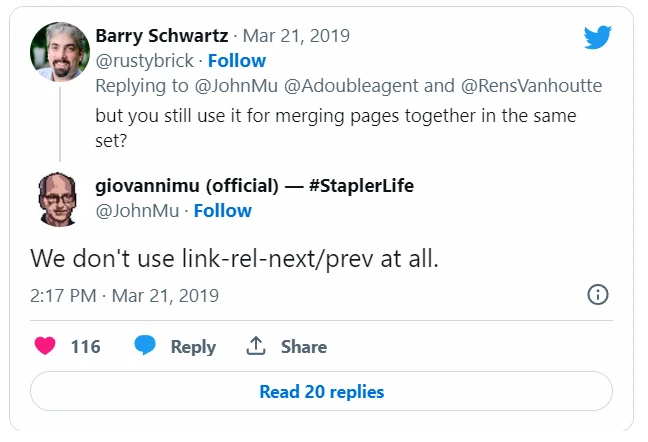
At present, all pages that have gone through pagination are treated like any standard, single and unique page in the search index.
This does not mean, however, that the rel=next and prev elements have to be removed. Having them does not have any negative impact on SEO. And we can also look at this issue from Bingbot’s perspective.
- 012011: Initial supportSupport for `rel=prev/next` for connections.
- 02How it workedUnderstanding the pagination series.
- 03Now: no supportDiscontinuation of support as a signal.
- 04Treatment of pagesEach page is unique.
Summary: Google now treats each pagination page as a separate, unique element in the index, ignoring the old `rel=prev` and `rel=next` signals.
How should you paginate content for SEO? Best SEO practices for pagination
1. Using self-referencing canonical URLs for each subpage (self-referecing canonical)
In the case of pagination with unique hyperlinks, each subpage that forms part of it should have a canonical URL pointing to itself.

- 01Internal linkingTreat links like signposts.
- 02Best practicesFollow linking rules.
- 03Optimising the first subpageDescription only on the first page.
The key is to treat pagination as a strategic internal linking element, while ensuring the uniqueness of the first subpage’s content.
2. Using links with anchors that can be analysed
In order for Google to discover, analyse and index subpages that have gone through pagination, the search engine must first be able to access them. You need to make sure that the links on the page leading to pagination subpages contain links that can be analysed, including the href attribute and the anchor text.
For example, a link that can be analysed and leads to a paginated subpage would look like this:
<a href=”https://mydomain.com/catalog/products?page=3’>
On the other hand, such links cannot be analysed by the search engine:
<a onclick=”goto(‘mydomain.com/category/products?page=3’)”>
3. Optimising meta tags, if possible
Google now treats paginated subpages like normal pages. This means that the search engine will pay attention to the basic optimisation of each such subpage.
As a result, it is always a good idea to optimise page titles and meta descriptions, just as with any other subpage.
Pagination and internal linking
At its core, pagination involves creating internal links to such subpages. In essence, this means following specific best practices for internal linking. For example, all internal links should be seen as signposts leading to other content.
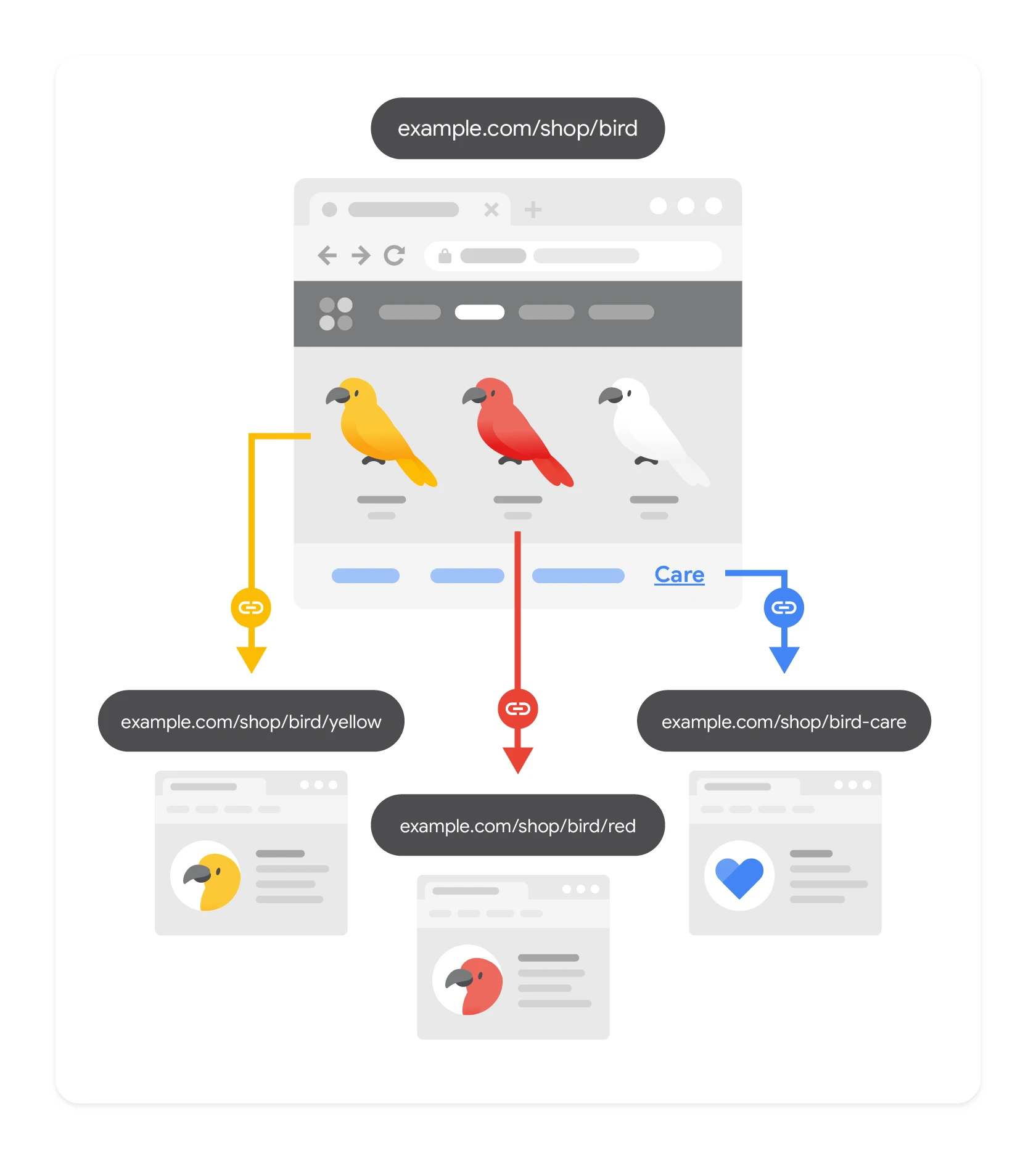
It is also worth remembering to optimise the first paginated subpage appropriately. For example – leaving the description only on the first paginated subpage.
What does Google say about pagination?
The information that Google no longer supports the rel=“next” and rel=“prev” link elements shocked the SEO industry and left many questions about how to optimise subpages that have gone through pagination.
This means that Google no longer uses these link elements to consolidate indexing properties or to determine the most relevant paginated subpage to be ranked in search results. If Google does not use rel=“next” and rel=“prev”, how does it handle paginated pages in its index?
As a result, paginated subpages are now treated in Google’s index in the same way as other subpages. Instead of being recognised as a series of pages with information forming a single piece of content, they are now treated as individual, unique subpages.
FAQ
Frequently asked questions
how does pagination affect the SEO of websites?
Pagination helps split long content into separate subpages, which search engines treat as separate entities. As a result, each of them can be analysed and indexed like a standard subpage.
is infinite scroll worse than pagination from an SEO point of view?
Infinite scroll is convenient for users, but it can make it harder for Googlebot to analyse and index the whole content. The robot does not emulate scrolling and does not click the “read more” button.
why does Google not index infinite scroll content properly?
Googlebot cannot scroll the page or use elements such as “read more”. As a result, the search engine only sees a snippet of the content, not the whole thing.
are the rel=next and rel=prev tags still important in pagination?
Google has stopped supporting these elements as indexing signals. There is no need to remove them, as they do not have a negative impact on SEO.
which pagination links can be indexed by Google?
Links should be standard links with an href attribute and anchor text. Links based solely on onclick are not easy for the search engine to analyse.
what should be optimised on paginated pages?
Each pagination subpage should have a self-referencing canonical, and if possible also well-crafted titles and meta descriptions. It is also worth taking care of the first subpage, for example by leaving the description there.