

Content that does not generate traffic or leads does not have to be useless straight away. But it always calls for checking what role it actually plays. In practice, the point is not to improve every article one by one, but to establish which URLs are worth strengthening, which should be merged, and which should simply be retired. Such an assessment should tie together data from SEO, analytics and the conversion path, because traffic on its own still says nothing about business value. The most common mistake is judging content solely by the number of visits, without checking whether the user took any meaningful action on the site. A well-executed audit organises content, boosts the visibility of key topics and cuts waste of resources on publications that do not support any goal. In this section, we will focus on how to recognise the problem and where it usually comes from.
How to identify content that does not generate traffic or leads?
Such content is spotted without illusions. You analyse every URL in terms of visibility, user behaviour and impact on conversion, not the “quality of the text” in a vacuum. First, collect a full list of addresses from the blog, guides, landing page’s and other sales-supporting assets. The unit of assessment is not the text itself, but the specific page and its place in the whole topic cluster.
For such an assessment, you need at least three data sources. Google Search Console shows impressions, clicks, CTR and queries, so whether the content has any chance of being found at all. GA4 adds what happens after the visit: scrolling, engagement time, further journeys and drop-offs. The form system or CRM answers the most important question, because it is already purely business-related: whether this content supports leads directly or indirectly.
Poor performance has many faces. If a page has impressions but few clicks, the problem may lie in CTR, the title or a mismatch with intent. If it gets visits but users do nothing else, UX, information architecture or a simple lack of the next step is more often to blame. You need to separate a lack of demand from a lack of effectiveness, because these are two different problems and require different decisions.
Not every page without leads is weak in business terms. Some content works earlier in the decision-making process: it builds trust, organises the problem, prepares the user to enter the service page or “warms up” someone who comes back only after some time. And this is where the question arises: are you judging the content by the last click, or by how it leads the person further. That is why you should also look at assisted entrances, returning users and transitions to offer pages, rather than only the end of the journey.
In practice, you will identify problematic content fastest when you assign a simple status to each URL. Leave, refresh, rewrite, merge, redirect, exclude from indexing or remove. Such a sheet organises decisions and lets you compare content according to one logic, instead of going round in circles based on “impressions” after reading. Without segmentation by page goal, it is easy to remove publications that have little traffic but genuinely help sales.
Why does content not support business effectiveness?
Content fails to deliver business effectiveness for one prosaic reason. It is mismatched to the user’s intent or does not lead them to any sensible next step, so it leaves them with knowledge but no decision. An article can answer a general question and at the same time not help with choosing a solution, contacting the company or even comparing options. Then, even with solid traffic, it does not build value.
Often the source of the problem lies in visibility. A page may be too weakly embedded in the site structure, have a low CTR, too broad a heading or a topic that no longer matches how users search for information today. There are also typical “site” errors, such as keyword cannibalisation. This is a situation where several of your own articles compete for very similar queries and, as a result, none becomes a strong answer.
Just as often, the problem sits in the content itself. And that hurts the most. Older materials lose because they have outdated examples, a superficial explanation of the problem, weak section structure and too few specifics that the user expects. A short text is not always bad, but a vague text without decisions, comparisons and practical answers usually loses.
Content can also fail because of a poor conversion path. The user reads the material, but sees no reason to move on, because there is no CTA, form, service link or offer matched to the decision stage. In such a setup, the article cuts off as if mid-sentence. Instead of directing the user to the next interaction with the brand, it ends at a dead end.
Technical and architectural factors also affect effectiveness. Too many weak or duplicate pages weigh down the site, scatter topical authority and dilute internal linking to key subpages. This is not a detail, but a cost in results. If content is not organised into clusters and does not support offer pages, even good individual articles often perform below their potential.
How to carry out a content audit and assess their value?
A content audit comes down to one thing: gather all URLs, add data to them and make a concrete decision for each one. In practice, you do not assess the text itself, but the whole page as an element of visibility, linking and the conversion path. The unit of work is often a single URL, but it is often more sensible to analyse the entire topic cluster. The problem with one publication often comes from the fact that several pages answer the same question.
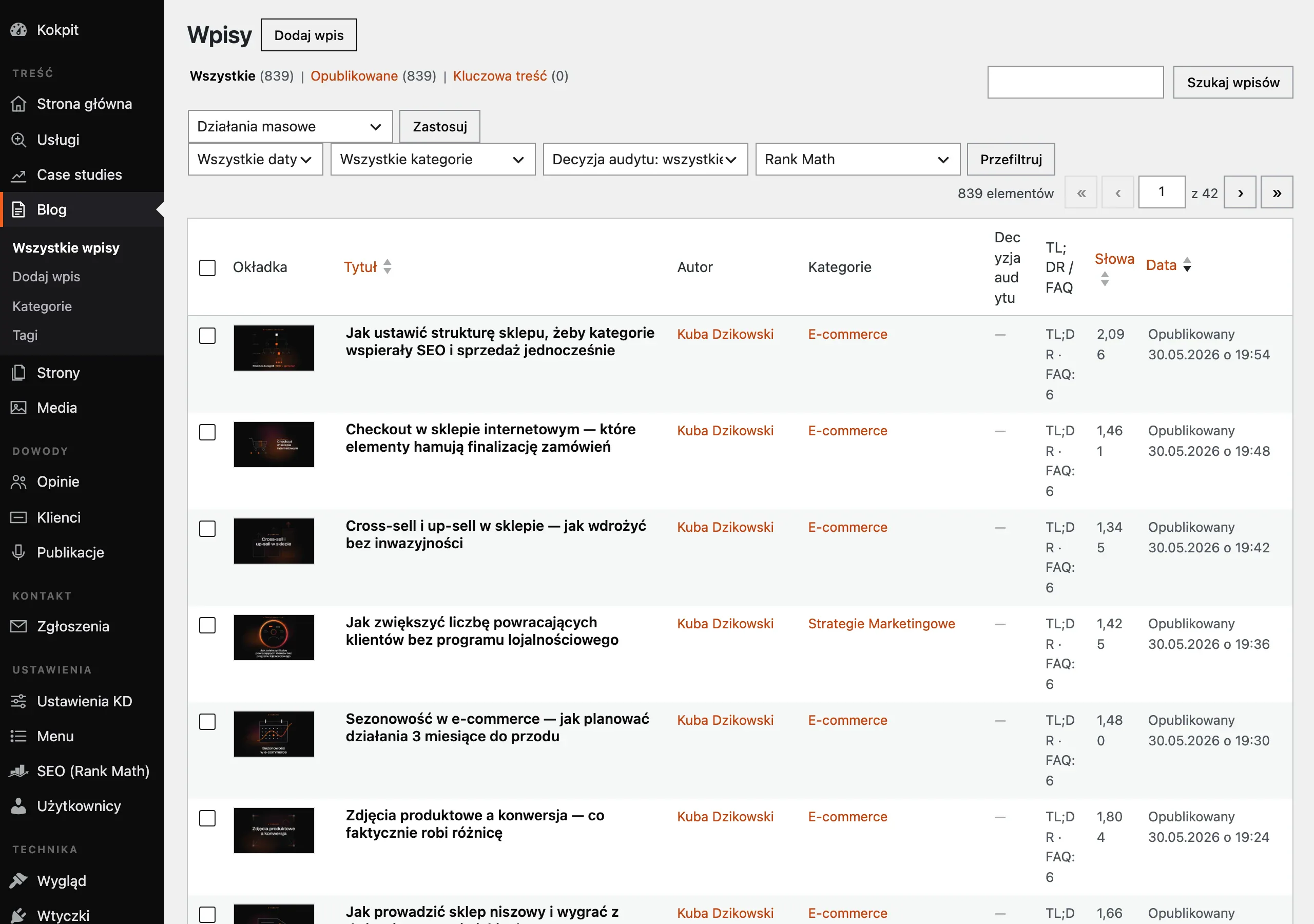
The first step is a full inventory of assets. It’s a good idea to include the blog, guides, landing pages, downloadable materials and older subpages supporting sales in the spreadsheet. For each URL, there should be data from Google Search Console, GA4, CRM or forms, as well as the indexation status, date of the last update, link to the offer and the number of internal links leading to the page. Without this, the audit remains in the realm of opinion, not decisions.
First assign a business role to the content. You measure an article designed to build trust differently, a comparison page differently, and a subpage created to push the user towards contact differently again. Do not assess every piece of content solely by the number of sessions or leads, because some pages are meant to support the decision, not close the sale on their own.
The next step is to get to the source of weak performance. When a page has impressions but a low CTR, the culprit is often the title, the heading or a simple mismatch with the search intent. And if there are visits, but users do not move on, the information structure usually is off, trust is missing, the CTA is missing or the offer appears at the wrong moment.
In the audit, you also need to separate lack of demand from an execution error. Sometimes the topic is so niche that there is nothing to “save” and it is a waste of energy. Sometimes, however, demand exists, but the page loses out because of keyword cannibalisation, outdated examples, too broad a thematic angle, lack of linking from more important subpages or too thin an answer to the user’s real problem.
The value of content is best broken down into three dimensions: current performance, potential and importance for the offer. A page without much traffic can still be valuable if it addresses a key customer problem and regularly supports transitions to the service. The best candidate for improvement is not always the piece of content with the worst performance, but the one with real business potential after a relatively small change.
At the end of the audit, each URL should be given a status, diagnosis and implementation priority. That way, the team does not work “on content in general”, but carries out a concrete list of decisions, with deadlines and ownership. A good audit ends with a roadmap of actions, not just a diagnosis of problems.
What operational decisions should you make regarding weak content?
When it comes to weak content, you choose one lead decision: refresh, rewrite, merge, redirect, noindex or remove. The worst option is to leave a URL in the index without a clear role, because such content usually helps neither SEO nor sales. The key is that the decision should be based on data, not on a hunch that the text is “old” or “too short”.
- Content refresh choose it when the topic still has demand, the URL already has some visibility, but the content is outdated, too general or simply poorly structured.
- Full rewrite makes sense when the user intent has been misread or the article answers the wrong question.
- Merge it when several publications cover the same topic and compete with one another for similar queries.
- 301 redirect works well when the weaker URL adds nothing unique and its value can be transferred to a stronger page.
- Noindex is sometimes justified for supporting pages that are needed by users but should not work towards organic visibility.
- Removal makes sense when the content does not deliver traffic, adds no value to the cluster, does not support the decision and there is genuinely nothing to rebuild from it.
The choice between these scenarios is usually determined by four things. Demand for the topic, the content’s place in the buying journey, the risk of duplication with other pages and whether the URL has a history of traffic, links or queries. Do not update several similar articles in parallel if you can build one strong URL and direct the entire topical potential to it.
When a page has impressions but clicks are not delivering, start with what the user sees in the SERP. Refine the title, H1, thematic angle and the first sections so that the promise is clear and the answer comes quickly. When there are visits but no transitions to the offer, the focus changes. Then the priority becomes the page UX, section logic, trust elements and tailored CTA.
If content generates visits but does not lead the user to the next step, the problem is usually not visibility itself, but the lack of a sensible conversion path. Simply adding a few paragraphs will not achieve much here. Often a better result comes from restructuring comparison sections, adding a form, a consultation, a downloadable asset or simply a clear path to the service, without making the user wander around the page.
Before removing a page, check the context, not just what it looks like today. Internal links, external links, historical queries from Search Console and the URL’s role in the cluster can turn the assessment on its head. A page that now looks dead may previously have supported an important topic or gathered valuable backlinks. Removing without checking the context can weaken not just a single article, but the entire visibility segment.
After the decision, the usual operational work begins. Each URL should have an owner, a deadline, a scope of changes and a measure of impact, for example growth in CTR, transitions to the offer, micro-conversions or assisted leads. And when, after the changes, the content still does not fulfil its role, it goes back to the table. Further improvement, merging or dropping from the index.
How should you optimise content for SEO and UX?
SEO optimisation and UX is playing two pianos at once. On one side there is the search intent, on the other the information structure and the user’s next step. Simply expanding the text rarely fixes anything if the page answers the wrong question or cuts off the path onwards. First check what the user is really looking for after entering a given query and whether the page promises that already in the search results. If a URL has impressions but few clicks, the first priority is to improve the title, meta description, heading and thematic angle, not the length of the text.

The next step is to restructure the content itself so that it delivers the answer faster. Pace and purpose matter. The best-performing sections are those that address real user decisions: when a given solution makes sense, what the variants are, where people most often get stuck, how much a bad choice costs and what to do next. Older articles often lose not because they have too few words, but because of generic headings, outdated examples and a lack of specifics. In practice, it is better to remove three weak paragraphs and add one useful comparison section than to simply “add more SEO”.
SEO in content is also about topical order and internal linking. One topic, one strong URL. Every important topic should have one primary URL, not several articles competing for the same queries. Related publications should point to that strongest page and to the relevant service or product subpage. This strengthens visibility, reduces keyword cannibalisation and shortens the path from information to offer, instead of multiplying paths with no end result.
UX determines whether a visit from Google turns into meaningful business traffic. It either helps or blocks. The page should be easy to scan, quickly show the key point and clearly suggest the next step. The CTA has to match the decision stage: for educational content, a consultation, checklist or move to a service guide will usually work better than an aggressive purchase prompt. If an article gets traffic but generates no leads, the problem is often not SEO, but the lack of a logical path to the offer.
It is also worth refining the elements that build trust and make decisions easier. They may seem like details, but they make a difference. These can include short sections answering the most common concerns, use-case examples, a clear description of the collaboration process, and information on who the solution is for and who it is not for. Such a change helps both the user and the search engine better understand the role of the page. Good optimisation combines visibility with usability; if you improve only one of those areas, the result usually stops halfway.
How to measure the impact of content changes
The impact of content changes is measured by comparing visibility, visit quality and conversions before and after implementation, ideally for a specific URL or an entire cluster. Traffic growth alone is not enough. What matters is whether the page appears for more relevant queries, whether the user takes the next step and whether that traffic genuinely supports leads. The most common mistake is evaluating content solely by session count, without checking CTR, visits to the offer and CRM data.
The starting point should take seasonality and the length of the sales cycle into account. There is no single metric for everyone here. For some content, a 28-day comparison will make sense; for others, 3-6 months. If the implementation involved merging several articles, you need to look at the result for the whole topic, not just one old URL. In practice, it is a good idea to note the dates of the changes, the scope of the implementation and the expected goal, so that you do not assess the effect from memory, but from data.
Search Console shows clearly whether impressions, clicks, CTR and the number of queries on which the page appears at all have changed. GA4 adds what happens after the visit: engaged sessions, scrolling, moves to offers, downloads of materials and the rest of the micro-conversions. CRM or a form system adds a layer you cannot talk around: whether the content really delivers leads and whether those leads are worth anything at all. If clicks are growing but visits to services are not, the content has improved visibility, but it still does not support the purchase decision. And that is where the illusions end.
Interpreting the result only makes sense when it follows the role of a given page. An advice article does not always have to “produce” form submissions straight away, but it should push the user to the next step in the journey. A landing page or comparison content is a different league altogether: here, the impact on contact, a demo or a brief should be visible, not guessed. So the question is not “how much traffic does it get?”, but “what is it for?”. That is why every page is measured against its function, not with one common metric for all content.
After implementation, you still need to make sure the fixes have not cut the branch the rest of the site is sitting on. It is usually the technical side that takes the hit: 301 redirects, noindex tags, content merging and changes to internal linking. It happens that a single URL records fewer visits than before, but the whole cluster delivers better traffic and more leads. And that is an improvement, not a failure. Content is considered more effective when it better supports the business goal, not only when it gets more clicks.
How to avoid mistakes when removing or updating content?
Mistakes when removing or updating content are avoided when every page is viewed in the context of its business role, historical data and place in the whole topical cluster. The most common blunder is very simple: a decision made solely on the basis of low traffic over the last few weeks. Such a page may not generate big numbers, but it can open paths to the offer, close an important question at a later stage of the decision-making process or strengthen the main service page through internal linking. Low traffic on its own is not yet a reason to delete a URL. It is only a signal, not a verdict.
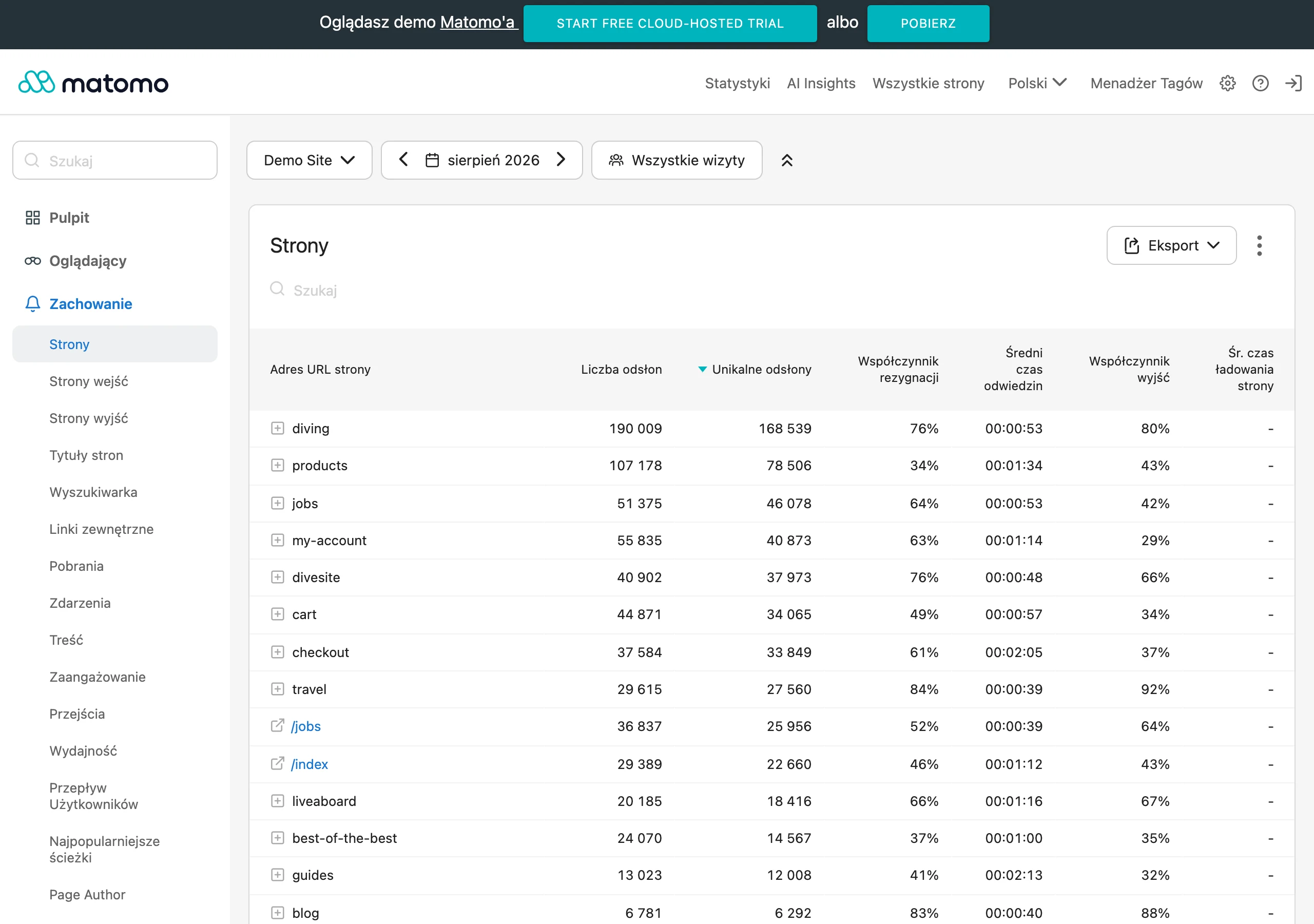
Before removing a page, you need to check the specifics: whether the URL has impressions and queries in Google Search Console, whether it has collected traffic over a longer period, whether internal and external links point to it, and whether it serves a supporting role in the user journey. The problem is that the culprit is often not the content itself, but its “packaging” on the site: lack of freshness, weak CTR, or poor placement in the structure. If a URL has any topical or link equity, it is wiser to first consider consolidation, a 301 redirect or noindex, rather than going straight for deletion. Deleting content without checking its connections can weaken the visibility of stronger subpages.
When updating, the biggest sin is adding text blindly, without diagnosing where the poor performance actually comes from. If a page has impressions but hardly any clicks, the culprit is usually in the title, heading and the promise itself in the search results. If it gets visits but does not deliver leads, the issue is more often a broken path to the offer, CTA, information architecture, or simply a mismatch with the user’s decision stage. The question is: what exactly is not closing in the funnel. First you establish whether the problem concerns intent, CTR, UX, keyword cannibalisation or the conversion path, and only then do you edit the content.
Another trap. Updating several very similar articles separately, even though in reality they are competing with each other for the same queries. In such a case, it is wiser to choose one strongest URL, move the best sections into it and redirect the remaining addresses. Instead of multiplying assets, you organise the topic, strengthen one page and reduce internal signal dilution. For content covering the same topic, consolidation is usually better than improving all versions in parallel.
Without notes, results slip through your fingers. That is why every change should go into a simple decision sheet: what the problem was, what decision was made, who is implementing the changes and how to assess the result. This is not bureaucracy, just project memory. Thanks to this, after a few weeks you can see in black and white whether the CTR, number of queries, quality of visits, clicks through to the offer or number of assisted leads has improved. Without this kind of order, it is easy to throw in many changes at once and then get lost, not knowing what really helped and what only added to the chaos.
FAQ
Frequently asked questions
How do you identify content that doesn't generate traffic or leads?
You need to analyse each URL in terms of visibility, user behaviour and impact on conversions, not just the “quality of the copy”. Data from Google Search Console, GA4 and CRM or forms helps with this.
Why doesn't content support business performance?
Most often because it does not match user intent or does not lead them to the next step. In that case, it provides knowledge, but does not help with a decision, getting in touch or choosing a solution.
When can content without leads still be valuable?
When it works earlier in the decision-making journey, builds trust or prepares the user to visit the offer page. It is also worth looking at assisted entrances, returning users and transitions to offer subpages.
What decisions should you make about weak content?
Most often you choose one of these options: refresh, rewrite, merge, redirect, exclude from indexing or remove. The choice depends on demand, where it sits in the purchase journey, the risk of duplication and the URL’s history.
How do you carry out a content audit to assess its value?
First you need to collect a full list of URLs and add SEO, analytics and CRM data to them. Then each page is assigned a business role, a diagnosis of weak performance and a specific action priority.
How do you measure the effects of changes to content?
It is best to compare visibility, visit quality and conversion before and after implementation for a specific URL or cluster. Traffic growth alone is not enough; CTR, transitions to the offer and CRM data also matter.