

When a company blog has hundreds of posts, the problem is rarely a lack of content. More often, the culprit is chaos in topics, structure and quality, which leaves the user wandering around while Google gets a series of similar or simply poor signals. Organising a blog does not mean deleting half the articles or rewriting everything from scratch. The point is for every URL to have a clear role and support a specific goal: traffic, sales, education or strengthening an important topic. In essence, this is work based on data from the CMS, analytics, Search Console and a site crawl. A well-organised structure gives simpler navigation, less duplication and easier decisions about what to update, merge, redirect or exclude from indexing.
What it means to organise a company blog
To organise a company blog is to give each post a specific function and clear away the mess that has built up over years of publishing. In practice, it means assessing whether a given article has real value for the user and the business, whether it duplicates other content, whether it matches the current offer and whether it should still be visible in Google. This is not a purely editorial project. It is, at the same time, work on content, information architecture and SEO.
The key is to look at the blog as a system, not as a collection of loose texts. You analyse not only the posts themselves, but also categories, tags, archive pages, internal linking, topic cannibalisation and the consistency of the content with real customer questions. The mere fact that an article gets views does not yet mean it is worth leaving unchanged. Often a post attracts traffic, but misses the user’s intent or leads towards a topic the company no longer develops.
So organising a blog comes down to decisions made for each URL. Most often, this means choosing whether to leave it, update it, merge it with another post, rewrite it for a new intent, redirect it, remove it or mark it as noindex. And there is no single lever that solves everything. A good decision depends on several things at once: content quality, topic potential, search traffic, internal and external links, and the risk of duplication.
The aim is not to create a “prettier blog”, but a clear content map and a list of concrete actions to implement. In practice, this ends up as a new category logic, structured topic clusters, improved navigation and a decision sheet for all posts. If, after the audit, it is not clear what to do with every URL, then the blog is still not organised.
What are the key steps in organising a blog
The key steps in organising a blog are simple to describe, harder to execute. They involve compiling a full list of URLs, assessing their quality and role, making a decision for each post, and implementing the changes in content and technical setup. This process cannot be done reliably “by eye” from the CMS alone. You need to combine editorial, SEO and business data, because only then do the numbers clearly show which content is really worth strengthening.
- Compile a full list of URLs from the CMS and the crawler, then separate the actual posts from the backend: technical pages, tags, archives, pagination and other supporting subpages.
- Add hard, practical data to the spreadsheet: topic, publication date, category, indexation status, clicks from Google, organic traffic, internal links and basic conversion signals.
- Assign each post to a topic, user intent, funnel stage and relationship to the company offer, so it is clear why that piece is there in the first place.
- Catch conflicts before Google does: topic duplication, keyword cannibalisation, outdated information, thin content and posts that no longer answer the real needs of the audience.
- Make a decision for each URL: leave it, refresh it, merge it, rewrite it, redirect it, remove it or exclude it from indexing.
- Design a simpler category structure, trim excess tags and plan more sensible internal linking between posts, pillar pages and services.
- Implement the editorial and technical changes, then verify whether any incorrect redirects, orphaned posts or indexing issues appeared after deployment.
The quickest win comes from sorting out content of the highest business importance. This is mainly about posts tied to services, articles generating search traffic and topic groups that are starting to compete with each other very clearly. You do not need to organise everything at once, but you do need to start with the areas that genuinely affect visibility and sales.
The key is to separate valuable content from technical noise. Large blogs can have indexed tag pages, author archives, parameterised versions, old URLs or incorrect canonicals. The result. A mess that makes it harder for the search engine to understand what is really important, while also making it harder for the team to assess performance. The question is whether you want order in the spreadsheet or in the index.
Also be careful not to delete posts automatically. An old article may look poor, yet still deliver long-tail traffic, have decent inbound links or support a topic worth keeping alive. If the topic is important, merging or a substantial update often pays off more than publishing another similar post.
In the end, what matters is not the audit itself, but the implementation and a cold review of the results. After the changes, check indexation, clicks in Search Console, user behaviour and whether internal linking is really strengthening pillar pages and the main clusters. Only then do the data speak clearly. Only then can you see whether organising the blog improved the structure, rather than just the look of the spreadsheet.
What tools are essential for analysis and implementation of changes
For analysis and implementation of changes, you need four data sources. End of discussion. These are exports from the CMS, a site crawl, Google Search Console and traffic analytics, because each one shows a different slice of the situation, and only when combined do they create the full picture. The CMS shows what really exists on the blog and how it has been described editorially, while the crawl ruthlessly shows what the robot sees and where the technical structure starts to fall apart.
Export from the CMS is the starting point. Always. It lets you gather a full list of posts together with titles, dates, authors, categories and tags, in other words the things that later determine order or chaos. And usually this is exactly where it becomes clear that the blog has too many similar categories, the naming is sometimes “human-friendly” and sometimes “old-school”, or that some content no longer fits the offer. Without a full list of URLs, it is easy to make decisions on a slice of data and overlook important content.
The site crawler is there for the dirty work. And that is a very good thing. It catches the issues you simply cannot see in the CMS itself: tag pages, pagination, orphaned posts, incorrect canonicals, duplicate URLs, parameter versions or weak archives. On a large blog, these elements are not a detail but a source of technical noise that makes indexing harder and blurs the topical structure.
Google Search Console shows hard facts. The data speaks clearly. You can see which posts are really collecting clicks, which queries they appear for, and where keyword cannibalisation starts, that is, the situation where your own content eats into itself. This makes it easier to distinguish an article that “looks good on paper” from one that meets user needs and has SEO potential. Page views alone are not enough, because a post may have traffic but not support important topics or sales.
Analytics, for example GA4, is about quality, not vanity. That is an important difference. It lets you assess how traffic behaves and what share posts have in the conversion path, because not every article is meant to sell directly, but some should support the user’s next steps. If you have access to data on leads, enquiries or micro-conversions, connect it with the blog URLs. Then you will more quickly distinguish a popular post from a commercially useful one.
For the actual sorting, you also need a decision spreadsheet. Without it, everything falls apart. It is where you combine data from different tools and assign each URL a topic, intent, role in the funnel, indexation status, number of internal links, final decision and work priority, instead of jumping between tabs. The spreadsheet is not an add-on to the audit, but the place where the audit turns into concrete decisions and an implementation queue.
At the implementation stage, operational tools come into play. And this is where the practical work begins. You need a CMS for editing content, a way to set up 301 redirects, the ability to edit metadata, canonicals, breadcrumbs and XML sitemaps, and a tool for re-crawling after changes. If the blog is large, version control for content also comes in handy, or at least a simple change approval process, instead of making edits “on the live organism” without any record. After implementation, you still need to check whether any new errors, redirect loops or orphaned pages have appeared.
What decisions should be made for each post
Every post gets a decision. It is either left unchanged, sent for updating, merged, rewritten, redirected, deleted or moved to noindex. And no, this should not be based solely on traffic itself, but on a mix of several hard factors: content quality, fit with the offer, user intent, search data, internal links and the risk of topic duplication. In practice, it comes down to one thing: every URL needs a clear role and must not compete pointlessly with other posts.
The easiest option is to leave a post alone. But only if the article is current, complete and sensibly placed within the blog structure. More often, updating wins, meaning improving the factual content, headings, the lead, the CTA and the answers to questions that matter more today than they did at the time of publication. If the topic still fits the strategy, but the execution is weak, it is better to refine the existing material than to publish another text with the same intent.
Merging comes into play when several posts are basically saying the same thing. Or answering very similar queries, so the search engine sees chaos instead of order. Then you choose one strongest URL, add the best parts from the other texts, and set up redirects. When merging, there must always be one main destination address, otherwise keyword cannibalisation is simply dressed up in a new form.
Rewriting makes sense when the topic is important. The trouble is that the current text does not match the user’s intent or no longer fits the company’s current offer. This is not a cosmetic edit but a change in the article’s logic: a different topic angle, a different answer structure, stronger examples and a clearer link to services. Such a post can keep its URL, provided the address is still relevant and does not mislead.
- Keep — the post stays when it is current, useful and does not duplicate other content.
- Refresh — you update the post when the topic still makes sense, but the content is incomplete, out of date or simply poorly formatted.
- Merge — you merge the post when several URLs answer the same or a very similar intent.
- Rewrite — you rewrite the post when the topic is important, but the current version does not meet user needs well.
- Redirect — you redirect it when the old URL should no longer exist on its own, but its value needs to be moved to a better page.
- Delete — you delete it when the content has no value, does not fit the strategy and there is nothing worth saving.
- Noindex — you exclude it from indexing when the page has a supporting role for the user, but should not compete in search results.
Deleting a post makes sense in only one scenario. When the material brings no topical value, does not attract long-tail traffic, does not fit into the funnel and has no important inbound links. Many old texts look poor at first glance, and yet they still deliver useful visits or build trust in the brand at the education stage. It is not worth cutting the archive wholesale just because some posts have few sessions.
Noindex is not the same as deletion. It is a move for pages that should be available to the user but should not stand out in Google on their own, for example some archives, tag pages or thin supporting pages. After what to do with them as a separate entry point, since they serve as background and navigation. This option tidies up the index without losing the navigational function.
After every decision, the consequences need to be followed through. If you redirect or merge posts, update internal linking, breadcrumbs and related content modules, otherwise you leave the reader at a dead end. If you change an article’s role, check whether it still fits the category and topic cluster instead of hanging there “as an add-on”. The most common mistake is setting up a redirect and leaving the whole rest of the structure as it was.
How to optimise content and the blog architecture
This is not about cosmetics, but about order. Content and the blog architecture are optimised by simplifying the topic structure, strengthening the best URLs and removing conflicts between similar posts. In practice, it should be the case that every important topic has one main place, while the rest of the articles support it rather than compete with it for the same intent. The effect is twofold: a clearer topical signal for the search engine and a shorter path for the user to the right answer. One topic group should lead to one main URL, not to several similar posts.
First, you build topic clusters. There is nothing magical about it; you simply assign posts to broader areas such as services, customer problems, comparisons, implementation guides or pre-purchase education. Within each cluster, you identify the pillar content, i.e. the strongest and most complete post, which collects internal links and answers the main intent. The rest should help it, not distract attention.
Optimising the content itself is not about polishing headings. It is about usefulness and matching intent, i.e. whether the text genuinely closes the topic. You need to update outdated data, fill in missing answers, simplify headings and cut out fragments that dilute the core message. If a post is weak, but the topic is still commercially important, it is better to rewrite it or merge it with a stronger piece of content than to publish another text about the same thing.
Internal linking also matters a great deal. Supporting articles should point to pillar pages, categories and, where justified, service or product pages, instead of going round in circles among themselves. It is worth identifying orphaned posts, because even good content does not work if users cannot get to it naturally from other parts of the blog. And then the problem is not the quality of the text, but the fact that nobody can find it.
Information architecture is organised in a straightforward way. By limiting the number of categories and tags to those that actually mean something to the user, because everything else only creates noise. A category should cover a clear area of knowledge, not be a random bucket for a few texts. An overblown taxonomy almost always creates thin archives, topic duplication and navigation problems.
When merging posts, consistency is what counts. You need to choose one target address and build the entire structure around it, instead of leaving several “almost identical” paths. It is best to keep the URL with the strongest signals: visibility, links, traffic history or a better fit for the main topic. After combining the content, you should implement a 301 redirect, fix the internal links and make sure breadcrumbs, canonicals and the XML sitemap already reflect the new logic of the site.
At the end, you assess the sense, not just the statistics. Do the content pieces support the real buying process, rather than merely inflating pageviews. Not every post has to sell directly, but every post should have a clear function: educate, capture traffic on a specific topic, support the decision or strengthen the cluster. The best-optimised blog is not the one with the largest number of articles, but the one in which every important URL has a specific role.
What are the typical mistakes and how to avoid them
Typical mistakes in organising a blog come from haste. From decisions made too quickly, on the basis of incomplete data or without a plan for the whole structure that keeps everything in check. Most often, the problem is not a lack of work, but work done in the wrong order. If the team first edits individual posts and only then thinks about the architecture, it is very easy to preserve the existing mess.
- Evaluating posts only by the number of sessions instead of also by intent, traffic quality, assisted conversions and their role in the cluster.
- Bulk deleting old content without checking whether it has inbound links, long-tail value or educational value.
- Leaving several similar articles with slightly changed titles, which leads to keyword cannibalisation and a diluted topical signal.
- Creating new categories and tags instead of simplifying the current taxonomy.
- Implementing redirects without fixing internal links, breadcrumbs and navigation elements.
- Ignoring technical pages such as archives, parameters, pagination or incorrect canonicals.
One of the most expensive mistakes is deleting posts just because they are old or have low traffic. Yet some such content can still answer narrow queries, support sales at an earlier stage or hold valuable external links. The question is: is this text really dead, or just visited less often. Before deleting a post, you should always check its visibility, links and whether it serves a supporting role for a more important topic.
Another common mistake is the lack of one main URL for similar topics. Then the blog has several articles with almost the same intent, but none of them is strong enough, because the signal is spread out instead of accumulating. The solution is to choose a target page, merge the best parts and redirect the weaker versions. Do not multiply entities, strengthen one.
Many companies leave the old internal linking grid in place after tidying things up. The result is simple: the user lands on retired content, and the crawler keeps moving around the dead branches of the structure as if nothing had happened. After every merge or redirect, you need to review the internal linking, because otherwise part of the effect simply leaks away.
The second sin is chaos in priorities. With hundreds of posts, there is no point starting with side topics if the biggest traffic and the biggest cannibalisation sit in areas close to the offer. The question is what really drives visibility and sales, and what only looks “ambitious” in the plan. First you tidy up the clusters that carry real weight, and only then do you move on to secondary content.
In the end, many teams give up monitoring. And assume the rollout has closed the topic. The problem is that after the changes you need to check indexing, clicks, queries, user behaviour and redirect correctness, because small mistakes can eat up the effect without warning. Cleaning up a blog does not end when the changes are published, but when you confirm that the new structure works better than the previous one.
What to measure after rolling out changes on a blog
After rolling out changes on the blog, measure above all indexing, visibility in Google, organic traffic to target URLs, the blog’s share in conversions, and the correctness of technical implementations. Page views alone are not enough, and that is not a cliché. What matters is whether stronger posts have taken over traffic from weaker ones, whether conflicts between similar topics have disappeared, and whether users can move from the article to the offer more easily. The most important test is this: after the changes, does one right URL start winning in a given topic instead of several competing posts?
In Google Search Console, monitor clicks, impressions and queries for specific pages that were merged, rewritten or strengthened with internal linking. Look at changes at URL level and query group level, not just the result for the whole blog, because the whole can mask what is happening inside. If several similar posts have been combined, a good sign is when one address starts to collect a broader set of queries, while old URLs lose importance as planned.
Also check whether Google is indexing exactly what it should index. This applies especially to pages after redirects, posts marked noindex, archives, tags and other technical sections that often generate noise instead of value. After tidying up, the number of indexed URLs does not have to grow — often a better result is a smaller but better matched and stronger pool of URLs.
On the technical side, keep your finger on the pulse: 404 errors, redirect chains, loops, incorrect canonicals and orphaned posts. This is especially important after content consolidation and changes to category structure, because that is when problems that are not immediately visible in the content itself most easily arise. A good practice is to crawl the site again after the rollout and compare it with the decision sheet to check whether everything works as planned, and not just “looks like it works”.
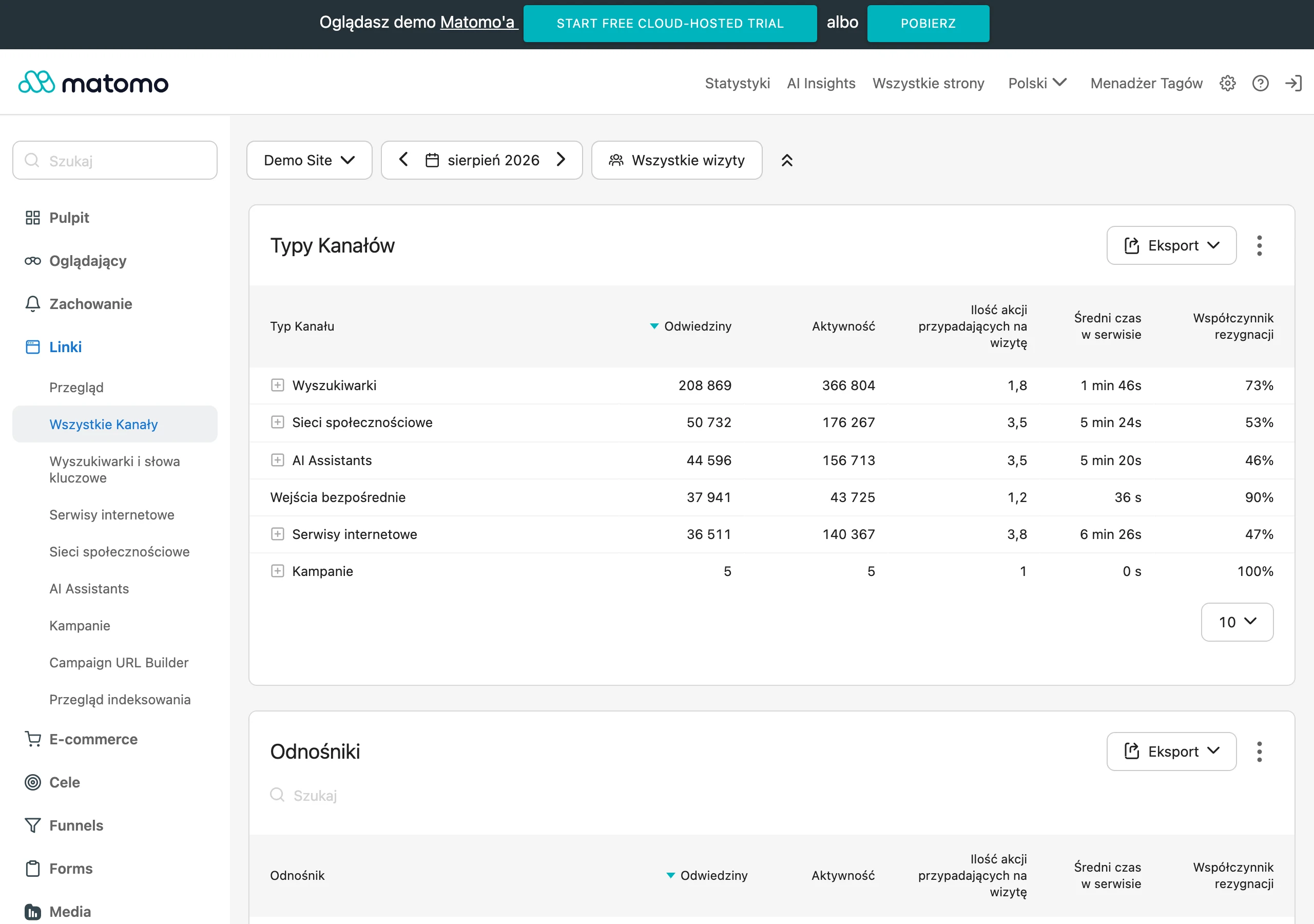
Traffic alone is not everything. In analytics, measure not only organic visits, but also transitions from the blog to service pages, forms, contact and other conversion points. A company blog makes business sense only when it closes the real user journey, instead of pumping only traffic “to read” with no next step. If an article has fewer visits than before, but leads to the offer more effectively or genuinely supports sales, that change may work in your favour.
A single post can be misleading. That is why you should observe results at the level of topic clusters, not just specific URLs. After organising the blog, the traffic distribution often shifts: some weaker addresses lose visits, but the pillar content or service page to which the whole cluster leads gains. And that is good if this shift better matches user intent and strengthens the address that matters more for the business, rather than the one that is “historically” stronger.
Do not judge changes after a few days. Technical effects such as redirects, indexing or removing incorrect pages from the map can be checked faster, but the impact of content updates and new internal linking usually needs time. Compare results to the state before the rollout, record the dates of changes and analyse them in batches, because without that it is hard to distinguish the effect of tidying up from seasonality or ordinary traffic fluctuations.
FAQ
Frequently asked questions
How to organise a company blog when it already has hundreds of posts?
First, gather a complete list of URLs and assess each post in terms of quality, traffic, indexation and alignment with the offer. Then make a specific decision for each address and implement a simpler category structure and internal linking.
Do you need to delete old articles to organise a company blog?
No, deletion is not the default solution. It is often better to update a post, merge it with another one or redirect its value to a stronger address.
What data is needed for an audit of a large blog?
You need an export from the CMS, a crawl of the site, data from Google Search Console and traffic analytics. Together, these sources show what exists, what the bot sees, what attracts clicks and which content supports conversion.
When is it better to merge blog posts instead of writing new ones?
When several articles answer a very similar intent or cover practically the same topic. In that case, one strongest URL takes over the best parts, and the others are redirected.
Why can noindex be better than deleting a page?
Because the page may be needed by the user, but it should not compete in search results. This applies especially to supporting subpages, such as some archives, tags or thin technical pages.
Which content is worth organising first?
First, the content linked to services, generating search traffic or starting to compete with each other. These are the ones that most quickly affect visibility and sales.