
W3C Validator is one of the basic tools that allows you to quickly assess whether a website’s code has been written correctly and follows web standards. In practice, it makes it easier to spot issues that can easily slip through in the CMS, in the template, or after adding marketing scripts. For a site owner and an SEO specialist, the key is not simply to “pass” validation, but to understand whether the indicated errors actually affect how the site works. W3C validation is not a direct ranking factor, but it often helps uncover technical issues that genuinely make indexing, rendering or the correct reading of important SEO elements more difficult. The tool is particularly useful after a template change, a site migration and the deployment of new modules. The more complex the website, the more sense there is in carrying out regular code quality checks.
What is W3C Validator and what is it used for?
W3C Validator is a tool that checks whether HTML and CSS code has been written correctly in line with the applicable standards. You can analyse a URL, paste in a code snippet or upload a file. The report returns errors and warnings and shows exactly where the problem occurs.
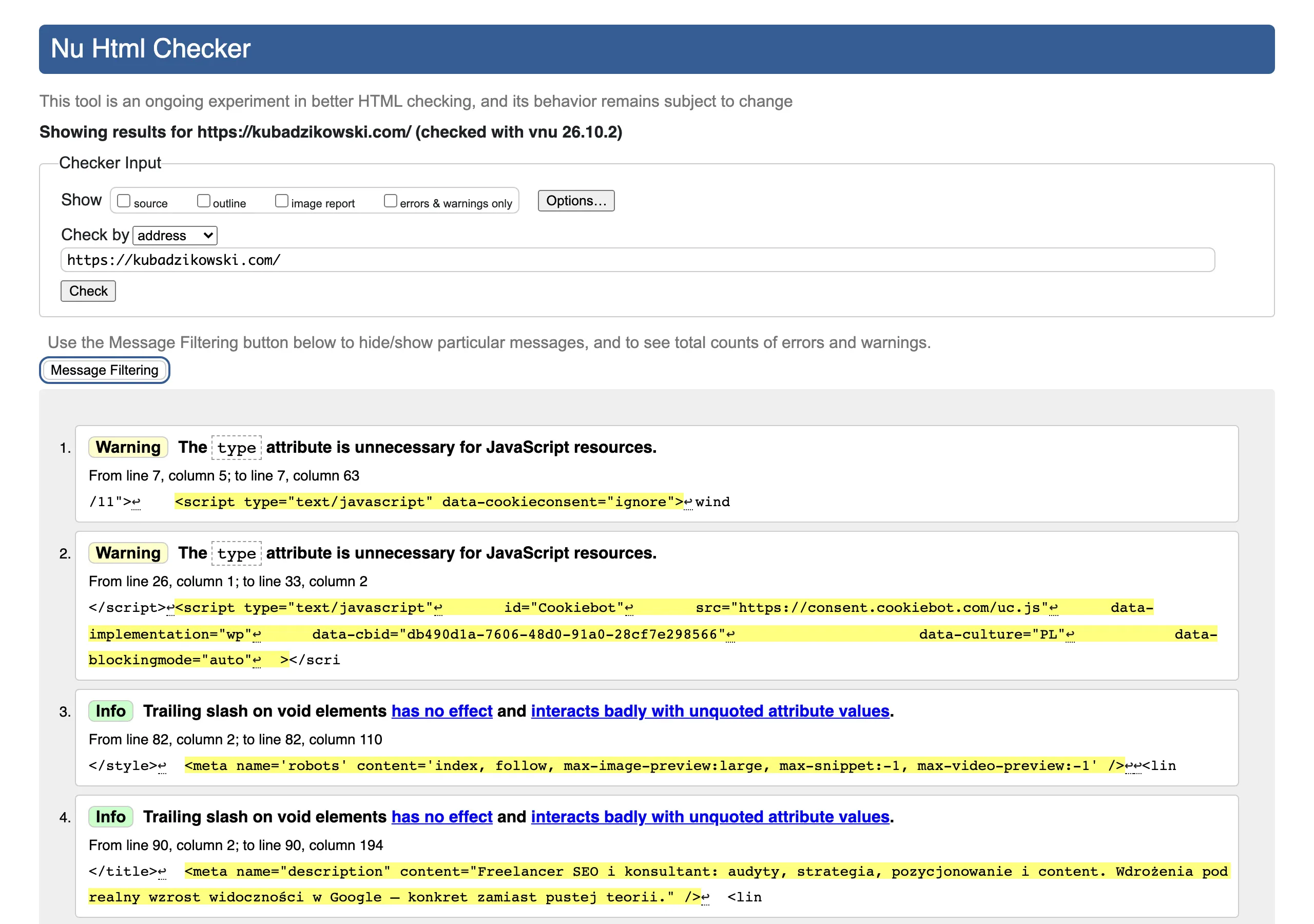
In practice, the validator can detect, among other things, invalid tag nesting, missing closing elements, duplicate attributes, incorrect IDs, as well as issues in forms and styles. This is particularly useful when a site is built on shared templates, because a single issue in a component can be replicated across hundreds of subpages. The biggest benefit of validation is quickly finding issues in the head section, links, forms, embedded scripts and template elements.
This tool is not intended only for developers. An SEO specialist, marketer or site owner can use it to check whether title, meta tags, the canonical link, hreflangs or the navigation layout have not been broken after changes were made. When the same error repeats in many places, you usually need to look for its source in the template or CMS module, rather than fixing each subpage manually one by one.
- 01Code checkingURL, fragment or file
- 02Analysis and reportDetects errors and warnings
- 03Quick fixFixes template issues
Key to maintaining standards, preventing repeated errors and optimising the head section, forms and templates.
Why are HTML and CSS code correctness important for SEO?
HTML and CSS code correctness matters for SEO because it affects how the browser and search engine robot read the site structure. When the code is broken, some elements may be interpreted differently than intended, or may fail to render properly at all. This is especially true for the head section, internal linking, headings, main content and scripts responsible for loading content.
The mere presence of validation errors does not have to automatically mean ranking drops. The most important issues are those that break the DOM, make it harder to read meta tags, disrupt the link structure or affect indexing. From an SEO point of view, the most dangerous are not the errors “on paper”, but those that change what the robot actually sees and processes.
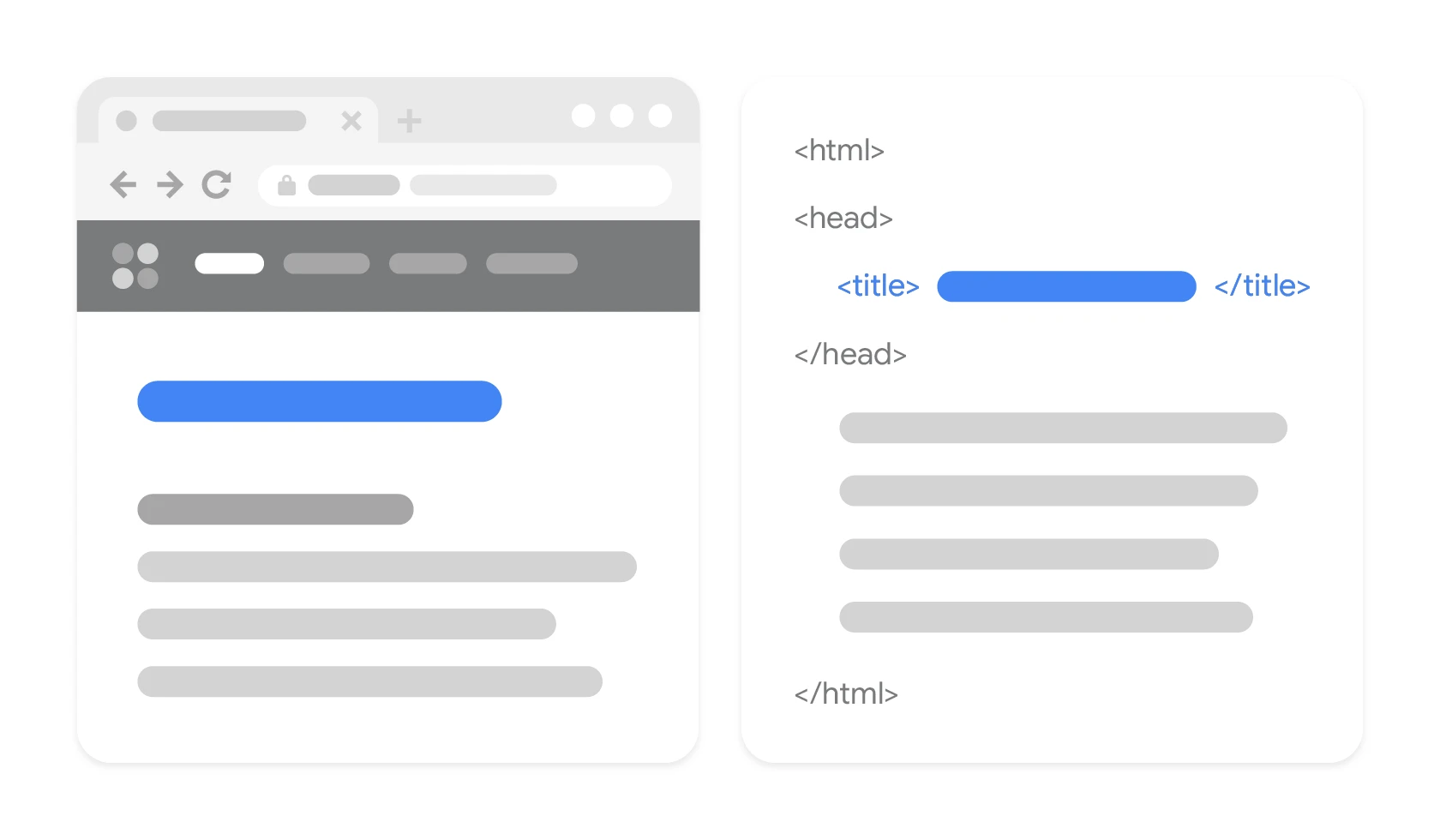
A good example is broken tags in the head section, which can make it difficult for the search engine to read the title, meta description, canonical or hreflang correctly. A similar effect is caused by an incorrect content structure, when due to faulty code part of the text, links or headings ends up in the wrong place in the document. If the validator shows an error in the head area or in an element repeated across the whole site, such a problem usually needs to be treated as a priority.
It is also worth remembering that validation is not a substitute for a full technical audit. A modern website may have correct source code, and yet after JavaScript rendering it may “produce” problems that the validator alone will not catch. That is why validation results are best compared with checks of rendering, indexing and structured data in tools designed for those tasks.
How does the code validation process work in W3C Validator?
The validation process consists of checking a URL, a file or a code fragment for compliance with HTML or CSS standards. The tool parses the document, examines the syntax and verifies the elements used against the applicable rules. The result is a list of errors and warnings together with information on where the problem occurs and what exactly it concerns.
In practice, validation usually starts with a finished URL, because it shows what has actually been published. When working on a template, module or component, pasting a code snippet or uploading a file can be more convenient. If the same error appears on many subpages, its source needs to be found in the template, plugin or shared component, not on a single page.
After analysis, the validator points to specific lines, elements and technical causes of the problem, for example incorrect nesting of tags, a duplicate attribute or an unclosed element. This matters because one seemingly minor error can throw off the interpretation of the rest of the document. For this reason, messages at the top of the list often carry more weight than the later ones, which are often only a consequence of the earlier issue.
The results should be prioritised according to their impact on how the site works, not by the number of messages alone. First, fix errors that could break the head section, links, images, scripts, navigation and the rendering of the main content. From an SEO perspective, cases where the browser or bot may misread the title, meta description, canonical, hreflang or the structure of internal linking are particularly important.
After the fixes are deployed, validation needs to be run again to confirm that the problem has really gone away and that no new errors have appeared. However, compliance with the validator does not replace a rendering test, because modern JavaScript-generated sites may look correct in the source code but differently after rendering. That is why, in practice, it is worth combining validation with indexation checks, DOM inspection and structured data testing.
- 01Data inputURL, file, or code snippet.
- 02Analysis and parsingSyntax checked against HTML/CSS standards.
- 03Error identificationList of errors and warnings with location.
- 04Source localisationFix in the template or component.
The process ensures compliance with standards, pointing to specific places in the code that need fixing.
What errors and warnings does W3C Validator detect?
W3C Validator primarily catches syntax and structure errors in HTML and CSS, that is, those that break standards or are written in an incorrect form. In practice, this includes missing closing tags, incorrect nesting of elements, duplicated attributes, invalid identifiers and problems in style declarations. Some messages are critical, while others are warnings that need to be assessed in the context of how the site works.
In HTML, problems often arise with the head section, links and forms. The validator can point out incorrectly written meta tags, improper use of attributes, placing an element in a prohibited location, or conflicts between document elements. If the error concerns the head, it needs to be treated as a priority, because that is where the elements critical for technical SEO are located.
In CSS, the tool reports, among other things, invalid properties, incorrect values, typos and syntax conflicts. Not every such issue affects how visible the site is in search, but some can break the layout, hide content or disrupt the functioning of key interface elements. In practice, this matters especially when, because of a style error, the user or bot cannot see content, links or navigation modules in a predictable form.
Warnings do not always translate into a real SEO problem, so they should not automatically be treated in the same way as critical errors. Sometimes they are merely signals of non-standard element usage that does not break rendering or the interpretation of the page. The most important thing is to separate cosmetic messages from those that affect the DOM, content reading, linking and script execution.
The most common types of issues worth checking first are:
- incorrect nesting or missing closing tags,
- duplicated attributes and invalid identifiers,
- issues with meta tags, canonical and other elements in the head section,
- invalid links, images, forms and embedded scripts,
- syntax errors in CSS stylesheets that affect the visibility or layout of content.
In practice, the point is not to remove every message at all costs, but to fix the ones that genuinely affect how the site works. Full compliance with the validator is useful, but more important is the stable interpretation of the site by browsers and search engine crawlers. For this reason, validation results should always be compared with a rendering test and with the actual behaviour of the site after deployment.
Practical tips for using the W3C Validator
The most sensible way to use the W3C validator is in stages, starting with the key page types and the errors that can make it harder to read the most important SEO elements. In practice, fixing everything “as it comes” without setting priorities rarely makes sense. First, inspect the homepage, category, product or service templates, blog posts and pagination pages. These are exactly the places where mistakes most quickly come to light, and then get repeated across hundreds of URLs.
Highest on the list are issues in the head section and in the elements responsible for navigation and content. If an error can disrupt how title, meta description, canonical, hreflang, headings or internal links are read, fix it first. Such faults matter more than minor syntax warnings that affect neither rendering nor the site structure.
If the same message keeps returning across many subpages, look for the cause in the template, CMS component, plugin or shared front-end module. This saves time and prevents treating the symptoms instead of getting to the source of the problem. In technical SEO, the scale of the error matters, not just its presence on a single URL.
Do not set full validator compliance as a goal in itself. Some warnings will not change anything from the perspective of indexing, rendering and visibility, especially in modern implementations with a large number of scripts. The validator is meant to make technical decision-making easier, not to generate a list of fixes with no impact on results.
After each major technical change, it is worth running validation again. This applies to template migrations, rolling out a new framework, rebuilding the head section, adding tracking scripts or modifying content generators. Revalidation after deployment is important, because one fix can very easily create another error elsewhere in the template.
- 01Stage-by-stage prioritisationStart with the key types.
- 02Key templatesInspect the main views.
- 03Critical elementsCheck <head> and navigation.
- 04Impact on SEOFix visibility issues.
Focus on errors that have a real impact on SEO and the proper functioning of the site, instead of fixing everything at once.
How to combine validation with other SEO tests?
It is best to pair validation with rendering tests, indexing and an analysis of technical data, because the W3C result alone does not give the full SEO picture. Correct HTML does not guarantee that a crawler will see the right content, links and metadata after JavaScript executes. This is especially important on sites built on front-end frameworks, where the final DOM can differ from the source code.
After validation, it is worth checking how the site renders from the crawler’s and the browser’s point of view. If the code passes validation, but headings, content, links or canonical tags disappear after rendering, the problem lies outside the HTML syntax itself. The validator detects code errors, but it does not replace checking what actually ends up in the DOM after the page loads.
The next stage is verifying indexing and how crawlers behave. It is worth making sure that the corrected elements are visible to the search engine, that URLs are not blocked, and that canonical and hreflang work as intended. In practice, only by combining validation with indexing checks can you determine whether the problem was purely technical or whether it really affected SEO.
A good addition is log analysis, structured data testing and a review of Core Web Vitals. Logs help assess whether crawlers are reaching the right subpages and whether the crawl budget is not being wasted on incorrect URLs. Structured data should be verified separately, because correct HTML does not yet guarantee a proper schema.org implementation. Core Web Vitals require different tools in turn, because the validator itself does not measure performance or visual stability.
The best approach is to treat the W3C Validator as one of the tools in a technical audit, not as the final test of SEO quality. This approach makes it easier to separate cosmetic errors from those that genuinely make it harder to render and understand the page, and to implement key optimisation elements.
Limitations and risks associated with using the W3C Validator
The key limitation of the W3C Validator is that it checks syntax correctness and standards compliance, but it does not directly assess a site’s visibility in Google. A site may pass validation without errors and still struggle with indexing, content rendering, URL duplication or poor performance. On the other hand, some validator messages have no practical significance for SEO, provided they do not disrupt the code’s operation or the interpretation of key elements.
The second risk is poor prioritisation of fixes. When a team focuses on removing every warning solely to achieve a “clean” result, it is easy to get stuck on tasks of low business value. Validation makes sense when it helps catch errors affecting the head, DOM structure, linking, content or template behaviour.
W3C Validator also does not give a full picture in modern websites based on JavaScript. It may suggest that the source code is valid, while the final DOM after rendering in the browser will contain other errors or important SEO elements may be missing. This is particularly important with front-end frameworks, dynamically loaded components and content generated on the client side.
It can also be problematic to rely too heavily on the technical diagnosis based solely on the tool’s result. The validator is no substitute for rendering tests, structured data checks, Core Web Vitals analysis, accessibility checks or indexation verification. Correct code does not guarantee that the search engine crawler will see the right content, meta tags and links in the final version of the page.
It is also worth bearing in mind errors generated by external scripts, plugins and ready-made modules. Some of the messages come from code fragments over which you have no direct control, or whose intervention could break the integration with the payment system, analytics or a marketing tool. In such a situation, it is better to first assess whether a given non-compliance actually affects how the site works, rather than fixing it at all costs.
The most sensible approach is to treat the validator as a diagnostic tool, not an oracle. First fix repetitive and technically important errors, and then check the effect in rendering, indexation and the site’s behaviour after deployment. This way, validation supports SEO instead of distracting attention from the problems that genuinely affect the website.
FAQ
Frequently asked questions
How does W3C Validator help with a site’s technical SEO?
It detects code errors that can make it harder for the browser and search engine bots to read the page correctly. The most important issues are those affecting the head, linking, content and rendering.
Is W3C validation a direct ranking factor?
No, validation itself does not directly affect rankings in Google. However, it can help find technical issues that indirectly harm indexing or the reading of SEO elements.
What errors does W3C Validator most often detect?
The most common are missing closing tags, incorrect nesting, duplicate attributes and invalid IDs. The tool also shows issues in CSS, forms, links and scripts.
When is it worth running W3C Validator on a site?
It is best after changing the template, migrating the site or deploying new modules. The more complex the site, the more sense there is in checking the code regularly.
Does correct code in W3C Validator guarantee the absence of SEO problems?
No, because the validator does not check the full SEO picture. A site can pass validation and still have problems with rendering, indexing or performance.
Which site elements should be checked first after validation?
Priority should go to errors in the head section and in the elements responsible for navigation and content. Title, meta description, canonical, hreflang and internal links are especially important.