

Diagnosing a campaign starts with establishing exactly what is missing in the result. A drop in visibility is fixed differently from a low CTR, and that is fixed differently again from traffic that does not turn into leads or sales. If you misname the problem at the start, later you will optimise the wrong stage of the funnel — the one that is not actually failing. That is why you first organise the objective and KPI, and only then check the quality of measurement and data.
How do you define the objective and KPI for a problematic campaign?
The objective and KPI are defined by naming the specific lack of results: visibility, traffic, leads, sales, or lead quality. This distinction matters in practice because each of these problems usually arises in a different place in the funnel. If a campaign generates clicks but does not deliver sales, the main KPI should not be traffic alone. In that case you need a main KPI as well as supporting ones that show where the result is breaking down.
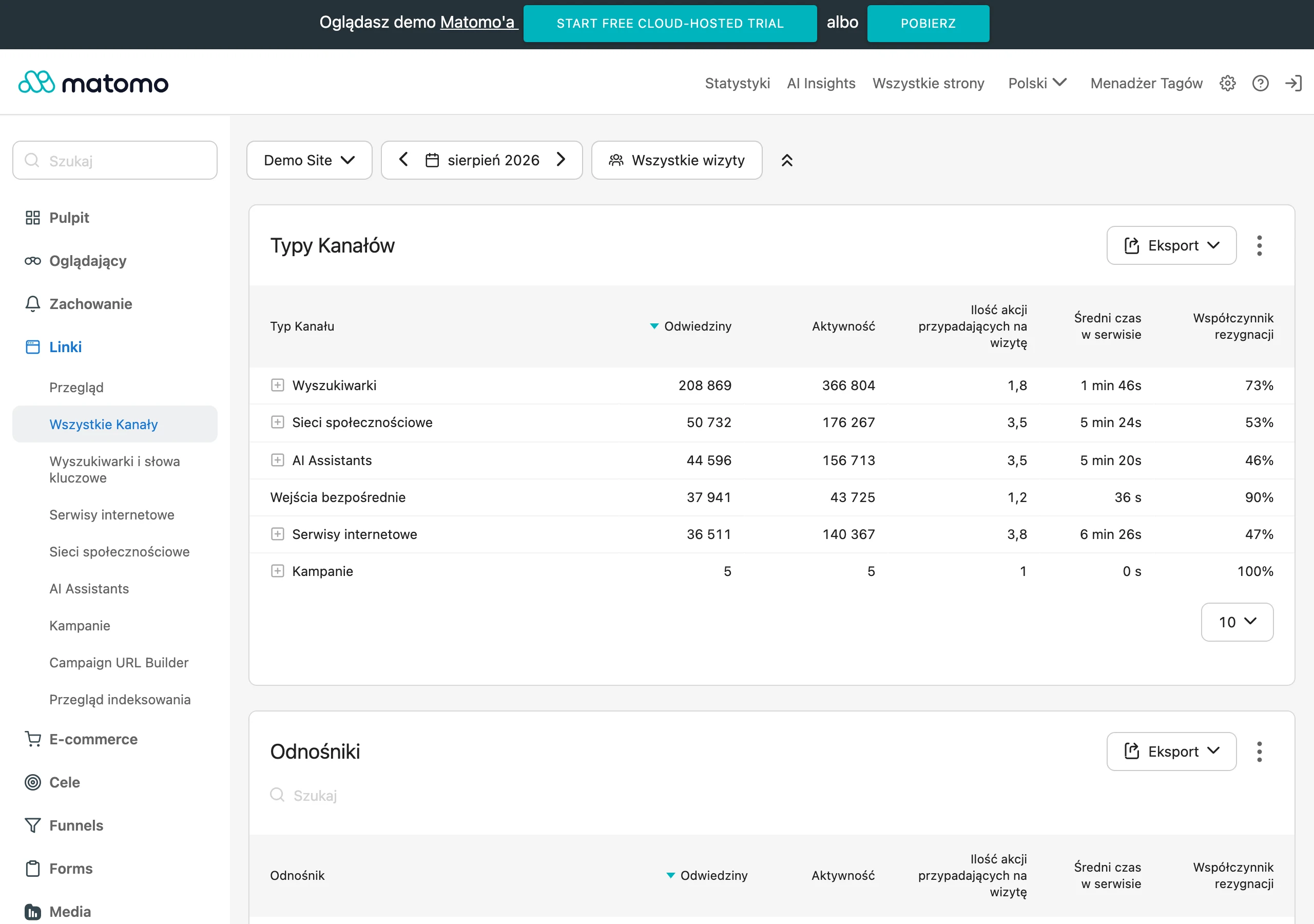
A well-set KPI set links the end result with earlier signals. For sales, supporting metrics will be, for example, sessions, micro-conversions and leads, because they show whether the problem lies before the transaction. For visibility, supporting metrics will be impressions and clicks, because they let you distinguish a drop in exposure from a drop in the attractiveness of the result. The mistake is using one KPI for the entire funnel, because then you cannot see exactly what needs fixing.
Assessing a campaign also requires a starting point, a benchmark and a realistic time horizon. Without baseline data it is easy to mistake normal fluctuation for failure, or conversely overvalue a temporary rise. In SEO in particular, a common mistake is judging results after too short a time, before the changes have had time to affect indexing, clicks and conversions. A sensible diagnosis therefore starts with asking not only “does it work”, but also “relative to what” and “after how long can we judge this fairly”.
Why are measurement and data crucial in diagnosing a campaign?
Measurement and data are crucial because faulty tracking very often looks like a genuine lack of results. A campaign may generate valuable traffic, yet the report will show zero conversions simply because events are misconfigured or inconsistent between systems. In practice, you first need to confirm that conversions are being counted correctly, and only then look for the fault in the channel, content or offer. This saves time and protects you from costly, wrong decisions.
First you check conversions, attribution and micro-conversions. If a form works but does not record the source of the visit, you may see leads in the CRM and at the same time not see them in analytics. If tags fire twice, reports will inflate performance and hide the real problem. You also need to verify UTMs, consent, and whether the data is consistent across analytics, Search Console, CRM and server logs.
Discrepancies between sources do not always mean a failure, but they always require an explanation. Search Console shows exposure and clicks from the search engine, web analytics shows sessions and behaviour, the CRM confirms real leads, and server logs help verify what is actually visiting the site. When these layers tell different stories, diagnosing a campaign without tidying up measurement is risky. Fix the data first, then assess performance.
How does problem segmentation help identify bottlenecks?
Problem segmentation helps pinpoint the exact stage of the funnel where the result stops adding up. Instead of assessing the campaign with one metric, you break the user journey into impressions, clicks, sessions, leads and sales. This setup quickly shows whether the problem concerns exposure, entry to the site, or conversion itself. As a result, you do not improve content when the form is broken, nor change the offer when CTR is dropping.
In practice, you first compare the successive funnel stages over the same periods and in the same segments. If impressions are stable but clicks are falling, you need to check the snippet, intent and the current search results layout. If clicks and sessions are growing but leads are not increasing, the problem usually lies in traffic quality, the offer or UX. The key is to separate a drop in interest in the result from a drop in the site’s effectiveness after the click.
The second step is to split the data into segments that genuinely change the picture of the campaign. Analyse brand and non-brand separately, because the brand often protects the result when generic queries lose ground. Also check the landing page, query type, device, location, and new versus returning users. This breakdown reveals problems hidden in averages, for example weak mobile conversion or a drop only in one group of pages.
How can demand and changes in the SERP affect campaign results?
Demand and changes in the SERP affect campaign results by changing the number of searches, user intent and the share of clicks available to organic results. Even a good site can lose traffic if the topic has a downward trend or the results page is taken over by ads, maps or video. So a drop does not have to mean an error on the site’s side. First you need to check whether the market is still searching for the same thing and in the same way.

Assessment starts with seasonality and the topic trend. If demand is falling, maintaining previous traffic can be unrealistic without broadening the topic or changing the campaign objective. If demand is growing and your results are standing still, the problem more often lies in content fit or the competitiveness of the result. Practical diagnosis therefore requires comparing your own data with what is happening in the search market.
You also need to check how the layout of the results itself has changed. Maps, ads, video sections and AI Overviews can reduce CTR despite similar positions. This is especially important for informational queries, where the user may get an answer without visiting the site. If positions are stable and CTR is falling, first analyse the SERP and intent, not the penalty.
A change in user intent is just as important as a change in demand. Content that once answered a question may now lose out to a guide, a comparison or a local page. In that case, updating the title alone is not enough, because the problem concerns the whole answer format. A sensible response is to align the content with the current user need and the current type of results.
What technical blockers can affect campaign performance?
Campaign performance is primarily affected by blockers that limit crawling, indexing or rendering of the site. If the search engine cannot properly read or add a page to the index, further optimisation has nothing to work on. In practice, the first checks are robots.txt, noindex tags, canonicals, redirects and server response codes. One faulty template can cut off an entire section of the site from traffic.
Problems that organise the indexing structure are also highly important. Poorly prepared XML sitemaps, URL duplication, pagination errors or incorrect hreflang make it harder for Google to choose the right version of the page. The effect can be misleading, because the campaign looks weak even though the problem is technical chaos. That is why it is worth comparing indexing reports with the actual site structure and checking which URLs are indexed and which are not.
A separate group of problems is JavaScript rendering, site speed, Core Web Vitals and structured data. If important content or links appear only after faulty rendering, the crawler may not see them or may interpret them incompletely. Speed and CWV do not replace indexing, but they affect the quality of the experience and the stability of the site. The sensible order is simple: first indexing and rendering blockers, then quality optimisations, checked with a crawler, a rendering test, indexing reports and PageSpeed.
How to optimise content and on-page for better campaign results?
Content and on-page are optimised by matching the content to intent and organising the site so that the user can easily move to the next step. The mere presence of keywords is not enough if the page does not answer the real question or mixes several conflicting goals. That is why the first step is to check whether a given subpage actually covers the topic and whether there are any gaps compared with the queries that are meant to drive results. A common mistake is also one page trying at the same time to sell, educate and rank for different intents.
At on-page level, what matters is a clear heading structure, semantic HTML, sensible FAQ and appropriate structured data. These elements help organise the content for the user and the search engine, but only when they result from the actual content of the page. It is not worth adding schema or FAQ sections purely for decoration, because that will not fix poor content fit. It is better to cut unnecessary fragments, clarify the answers and clearly present the most important information.
Internal linking, anchors, content freshness and the absence of keyword cannibalisation also have a major impact. If several subpages compete for the same query, signals are diluted and it is harder to build stable visibility. If an important landing page does not receive links from related content, its potential often remains untapped. In practice, it is worth assigning each important page a main topic, regularly updating outdated sections and connecting content so that it supports the right clusters and landing pages.
How to set priorities for actions and tests to improve campaign results?
Priorities are set according to the impact on the KPI, implementation cost and technical and business dependencies. First you choose the actions that remove the source of the error, not just improve the symptoms in the report. If the problem concerns measurement, fixing the content or links will not give a reliable assessment of the effect. Without proper measurement, it is impossible to set priorities sensibly, because you do not know what is really working.
Once the data has been confirmed, the priority is blockers that cut off traffic or distort the result. This applies especially to issues with indexing, rendering, incorrect conversion tracking or mismatches in data between analytics, Search Console and CRM. Only afterwards is it worth moving on to content, authority or UX fixes. This order shortens the diagnosis time and reduces the risk of working on the wrong stage of the funnel.
In practice, the sequence of actions usually looks like this:
- first, fix measurement and verify supporting KPIs,
- then remove technical blockers,
- then improve content fit and the site structure,
- further work on authority, distribution and supporting key landing pages,
- when traffic is good but conversion is weak, test UX, the offer and the lead handling process.
Not all problems carry the same business weight, so you need to look at their impact on the final result. If CTR falls while rankings remain stable, analysing the snippet, SERP layout and AI search changes takes priority over rebuilding the entire site. If traffic is growing but sales are flat, tests of the CTA, form, pricing or the salesperson’s response time will make more sense. Priority should go to the element that most directly explains the drop in the main KPI.
Tests are run one at a time or in small batches, so it is clear what changed the result. One bigger change at a time gives a better read than several implementations carried out in parallel. Every important change is worth marking in annotations and comparing the before/after period on the same segments. This is especially important with seasonality, changes in the SERP and fluctuations in lead quality.
A good remediation plan is not a list of all possible improvements, but a queue of hypotheses to verify. If an implementation is costly and the impact on KPI is uncertain, it is usually better to start with a simpler diagnostic test. This helps you distinguish more quickly between a technical problem and a problem of demand, content, authority or conversion. This way of working brings order to decisions and allows you to improve the campaign in stages rather than acting chaotically.
FAQ
Frequently asked questions
How should you start diagnosing a campaign that is not delivering results?
First, you need to establish exactly what is missing from the outcome: visibility, CTR, traffic, leads, sales, or lead quality. If you name the problem incorrectly at the start, you will optimise the wrong stage of the funnel.
Is one KPI enough to assess an entire campaign?
No, because a single metric does not show exactly where the result is breaking down. It is better to combine a main KPI with supporting ones, e.g. sessions, micro-conversions and leads, or impressions and clicks.
Why do you need to check measurement and data before optimisation?
Because faulty tracking can look like a real lack of results. Conversions, attribution, UTM tags, consent and data consistency between analytics, Search Console, CRM and logs need to be confirmed before further analysis.
How does data segmentation help find a campaign bottleneck?
Breaking results down by funnel stage shows whether the problem concerns exposure, clicks, sessions or conversions. It is also worth analysing brand and non-brand separately, as well as landing page, device, location, and new versus returning users.
When does a drop in campaign results come from demand or SERP changes?
When seasonality, topic trend, user intent or the layout of search results changes. Even with stable rankings, CTR can fall because of ads, maps, video or AI Overviews.
What technical issues most often block campaign results?
First, check robots.txt, noindex, canonicals, redirects and server response codes, as they can limit crawling and indexing. Then it is worth verifying XML sitemaps, URL duplication, pagination, hreflang, JavaScript rendering and page speed.