

SEO plugins for WordPress are key tools that complement the functions and features of a website or blog. Below are the most popular examples of plugins that affect the optimisation of an SEO strategy.
What are SEO plugins for WordPress?
SEO plugins for WordPress are tools created to supplement the functions and features of blogs and websites. As a result, they become more complete.
The plugins mentioned provide many options and functions for users customising their sites. These solutions make it easier to meet the needs of a given strategy.
One such function is SEO analysis, which is not performed by any basic WordPress tool. If you want to operate in line with web optimisation parameters so as to achieve better results in Digital Marketing, it is necessary to install plugins suited to specific tasks.
- 01Adding FunctionsThey extend the blog’s basic tools.
- 02Site CustomisationPersonalising options for the strategy.
- 03SEO AnalysisA function absent in WordPress.
- 04Better ResultsOptimisation for Digital Marketing.
SEO plugins are key optimisation tools, making it possible to achieve better results and meet the demands of Digital Marketing that basic WordPress does not offer.
Do plugins support SEO activities?
SEO plugins were created to make it easier to implement SEO optimisation tactics on a website. This includes, for example, title tags and meta descriptions. Using these tactics with the help of plugins means that you do not need to have any knowledge of code.
When used effectively, such plugins can support SEO activities related, for example, to increasing organic traffic.
In addition, SEO plugins offer many functions and tools, such as sitemaps, audit checklists and content insights. This makes it possible to further optimise a site for search engines.
Some plugins can help prevent the overuse of specific keywords and offer various tips aimed at improving content readability.
In other words, plugins can be very useful, especially for people who are not familiar with SEO.
The best SEO plugins for WordPress
Now that you understand the concept of the tools mentioned, you can move on to the list of popular SEO plugins along with information on how they improve work.
- 01List of Popular PluginsOverview and use of the tools
- 02Yoast SEO – Comprehensive and FreeComprehensive site optimisation
- 03On-site SEO AnalysisOptimising keyword usage
- 04Managing Meta and URLTitles, descriptions and addresses under control
Plugins such as Yoast SEO make it easier to manage site optimisation elements comprehensively, from keyword analysis to meta descriptions and URL addresses.
Yoast SEO
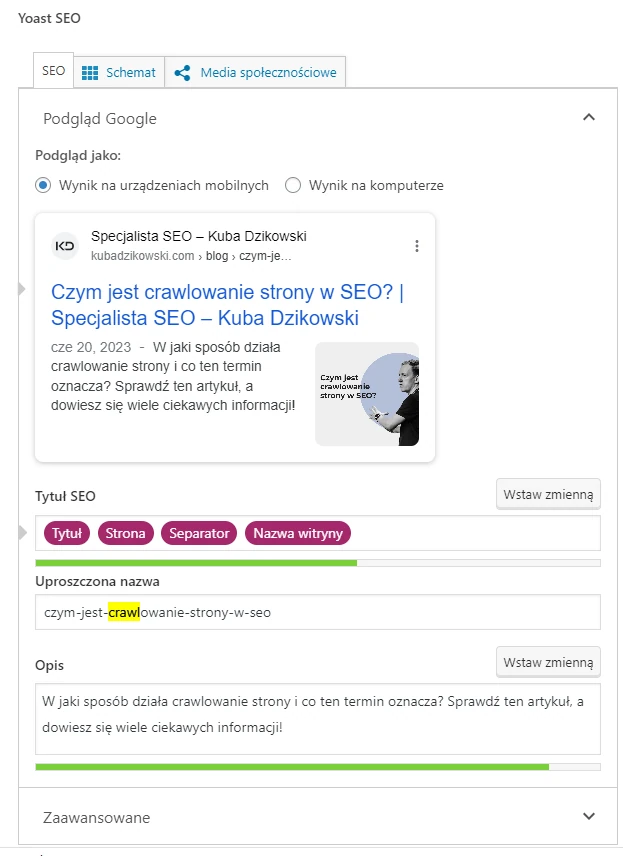
Yoast SEO is one of the most commonly used SEO plugins for WordPress. It is a free plugin offering almost every function necessary to optimise a website. It includes, among other things, elements such as:
- search results page preview,
- XML sitemap creation,
- meta description assessment, etc.
The ability to inspect on-page SEO elements is key. It tells you how best to use the target keywords and whether a given keyword has been used an appropriate (or too high) number of times on the page. In addition, this plugin helps optimise the title, meta description and URL address for the keyword. It contains tips that make it possible to manage each element in line with SEO best practices.
This solution is particularly useful when you have a team of writers working from home. Users appreciate the fact that this plugin places emphasis on the reader’s experience and provides content optimisation advice without the need to memorise every SEO best practice.
W3 Total Cache
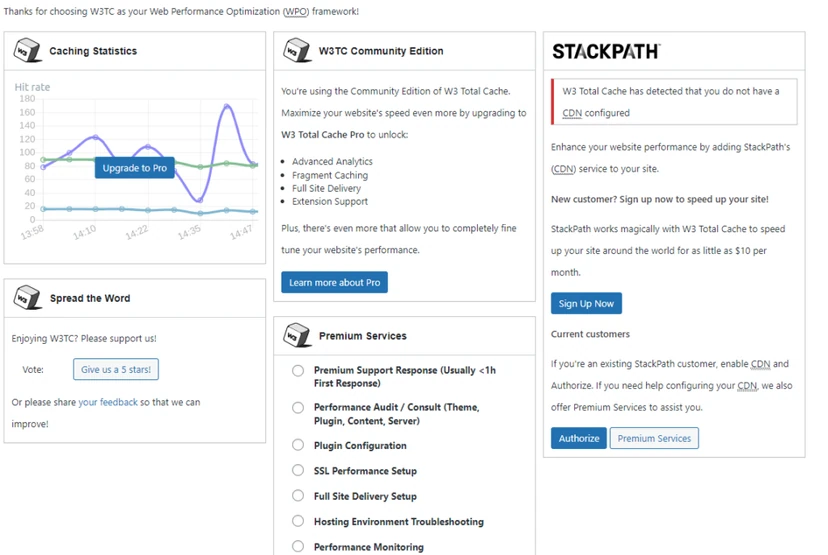
Page speed is very important because the aim of every search engine is to find pages matching the search query, delivering excellent user experience. The W3 Total Cache plugin improves page speed by using caching, minification and CDN integration. This makes it easier to manage all the benefits on the site.
This solution is ideal for website owners who manage large amounts of content on their sites. This includes GIFs, video materials and illustrations. This plugin directly affects page speed, which is a fundamental SEO ranking factor.
All In One SEO Pack
This is another plugin that is very popular among people responsible for SEO work on the site. The SEO audit checklist allows you to analyse the entire WordPress site to detect errors and provides recommendations to improve SEO and increase site traffic.
This plugin can also automatically generate and submit sitemaps to Google, Bing, Yahoo and other popular search engines, increasing the site’s presence online. Other important features include schema, knowledge graph, AMP, local SEO, etc.
This is a plugin that provides time and money savings for small and local businesses that benefit from online sales queries.
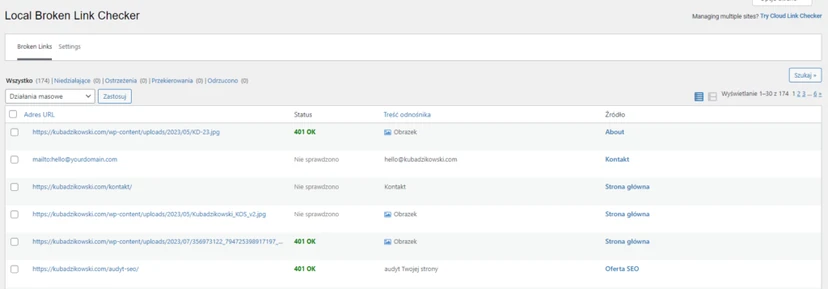
Broken Link Checker
Broken links always have a significant, negative impact on how a site performs. They lead to mistakes and reduce search engines’ ability to crawl the site and assess its content. In addition, they make the site look bad to readers.
That is why it is very important to find and fix broken internal and external links.
This WordPress plugin does all the work for the user, regardless of the size of their site. It is responsible for checking all pages for broken links and identifies missing images.
Rank Math
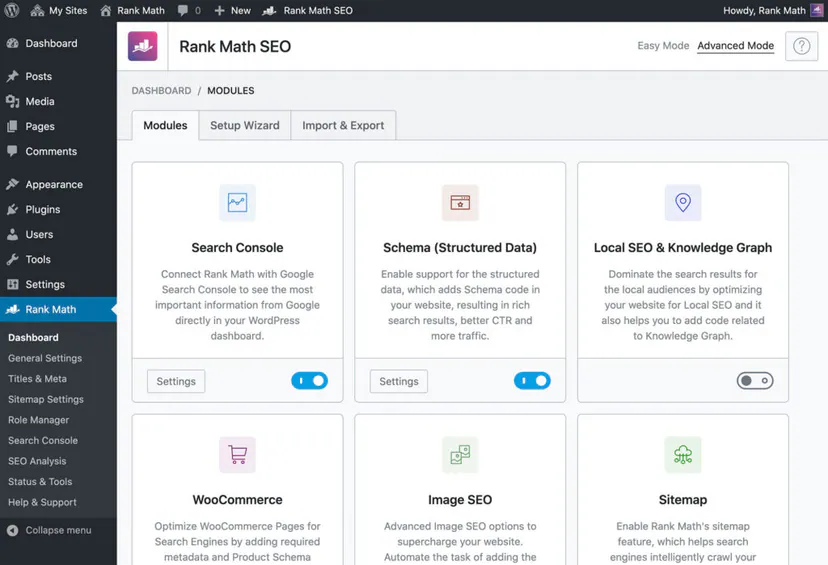
The Rank Math plugin helps optimise the site while writing content, providing real-time insights into posts without having to leave the WordPress interface. It also enables title and description optimisation thanks to snippet previews. This helps reduce the likelihood of display errors on the Google search results page.
This plugin has been optimised for speed. It works quickly, so the site’s performance does not negatively affect SEO work. In addition, this solution offers extra SEO features such as redirects, 404 monitoring and SEO for WooCommerce sites.
This plugin is ideal for working on content, SEO activities and managing the site status by one person. RankMath keeps all the relevant data needed to carry out such tasks thanks to the use of an advanced SEO analysis module.
WP Meta SEO
When changing a website’s design, it is necessary to remember to optimise such new pages for search engines. The WP Meta SEO plugin offers a meta information editor, which makes it easier to optimise the site (without the need to visit every page and subpage), saving a huge amount of time in the process.
In addition, this plugin integrates with Google Search Console to support its keyword suggestion feature. This means that you can use data obtained directly from Google and make decisions about your keyword strategy. Moreover, this solution offers additional, built-in SEO features, such as a redirect manager and a sitemap generator.
Redirection
Sometimes situations arise where a page is no longer needed and is deleted. However, Google may already have ranked such a page well for many keywords due to a large number of backlinks.
A page can be removed without losing traffic by implementing a 301 redirect instructing Google to visit another page. Such 301 redirects are an important element of an SEO strategy. Thanks to this plugin, such actions can be carried out without much effort. All you need to do is provide the URL to which the redirect should point.
This solution also makes it possible to manage 404 redirects.
Schema – All In One Schema Rich Snippets
A snippet (rich snippet) is a Google feature that allows search results to be displayed in an attractive way, improving click-through rate. Usually, such snippets are interactive and may contain images, star ratings, price, author and many other pieces of information. That is why using snippets can help you stand out from the competition and attract more traffic to your site.
The All In One Schema Rich Snippets plugin helps you compete in terms of such snippets. This solution makes it possible to implement Schema markup such as Reviews, Events, Recipes, Articles, Products and Services.
Loco Translate
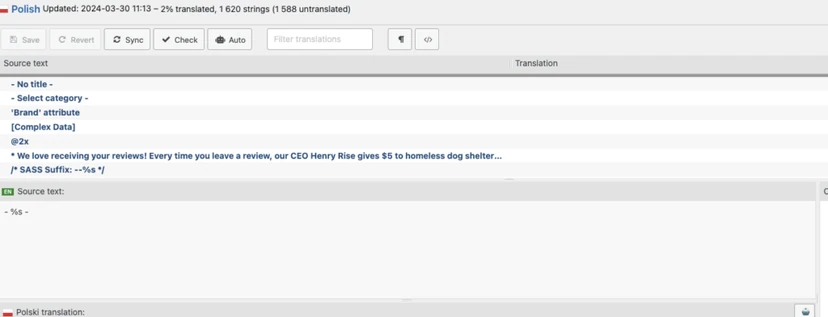
Loco Translate provides the ability to edit WordPress translations in the browser and integrate with automatic translation services.
In addition, it provides localisation tools for developers, such as string extraction and template generation.
UpdraftPlus
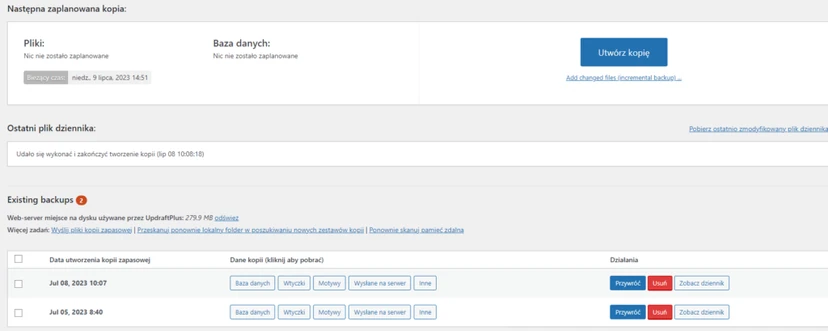
UpdraftPlus makes creating backups and restoring them easier. It is the highest-rated and most popular plugin, installed by over 3 million users. With this plugin, you can create a backup of the database and files in the cloud. Restoring them is a matter of just one click.
WPS Hide Login
WPS Hide Login is a small plugin that allows you to easily and securely change the URL of the login form to something else. This solution does not change the names or files at source, nor does it use a rewriting method. The plugin simply intercepts page requests and works on every WordPress site.
The wp-admin directory and wp-login.php will become inaccessible, so you should bookmark them or remember their URL. Deactivating this plugin restores the site to the state it was in before its use.
FAQ
Frequently asked questions
What functions do WordPress SEO plugins have?
They add tools for SEO optimisation to site functions, such as content analysis, meta titles and descriptions, sitemaps and audits. They also help improve readability and reduce keyword stuffing.
Do you need to know code to use SEO plugins?
No, SEO plugins make it easier to implement basic optimisation tasks without coding knowledge. That makes them especially useful for people who are not familiar with SEO.
How does Yoast SEO help with site optimisation?
Yoast SEO offers a search results preview, XML sitemap creation and meta description scoring. It also helps match the title, URL and content to the chosen keyword.
Why does W3 Total Cache affect SEO?
This plugin improves site speed through caching, file minification and CDN integration. Site speed is an important SEO ranking factor and affects user experience.
When is it worth using the Redirection plugin?
When you remove a page but do not want to lose the traffic and rankings earned in Google. The plugin makes it easy to set up 301 redirects and manage 404 redirects.
What benefits does Rank Math offer?
Rank Math shows in real time how to optimise content without leaving WordPress. It also offers snippet previews, redirects, 404 monitoring and SEO for WooCommerce.