
SEO in WordPress is not just a set of technical actions – it is the foundation of every website’s success. Thanks to proven strategies such as content optimisation, permalink configuration or the use of SEO plugins, you can increase your site’s visibility in Google, attract more organic traffic and improve user engagement. Find out what steps to take to make full use of this platform’s potential and achieve lasting results!
What is SEO in WordPress?
SEO in WordPress is a set of techniques and strategies that increase the visibility of websites in Google search results. With proper optimisation, websites can climb higher in the rankings, attracting more organic traffic. This process involves working on content, site structure and the use of specialist tools such as dedicated plugins.
In WordPress, the key areas of SEO optimisation focus on several important elements:
- content optimisation, i.e. creating valuable and unique materials that meet users’ expectations and search engine algorithms’ requirements,
- site structure, including proper heading formatting (H1-H6), user-friendly URLs (permalinks) and a logical arrangement of information,
- SEO plugins, such as Yoast SEO or Rank Math, which make it easier to manage meta tags, analyse keywords and monitor site performance,
- improving site loading speed, making it mobile-friendly and ensuring the quality of internal and external linking.
SEO in WordPress is not only the technical side of the work – it is also an effective marketing strategy. Thanks to it, you can increase traffic to the site, improve user engagement and achieve better sales results or gain a larger number of readers. Properly carried out optimisation also makes it possible to build long-term brand visibility online. It is an investment that brings benefits both now and in the future.
- 01Greater visibilityGoogle ranking
- 02Organic trafficFree site visits
- 03Site optimisationBetter content and structure
- 04Dedicated pluginsTechnical support and tools
- 05Marketing strategyBuilding long-term results
An effective marketing strategy that increases engagement, sales and builds long-term traffic
Why is SEO optimisation in WordPress crucial?
SEO optimisation in WordPress is of huge importance for site visibility in search results. The better the position in Google rankings, the greater the organic traffic, which is crucial for both businesses and bloggers. More visitors means not only a chance to win new customers or readers, but also the opportunity to increase conversions and revenue.
WordPress provides many practical tools and plugins that make the optimisation process easier. Thanks to them, you can effectively manage meta tags, analyse keywords and track site performance. However, technology is only part of success – equally important are valuable content that responds to users’ needs and meets search engine algorithms’ requirements.
Investing in a SEO for WordPress strategy brings long-term benefits. Greater brand visibility not only builds audience trust, but also strengthens its authority. What is more, a well-optimised website can generate steady organic traffic without the need for continual investment in paid advertising campaigns. This makes SEO optimisation not only financially worthwhile, but also long-lasting in its effects.
List of 20 key SEO tips for WordPress
SEO optimisation in WordPress is the key to increasing your site’s visibility in search results. Here are 20 practical tips worth applying:
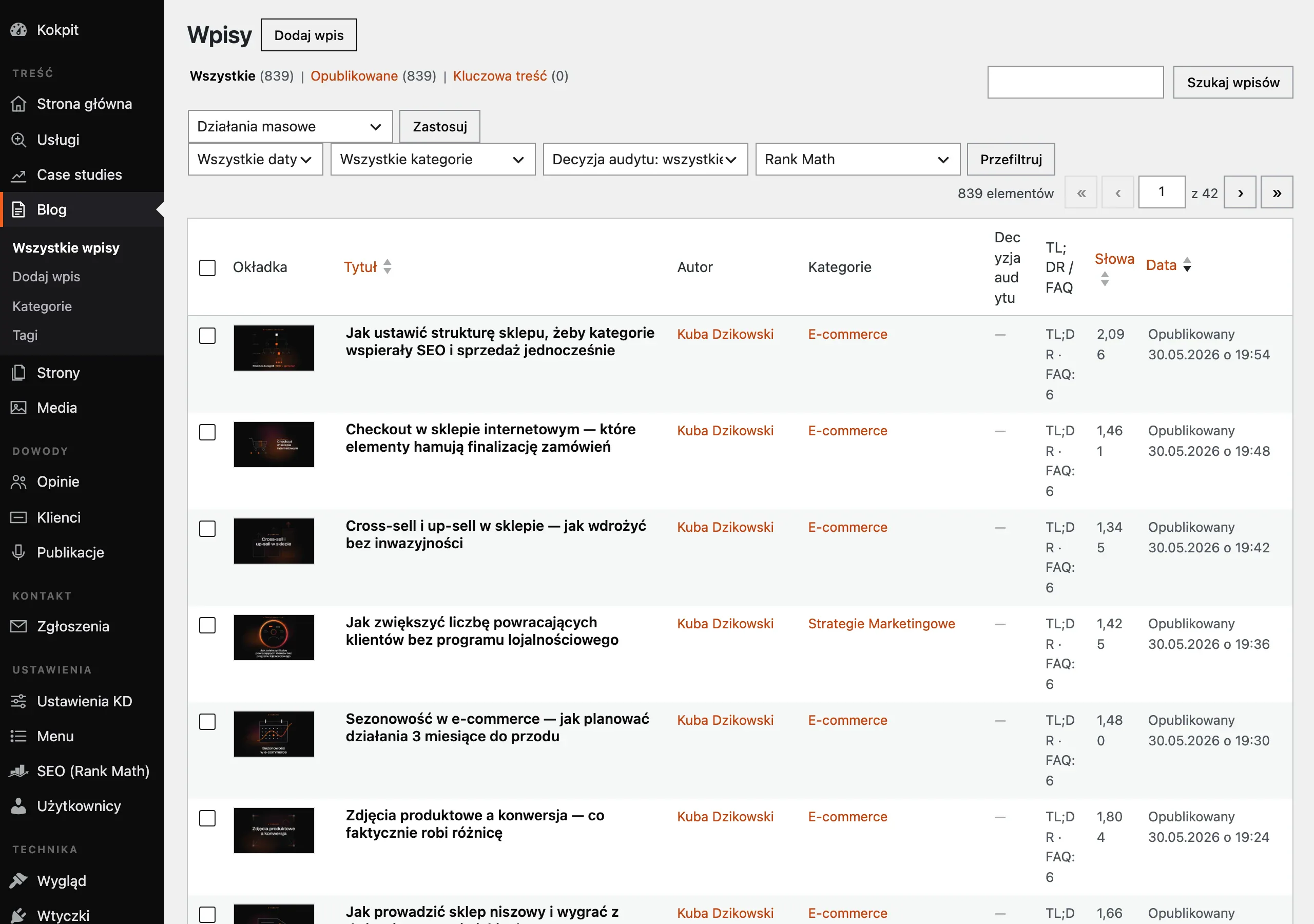
- Check indexing settings – make sure Google can crawl your website. In the WordPress dashboard, go to “Settings” > “Privacy” and select the option that allows indexing.
- Install an SSL certificate – security is a priority for Google. An SSL certificate encrypts data, increasing trust and positively affecting rankings.
- Optimise permalinks – use short and readable URLs. In WordPress settings, choose the “Post name” format.
- Create logical internal links – links should point to related content, which improves navigation and SEO.
- Install SEO plugins – tools such as Yoast SEO or Rank Math help manage meta tags and analyse keywords.
- Create an XML sitemap – a sitemap makes it easier for Google bots to index the site. SEO plugins generate it automatically.
- Install Google Analytics – monitor site traffic, traffic sources and user behaviour to adapt your SEO strategy.
- Carry out an SEO audit and content audit – regular audits help identify technical errors and areas for improvement.
- Take care of page loading speed – pages loading in 2-3 seconds have a better chance of ranking higher.
- Optimise images and add alt text – compress images without losing quality and add descriptive alt attributes for search engine bots.
- Ensure responsive design – more than 60% of traffic comes from mobile devices, which is why responsiveness is crucial for SEO.
- Use H1-H6 headings with a hierarchy – headings help users and bots understand the structure of the content.
- Create valuable content – content should meet user needs and include relevant keywords without overdoing it.
- Avoid duplicate content – duplicated content can lower rankings or lead to the page being removed from Google’s index.
- Use long-tail keywords – they are less competitive and often convert better than single keywords.
- Link internally and externally – internal linking improves navigation, and links to valuable sources increase the site’s authority.
- Monitor incoming and outgoing links – check the quality of links leading to your website and those pointing to other sites.
- Take care of UX design and intuitive navigation – a friendly interface increases user engagement, which translates into better positions.
- Use rich snippets to improve CTR – enhanced search results snippets can significantly increase click-through rates.
- Regularly update WordPress along with all plugins – updates guarantee security and compliance with the standards imposed by Google’s algorithms.
- 01Google indexingAllow the site to be crawled.
- 02SSL certificateBuild trust, improve rankings.
- 03Readable permalinksUse short, clear URLs.
- 04Internal linksMake navigation and SEO easier.
Effective optimisation increases visibility in search results.
1. Check the site indexing settings
For your website to appear in Google search results, it is crucial to configure indexing correctly. In WordPress, there is a feature that can prevent search engine bots from crawling and indexing your site. You can find it in Settings > Reading under “Discourage search engines from indexing this site”.
If this option is enabled, Google bots will not have access to your page, which means it will not be included in search results. To fix this, simply untick this option. This will allow bots to visit your site regularly, analyse its content and take it into account in the rankings.
Correct indexing settings are the foundation of effective SEO. Even if you implement other technical or content optimisations, but miss this key feature, your site may remain invisible to users. That is why you should always make sure this configuration is correct before starting SEO work. This simple action can significantly affect your site’s visibility!
2. Install an SSL certificate (HTTPS/SSL)
An SSL certificate has become an essential element of security in today’s internet world. Its use not only protects user data, but also affects the site’s visibility in Google search results. Thanks to the HTTPS protocol, which encrypts transmitted information, the website gains visitors’ trust and a better position in the rankings.
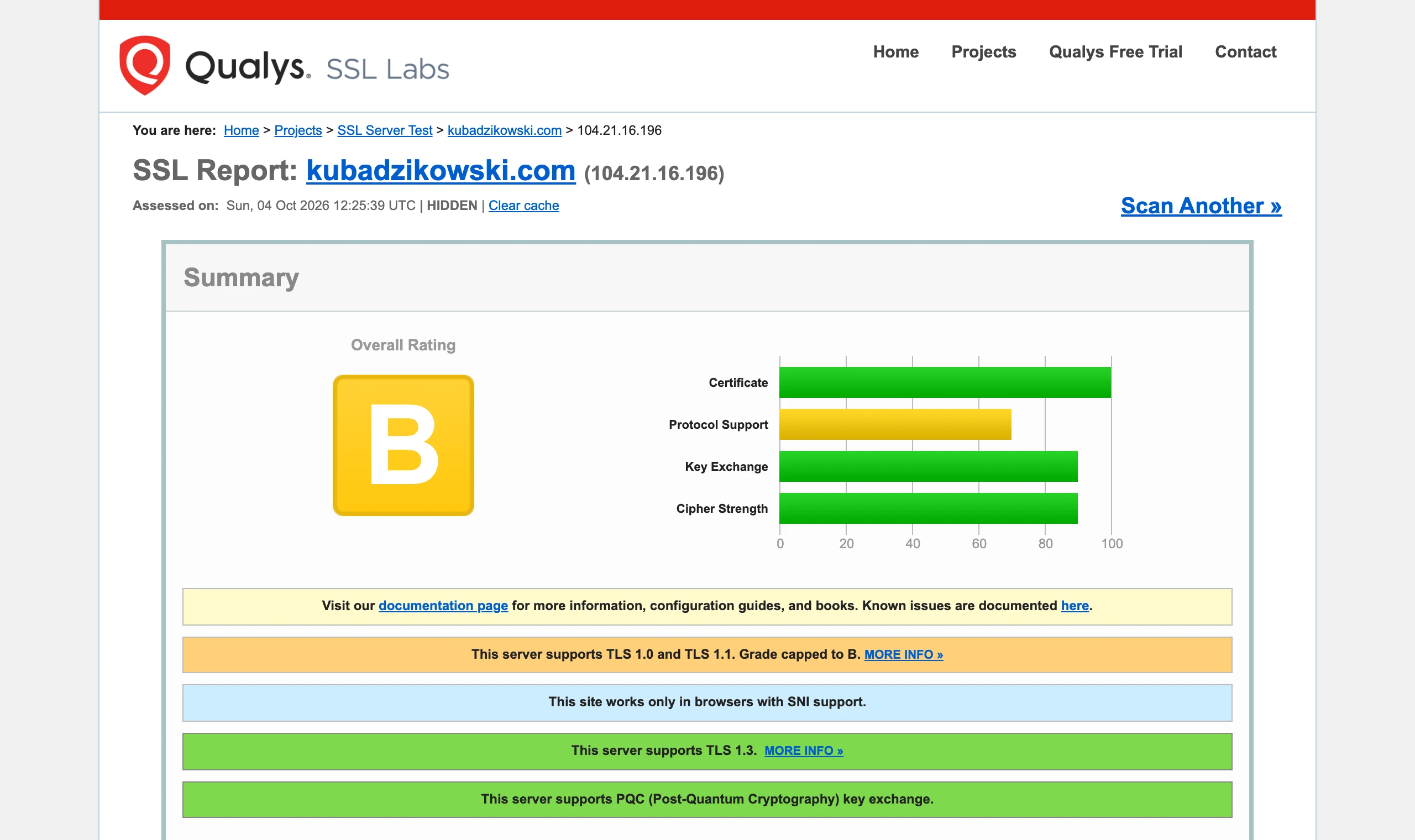
Most hosting providers offer free SSL certificates from Let’s Encrypt, and installation is usually quick and automated. Once activated, the site address changes to “https://”, signalling a secure connection.
Google has long promoted sites using SSL certificates, treating them as more trustworthy. This translates directly into a higher position in search results. What is more, browsers are increasingly warning users about sites without HTTPS, which can effectively deter potential visitors.
Implementing an SSL certificate is also a step towards compliance with GDPR regulations. Data encryption ensures privacy protection, especially when processing forms or carrying out online transactions.
If your site still runs on HTTP, it is worth moving to HTTPS as soon as possible. This will not only raise the security level, but also have a positive impact on your site’s SEO.
- 01Data protectionEncrypting user information
- 02Increased trustBuilding site credibility
- 03Higher position in GoogleBetter visibility in results
- 04Quick installationFree, automated solutions (e.g. Let's Encrypt)
- 05Security indicatorSite address with "https://"
The SSL protocol is the foundation of modern internet security, improving trust and search result rankings.
3. Optimise the permalink structure
Well-configured permalinks in WordPress play a key role in improving a site’s visibility in search results. SEO-friendly URLs are not only easy for users to understand, but are also indexed better by Googlebot, which directly affects SEO. To adjust the link structure, simply go to Settings > Permalinks in the WordPress admin panel.
The most recommended format is “Post name”, which creates short and clear URLs. It is better to avoid the default options containing dates or ID numbers, as they are less attractive for SEO. For example, instead of www.przykladowastrona.pl/?p=123, it is worth using www.przykladowastrona.pl/optymalizacja-seo.
It is also worth remembering a few important tips:
- use only lowercase letters,
- replace spaces and special characters with hyphens,
- try to keep permalinks to 3-5 words,
- include keywords in URLs – this increases their value for SEO.
After making the changes, do not forget to save the settings. Properly configured permalinks not only support SEO, but also make navigation easier for users, which translates into a better experience on the site.
4. Use a friendly link structure
A friendly link structure plays a key role in SEO optimisation on the WordPress platform. It is important that URLs are simple, readable and contain keywords that reflect the content of the page. This way both users and search engine algorithms can quickly understand what a given subpage is about. Avoid complicated and long URLs with an excess of special characters or numbers. Instead, go for short and descriptive links. For example: `www.przykladowastrona.pl/porady-seo` is a much better solution than `www.przykladowastrona.pl/index.php?id=123&cat=5`. This practice not only improves the user experience, but also affects more efficient indexing by Google. Here are a few rules worth following:
- instead of spaces or underscores, use hyphens – they are better understood by search engines,
- try to keep the link to 3-5 words – shorter URLs are easier to remember and more SEO-friendly,
- include keywords in URLs – this increases their value for SEO.
Friendly links not only improve a site’s position in search results, but also make navigation easier for visitors. As a result, users are more likely to stay on the site, which translates into a lower bounce rate and greater engagement. In WordPress, you can customise the link structure in the **Settings > Permalinks** section. The best option is to choose “Post name”, which generates clear and optimised URLs. Also remember to regularly check the correctness of internal and external links – this will help avoid 404 errors and maintain high-quality navigation on the site.
5. Install SEO plugins
SEO plugins such as Yoast SEO or Rank Math are indispensable tools in the process of optimising websites for search engines. Once installed, they allow easy configuration of meta tags, keyword analysis and tracking of site performance. Thanks to them, you can quickly make changes that increase a site’s visibility in Google results.
Yoast SEO stands out with an intuitive configuration wizard that guides the user step by step through the optimisation process. The plugin enables you to manage page titles, meta descriptions and control the indexing of individual subpages. It also offers tools for analysing content in terms of keywords and their density, which makes it much easier to create SEO-friendly content.
Meanwhile, Rank Math attracts attention with advanced features such as automatic XML sitemap generation or integration with Google Search Console. These capabilities allow you to monitor your site’s rankings on an ongoing basis and make the necessary adjustments without unnecessary effort.
The choice of the right plugin depends on individual needs and the user’s level of expertise. Both Yoast SEO and Rank Math provide excellent support for anyone who wants to effectively improve the SEO of their website.
6. Create an XML sitemap
An XML sitemap plays a key role in SEO optimisation for WordPress websites. This special file makes it easier for search engine bots, such as Google, to understand your site’s structure and quickly identify subpages for indexing. As a result, the process becomes more efficient, which translates into better visibility in search results.
Many popular SEO plugins, such as Yoast SEO or Rank Math, automatically generate an XML sitemap. Once installed and activated, the file is created and updated without the need for manual changes. For example, when using Yoast SEO, you will find the sitemap at nazwadomeny.pl/sitemap_index.xml, where a list of all subpages together with their priorities is available.
To make sure the sitemap is working properly, it is worth adding it to Google Search Console. This allows you to monitor the indexing process and quickly detect any errors related to the accessibility of pages for Googlebot.
Creating an XML sitemap is especially important for large websites containing many subpages. It not only speeds up indexing, but also helps maintain a consistent internal linking structure. This simple solution can significantly affect a site’s visibility in search results and increase organic traffic.
7. Install analytics tools such as Google Analytics
Installing analytics tools such as Google Analytics is a key step in optimising SEO for WordPress. This solution makes it possible to track traffic on the site, analyse traffic sources and observe user behaviour. As a result, you gain insight into which actions deliver results and which require modification.
Google Analytics provides valuable data on:
- the number of visitors,
- time spent on the site,
- bounce rate,
- conversions.
This data is essential for tailoring your SEO strategy to both user expectations and the requirements of search engine algorithms. For example, if you notice a high bounce rate on a specific subpage, it is worth reviewing its content and structure in terms of usability.
The process of installing Google Analytics is simple:
- Log in to your Google Analytics account,
- Create a new account for your site,
- Copy the tracking code,
- Paste it into the section “ in the `header.php` file of your WordPress theme or use a plugin such as “Insert Headers and Footers”.
Using this tool regularly allows you to monitor the effectiveness of marketing campaigns and spot trends in visitor behaviour. It is an indispensable source of information for anyone aiming to increase their site’s visibility and improve its position in search results.
8. Perform an SEO audit and content audit
An SEO audit and content audit are key elements in the process of website optimisation. Carrying them out regularly allows you to detect technical errors, indexing issues and areas requiring improvements to published materials. As a result, you can significantly improve your website’s visibility in Google search results.
An SEO audit focuses on the technical analysis of the site. It includes:
- checking the correctness of the HTML code,
- page loading speed,
- mobile responsiveness,
- the correct heading structure (H1-H6),
- the presence of 404 errors or duplicate content.
To carry out such an audit, it is worth using online tools such as Google Search Console, Ahrefs or Screaming Frog. They provide detailed reports on indexing errors, link quality and the site’s overall performance.
By contrast, a content audit focuses on the quality and value of the published materials. Within it, you analyse:
- the uniqueness of the texts,
- the appropriate use of keywords,
- meta tag optimisation (title and description),
- the presence of alt attributes in images,
- the alignment of the content with user intent.
For example, duplicate content or poorly optimised headings can lower a site’s ranking. An audit allows you to identify such issues and make the necessary fixes.
Regular audits are particularly important for large websites and online stores. They help maintain a high-quality site, which translates into a better user experience and a higher position in search results.
9. Make sure your site loads quickly
Page loading speed plays a key role in its SEO in Google. Sites that load within 2-3 seconds have a better chance of ranking higher in search results. By contrast, slow loading can lead to a higher bounce rate, which negatively affects both user experience and SEO ranking.
To improve site performance, it is worth applying several proven solutions:
- image optimisation – large image files often slow down a site. With lossless compression and by using the WebP format, you can significantly reduce their size, which translates into faster loading,
- using cache – tools such as WP Rocket or W3 Total Cache store static versions of pages, eliminating the need to generate them from scratch each time. This simple solution can reduce loading time by even several dozen percent,
- implementing a Content Delivery Network (CDN) – a CDN is a network of geographically distributed servers that deliver content from the server closest to the user. This is particularly useful for globally focused sites, as it significantly shortens response time and speeds up loading,
- minifying HTML, CSS and JavaScript code – removing unnecessary characters and spaces from source files,
- delaying the loading of assets (lazy loading) – loading images or videos only when the page is scrolled to their location.
Regular monitoring of site speed using tools such as Google PageSpeed Insights or GTmetrix allows you to identify areas requiring improvement and track progress in optimisation. Remember – page loading speed is not only a matter of SEO, but also a key factor affecting user satisfaction and conversions on the site.
10. Optimise images and add an alt attribute
Image optimisation plays a key role in page loading speed and its visibility in search results. Large image files can significantly slow down a website, which has a negative impact on user experience and SEO. That is why it is so important to compress images properly without losing quality. It is recommended that file sizes do not exceed 200-300 KB.
Don’t forget to add the alt attribute to every image. This description not only helps search engine robots better understand the content of the page, but also improves accessibility for people using screen readers. Instead of leaving the attribute empty, it is worth entering, for example: alt=”optymalizacja zdjęć w WordPress”.
Here are a few practical tips:
- choose the WebP format, which offers better compression than traditional JPEG or PNG,
- give images descriptive file names before uploading them to the site – e.g. optymalizacja-zdjec-seo.jpg instead of generic names such as IMG_1234.jpg,
- use image optimisation tools such as TinyPNG or ShortPixel, which automatically reduce file sizes.
Thanks to these simple steps, you will not only improve your site’s performance, but also increase its chances of ranking higher in Google search results. Remember that well-optimised images benefit users and also have an impact on SEO.
11. Take care of the mobile version of the site
Responsive web design plays a key role in SEO optimisation, especially in the era of mobile device dominance. As Google statistics show, over 60% of online traffic comes from phones and tablets, which means that adapting your website to these devices has a huge impact on its visibility in search results.
To make a site responsive, it is worth choosing a WordPress theme that automatically adjusts the layout to different screen sizes. Most modern themes offer this function, but you should not skip testing. Tools such as Google Mobile-Friendly Test help detect potential issues with how content is displayed on smaller screens.
In addition to choosing the right theme, it is crucial to take care of a few additional aspects:
- text readability – fonts should be large enough so that mobile users do not have to zoom in,
- buttons and links – their size must make them easy to tap with a finger,
- loading speed – the optimal time is 2-3 seconds. This can be achieved by compressing images, using caching, and simplifying CSS and JavaScript code.
Google treats mobile indexing as the basis for evaluating websites. If a site is not responsive or performs poorly on mobile devices, it may lose positions in the rankings. That is why taking care of the mobile version is not only a matter of user convenience, but also an important element affecting SEO.
Also remember to test the site on different browsers and operating systems (iOS, Android). This makes it possible to ensure that it works properly regardless of the platform. Responsive design is an investment in the future of your website – both in terms of SEO and visitor satisfaction.
12. Use H1-H6 headings with a logical hierarchy
Headings from H1 to H6 play a key role in SEO optimisation, helping both users and search engine algorithms understand the structure and content of a page. Their proper use improves indexing and increases the visibility of the website in search results.
The H1 heading is the most important element of the hierarchy and should be used only for the main title of a page or article. Each subpage must contain only one H1 heading, clearly defining its topic.
Headings from H2 to H6 are used to organise content into smaller sections and subheadings. It is important to use them in a logical order, maintaining a consistent structure. For example:
- H2 – main sections of the article,
- H3 – subsections within H2 sections,
- H4-H6 – additional levels of detail.
An example of correct hierarchy:
SEO optimisation in WordPress
Why use headings?
Benefits for users
Benefits for Google bots
How to format headings correctly?
A few key rules for using headings:
- introduce keywords naturally, avoiding excessive repetition,
- keep a logical order (H1 → H2 → H3 etc.),
- do not skip hierarchy levels (e.g. do not go from H2 to H4),
- ensure each heading is clear and concise.
Thanks to properly formatted headings, you not only improve user experience, but also increase the chances of your site ranking higher in Google search results.
13. Create valuable and unique content
Creating valuable and original content is the foundation of an effective SEO strategy in WordPress. Google rewards unique materials that meet specific user needs. Good articles not only attract readers’ attention, but also contribute to a higher position of the site in search results.
To create content that stands out from the competition, it is worth focusing on a few key elements:
- audience needs analysis – understanding the problems of your target group allows you to prepare materials that genuinely solve their difficulties,
- avoiding duplicate content – copying from other sources can lower your site’s rankings or even lead to it being removed from Google’s index,
- natural use of keywords – weaving phrases in appropriately helps algorithms better understand the subject matter of the page,
- adding practical value – articles should include tips, examples or case studies that make them stand out from other publications.
An example of valuable content could be a detailed guide to SEO optimisation in WordPress. Such material not only describes the basic steps, but also includes tips based on the author’s research and experience. Such articles are more often shared and linked to by other users, which increases their online visibility.
It is worth remembering to update content regularly. Google values sites that are continually developed and provide up-to-date information. This means your website can maintain a high position in search results for a long time.
Investing in unique, valuable content is the key to your website’s long-term success. You will attract more organic traffic and build trust and brand authority among both users and Google’s algorithms.
14. Avoid duplicate content
Duplicate content is one of the biggest enemies of effective SEO. Google’s search engine penalises pages that copy or duplicate materials from other sources. Such practices can result in lower rankings and, in extreme cases, even removal of the site from the index. That is why it is so important to deliver unique, valuable material on every subpage.
The main challenge with duplicate content is that Google’s algorithms struggle to determine which version of a page should be shown in search results. As a result, the original page may lose visibility to its copy. To prevent this, it is worth implementing a few proven solutions:
- focus on originality – every subpage should contain unique copy that responds to users’ needs and stands out from the competition,
- avoid internal duplicates – a common mistake is repeating the same text fragments across different subpages. Make sure the content is varied and tailored to the specific section,
- use canonical tags – if you need to use similar content on several pages, apply the “ tag to indicate the original version,
- monitor duplicates – regularly use tools such as Copyscape or Siteliner, which help detect duplicated fragments both within the site and on other websites.
Google values websites that offer fresh, unique material. This means you will not only avoid penalties from the algorithms, but also attract more organic traffic and strengthen your brand authority.
15. Use keywords and long-tail phrases
Keywords and long-tail phrases are essential in an effective SEO strategy, because they help a site appear in search results for specific user queries. Their proper use in content, headings and meta tags has a significant impact on improving Google rankings. While keywords refer to basic terms related to the topic of the site, long-tail phrases are more specific expressions which, although less competitive, often deliver better conversion results.
Instead of focusing solely on the general phrase “SEO optimisation”, it is worth considering more precise formulations such as “how to optimise a WordPress site for SEO” or “best SEO practices for beginners”. Such phrases better match users’ needs and increase the chances of reaching the right audience.
Here are a few key principles:
- natural inclusion of keywords – avoid excessive repetition of the same expressions so as not to risk penalties from Google’s algorithms,
- using keywords in headings – H1-H6 headings should contain relevant phrases, which makes it easier for search engine crawlers to understand the structure of the content,
- meta tag optimisation – titles and meta descriptions must be attractive and contain the appropriate keywords to draw users’ attention and increase CTR,
- using long-tail phrases – they are less competitive and often better match users’ intent, which translates into higher conversion rates.
Tools such as Yoast SEO or Rank Math can help analyse keyword density and suggest their optimal placement in the content. This makes it possible to avoid mistakes related to excessive use of phrases or their incorrect placement.
It is also worth regularly monitoring the effectiveness of selected keywords using analytics tools such as Google Analytics or Google Search Console. Such analysis allows you to adapt your strategy to changing trends and users’ needs.
Well-chosen keywords and long-tail phrases are an effective way to increase the visibility of a site and attract valuable organic traffic.
16. Link internally and externally
Internal and external linking are key elements of an SEO strategy, which have a significant impact on site navigation and its credibility in the eyes of search engines. Internal linking is the process of connecting different subpages of a website using hyperlinks. This makes it easier for users to navigate the site, and Google bots better interpret the content structure. For example, in an article devoted to SEO optimisation, it is worth including a link to another post about page loading speed.
On the other hand, external linking involves adding links to valuable and reliable sources outside your own website. Such actions not only enrich the content substantively, but also build Google’s algorithms’ trust in your site. For example, when writing about SSL certificates, it is worth linking to the official Let’s Encrypt documentation.
Here are a few practical tips for effective linking:
- use descriptive anchor texts – e.g. “check tips on image optimisation” instead of the less informative “click here”,
- don’t overdo the number of links – ideally 2-3 links per 1000 words,
- regularly monitor links – broken links can harm SEO.
Using both internal and external linking correctly can significantly improve user experience and increase your site’s visibility in search results.
17. Monitor incoming and outgoing links
Monitoring both incoming and outgoing links is a key element of an effective SEO strategy. It has a direct impact on a site’s credibility and its position in search results. Incoming links, that is, those pointing to your website from other websites, are one of the most important factors taken into account by Google’s algorithms. That is why it is so important to regularly check their sources – they should come from valuable and authoritative places. To analyse an incoming link profile, it is worth using tools such as Ahrefs or Google Search Console, which help detect issues such as spammy links and assess their quality.
Outgoing links, in turn, are links leading from your site to other websites. The key is that they should point to reliable and valuable sources. Linking to low-quality sites can negatively affect your website’s reputation in the eyes of Google’s algorithms. Before adding a link, always make sure that the destination page is safe and compliant with webmaster guidelines.
Here are a few practical tips for effectively monitoring links:
- regularly analyse incoming link profiles using tools such as Ahrefs, SEMrush or Moz,
- remove or disavow spammy or harmful incoming links using the Disavow Tool feature available in Google Search Console,
- pay attention to the quality of outgoing links – avoid directing users to pages with low content value,
- use popular SEO plugins such as Yoast SEO or Rank Math, which make it easier to manage both internal and external links.
By systematically monitoring links, you can not only improve your site’s position in search results, but also increase its credibility for both users and Google’s algorithms.
18. Take care of UX design and site navigation
Well-thought-out user experience (UX) and intuitive navigation are key elements that influence keeping visitors on the site and improving its position in search results. Google is increasingly paying attention to the quality of user interactions, treating them as an important ranking factor. That is why it is worth ensuring that the website is not only functional, but also user-friendly and easy to use.
UX design covers all aspects of interacting with a website – from the page layout to the smoothness of moving between subpages. It is important that elements such as menus, buttons or forms are intuitive and accessible in just a few clicks. For example, the menu should be clear and contain logical categories leading to the most important sections.
Intuitive navigation is another key factor. Users should be able to quickly find the information they need without having to search the whole site. It is worth using breadcrumbs, which show the path to the page currently being viewed, and internal links leading to related content. This way, both people and Google bots better understand the site structure.
Here are a few practical tips on UX and navigation:
- minimalist design – avoid overloading the page with too many graphic or text elements,
- responsiveness – the site must work smoothly on all devices, especially mobile ones,
- loading speed – optimise images and CSS/JavaScript code to shorten waiting time,
- user-friendly forms – simplify the process of filling in contact or registration fields.
Research shows that sites with well-designed UX have a lower bounce rate and a higher conversion rate. For example, Amazon saw a 1% increase in sales after reducing page load time by just 100 milliseconds. This proves that investing in UX translates into real business benefits.
It is also worth remembering usability testing (A/B testing), which makes it possible to assess the effectiveness of the changes introduced. Tools such as Hotjar or Crazy Egg provide valuable data on user behaviour, such as heatmaps or session recordings.
Looking after UX design and navigation is not just a matter of user convenience – it is also a key element influencing a website’s visibility in Google search results.
19. apply rich snippets and improve CTR
Rich snippets are enhanced search results fragments that can significantly increase click-through rate (CTR). Thanks to them, your site can stand out in Google, attracting users’ attention. Rich snippets show additional information, such as ratings, reviews, recipe preparation time or product availability. This makes the link more attractive and encourages clicks.
To add rich snippets to a WordPress site, you need to use structured data markup compliant with schema.org standards. These tags help Google bots better understand the content of the page and display the relevant additional information. For example, for a recipe page you can add `Recipe` markup, which includes details such as ingredients, preparation time or user ratings.
SEO plugins such as Yoast SEO or Rank Math offer simple tools for adding rich snippets. All you need to do is configure the relevant fields in the post or page editor to automatically generate the required markup. Examples of use:
- for articles: use `Article` markup to show the publication date and author,
- for products: use `Product` to display the price, availability and ratings,
- for events: use `Event` to show the date and location.
It is also worth regularly monitoring the effectiveness of rich snippets using tools such as Google Search Console. Data analysis makes it possible to check which fragments are being displayed and whether they affect CTR growth.
Remember, however, that not all pages qualify for rich snippets to be displayed. Google’s algorithms decide this on the basis of the quality of the content and the correctness of the markup used. That is why it is crucial to provide valuable and unique materials and to take care over the technical correctness of the code.
Introducing rich snippets is a simple way to improve a site’s visibility in search results and increase traffic organically. Thanks to them, you can stand out from the competition and attract more potential customers or readers.
20. update WordPress and plugins
Regularly updating WordPress and its plugins is the key to maintaining the security and optimal performance of the site. New software versions not only introduce additional functionality, but also eliminate security vulnerabilities that could be exploited by cybercriminals. What is more, updates allow the website to be adapted to the latest technological standards, which matters for Google’s algorithms.
The WordPress update process is usually straightforward. Simply go to the Updates section in the admin panel and follow the instructions displayed. However, before any change, it is worth creating a backup of the entire site. This will help you avoid potential problems resulting from incompatibility of plugins or themes with the new version of the system.
Plugins also require ongoing attention. Some may stop working properly after a WordPress update, which is why it is so important to use their latest versions. Popular tools such as Yoast SEO, Rank Math or WP Rocket often receive improvements that increase both their effectiveness and their level of security.
Ignoring updates can lead to serious consequences, such as slower site performance or the appearance of technical errors. In addition, Google favours websites that are regularly maintained and meet modern security standards.
Here are a few practical tips regarding the update process:
- check for new versions at least once a week,
- always create a backup before making changes,
- test updates on a development environment before applying them to the live site,
- remove unused plugins and themes to minimise the risk of security vulnerabilities.
With regular updates, you not only increase the protection of your website, but also improve its visibility in Google search results. This simple action can have a huge impact on the long-term success of your website.
FAQ
Frequently asked questions
How do you check whether WordPress allows Google to index a site?
In the WordPress dashboard, go to Settings > Reading and check the option “Discourage search engines from indexing this site”. If it is ticked, you need to untick it so that Google can crawl the site.
Does an SSL certificate affect SEO in WordPress?
Yes, because HTTPS increases security and user trust, and Google promotes sites with SSL. In addition, browsers warn users about sites without a secure connection.
Which permalinks are best for SEO in WordPress?
The best choice is the “Post name” format, as it gives short and readable URLs. The article also recommends lowercase letters, hyphens instead of spaces and keeping the link to 3–5 words.
Why is it worth installing an SEO plugin in WordPress?
Plugins such as Yoast SEO and Rank Math make it easier to manage meta tags, analyse keywords and monitor site performance. They can also help generate an XML sitemap.
What does an XML sitemap do in WordPress?
An XML sitemap helps search engine robots understand the site structure more quickly and find subpages for indexing. SEO plugins can generate it automatically.
Which elements have the biggest impact on WordPress site SEO?
The article highlights, among other things, valuable content, loading speed, responsive design, logical H1-H6 headings and internal and external linking. Also important are the absence of duplicate content and regular updates to WordPress and plugins.