

Dwell time is a concept that makes it easier to assess what happens after a user clicks a result in Google and whether they actually found what they were looking for. In SEO, this does not boil down to one “official” number, but rather to interpreting visitor behaviour after landing on the page. This is particularly important on subpages that are the first point of contact with the brand, such as articles, service pages, categories or landing pages. The most sensible approach is to treat dwell time as a signal of how well content matches intent, not as a goal to “artificially extend” the visit. A short visit does not have to mean a problem, just as a long stay does not always indicate high quality. To draw accurate conclusions, it is worth taking into account the query context, the type of page and what the user does next.
What is dwell time in SEO and how does it affect page assessment
Dwell time in SEO describes the time a user spends on a page after arriving from an organic result, before returning to the search results or ending the visit. Google does not report this metric publicly, but in analysis it can be a useful supporting indicator. It can suggest whether the page answered the user’s need well enough for them not to go back to the SERP straight away.
It is most valuable when you check how well the content matches the search intent. If someone types in a specific question, clicks a result and quickly returns to Google, this often suggests that the answer did not appear quickly enough, was not clear enough or did not inspire trust. In practice, dwell time makes it possible to assess not only the quality of the content itself, but also how the first impression performs after landing on the page.
Do not confuse dwell time with average engagement time, time on page or bounce rate. Average engagement time refers to active engagement according to the analytics tool’s logic, time on page depends on how sessions are counted, and bounce rate indicates the lack of a further interaction or page view. These metrics may point to a similar issue, but they are not the same and without context it is easy to draw misleading conclusions.
The importance of dwell time grows on search landing pages, because that is where the user most quickly judges whether they have landed at the right address. This is especially true for guides, service pages, categories and landing pages, where the first few seconds often determine subsequent behaviour. When the heading, lead, information layout and loading speed do not confirm the promise made in the search result, the risk of a quick return to Google increases.
- 01Visit from GoogleThe user clicks a result.
- 02Stay on the pageThey spend time consuming the content.
- 03Intent assessmentDid the page answer the need?
Dwell time helps assess whether the page met the user’s expectations and kept them with the right content.
Current context and challenges related to measuring dwell time
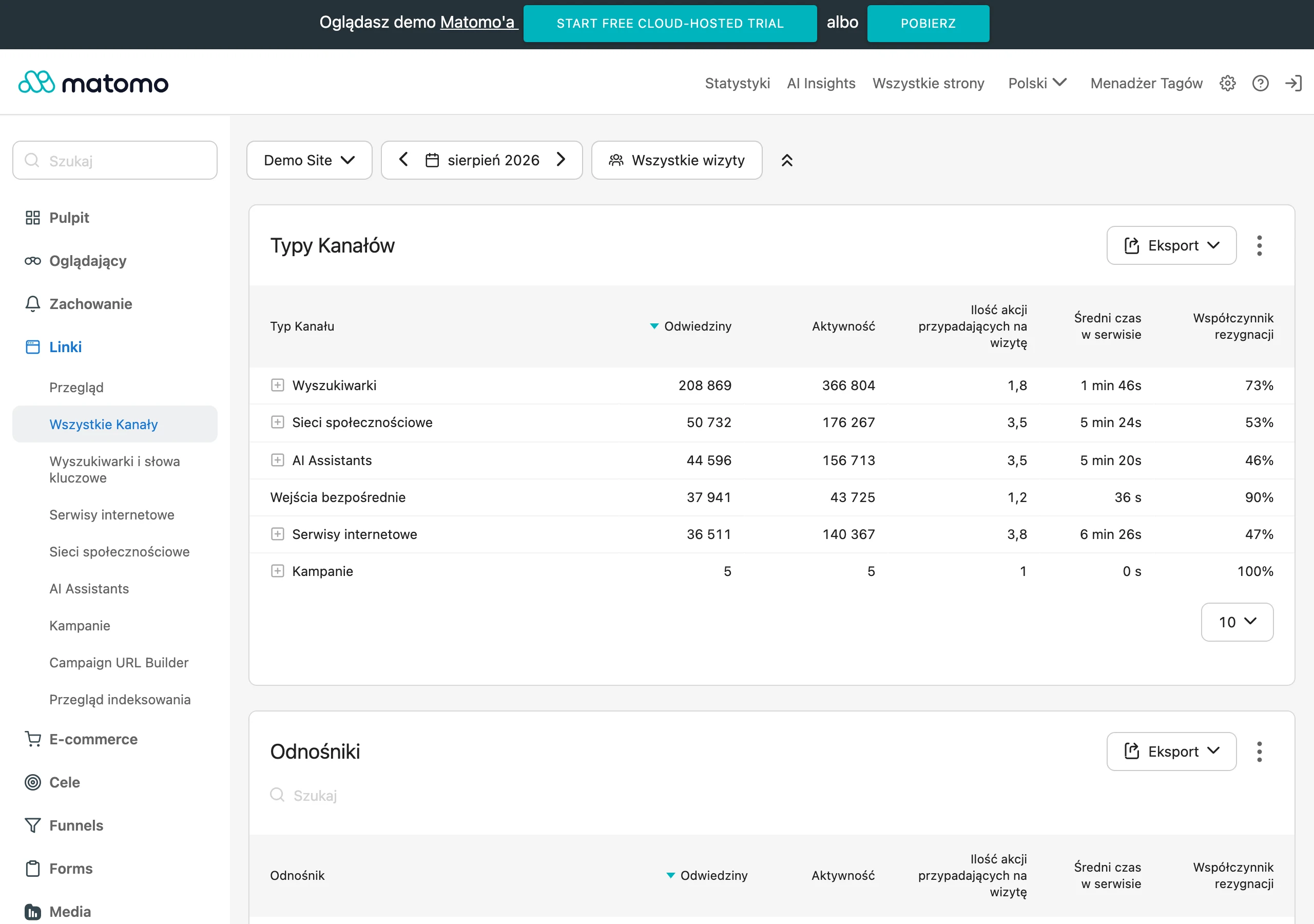
At present, dwell time is measured indirectly, because Google does not provide site owners with one explicit metric by that name. In practice, data from Search Console, GA4, server logs, heatmaps and session recordings are used. Each of these sources shows only one slice of the picture, so a sensible assessment usually requires combining them.
The length of a visit alone does not determine page quality, because everything depends on the intent behind the query. For a simple question, a short session can be a sign that the user received a full answer quickly, which works in the page’s favour. For a complex query, the same short stay may, however, mean that they did not land on the content they were looking for.
The interpretation of this signal is also affected by the device, the type of subpage, the way the content is presented, loading speed and the quality of the first screen. On mobile, users are more often in a hurry and have less tolerance for delays, layout shifts or intrusive elements. If the answer is not visible straight away or the page makes it harder to consume the content, even good content can lose out.
An additional challenge comes from the evolution of the search engine itself. More and more queries end without a click because the answer appears already in the SERP, and richer result features capture part of the user’s attention. In practice, this means that in analysis the quality of visits and post-click behaviour matters more than the session time or number of visits themselves.
The most useful interpretation of dwell time appears only when several signals are compared at once. It is worth comparing CTR, organic visits, scroll depth, internal clicks, quick exits and conversions. This package helps distinguish content mismatch from UX issues, technical slowness or a poorly chosen promise in the title and meta description.
Practical use of dwell time in the SEO process
Dwell time in SEO is used to check whether a landing page from Google quickly meets the user’s expectations and leads them to the next step. It adds the most value on subpages that attract organic traffic and serve as the first contact with the brand. In practice, what is examined is not so much “time on site”, but the whole pattern of behaviour after arriving from search results. First, you need to establish which queries a given page is actually getting clicks for, because without that you cannot assess how well the content matches intent.
A good process starts with identifying priority pages. These are usually URLs with organic traffic, but with signs of low satisfaction: shallow scrolling, a small number of onward clicks, a low conversion share or a high proportion of quick exits, especially on mobile. This means the work focuses where improvement has a chance to translate into results, rather than solely into the page’s aesthetics.
The next step is to compare three elements: the query, the snippet in Google and what the user sees after landing on the page. If the title and meta description promise a specific answer, but the first few seconds on the page show something different, the user often returns to the SERP. Most dwell time problems do not come from “too weak content”, but from a lack of consistency between the query intent and what the page shows above the fold.
Next, you verify whether the problem is content-related, UX-related or technical. Content-related, when the page answers a different question from the one entered in Google, or does so only after a delay. UX-related, when the answer is on the page, but gets lost in clutter, poor structure, a heavy layout or intrusive elements. Technical, when users drop off because of slow loading, layout shifts, mobile errors or an unclear first screen.
At this stage, optimisation should focus on the first 5-10 seconds of the visit. It is worth refining the heading, lead, information layout, visibility of the answer, heading structure, trust elements and internal linking. If the user immediately sees that they have landed in the right place and understands what to do next, the risk of a quick return to the results usually falls.
In practice, elements that turn a single visit into a further journey also work well. These can include related sections, contextual links, comparisons, FAQ, calculators, use cases or clear CTAs. The point is not to artificially keep the user on the page, but to remove dead ends and show a natural next step.
After implementation, you need to compare the same groups of queries, devices and page types. A change in average engagement time alone says very little if CTR has fallen at the same time or the traffic structure has changed. Validation only makes sense once you compare user behaviour with organic traffic, internal clicks and conversions.
- 01Identifying landing pagesFirst contact with the brand
- 02Analysing query intentMatching content to expectations
- 03Studying the behaviour patternOverall journey, not just time
- 04Detecting rejection signalsShallow scroll, quick exits
- 05Optimising for the next stepGuiding towards conversion
Dwell time assesses how well a page matches user intent and leads them towards the goal.
How to analyse and interpret dwell time data
Dwell time data is analysed using proxy metrics, because Google does not provide this value directly. Most often, data from Search Console, GA4, server logs and heatmap and session recording tools is combined. Only such a complete set allows you to assess whether the user landed and immediately gave up, or moved on to further interaction.
The basis for interpretation is segmentation. You need to separate organic traffic from other sources, split devices apart and analyse informational pages, service pages, category pages and landing pages separately. The same behaviour pattern can mean something completely different on an advice blog than on a local service page.
In practice, you start with Search Console data: queries, CTR, clicks and positions. If a page has a high CTR, but users leave it quickly, it often means that the snippet makes a good promise, but the content does not deliver on that promise after the click. If the CTR is low and engagement also remains weak, the problem may start already at the stage of matching the result to the query or in the construction of the title and meta description.
GA4 makes it easier to assess what happens after landing on the page. Instead of focusing solely on time, it is better to analyse engagement, scroll, clicks on internal links, time to first interaction, the share of sessions ending with another pageview and assisted conversions. Time-based metrics alone are only indicative, so it is worth reading them together with whether the user did something genuinely important after landing.
Context of intent is crucial. For a simple query, such as opening hours, an address or a definition, a short visit may mean complete success. For a comparison, purchase or problem-solving query, the same short stay more often suggests that the user did not find the answer or did not trust the page enough to move on.
If you want meaningful conclusions, look for repeated patterns rather than individual values. Particularly concerning are situations where the user bounces on the first screen, does not scroll, does not click further, and this happens mainly on one device type. This picture more often points to a problem with content presentation, speed or usability than with the quality of the topic itself.
Session recordings and heatmaps also help with interpretation. They show whether users try to click elements that are not interactive, whether they get lost in the layout, or whether they leave the page before reaching the key answer. This matters, because the “time” metric alone will not explain why the session was short or why the next step did not happen.
The best analysis ends with a decision on what to improve and how to measure the effect. For some sites, the priority will be rebuilding the above the fold section; for others, changing the scope of content, shortening the introduction, improving mobile UX or adding links to the next stages of the journey. Interpreting dwell time only makes sense when it leads to a specific on-page change and can later be verified on the same traffic segments.
Strategies for optimising a page for dwell time
Strategies for optimising a page for dwell time come down to ensuring that, after landing from Google, the user quickly gets the right answer and can see a clear next step. The first few seconds matter most: the heading must match the query, the lead needs to be clear, and there should be quick confirmation that the user has landed in the right place. If the promise made in the title and meta description does not match what is visible after the click, the user often returns to the results without any further interaction.
Good optimisation starts with matching the content to the real intent, not just the keyword itself. For an informational query, the answer should appear high up, without a long introduction and without delaying the point. On a service page or category page, the more important elements will be quick specifics: scope of service, indicative price, service area, timelines, terms and a clearly indicated next step.
How the content is presented also has a major impact on dwell time. Long walls of text, intrusive pop-ups, a jumping layout and slow loading can spoil the experience even when the substance is correct. In practice, refining the first screen, mobile UX and speed often produces a better result than adding more paragraphs.
It is also worth planning a natural path for further navigation through the site. Contextual links to related subpages, comparisons, FAQ, examples, calculators and “what next” sections all help. A page that answers the first question and immediately suggests the next step usually retains valuable traffic more effectively than a page that ends at a dead end.
It is best to evaluate optimisation separately for query types and devices. A mobile user on a simple local keyword behaves differently from someone reading an in-depth guide on desktop. That is why, after implementation, it is worth looking not only at engagement time, but also at scroll depth, internal clicks, conversions and quick exits within the same group of landing pages.
- 01Quick confirmationThe first few seconds decide
- 02Heading and lead consistencyAlignment with query intent
- 03Promise deliveredNo mismatch with Google results
- 04Immediate valueAnswer or specifics without delay
A quick, relevant answer and a clear next step are key to keeping the user on the page.
Typical mistakes and risks associated with manipulating session time
The risks associated with manipulating session time most often come from equating a long visit with a good answer to the query. The mere fact that a user spent more time on the page does not yet prove satisfaction. Sometimes a longer session results from chaos, slow page performance or difficulty finding specific information.
The most common mistake is artificially extending the content or making it harder to reach the answer. This means lengthy introductions, pagination without justification, slides instead of normal content, autoplay videos, pop-ups and elements that force additional clicks. On the surface, such tactics may improve selected metrics, but they usually reduce usability and increase the risk of returning to the SERP.
The second risk is misinterpreting proxy data. Bounce rate, average engagement time or time on page are not the same as dwell time, and without context they easily lead to wrong conclusions. A short session after a simple question may mean complete satisfaction, while a long session on a service page may mean that the offer is unclear.
Problems also appear when the analysis is not segmented. Combining branded and non-branded traffic, desktop and mobile, articles and landing pages blurs the real picture. On top of that there are measurement errors: poorly configured events, no filtering of internal traffic, poor-quality data after consent, and no link to Search Console.
It can also be risky to “boost” the metric itself instead of working towards the real business goal. When you focus solely on engagement time, it is easy to overlook a drop in conversions, weaker offer clarity or growing user frustration. The safest approach is to treat dwell time as a diagnostic signal and always compare it with CTR, further clicks, conversions and the quality of visits from specific queries.
Which metrics and tools to use to measure effectiveness
To assess the effectiveness of activities around dwell time, it is best to approach this through a set of proxy metrics, because Google does not provide dwell time directly. The key is the combination of data from Search Console, GA4 and tools for analysing on-site behaviour. Only then is it possible to distinguish whether the problem results from a poor match to intent, a weak above-the-fold first screen, or technical barriers. Do not draw conclusions from a single number, because time on site without context often leads you astray.
In Search Console, it is worth starting with queries, landing pages, CTR, clicks and average position. If a page has a high CTR but users end the visit quickly after entering, the source of the problem is usually on the page itself, not in the snippet alone. When CTR is low and post-click behaviour looks good, first refine the title and meta description. The most reliable comparison covers the same page, the same types of queries and the same device before and after changes.
In GA4, focus primarily on engagement metrics for landing pages from organic traffic. Useful ones are: average engagement time, engaged sessions, engagement rate, number of views per user, transitions to subsequent subpages, scroll events, internal link clicks and conversions. This information shows whether the user actually consumes the content after entering and takes the next step, or whether they stop at the first screen and leave the page. Average engagement time is only an approximation, not a substitute for dwell time.
- Search Console – queries, CTR, clicks, positions, comparison of landing pages from SEO.
- GA4 – landing page report, organic traffic segment, engaged sessions, scroll, clicks, conversions.
- Heatmaps and session recordings – exits on the first screen, points of frustration, lack of visibility of important elements.
- Server logs or advanced analytics – supplementary for diagnosing traffic quality, bots and technical issues.
Qualitative tools are useful when the numbers signal a problem but do not show its source. Heatmaps and session recordings let you check whether the user cannot see the answer above the fold, whether something is covering the content, whether the form is too heavy, or whether mobile UX makes it difficult to move on. In practice, this is often the fastest way to identify the reason for quick exits. If the user does not get a clear answer in the first few seconds, even good content further down the page may not work.
Assess the effectiveness of changes through a set of KPIs, not through session length alone. For informational content, a good signal will be deeper scroll, more internal clicks and better traffic retention on the page. For service pages, category pages and landing pages, transitions to the offer, form, contact or another business action are more important. A short visit does not always mean failure if the user quickly got the answer or converted straight away.
Finally, make sure the measurement is correct. Segment organic traffic separately, filter out internal traffic, verify the event configuration and remember that privacy consents may limit some behavioural data. Without a solid setup, it is easy to draw false conclusions and optimise the wrong problem that is actually lowering the page’s effectiveness.
FAQ
Frequently asked questions
How does Google use dwell time in SEO?
The article stresses that Google does not make this metric publicly available, so it is treated as a supporting signal. In analysis, it can suggest whether the page answered the user’s intent before they returned to the search results.
Does a short dwell time always mean there is a problem with the site?
No, a short visit does not have to be a mistake. For simple queries, it may mean the user got a full answer quickly.
Why does a long time on page not always indicate content quality?
Because a longer session may also result from confusion, slow site performance or difficulty finding information. Time alone does not yet say whether the user was satisfied.
When does dwell time matter most in SEO?
Most on search landing pages, such as articles, service pages, category pages and landing pages. That is where the user most quickly assesses whether they have landed in the right place.
What data is worth combining with dwell time during analysis?
The article points to Search Console, GA4, server logs, heat maps and session recordings. Only such a set makes it possible to better assess user behaviour after clicking a result.
What most often affects a quick return to Google results?
Most often, a lack of consistency between search intent, the snippet and what is visible after entering the page. The heading, lead, content structure, loading speed and quality of the first screen also matter.