

Site structure, also known as site architecture, means how well organised and interconnected the pages that make up your site are. A well-structured site is important not only for user experience, but also for search engine optimisation (SEO).
Site architecture is important for SEO for several key reasons:
- it helps search engines find and index all the pages that make up your site,
- it distributes importance (authority) across pages through internal links,
- it helps users find the content they are looking for.
Internal links create the site structure. This means that linking from one page to another gives Google (and readers) broader context for that page and the ability to reach the linked page.
Why is site architecture important?
Site architecture is important because it affects both search rankings and user experience. Good site architecture helps pages achieve better positions in Google rankings because it affects Google’s ability to find and index all relevant pages and helps it understand what a given page is about.
Imagine walking into someone’s house for the first time. You will not immediately know where each room is. But from the context, you will know that there should be a bed in the bedroom, a toilet in the bathroom, etc.
Now imagine you walk into the bathroom and see a bed next to the tap. In such a situation, you may wonder whether the room you are in is a bathroom or a bedroom.
The situation looks similar when Googlebot encounters a disorganised site. If its structure makes no sense, Google will not understand the purpose of individual pages. There may also be difficulties in understanding where and when your pages should appear in search results.
Google uses internal links to discover pages and build their rankings. Site architecture is created through internal links between pages.
The more disorganised your site architecture is, the less content Google gains about the pages and their relationships.
That is why it is important to apply an overall internal linking strategy when creating the site structure.
By creating links between pages, you tell Google which pages are related to each other. If you link to a particular page many times, Google understands that it is important in your view.
Site architecture also affects user experience. You should carefully plan your site structure to make it easier for users to move to products, services and important information.
The easier it is for someone to work out why they landed on your site, the greater the chance that they will become a customer or engage with your site content.
For many users, the most important function of a site is easy navigation. One of the key functions of the content on a site is to direct users to the “sales funnel”. A good example is Sephora.
The user-friendly menu of this makeup-themed site groups all products into well-known categories (e.g. makeup, skincare, eye makeup, etc.). In this way, shoppers can find the products they need in just a few clicks.
Bear this in mind when deciding how to present your products and content to users on your site. The structure you choose will affect how users interact with the site and whether they do what you want while they are on it.
For example, you can paginate results (e.g. display products or search results on separate pages) or use infinite scroll (e.g. load more content as the user scrolls further).
Infinite scroll can reduce the number of clicks a user needs to reach a product. This allows users to find what they are looking for more quickly.
Pagination, however, gives the user more control and makes it easier to remember where products are, as well as allowing them to return to them.
Pagination usually works best for sites with navigation. Infinite scroll can, however, work well for a blog or content that is not based on products.
What does good site architecture look like?
Good site architecture should deliver the following benefits:
- grouping content thematically related content,
- organising groups in a logical hierarchy,
- highlighting the most important pages.
The best option is to use a flat rather than a deep site architecture.
These terms describe how deep your site structure is or how many clicks are needed to get to subcategories. This is often called crawl depth or click depth.
Users should be able to access content in as few clicks as possible. The ideal number of clicks needed to reach any page within a site is fewer than four.
This way, the user does not need to make excessive effort to find the content they need.
It is important to ensure that every important page is part of the site architecture. This means that every page has at least one incoming link from another page on the site.
Pages that do not have internal links pointing to them are called orphan pages.
Search engines crawl the web through links. They will probably have trouble accessing and ranking pages without links pointing to them. Users, in turn, can only reach a page that does not appear in search results by typing the link directly into the browser.
Important tip: create a clear site architecture and avoid orphan pages by creating topic clusters or groups of content related to the same subject that link to each other. This allows related pages to be grouped within the relevant categories.
- 01Impact on successRankings and experience
- 02Easier for GoogleIndexing and understanding
- 03Intuitive navigationLogical content structure
- 04Avoiding chaosPreventing confusion
Good architecture builds user trust and supports visibility in Google.
How to structure a website?
There are six tips for creating an optimal site structure:
- use internal links strategically,
- make sure users can reach your pages in just a few clicks,
- create a navigation menu that is easy to understand,
- optimise your website URLs,
- use “breadcrumbs”,
- use HTML and XML sitemaps.
Use internal links strategically
Internal links are hyperlinks that lead to other pages within the site.
When you link one page to another, you tell search engines that both pages are related to each other. This allows search engines to determine the structure of your site.
Links also pass importance or authority in the eyes of search engines. It is therefore good practice to link to relevant, important pages on your site.
A solid linking strategy also helps users move between the pages that are relevant to them.
A good way of internal linking is to create content pillars and topic clusters.
Content pillars are the main, broader content categories. Clusters are supporting categories that reinforce the pillars.
An example would be creating a topic cluster for a pillar topic such as “Copywriting”.
Open a keyword research tool such as “Keyword Magic Tool”, for example, and check your target keyword. In this case, it is “copywriting”.
The tool will generate a list of related keywords, sorted by the monthly search volume of each keyword (monthly search range).
Scroll through the keyword list and start entering keywords related to copywriting that may fit the content within your topic cluster about “copywriting”.
For example, you may find the following keywords related to copywriting:
- what is copywriting,
- email copywriting,
- copywriting examples,
- copywriting tools,
- copywriting courses,
- how to find the best copywriters.
Carry out this process for every main topic for which you create content. You’ll get a map of all the topic clusters that should be included in the site structure.
Next, create content for each pillar topic and subtopic you discovered. Link related topics together according to the agreed linking architecture – main pages link to pillars, pillars to subtopics, etc.
After publishing the content, you should check for general internal linking issues. Open Site Audit and click the “View details” button (check details) under “Internal linking” (internal linking).
You’ll get a report containing the following information:
- the crawl depth of each page,
- internal linking errors that need to be fixed,
- ways to improve the internal linking strategy,
- the distribution of internal links on the site,
- a list of the best pages passing authority (importance).
While in the site audit section, you should also check the site for orphaned pages.
In the “Internal Linking” report (internal linking), click the “# issues” button next to the “Orphaned sitemap pages” issue under “Notices”.
You’ll get a list of orphaned pages.
If you find such pages, link to them at least once from a related page. This way, both users and search engines can access the previously orphaned page.
- 01Internal linksConnect pages, define the structure.
- 02Authority transferStrengthen important subpages.
- 03User navigationMake it easier to move around.
- 04Topic clustersContent pillars and groups.
A good structure improves visibility and user experience.
Make sure users can reach your pages in just a few clicks
Users should be able to access your site in as few clicks as possible (ideally fewer than four). This also applies to huge e-commerce sites with millions of pages.
The depth of the architecture also affects how search engines crawl your pages, as they move through pages via links. So the lower the crawl depth, the faster and more likely it is that the search engine can reach the page.
You can use Site Audit to find out which pages require more than 3 clicks to access.
Press the button next to “Page Crawl Depth more than 3 clicks” in the “Notices” section of the internal linking report. You’ll get a list of links that are “too deep”.
If you find any pages that take more clicks to reach, consider simplifying your site structure.
Tip: use pages that have authority within your site to link them to pages with a deep crawl depth. You can find authority pages by looking at the “Pages passing the most Internal LinkRank” widget in the internal linking report in Site Audit. Pages with a high internal link rank pass more authority.
Create a navigation menu that is easy to understand
Using a navigation menu is an easy way to connect pages and support the site structure. Menus are usually sets of related links.
There are many types of navigation menus to choose from. There isn’t one correct way to structure a menu, but it’s important that navigation is as easy as possible. This way, customers can find important pages and do what you want them to do (buy a product, etc.).
The most common type of navigation is a horizontal navigation bar. This simple option will work well on most sites.
The top navigation bar should provide the categories users need (e.g. “Shop”, “Contact”, “About us”, etc.).
Don’t be afraid, however, to tailor your top navigation. Think about your users and what they are looking for, and what they want to achieve by browsing your site. That way, you’ll decide what should be included in the navigation.
Let’s assume you’re a local car dealer. You’ll definitely want to place a link in the main navigation menu that takes customers to new cars.
However, many people buy used cars, so you’ll probably add a link to used vehicles, as well as links to other sections (such as services or finance).
In this way, someone who wants to buy a car, get finance information or book a service can immediately find what they’re looking for through the main navigation. After all, it includes all the key aspects of your business.
However, you shouldn’t overwhelm users with too many options right from the start.
If there are too many options in the horizontal navigation bar, you should consider using a dropdown menu structure.
A dropdown menu works excellently on sites with a lot of content and a complex site architecture. You can organise your important pages while still making life easier for the user.
For example, a dropdown menu works great on e-commerce sites with many different products. Users initially see the horizontal menu. Then, after selecting the category they are interested in, they see additional options and links.
You can also use a vertical menu. This option is similar to a horizontal navigation menu, but it provides more space for the most important navigation links.
Perhaps you have a small site and want to place all pages in the navigation menu. A vertical menu will make it easy for you to do so!
Using this type of navigation also gives you the freedom to place additional information at the top of the page, such as social media links or contact details.
When it comes to mobile site navigation, a popular option is “hamburger” navigation menus. On large screens, this navigation appears horizontal, but on mobile devices it is vertical.
Users click the navigation button (the icon with three lines) to see the links. This saves a lot of screen space.
Hamburger-style navigation is a great choice if you do not want the menu to take up too much space.
You have certainly also seen navigation menus in website footers.
This type of menu usually goes hand in hand with horizontal navigation bars. You can place additional links in it that do not fit in the main menu. This will not negatively affect the page layout, because such a menu appears at the bottom of the screen.
Want to update your menu? You can do it easily in a standard CMS (content management system):
Optimise your site’s URLs
Create short URLs and always use words that are related to your site’s content. Your target keywords are usually well suited for this.
It is important for URLs to be clear, because Google uses them to understand the hierarchy and structure of your site.
Google recommends using short and simple URLs.
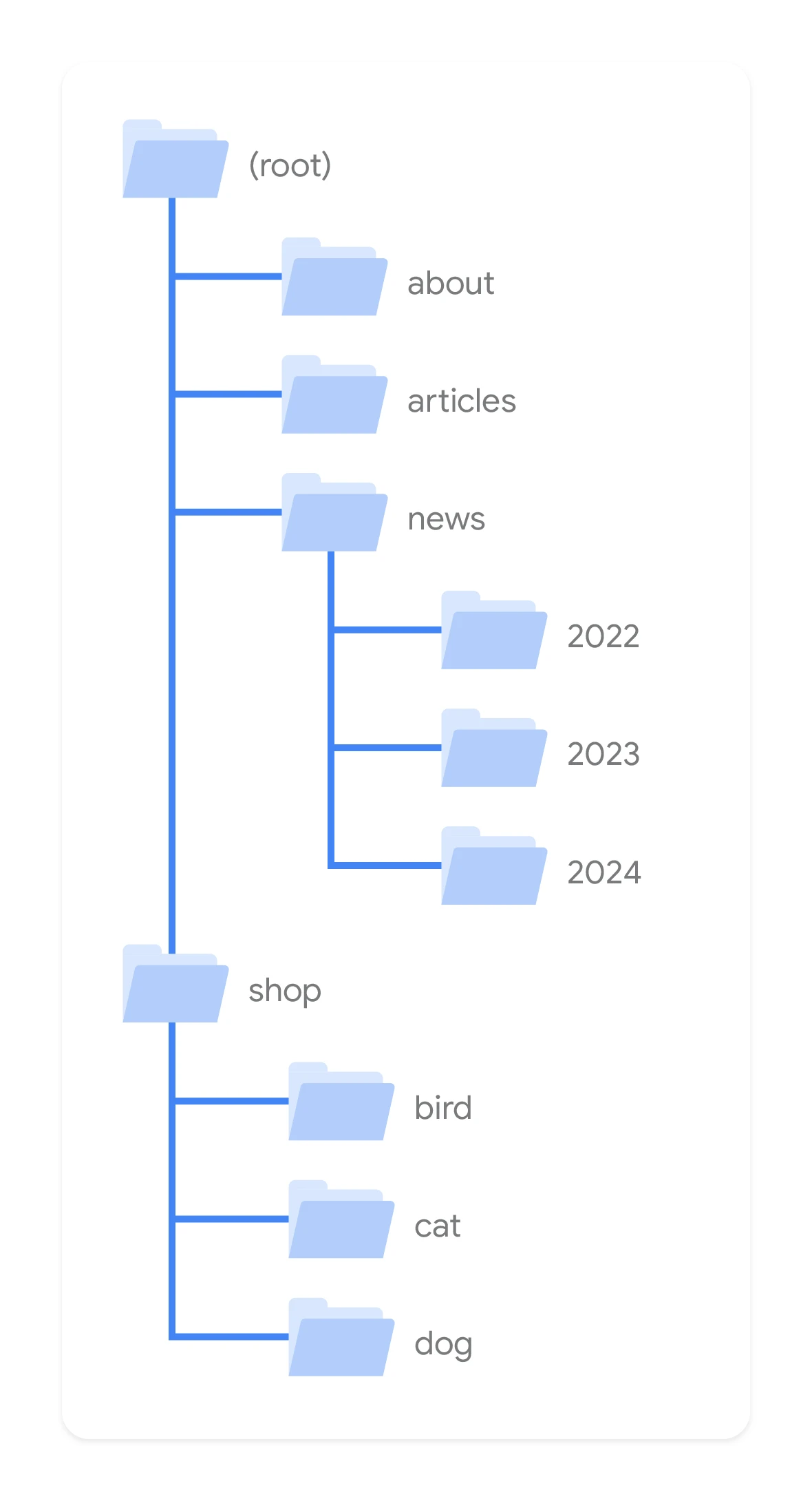
Here is an example of a poorly optimised URL:

Here, in turn, you can find an example of a well-optimised URL that clearly tells you what the page is about:

Most content management systems automatically generate URLs based on the H1 headings on the page and the category of the selected parent page.
This is not always ideal, however the CMS usually allows you to change the URL before publication.
Before publishing the page, make sure that the URL is concise and explains the page topic. You should be careful when changing the URLs of published pages. If it is necessary to change the address of such a page, appropriate redirects should be prepared.
Maintaining a clear URL structure is easy when you use pillar pages and content clusters as your reference.
For example, the URLs of pillar pages can use the format twojadomena.com/temat-filarowy
Cluster page URLs may, in turn, look like twojadomena.com/temat-filarowy/temat-klastra
So if we use the above “copywriting” example, it will look as follows:
- Pillar page: twojadomena.com/copywriting
- Cluster subtopic page: twojadomena.com/copywriting/copywriting-email
Such URLs are optimised for user experience and SEO. Cluster page URLs show the links between the pillar topic and the subtopic.
Use “Breadcrumbs”
Breadcrumb navigation is a text-based navigation trail made up of links. It shows users where they are in the overall site structure.
Breadcrumb trails also inform search engines about the site’s structure.
You can therefore observe all the links from the homepage all the way to the product pages.
When users move around the site, they do not always land on the product they want to buy or the content they want to read. It is therefore useful to show them the navigation trail in case they want to go back.
Advanced tip: you can also add breadcrumb structured data markup to the pages. This means the breadcrumb trail will appear on the search results page.
Use HTML and XML sitemaps
A sitemap is a file that shows all the pages, images, videos and files on a site.
This file shows how the different parts of your site are connected in a format that search engines can crawl.
The HTML sitemap was created for users. If they cannot find a specific page, they can find a full list of the pages making up the site.
On the other hand XML sitemaps were created with search engines in mind. They present a full list of URLs in plain text, so search engine robots can access them easily.
If your sitemap contains errors, it may mean that search engines are unable to find or process specific pages. Search engines usually decide to ignore pages they cannot process, and this leads to ranking issues.
To find XML sitemap issues, go to the “Issues” tab in the Site Audit tool. Then, in the search field, select “sitemap”.
A list of potential XML sitemap errors should appear, such as invalid pages or formatting errors.
Click on the errors found to get more details about ways to improve the site. You can submit your site’s XML sitemap directly to Google via Google Search Console. We recommend doing this so that you can inform Google about your site architecture as quickly as possible with just a few clicks.
FAQ
Frequently asked questions
How do internal links affect site structure in SEO?
They create connections between pages and help search engines understand the site architecture. They also pass importance between subpages and make it easier for users to navigate the site.
Is a flat site architecture better than a deep one?
Yes, the article indicates that a flat architecture is best. A user should be able to reach any page in as few clicks as possible, ideally under four.
Why are orphaned pages a problem for SEO?
Because they have no internal links pointing to them, so search engines may have trouble finding and indexing them. Users can only access them directly via the URL.
How do you build a page structure using topical clusters?
First, you create a pillar page for a broad topic, and then supporting cluster pages around it. Related pages link to each other, creating a logical content group.
When is it better to choose pagination, and when infinite scrolling?
Pagination usually works better on pages with navigation and gives the user more control. Infinite scrolling can be good for blogs or content that is not product-based.
What should a good navigation menu contain?
The menu should include the most important categories users need, for example shop, contact or about us. It should be easy to understand and should not overwhelm with too many options.