
Search engine optimisation involves numerous activities focused on written content. It turns out, however, that optimising graphics in SEO also plays a very important role. It is worth taking a closer look at these activities.
What is image optimisation for SEO?
SEO related to graphics means image optimisation in order to achieve more traffic from search engines.
For example, optimising images for SEO can help a site achieve a higher position in the Google Images ranking.
Optimising images for SEO can also improve a site’s accessibility. This is an important legal requirement in many countries.
Below is information on how to add alt text, reduce the file size of an image in order to optimise loading time, and how to use structured image data, etc.
- 01More traffic from search enginesBetter rankings, Google Images.
- 02Improved site accessibilityLegal requirement, alt text.
- 03Faster loading and dataCompression, structured data.
Image optimisation means better visibility, accessibility and performance for users and search engines.
Why are graphics so important?
According to Google data, searching in Google Images accounts for about 22.6% of all searches. That is why it is important to pay attention to image optimisation in SEO. This can help avoid losing a significant amount of traffic. It should be noted that this number is still growing – for example, on the basis of Google updates introduced to promote product campaigns.
Optimising illustrations for SEO can generate significant website traffic in two different ways:
- using optimised illustrations increases the chance of achieving a high position in the Google Images ranking,
- illustrations are an important part of on-page SEO activities.
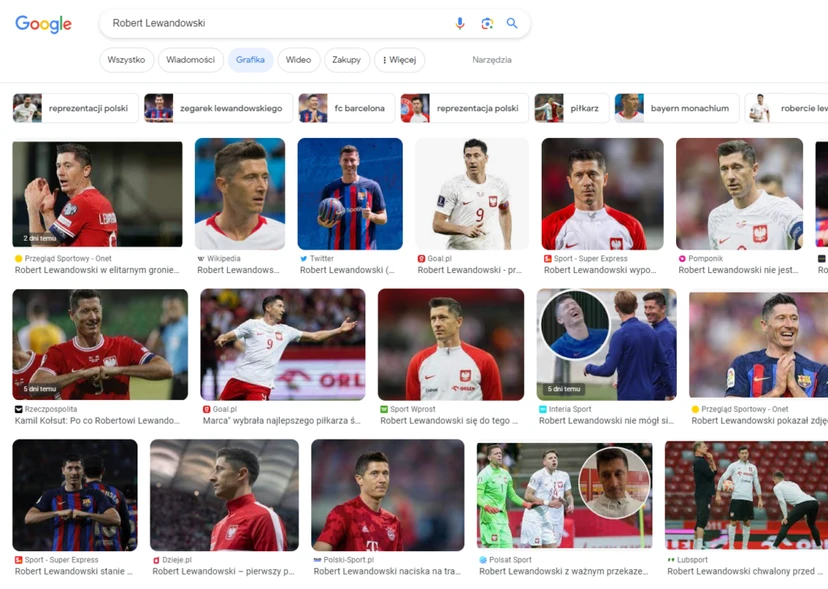
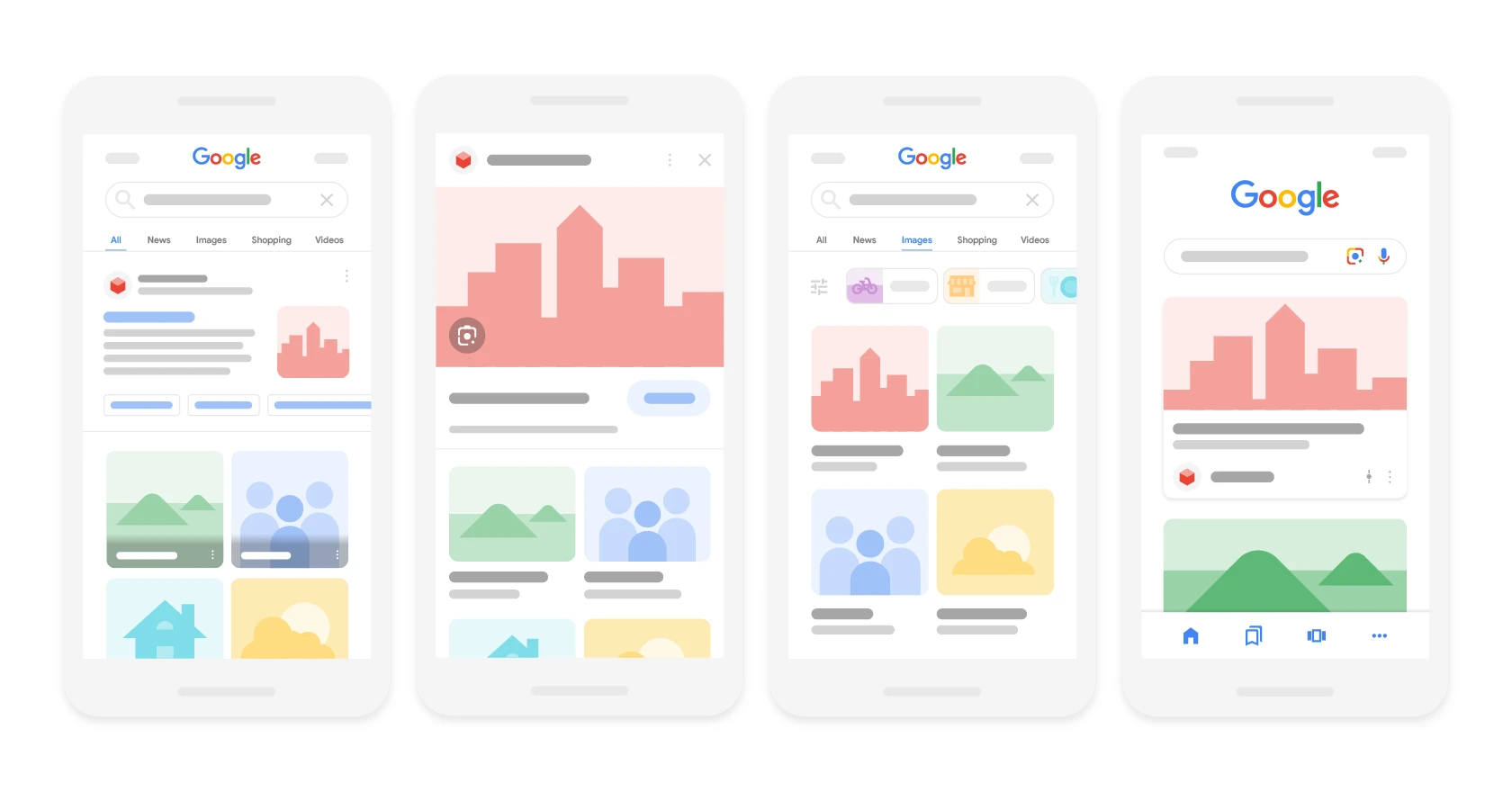
Google is increasingly placing more emphasis on showing illustrations in normal search results. They often appear above the standard organic results.
In addition, images can help users understand written content and engage with it. They are also useful for breaking up large blocks of text, which are received negatively by users.
What is alt text?
Alt text (or alternative text) is a written description of an illustration.
SEO professionals often refer to alt text as “alt attributes” or “alt tags”.
Optimised alt text is key when it comes to achieving a high position for illustrations in the Google Images ranking. This is possible because alt text makes it possible to inform Google what a given illustration shows.
In addition, such text affects the accessibility of the site for users. It also explains what should be in the illustration if it did not load properly.
Alt text can improve SEO performance by giving a site additional signals that confirm its relevance. This in turn allows Google to better understand the context of the illustration and determine how a given page should be ranked.
Alt text is used in HTML code to describe specific illustrations on a page.
It looks like this, for example:
.
The good news is that knowledge of HTML is not needed to optimise alt tags.
- 01Image descriptionWritten content for an illustration
- 02Ranking on GoogleHelps with illustration SEO
- 03Accessibility for everyoneImproves the accessibility of the site
Optimising alt text improves visibility in search and the accessibility of the site for users.
How do you optimise image alt text?
When adding alt text, you need to make sure it is descriptive, but not over the top.
A good idea is to imagine a phone conversation in which you need to explain what a given image looks like to someone.
When writing alt text, it is a good idea to keep to the maximum limit of 125 characters. Simply put, most screen readers (assistive technologies that help people with visual impairments) stop reading alt text after 125 characters.
It is also helpful to include relevant keywords in the alt text. However, the line between being specific and spamming is very thin.
Below is an example of descriptive and spammy text for a pair of L.L. Bean shoes:
- descriptive: brown leather L.L. Bean shoes,
- spammy: brown leather winter walking L.L. Bean shoes.
The descriptive example involves describing the illustration in detail. It includes one or two keywords (e.g. “L.L. Bean shoes” and “L.L. Bean leather shoes”). The description still looks natural.
The spam example involves trying to cram in too many related keywords that do not add much to the description of the illustration.
Optimised alt text helps Google understand the context of the illustration, but “keyword stuffing” can negatively affect the user experience. It is also a signal to Google that the page contains spam.
Examples of alt text
What does well-optimised alt text look like in practice? Below you can find a few examples of bad, good, better and best options.
Let’s start with an illustration showing cats:
- bad alt text: alt=”cats”,
- good alt text: alt=”sleeping cats with yarn”,
- better alt text: alt=”ginger kittens sleeping with yarn”,
- best alt text: alt=”two ginger kittens sleeping with pink and purple yarn”.
Another example can be a screenshot with links:
- bad alt text: alt=”backlinks“,
- good alt text: alt=”Adidas backlinks”,
- better alt text: alt=”general overview of Adidas backlinks”,
- best alt text: alt=”general overview of Adidas backlinks in Semrush Backlink Analytics”
In this example, we have a picture of an air fryer:
- bad alt text: alt=”air fryer”,
- good alt text: alt=”silver air fryer”,
- better alt text: alt=”silver Cuisinart air fryer”,
- best alt text: alt=”silver Cuisinart air fryer making chips”.
As you can see, in every case the best option is the most descriptive alt text that does not sound unnatural.
- 01Cat photoBad, good, better, best description. Bad: alt='cats'. Good: alt='sleeping cats with yarn'. Better: alt='ginger kittens sleeping with yarn'. Best: alt='two ginger kittens sleeping with pink and purple yarn'
- 02Screenshot of linksImportant context and functionality. Bad: alt='backlinks'
- 03The key to good alt textDescriptive, natural, concise. The best alt text is the most descriptive alt text that does not sound unnatural. Precision matters.
In summary: In every case, try to create the most descriptive and natural alt text, tailored to the context of the image.
Adding alt text in WordPress
It is also possible to add optimised alt text to a WordPress page without having any knowledge of HTML.
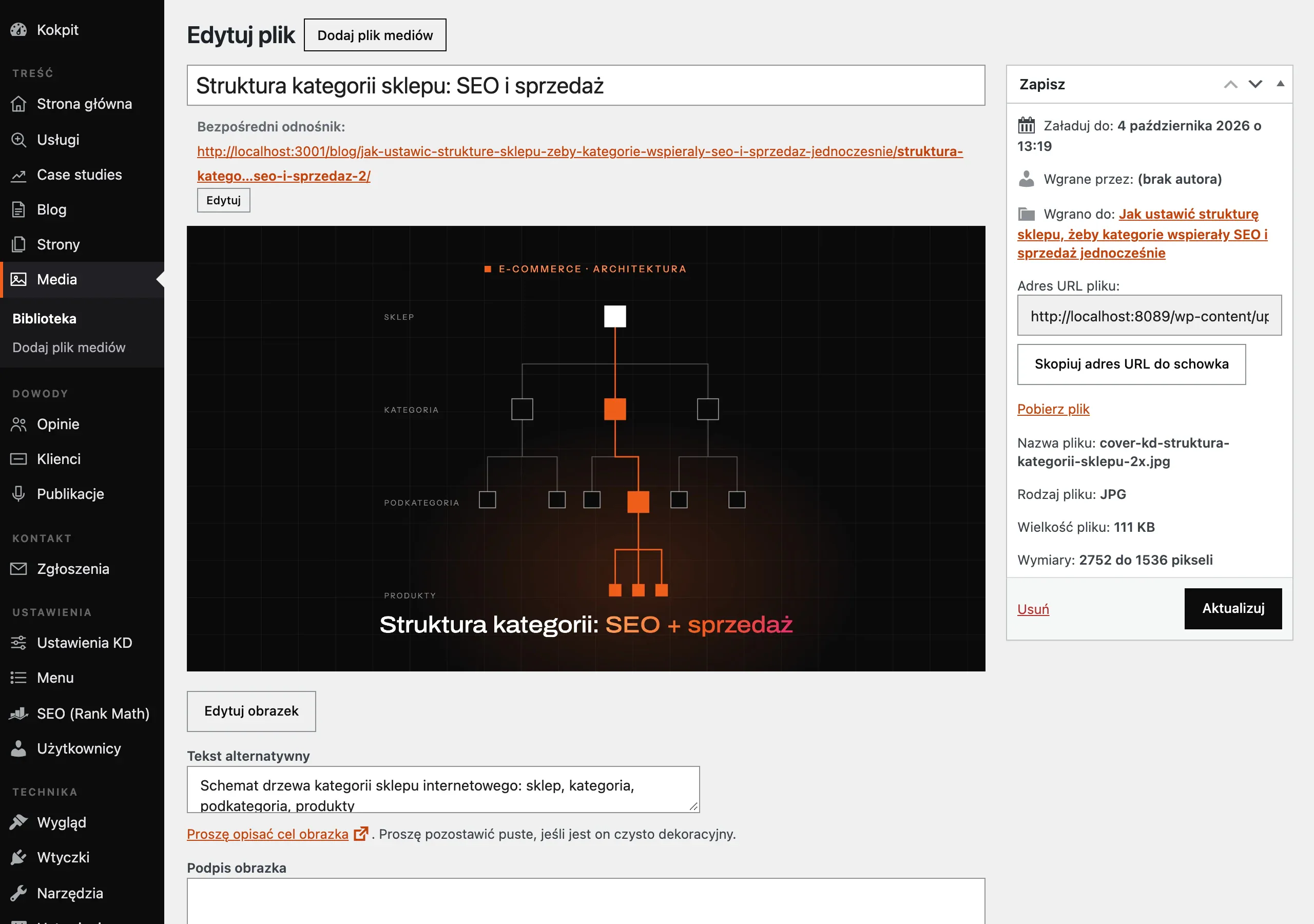
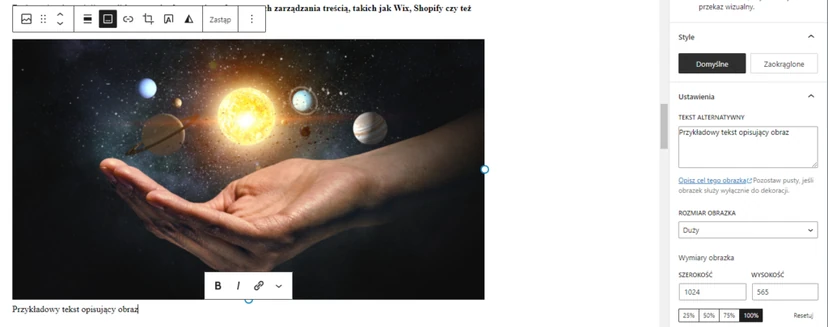
After uploading an image to the library, you can enter its details, including the alt text.
After setting the alt text, the given image will have alt text every time it is used on the site (later, such text can be edited).
Adding alt text to an image is also easy in other content management systems, such as Wix, Shopify or Squarespace.
10 tips to improve image SEO optimisation
Of course, alt tags are important, but there are many other image SEO optimisation issues to remember. There are many things you can do to improve the overall organic performance of the site and achieve higher rankings in Google Images.
Below are ten tips for improving image SEO optimisation.
Matching sizes to display dimensions
When it comes to user experience, page loading speed is key. It is easy to slow things down by not paying attention to file size.
A good example is a photo taken with a phone. Many of the most popular smartphones take photos at a size of at least 4032 x 3024 pixels.
If the maximum width of an image on the site is 600 pixels, then the illustration will be much larger than it should be. This can slow the site down.
To avoid this problem, you should resize the illustration to the maximum required display size before uploading the photo.
The illustration can be resized manually in Photoshop or in a simpler tool such as Canva.
When using WordPress, you can use a plugin such as Resize Image After Upload (image resizing after upload).
All you need to do is activate the “enable re-sizing” function (enabling resizing) and then select the required sizes.
It is also worth making sure that images are scaled responsively in CSS.
Creating correct image names
According to Google’s image SEO optimisation guidelines, it is important to use descriptive file names.
A good example is a photo of a Nike Air Force 1 shoe.
A computer may generate a file name such as IMG00353.JPG when saving it. Such a name tells Google nothing about what is in the photo.
A better file name would be white-air-force-1-pastel-stripes.jpg. You should give descriptive names to all images before uploading them to the site. In addition, Google recommends using hyphens rather than underscores to separate words.
When planning to translate or localise a website, you should change the file names accordingly.
Image compression
Resizing an image is not the only way to reduce file size. You can also compress the photo. This helps shorten page loading time.
Image compression means reducing file size without negatively affecting image quality.
The aim is to reduce image data bloat. This has a positive effect on site efficiency and fast loading when the image is used.
To reduce file sizes and compress them, you can use many easy-to-use tools such as TinyPNG, Optimizilla or Image Optim.
When using WordPress, it is worth using the Smush plugin.
You can also use one of Google’s three open-source tools:
Creating an image sitemap
Creating an image sitemap increases the chance of the graphic appearing in search results.
An image sitemap is significantly similar to a normal XML sitemap, except that an image sitemap contains only image URLs.
Creating a dedicated sitemap containing the URLs of all images on the site can help Google discover these graphics and include them in image search results.
There is one key difference between creating an image sitemap and a sitemap.
Image sitemaps can contain URLs from other domains. This means they can be stored in Content Delivery Network (content delivery network).
How to create an image sitemap?
An image sitemap can be created manually or with a sitemap generator.
To create such an element manually, you can follow the instructions and examples provided by Google.
In the case of an image sitemap, you can include up to 1000 images for each page.
Google also provides a list of image tags.
You should use those marked as “Required”. On the other hand, optional tags are intended to provide search engines with further context and positively affect user experience.
There are some sitemap generator plugins, but Google has announced that extensions related to these elements will be appearing soon.
When managing your own sitemap, no further action is needed. However, you need to be careful when using extensions in the future if they are not updated. This will keep the site owner up to date with new best practices.
Choosing the right format
A very important matter is not only compressing images, but also the right image format.
There is no one perfect format. Everything depends on the image to be used and how it is to be used.
Here are the basic formats available to choose from:
- JPEG: the most popular image format. It is used for online photos or artworks. It is also useful for sending email messages with image previews, because this format can be compressed to a very small file size,
- PNG: this format is used to provide transparency in the background of an image,
- WebP: this format should be used when greater compression is needed compared with JPEG or PNG. It supports images and animated images without sacrificing colour depth, animated overlays, etc. However, this format does not work with older browsers,
- SVG: this format is used for icons or logos.
Using Content Delivery Network (Content Delivery Network – CDN)
A content delivery network (CDN) makes images and other content load faster. A CDN is a group of servers located in different places around the world. This allows content to be distributed more quickly to different, separate locations.
For example, for people in the USA, content will load faster from servers located in the USA than from Asian servers.
Content Delivery Network works by having users retrieve content from the servers that are closest to their location.
You can easily configure a CDN in WordPress using plugins such as W3 Total Cache. For further guidance, you can look for integration information from your chosen provider, such as Cloudflare, for example.
Implementing “Lazy load”
When it comes to a slow-loading site, images are usually the most common culprits.
The solution to this problem is to use “lazy loading”. This is information for browsers instructing them to wait for an image to load if it is needed.
This means that the page loads much faster when the user first lands on it. This solution is used not only for graphics. Resources such as JavaScript can also be loaded this way.
With this solution, if the user never scrolls down the page, its resources are never loaded. This, in turn, provides a noticeable performance improvement.
According to Google, you should avoid lazy loading for images above the fold (ATF). This has a negative impact on user experience.
Adding image structured data
Structured data is vocabulary that helps search engines understand the information on a page more clearly. Using structured data also increases the chances of an image appearing in so-called “Rich Results”.
Structured data does not necessarily have a beneficial impact on improving a page’s ranking. However, it does improve the display of images in search results.
For example, when publishing a blog post with a recipe on a site, you can use image structured data to show that a specific image is part of the recipe.
Google Images currently supports the following types of structured data:
- product,
- video,
- recipe.
To get more information on implementing structured image data, please check Google’s guidelines.
In addition, it is worth paying attention to the following key issues:
1. When planning to use structured data with an image, make sure that the image is relevant to the page on which it will appear. For example, when using recipe structured data, the chosen image should show the final result of the recipe.
2. The URL must be crawlable and indexable. Otherwise, Google will not be able to find the addresses or show them on the results pages.
Optimisation for Open Graph and Twitter Cards
Using images is also an important element of the social media strategy. In this case, we are dealing with Open Graph. It is a web protocol (or set of rules) introduced by Facebook.
Open Graph tags allow you to choose how a post preview appears on social media. This means that you can select the title, image and other post elements.
For example, to make sure that the selected image appears when the page is shared, include the image tag below in the HTML code section, so that it looks like the example below:
Open Graph is used on Facebook and Pinterest, while Twitter uses Twitter Cards.
For Twitter, the code that should be added in the section is as follows:
You can use plugins such as Yoast or RankMath to see such image tags and preview your posts.
FAQ
Frequently asked questions
How should you optimise image alt text for SEO?
Alt text should be descriptive but concise, ideally up to 125 characters. It is worth including one or two naturally sounding keywords without overstuffing them.
Does alt text affect an image’s ranking in Google Images?
Yes, because it helps Google understand what the image shows. A well-optimised alt can support an image’s visibility in image search results.
Why is it worth reducing image file sizes before uploading them to a website?
Smaller files speed up page loading and improve the user experience. Large photos, especially from a phone, can needlessly slow down a website.
What image file names are best for SEO?
The best are descriptive names that clearly say what is in the image. Google also recommends using hyphens instead of underscores.
When is it worth using an image sitemap?
It is worth creating one when we want Google to discover images more easily and increase the chances of them appearing in search results. An image sitemap contains only the URLs of images.
Which image formats should you choose for different uses?
JPEG works well for photos, PNG for transparent backgrounds, WebP for stronger compression, and SVG for icons and logos. The choice depends on the type of image and how it will be used.