

The profitability of a blog in a store – goals and return scenarios
A blog in a store makes sense when its role is to increase customer lifetime value and reduce acquisition cost, rather than to deliver sales attributed only to the last click. In e-commerce, LTV growth and a drop in CAC matter more often than the “direct” ROI from a single article. This approach makes it easier to assess the impact of content, because a blog often works at earlier stages of the purchase decision and strengthens repeat visits instead of closing only a one-off purchase. In practice, profitability will also depend on margin and average order value, because they determine how many additional orders you need to cover the cost of content creation.
A blog makes the most sense in sectors where customers ask many questions before buying and compare product specifications. This applies, among others, to cosmetics, supplements, electronics and home furnishings, where guides and comparisons shorten the decision-making process and reduce the number of doubts. By contrast, for impulse and low-cost products (e.g. small gadgets for 10–20 zł), the return from content is often lower without a strong SEO strategy. If a store has a very limited range and there are no supporting topics (e.g. 3 products with no variants and no problems to solve), a blog can become a cost with no real impact on sales.
- It is easiest to justify investing in a blog when customers need education before buying and often compare variants.
- Return is harder when you do not have a budget for consistency (e.g. 2–4 texts per month for at least 6 months) or there is no content distribution.
- Profitability depends heavily on the store’s economics: with a low margin, the blog has to deliver higher volume or repeat purchases, while with a higher margin a smaller number of additional orders is enough.
Blog results usually appear within a fairly predictable time horizon, but they require patience and consistency. For new domains, the first stable SEO entries are often visible after 3–6 months, and a meaningful scale after 6–12 months (depending on competition). Stores with already established authority may notice results faster, even within 6–10 weeks for long-tail keywords. It is also worth remembering the indirect benefits: size guides, usage instructions and comparisons can reduce unsuitable purchases and the number of questions to support, while articles act as a knowledge base linked by customer service in replies.
A blog can lower advertising costs because it takes over part of the traffic and sales from informational and guide-based keywords, while the paid budget can be shifted towards purely transactional keywords. In addition, content feeds remarketing audiences in GA4/Google Ads, which are usually cheaper than traffic from cold audiences. A blog also gives you an edge in a niche thanks to long tail, meaning queries such as “which water filter for under-sink use under 300 zł”, which can be too expensive or unprofitable to buy in Ads, while still being close to the purchase decision. As a result, content can systematically add “small” visits with high intent that make a noticeable difference at scale.
- 01LTV growth, CAC reductionBuilding customer value over time
- 02Impact on decisions and repeat visitsWorking at early stages
- 03Dependence on margin and basket sizeKey profitability factors
- 04Knowledge-intensive sectorsProducts with a high degree of comparison
Key takeaway: A blog builds long-term value, not just one-off sales from the last click.
SEO and organic traffic – what a blog actually gives a store
A blog really gives a store additional visibility on Google for informational and guide-based keywords that can be deliberately guided towards sales. It does not have to be traffic from “readers without a wallet” if you choose topics with purchase intent, such as comparisons, rankings and selection guides. Purely educational articles should be tied to the offer and build a path to categories, otherwise the traffic may not convert. The best results are usually delivered by an approach in which content answers real purchase-related questions and immediately suggests the next steps.
Visibility grows faster when you build topical authority through topic clusters, instead of publishing single, unrelated posts. The “pillar + 10–20 supporting articles” model can increase the visibility of an entire category, not just one post. For example, one large parent topic (e.g. “skin care”) can be supported by subtopics (retinol, SPF, ceramides, cleansing), which together strengthen the semantics and topic coverage. Such a structure also makes internal linking easier and helps Google better understand what the store is an “authority” in.
The blog strengthens category and product rankings when you consistently use internal linking with descriptive anchors and lead the user directly to the point of purchase. Every article should link to target categories and key products (e.g. the anchor “ceramide cream” instead of “click here”), which passes SEO value and shortens the buying journey. In the competition for featured snippets and PAA, short, factual answers and FAQ sections work well, ideally in an H2/H3 heading structure written as questions (where it makes sense). In sensitive topics (health, supplements, cosmetics), E‑E‑A‑T also matters: showing the author/expert, sources and the update process builds trust and supports results in the long term.
SEO from a blog works more effectively when you look after maintenance and technicals, rather than focusing solely on publishing new posts. Refreshing content (content refresh) includes updates to products, prices and trends, as well as improving linking, because many stores see that a small group of articles generates most of the traffic. From a technical point of view, it is usually better to keep the blog in a subdirectory (e.g. /blog/) than on a subdomain, because it strengthens the store domain’s authority, and a subdomain can be treated as a separate entity. In practice, Core Web Vitals, correct indexing in GSC, a sitemap and limiting duplication of tags and post categories also matter, so that the blog does not become a “brake” on visibility.
The impact of a blog on sales – conversion and the UX of the buying journey
A blog in an online store affects sales when it works as a “pre-sell”, meaning it removes objections and directs the user to the right category or product. Good content can dispel doubts about durability, compatibility, safety, results or purchasing conditions, among other things, which shortens the decision time. Articles such as “How to choose X” also make it easier to move to a category with filtering, which supports the conversion rate. In practice, the blog does not replace the offer, but helps the user reach “yes” faster at the point of purchase.
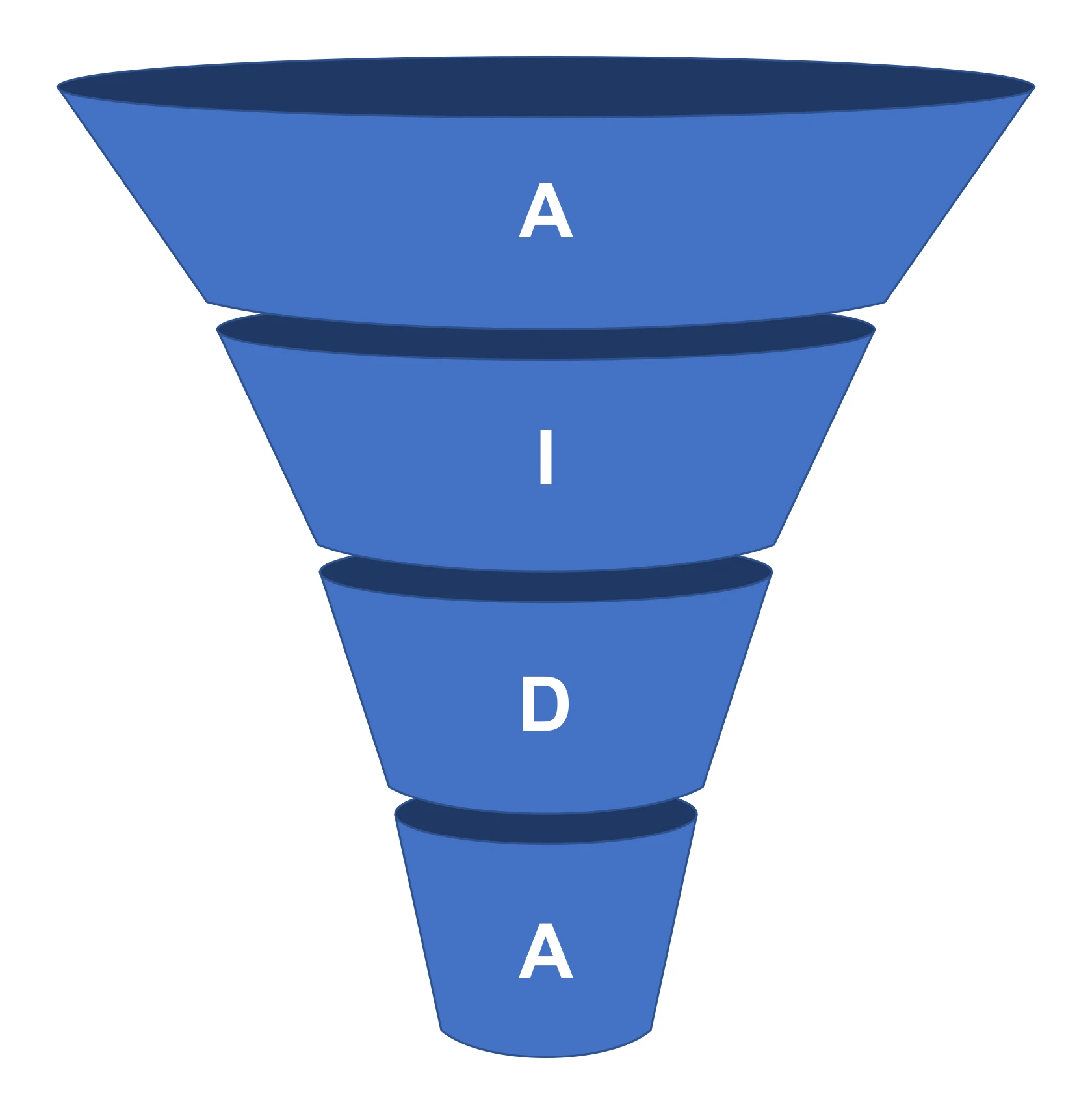
CTAs in an article increase transitions to the store if they are placed in context and do not interrupt the reading flow. Box-outs such as “Recommended products for this use” or “View category” work best when placed right after the section that solves a specific user problem. In a long article, 2–4 CTAs are usually enough, provided they match the intent (e.g. after comparing variants). This way, the blog sells “along the way” while providing help, instead of distracting from the content with intrusive insertions.
Comparisons and rankings often increase CTR to product pages when they clearly show the selection criteria. Effectiveness rises when the criteria are clear (e.g. price, material, specifications, who it is for, pros/cons), and the user gets a quick comparison of options rather than a continuous description. In e-commerce, collections of 5–10 products with links to product pages work especially well, because they shorten the path from research to decision. This format is also easier to “tap through” on mobile if you keep a clear section structure.
For technical products, the blog supports conversion when it makes it easier to choose the right variant and reduces common mistakes. Compatibility lists and short checklists (e.g. “check the thread, diameter, power supply”) help the user confirm the fit before buying. If the store uses a configurator (e.g. filter selection), the post should lead to it as the “next step”, instead of sending users to random products. This reduces the risk of wrong purchases and improves the experience along the buying journey.
The blog also helps build the basket and assess the real impact on sales, even when GA4 does not attribute a transaction to it in a last-click model. Collections such as “what else will be needed” (e.g. a set of accessories for a specific use) naturally support cross-sell and can increase AOV, especially when the links lead directly to ready-made bundles in the store. In analytics, it is worth looking at conversion paths and assisted conversions, because the blog often works at the start of the journey, while the purchase is completed from direct/paid. UX matters here: if a post takes 6–8 s to load on mobile, some users drop off before reaching the product, so images and scripts should support, not slow down, sales.
- 01Removes objectionsFaster decision, confidence
- 02Points to productsSimple selection, fit
- 03Contextual CTAHigher clicks through to the shop
The blog works like a 'pre-sell’ helping the user get to 'yes’ faster when buying, which supports the conversion rate.
Content strategy – what topics to write about so it makes business sense
The blog topics that make business sense are the ones that stem from user intent and lead to a specific purchase step in the shop. It’s best to base planning on the TOFU/MOFU/BOFU funnel so you are not writing “for the sake of writing” and ending up with traffic without clicks through to the offer. In e-commerce, MOFU and BOFU topics support sales the fastest (comparisons, choice, specific models, accessories, substitutes), so these are usually the best place to start. Only later is it worth expanding the base with purely educational content that strengthens reach and feeds the cluster.
Topics with potential are easiest to identify by combining data from tools with real customer needs. Google Search Console shows the queries for which the shop already appears, while tools such as Ahrefs/Semrush help estimate search volume and keyword difficulty. For planning questions and topic structure, AnswerThePublic/AlsoAsked and Google autocomplete are also useful, as they suggest the language users actually use. This kind of research makes it easier to create coherent articles built around a specific purchase decision.
- Collect questions from customer support/live chat (e.g. Zendesk/Freshdesk/LiveChat) and turn them into H2 headings so the content answers real concerns.
- Build buying guides at category level, then use the blog to add detail and link to the category guide.
- Add post-purchase usage and maintenance guides, as they reduce returns and increase satisfaction.
- Create content about alternatives and substitutes for popular brands, honestly showing the differences instead of attacking competitors.
Content strategy should take seasonality into account, because it often decides whether a post manages to “catch” demand in time. Seasonal articles are best published 6–10 weeks before the peak so they have time for indexing and ranking growth, and for recurring occasions a permanent URL updated every year often works better. To avoid confusion, plan a 3-month calendar combining evergreen and seasonal content. In many industries, 2–4 publications a month is the minimum to maintain growth momentum and have something to strengthen with internal linking.
It can be difficult to make content stand out without unique data, so when using AI the key is to add the shop’s “own contribution”. This could be photos from tests, measurements, comparisons, customer survey results or insights from complaints, thanks to which the article does not feel like a competitor copy. Such elements not only support SEO, but also make it easier for the user to make a decision based on specifics. If you do not have data, the safest approach is to write neutrally and base the structure on practical selection criteria and a clear path to the category.
Costs, resources and process – how much it really costs and how to organise it
A blog in an online store costs, in practice, as much as content production and the team time needed to implement it and maintain it afterwards. For a 6,000–12,000 character text with research and basic SEO optimisation, you often pay around PLN 300–1200 net, while expert content (medical/technical) can cost PLN 1500–3000+. If photos, product testing or a specialist consultation are added, the cost goes up, but this usually translates into higher conversion and stronger E‑E‑A‑T. In practice, it is worth calculating the budget not “per post”, but over a cycle of several months, because only then can you see the direction and the scale effect.
Resources on the shop side are needed even when you outsource writing. Usually someone has to provide product data, differences between models, information on stock levels and typical customer problems so the text is not disconnected from the offer. For the actual content approval and linking to the right products, it is worth allowing about 1–3 hours per article. This often determines whether the content genuinely supports sales or merely “looks good” on the blog.
Managing blog work is easiest when you choose a model suited to the shop’s capabilities: outsourcing, in-house or a hybrid option. Outsourcing to an agency or freelancer is often quicker at the start, but it requires good briefs and ongoing quality control, while in-house understands the product better but is more expensive to maintain. In practice, a hybrid model often works well: the freelancer provides drafts, and someone on the shop side acts as editor and strategy owner. This setup limits wasting budget on revisions and helps keep the offer consistent.
The publishing process works best when it is repeatable and closed with a checklist, from brief to indexing. It usually looks like this: brief → research → draft → optimisation → publication, with the brief specifying the goal (SEO/sales), intent, keywords, list of products to link to and mandatory FAQ sections. On the implementation side, strictly publishing elements are also important, such as meta title/description, WebP images, internal linking, schema and verification in Google Search Console. The more standardised you make this stage, the less often you have to “put out fires” after publication.
Scaling costs is easier when you define the minimum test budget and the maintenance pool in advance. At the start, a 3–6 month test often falls within the range of: 2 articles/month + optimisation = approx. PLN 1,000–4,000/month (depending on quality), and in more competitive industries a scale of 6–10 articles/month may be needed to build the cluster and internal linking faster. After publication, the topic is not “closed” because products, prices and availability change, and some queries reward freshness. That is why it is worth planning updates in advance: it is recommended to set aside 10–20% of the content budget for a quarterly refresh of top posts and refining links to rotating products.
The blog also needs legal and compliance risks to be taken into account, especially in medical and financial topics, and in the context of GDPR. Problems start when content promises results (e.g. “cures”, “guarantees weight loss”) or uses unlawful claims in supplements, which is why in many cases a compliance checklist is needed (disclaimers, sources, specialist consultation) as well as control of consent for cookies/remarketing. Profitability is best calculated in złoty, comparing the cost of content (production + publishing + updates) with the margin from sales supported by the blog in GA4 reports (paths). For example, if the average margin on an order is PLN 80, then 25 additional orders per month gives PLN 2,000 margin, which often covers keeping a blog running at a small scale.
- 01Actual costContent production + team time
- 02Content levelsStandard (300-1200 zł) vs. Expert (1500 zł+)
- 03Premium investmentHigher conversion, stronger E-E-A-T
- 04Budget planningA cycle of several months, not „per post”
- 05Internal resourcesProduct and stock data
The key to success is strategic budget planning and involving the team in providing valuable data.
Tools and integrations – how to connect a blog with e-commerce so it works
In e-commerce, a blog works best when it is technically and operationally linked with the shop, rather than functioning as a separate “content warehouse”. The choice of platform matters: Shopify has a built-in blog, but can be limited in structures and content types, WooCommerce on WordPress gives the greatest SEO flexibility, and PrestaShop/Magento often require modules. This translates into the speed of editing, the ease of linking and, in turn, the publishing costs. In practice, what matters is not only whether you can add a post, but whether you can update it efficiently and sensibly connect it with the offer.
It is easier to maintain the blog’s SEO and performance when you use proven tools tailored to the platform. On WordPress, Yoast SEO or Rank Math are often chosen, while cache and performance are usually handled by WP Rocket or LiteSpeed Cache, which helps reduce speed issues and manage metadata more efficiently. In Shopify, apps for handling metadata and image optimisation are useful, but it is worth keeping an eye on not overdoing the number of apps, as they can noticeably slow down the shop. A sensibly assembled toolset shortens implementation time and reduces the risk of errors in batch publishing.
The most “sales-driven” integration is often product boxes within the content, provided they do not require manual monitoring of prices and availability. In Shopify, this can be done through sections/blocks or shoppable article solutions, and in WooCommerce through shortcodes or product blocks. The key is for the boxes to pull price and availability dynamically, because otherwise the article quickly becomes outdated. In addition, the blog can automatically suggest products through associations by tags, categories or attributes (e.g. “skin type: dry”), which usually works better than manual lists, especially when stock changes frequently.
The blog also boosts sales beyond SEO if it is linked with email marketing and automation. Leads are easier to collect when you offer a specific benefit in exchange for an email, such as a checklist, a voucher, a mini PDF guide or alerts about promotions, and then use articles in sequences (welcome series, abandoned cart with a guide, post-purchase education) in Klaviyo or Mailchimp. At the same time, it is worth “adding” traffic from the blog with remarketing: in GA4/Google Ads, build segments of users who have read specific topics but have not visited a product, and target them with ads matched to intent rather than general messages. Such a combination of content with automation and segmentation helps to “close” users who were not yet ready to buy on their first visit.
Blog optimisation is accelerated by tools for analysing queries and user behaviour, because they show what actually delivers on the page. SurferSEO, NeuronWriter or Clearscope can support competitor and topic analysis, but they do not replace product knowledge, while AlsoAsked, Senuto (PL) and Google Search Console are useful for questions and monitoring. In turn, Hotjar or Microsoft Clarity let you check whether users scroll far enough to reach the CTA and where friction appears (e.g. an overly aggressive popup), which makes it easier to improve the layout without rewriting entire texts. For large shops, an additional option is a headless model (e.g. Contentful/Strapi + frontend), which offers speed and flexibility, but is more expensive and mainly pays off when you publish a lot of content and need workflow, versioning and integration with PIM/ERP.
Analytics and KPI – how to measure whether a blog in a shop works
A blog on a shop works when the data shows, in parallel, growth in SEO visibility and clicks through to the offer, rather than just more page views. Instead of focusing only on traffic, track the number of keywords in the TOP10/TOP3 (e.g. in Senuto/Ahrefs), clicks and CTR in Google Search Console, as well as the number of subpages that are actually driving visits. The quality of queries also matters: traffic with purchase intent should accelerate faster than purely informational traffic. The safest approach is to assess a blog using a set of SEO KPIs + sales KPIs, because only the full picture shows its impact on the shop.
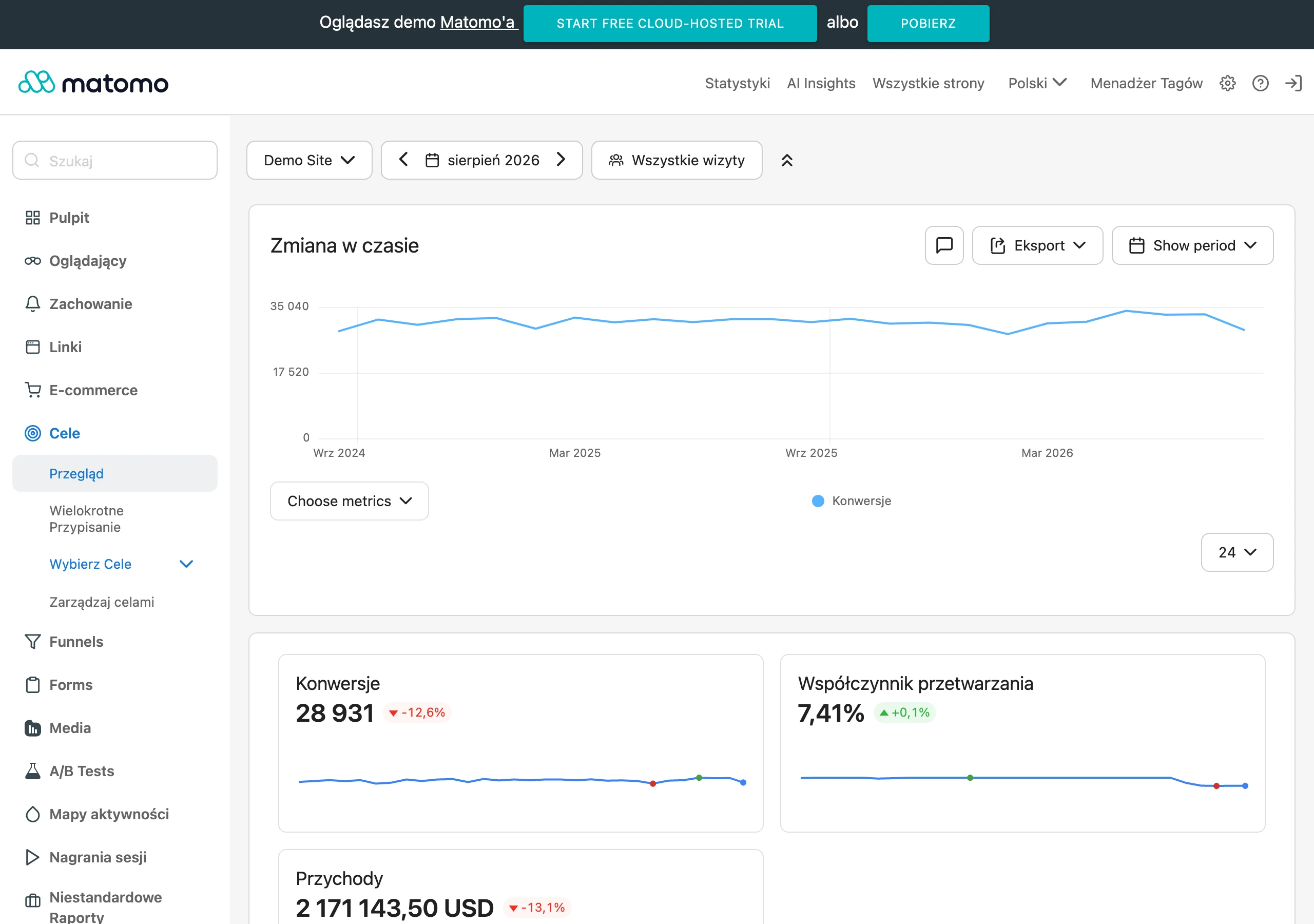
You only measure sales from the blog properly once you analyse attribution and user paths, not just the “last click”. In GA4, check “Conversion paths”, the data-driven attribution model and the reports in the “Advertising → Attribution” section to see the contribution of content at the beginning and in the middle of the decision-making process. For distribution tests and distinguishing traffic sources, tag links with UTM parameters (e.g. when a post is sent in a newsletter). If sales happen rarely or the product is expensive, set up micro-conversions: a click on a product box, moving to a category, using a filter, and adding to basket after a blog visit.
Assess the quality of traffic from the blog by engagement and user behaviour, not by time on page alone. Instead of assuming that a long time is always a positive sign, look at engaged sessions and scroll depth (e.g. 50%/75%), because this better shows whether users reach the product sections. In articles with the highest number of visits, it is worth running A/B tests: CTA variants (category vs product), box placement, comparison tables, as well as H1/meta title headings, and checking differences in CTR to products and in micro-conversions. At the same time, keep an eye on keyword cannibalisation: if a blog post and a category target the same keyword, clarify the intent split and strengthen linking so that each page serves a different role in Google.
Risks, mistakes and pitfalls – why shop blogs fail to deliver
Shop blogs most often fail to deliver because the content is detached from the offer and lacks a natural path to a category or product. When a post does not address purchase objections and does not lead to the next step (category/product), it generates cost and “empty” page views with no impact on sales. The situation is made worse by content copied from or too similar to the competition, because the user does not get real value and Google recognises repeated patterns. The most risky type is a blog “for reach” that does not connect the reader’s intent with what you actually sell.
SEO results are also weakened by operational mistakes: lack of consistency, abandoning publication after a short time, and disorganised management of tags and categories. Hundreds of “thin” tag pages, duplicated in relation to the actual content, can waste crawl budget and generate duplication, so it is better to limit yourself to a few sensible categories and keep tag indexing under control if they add no value. Another trap is failing to update product links. When a product disappears, the user lands on a 404 or an unavailable message, loses trust and the chance of purchase drops. In such cases, redirects, swaps for alternatives, and a periodic link audit of top articles are needed.
Conversion and UX can also be undermined by elements that were meant to “help”, namely too many pop-ups and aggressive monetisation. A popup can work, but it often reduces engagement when it appears too quickly or blocks content on mobile, so a delay (e.g. 30–60 s), exit intent and limiting frequency are often more sensible. On top of that, there is inconsistency with product pages and the shop policy. If the blog communicates conditions differently from the shop (e.g. the free delivery threshold), the user feels misled. The last common reason for “no results” is misinterpreting the data and making hasty decisions to cut content when you judge it only by last-click sales, instead of taking micro-conversions, paths and the impact on category SEO into account.
FAQ
Frequently asked questions
How can a blog in an online store realistically support sales?
It works like pre-sales: it clears up objections, leads users to the right category or product and shortens the decision journey. It can also support cross-sell and increase the average basket value.
Does a blog in e-commerce reduce CAC more than it delivers a quick return from a single article?
Yes, the article emphasises that a drop in CAC and growth in LTV matter more often than direct ROI from a single post. A blog usually works at earlier stages of the buying decision and pays off over time.
When does a blog in an online store start delivering SEO results?
For new domains, the first stable SEO visits usually appear after 3–6 months, and a meaningful scale after 6–12 months. Stores with greater authority may see results faster, even after 6–10 weeks for long-tail keywords.
Why does a blog work best in industries with a long buying process?
Because customers ask many questions, compare products and need education before buying. Articles help shorten the decision and reduce the number of doubts, especially in cosmetics, supplements, electronics and home furnishings.
Which topics for an online store blog make the most business sense?
It is best to start with MOFU and BOFU topics, such as comparisons, choosing a specific model, accessories or replacements. These are the ones that most quickly lead to a concrete buying step.
Can a blog reduce the number of customer service questions and wrong purchases?
Yes, size guides, how-to instructions and comparisons can reduce the number of questions to customer support and limit incorrect buying decisions. The article also pointed out that such content acts as a knowledge base for customer service.